Xiaomi Poco Pad M1 Full Review: Big Display, Even Bigger Battery
TabletsThe Xiaomi Poco Pad M1 is a Wi-Fi tablet built around two dominant strengths: a 12.1-inch Dolby Vision display running at a smooth 120Hz, and a battery capable of lasting well beyond a single day. For media consumption, gaming, and casual productivity in Wi-Fi environments, it consistently over-delivers for its price tier. Understanding where it excels — and where it draws the line — is what this review is here to settle.
Design and Build: Big, Thin, and Deliberately Simple
Physical experience, dimensions, and materials
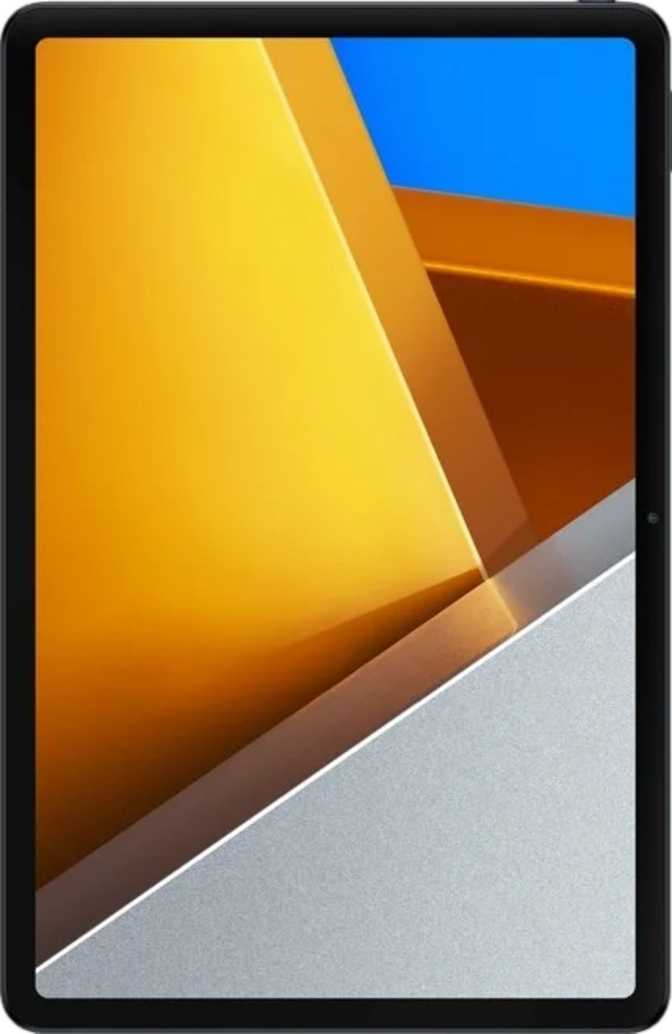
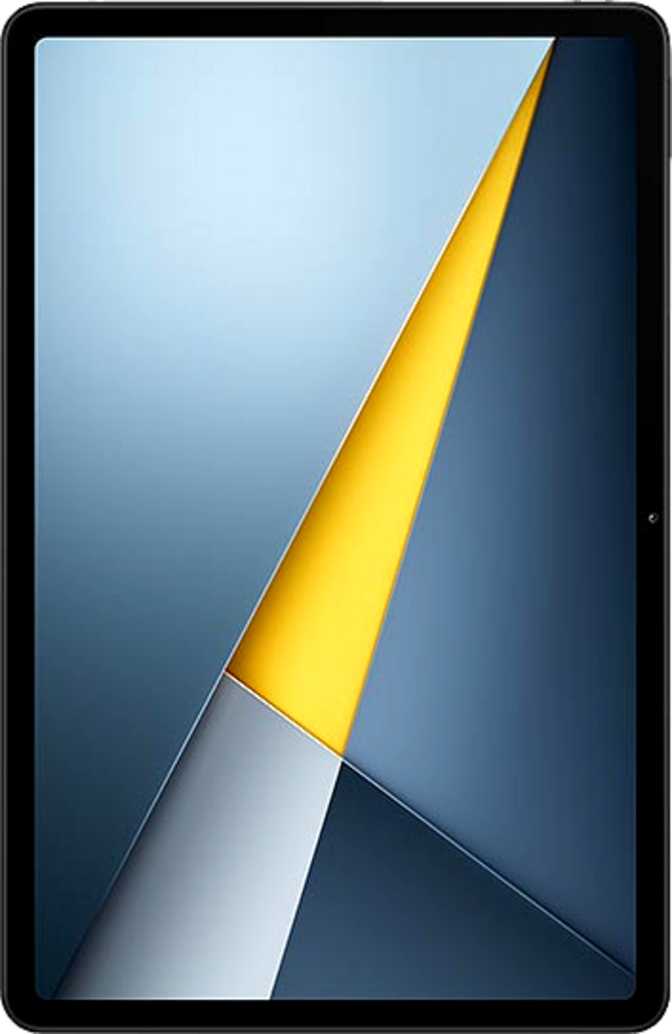
The Poco Pad M1 is a large tablet. At approximately 280mm wide and 182mm tall, its footprint sits closer to a small laptop than to the compact tablets many users are accustomed to. Holding it with one hand for extended periods isn’t comfortable — this is fundamentally a two-handed or surface-resting device, which shapes every aspect of how you’ll use it.
What’s impressive given that size is the thickness. At 7.5mm, it’s genuinely slim — thinner than many premium tablets costing significantly more. That slimness contributes to a feel that belies its 500-gram weight. The weight itself is squarely average for this screen class; not light enough to forget it’s there, but not so heavy that an extended couch session becomes a workout.
The build is clean and unadorned. There’s no rugged reinforcement, no water or dust resistance rating of any kind, and no branded damage-resistant glass on the display. At this price tier that’s expected — but it means a quality case is less optional and more essential.
The Poco Pad M1 carries no water resistance rating of any kind. A quality protective case isn’t optional — especially around liquids. A coffee spill or unexpected rain poses a genuine risk with no safety net.
Neither a stylus nor a keyboard accessory is included, and the hardware does not appear designed to accommodate either natively. Pen input or a keyboard setup requires third-party solutions and won’t offer the tight integration found on dedicated productivity tablets.
Display: The Strongest Argument for Buying This Tablet
Screen quality, HDR standards, and refresh rate — the centrepiece of this review
Screen Size and Resolution
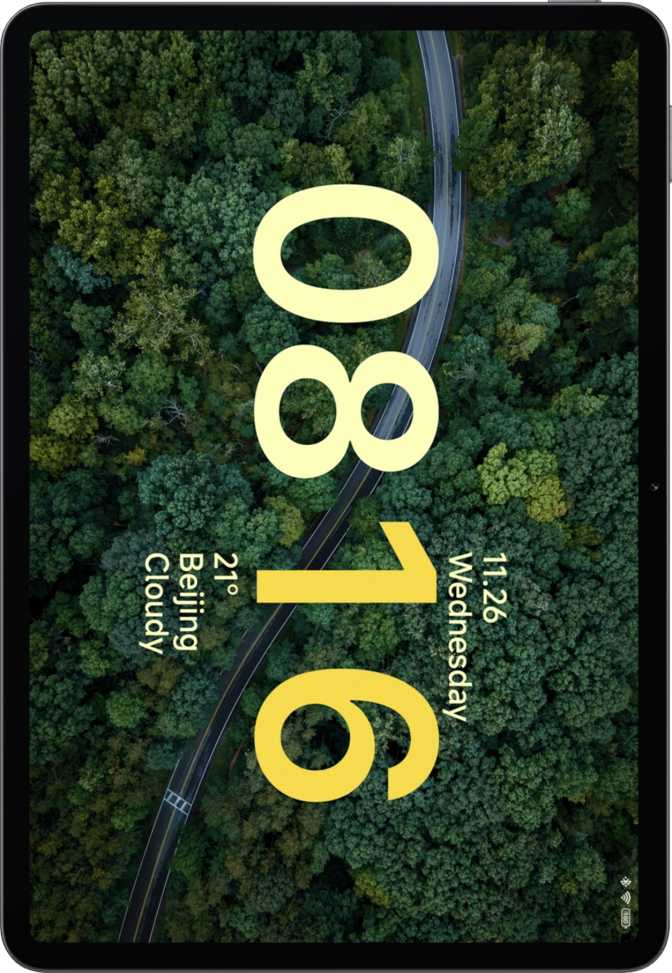
The 12.1-inch panel is large enough to make content genuinely cinematic rather than merely “bigger than a phone.” The resolution — 2560 by 1600 pixels — falls into the category display professionals call WQXGA: a meaningful step above the 1080p panels that still appear in budget tablets at this size. At roughly 249 pixels per inch, text is sharp and fine detail in photos and video is cleanly resolved. Icons don’t look pixelated, small print in documents is legible, and video content benefits from meaningful extra detail compared to a 1080p alternative.
Refresh Rate and Smoothness
The panel operates at up to 120Hz, meaning the screen redraws itself twice as many times per second as a standard 60Hz display. The practical result: scrolling through a webpage or social feed feels fluid and immediate rather than slightly laggy. UI animations are smooth. In games that support high frame rates, motion is cleaner and more responsive. For users upgrading from an older or budget tablet, this improvement becomes immediately obvious and difficult to give up.
Color and Contrast: HDR10 and Dolby Vision
This is where the Poco Pad M1 punches above its weight class. The panel supports both HDR10 and Dolby Vision — the two dominant high dynamic range standards in streaming video. When watching content on Netflix, Disney+, or Apple TV+, the tablet can display it as intended: with expanded brightness in highlights, deeper shadow detail, and a wider range of colours than standard displays reproduce.
Dolby Vision is typically found on mid-to-premium tablets. Seeing it on a mid-range Android tablet of this size is genuinely uncommon — a direct benefit for anyone subscribed to a major streaming platform.
The IPS LCD Consideration
This is an IPS LCD panel, not OLED. OLED displays produce true blacks and higher contrast ratios by turning pixels off entirely. IPS LCD panels use a backlight, which means blacks appear as very dark grey rather than absolute black. For streaming, gaming, reading, and browsing, an IPS panel of this quality is more than adequate. If you’re coming from an OLED device and have strong opinions about dark mode aesthetics or shadow detail in very dark scenes, this is worth knowing before you buy.
- Screen Size12.1 inches
- Resolution2560 × 1600
- Pixel Density249 ppi
- Refresh Rate120 Hz
- Panel TypeIPS LCD
- HDR10Supported
- Dolby VisionSupported
- Anti-ReflectionYes
- Gorilla GlassNo
The anti-reflection coating makes this screen usable across varied lighting conditions without constant angle adjustment — a practical detail many rivals at this price skip entirely.
Performance: A Chipset That Earns Its Place
Processor architecture, GPU capability, RAM, and storage explained
Processor Architecture
The Poco Pad M1 runs on a processor built on a 4-nanometer manufacturing process — the same generation of chip fabrication used in flagship devices. A smaller process node means more transistors packed into the same space, which translates to better energy efficiency and more processing capability without excessive heat generation.
The CPU is organized into three performance tiers using big.LITTLE architecture. A single high-performance core handles demanding tasks at 2.7GHz, three mid-range cores provide sustained performance at 2.4GHz, and four efficiency cores manage lighter loads at 1.8GHz while preserving battery life. Eight total cores with full 64-bit support means multitasking headroom is genuine, not theoretical.
Graphics and Gaming
The integrated GPU supports DirectX 12 and OpenGL ES 3.2 — current API standards for visually demanding Android games. Operating at 1050MHz within a modest thermal envelope, it handles complex 3D titles without throttling performance to manage heat. Games that benefit from a large screen and high frame rate will find this a capable hardware pairing.
Key Features Explained
What each specification means in real daily use — not just on a spec sheet
Split-Screen Multitasking
The 12.1-inch display gives split-screen multitasking enough real estate to be genuinely useful rather than a cramped gimmick. Running a browser alongside a notes app, or a video call next to a document, is a comfortable experience. Picture-in-picture mode keeps video or calls visible while you work elsewhere entirely.
Stereo Audio and Wireless Codecs
Stereo speakers are on board, plus Bluetooth 5.4 supporting aptX, aptX HD, and aptX Adaptive. AptX Adaptive dynamically balances between low latency and high audio quality depending on content — useful for both gaming and music. There is no 3.5mm jack; wired headphones require a USB-C adapter.
Wi-Fi 6 Connectivity
Wi-Fi 6 (802.11ax) keeps this tablet current in wireless networking. In a compatible router environment: faster file transfers, lower latency on streaming, and better performance in congested networks with many nearby devices. Bluetooth 5.4 ensures compatibility with modern accessories and efficient connections.
Privacy and Security Controls
Android 15 provides per-app camera and microphone access management, clipboard access warnings, app tracking controls, and location privacy options. Note: no NFC and no fingerprint scanner. Authentication relies on facial recognition via the front camera, or PIN and pattern lock.
Expandable Storage Up to 2TB
The microSD slot supports expansion up to 2TB. Download movies for offline viewing, store a large music library, or keep a photo archive — and if you ever fill the 256GB built-in storage, the fix is a memory card, not a new device. Long-term storage anxiety simply doesn’t apply here.
Multi-User and Family Sharing
Multi-user support, a child lock, app tracking controls, and Android’s full notification and permissions framework make this viable as a shared family device. Setting up a restricted child profile is feasible entirely through built-in Android tools — no third-party software needed.
Battery Life: The Standout Specification
Endurance capacity, charging realities, and what both mean for your daily habits
The 12,000mAh battery in the Poco Pad M1 is exceptional for this device class. Most large-screen smartphones carry batteries roughly a quarter of this size. Many competing tablets in this price bracket offer between 7,000 and 9,000mAh. Twelve thousand milliamp-hours represents a serious commitment to longevity.
In practical terms: light-to-moderate daily use — browsing, video streaming, reading — should comfortably stretch across two full days between charges, and possibly into a third. Intensive gaming with the screen at full brightness draws that down more quickly, but even under demanding conditions, a full day of use is well within reach.
The tablet does not support fast charging, and there is no wireless charging option. Refilling a battery this large at standard charging speeds takes several hours — overnight charging is the practical approach. If you need a quick top-up before heading out, this limitation will frustrate you.
Bars scaled relative to Poco Pad M1. Category figures are illustrative averages.
Camera Capabilities: An Honest Assessment
Video calls and document scanning are the real use cases — this is not a photography device
The cameras are not a reason to buy the Poco Pad M1, and they’re not designed to be. Eight megapixels on both the front and rear is functionally adequate for video calls and document scanning, but photo quality will be average at best. If your primary camera needs are answered by your smartphone, the tablet cameras function as a useful utility rather than a meaningful limitation.
The rear camera shoots up to 1080p at 30fps and supports manual controls including ISO, white balance, and exposure adjustment — useful for precise document captures or controlled-light situations. Continuous autofocus during video recording and a basic flash are also present.
There’s no optical zoom, no optical image stabilisation, and no backside-illuminated sensor. Low-light performance will be limited. The rule is simple: use your phone for photos and this tablet’s cameras for meetings and scanning.
- Rear Camera8 MP
- Front Camera8 MP
- Max Video1080p / 30fps
- Manual ControlsISO, WB, Exposure
- Slow-Motion VideoSupported
- Optical ZoomNone
- Optical StabilisationNot included
- BSI SensorNot included
Who This Tablet Is For — and Who Should Look Elsewhere
Matching the right device to the right buyer
Strong Fit For
- Media consumers who primarily stream video, browse, and read. The Dolby Vision screen and multi-day battery combination is hard to beat at this price — content looks and feels premium without the premium price tag.
- Mobile gamers who want a large-screen gaming experience: a capable GPU, smooth 120Hz display, and the ability to play games while downloads are still running in the background.
- Students and casual productivity users who need split-screen multitasking, ample storage for documents, and a large screen for reading, note-taking, and cloud-based work in Wi-Fi environments.
- Budget-conscious buyers who want Dolby Vision and 120Hz quality without flagship pricing — these are premium display features at a mid-range cost.
Likely a Poor Fit For
- Frequent travelers and commuters who need cellular connectivity away from Wi-Fi. This tablet requires Wi-Fi access, full stop — no SIM card slot, no 4G, no 5G.
- Creative professionals relying on pen input for sketching, annotation, or digital art. There is no native stylus ecosystem and no dedicated pen hardware built into this device.
- Fast-charge dependent users who need a quick top-up before leaving the house. Standard-speed charging on a 12,000mAh battery takes significant time — this device rewards overnight charging habits.
- Wired headphone users expecting a 3.5mm jack. The port is absent — wired audio requires a USB-C adapter, adding an extra accessory to carry and manage.
Competitive Positioning
How the Poco Pad M1 stacks up against typical mid-range alternatives at comparable pricing
| Feature | Poco Pad M1 | Mid-Range Rival A | Mid-Range Rival B |
|---|---|---|---|
| Screen Size | 12.1 inches | 10.9 – 11 inches | 11 inches |
| Display Type | IPS LCD, 120Hz | IPS LCD, 60–90Hz | IPS LCD, 90Hz |
| HDR Standard | HDR10 + Dolby Vision | HDR10 only | HDR10 only |
| Chipset Node | 4nm | 5–6nm | 6nm |
| RAM | 8GB DDR5 | 4–6GB | 4–8GB |
| Internal Storage | 256GB | 64–128GB | 128GB |
| Expandable Storage | Up to 2TB | Often none | Up to 1TB |
| Battery | 12,000 mAh | 7,000–8,200 mAh | 8,000 mAh |
| Fast Charging | No | Often yes | Sometimes |
| Cellular Option | No | Often available | Often available |
| Stylus Support | No native | Sometimes | Sometimes |
Rival specifications represent typical category averages at a comparable price point. Individual products may vary.
Strengths and Weaknesses: The Honest Assessment
A balanced look at what this tablet genuinely delivers and where it falls short
Where It Over-Delivers
The Poco Pad M1’s strengths are concentrated in the areas that matter most to its target audience. The display is the centrepiece — large, sharp, smooth, and supporting video standards typically reserved for significantly more expensive hardware. Dolby Vision on a mid-range tablet of this size is a differentiator that directly benefits anyone who streams content from major platforms.
The battery is similarly class-leading. Running out of charge mid-day simply isn’t something most users will experience. The 4nm chipset with DDR5 RAM and 256GB of storage isn’t a compromise configuration — it’s capable hardware that will remain relevant for years rather than struggling within a single software generation.
Expandable storage up to 2TB removes any long-term concern about running low on space. The Bluetooth audio codec suite — aptX, aptX HD, and aptX Adaptive — means wireless headphone users can connect at genuine high quality rather than compressed standard Bluetooth audio.
Where It Draws the Line
The weaknesses are real and shouldn’t be minimised. The absence of fast charging is genuinely inconvenient given the battery size — you commit to overnight charging or extended downtime, and that shapes your daily habits whether you want it to or not. No cellular option is a hard dealbreaker for a significant portion of tablet buyers who assume connectivity comes with the device.
No fingerprint scanner limits biometric security to face unlock, which is less convenient and less reliable in certain lighting conditions. The USB-C port transfers data at USB 2.0 speeds — meaning large file transfers take much longer than they should on a device with 256GB of storage.
No formal water or dust protection is typical for this price tier but worth stating plainly. There is no safety net here — a quality case is a necessary investment alongside the device itself, not an afterthought.
Common Questions Answered
What real buyers search for before purchasing this tablet
Final Verdict
A display and battery story worth buying into
The Xiaomi Poco Pad M1 is a focused product with a clear identity. It makes meaningful choices in specific areas — a large Dolby Vision display, a capable 4nm chipset, class-leading battery capacity, generous storage — and accepts real trade-offs elsewhere: no fast charging, no cellular radio, no fingerprint scanner, no stylus ecosystem.
If your primary use cases are streaming, gaming, browsing, and casual productivity at home or in Wi-Fi environments, this tablet offers better display credentials and longer endurance than most rivals at comparable pricing. The Dolby Vision support alone is a meaningful differentiator if you regularly watch content on major streaming platforms.
If you need cellular connectivity, plan to use a stylus heavily, or require fast charging as a daily necessity, the Poco Pad M1 will frustrate you — and there are better-suited options worth considering instead. For the buyer who knows what they want, and that want is a big, sharp, long-lasting screen for consuming and enjoying content, this tablet makes a genuinely strong case.