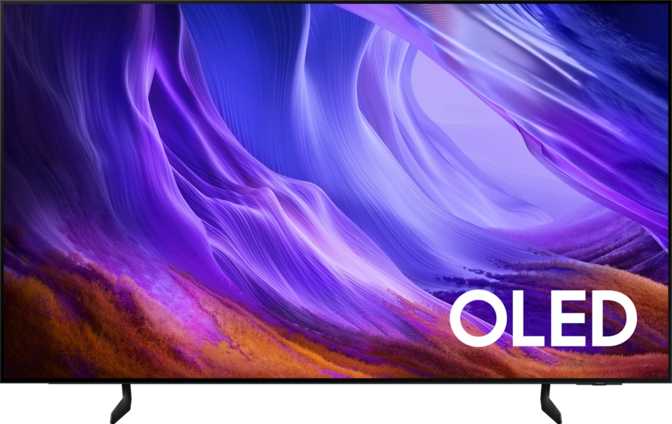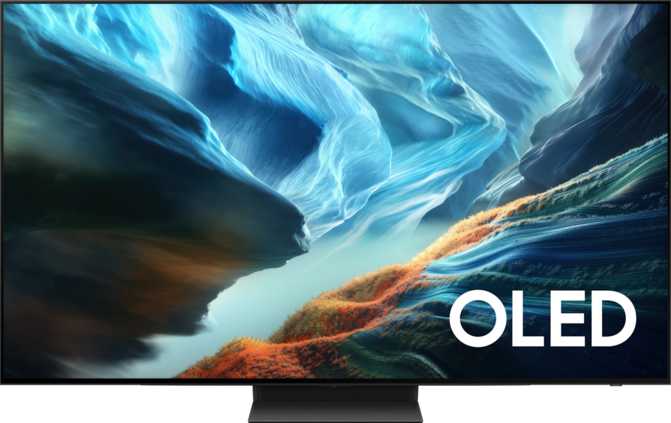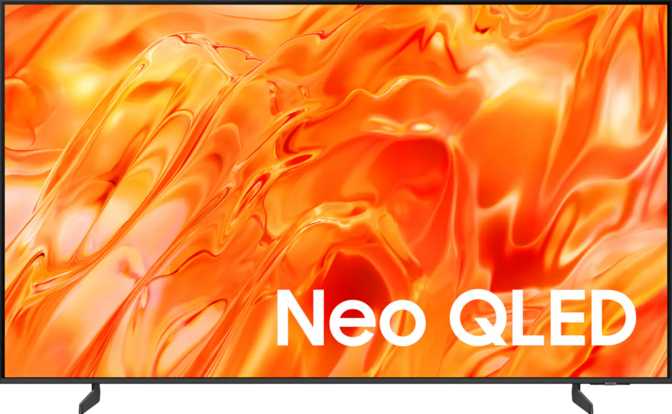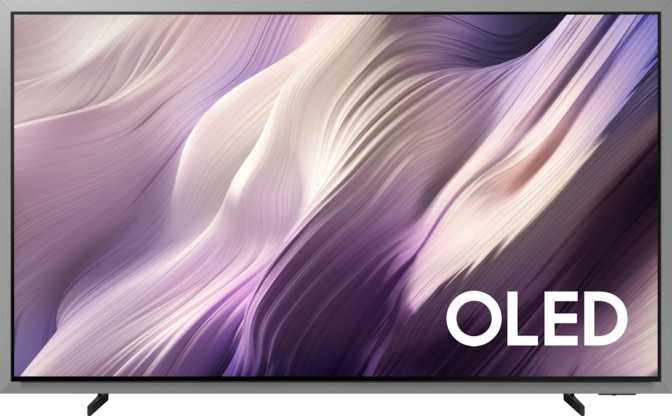
Samsung QN83S95HAEXZA 83" QD-OLED TV: An Honest Full Review
TVsExpert Verdict Summary
Overall Expert Score
QD-OLED at 83 inches — category-leading picture quality and elite gaming credentials.
Category Ratings
Why an 83-Inch QD-OLED Changes What "Big Screen" Means
Most large-screen televisions ask you to choose: stunning picture quality in a smaller size, or sheer physical scale with inevitable brightness and color compromises. The Samsung QN83S95HAEXZA refuses that trade-off. Sitting at 83 inches of Quantum Dot OLED real estate, it combines the perfect-black, pixel-level precision of OLED technology with the color volume advantages that quantum dot enhancement brings — at a scale that most living rooms will never forget.
This is not a TV for the casual weekend shopper. It is a considered purchase for someone who wants the best picture currently achievable at this screen size, and who needs a display capable of serving as both a cinematic home theater centerpiece and a high-performance gaming monitor. Whether that describes you — and whether the trade-offs are worth it — is exactly what this review answers.
Design and Build: Commanding the Room Without Dominating It
Physical dimensions and installation considerations at scale
Width
191 cm
Panel across
Height
112 cm
Panel tall
Depth
26.7 mm
Ultra-slim profile
Weight
41.2 kg
Without stand
At just under 27mm thick across the panel, the QN83S95HAEXZA achieves something genuinely impressive: a screen that spans nearly two meters wide yet disappears into the wall rather than protruding from it. The ultra-slim profile is not purely aesthetic — it signals the underlying display technology, which requires no traditional LED backlight array behind the panel.
The physical weight of approximately 41 kilograms without the stand makes this a permanent installation decision. Wall-mounting requires a two-person team at minimum, and the wall structure must be verified to handle the load. VESA mounting standards are fully supported, so compatible third-party mounts will work without issue. The operating temperature range — between 10°C and 40°C — is standard for a living room, but worth noting for anyone considering placement in spaces where temperatures can stray beyond those limits seasonally.
Installation Checklist
- VESA mount compatible
- Two-person install minimum
- Verify wall structural load capacity
- Operates between 10°C and 40°C
- Not for garages or unheated spaces
The Display: What QD-OLED Actually Delivers at This Scale
Picture technology explained for both first-time OLED buyers and seasoned enthusiasts
OLED technology works by having each individual pixel generate its own light and switch off completely when displaying black. There is no backlight bleeding, no glow around bright objects on dark backgrounds. On an 83-inch screen, the difference between a star field that looks painted on glass versus one that genuinely feels like looking through a window into space is dramatic and immediate.
The QD-OLED variant goes further. The quantum dot layer adds color volume that pure white-OLED panels struggle to match — deeper, more saturated reds and greens in high-brightness scenes, without sacrificing in the blacks that define the OLED experience.
The 10-bit panel processes over a billion distinct color values. In practical terms, this eliminates the color banding that plagues lesser displays — those visible "steps" between shades in gradient skies or shadowed skin tones.
Sunset photography, cinematically graded footage, and HDR gaming all benefit. Banding, when it appears on other screens, is one of those picture artifacts you cannot unsee once noticed. Here, it is largely absent.
The panel resolves 3,840 × 2,160 pixels across 82.5 inches of active screen area, yielding approximately 53 pixels per inch. At a typical viewing distance of 8–10 feet from a screen this size, individual pixels become effectively invisible.
Resolution at this scale is not a selling point in isolation — it is the foundation on which everything else sits cleanly. You see image, not structure.
Because each pixel emits light directly rather than relying on a backlit LCD layer, color accuracy and contrast hold up at extreme off-axis positions. A room full of people watching from different seats will all see a consistently faithful image.
This is one area where OLED demonstrably outperforms even premium LCD-based alternatives — wide-room viewing is simply not a compromise.
165Hz Refresh Rate: Built for Gaming and Beyond
A refresh rate of 165Hz means the panel can update its image up to 165 times per second. Standard broadcast content runs at 24, 25, or 30 frames per second — the TV handles this natively and cleanly. Sports content at 50 or 60fps is handled with zero motion judder.
Where the 165Hz genuinely pays off is in gaming, where frame rates can push beyond 120fps on current-generation hardware, and the extra headroom above 120Hz provides a ceiling that will not bottleneck a fast GPU. For everyday TV watching, 165Hz also gives motion processing more room to work with — though most discerning viewers will keep this feature minimal or off for cinematic content.
Display Specs at a Glance
- Screen Diagonal
- 82.5 inches
- Resolution
- 3840 × 2160 (4K)
- Panel Technology
- QD-OLED
- Pixel Density
- 53 ppi
- Refresh Rate
- 165 Hz
- Color Depth
- 10-bit
- Color Volume
- 1.07 billion shades
- Viewing Angle (H/V)
- 178° / 178°
- Anti-Reflection
- Yes
- Ambient Light Sensor
- Yes
HDR Support: HDR10+ Yes — Dolby Vision No
| HDR Format | Supported | Where You'll Encounter It |
|---|---|---|
| HDR10 | Yes | Near-universal HDR baseline across all streaming and physical media |
| HDR10+ | Yes | Amazon Prime Video, Samsung own content channels |
| HLG | Yes | Broadcast TV, BBC iPlayer, select streaming services |
| Dolby Vision | No | Netflix, Apple TV+, Disney+, most 4K Blu-ray discs |
HDR10 content still looks exceptional on this panel given the underlying QD-OLED quality. The gap to Dolby Vision is narrow, but present for those who notice scene-by-scene HDR optimization.
Gaming Performance: A Serious Case for the Living Room Setup
From adaptive sync to HDMI 2.1 — what this display means for competitive and immersive gaming
Adaptive Sync: G-Sync and FreeSync Premium Pro
The TV supports both Nvidia G-Sync and AMD FreeSync Premium Pro — a combination that covers essentially every gaming GPU on the market. Adaptive sync technology eliminates screen tearing (the visible horizontal split when the TV and GPU fall out of sync) and removes judder from variable-rate rendering.
FreeSync Premium Pro specifically adds low-framerate compensation and requires HDR support alongside variable refresh, meaning even when frame rates dip in demanding scenes the image stays tear-free and HDR-enabled.
Four Full-Bandwidth HDMI 2.1 Ports
All four HDMI ports run the HDMI 2.1 specification — providing the bandwidth required for 4K resolution at 120fps. This is the performance ceiling of current PlayStation 5 and Xbox Series X hardware, and this TV meets it across every single port, not just one or two.
With four such ports, a PlayStation, an Xbox, a gaming PC, and a streaming device can all be permanently connected. No adapter dongles, no port-sharing compromises.
Gaming Connectivity Summary
165Hz
Max Refresh Rate
4K/120
Max Gaming Resolution
4×
HDMI 2.1 Ports
G-Sync + FreeSync PP
Adaptive Sync
Audio: Better Than Expected — Not a Replacement
Built-in sound capabilities and the honest case for an external upgrade
The TV includes a built-in subwoofer alongside stereo speakers, supports Dolby Atmos object-based audio decoding, and handles Dolby Digital Plus natively. For a flat panel display, the sound quality is genuinely above average — the subwoofer contributes low-frequency weight that most TV speakers entirely lack.
That said, 83 inches of room-filling visual experience will outpace the built-in audio for many listeners. The eARC-equipped HDMI port makes upgrading to an external soundbar or AV receiver straightforward — one cable carries both video to a connected device and lossless audio back, without a separate optical cable.
One absent feature worth noting: there is no 3.5mm headphone jack. Private listening requires a Bluetooth connection — Bluetooth 5.3 is included, supporting stable wireless audio — or audio routing through a connected external device.
- Stereo SpeakersYes
- SubwooferYes
- Dolby AtmosYes
- Dolby Digital PlusYes
- HDMI ARC / eARCBoth
- 3.5mm Headphone JackNo
- Bluetooth Audio (5.3)Yes
Smart TV and Ecosystem: Tizen, Voice Assistants, and Connectivity
Platform overview, wireless specs, and which ecosystems are — and are not — fully supported
Voice Assistants
- Google Assistant
- Amazon Alexa
- Siri / Apple HomeKit
Wireless Casting
- Chromecast Built-in
- AirPlay 2
- Miracast
- Apple HomeKit
Wireless Standards
- Wi-Fi 6E (802.11ax)
- Wi-Fi 6 (802.11ax)
- Bluetooth 5.3
- Ethernet (RJ45)
Samsung's Tizen operating system powers the smart TV platform with a built-in web browser, app ecosystem, and remote smartphone control. Chromecast built-in allows casting directly from Android phones and Chrome browser tabs without opening an app. AirPlay 2 support enables wireless streaming from iPhones, iPads, and Macs.
One important ecosystem note: Apple Siri and HomeKit are not supported. AirPlay 2 is present, but full Siri voice control and HomeKit smart home integration are absent. For users invested heavily in Apple's home automation environment, this is a real limitation. An Apple TV 4K connected via HDMI resolves much of this gap — and also adds Dolby Vision support in the process.
For cord-cutters and antenna users, the TV supports DVB-T/T2, DVB-C, DVB-S, and DVB-S2 broadcast standards — covering terrestrial digital, cable, and satellite signal sources without any additional hardware. USB recording is supported, allowing live broadcast content to be recorded directly to a connected USB storage drive as a basic PVR.
- HDMI ports4 × HDMI 2.1
- USB ports3
- Ethernet1 × RJ45
- Wi-FiWi-Fi 6E
- Bluetooth5.3
- HDMI ARC/eARCBoth
- 3.5mm JackNone
- USB RecordingYes
Power Consumption: What Running This Display Actually Costs
Real-world energy usage and annual cost context
236W
Operating power draw
0.5W
Standby consumption
~344 kWh
Estimated annual (4hrs/day)
Operating power consumption sits at 236 watts during normal use — roughly the equivalent of four standard floor lamps running simultaneously. For a screen of this size and display technology, that is a reasonable figure, as large OLED displays have historically consumed more power than comparable LCD alternatives.
At four hours of daily viewing, the annual electricity draw of approximately 344 kilowatt-hours adds a modest but non-trivial amount to utility costs. At average US electricity rates, this translates to roughly $45–$55 per year in operating cost — worth factoring into total ownership cost alongside the purchase price.
Who This TV Is For — and Who Should Look Elsewhere
Honest buyer-profile matching before you commit at this price level
- Home cinema enthusiasts who prioritize picture accuracy, black depth, and color fidelity above all else, and who watch in a room where lighting can be managed.
- Console and PC gamers who want a single display capable of 4K/120fps gaming with adaptive sync, running multiple consoles simultaneously via four full-spec HDMI ports.
- Streaming-forward households on Amazon Prime, Disney+, and other services where HDR10+ and HDR10 coverage is sufficient, and where Chromecast or AirPlay simplifies daily use.
- Buyers upgrading from a large LCD who want to experience the qualitative difference that self-emissive pixel technology delivers at scale.
- A Netflix-heavy household expecting the best possible Dolby Vision presentation — the HDR10 fallback looks very good, but Dolby Vision's dynamic metadata advantage is unavailable without an external device.
- An Apple HomeKit user who wants the TV fully integrated into home automation — AirPlay 2 is present, but Siri and HomeKit integration are not.
- Renters or frequent movers — at 41kg and nearly two meters wide, this is a permanent installation decision, not a casual move-with-me purchase.
- Buyers in very bright rooms — OLED panels, while improving generation on generation, still reach peak luminance levels below the highest-end mini-LED LCD competitors in direct-sunlight environments.
How It Compares to the Alternatives
QD-OLED versus white-OLED versus premium mini-LED LCD at large screen sizes
| Feature | Samsung QN83S95HAEXZA QD-OLED |
Large Premium OLED WBOLED |
Large Premium LCD Mini-LED |
|---|---|---|---|
| Black Level | Absolute (pixel-off) | Absolute (pixel-off) | Near-black (local dimming) |
| Color Volume | Very High (QD) | Good | High (varies) |
| Peak Brightness | High for OLED | Moderate | Highest category |
| Dolby Vision | No | Yes (typically) Typically | Yes (typically) Typically |
| HDR10+ | Yes | Varies | Varies |
| Viewing Angles | Excellent | Excellent | Good to Very Good |
| Max Refresh Rate | 165Hz | Typically 120Hz | Varies |
| Burn-in Risk | Present (OLED) | Present (OLED) | None |
The QD-OLED sits above white-OLED competitors in color saturation and sharpness, particularly in mixed-lighting scenarios. Against mini-LED LCD alternatives at similar sizes, it trades peak brightness for black depth — and most real-world viewing content, particularly film and scripted drama, benefits more from accurate blacks than from extreme brightness peaks.
The Burn-In Question: Addressing the Biggest Hesitation
Burn-in primarily affects displays used as commercial signage, as permanently stationary news channel viewers, or as static desktop monitors running a fixed taskbar or UI element for thousands of hours. For varied viewing habits — a mix of films, streaming series, sports, and gaming — the risk over a normal product lifetime is low. Samsung's on-panel features for pixel shifting and screen saver management further reduce cumulative static pixel stress.
For gaming use, rotating HUD elements and varying content regularly is a sensible precaution. For home cinema use, the concern is minimal. The risk is real but manageable — and should be weighed against the picture quality advantages that the same underlying technology provides.
Questions Buyers Actually Ask
Straight answers to the most searched queries before purchase
Strengths and Honest Weaknesses
A balanced assessment — not a bullet-point list, but a real editorial judgment
The QN83S95HAEXZA delivers some of the most accurate, vibrant, and detailed images available at 83 inches. The combination of absolute blacks, wide color gamut, and 165Hz with full adaptive sync creates a display that handles every content type from film grain to 120fps gaming without compromise in any direction.
The four full-bandwidth HDMI 2.1 ports are a practical luxury that most competing TVs at this scale do not match. This is the rare large display that can serve as a genuine multi-device gaming hub without a receiver or switch box. Wi-Fi 6E connectivity, Bluetooth 5.3, and comprehensive smart platform integration round out a technically thorough package.
No Dolby Vision is the most impactful weakness for a large portion of buyers. Streaming services and physical media releases have made Dolby Vision widespread enough that its absence is genuinely felt — particularly for Netflix and Apple TV+ subscribers. The workaround (an external Apple TV 4K) costs extra and adds a device to manage.
The burn-in concern, while manageable in typical use, requires more mindful viewing habits than an LCD alternative demands. Peak brightness, while improved over earlier QD-OLED generations, does not compete with the highest-brightness mini-LED sets in very bright room conditions.
The 1-year manufacturer warranty on a flagship-tier purchase is a limitation that warrants serious consideration. No 3.5mm headphone jack and absent Apple HomeKit support are secondary gaps that will affect specific buyers meaningfully.
The Right Screen for the Right Room
The Samsung QN83S95HAEXZA earns its position as one of the most capable large-screen televisions available. For buyers who prioritize picture accuracy, contrast depth, and gaming performance over maximum brightness and Dolby Vision compatibility, it is the clear choice at 83 inches.
The recommendation is direct: if your content diet is diverse — cinema, streaming, sports, gaming — and your room allows reasonable light management, this TV will exceed expectations across all of them. If your household watches primarily on Netflix and Apple TV+ and expects Dolby Vision-grade HDR as a baseline, factor the cost of an Apple TV 4K into the budget and the picture becomes close to complete.
This is a screen that rewards the right environment and the right expectations. Meet those conditions, and it is genuinely exceptional.
- Best-in-class picture accuracy
- Elite 4K/165Hz gaming credentials
- Four full HDMI 2.1 ports
- No Dolby Vision support
- 1-year warranty only