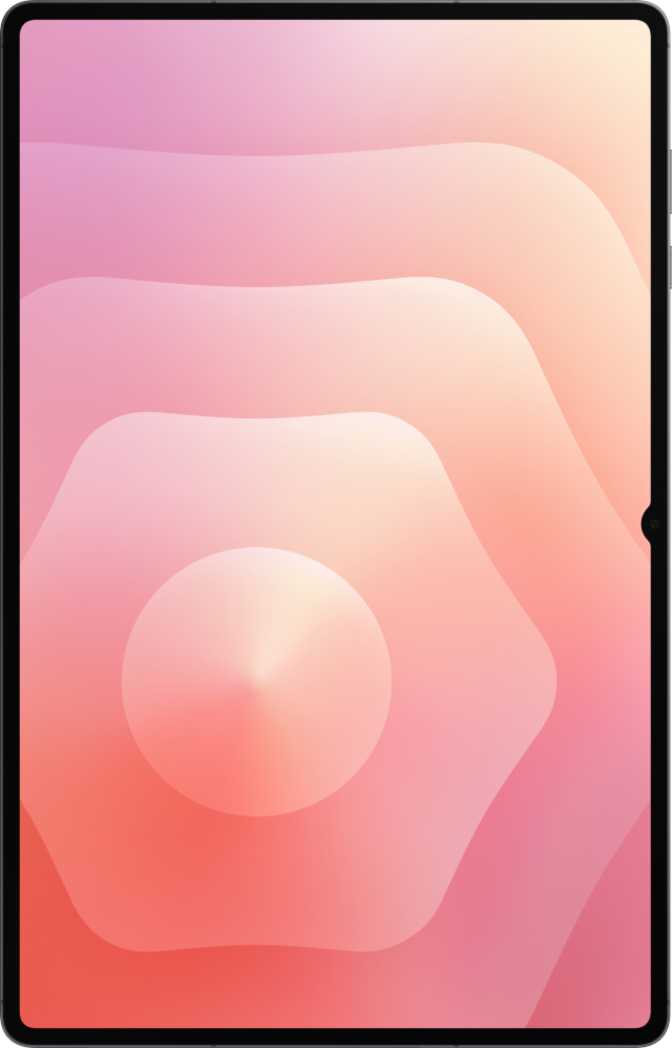
Samsung Galaxy Tab S11 Ultra Full Review: Android's Biggest Flagship
TabletsQuick Verdict
Expert Score
Samsung's largest tablet pairs a cinematic 14.6-inch OLED display with flagship-tier processing and an included S Pen. A handful of deliberate omissions — no wireless charging, limited high-resolution Bluetooth codec support — keep it from outright perfection, but for its intended audience it delivers on nearly every dimension that counts.
Design & Build Quality
Physical Presence
At just over 32.6 cm wide and nearly 21 cm tall, the Tab S11 Ultra has a footprint closer to a 13-inch laptop than a conventional tablet. At 695 grams, it is lighter than most laptops with comparable screen real estate — but noticeably heavier than tablets most users have handled before. That weight distributes across the large surface well, so it rarely feels dense on a desk or stand. Sustained one-handed use is genuinely demanding; this is a desk, lap, and stand device, not a hand-held one.
The 5.1 mm chassis thickness is where engineering surprises. For a device housing this display and battery, that slimness is a genuine achievement. The metal body is rigid throughout, with no flex under deliberate corner pressure — it feels built to last.
IP68 Waterproofing
IP68 certification seals the device against submersion in up to 1.5 meters of fresh water. For a premium-priced tablet, this is expected — but it does real practical work. Whether you use it in a kitchen, near a pool, or in environments where spills are plausible, the seal provides genuine peace of mind that cheaper alternatives cannot match.
S Pen: A Tool, Not an Add-On
The S Pen ships in the box, and its inclusion is central to the product's identity. Across a 14.6-inch canvas, it delivers a serious digital drafting experience for illustrators, designers, and note-takers alike. One important caveat for professional artists: the S Pen does not support tilt sensitivity, which means brush-angle variation — used to simulate natural media like calligraphy or charcoal strokes — is unavailable. For annotation, mark-up, and general stylus input, this matters not at all. For digital painters who depend on tilt for stroke variation, competing stylus implementations hold a functional advantage here.
| Height | 208.5 mm |
| Width | 326.3 mm |
| Thickness | 5.1 mm — remarkably slim |
| Weight | 695 g |
| Water Resistance | IP68 / up to 1.5 m |
| S Pen Included | Yes, in box |
| Tilt Sensitivity | Not supported |
| Keyboard in Box | Sold separately |
The Display: A Cinema in Your Hands
OLED Technology: What It Actually Means
OLED panels switch individual pixels entirely off to produce true black. The resulting contrast — one million to one — means dark scenes in films have genuine depth rather than washed-out grey, text on dark backgrounds reads with precision, and HDR content reveals the shadow detail its creators intended. On a 14.6-inch screen, those qualities shift the viewing experience meaningfully closer to a quality television than to a typical tablet.
The 2960 × 1848 pixel resolution produces 239 pixels per inch. At normal tablet viewing distances, individual pixels are invisible — text is razor-sharp at any size, fine illustration detail holds its edge, and UI elements stay clean at every zoom level.
HDR10+ and the Dolby Vision Gap
Support for HDR10+ — the dynamic metadata standard that adjusts tone mapping scene-by-scene rather than locking a single grade for the entire film — places this display well above standard HDR10 devices. Streaming content encoded in HDR10+ looks measurably better here than on screens limited to the static baseline.
Dolby Vision is not supported. For most users this is inconsequential. If your primary streaming platform relies heavily on Dolby Vision — Apple TV+ and Disney+ both use it as their premium format — you will receive HDR10 output rather than the platform's best tier. It is a gap worth knowing before purchase.
Brightness, Glare Handling, and the 120 Hz Difference
At 1,000 nits of typical brightness, the panel is comfortable across a wide range of lighting including reasonably bright outdoor use. The anti-reflection coating does genuine work under overhead lighting or near windows, where untreated glossy OLED panels can become mirrors.
The 120 Hz refresh rate produces noticeably smoother scrolling and sharper S Pen tracking. For note-taking in particular, the faster screen redraw makes handwriting feel closer to paper — one of those differences that is subtle in description but immediately felt in daily use.
| Size | 14.6 inches |
| Type | OLED / AMOLED |
| Resolution | 2960 × 1848 px |
| Pixel Density | 239 ppi |
| Refresh Rate | 120 Hz |
| Brightness | 1,000 nits (typical) |
| Contrast | 1,000,000 : 1 |
| HDR Support | HDR10 & HDR10+ |
| Dolby Vision | Not supported |
| Anti-Reflection | Yes |
Performance: Flagship Chip, Real-World Impact
The Dimensity 9400 Plus: Why the Fabrication Node Matters
The MediaTek Dimensity 9400 Plus is built on a 3-nanometer fabrication process — the same cutting-edge node used in the highest-end smartphone chips. Smaller transistors switch faster while consuming less power per operation, which in practical terms means this chip delivers performance that, not long ago, required a laptop. The real-world result is a tablet that handles video editing, large-file processing, and simultaneous multitasking without the thermal throttling that plagued earlier large-format Android tablets.
The CPU arranges its eight cores across three performance tiers: one ultra-high-performance core clocked near 3.73 GHz for peak single-threaded tasks, four high-performance cores at around 3.3 GHz for sustained multi-threaded workloads, and three efficiency cores at 2.4 GHz for background tasks. This big.LITTLE architecture with Heterogeneous Multi-Processing continuously routes tasks to the most appropriate core — the tablet conserves energy even during complex sessions, not only at idle.
Memory and Storage: No Bottlenecks Here
The 16 GB of DDR5 RAM, operating at 10,667 MHz with up to 85.3 GB/s of peak bandwidth, means the processor rarely waits on data. Switching between a complex spreadsheet, a large PDF, and a video call happens without forced app reloads. The 12 MB L3 cache reduces latency further for frequently accessed data. The system supports a maximum of 24 GB, leaving headroom for future software configurations to leverage.
One terabyte of internal storage is a generous baseline. The microSD card slot extends capacity by up to an additional 1.5 TB — one of the few flagship tablets where storage will not become a constraint even for users archiving 4K video libraries or offline media collections.
The Immortalis G925 GPU
The Immortalis G925, clocked at 1,300 MHz with hardware ray tracing support, is a serious mobile graphics processor. On a 14.6-inch display, demanding games benefit from both the raw processing power and the large canvas. The pixel-fill demands of this resolution are significant, but the Immortalis G925 is among the few mobile GPUs capable of meeting them without unacceptable frame rate compromise.
Places this among the fastest mobile processors available — comparable to flagship smartphones and approaching entry-level laptop territory.
| Processor | Dimensity 9400 Plus |
| Process Node | 3 nm |
| RAM | 16 GB DDR5 |
| Internal Storage | 1 TB |
| Expandable | Up to 1.5 TB (microSD) |
| GPU | Immortalis G925 |
| CPU Cores / Threads | 8 cores / 8 threads |
| L3 Cache | 12 MB |
Battery Life: Built to Last Between Charges
One of the largest batteries in any commercial tablet — made possible by the physical scale of this chassis.
What That Capacity Means Day-to-Day
The sheer size of the Tab S11 Ultra's chassis allows Samsung to fit a cell that would be physically impractical in a smaller device. Under typical mixed daily use — video streaming, web browsing, note-taking, and occasional gaming — most users will charge every two to three days. Under sustained maximum load, that figure decreases, but the raw capacity acts as a substantial buffer even under pressure.
Fast charging support means the large cell doesn't translate to long cable downtime. When you do need to top it up, the time required is shorter than the battery size might imply. That said, there is no wireless charging — and at this price tier, that is a genuine omission. Competitors at comparable prices include it, and for users who have organized their spaces around wireless pads, it requires a deliberate workflow change.
Key Features Explained
Wi-Fi 7 & 5G
Wi-Fi 7 delivers lower latency and higher throughput than the previous premium tier on compatible routers — meaningful for 4K local-network streaming and large file transfers. The integrated 5G module supports theoretical download speeds that ensure this tablet won't become a network bottleneck as infrastructure improves. An eSIM slot alongside the physical SIM means cellular activation requires no physical card.
Audio & Speakers
The stereo speaker system benefits from the large chassis, with physical driver separation producing a wider stereo image than compact tablets can achieve.
A meaningful gap: no high-resolution Bluetooth audio codecs are supported — no LDAC, no aptX, no aptX HD. For casual wireless listening this is irrelevant. For audiophiles pairing premium Bluetooth headphones that support LDAC, the audio path is compressed below their headphones' full capability. There is also no 3.5mm jack; wired audio requires a USB-C adapter.
USB 3.2 & Connectivity
The USB-C port operates at USB 3.2 speeds — a meaningful upgrade over the USB 2.0 ports still common in mid-range tablets. Transferring a large video project from an external SSD takes minutes, not an hour.
There is no built-in HDMI output; external display connection requires a USB-C adapter. No NFC is present, which limits contactless workflows for enterprise or access-control use cases. Bluetooth 5.4 provides improved connection stability over previous versions.
Security & Privacy
A fingerprint scanner handles biometric authentication — practical and fast for desk-based use. There is no 3D facial recognition and no iris scanner; authentication beyond fingerprint relies on PIN or pattern. The privacy feature set is comprehensive: camera and microphone access controls, app tracking blocking, location privacy options, clipboard warnings, and customizable notification permissions are all present.
Productivity Features
Split-screen multitasking, Picture-in-Picture, full-page scrolling screenshots, and multi-user mode are all present. The ability to play games while they download removes a common frustration. Dynamic theming, dark mode, extra dim mode, and focus-aware widgets provide meaningful customization depth. On-device machine learning enables offline voice recognition without routing audio to an external server.
Navigation & Sensors
GPS, Galileo satellite navigation, accelerometer, gyroscope, and compass are all present, covering navigation and spatial awareness comprehensively. The gyroscope benefits AR applications and precision gaming inputs. No barometer and no infrared sensor are included. Device tracking is supported for remote location in case of loss or theft.
Camera System: An Honest Assessment
The Tab S11 Ultra is not a camera device, and its specifications reflect that honestly. The system is functional and adequate for its context — it makes no attempt to compete with smartphone cameras, nor should it.
Rear Cameras
The rear system combines a 13 MP primary sensor with an 8 MP secondary, capable of 4K video recording at 30 frames per second. There is no optical zoom — no telephoto lens is present. For documenting whiteboards, capturing physical reference, or basic video conferencing on the rear camera, the system performs adequately. For photography as a primary use case, a mid-range smartphone outperforms it decisively.
Manual controls are genuinely available: ISO adjustment, white balance, exposure, and focus can all be overridden, giving enthusiast users meaningful creative control. Continuous autofocus during video recording keeps subjects sharp through tracking shots, and slow-motion video recording is supported.
Front Cameras: The More Relevant System
The dual 12 MP front camera setup is far more practically relevant for this form factor. Wide-angle front coverage matters on a 14.6-inch tablet where users prop the device on a stand and sit across from it rather than holding it close. The auto-framing capability — where the image tracks the user as they move — removes the need to sit rigidly centered during video calls. For anyone using this tablet as a primary video conferencing device, the dual front system is meaningfully better than a single fixed-angle lens.
| Rear Primary | 13 MP |
| Rear Secondary | 8 MP |
| Rear Video | 4K @ 30 fps |
| Optical Zoom | None |
| Optical Stabilization | Not present |
| Front Cameras | 12 MP + 12 MP |
| HDR Mode | Yes |
| Slow Motion | Yes |
| Continuous AF (video) | Yes |
| Manual Controls | ISO, WB, Exposure |
Who Should Buy the Galaxy Tab S11 Ultra
- Digital Creatives & IllustratorsNeed a large, color-accurate canvas for design, illustration, or photo editing with the S Pen as their primary input tool.
- Media & Content EnthusiastsWatching films and streaming content on a 14.6-inch OLED is a qualitatively different experience from any smaller or LCD-based tablet.
- Mobile ProfessionalsWork with large documents, spreadsheets, presentations, or multi-window layouts and want the most capable Android tablet available.
- Design & Architecture StudentsNeed a serious digital drafting surface with processing power for CAD-adjacent and design-intensive applications.
- Long-Haul TravelersWant one device to handle all entertainment and productivity across extended trips without reaching for a charger every night.
- A One-Handed, On-the-Go User695 grams at 14.6 inches makes extended one-handed use uncomfortable. This is a desk, lap, or stand device.
- Prioritizing Camera QualityA mid-range smartphone outperforms this camera. If photography is a primary use case, the tablet form factor is wrong regardless of price.
- Reliant on Wireless ChargingNo wireless charging support. Users with established wireless charging ecosystems will need to adapt to a cable connection.
- Audiophiles with LDAC HeadphonesWithout LDAC or aptX HD, premium Bluetooth headphones will not operate at their highest audio quality tier from this tablet.
- Budget-Conscious or Casual BrowsersThe size, weight, and cost all work against users wanting something compact for light browsing or a low-commitment secondary screen.
How It Compares to the Competition
The Tab S11 Ultra faces pressure from two directions: Apple's iPad Pro at the premium tier, and Android alternatives like the Lenovo Tab Extreme for buyers evaluating large-tablet value more broadly.
| Feature | Samsung Galaxy Tab S11 Ultra | Apple iPad Pro 13-inch | Lenovo Tab Extreme |
|---|---|---|---|
| Display Size & Type | 14.6-inch OLED | 13-inch OLED | 14.5-inch LCD |
| Stylus Included | Yes — S Pen | Sold separately | Yes |
| Stylus Tilt Support | No | Yes (Apple Pencil Pro) | Yes |
| Wireless Charging | No | Yes (MagSafe / Qi2) | No |
| 3.5mm Headphone Jack | No | No | No |
| NFC | No | Yes | No |
| Expandable Storage | Up to 1.5 TB | No | Yes |
| 5G Support | Yes | Yes | Yes |
| Dolby Vision Display | No | Yes | No |
| HDMI Output | Adapter needed | Yes (via Thunderbolt) | Adapter needed |
Comparison based on publicly available specification data. Regional variants may differ.
Honest Strengths & Real Limitations
What It Gets Right
The 14.6-inch OLED display is the most compelling feature in this category. The combination of absolute black levels, 1,000 nits of brightness, HDR10+ support, and anti-reflection coating produces an experience that genuinely changes how you watch and create. This is not incremental improvement — it is a qualitative step above competing panels.
The Dimensity 9400 Plus is legitimately powerful, not merely powerful for a tablet. Its Geekbench scores place it alongside flagship smartphones and approaching entry-level laptop territory — and for a device expected to remain in service for years, that headroom matters enormously.
The included S Pen, IP68 waterproofing, Wi-Fi 7 support, USB 3.2 data speeds, and microSD expandability all reflect first-principles engineering. The enormous battery delivers multi-day endurance. No other Android tablet matches this combination at this level of execution.
Where It Falls Short
The absence of wireless charging is the most conspicuous omission at this price tier. There is no technical barrier to including it — competing products at comparable prices do. For users who have organized their spaces around wireless pads, it requires a genuine workflow change.
The S Pen's lack of tilt sensitivity is a creative limitation. For digital painters who depend on brush-angle variation to simulate natural media, Apple Pencil Pro and certain competing stylus implementations hold a functional advantage. For everyone else, this is a non-issue.
Audio codec support is weak for a premium device. Without LDAC or aptX, users pairing high-end Bluetooth headphones will not access those headphones' full quality tier. The missing 3.5mm jack compounds this.
Dolby Vision display support is absent. For streaming platforms that use Dolby Vision as their premium HDR format, the panel tops out at HDR10 — one tier below what the platform delivers on supported hardware.
Questions Real Buyers Ask
Final Verdict
The most capable Android tablet available — for the right buyer.
The Samsung Galaxy Tab S11 Ultra earns its position at the top of the Android tablet market through genuine engineering rather than specification inflation. The OLED display is extraordinary. The Dimensity 9400 Plus processor is legitimately powerful. The IP68 sealing, included S Pen, Wi-Fi 7, USB 3.2, and multi-day battery all reflect first-principles thinking about what a premium large-format tablet should deliver.
Its limitations — no wireless charging, no stylus tilt sensitivity, weak Bluetooth audio codec support, no Dolby Vision, no NFC — are real and specific. None are deal-breakers in isolation; together they define precisely who this tablet does and does not suit. The camera is functional but never a reason to buy it.
Buy It If You...
- Want the largest, sharpest OLED tablet on Android
- Create, annotate, or work on a large digital canvas
- Need multi-day battery without nightly charging
- Want a complete Android productivity powerhouse
Look Elsewhere If You...
- Depend on wireless charging in your daily setup
- Need tilt-sensitive stylus for professional illustration
- Prioritize Dolby Vision or LDAC audio quality
- Want a compact, lightweight device for casual use
For the right user, the Tab S11 Ultra delivers on every dimension that matters — and that defines a flagship done correctly.
Recommended for: creatives, mobile professionals, media enthusiasts, students in design-intensive programs, and long-haul travelers.