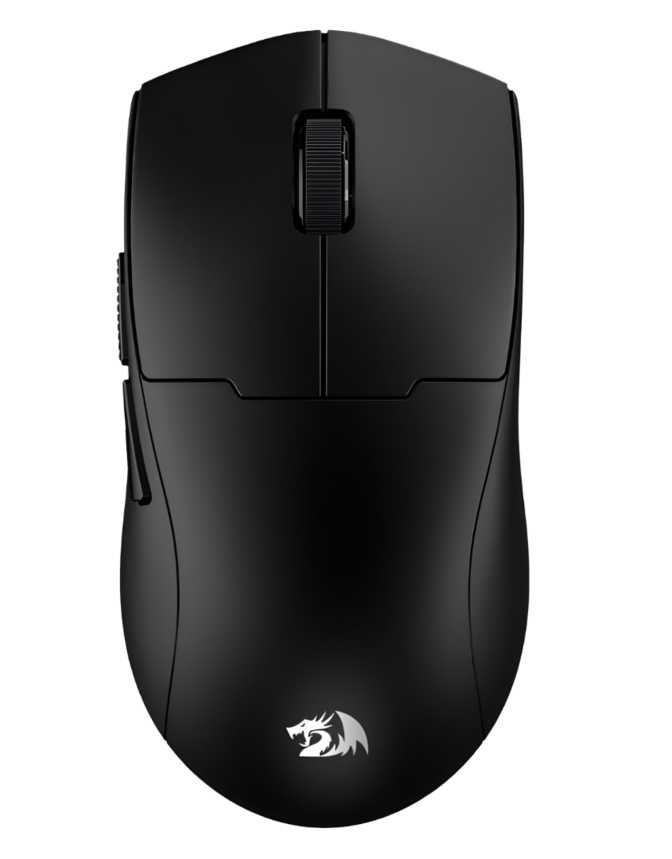
Redragon M918 Pro K1NG Max Full Review: A Flagship Sensor on a Budget
MiceRedragon's reputation is built on accessible hardware that gets the job done without the premium pricing that dominates the gaming peripheral market. The M918 Pro K1NG Max breaks from that pattern in one critical way: it carries the PixArt PAW3395, a flagship-class sensor typically found in mice priced two to three times higher. Add genuine tri-mode wireless connectivity, a build weight under 60 grams, and a battery that lasts weeks rather than days, and this mouse deserves closer scrutiny than its brand name might initially invite. It also carries trade-offs worth knowing in full — including one that may rule it out for a specific type of gamer. This review covers all of it.
At a Glance
Six key numbers before you read any further
Design, Build, and Physical Feel
Weight: The Number That Changes the Experience
At 55 grams, the M918 Pro K1NG Max is genuinely light by any standard — not "light for the price," but competitive with dedicated ultralight gaming mice that cost significantly more. Most gaming mice land between 80 and 110 grams; cracking below 60 on a wireless mouse with a full internal battery is notable. In extended sessions, that reduced mass translates into less forearm fatigue and less physical resistance when making fast, aggressive movements.
The weight is achieved on a solid-bodied shell — not a perforated or skeletonized design. Most users will prefer this for durability and feel over a honeycomb approach.
Size, Shape, and Grip Fit
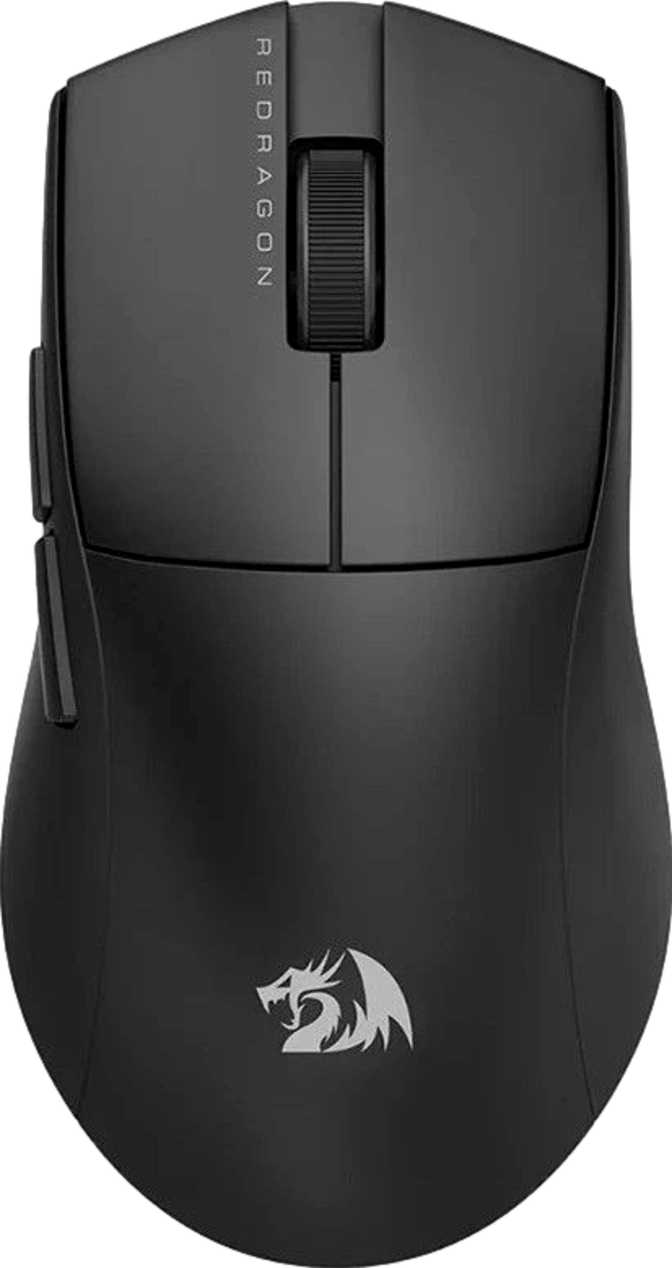
The body measures 125mm front-to-back, 65.4mm at its widest, and sits 41mm tall at the hump. That combination — moderate length with a relatively low arch — suits a claw grip most naturally. Relaxed palm grip users with medium to large hands, roughly 18cm and above, will find it workable. Smaller hands may find the body length pushes the fingers past a comfortable reach.
No RGB: A Design Choice, Not a Budget Cut
The M918 Pro ships with no RGB lighting. Eliminating lighting removes one of the primary battery drains on wireless gaming mice and shaves measurable grams from the final build weight. The result is a peripheral that looks deliberate and clean rather than flashy. If synchronized RGB across your desk setup is a requirement, this mouse will not fit. If you have ever disabled a mouse's lighting specifically to extend its runtime, you will find this approach hard to argue with.
Sensor Performance: What the PAW3395 Delivers
Why This Sensor Is Different
The PixArt PAW3395 is not a rebranded mid-range chip pushed to an inflated maximum DPI number. It is the same tracking architecture found in some of the most widely used competitive gaming mice on the market, known for cursor tracking with no hardware-applied prediction, smoothing, or artificial acceleration. What your hand does, the cursor does — nothing added, nothing interpolated.
For FPS gaming in particular, this matters considerably. Subtle tracking inconsistencies, hardware prediction, or jitter at moderate movement speeds can all affect crosshair placement in ways that feel like skill problems rather than hardware problems. The PAW3395 removes those variables from the equation entirely.
Tracking Speed and Acceleration Handling
The sensor maintains accurate tracking across very fast, sweeping movements — far beyond what any human wrist can sustain under normal gaming conditions. Aggressive flick shots, fast directional changes, and sudden high-speed swipes are all tracked faithfully without the sensor losing position or miscounting distance.
In practical terms: you will not outrun this sensor. The speed ceiling and acceleration tolerance are both high enough that they represent zero limitations on any human player's physical capabilities, regardless of playstyle.
The DPI Range — and a Critical Caveat for FPS Players
The sensitivity ceiling of 26,000 DPI is a headline figure that most users will never approach. High-end DPI values above 6,000 are primarily useful on large multi-monitor setups where the cursor must cover enormous distances with minimal physical movement. Standard single-monitor gaming rarely calls for anything above 3,200.
The lowest available DPI setting on this mouse is 1,000. There is no lower option. A substantial portion of competitive players in titles like CS2 and Valorant prefer 400 or 800 DPI paired with higher in-game sensitivity and a large mousepad. If your preferred DPI sits below 1,000, this mouse is physically incompatible with your playstyle — regardless of how strong its sensor is.
Three Ways to Connect
2.4GHz Wireless
Primary Gaming ModeThe included nano USB dongle delivers a 2.4GHz connection that reports cursor position 1,000 times per second. At that update rate, input lag is functionally imperceptible under normal conditions. This is the mode to use for competitive gaming on your primary machine.
Professional esports players across multiple titles use 2.4GHz wireless at the highest levels of play — it is not a performance compromise.
Bluetooth 5.1
Multi-Device ModePairs with laptops, tablets, and secondary computers without the dongle. The tradeoff is increased latency relative to 2.4GHz — unnoticeable for productivity and casual use, but measurable in competitive play.
Most valuable for users who want one mouse to serve a gaming PC and a work laptop without carrying extra hardware.
Wired USB
Tournament & Backup ModeThe 1.5-meter cable provides a direct wired connection at full 1,000Hz polling with no battery dependency — the mode for LAN tournaments where wireless is disallowed, or for continued use while charging from zero.
Delivers identical polling performance to 2.4GHz with zero wireless overhead and no battery concern.
| Connection Mode | Polling Rate | Primary Use Case |
|---|---|---|
| 2.4GHz Wireless | 1,000 Hz | Competitive gaming, daily primary use |
| Bluetooth 5.1 | Reduced | Productivity, travel, multi-device use |
| Wired USB | 1,000 Hz | Tournaments, charging fallback, zero-lag wired play |
Battery Life in Practice
The M918 Pro K1NG Max delivers approximately 70 hours of wireless use on a full charge. Translate that into real use: a gamer playing four hours a day would charge the mouse roughly twice a month. A more typical user — two or three shorter sessions per week — could go a full month before the battery becomes a consideration.
That runtime is directly tied to the absence of RGB. Wireless gaming mice with active lighting typically deliver 40 to 60 hours at best because LEDs draw constant current. Without that drain, the M918 Pro gets the full benefit of its battery capacity.
Wireless Battery Comparison
Comparison values represent typical category estimates, not manufacturer-tested results.
Who Should Buy This Mouse — and Who Should Not
- Single-PC right-handed gamers who want a flagship-quality sensor without paying flagship pricing. The PAW3395 is not a compromise; the rest of the package is where costs were trimmed.
- FPS and competitive players gaming at 1,000 DPI or above. The sensor and polling rate fully support competitive play within that range.
- Wireless adopters on a budget who want the latency performance of a wired connection without the cable — the 2.4GHz mode delivers exactly that.
- Multi-device users who want one mouse for a gaming rig via 2.4GHz and a work laptop via Bluetooth, without carrying a second peripheral.
- Players who want a truly light mouse without paying ultralight-tier prices. 55 grams is a genuinely competitive weight at any price bracket.
- Left-handed users. The ergonomic shell is right-hand specific with no ambidextrous option.
- Competitive FPS players who prefer sub-1,000 DPI. The hardware floor cannot accommodate 400 or 800 DPI, which are common configurations in CS2 and Valorant.
- Multi-PC and LAN gamers who need their configuration to travel with the mouse. Without onboard profiles, custom settings do not survive a machine change.
- Mac users who need full customization. The configuration software is Windows-only; Mac users receive default settings only.
- RGB users whose setup depends on synchronized per-device lighting. There is none here.
Competitive Positioning
How the M918 Pro K1NG Max stacks up against the categories it competes in.
| Feature | M918 Pro K1NG Max | Typical Budget Wireless | Typical Premium Wireless |
|---|---|---|---|
| Sensor Tier | Flagship (PAW3395) | Mid-range | Flagship |
| Weight | ~55g | 80–110g | 60–95g |
| Minimum DPI | 1,000 DPI | 200–400 DPI | 100–400 DPI |
| Maximum DPI | 26,000 DPI | 6,000–12,000 DPI | 26,000+ DPI |
| Connectivity | USB + 2.4GHz + BT 5.1 | Single mode typical | USB + 2.4GHz |
| Polling Rate | 1,000 Hz | 125–500 Hz | 1,000 Hz+ |
| Battery Life | ~70 hours | 30–80 hours | 40–70 hours |
| Onboard Profiles | None | 1–3 typical | 3–5 typical |
| RGB Lighting | No | Usually yes | Usually yes |
| Warranty Period | 1 Year | 1 Year | 1–2 Years |
The takeaway: The M918 Pro K1NG Max matches or exceeds premium mice on sensor quality, weight, connectivity, and battery — while trading downward on minimum DPI flexibility, onboard memory, and RGB. It outperforms budget alternatives on every performance-critical metric. The value case is strongest for buyers who do not need what it trades away.
Honest Strengths and Weaknesses
What It Gets Right
The PAW3395 sensor is the defining strength, and its presence at this price is not a trivial advantage. The sensor determines how accurately the mouse translates physical movement into cursor movement — it is the most fundamental performance variable in any gaming mouse, and it cannot be upgraded after purchase. Having it here means buyers are not accepting a tracking compromise for the life of the product.
The 55-gram weight deserves separate recognition. It is not a marketing claim; it is a number that translates into real fatigue reduction over long sessions. Lighter mice are less restrictive on aim, especially for players who lift and reposition frequently. Achieving this in a wireless mouse without a honeycomb shell is a meaningful engineering result.
The tri-mode wireless is a practical feature that serves daily life in ways single-mode mice cannot match — Bluetooth for the work laptop, 2.4GHz for the gaming machine, cable as a failsafe. That flexibility extends the mouse's utility well beyond any single session.
Where It Falls Short
The 1,000 DPI minimum is the most impactful weakness for the competitive audience this mouse appears designed for. Low-sensitivity configurations between 400 and 800 DPI are among the most common in PC shooters, and excluding them is not a minor inconvenience — it is a setup dealbreaker for players with those preferences. This constraint is surprising given how capable the rest of the hardware is.
The lack of onboard memory is a cost-related trade-off that makes the mouse unnecessarily software-dependent. Other mice at comparable or even lower prices include onboard profiles. The omission limits portability in ways that matter to a subset of users but are invisible to others — the outcome varies entirely by how you use it.
The 1-year warranty is honest about the budget positioning but shorter than what mid-to-premium brands typically offer. It provides sufficient defect coverage for most buyers without the confidence of a longer commitment period.
Questions Buyers Ask Before Purchasing
Final Verdict
The Redragon M918 Pro K1NG Max makes a specific, well-defined argument: flagship sensor performance, tri-mode wireless connectivity, and a genuinely lightweight build at a budget-accessible price — in exchange for no RGB, no onboard memory, and a DPI floor of 1,000.
The PAW3395 alone earns serious consideration; finding it here, at this weight and with this battery life, is genuine value in a market where that sensor typically demands a price premium. For the right user, this mouse delivers a level of tracking quality that its price has no business including.
For competitive FPS players who use sub-1,000 DPI, multi-PC gamers who need portable configuration, or left-handed users, the search continues elsewhere. The M918 Pro K1NG Max is not a mouse for everyone — but for the user it fits, it over-delivers.
Buy It If
- Right-handed, single-PC gamer on Windows
- Use 1,000 DPI or above
- Want wireless performance without wireless pricing
- Prioritize sensor quality over aesthetics
Skip It If
- You prefer sub-1,000 DPI (competitive FPS)
- You use your mouse across multiple machines
- You are left-handed
- RGB integration is required for your setup