Redragon M916 K1NG LIT Review: Ultra-Light Triple Wireless Mouse
MiceThe Redragon M916 K1NG LIT arrives with a name that promises spectacle. The reality is more interesting than that — and for a specific type of buyer, considerably more appealing. This is a wireless gaming mouse built around three core ideas: flexibility, endurance, and weight efficiency. Whether you're a competitive gamer who switches between setups, a remote worker who doubles as a weekend warrior in your favorite titles, or simply someone tired of wrestling with a heavy mouse after long sessions, the K1NG LIT is designed with you in mind.
What makes this mouse genuinely worth your attention isn't any single headline feature. It's the combination of triple connectivity, an impressively lean weight, and a battery life that comfortably outlasts most of what this segment has to offer. That package, however, comes with trade-offs that equally deserve your attention before you commit.
Build Quality and Physical Design
Lighter Than It Looks, Right-Handed Only
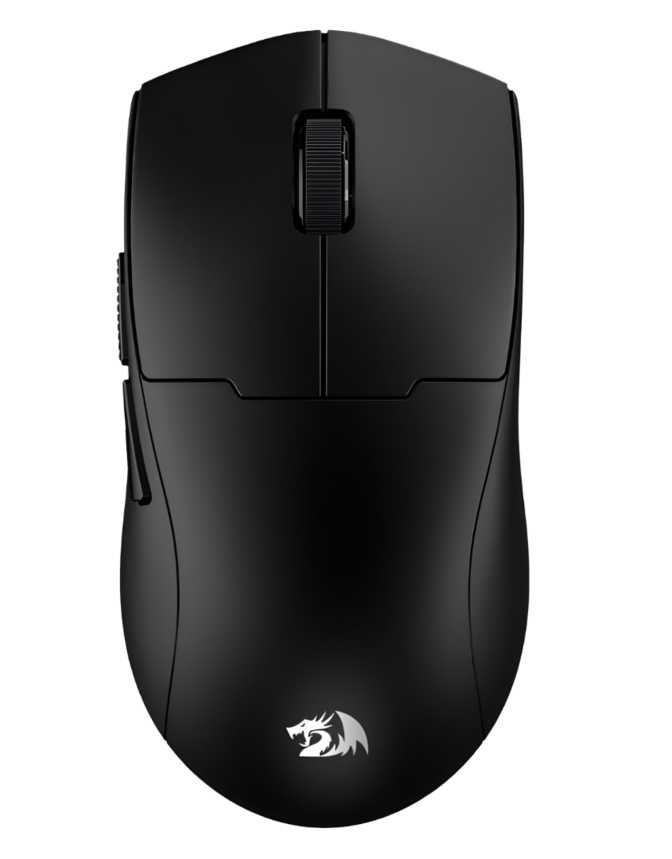
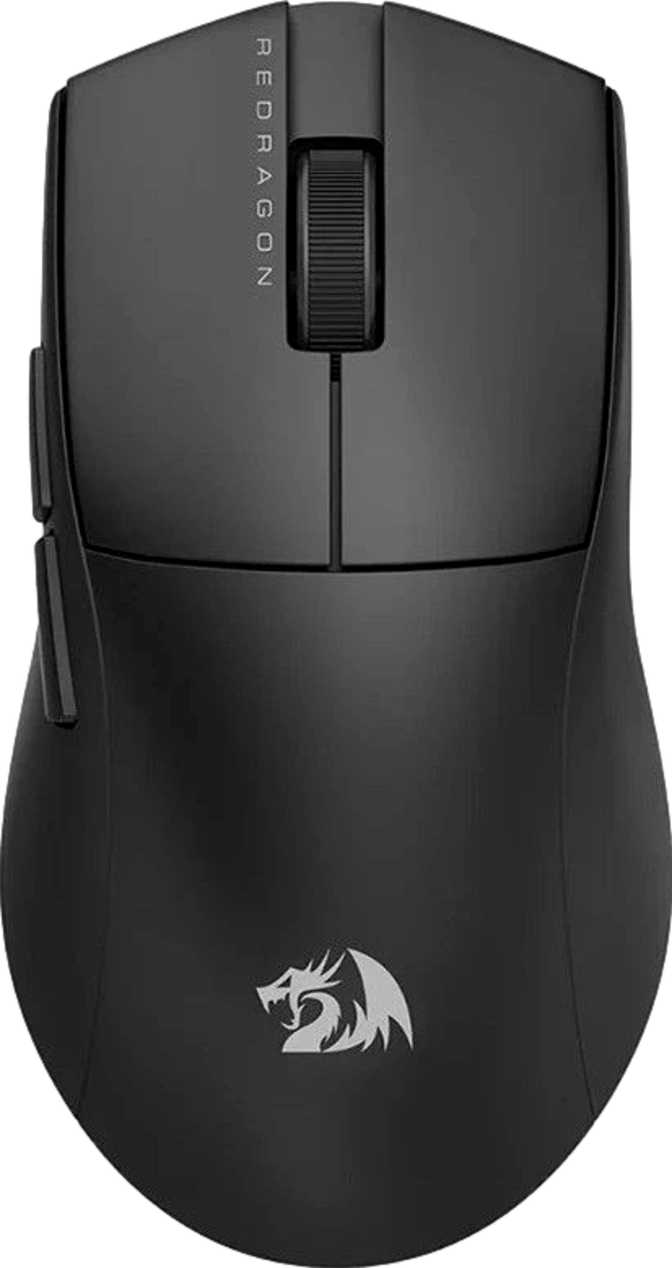
At just under 50 grams, the Redragon M916 K1NG LIT belongs to a category of mice that feels almost deceptively light in the hand. For context, a standard wireless gaming mouse typically lands somewhere in the 70–100 gram range, and anything under 60 grams is considered genuinely lightweight. The M916 K1NG LIT hits well below that threshold, which translates directly to reduced wrist and forearm fatigue during extended sessions — whether those sessions involve spreadsheets, strategy games, or fast-paced shooters.
The dimensions place this squarely in medium-mouse territory: about 121mm long, 64mm wide, and just under 38mm at its tallest point. That profile suits a wide range of hand sizes and accommodates both palm and claw grip styles comfortably, though fingertip grip users who prefer a more compact footprint may find it slightly large. The shape is designed exclusively for right-handed use — a firm limitation that left-handed users should register immediately.
Left-handed users: this mouse is not for you.
The ergonomic shape is designed exclusively for right-hand grip styles. There is no ambidextrous version of this design, and no workaround exists.
No RGB: Feature or Flaw?
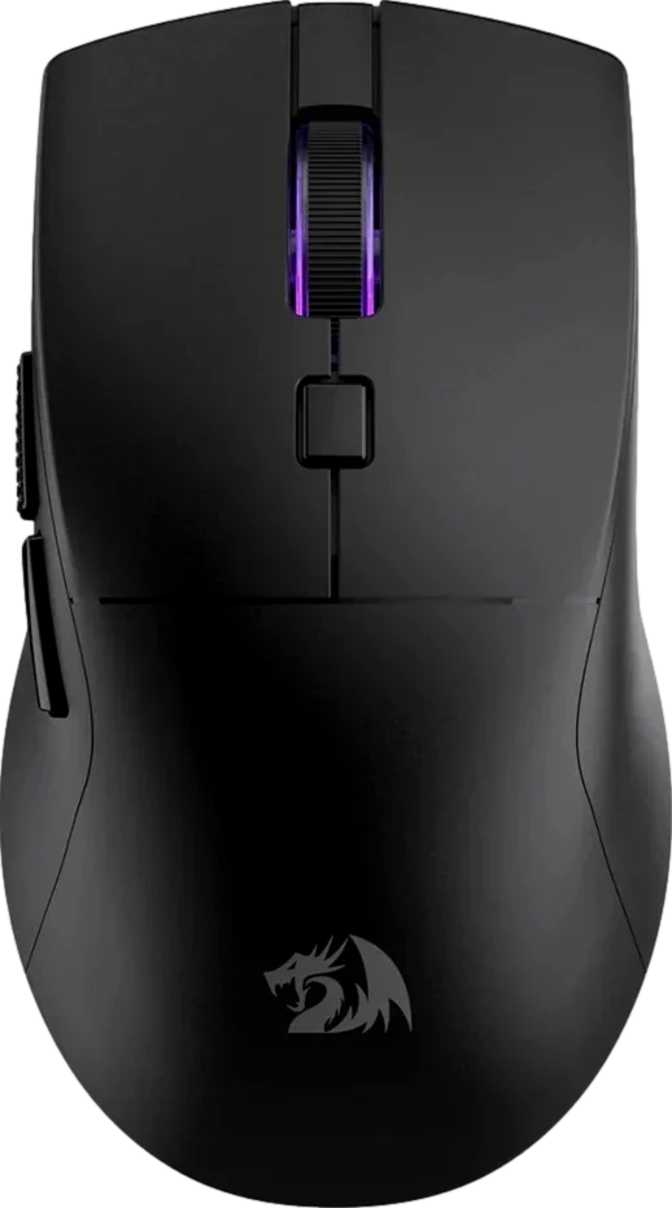
No RGB — despite the name.
Despite the "K1NG LIT" name, there is no RGB lighting of any kind — no glowing zones, no pulsing effects, no underglow. Buyers expecting a visual display should know this upfront.
For everyone else, this is arguably a feature in disguise. The absence of lighting hardware contributes directly to the mouse's light weight and, more importantly, to its extraordinary battery performance. It also makes the M916 K1NG LIT appropriate for professional office environments, library setups, or any shared space where a glowing peripheral would be out of place. The mouse makes its case through performance, not aesthetics.
The USB cable measures 1.8 meters — generously long by the standards of this category, where 1.5 meters is the norm. That extra length matters when your USB ports are tucked behind a tower on the floor, or when you're gaming from a distance.
Triple Connectivity: Wired, 2.4GHz, and Bluetooth
This is the defining feature of the M916 K1NG LIT, and the primary reason to choose it over simpler alternatives.
Three Modes, Three Use Cases
USB Wired
Best for: Zero-interruption sessions
Zero latency and maximum reliability. Works even while the battery charges, so a depleted battery never ends a session.
2.4GHz Wireless
Best for: Gaming
The dedicated dongle provides a stable, low-latency connection that in practice is indistinguishable from wired for all but elite competitive scenarios.
Bluetooth 5.1
Best for: Productivity and multi-device use
Pairs instantly with laptops and tablets without occupying a USB port. Bluetooth 5.1 is the current standard for stable wireless peripheral connections.
What Triple Connectivity Does Not Mean
One important clarification: having three connection options does not mean the mouse stores multiple device pairings in onboard memory. The M916 K1NG LIT has no onboard memory profiles at all. Any DPI settings or button customizations configured through software will not follow the mouse to a new machine without reconfiguration. For home users working from fixed setups, this is inconsequential. For anyone who regularly moves this mouse between multiple machines, it is worth knowing before purchasing.
Sensor Performance: The PixArt SG8925
Understanding What This Sensor Does
The M916 K1NG LIT is built around the PixArt SG8925, an optical sensor positioned in the mid-tier of PixArt's gaming lineup. PixArt is the dominant supplier of gaming mouse sensors across the industry, and their mid-range offerings deliver a level of accuracy and consistency that is competitive for all but the most demanding esports contexts.
The sensor handles up to 8,000 DPI — a range that covers virtually every practical use case, from ultra-precise work on high-resolution displays to wide-arc gaming on large monitors. The maximum tracking speed means the sensor registers your movement accurately even during fast, sweeping gestures, and its acceleration tolerance allows it to keep up with quick directional snaps and wrist flicks without losing position.
For reference, professional esports players commonly operate between 400 and 1,600 DPI. The 8,000 DPI ceiling is one most users will never approach — it exists to accommodate niche workflows and multi-monitor setups rather than as a practical daily target.
The Minimum DPI Consideration
Attention competitive FPS players
The lowest DPI setting available is 1,200. If your aim training is calibrated below 1,000 DPI — common among competitive players who use 400–800 DPI — this mouse cannot match your preferred sensitivity.
For MOBA players, productivity users, and casual-to-intermediate gamers, 1,200 DPI is a perfectly usable starting point. This limitation only affects a specific subset of competitive gaming users.
Polling Rate: Solid, Not Exceptional
The mouse communicates with your system one thousand times per second. This polling rate has been the gaming peripheral standard for years and remains more than adequate for the vast majority of gaming scenarios. Ultra-high-frequency polling exists on significantly more expensive hardware and primarily benefits players in ultra-competitive contexts where reaction margins are measured in fractions of a millisecond. For everything else, this rate is the right tool for the job.
Battery Life: The Real Standout
Most gaming mice at this price point manage somewhere between 20 and 70 hours under comparable conditions. An 87-hour figure means heavy users charging once a week will be comfortable, and moderate users could realistically go two weeks or more between charges.
The absence of RGB lighting plays a direct role in this figure. Lighting effects are a known battery drain — by omitting them, Redragon made a deliberate trade-off that pays dividends in endurance.
The mouse uses a built-in rechargeable cell — no disposable AAs to stock, no separate charging dock required. Critically, it operates in wired mode simultaneously while charging. If the battery reaches zero mid-session, plug in the cable and continue without interruption.
The 1.8-meter cable length means you won't be tethered awkwardly to a nearby port. Plug in, keep going wired, unplug when done, and continue wirelessly. The transition is transparent.
Who This Mouse Is Built For
The Right Buyer
Multi-device workers who also game
If your mouse moves daily between a work laptop and a gaming desktop, the triple connectivity makes the M916 K1NG LIT genuinely useful in ways simpler mice are not.
Users who value low weight
At under 50 grams, this mouse meaningfully reduces the physical effort of long sessions. If you notice wrist or forearm fatigue with your current mouse, this weight class is worth experiencing.
Gamers who want real wireless endurance
The battery holds long enough that charging becomes a weekly or biweekly habit rather than a constant concern.
Professional or shared environments
No RGB means no distraction and no reason to own a separate work mouse. This one travels between professional and personal contexts without looking out of place.
Who Should Look Elsewhere
Left-handed users
The ergonomic shape is explicitly right-handed. There is no workaround for this.
Low-DPI competitive FPS players
If your aim training is calibrated below 1,200 DPI, this mouse cannot match your preferred sensitivity.
RGB enthusiasts
The name suggests otherwise. The hardware confirms otherwise. If visual lighting matters to your setup, this mouse will disappoint.
Users who need portable profile storage
With no onboard memory, button mappings don't follow the mouse to a new machine — a real limitation for LAN event participants or anyone who moves between setups.
Users who need a profile-switching button
Cycling between full button configurations requires software interaction on this model.
Competitive Positioning
| Feature | Redragon M916 K1NG LIT | Typical Budget Wireless | Typical Mid-Range Wireless |
|---|---|---|---|
| Connectivity | USB + 2.4GHz + Bluetooth | USB or 2.4GHz only | USB + 2.4GHz |
| Battery Life | ~87 hours | 20–40 hours | 40–70 hours |
| Weight | ~49g | 70–100g | 60–90g |
| RGB Lighting | None | Often included | Often included |
| Sensor Tier | Mid-range PixArt | Entry-level | Mid to upper-mid |
| Onboard Profiles | None | None | 1–5 profiles |
| DPI Floor | 1,200 | 200–400 | 100–800 |
The M916 K1NG LIT undercuts mid-range alternatives on price while matching or exceeding their battery life and connectivity flexibility — a meaningful value proposition for buyers whose priorities align.
Honest Assessment
Where It Excels
The battery life is not just competitive — it is class-leading at this tier, and that advantage compounds over weeks and months of daily use. The weight puts it in the same conversation as mice specifically marketed as "ultralight" products and priced considerably higher.
The triple connectivity genuinely solves a real-world workflow problem that many users experience but rarely see addressed at this cost. For multi-device users, this is a daily-use convenience that adds up over time.
Where It Falls Short
What holds it back is a cluster of absent features rather than poorly executed ones. No onboard memory means the mouse is dependent on software availability every time you move to a new machine.
The high DPI floor narrows its appeal in competitive gaming circles, and the "K1NG LIT" name creates expectations the hardware doesn't meet. These are real boundaries — but they are boundaries, not failures.
Questions Real Buyers Ask
Final Verdict
Redragon M916 K1NG LIT — Full Review Summary
The Redragon M916 K1NG LIT earns its place by solving real problems that genuinely matter to a specific buyer profile. It runs longer than almost anything comparable on a charge, weighs less than most of its competition, and connects to more devices than you'd reasonably expect at this price.
The name promises a king of lighting. The mouse delivers a king of endurance instead. Whether that exchange feels like a fair trade depends entirely on what you actually need.
Buy It If
You want flexible multi-device wireless connectivity, a genuinely light feel that reduces long-session fatigue, and a battery you only think about once every week or two. It functions equally well as a productivity tool and a gaming peripheral — which is exactly the point.
Skip It If
You game below 1,200 DPI, are left-handed, want RGB lighting, or need onboard profile memory to carry your configuration between setups. For those specific needs, this mouse will leave you underserved.
For its intended audience, the Redragon M916 K1NG LIT is an unusually capable tool at an accessible price — and that is a straightforward recommendation.