Redragon M618 LIT Review: Triple-Mode Wireless Mouse Tested
MiceMost gaming mice make you choose: wired precision or wireless freedom. The Redragon M618 LIT refuses that trade-off. It connects via USB cable, 2.4GHz wireless, and Bluetooth 5.1 — three distinct modes in a single mouse that weighs less than most TV remotes. For anyone managing multiple devices, working at a desk and gaming on a couch, or simply tired of being tethered, that flexibility is the entire pitch.
The M618 LIT sits in an interesting market gap: priced for budget-conscious buyers but equipped with features — triple connectivity, a PixArt sensor, and a sub-75g frame — that most budget mice simply don't offer in combination. Whether the execution matches the promise is what this review is here to answer.
Design, Build Quality, and Physical Feel
Shape · Ergonomics · Weight · RGB Lighting
Shape and Ergonomics
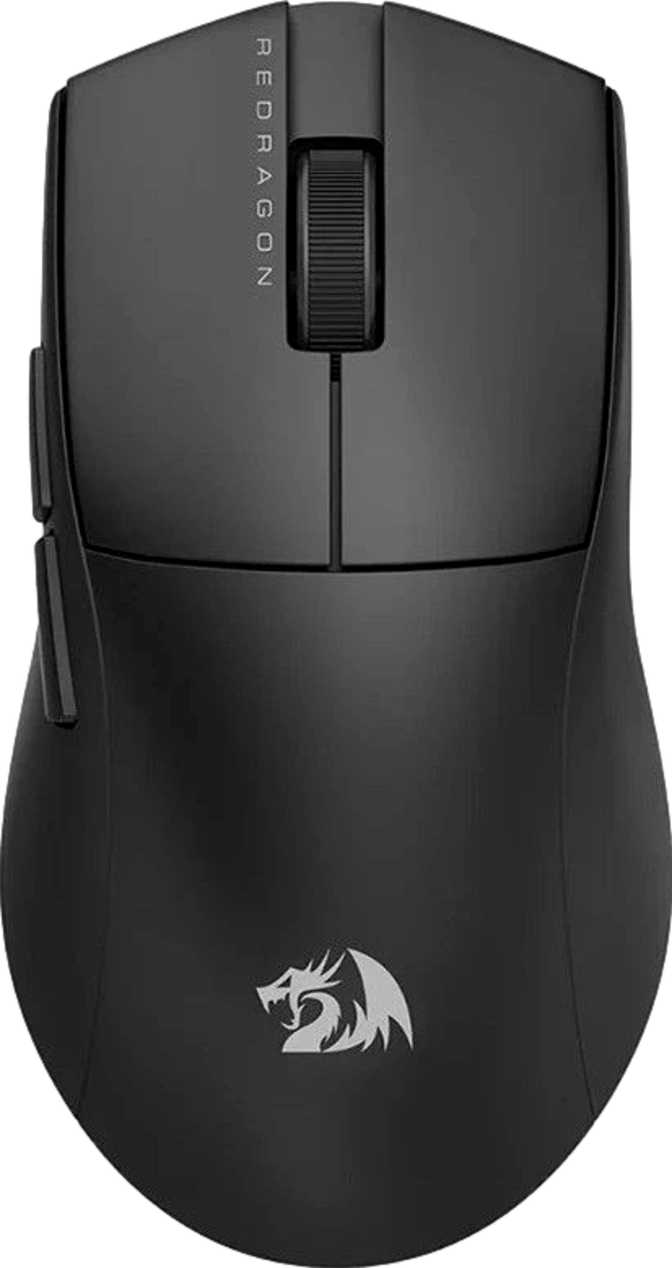
The M618 LIT is built exclusively for right-handed users, with a contoured shell that guides your palm naturally into a resting position. Its dimensions — 121.9 mm long, 69 mm wide, and 39.9 mm tall — place it firmly in the medium-size category, comfortable for most adult hands in a palm or claw grip. Fingertip grip users with notably large hands may find the profile a touch short, but the majority of users will settle into it without any adjustment period.
The overall body is compact without feeling cramped, making it equally viable for extended desk sessions and portable use between locations.
Weight Advantage
Seventy grams is genuinely light. Many budget gaming mice sit between 90 and 110 grams, and enthusiast "lightweight" models often carry a premium to reach below 80g. The M618 LIT achieves that weight with a solid, unperforated shell — structural integrity stays intact and dust doesn't accumulate inside the body. Over long gaming sessions or full workdays, that weight reduction noticeably cuts down on hand fatigue.
RGB Lighting
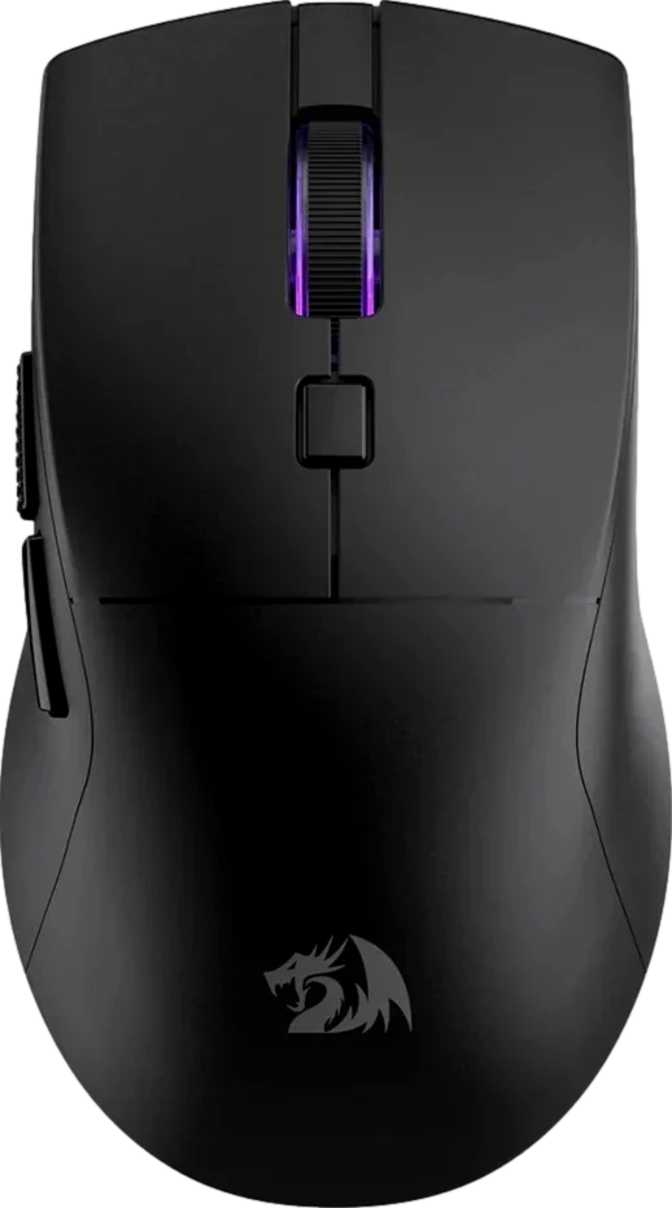
The M618 LIT includes RGB illumination. Beyond aesthetics, different lighting states can visually confirm your active DPI stage at a glance. Note that RGB effects draw from the battery in wireless mode, so heavier lighting use will modestly shorten your time between charges.
| Dimension | Value |
|---|---|
| Length | 121.9 mm |
| Width | 69 mm |
| Thickness | 39.9 mm |
| Weight | 70 g |
| Orientation | Right-handed |
| Cable Length | 1.8 m |
Triple Connectivity: USB, 2.4GHz, and Bluetooth 5.1
The M618 LIT's defining feature — explained in full
Three connection modes is rare at this price tier. Each serves a distinct use case, and knowing which to use when is what gets the most out of this mouse.
Wired USB
Best for gamingThe 1.8-meter cable delivers a traditional wired connection with zero battery concern and the full 1,000Hz polling rate active at all times. At 1,000 position reports per second, cursor movement is instantaneous — meeting the standard bar for any serious gaming peripheral.
The cable length is generous enough for most desk setups without bunching up or pulling tight.
2.4GHz Wireless
Best for wireless gamingThe 2.4GHz band delivers low-latency wireless communication that, in daily use, is indistinguishable from wired for the vast majority of players. Action games, MOBAs, strategy titles, and RPGs all run without issue at this polling rate. A small USB receiver dongle handles the connection.
For absolute certainty, wired still wins — but for all but the most elite competitive play, 2.4GHz is fully reliable.
Bluetooth 5.1
Best for multi-device useBluetooth 5.1 connects to laptops, tablets, and second computers without occupying a USB port — no dongle required. Pairing is quick and the connection holds at normal desk distances. The higher latency compared to 2.4GHz is inherent to Bluetooth as a protocol, not specific to this mouse.
For productivity and casual use, Bluetooth latency is completely unnoticeable. For fast-paced gaming, switch to 2.4GHz.
Sensor Performance: The PixArt SG8925 Analyzed
Tracking accuracy · DPI range · Speed and acceleration tolerance
The PixArt SG8925 sits in the mid-range of PixArt's sensor lineup — a manufacturer whose sensors power respected gaming mice across all price tiers. PixArt sensors deliver consistent, predictable tracking without the artificial acceleration or smoothing that plagued older optical sensors. What you move is what registers.
DPI Range in Real-World Terms
The mouse covers sensitivity settings from 400 to 10,000 DPI, switchable on the fly. Here's what each tier means in practice:
Tracking Speed
The sensor handles physical movement up to 80 inches per second before risking tracking loss. Most gaming sessions involve movements well under 50 IPS — so 80 IPS provides real headroom for aggressive, sweeping strokes across large mousepads without cursor drift or position skipping.
Acceleration Tolerance
At 60G of maximum acceleration tolerance, the sensor handles sudden, sharp directional changes without position errors. Combined with the 80 IPS speed ceiling, the SG8925 describes a sensor built for energetic, reactive play — without the stumbles cheaper sensors exhibit under stress.
The M618 LIT stores no DPI profiles or button configurations on the mouse itself. Settings live in software on your computer. Moving to a different machine without reinstalling the software means losing your custom configuration — a genuine limitation for users who regularly work across multiple workstations.
Battery Life: Wireless That Actually Lasts
Endurance · Charging flexibility · Daily usage expectations
A 70-hour wireless battery is a standout figure at this price tier. Most mid-range wireless mice deliver 40 to 60 hours before needing a charge. With 70 hours of rated endurance, a user working eight hours a day needs to charge approximately once per week — and that's without making any power-saving adjustments like reducing RGB brightness.
Gaming a few hours each evening? You could reasonably go two to three weeks between charges. The battery capacity here removes the anxiety that surrounds wireless peripherals for most buyers — the fear of the mouse dying mid-session with no fallback.
Use While Charging
Plug in and keep going. The M618 LIT functions as a fully operational wired mouse during charging — no forced downtime, no waiting for a full cycle to complete.
Who Should Buy the Redragon M618 LIT
Ideal buyers · Real use cases · Who should look elsewhere
Excellent Fit
- You work and game at the same desk — switching between wired gaming and wireless productivity without re-plugging anything
- You own multiple computers or devices and want one mouse that connects to all of them, including via Bluetooth without a dongle
- You want a lightweight wireless gaming mouse without paying for a premium-brand name
- You game at a casual to enthusiast level across shooters, strategy, RPGs, or MOBAs
- You travel frequently and want a compact, versatile mouse with no cord requirement
Think Carefully First
- You compete at a professional or high-stakes level — a premium wired mouse with a flagship sensor is the standard recommendation in that context
- You prefer a heavier, more planted feel — 70g may feel insubstantial if you're used to mice in the 90–110g range
- You need more than six buttons — MMO and MOBA players who depend on 8+ programmable keys need a different product class entirely
- You regularly move between workstations and expect macros and DPI stages to follow automatically — no onboard memory means reinstallation each time
How It Stacks Up Against the Competition
M618 LIT vs. comparable alternatives at the same price tier
Triple-mode connectivity is genuinely rare at this price point. Here's a direct look at how the M618 LIT compares against the types of mice it most often competes with:
| Feature | Redragon M618 LIT | Typical Budget Wired | Typical Single-Mode Wireless |
|---|---|---|---|
| Connection Modes | 3 — USB, 2.4GHz, Bluetooth | 1 — USB only | 1–2 (2.4GHz, sometimes BT) |
| Weight | 70g | 90–110g | 75–95g |
| Polling Rate | 1000Hz | 1000Hz | 500–1000Hz |
| Wireless Battery | ~70 hours | N/A | 40–60 hours |
| Use While Charging | Yes | N/A | Often No |
| Onboard Memory | None | Varies | Varies |
| All Buttons Programmable | Yes — all 6 | Often limited | Often limited |
| Dongle Required | Only for 2.4GHz mode | N/A (wired only) | Always (for wireless use) |
No competitor at this price tier combines all three modes — wired, 2.4GHz, and Bluetooth — in a sub-75g frame with a 70-hour battery and fully programmable buttons. The M618 LIT occupies a gap that most alternatives in its range simply don't address.
The Honest Assessment
What this mouse genuinely does well — and where it falls short
Where It Excels
The M618 LIT's greatest asset is versatility. Three connection modes, a generous battery, and wireless fallback through wired charging combine to create a mouse with almost no dead ends. For a user who moves between devices and contexts throughout the day, that reliability has genuine daily value — not just on paper.
The PixArt sensor is trustworthy. It doesn't reinvent tracking technology, but it performs correctly — accurately, consistently, and without the drift or jitter that plagues sensors in cheaper products. The 1000Hz polling rate puts it on equal footing with mice costing significantly more.
The weight and dimensions are well-considered. Seventy grams is competitive with premium lightweight mice, achieved without perforating the shell. The medium-sized right-handed frame covers the broadest possible audience in terms of hand sizes and grip styles.
Where It Falls Short
The lack of onboard memory is a real constraint for users who carry settings between machines. Custom DPI stages and button macros don't follow you to a new computer without software reinstallation — not always practical in a pinch. This is a deliberate cost-cutting trade-off, not a defect, but it deserves honest recognition.
The single-year warranty is shorter than what some competitors offer at comparable prices. A two-year coverage window would signal stronger confidence in long-term durability. One year is workable, but it represents a more modest risk floor than alternatives with longer coverage.
The absent tilting scroll wheel and non-adjustable weight are minor omissions that most buyers will never notice. But ergonomic researchers and users with specific weight preferences will find the lack of fine-tuning options limiting compared to what the premium tier provides.
Frequently Asked Questions
Answers to what real buyers search for before purchasing
Final Verdict
Is the Redragon M618 LIT worth buying?
The Redragon M618 LIT is a well-executed, versatile wireless gaming mouse that earns its place through genuine utility rather than flashy specifications. Three connection modes, a reliable PixArt sensor, a 70-hour wireless lifespan, and a sub-75g body form a package that most competing products at this price point simply don't match in completeness.
It is not a mouse for professional competitors who demand elite hardware, nor for gamers who require extensive button layouts. But for the much larger group — players who also work, users managing multiple devices, people who want wireless convenience without sacrificing core gaming capability — the M618 LIT is a considered, practical choice that removes real daily friction.
Multi-device desk setups, hybrid work-and-gaming workflows, and anyone who wants wireless freedom with minimal battery anxiety and a compact, lightweight build.
You compete seriously, need 8+ buttons, prefer heavier mice, or expect custom settings to transfer automatically between workstations without reinstallation.
If you're looking for one mouse that handles your gaming sessions, your office laptop, and a secondary screen without compromise or constant cable management, the Redragon M618 LIT is worth your money. It's the rare budget peripheral that solves a real problem well.