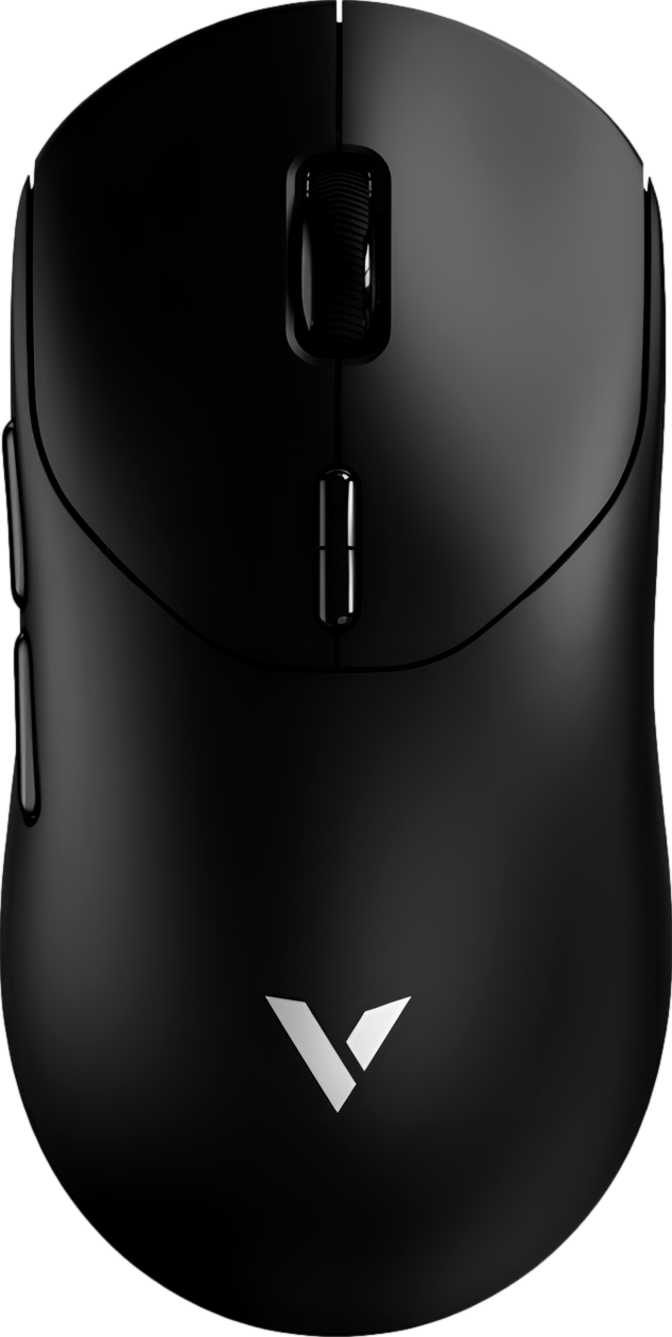
Rapoo VT2 Max Review: Wireless Ultralight Built for Competitive Play
MiceFor years, competitive gamers faced an uncomfortable trade-off: wire up for peak performance, or go wireless and accept a heavier build, battery anxiety, and sensors that struggled to keep pace. The Rapoo VT2 Max challenges that trade-off directly. It pairs one of the most capable optical sensors available today with a featherweight chassis and a wireless connection operating at polling rates previously reserved for flagship wired mice — a mouse that asks you to give nothing up.
-
Tracking Performance5.0
-
Battery Life5.0
-
Build Quality4.2
-
Value for Money4.3
-
Feature Completeness3.8
Design and Build Quality
Shape, Size, and Who It Fits
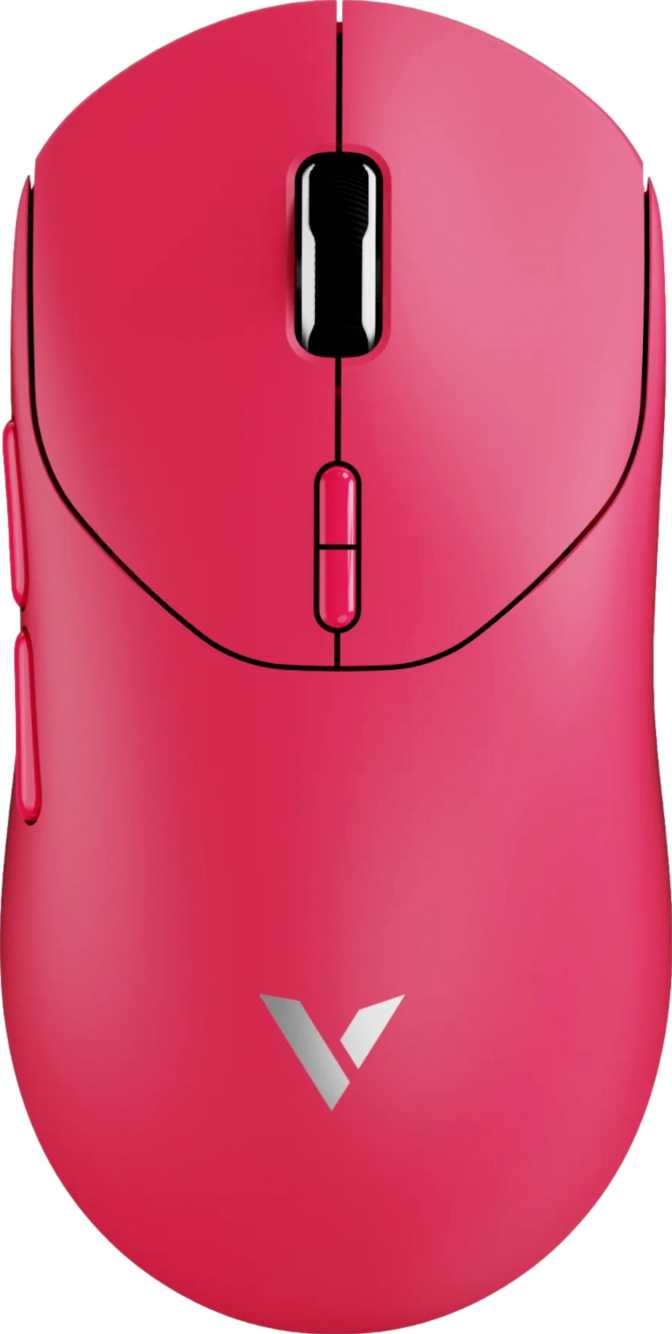
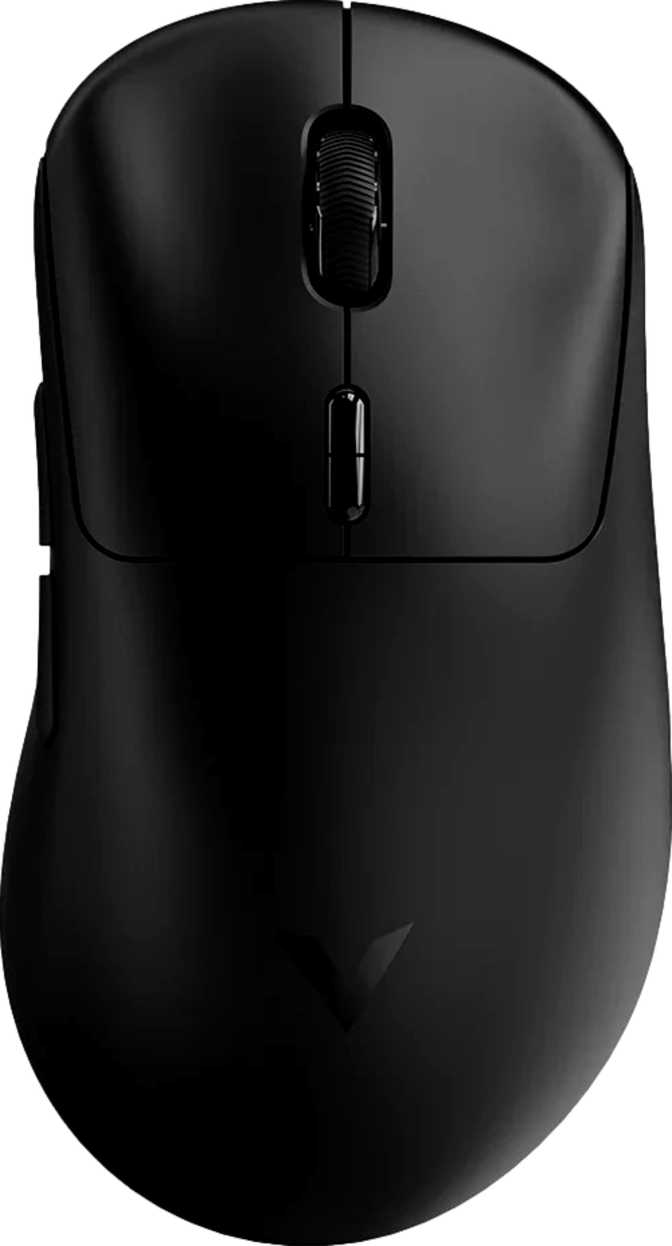
The VT2 Max is built exclusively for right-handed users, with a form factor measuring 126mm in length, 63mm in width, and just 40mm tall. These dimensions place it in the compact-to-medium category — comfortable for claw and fingertip grip styles, and workable for palm grip with smaller to average-sized hands. Users with larger palms may find the low profile and shorter length a touch cramped over extended sessions.
The silhouette is deliberately conservative — no aggressive sculpting, no ornamental fins, no fanned side skirts. This is a functional shape optimized for low mass and consistent contact, not for shelf appeal.
Weight: The Number That Changes Everything
At 53 grams, the VT2 Max sits firmly in ultralight territory. Most mainstream gaming mice weigh between 90 and 120 grams; even many marketed as "lightweight" hover around 60 to 70 grams. The difference registers within the first few minutes — sweeping motions require less effort, micro-corrections arrive faster, and wrist fatigue over long sessions is genuinely reduced.
Crucially, Rapoo achieves this without the honeycomb shell cutouts some ultralight mice rely on. The chassis is solid and dust-resistant — a build quality decision that pays off in longevity and tactile feel alike.
Connectivity and Cable
The VT2 Max connects via a 2.4GHz wireless receiver or through a 1.8-meter wired USB cable. The cable serves dual purpose — charging the battery while simultaneously enabling full wired operation. There is no Bluetooth option. For a dedicated desktop gaming setup this is entirely irrelevant. For users who frequently switch between machines without physically relocating the USB receiver, it is a real constraint.
A depleted battery will never force you to pause a session. Plug in, keep playing — the transition to wired mode is instantaneous with no configuration required.
No RGB — Deliberate, Not Forgotten
The VT2 Max ships without any RGB lighting. This is an engineering choice, not an oversight: RGB circuitry adds grams and draws power. Eliminating it keeps the build light and the battery runtime extraordinary. The visual result is a clean, matte-finish mouse that disappears into a workspace rather than commanding attention.
Buyers for whom RGB is non-negotiable should factor this in early. The VT2 Max will not light up your mousepad under any configuration — and for its intended audience, that is entirely the point.
Sensor Performance: What the PAW3950 Actually Means
The Sensor at the Heart of It
The Rapoo VT2 Max is built around the PixArt PAW3950, which represents the current top tier of optical sensor technology available in gaming mice. A mouse sensor's job is to translate physical movement into precise on-screen cursor movement — the accuracy, speed, and consistency of that translation determines whether your aim feels predictable or erratic.
Lower-tier sensors introduce jitter (small random tracking errors), angle snapping (artificial straightening of cursor paths), or spin-out (complete tracking loss at high speeds). The PAW3950 eliminates all of these failure modes entirely.
Tracking Speed and Acceleration
The sensor tracks physical movement up to 650 inches per second — far beyond the 200 to 250 IPS ceiling of even the fastest human wrist movements during a competitive flick shot. The sensor's acceleration handling covers equally aggressive territory. During forceful, rapid movements, the sensor maintains accurate lock without error or dropout.
These figures are so far above real-world human limits that the tracking hardware will never be a constraint on performance. The bottleneck in any session will always be the player — not the sensor.
DPI Range: 50 to 30,000
DPI controls the ratio between physical mouse movement and on-screen cursor distance. The VT2 Max spans an unusually wide range — from just 50 DPI at the floor for large-pad, low-sensitivity configurations, to 30,000 DPI at the ceiling. Most competitive players operate effectively between 400 and 1,600 DPI; the high ceiling is a headline figure rather than a practical target.
The low end is what distinguishes the range. A 50 DPI minimum makes this mouse genuinely usable for players who traverse significant physical distance for even small on-screen movements. DPI switching is handled by a dedicated button — no software entry required for on-the-fly changes.
8,000 Hz Polling: The Technical Edge
Polling rate describes how many times per second the mouse reports its position to your computer. A standard mouse does this 125 times per second; a typical gaming mouse, 1,000 times. The VT2 Max reports 8,000 times — one report every 0.125 milliseconds.
The cursor position your computer acts on is eight times more current than with a standard gaming mouse. The practical result is smoother tracking curves, reduced perceived input latency, and more consistent aim behavior at high movement speeds.
Whether the human nervous system can perceive the gap between 1,000 Hz and 8,000 Hz remains a live debate. What is established is that the underlying tracking data is more accurate at higher polling rates — a meaningful edge at high competitive levels, even if imperceptible in casual play.
Battery Life: The Specification That Surprises
A player logging 4 hours daily goes approximately 6 months between charges
Six Months Between Charges
The rated 750-hour battery life is exceptional by any reasonable standard. Most wireless gaming mice offer between 40 and 150 hours per charge, with those operating at higher polling rates sitting toward the lower end of that range. Achieving 750 hours at 8,000 Hz polling is a significant engineering accomplishment that sets the VT2 Max apart from every competitor in this category.
For a player averaging four hours of daily use, this translates to roughly six months before a charge is needed. Even at eight-plus hours per day, months pass before the battery becomes a concern. Battery anxiety — the persistent complaint about wireless gaming peripherals — is effectively eliminated as a purchase consideration here.
Charging Without Interruption
The battery is built into the mouse and cannot be removed — standard for this product category. The included cable charges the mouse while simultaneously enabling full wired operation, so a low-battery warning never forces you to pause a session. You plug in and keep playing, with the mode switch happening instantly.
The 1.8-meter cable provides enough reach to remain comfortable even during a charging cycle, and no configuration is required when transitioning between wireless and wired modes.
Full Technical Specifications
| Sensor | PixArt PAW3950 |
|---|---|
| Polling Rate | 8,000 Hz |
| Max Tracking Speed | 650 IPS |
| Max Acceleration | 50G |
| DPI Range | 50–30,000 |
| Adjustable DPI | Yes |
| Connection | 2.4GHz, USB |
|---|---|
| Battery Life | 750 hours |
| Rechargeable | Yes |
| Use While Charging | Yes |
| Removable Battery | No |
| Cable Length | 1.8 m |
| Orientation | Right-handed |
|---|---|
| Weight | 53 g |
| Dimensions | 126 × 63 × 40 mm |
| Mouse Type | Gaming |
| RGB Lighting | No |
| Warranty | 2 years |
Real-World Usage: Who This Mouse Is For
-
Competitive FPS and aim-intensive playersThe PAW3950 sensor and 8,000 Hz polling deliver the highest available tracking standards. The 53g weight removes every physical barrier between intention and on-screen execution.
-
Low-sensitivity, large-pad playersThe 50 DPI minimum floor supports extremely low-sensitivity configurations that many gaming mice simply cannot accommodate at all.
-
Players skeptical of wireless peripheralsIf latency concerns, added weight, or battery management have kept you wired, the VT2 Max addresses all three objections directly and credibly.
-
Clean-desk minimalistsNo RGB, no ornamental styling, no unnecessary bulk. A high-performance tool that disappears into a focused, distraction-free workspace.
-
Left-handed or ambidextrous designThe right-handed-only orientation is a hard constraint with no alternative layout variant of this model available.
-
Multi-device wireless switchingA single 2.4GHz receiver and no Bluetooth means one machine at a time. Switching requires physically relocating the USB dongle.
-
Settings portability across machinesWithout onboard memory, button configurations and DPI presets must be reconfigured via software on each new computer the mouse is connected to.
-
RGB lighting or visual customizationThere is no lighting on this mouse under any configuration. If RGB is a purchasing requirement, this is a dealbreaker — full stop.
How It Compares to the Competition
The wireless ultralight gaming mouse market has matured rapidly. Here is where the VT2 Max stands against the logical alternatives in the same performance tier.
| Feature | Rapoo VT2 Max | Wired Ultralight Competitor A |
Wireless Flagship Competitor B |
|---|---|---|---|
| Weight | 53 g | 45–55 g | 60–75 g |
| Sensor Class | PAW3950 (flagship) | PAW3395 / PAW3950 | PAW3395 equiv. |
| Max Polling Rate | 8,000 Hz | 1,000–8,000 Hz | 1,000–4,000 Hz |
| Battery Life | 750 hours | N/A (wired) | 60–200 hours |
| RGB Lighting | None | Often included | Often included |
| Onboard Memory | None | Often included | Often included |
| Wireless Options | 2.4GHz + USB | USB only | 2.4GHz + Bluetooth |
Competitor columns reflect representative products in the same performance tier. Specific models and specifications vary by manufacturer and may have changed since this comparison was prepared.
Honest Assessment: Strengths and Weaknesses
The sensor choice is beyond reproach. The PAW3950 is as good as optical tracking gets, and pairing it with 8,000 Hz polling gives the VT2 Max hardware credentials that most mice — regardless of price — cannot match. If tracking accuracy and input responsiveness are the primary criteria, this mouse delivers at the top of the market.
The battery life stands genuinely apart from the competition. Six-plus months between charges for a daily gamer is a material quality-of-life improvement over the weekly charging cycles that high-performance wireless mice typically demand. Once you live with it, anything less feels like a step backward.
The 53-gram weight is impressive for a wireless mouse, and achieving it without honeycomb shell cutouts demonstrates deliberate engineering discipline. A solid, dust-resistant chassis at this weight is not a simple target to reach.
The absence of onboard memory is the most significant functional limitation. It is a feature that costs little to implement and meaningfully improves versatility across machines. Rapoo's decision to omit it is understandable from a weight and cost standpoint, but it is a genuine gap for anyone who regularly moves their mouse between computers.
The right-handed-only design and single-receiver wireless mode are constraints that define the intended buyer rather than represent engineering failures. They do, however, narrow the field of people this mouse is suitable for — left-handed players and multi-device users are simply outside its target audience.
The lack of RGB will not register as a weakness for performance-focused buyers. For anyone who considers lighting integral to their setup identity, it is a dealbreaker — and that is a legitimate preference worth acknowledging before purchase.
Common Pre-Purchase Questions
A Performance-First Mouse That Earns Its Price
The Rapoo VT2 Max is a well-considered mouse for a specific buyer: someone who prioritizes tracking performance and wireless freedom above all else, and who has no use for RGB lighting, onboard profile storage, or multi-device switching.
If that describes you — and particularly if you play aim-dependent games at any competitive level — the hardware here is as good as anything on the market. A flagship-class sensor, 8,000 Hz polling, an ultralight build under 55 grams, and a battery life measured in months rather than days is a combination that is genuinely difficult to argue against.
The only buyers who should pause are those requiring onboard memory for a multi-machine workflow, a left-handed or ambidextrous design, or Bluetooth flexibility. For everyone else, the VT2 Max earns a direct recommendation as one of the most performance-focused wireless gaming mice available at any price.