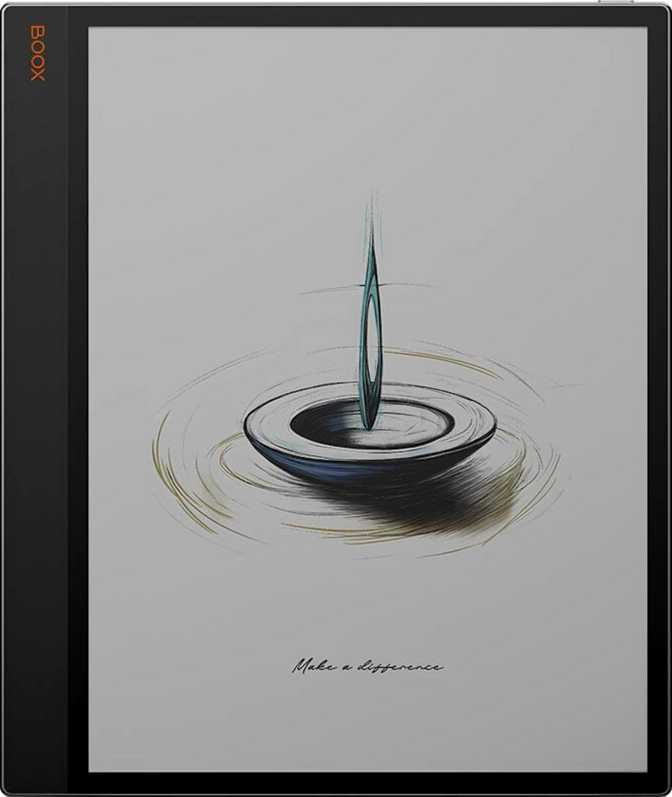
Onyx Boox Tab X C Review: The Color E-Ink Tablet Built for Serious Readers
E-readersA 13.3-inch color e-ink powerhouse for researchers, annotators, and document-heavy professionals who want paper-like reading with full Android flexibility. Not a media tablet — a focused work instrument.
Overall Rating
Best for: researchers, students & professionals
Most e-readers are companions — you bring them to the couch, the beach, the commute. The Onyx Boox Tab X C is something else entirely. At 13.3 inches of color e-ink, it's sized like a professional notepad, powered like a productivity machine, and built for people who want to read, annotate, and work without staring into a backlit screen all day. It's a narrow category, but if you're in it, this device demands serious consideration.
Design and Build: Slim Profile, Substantial Presence
Physical experience & construction quality
Hold the Boox Tab X C and the first thing you notice is how thin it is — barely thicker than a stack of credit cards. That engineering feat matters enormously here because the device is large. At 243mm wide and nearly 288mm tall, it approaches A4 paper dimensions. If Onyx hadn't kept the chassis this lean, carrying it would feel like hauling a hardback novel everywhere.
At 625 grams, it isn't light by tablet standards, but it's reasonably distributed across that large frame. One-handed reading sessions will tire your wrist; two-handed or lap use is the natural posture for extended work. Think of it less like a phone-sized e-reader you hold up and more like a legal pad you rest on your desk or lap.
There's no 3.5mm headphone jack, which removes the option for wired audio. The device leans on its built-in stereo speakers or Bluetooth for audio output.
| Screen Size | 13.3 inches |
| Width | 243 mm |
| Height | 287.5 mm |
| Thickness | 5.3 mm |
| Weight | 625 g |
| Weather Sealed | No |
| Headphone Jack | No |
The Display: Color E-Ink at Its Most Expansive
Screen quality, resolution, and real-world rendering
Why 13.3 Inches Changes Everything
Screen size is rarely the most important specification. Here it is. The entire value proposition of the Tab X C is rooted in that 13.3-inch canvas. PDFs render at near-actual document size — no more pinching and zooming to read academic papers or engineering drawings. Comic pages show fully. Sheet music fits on screen. A two-page book spread becomes genuinely immersive.
Smaller e-ink tablets force you to adapt your content to the screen. This one adapts the screen to your content.
Resolution and Sharpness
The display resolves 300 pixels per inch across that entire 13.3-inch panel, which matches the gold standard for text sharpness in e-ink. At normal reading distances, individual pixels are invisible. Text looks typeset rather than digital — a quality LCD and OLED panels, however sharp, cannot fully replicate because they emit light rather than reflect it.
The 2400 × 3200 pixel grid supports that sharpness uniformly from corner to corner, which is a more demanding engineering challenge at this size than on a 6- or 7-inch device.
Color E-Ink: What It Looks Like in Practice
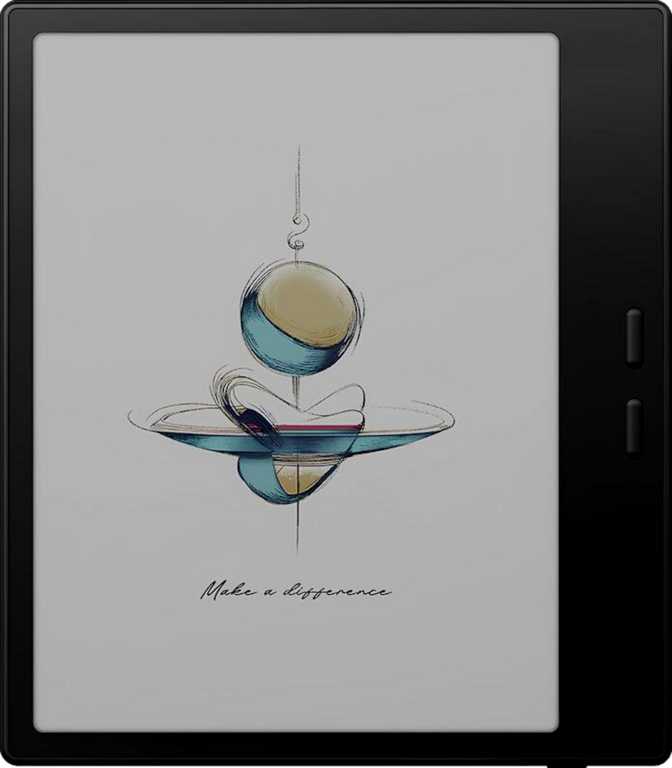
The "C" designation means color e-ink, a technology that looks fundamentally different from smartphone color. Colors are muted and pastel-like by nature — think watercolor illustration rather than OLED vibrancy. Saturation is modest. Red is a dusty rose; blue is more slate than cobalt.
For technical diagrams, annotated textbooks, colored charts, manga, illustrated reference books, and handwritten notes with color highlighting, this is genuinely useful. For watching streaming video or viewing high-saturation photography, it is the wrong tool — not because it's bad, but because the technology isn't designed for that use case.
Frontlight and Reflection Control
The self-lit display means you can read in dark rooms without an external lamp. This is frontlight illumination, not backlight — the light reflects off the e-ink surface toward your eyes rather than projecting directly at them. The result is markedly softer than any LCD or OLED and far easier on the eyes during multi-hour reading sessions.
Anti-reflection coating on the glass keeps ambient glare controlled. In bright environments — outdoor shade, near a window — the screen remains readable where most backlit tablets wash out entirely. The HDR mode expands contrast range for images and documents with tonal gradients, giving illustrations noticeably more visual definition.
Performance: Android Power Under the Hood
Hardware capability and real-world computing experience
What the Hardware Delivers
The Tab X C runs an eight-core processor clocked up to 2.8GHz, paired with 6GB of RAM. In the context of most e-readers, this is substantial — Onyx has positioned this tablet to run full Android apps, not a locked ecosystem of purpose-built reading software.
What that means in practice: you can install apps from Google Play, run a proper web browser, open multiple applications in split-screen, and handle complex annotated PDFs without significant lag. E-ink displays refresh more slowly than LCD panels by physics — page turns and drawing strokes carry a brief delay inherent to the technology, not a performance limitation of this hardware. Within those physical constraints, the processor handles its workload without hesitation.
Processor
8-core, up to 2.8 GHz
Handles full Android app workloads, split-screen multitasking, and complex PDF annotation without hesitation.
RAM
6 GB
Keeps multiple apps active simultaneously. Switch between a PDF viewer and a notes app without constant reloading.
Storage
128 GB internal (no card slot)
A library of thousands of PDFs and epubs barely makes a dent. Most users will never fill this.
Android Openness
The operating system is open-source Android, not locked proprietary firmware. This carries real implications: you can sideload apps, install third-party reading applications, connect cloud storage services, and configure the device extensively. On-device machine learning supports features like live text recognition from images and handwritten notes.
For users coming from dedicated e-readers with walled gardens, this openness is liberating. For users who prefer simplicity, it requires a bit more configuration investment upfront.
Features That Shape Daily Use
Key capabilities and their real-world meaning
Split-Screen Multitasking
Running two applications side-by-side on a 13.3-inch e-ink display is genuinely practical. A PDF on one side, a notes app on the other — reference a textbook while writing, compare two documents, annotate while reading a source.
26 File Format Support
Twenty-six supported formats cover virtually the entire document ecosystem: epubs, PDFs, CBZ/CBR comics, DJVU, common office formats, and image types. You are unlikely to encounter a reading file this device cannot open natively.
Audio and Text-to-Speech
Stereo speakers are present — unusual for e-ink devices. Built-in text-to-speech with offline voice recognition means the device reads documents aloud without an internet connection. Valuable for accessibility, language learning, or listening while multitasking.
Multi-User Support
Multiple user accounts keep personal data cleanly separated, making the Tab X C a plausible shared household or small office device without privacy concerns crossing between profiles.
Privacy Controls
App tracking can be blocked, location privacy options exist, and clipboard monitoring provides warnings when apps attempt to read copied content. For a device handling professional documents and research notes, these controls matter.
Picture-in-Picture
Full PiP support lets a video or call window float while you work in another app. On e-ink, video in PiP is a low-refresh experience — usable for a slow-paced reference clip, not comfortable for watching films.
Connectivity
Wireless capabilities and their practical implications
Wi-Fi
The device supports both Wi-Fi 5 (802.11ac) and the older Wi-Fi 4 (802.11n) standards, covering most home and office networks reliably. There is no cellular modem — this is a Wi-Fi-only device. Cloud syncing, downloading new content, and web browsing all require a Wi-Fi connection. If you need cellular independence, this isn't the device.
Bluetooth 5
Bluetooth 5 handles wireless audio output and stylus/keyboard connections without congestion issues. Pairing a Bluetooth keyboard transforms the Tab X C into a more fully functional writing and annotation workstation.
| Feature | Supported | Notes |
|---|---|---|
| Wi-Fi 5 (802.11ac) | Full home/office network support | |
| Wi-Fi 4 (802.11n) | Backward compatible | |
| Bluetooth 5.0 | Audio output & peripherals | |
| Cellular / LTE | Wi-Fi only | |
| NFC | Not present | |
| USB-C | Charging & data transfer | |
| HDMI Output | Not present |
Battery Life: Days, Not Hours
Realistic endurance and charging realities
Realistic Endurance
E-ink displays consume power only when the screen content changes — when nothing is moving, the display draws almost nothing. This physics-level efficiency means the 5500mAh battery, which would last perhaps a day in a flagship smartphone, can sustain the Tab X C through multiple days of mixed reading and annotation without a charge.
Heavy use — extended Wi-Fi sessions, active app usage, frontlight at full brightness — will reduce endurance meaningfully. Pure offline reading with frontlight moderated can stretch to a week or more for moderate readers.
Charging Limitations
Charging is via USB-C, which is universal and convenient. Fast charging is not supported, and wireless charging is absent. Topping up from low takes more time than you might expect. Given the multi-day endurance, the charging speed rarely becomes a friction point — plug it in overnight occasionally and it's ready. If you consistently drain it to empty, slow charge recovery is a consideration.
- USB-C charging
- Battery level indicator
- No fast charging
- No wireless charging
Who This Is For — And Who Should Look Elsewhere
Honest buyer profile matching
- You work with PDFs daily — research, legal documents, technical manuals, financial reports
- You're a student who annotates heavily and wants a device that mimics paper
- You work long hours at a screen and want your reading device to minimize eye fatigue
- You read illustrated content — manga, graphic novels, colored textbooks, or atlases
- You want a portable open-Android device in a distraction-reduced, eye-friendly form
- You primarily read fiction novels — a smaller, lighter e-reader is more comfortable and cheaper
- You want a video streaming device — e-ink refresh rates make video unwatchable
- You need cellular connectivity away from Wi-Fi
- You're budget-sensitive — this sits at the premium end of the e-ink category
- You expect the color to look like a tablet display — it won't, and disappointment follows
How It Compares to the Alternatives
Competitive positioning across the e-ink tablet market
| Feature | Onyx Boox Tab X C | Typical 10" Color E-Ink | Standard 13.3" Monochrome |
|---|---|---|---|
| Screen Size | 13.3" | 10" | 13.3" |
| Color E-Ink | |||
| Pixel Density | 300 PPI | ~227 PPI | ~207 PPI |
| Full Android Apps | Varies | Varies | |
| Storage | 128 GB | 32–64 GB | 32–64 GB |
| RAM | 6 GB | 2–4 GB | 2–4 GB |
| Stereo Speakers | Rarely | Rarely | |
| Split-Screen | Rarely | Rarely | |
| PDF Full-Page View | |||
| Typical Price Tier | Premium | Mid-range | Mid-range |
At 10 inches, color e-ink competitors offer a lighter, more portable form factor and lower price, but PDFs rarely render at usable size without zooming. The screen size trade-off is fundamental — you either want full-page documents or you don't.
Monochrome 13.3-inch devices typically cost less and deliver higher effective contrast for black-and-white text. If your entire library is plain-text epub novels and monochrome PDFs, you pay a premium for color you won't use. The Tab X C wins clearly on processing power and storage against almost everything in its category.
Honest Assessment: Strengths and Weaknesses
A balanced look at what works and what doesn't
The Tab X C's greatest strength is integration. It's not the thinnest large e-ink device, nor the cheapest, nor the one with the most vivid color — but it brings together full Android capability, generous storage, sharp color e-ink, stereo audio, and a properly large screen in a single package. Competitors typically compromise one of these to hit a price point.
The display quality at 300 PPI is among the best available in color e-ink. Opening an annotated scientific journal article and reading it at actual page size, with color figures legible and text razor-sharp, is a qualitatively different experience from any smaller screen.
What Works Well
- 13.3" at 300 PPI is the sharpest, largest color e-ink screen available — text reads like print
- Full Android with generous RAM and storage means this device won't feel limiting in 3–4 years
- 26 file formats, split-screen, and full app access make it a true productivity device, not just a reader
- Multi-day battery life removes the constant top-up anxiety of LCD tablets
- Anti-reflection coating and frontlight deliver comfortable reading in virtually any lighting condition
Where It Falls Short
- Color saturation is genuinely muted — buyers expecting LCD-like vibrancy will be disappointed
- No fast charging on a large, premium device feels like a cost-trimming oversight
- At 625g over a large frame, extended one-handed use causes fatigue — this needs support
- Open Android platform requires more setup investment than simpler dedicated e-readers
- No cellular modem, no microSD expansion — connectivity and storage are fixed at purchase
Common Buyer Questions Answered
Real questions real buyers search before purchasing
Final Verdict
The Onyx Boox Tab X C is a specialist device that earns its place precisely because it refuses to compromise on the things that matter for its target user. The 13.3-inch color e-ink display at 300 PPI is genuinely impressive. The Android platform gives it longevity and flexibility that dedicated e-readers can't match. The processing power ensures it doesn't feel sluggish despite the demands of a full OS. And multi-day battery life means it's ready when you need it.
It isn't the device for everyone, and it's priced to match its ambitions. But for researchers, graduate students, legal professionals, engineers, or any heavy reader who works with complex documents and has spent years fighting eye strain on backlit screens — this is one of the most functionally complete tools available.