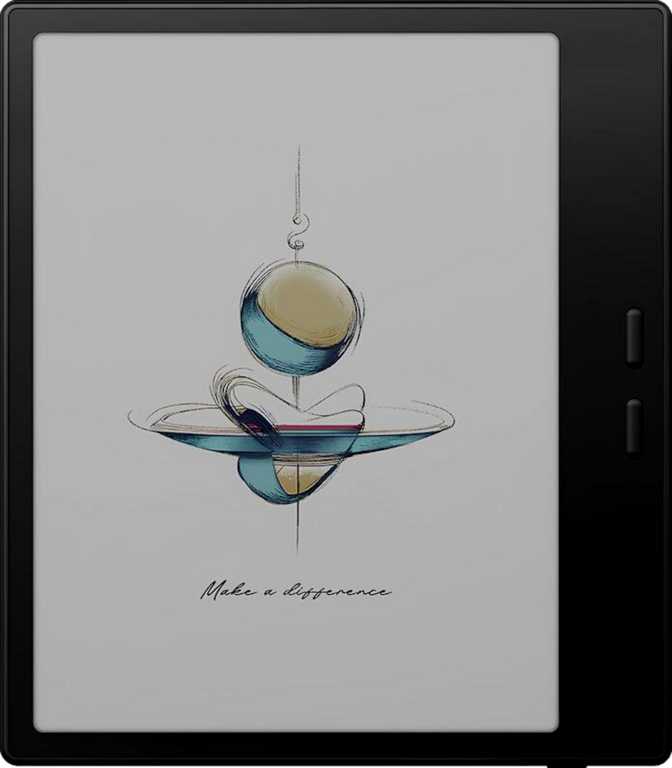
Onyx Boox Go Color 7 Gen II Review: Color E-Ink Done Right
E-readersIdeal For
- Illustrated and color content readers — manga, textbooks, annotated PDFs
- Students and researchers who work across multiple file formats
- Users frustrated by locked, closed reading ecosystems
- Outdoor and low-light readers who need a glare-free display
Consider Alternatives If
- You only read plain text fiction and color adds no value
- Cellular connectivity away from Wi-Fi is essential for you
- You primarily use a device for video or media streaming
- Wired audio via a headphone jack is a firm requirement
Color e-paper readers have spent years as a promising idea that never quite delivered. Washed-out palettes, sluggish performance, and compromised sharpness made early adopters feel like beta testers. The Onyx Boox Go Color 7 Gen II arrives as a more mature proposition — a second-generation device that takes direct aim at those criticisms and asks a serious question: what if a color e-reader was also a genuinely capable open Android tablet?
The answer is more nuanced than any single headline can capture. This is a device that will feel transformative to the right person and genuinely unnecessary to the wrong one. Understanding which side of that line you fall on is exactly what this review is here to help with.
Design and Build Quality
Pick up the Go Color 7 Gen II and the first thing you notice is how little of it there is. At just under 190 grams and barely 6.4mm thick, it sits in the hand more like a premium paperback than a piece of consumer electronics. Many 7-inch tablets feel like small bricks by comparison — this one is engineered to disappear.
The footprint is compact enough to slip into a jacket pocket, and the slim profile means even extended one-handed reading sessions do not punish your wrist. These are not trivial details for a device whose entire purpose is being held for long stretches.
The Display: Color E-Ink at Its Sharpest
Resolution and Sharpness
The screen is where the Go Color 7 Gen II either wins you over or doesn't. At 300 pixels per inch across a 7-inch panel, this sits at the top end of what the e-paper category currently offers. That density matters enormously for text rendering — thin serif fonts, small footnotes, dense academic papers — all resolve cleanly without the slight fuzziness that lower-density panels introduce.
To put that number in human terms: 300 ppi is the threshold at which most people with normal vision stop distinguishing individual pixels at typical reading distance. Text on this screen looks printed, not displayed. The native resolution is also optimized for portrait orientation, closely mirroring the proportions of a real book page — less dead space, more content on screen at once.
Color Rendering
Color e-ink is still a fundamentally different technology from the screen on your phone or laptop. Colors are less saturated and contrast is lower than what you experience on LCD or OLED panels — that is simply the physics of ink-based displays.
What this generation improves upon is vibrancy and usefulness. Illustrated books, comic panels, magazine layouts, color-coded annotations, and technical diagrams with colored callouts all become genuinely readable rather than technically visible. For content where color carries meaning, this display earns its place. For pure prose where color is irrelevant, it performs as well as any top-tier e-reader on the market.
Front Light, Anti-Reflection, and HDR
The built-in front light means reading in a dark room is fully supported — it illuminates the page surface rather than shining into your eyes, preserving the paper-like quality at any hour. The anti-reflection coating reduces glare further, making this a genuinely better outdoor reading experience than anything with a conventional backlit screen. E-paper inherently performs better as ambient light increases — bright sunlight improves contrast rather than washing it out.
An HDR mode is available for illustrated content and photos. On an e-ink panel this primarily affects tonal range processing — useful when shadow and highlight detail in illustrated material would otherwise be compressed.
Performance: Enough Power to Stay Out of Your Way
Processing and Memory
The Go Color 7 Gen II runs on an eight-core processor clocked at 2GHz per core, paired with 4GB of RAM — a meaningful step above what entry-level e-readers typically offer, and the difference shows where it matters in daily use.
Page turns are immediate. Switching between apps does not produce the multi-second delays that plague underpowered e-ink devices. The Android interface responds with enough fluency that you stop noticing the hardware and start focusing on content. Four gigabytes of RAM keeps multiple apps comfortably in memory simultaneously, meaning you return to exactly where you left off — in your annotation app, your PDF reader, your browser — without waiting for a cold restart.
Storage That Keeps Up With Serious Libraries
Sixty-four gigabytes of internal storage is generous for an e-reader — comfortably holding thousands of e-books, dozens of audiobooks, hundreds of annotated PDFs, and a collection of apps without approaching the limit. Users with large comic collections or extensively illustrated reference libraries will appreciate the headroom.
A microSD card slot means storage is never a hard ceiling. You expand as your library grows, without paying a premium for capacity you may not need immediately.
Features That Change How You Use It
26-Format Support — Not Just EPUB
Many e-readers are, at their core, EPUB machines with limited tolerance for anything else. This device reads 26 distinct file types — EPUB, PDF, MOBI, document formats, image formats, and comic archive formats among them. The practical result: you stop converting files. Academic papers in PDF, Word documents sent for proofreading, CBZ comic archives, and plain text drafts all open directly. For anyone who reads across multiple content types, this flexibility is significant.
Open Android — The Key Differentiator
This device runs Android openly — install Kindle, Kobo, Libby, Moon+ Reader, Notability, or any compatible app directly. This openness also means widgets, split-screen multitasking, Picture-in-Picture mode, dark mode, customizable notifications, and multi-user profiles all function as expected. It is closer to a specialized open tablet with an extraordinary screen than a traditional artificially limited e-reader.
Text-to-Speech and Audio
A built-in speaker handles text-to-speech playback, working without an internet connection thanks to on-device offline voice recognition. Bluetooth 5.1 connects earphones or a speaker for extended listening sessions — the on-board speaker is functional rather than pleasant for long sessions.
Privacy Controls and On-Device Intelligence
A meaningful set of privacy controls includes app tracking restrictions, location privacy options, camera and microphone access management, and clipboard warnings. On-device machine learning powers features like Live Text (selecting text from images), offline voice commands, and intelligent text handling — all without sending data to a remote server. For a reading device, these are notably thorough controls.
Connectivity at a Glance
Battery Life: The E-Paper Advantage
The battery in this device is modest in absolute capacity — roughly in line with a small smartphone. But e-paper displays draw current only when the image on screen changes, rather than continuously refreshing dozens of times per second. That fundamental difference changes everything about real-world endurance.
In practice, this translates to days of reading between charges for most users, not hours. A reader who consumes an hour or two of content daily should expect to charge once or twice per week. Heavy users running Android apps extensively, using the front light at maximum brightness, or streaming audio over Bluetooth will see shorter intervals — but even then, the endurance is competitive with anything in this category.
Charging Details
- USB-C charging — no proprietary cable required
- Battery level indicator always visible in the interface
- No fast charging — overnight charging is the expected rhythm
- No wireless charging capability
Expected Usage Intervals
- Light reader (1–2 hrs/day): Charge once or twice per week
- Heavy reader with active app use: More frequent charging expected
- Overall: Consistent with category norms for e-paper hardware
Who Should Buy This — and Who Should Look Elsewhere
Strong Match For
- Students and researchersOpen Android, split-screen multitasking, 26-format support, and annotation tools combine into a capable study device.
- Multi-format and illustrated content readersManga, illustrated non-fiction, color PDFs, and graphic novels benefit directly from the color display at 300 ppi.
- Platform-agnostic readersAnyone frustrated by locked ecosystems will appreciate installing their preferred reading app without restriction.
- Outdoor and low-light readersThe anti-reflection display and built-in front light make this usable in conditions where conventional screens fail.
Look Elsewhere If You Are
- A text-only fiction readerA premium grayscale e-reader at a lower price delivers equal text quality without paying for color capability you won't use.
- Dependent on cellular connectivityIf downloading content away from Wi-Fi networks is a primary requirement, this device has no cellular answer.
- A video or media streaming userE-paper refresh rates are not suited for video playback. This is not a streaming device by any measure.
- Reliant on wired audioNo headphone jack means Bluetooth is the only direct audio output. A USB-C adapter is needed for wired connections.
How It Compares to the Alternatives
The most honest competitive comparison sits between the Go Color 7 Gen II and a premium grayscale reader from a closed ecosystem, or against budget color e-readers that cut corners on display sharpness. Against cheaper color devices, the gap in pixel density is substantial — lower sharpness on a color panel makes text noticeably softer, a critical failing for a reading device. The 300 ppi here removes that compromise entirely.
| Feature | Boox Go Color 7 Gen II | Grayscale Flagship | Budget Color Reader |
|---|---|---|---|
| Display Type | Color E-Ink | Grayscale E-Ink | Color E-Ink |
| Pixel Density | 300 PPI | 300–400 PPI | 150–227 PPI |
| App Ecosystem | Open Android | Closed / Proprietary | Limited or Closed |
| Expandable Storage | Yes | Rarely | Sometimes |
| File Format Support | 26 Types | 10–15 Types | 10–15 Types |
| Cellular Option | No | Some Models | Rarely |
| Price Positioning | Mid-to-Premium | Premium | Budget |
Honest Strengths and Real Trade-offs
Where It Excels
The display sharpness at 300 ppi eliminates the text quality penalty that haunted earlier color e-ink devices. This is the first iteration of the technology where color and sharp text truly coexist without meaningful compromise — a significant milestone for the format.
The open platform removes the ecosystem lock-in that makes dedicated e-readers frustrating for users with existing libraries across multiple services. You use your apps, your libraries, and your workflow — the device adapts to you, not the other way around.
At 190 grams and 6.4mm thick, the hardware invites long reading sessions rather than discouraging them. The anti-reflection display and front light work equally well at a beach and at a desk — a combination most screens cannot offer at any price.
Real Limitations
The most significant limitation is the absence of cellular connectivity. This is a Wi-Fi device, which suits home, office, and campus use perfectly but creates real friction for users who travel extensively and cannot rely on hotspot access.
No fast charging means plugging in overnight is the expected rhythm rather than a quick top-up. The mono speaker is functional, not enjoyable for extended listening. The screen's lack of damage-resistant glass means physical care is warranted throughout ownership.
The open Android platform is a genuine strength and a responsibility. Users who want something that simply works without configuration will find a closed-ecosystem reader more frictionless; users who want control will find this considerably more rewarding.
Common Questions Before Buying
Final Recommendation
The Onyx Boox Go Color 7 Gen II is the right device for a specific reader, and a genuinely excellent device for that person. If your library spans multiple platforms, multiple formats, or includes illustrated and color content — and if you want to stop conforming your reading habits to what a closed ecosystem permits — this is currently one of the most complete answers the e-reader market offers.
The display at 300 ppi finally closes the gap between color e-ink and grayscale where it matters most: reading text. The open platform closes the gap between dedicated e-readers and actual utility. The hardware closes the gap between electronic reading and the physical experience of holding a book.
It is not a perfect device. The absence of a headphone jack and cellular option will matter to some buyers. The screen deserves a protective case. The charging rhythm requires adjustment for users accustomed to fast-charge culture. But for a reader who wants color, openness, genuine portability, and a display that performs as well outdoors as indoors, the Go Color 7 Gen II is a clear recommendation.