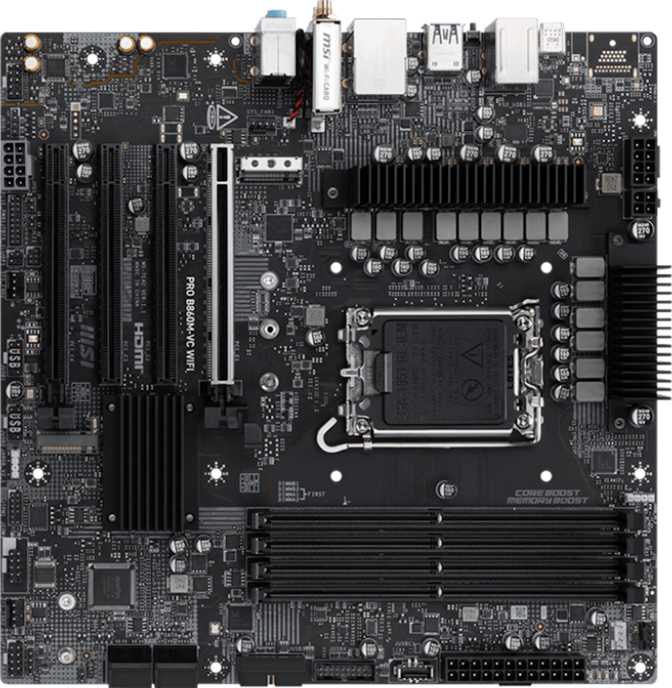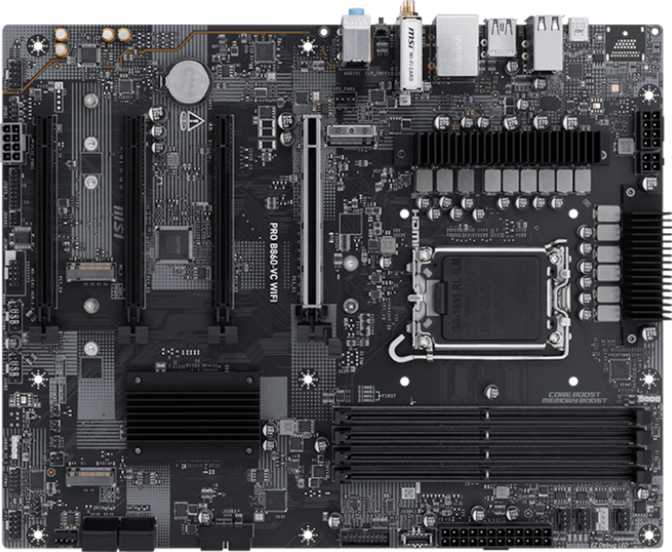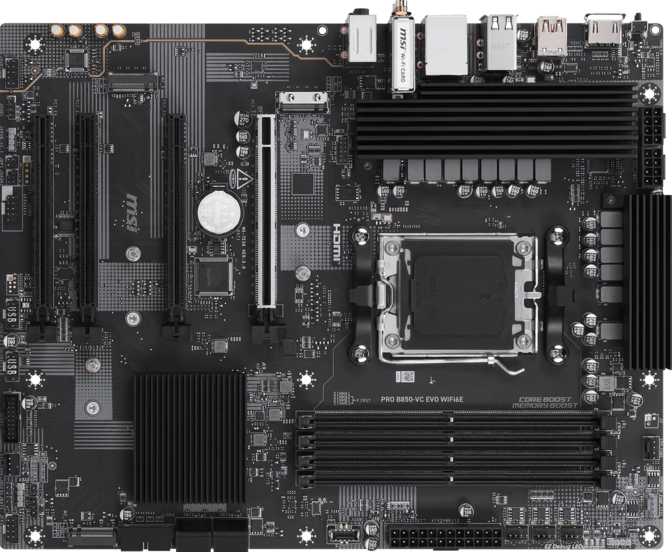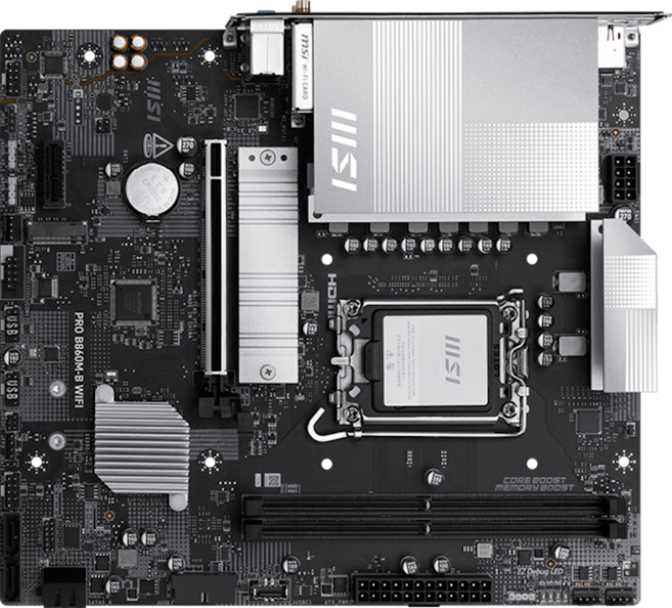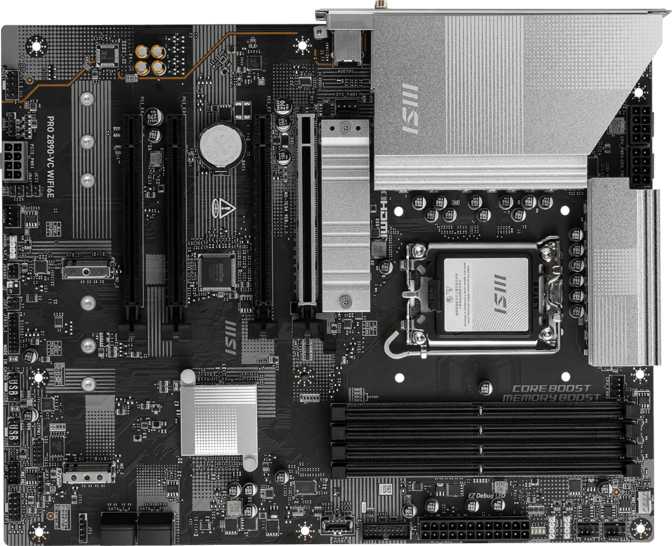
MSI Pro Z890-VC Wi-Fi 6E: Full Review of Intel's Z890 ATX Board
MotherboardsWhat the MSI Pro Z890-VC Wi-Fi 6E Actually Delivers
Intel's LGA 1851 platform is a genuine inflection point for desktop PC builders — and the motherboard you choose to anchor it defines whether that platform reaches its potential or stalls against artificial limitations. The MSI Pro Z890-VC Wi-Fi 6E sits in a compelling middle position: not the stripped-down budget option that leaves features on the table, and not the flagship with a price that demands a second mortgage. It is a full-fat ATX board with a credible feature set, aimed squarely at builders who want the Z890 chipset's full capability without paying for binned VRMs and aesthetic theater they will never use. Whether it earns that position is what this review works out, in detail.
Design and Build Quality
Form Factor and Physical Presence
At the standard ATX footprint — roughly 305 mm wide and 244 mm tall — the Z890-VC fits every mid-tower and full-tower case without adaptation. This matters more than it sounds: some boards in the prosumer Z890 range have crept toward E-ATX widths that eliminate affordable case options. You get the full slot count and header real estate of a proper ATX layout without being forced into a larger enclosure.
The board carries MSI's Pro aesthetic, which means business-oriented in visual tone rather than gaming-loud. RGB lighting is present as an accent rather than the primary identity. Builders who want synchronized lighting across components will find the headers and onboard zones cooperate without fuss; builders who find RGB performative can disable it entirely in firmware without losing any functional feature.
Build quality across the PCIe slots, DIMM latches, and rear I/O shield is appropriate for the price tier. The primary GPU slot is reinforced — a necessity when current-generation graphics cards have reached weights that can physically stress a PCIe connector over time.
Notable Omissions to Know Up Front
Resetting the BIOS after a failed overclock requires the jumper procedure described in the manual rather than pressing a labeled button — a minor inconvenience during experimentation, not a hard limitation.
A backup firmware chip enabling recovery from a failed BIOS flash is absent. The board is reliable in normal use, but a botched firmware update requires a more deliberate recovery process. Always flash from a stable system with a USB recovery drive prepared beforehand.
Platform and Processor Compatibility
The LGA 1851 socket and Z890 chipset combination is Intel's current-generation desktop platform. If you are building around or upgrading to Intel's latest processor lineup, this is the correct platform — there is no ambiguity. The socket is not backward compatible with older Intel generations, which is standard for modern platform transitions.
The Z890 chipset designation matters because chipset tier determines what the platform unlocks. Z-series chipsets on Intel platforms provide full PCIe lane allocation, memory overclocking support, and CPU multiplier control. This board makes all those capabilities available, which is why it makes sense to pair with an overclocking-capable processor. Using a locked-multiplier chip here means paying for Z890 features you cannot access.
Memory: DDR5 Performance and Capacity
What the Memory Subsystem Supports
The board runs DDR5 exclusively — DDR4 is not supported, which is the norm for this platform generation. Four physical slots arranged in a dual-channel configuration accept modules up to a combined 256 GB. Realistic daily-use configurations are 32 GB (two 16 GB sticks), 64 GB (two 32 GB sticks), or 128 GB (four 32 GB sticks).
ECC memory is not supported — the standard position for consumer Z-series boards. Workstation builders requiring error-correcting memory should consider W-series or Xeon-based platforms instead.
Speed: Native vs. Overclocked
The native supported speed sits at 6400 MT/s, already at the upper range of reliable DDR5 operation without manual tuning. For builders who want to push further, overclocked profiles reach up to 8800 MT/s — positioned to take full advantage of the fastest consumer DDR5 kits available. For context: two years ago, 6000 MT/s was considered aggressive. Running profiles near 8800 MT/s is meaningful for video editing, large dataset analysis, and content creation pipelines.
Storage: Fast, Flexible, and Future-Oriented
M.2 NVMe: Three Slots
Three M.2 sockets let you run three NVMe solid-state drives simultaneously without occupying any PCIe slots or using adapter cards. For most builds, one slot handles the OS and applications while the remaining two accommodate a game library, project storage, or a dedicated cache drive. Three sockets is a generous allocation at this price tier.
SATA Storage
Four SATA 3 ports accommodate traditional 2.5-inch or 3.5-inch drives connected via data cables — either solid-state or spinning hard drives. Four ports covers most desktop builds; enthusiasts running dedicated home media servers or NAS-adjacent setups with more than four drives should factor this into planning.
RAID Configurations
All four primary RAID modes are supported — covering every practical desktop redundancy and performance scenario at no extra cost:
- RAID 0 — Striping for maximum throughput
- RAID 1 — Mirroring for data redundancy
- RAID 5 — Distributed parity, balanced approach
- RAID 10 — Speed and redundancy combined
Expansion Slots: PCIe 5.0 and Beyond
Primary GPU Slot
One PCIe 5.0 x16 slot serves as the primary expansion point. PCIe 5.0 doubles the bandwidth of PCIe 4.0, meaning this slot is ready for current-generation graphics cards and will remain capable for the next hardware generation as well. Current GPU drivers already leverage PCIe 4.0 fully, so PCIe 5.0 headroom provides forward compatibility without bottlenecking any graphics card available today.
Secondary Expansion
Beyond the primary slot, two PCIe x4 slots and one PCIe x1 slot handle secondary expansion. PCIe x4 slots are the right fit for add-in NVMe expansion cards, 10-gigabit networking cards, USB expansion cards, and capture cards. The x1 slot accommodates smaller peripheral cards. The total profile covers realistic use cases for an ATX board at this price level without excess.
| Slot Type | Count | Typical Use |
|---|---|---|
| PCIe 5.0 x16 | 1 | Discrete GPU |
| PCIe x4 | 2 | NVMe cards, NICs, capture cards |
| PCIe x1 | 1 | Small peripheral cards |
Connectivity: Ports, Headers, and I/O
Rear I/O: What You Plug Into Directly
The rear panel is where this board shows both its strengths and a characteristic worth examining carefully. The USB lineup is stratified: standard daily-driver ports at the low end of the speed range, and genuinely fast ports at the top — with the high-speed slots being where this board distinguishes itself from similarly priced competition.
| Port Type | Qty | Speed | Best For |
|---|---|---|---|
| USB 3.2 Gen 1 (Type-A) | 6 | 5 Gbps | Keyboards, mice, flash drives, hubs |
| USB 3.2 Gen 2×2 | 1 | 20 Gbps | High-speed external SSDs |
| USB4 40 Gbps | 1 | 40 Gbps | External GPU enclosures, high-bandwidth docks |
| Thunderbolt 4 | 1 | 40 Gbps | TB4 displays, professional docks, daisy-chaining |
| HDMI 2.1 | 1 | Display output | Integrated graphics (requires iGPU processor) |
| DisplayPort | 1 | Display output | Integrated graphics (requires iGPU processor) |
| RJ45 Gigabit Ethernet | 1 | 1 Gbps | Wired network connection |
All six rear USB-A ports run at 5 Gbps. For typical peripherals — keyboards, mice, USB hubs, flash drives — this is entirely sufficient. The limitation only surfaces when you need several simultaneous high-bandwidth Type-A devices. In those scenarios, the 20 Gbps and 40 Gbps ports remain available, but competition for those slots increases.
Internal Headers: Fan Control and Case Expansion
Six fan headers comfortably manage a full airflow configuration — two or three case fans, a CPU cooler, and optionally a radiator pump and fan — without requiring a separate hub. A TPM header is present for hardware security module support, relevant in enterprise environments or for users enabling certain disk encryption configurations.
Wireless Connectivity: Wi-Fi 6E and Bluetooth 5.3
Wi-Fi 6E: What the "E" Adds
Wi-Fi 6E extends the Wi-Fi 6 standard into the 6 GHz frequency band. Older standards — and even standard Wi-Fi 6 — operate in the 2.4 GHz and 5 GHz bands, which have become progressively congested as the number of wireless devices in homes and offices has multiplied. The 6 GHz band is currently less populated, which translates to lower interference in dense wireless environments.
In an apartment building where dozens of neighboring networks compete for 5 GHz channels, Wi-Fi 6E can deliver noticeably more consistent throughput and lower latency. The module supports backward compatibility across Wi-Fi 4, 5, 6, and 6E, meaning it connects to any router you own today and upgrades automatically as your network hardware evolves.
Bluetooth 5.3
Bluetooth 5.3 is the current-generation specification. Compared to Bluetooth 4.x still found on older or cheaper boards, version 5.3 delivers improved connection stability, better handling of multiple simultaneous devices, and lower power consumption for connected peripherals like wireless headphones, gamepads, and keyboards. If you use modern wireless audio hardware, the improved specification translates into real quality-of-life gains day to day.
Audio Capabilities
The onboard audio solution provides 7.1 surround sound decoding through three physical 3.5mm jacks. The 7.1 capability refers to the surround audio channel configuration the chipset can process — in practical terms, this means the board can output to a full surround speaker system or decode positional audio for headphones through the analog outputs.
S/PDIF optical output is absent. Audiophiles routing to an external DAC or home theater receiver via optical will need to use a discrete sound card in one of the PCIe slots, or route audio through the HDMI output. This is an uncommon requirement for most desktop users, but it is a relevant omission for home theater PC builders who rely on optical connectivity.
Overclocking Capabilities
The Z890 chipset and MSI's implementation provide full memory overclocking and CPU tuning access through the UEFI firmware. The supported memory overclocking range up to 8800 MT/s reflects the board's willingness to run aggressive XMP profiles and manually tuned timings. MSI's firmware provides per-core voltage control, memory sub-timing adjustments, and frequency tuning in a UEFI interface that does not gatekeep advanced settings behind unnecessary menus.
Without a physical clear-CMOS button, trial-and-error overclocking requires the jumper procedure for BIOS resets rather than a single button press. The absent dual-BIOS chip makes a botched firmware flash more consequential than on boards with backup chips. Best practice: never flash from an unstable system, use a UPS or stable power, and keep a USB recovery drive prepared before pushing aggressive memory profiles.
Who This Board Is For — and Who It Is Not
Ideal Users
- Enthusiast builders on a considered budget who want full Z890 capability — PCIe 5.0, DDR5 overclocking, USB4, Thunderbolt 4, Wi-Fi 6E — without paying for aesthetic extras or top-tier power delivery marketing.
- Content creators who benefit from three M.2 sockets, four SATA ports, full RAID support, 256 GB memory ceiling, and Thunderbolt 4 for external storage and display docks.
- Small business and prosumer workstation builders where data integrity matters — RAID 1 and 10 support alongside the TPM header and stable Pro-series firmware position this board well.
- Gamers who also create content — PCIe 5.0 for the GPU, fast NVMe storage, Wi-Fi 6E for consistent wireless, and enough rear I/O for streaming equipment and peripherals.
Look Elsewhere If You Are...
- Building on a tight budget. The Z890 platform requires DDR5 memory, and DDR5 pricing at the speeds where this board excels adds up quickly. A B760 or B860 platform paired with slower memory makes more financial sense for pure value seekers.
- Requiring ECC memory. No ECC support means this board is not appropriate for scientific computation, financial modeling, or any application where memory error correction is required rather than optional.
- Needing multiple simultaneous high-speed USB-A ports. All six rear USB-A ports run at 5 Gbps. If four or more ports simultaneously at 10 Gbps are required, PCIe add-in expansion cards become a necessary addition.
Competitive Positioning
At the ATX Z890 tier, the MSI Pro Z890-VC Wi-Fi 6E occupies a deliberate position — including USB4 and Thunderbolt 4 at a price tier where those ports are unusual, while accepting trade-offs like no dual-BIOS and a less aggressive memory overclocking ceiling than top-tier options. The table below shows how it maps against the typical budget and premium Z890 ATX offerings from any manufacturer.
| Feature | MSI Pro Z890-VC Wi-Fi 6E | Typical Z890 Budget-ATX | Typical Z890 Premium-ATX |
|---|---|---|---|
| PCIe Gen (Primary Slot) | PCIe 5.0 | PCIe 5.0 | PCIe 5.0 |
| Max Memory Speed (OC) | 8800 MT/s | 6400–7200 MT/s | 9600+ MT/s |
| USB4 40Gbps Rear | Uncommon | ||
| Thunderbolt 4 Rear | Rare | Often | |
| Wi-Fi Standard | 6E | 6 or 6E | 6E or 7 |
| M.2 Sockets | 3 | 2–3 | 4–5 |
| Dual BIOS | Sometimes | Usually | |
| RAID 5 Support | Varies |
Honest Assessment: Strengths and Weaknesses
Where It Stands Out
Thunderbolt 4 and USB4 40Gbps on the rear panel together represent a meaningful investment in future-ready external connectivity. Most boards at this tier include one or the other, not both. For users with Thunderbolt-native peripherals, docks, or external GPU enclosures, that combination gets used daily and has real value that justifies its presence.
The memory subsystem is another genuine highlight. Support for overclocked profiles approaching 9000 MT/s is ambitious for this price range. Paired with the right DDR5 kit, the board can reach performance levels that overlap with boards costing significantly more — particularly meaningful for content creation pipelines and bandwidth-hungry workloads.
Full RAID 0, 1, 5, and 10 support at no extra cost is a real feature for content creators and small business users where data redundancy matters, not an edge-case checkbox rarely used.
Where It Requires Honest Acknowledgment
The absence of a dual-BIOS chip is a real risk factor for users who update firmware frequently. It does not make the board unreliable in normal use — it makes recovery from an edge-case firmware failure more procedurally involved and time-consuming.
The rear USB-A situation, with all six ports running at 5 Gbps, is not a problem for most users but is a detail that distinguishes this board from competitors who have positioned faster Gen 2 ports at comparable prices. Users running multiple high-bandwidth peripherals simultaneously will feel this limit.
The lack of S/PDIF optical output and ECC memory support are narrow disqualifiers for specific use cases rather than general weaknesses — but home theater PC builders routing audio via optical and anyone requiring memory error correction must treat these omissions as firm deal-breakers.
Common Questions Before You Buy
Final Verdict: Recommended for the Right Builder
The MSI Pro Z890-VC Wi-Fi 6E earns its place as a sensible, feature-complete ATX board for the Z890 platform. It does not try to be everything — there is no dual BIOS, no aggressive power delivery marketing, no Wi-Fi 7. What it does offer is a thoughtfully specified connectivity package — Thunderbolt 4, USB4 40Gbps, Wi-Fi 6E, three M.2 slots, full RAID support, and DDR5 overclocking headroom that punches above its tier — in a standard ATX footprint with a three-year warranty backing it.
The recommendation is clear for a specific type of builder: if you are on Intel's current platform, want genuine high-speed connectivity for external devices, care about memory performance, and do not need ECC or a safety-net dual BIOS, this board delivers real value without demanding a premium tier price. Builders outside that profile — budgeting tightly, needing ECC, or requiring abundant 10 Gbps USB-A ports — have better-matched alternatives available. For the builder this board is designed for, it is a considered and capable foundation.