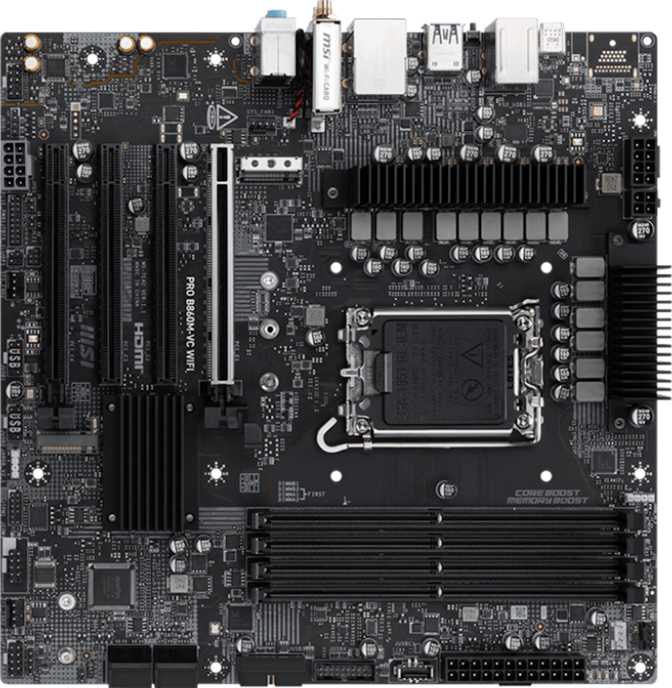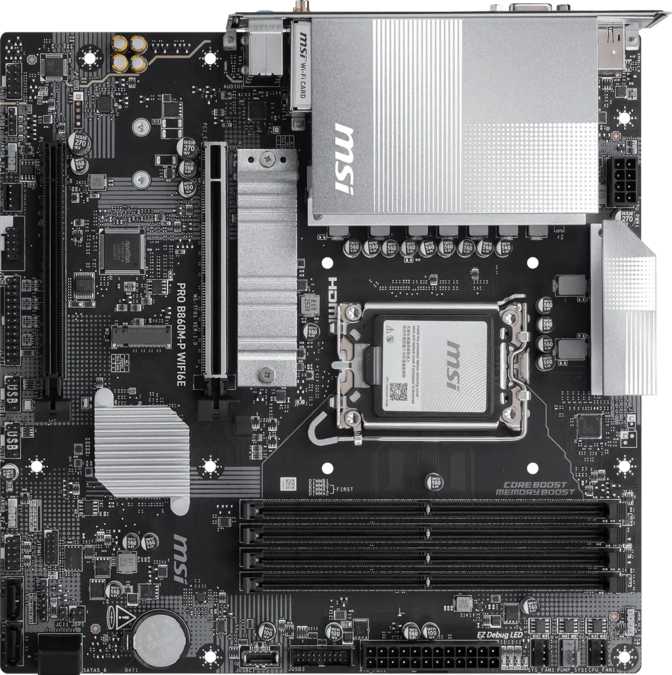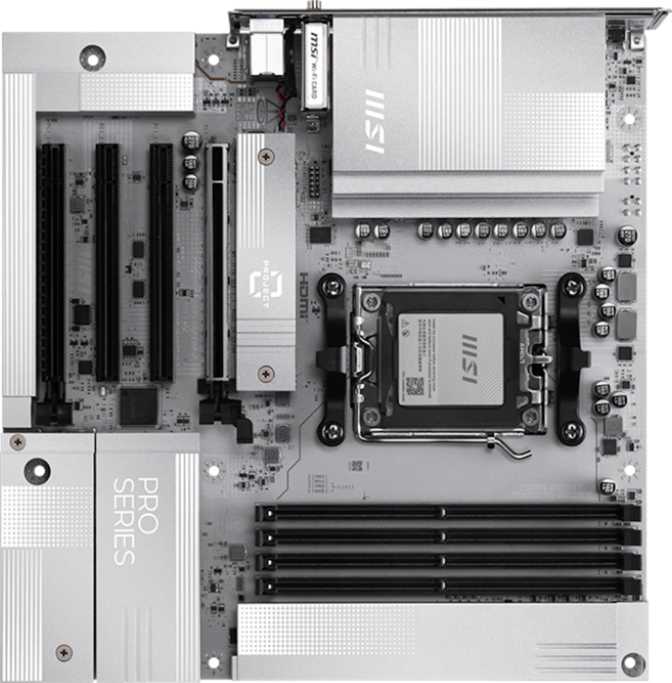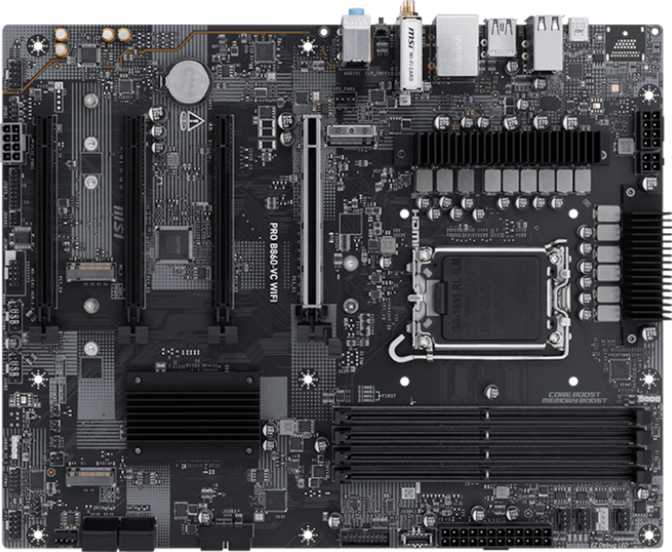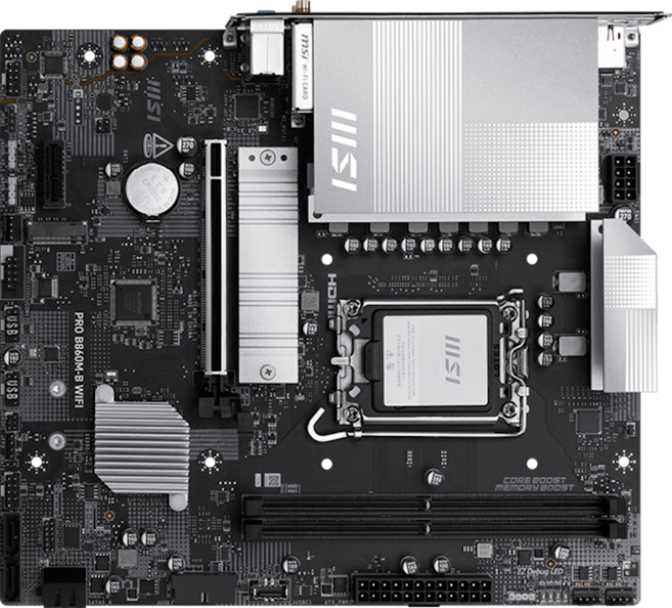
MSI Pro B860M-B Wi-Fi Review: Wi-Fi 7 Meets the B860 Chipset
Quick Verdict
Rated across four categories most important to builders
Feature Set
Connectivity
Value for Money
Flexibility
Key Specifications at a Glance
What You're Actually Getting With the MSI Pro B860M-B Wi-Fi
The compact motherboard market is crowded with options that promise professional performance without the price tag of flagship boards. The MSI Pro B860M-B Wi-Fi sits squarely in that space — a Micro-ATX board built around Intel's B860 chipset and the LGA 1851 socket, targeting builders who want a capable, modern platform without overpaying for features they'll never use.
What makes it interesting isn't any single standout feature. It's the combination of Wi-Fi 7, a PCIe 5.0 primary slot, DDR5 memory support, and dual BIOS protection packed into a board small enough to fit a compact case. That's a genuinely modern set of infrastructure decisions at a price point that doesn't demand a premium.
Design and Build Quality
Form Factor and Physical Footprint
At 243.8 mm wide and 220 mm tall, the Pro B860M-B Wi-Fi is a genuine Micro-ATX board — compact enough for smaller enclosures, yet with room for meaningful expansion. If you're building a desk-friendly system without sacrificing expandability, this size hits the right balance.
The board carries MSI's "Pro" aesthetic — functional and understated rather than flashy. RGB lighting is present, offering some customization headroom, but it's clearly not the design focus. The overall character is businesslike, suited to professionals and practical builders who aren't constructing a showcase rig.
Cooling Headers and Power Delivery
Three fan headers are available — designed for modest, efficient builds rather than high-airflow enthusiast configurations. That's appropriate here: the B860 chipset platform isn't chasing extreme overclocking, so the cooling provision matches the platform's actual intent.
The header count comfortably handles a CPU cooler and one or two case fans — all most compact builds need. VRM heatsinks, reinforced expansion slots, and quality capacitors are standard expectations at this tier, and the B860M-B Wi-Fi is built to that standard.
- CPU cooler header
- Two additional case fan headers
- Not suited for six-fan configurations without a fan hub
Platform and Performance
What the LGA 1851 socket and B860 chipset mean in practice
LGA 1851 Socket — A Current-Generation Platform
LGA 1851 is Intel's current-generation socket, built for the latest Intel processor lineup. Choosing a board with this socket means buying into a modern platform with a viable upgrade path ahead — not a legacy architecture approaching end-of-life. For a build intended to last several years, this distinction matters considerably.
B860 Chipset — Mid-Range Done Right
The B860 chipset sits above the entry-level H610 and below the enthusiast Z890. It brings PCIe 5.0 on the primary graphics slot, DDR5 memory, and Wi-Fi 7 — without the unlocked CPU multiplier overclocking that Z-series boards offer. That trade-off defines who this board is for.
The "easy to overclock" designation on this board refers to memory overclocking via XMP/EXPO profiles and base frequency adjustments — not full CPU multiplier overclocking. If you're planning to push K-series Intel processors to their limits, you need a Z890 board. This is a meaningful distinction that separates the B860 tier from Z-series.
Memory: High-Speed DDR5 That Punches Above Its Price
More than any realistic workload will ever demand from this platform tier
Roughly double the bandwidth of high-speed DDR4 at stock settings
Enthusiast-class headroom rarely available at this price tier
Buy the right capacity upfront — no room to add a third or fourth stick
At the baseline speed, DDR5 at 6400 MHz delivers substantial bandwidth improvements over high-speed DDR4 — tangible in memory-intensive tasks like video editing, large dataset processing, and modern gaming. The 9066 MHz ceiling is the real surprise: few boards at this price range offer that kind of memory headroom. The two-slot design is the only real limitation, meaning you plan your capacity upfront rather than gradually expanding.
Connectivity and Ports
Rear I/O Panel
- HDMI 2.1 + DisplayPort
HDMI 2.1 supports 4K at high refresh rates and even 8K output — far ahead of most current monitors. Works with integrated graphics on compatible Intel CPUs.
- USB-A Ports (6 total)
Four USB 2.0 ports for keyboards, mice, and low-bandwidth peripherals. Two faster USB-A ports handle external drives and hubs without bottlenecking transfers.
- USB-C (Gen 2x2 — Fastest Port on Board)
Delivers the highest single-port transfer speed available on this board — capable of transferring a full-length 4K film in seconds. One port; use it for your fastest external device.
- RJ45 Ethernet
Wired stability when wireless isn't an option. The real networking story here is the Wi-Fi 7 module.
Internal Connectors
- 2x M.2 NVMe Slots
Run a primary boot drive and a secondary storage drive simultaneously without touching any other connections — full NVMe speed on both.
- 4x SATA 3 Ports
Mass storage for traditional 2.5" and 3.5" drives. Essential for builders migrating from older systems or needing high-capacity storage economically.
- Expansion USB Headers
Two USB-A headers, one USB-C front panel header, and four USB 2.0 headers — connecting your case's front panel ports without sacrificing rear I/O.
- TPM Connector
Satisfies Windows 11 security requirements and enterprise security policies without needing a separate TPM module purchase.
Wi-Fi 7 — Not Just a Number Bump
Wi-Fi 7 (802.11be) introduces multi-link operation: the ability to simultaneously use multiple wireless frequency bands, which meaningfully reduces latency and improves reliability in congested environments. Compared to Wi-Fi 6E, channel widths double again.
For a home office PC, this means more consistent throughput during large file transfers. For a gaming system, it means lower and more predictable wireless latency. The board is fully backward-compatible with Wi-Fi 6E, 6, 5, and 4 — so it connects to any router you already own and performs better automatically when you upgrade.
Bluetooth 5.4 is the current top version of the standard — handling wireless audio, gamepads, and peripherals with low latency and better coexistence with Wi-Fi signals.
Expansion Slots: PCIe 5.0 Is the Headline
The primary PCIe slot runs at PCIe 5.0 x16 — the fastest current standard for graphics card and high-speed storage interfaces. This isn't future-proofing for its own sake: a PCIe 5.0 slot means this board will not become a bottleneck for current or next-generation discrete graphics cards or ultra-fast NVMe drives that use the primary interface.
There's also one PCIe x1 slot — room for a sound card, additional networking card, or capture card. Given the Micro-ATX footprint, two total expansion slots is the realistic ceiling, and the board uses that space wisely by making the primary slot PCIe 5.0 rather than settling for the previous generation.
Expansion Slot Summary
- PCIe 5.0 x16 (Primary GPU)1 Slot
- PCIe x1 (Expansion Cards)1 Slot
- M.2 NVMe (Storage)2 Slots
Onboard Audio
The onboard audio delivers 7.1-channel surround sound through three physical jacks on the rear panel — covering stereo headphones, microphone input, and multi-channel speaker setups. For the majority of users — headsets, desktop speakers, or USB audio devices — this is fully adequate.
There is no S/PDIF optical output on the rear panel. Users with AV receivers or dedicated DACs that rely on optical input will need a USB audio interface instead. This is a minor omission for most, but a real constraint for specific home theater setups.
Reliability Features: Dual BIOS and Easy Reset
Two features that speak directly to long-term confidence — especially meaningful for newer builders
Dual BIOS Protection
The board carries two separate firmware chips. If a BIOS update goes wrong — whether due to a power outage mid-flash or a corrupted update file — the board automatically falls back to the backup chip. This eliminates the most common cause of motherboard failures during maintenance.
A feature typically reserved for higher-end boards, offered here at the mid-range tier.
Easy CMOS Reset
If a memory overclock profile pushes the system past stability and it won't boot, a simple button press restores factory defaults — without opening the case or hunting for a jumper with a screwdriver. For beginners, this provides genuine reassurance. For experienced builders, it accelerates the tuning cycle.
Pairs logically with the board's 9066 MHz memory OC ceiling — experiment with confidence.
Who This Board Is For — and Who Should Look Elsewhere
Match the product to your actual use case before committing
Ideal Buyers
- The budget-conscious builder who values longevity
Wi-Fi 7, PCIe 5.0, DDR5, and dual BIOS protection bundled together at a B-series price point is genuinely unusual.
- Compact PC builders
Micro-ATX size without the usual port and slot sacrifices that smaller boards typically impose.
- Home office and productivity users
Wi-Fi 7 and USB-C front-panel header cover the modern peripheral ecosystem well.
- Builders with existing SATA storage
Four SATA ports and dual M.2 slots allow you to migrate old drives without compromise.
Consider Alternatives If...
- You want full CPU multiplier overclocking
The B860 chipset restricts CPU overclocking. You need a Z890 board for unlocked K-series CPU tuning.
- You need four memory slots
This board offers two. For four-module configurations or maximum flexibility, look at full ATX options.
- You rely on Thunderbolt 4
High-speed external displays, docks, and professional Thunderbolt peripherals require a different board entirely.
- You need S/PDIF optical audio output
A USB audio interface is the workaround, but the optical port simply isn't present.
How It Stacks Up Against the Alternatives
MSI Pro B860M-B Wi-Fi vs. typical alternatives in the same price band
| Feature | MSI Pro B860M-B Wi-Fi | Typical B760M Alternative | Entry H610M Board |
|---|---|---|---|
| Wi-Fi Generation | Wi-Fi 7 | Wi-Fi 6 / 6E | None or Wi-Fi 5 |
| PCIe Primary Slot | PCIe 5.0 x16 | PCIe 4.0 or 5.0 | PCIe 4.0 x16 |
| DDR5 Max OC Speed | 9066 MHz | 7200–8000 MHz | 5600–6000 MHz |
| Dual BIOS | |||
| M.2 Slots | 2 | 2 | 1–2 |
| Bluetooth | 5.4 | 5.2–5.3 | 5.2 or absent |
| USB-C Rear Port | Sometimes | ||
| Front Panel USB-C | Sometimes | ||
| SATA Ports | 4 | 4 | 2–4 |
| Warranty | 3 Years | 3 Years | 1–3 Years |
Competitor figures are representative of the typical market range and vary by specific model.
Honest Assessment: Strengths and Genuine Limitations
Where It Excels
The strengths cluster around future-proofing. Wi-Fi 7 means this board's wireless capability won't become obsolete when router technology catches up over the next several years. PCIe 5.0 on the primary slot ensures the graphics or storage path remains unrestricted for current and next-generation hardware.
DDR5 at extreme memory speeds means enthusiast users can fully utilize fast memory kits that cheaper boards can't properly support. Dual BIOS adds a layer of resilience that inspires real confidence during maintenance and BIOS updates — it's a feature that has historically been reserved for premium boards.
The USB-C front panel header and rear USB-C port are differentiators that typically require paying more at this platform tier. For a board sold at B860 pricing, that's a meaningful inclusion.
Where It Falls Short
Two memory slots is a genuine constraint — not a dealbreaker for most, but it forces you to plan your capacity upfront rather than starting small and adding more sticks later. Buy the right amount at the start, or pay a premium to upgrade the whole kit later.
Three fan headers cap thermal management for complex multi-fan builds. Anyone planning a six-fan airflow configuration will need a fan hub, which adds cost and cable complexity.
There's also no high-speed USB-A Gen 2 port on the rear panel — the fastest rear USB experience routes through the single USB-C port. Owners of fast USB-A drives expecting maximum rear panel transfer speeds may notice this, though a USB-C to USB-A adapter resolves most scenarios.
Common Questions Buyers Ask
The questions that come up before nearly every purchase of this board
A Well-Considered Board for Builders Who Know What They Need
The MSI Pro B860M-B Wi-Fi makes a compelling case for anyone building a compact, modern Intel platform PC. It doesn't chase the maximum performance ceiling — instead, it delivers a platform that handles today's workloads well and anticipates tomorrow's connectivity standards without demanding a premium price.
Wi-Fi 7, PCIe 5.0, DDR5 with high-speed overclocking headroom, dual BIOS, and a genuinely useful port selection give this board a value proposition that's difficult to match at the same price. The two-memory-slot limit and the absence of CPU multiplier overclocking are real constraints — but deliberate ones, appropriate to the chipset tier and unlikely to bother the majority of buyers this board is designed for.
You're building a compact Intel platform for everyday productivity, gaming, or home office use — and you want wireless capability that won't need replacing for years. Especially strong for first-time builders who value peace-of-mind features like dual BIOS.
You need four memory slots, full CPU overclocking headroom, or Thunderbolt 4 support. At that point, step up to a Z890 board and accept the higher price accordingly — those are the right reasons to spend more.
- Feature Set9/10
- Connectivity9/10
- Value for Money8/10
- Flexibility7/10