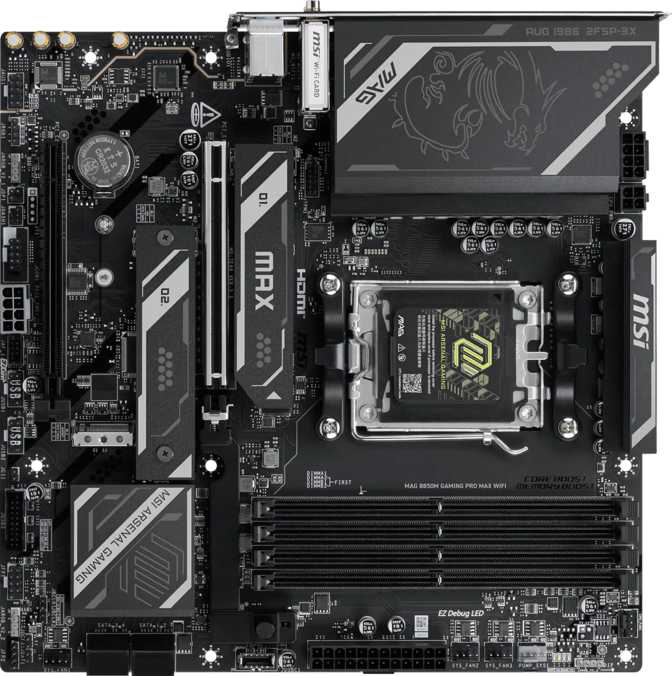
MSI MAG B850M Gaming Pro Max Wi-Fi: An Honest Full Review
MotherboardsSmall form factor builds have historically meant accepting trade-offs — fewer slots, weaker connectivity, and chipsets that top out before enthusiasts do. The MSI MAG B850M Gaming Pro Max Wi-Fi challenges that assumption directly. Pairing AMD's mid-range AM5 platform with a surprisingly dense feature set inside a compact square footprint, this board targets builders who want a capable, future-facing foundation without committing to a full-sized ATX chassis. Whether you're building a tight gaming rig for a small desk or a powerful home workstation that needs to stay discreet, this board deserves a close look before you decide.
Design and Build Quality
Physical design, dimensions, and build quality assessment
The Micro-ATX Sweet Spot
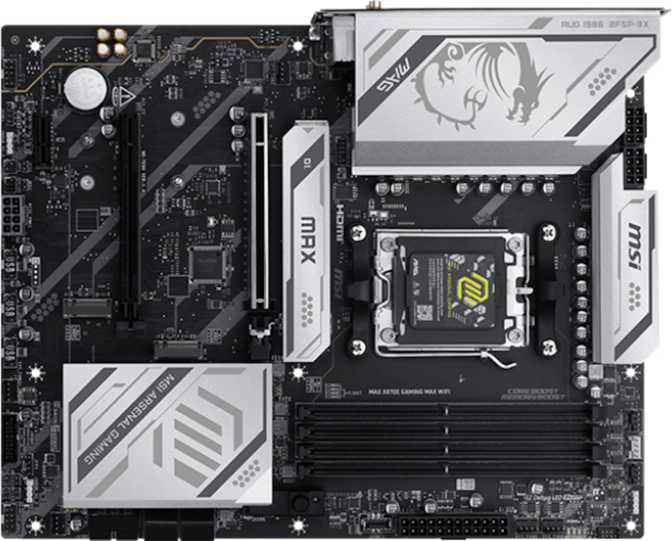
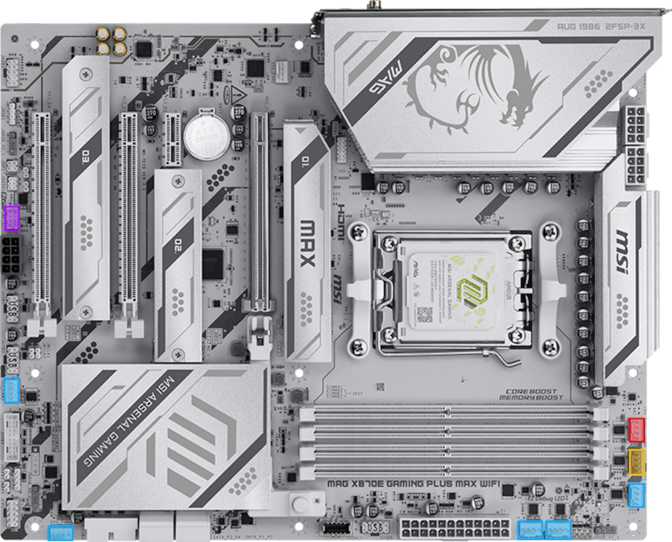
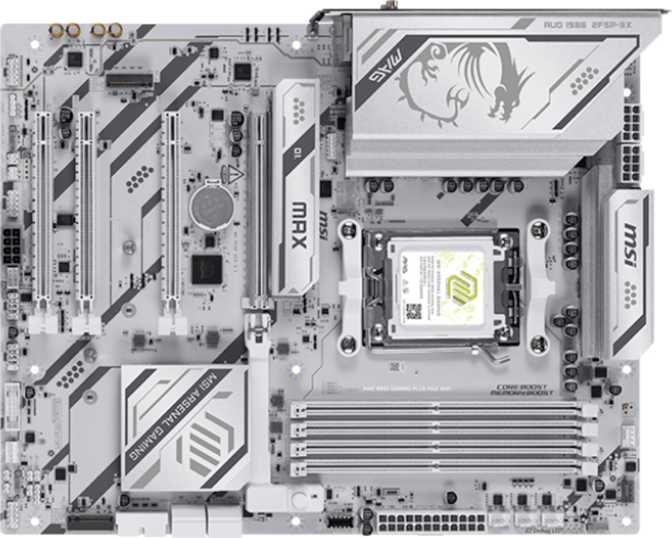
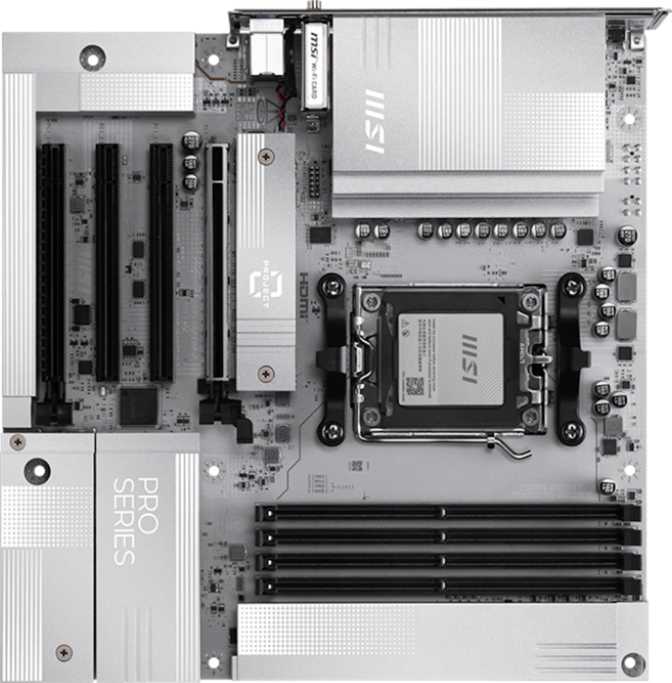
At 243.8 mm × 243.8 mm, this is a true square Micro-ATX board — compact enough to fit in smaller mid-tower and mini-tower cases, yet large enough to accommodate four full-length memory slots and multiple expansion options without the cramped layout that plagues some smaller designs. Builders upgrading from older AMD platforms or moving from Intel will find the footprint familiar and case compatibility broad.
The board does not carry a dual BIOS feature, which matters for users who frequently push BIOS settings to their limits. A failed flash requires a manual recovery process rather than the automatic fallback a dual-BIOS design provides.
Aesthetic and RGB
MSI includes RGB lighting that integrates with the Mystic Light ecosystem. This isn't a board trying to hide its gaming identity — but the lighting is tasteful enough that it won't look out of place in a subdued setup if you tune it down or disable it entirely through the BIOS or software.
Platform and Performance
AMD AM5 platform analysis, chipset tier, and DDR5 memory performance
AMD AM5 on the B850 Chipset — What That Actually Means
This board is built on AMD's AM5 socket, supporting current-generation Ryzen processors on AMD's committed long-term platform. The B850 chipset sits one tier below the flagship X870E, delivering the majority of platform capabilities at a more accessible price point. For most users — including competitive gamers, content creators, and power users — the B850 delivers everything the platform offers in terms of CPU performance.
The differentiation versus higher-end chipsets shows up in connectivity bandwidth and extreme overclocking flexibility, not in everyday performance. The board supports CPU overclocking, so pairing it with an unlocked Ryzen processor opens up manual tuning options without requiring a flagship-tier investment.
Memory: DDR5 With Real Headroom
Four DDR5 memory slots support up to 256 GB of total capacity across two channels. At native speeds, the platform runs comfortably — fast enough that daily workloads, gaming, and creative applications will not feel memory-constrained under any realistic scenario.
For enthusiasts who want to push further, the board supports memory overclocking to 8200 MHz, placing it in the upper tier of what the AM5 platform can handle. Reaching those speeds requires matched, high-quality DDR5 kits and careful XMP/EXPO profile configuration, but the headroom is there for those who want it.
Four slots — rather than the two found on many Micro-ATX boards — means you can start with two sticks and expand later without discarding existing memory. ECC memory is not supported, which is standard for consumer B-series boards. If your workload demands ECC, a workstation-class platform is a better fit.
OC speeds require matched DDR5 kits with XMP/EXPO profiles. Category average shown for context only.
Connectivity and I/O
Rear panel ports, wireless capabilities, and networking
Rear Panel: More Than Expected
The rear I/O panel punches well above what a Micro-ATX form factor typically delivers. No legacy USB 2.0 ports clutter the panel — every port has a clear purpose:
Wireless: Wi-Fi 7 Onboard
Wi-Fi 7's full benefits are most visible with a Wi-Fi 7 router. On older hardware you connect at Wi-Fi 6E or lower — the module is forward-compatible as your network infrastructure upgrades.
Storage Configuration
M.2 NVMe slots, SATA connectivity, and RAID support
Three M.2 Slots and Four SATA Ports
Three M.2 slots allow a primary fast boot drive, a secondary storage drive, and a third for future expansion. The primary M.2 slot connects through the PCIe 5.0 bus via the CPU, compatible with the latest ultra-fast NVMe drives that deliver sequential speeds far beyond what even high-end PCIe 4.0 drives achieve. If you're investing in a top-tier NVMe drive now or in the future, this slot is ready for it.
Four SATA III ports accommodate 2.5-inch SSDs or 3.5-inch hard drives for bulk storage, media libraries, or backup volumes. In total, up to seven storage devices can be connected simultaneously — three NVMe via M.2 and four via SATA.
- Primary M.2PCIe 5.0
- M.2 Slot 2NVMe
- M.2 Slot 3NVMe
- SATA III × 4Bulk Storage
- TPM HeaderIncluded
Expansion Slots and Internal Headers
PCIe expansion capabilities and internal case connectivity
PCIe Expansion
The expansion layout is lean but purposeful. The single PCIe 5.0 x16 slot runs the full bandwidth of the latest GPU interface standard — current and next-generation graphics cards will not be bottlenecked here. An additional PCIe x4 slot covers capture cards, NVMe controllers, USB expansion cards, or 10 Gigabit network adapters.
There are no additional x16 or x1 slots. Multi-GPU configurations are not supported, which reflects how people actually use desktop systems today: one GPU, one optional expansion card.
Internal Headers for Builders
The internal header selection determines how much of your case's front-panel connectivity you can actually use. Five fan headers should cover most cooling configurations without needing a separate hub.
Onboard Audio
7.1 surround audio decoding and analog connectivity
The onboard audio delivers 7.1 surround sound decoding through three analog jacks on the rear panel — line-in, line-out, and microphone. There is no S/PDIF optical output, which may matter to users with older high-fidelity receivers or specific home theater setups that rely on optical digital audio.
For the vast majority of users — gaming headsets, 2.1 speaker systems, and USB audio solutions — the onboard audio will be entirely sufficient without any additional hardware.
Who This Board Is For
Matching the MSI MAG B850M Gaming Pro Max Wi-Fi to the right builder
How It Compares to the Alternatives
MSI MAG B850M Gaming Pro Max Wi-Fi vs. comparable boards in the same tier
| Feature | MSI MAG B850M Gaming Pro Max Wi-Fi |
Typical B650M Competitors |
B850 ATX Boards |
|---|---|---|---|
| Form Factor | Micro-ATX | Micro-ATX | ATX (larger) |
| GPU Slot | PCIe 5.0 x16 | PCIe 5.0 x16 | PCIe 5.0 x16 |
| Memory Slots | 4 Slots | 2–4 Slots | 4 Slots |
| M.2 Slots | 3 Slots | 2–3 Slots | 3–5 Slots |
| Wi-Fi Generation | Wi-Fi 7 | Wi-Fi 6E (common) | Wi-Fi 7 (premium only) |
| USB-C Rear Ports | 2 Ports | 0–1 Port | 1–2 Ports |
| Front USB-C Header | 10 Gbps | 5 Gbps (common) | 10 Gbps |
| Dual BIOS | No | Varies | Varies |
| Warranty | 3 Years | 3 Years | 3 Years |
The most direct comparison is between this board and B650M alternatives. B650 is the previous mid-range chipset generation and commonly ships with Wi-Fi 6E rather than Wi-Fi 7, often with only two memory slots in Micro-ATX designs. ATX B850 boards gain expansion slot count but require a larger case and typically cost noticeably more, making this board a strong mid-point for compact builders.
Strengths and Weaknesses, Honestly Assessed
A balanced look at what this board delivers and where it asks for compromise
Where It Excels
Wi-Fi 7 inclusion at this tier is ahead of many competitors. The memory expandability — four slots with overclocking potential beyond 8000 MHz — means this board can accommodate both budget DDR5 kits and enthusiast-grade memory without platform restrictions getting in the way.
The rear I/O is unusually clean: no legacy USB 2.0 ports cluttering the panel, two USB-C ports where many boards still offer one or none, and a 2.5 Gigabit ethernet port that keeps network speeds future-ready. Three M.2 slots in a Micro-ATX form factor is a genuine differentiator in this segment.
Where It Compromises
The absence of dual BIOS is a real gap for users who update firmware frequently or push BIOS settings hard — a failed flash without a recovery fallback is a genuine inconvenience. The lack of optical audio output will frustrate users with specific home theater hardware that relies on S/PDIF.
For builders who want maximum expansion — multiple storage accelerator cards, extra GPU slots, or USB4 capability — the compact form factor and chipset tier create a ceiling. The three-year warranty is standard for the segment and reflects MSI's baseline commitment without standing out.
Common Questions Buyers Ask
Answers to what real buyers search for before purchasing
Final Verdict
The MSI MAG B850M Gaming Pro Max Wi-Fi earns its place as a compelling Micro-ATX option on the AM5 platform. It's not trying to be a flagship board — it doesn't have dual BIOS, Thunderbolt, or USB4 — and it doesn't pretend to be.
What it does instead is pack Wi-Fi 7, a full four memory slots, three M.2 sockets, PCIe 5.0 GPU support, and a genuinely clean rear I/O layout into a compact footprint at a price point where most competitors are still shipping Wi-Fi 6E and two-slot memory layouts.
Buy it with confidence if you value wireless capability, storage flexibility, and memory headroom in a small chassis. Look elsewhere only if Thunderbolt, RAID 5, or dual-BIOS recovery are non-negotiable for your specific use case.
Best for compact AMD AM5 gaming builds and enthusiast workstations in Micro-ATX cases