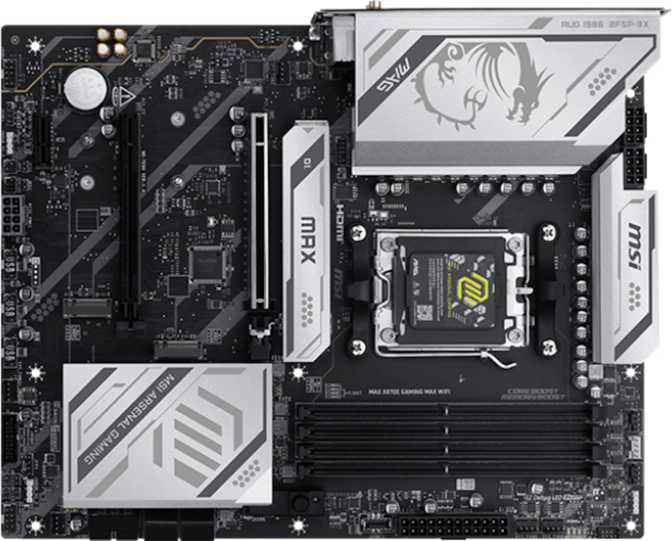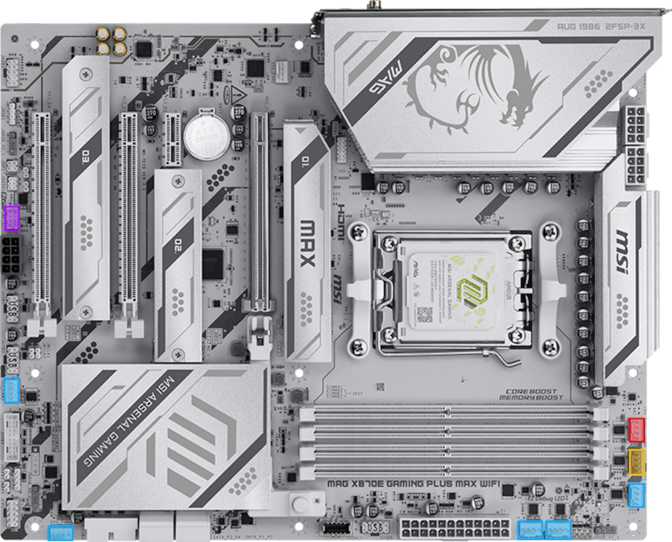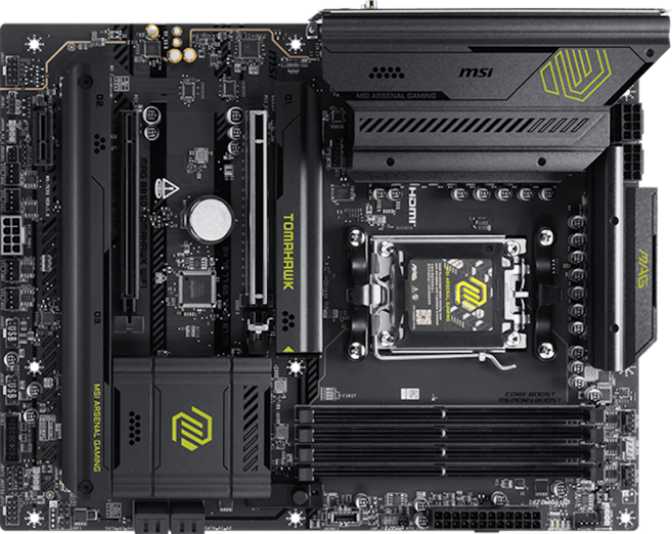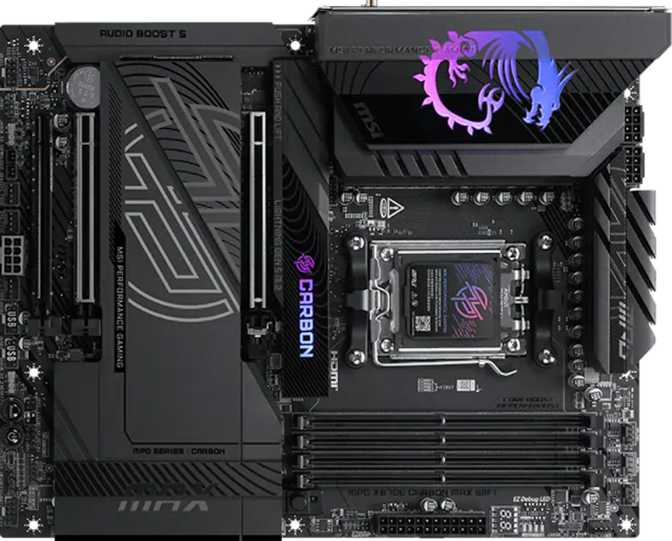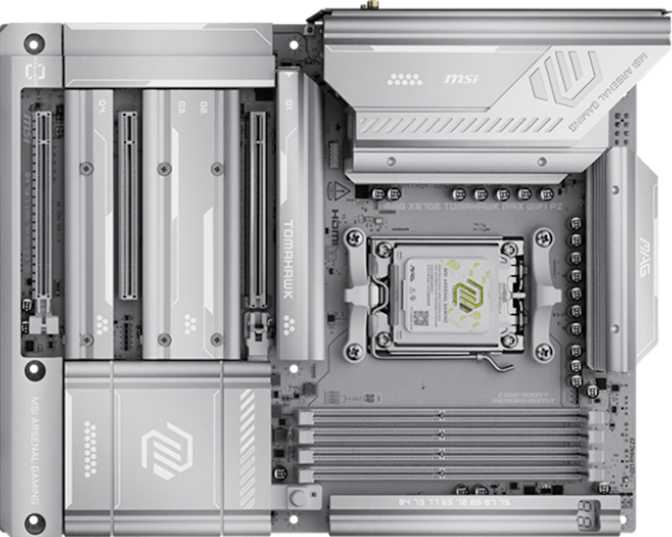
MSI MAG X870E Tomahawk Max Wi-Fi PZ: Full AM5 Flagship Review
MotherboardsSix capabilities that define this board's place at the top of the AM5 lineup
The X870E Platform Explained
When AMD launched its AM5 platform, it did so with a clear long-term promise: the socket stays. That matters because the processor you pair with this board today is not necessarily the one you will be running three years from now. The MSI MAG X870E Tomahawk Max Wi-Fi PZ sits at the top of MSI's mainstream-enthusiast lineup, built on the X870E chipset — the full-fat variant of AMD's latest generation silicon that unlocks every bandwidth-intensive feature the platform supports.
For anyone building a high-performance AMD system and planning to hold onto it through at least one or two processor upgrades, this board deserves serious attention. This is not a board for someone buying their first PC on a tight budget. It is, however, a board for someone who has done the research, knows what AM5 offers, and wants to extract maximum value from every dollar spent on a CPU, fast storage, and a future-proof connectivity stack.
Design and Build Quality
The Tomahawk Max follows MSI's established MAG aesthetic: a predominantly dark PCB with angular heatsink shrouding over the VRM area and chipset, accented by addressable RGB lighting. The board conforms to the standard ATX footprint at roughly 305 mm wide by 244 mm tall, fitting into nearly any mid-tower or full-tower case without compatibility concerns — a non-issue for most builds, but worth confirming in compact ATX enclosures with tight VRM clearance.
The heatsink coverage across the voltage regulation area is substantial. A board at this tier — designed explicitly for overclocking with a dedicated easy-overclock feature — is engineered to run demanding Ryzen processors under sustained load without thermally throttling the power delivery hardware. Individual M.2 heatsinks cover all four NVMe slots, which matters when multiple fast drives are running simultaneously and generating meaningful heat.
RGB lighting is built in and addressable, consistent with MSI's MAG branding. For those who prefer a blacked-out build, the lighting is controllable through software — though there is no independent hardware toggle for it separate from software control.
A dedicated Clear CMOS button provides case-free recovery from failed overclocking configurations — no case opening required, no jumper to locate while the system refuses to POST. It handles configuration-level failures cleanly and quickly.
Unlike several competing flagship boards, the Tomahawk Max does not include a backup BIOS chip. A corrupted firmware flash has no automatic fallback. The Clear CMOS button handles configuration recovery — not firmware-level corruption. Aggressive flashers take note.
Core Performance Architecture
CPU and Memory Compatibility
The AM5 socket accepts Ryzen 7000 and Ryzen 9000 series processors and is positioned to support future AM5 CPUs as AMD releases them. The X870E chipset is the defining distinction that separates this board from standard X870 and B850 alternatives — it ensures full PCIe 5.0 connectivity on both the primary graphics slot and the primary M.2 slot simultaneously, rather than forcing a bandwidth trade-off between them.
Memory Performance
Four DDR5 slots support a maximum installed capacity of 256 GB — a ceiling most desktop users will never approach, but one that provides genuine headroom for content creators, software developers running large virtual machines, or anyone with multi-year ownership plans. The dual-channel architecture means performance is maximized when memory is installed in matching pairs in the correct slots.
With Expo profiles or manual tuning enabled, supported DDR5 kits can exceed 8000 MHz — a speed tier that genuinely narrows the gap between installed memory and the theoretical limits of the memory controller. In practice, the difference between 6000 MHz and 8400 MHz is most visible in tightly optimized workloads and competitive gaming scenarios rather than everyday tasks. The ceiling is there for those who want to pursue it; most will land happily at 6000–6400 MHz with a single profile toggle in the BIOS.
Expansion and PCIe Architecture
The primary graphics slot operates at PCIe 5.0 x16 — the current bandwidth frontier for consumer graphics. No mainstream GPU today saturates PCIe 4.0 x16, let alone PCIe 5.0, but having the headroom ensures this board will not become a bottleneck for GPU generations yet to be released.
| Slot | Generation | Primary Use |
|---|---|---|
| Primary x16 | PCIe 5.0 | Discrete GPU — full current-gen bandwidth |
| x4 Slot | PCIe (board generation) | Capture cards, NIC, USB expansion |
| x1 Slot | PCIe | Low-bandwidth accessories |
| M.2 Primary | PCIe 5.0 | High-speed NVMe boot or working drive |
| M.2 Slots 2–4 | PCIe 4.0 | Additional NVMe — fast storage expansion |
Four SATA 3 ports remain for traditional 2.5-inch SSDs and hard drives. Full RAID support covers all four mainstream configurations — striped speed, mirrored redundancy, striped-mirror, and parity-protected arrays. RAID 5 in particular is uncommon at this tier and opens the door for workstation-adjacent users building local storage arrays with parity protection, without needing a dedicated NAS controller card.
Connectivity — Where the Tomahawk Max Makes Its Case
Rear I/O USB Lineup
The rear panel is one of this board's clearest differentiators. Two USB 4 ports running at 40 Gbps each handle fast external SSDs, high-resolution capture devices, and multi-device docks that aggregate several peripherals through a single cable. Two Thunderbolt 4 ports operate at the same 40 Gbps ceiling but add the Thunderbolt protocol layer — enabling daisy-chaining of compatible peripherals and full compatibility with TB4-certified docks, external storage enclosures, and external GPUs.
Having both USB 4 and Thunderbolt 4 on the same board simultaneously is uncommon. Most competing X870E boards offer one or the other. The combination is a genuine win for users who mix AMD-native peripherals with Thunderbolt-certified equipment that has historically favored Intel platforms.
| Port Type | Count | Max Speed | Ideal For |
|---|---|---|---|
| USB 4 (Type-C) | 2 | 40 Gbps | External SSDs, high-bandwidth docks |
| Thunderbolt 4 (Type-C) | 2 | 40 Gbps | TB4 docks, eGPUs, daisy-chain devices |
| USB 3.2 Gen 2 (Type-A) | 2 | 10 Gbps | Fast flash drives, portable SSDs |
| USB 3.2 Gen 2 (Type-C) | 1 | 10 Gbps | Modern peripherals, portable drives |
| USB 3.2 Gen 1 (Type-A) | 3 | 5 Gbps | Keyboards, mice, headsets, hubs |
| USB 2.0 (Type-A) | 4 | 480 Mbps | Legacy peripherals, controllers |
Internal headers add four USB 3.2 Gen 1 ports for the case's front panel, four USB 2.0 headers, and a USB 3.2 Gen 2x2 header capable of delivering 20 Gbps to a front-panel Type-C connector — a meaningful detail for cases that prioritize front-panel speed.
Fan Headers
Eight fan headers support comprehensive, independent thermal management — enough to control a CPU cooler, multiple case fans in separate intake and exhaust zones, and an AIO pump without needing a separate fan controller. Once you've built a system with this level of header coverage, returning to a board with four headers and a splitter cable feels like a deliberate downgrade.
Wireless Connectivity
Wi-Fi 7 (802.11be) handles wireless networking with backward compatibility across every prior Wi-Fi generation. Wi-Fi 7's headline advantage over Wi-Fi 6E is multi-link operation — the ability to transmit across two frequency bands simultaneously. For gaming, this translates to more consistent ping rather than simply higher peak download speeds. The practical benefit depends on your router also supporting Wi-Fi 7; on older routers, the adapter negotiates down transparently.
Bluetooth 5.4 covers wireless peripherals with the current specification. One limitation: the board does not include aptX codec support. Users routing high-fidelity audio through Bluetooth rather than USB or analog connections will want to factor that in — a USB Bluetooth adapter or dedicated audio solution would serve that use case better.
Wired Networking and Video Output
A single RJ45 port handles wired Ethernet. The specification data does not confirm the port's speed — at this chipset tier, a 2.5 Gigabit Ethernet connection is the most likely configuration, but this should be verified in MSI's product listing if wired throughput is a specific requirement in your build.
An HDMI 2.1 output on the rear I/O supports video output for AMD processors with integrated graphics — useful during initial system assembly before a discrete GPU is installed, or for APU-based systems. There is no DisplayPort output on the rear I/O, which limits multi-monitor capability from the integrated graphics connection alone.
Audio — Onboard Sound Worth Using
The onboard audio delivers a 120 dB signal-to-noise ratio on the digital-to-analog converter — a figure that places it well above typical motherboard audio and within reach of entry-level dedicated sound cards. In practical terms, this means clean, noise-free output through quality headphones and speakers without audible hiss or interference bleeding in from the board's electrical activity.
Seven-channel (7.1) surround support and an S/PDIF optical output complete the audio stack. The S/PDIF connection passes a clean digital signal to external DACs, AV receivers, or speakers that accept optical input — bypassing the onboard analog stage entirely for users with capable external audio hardware. Two rear audio jacks combined with front-panel headers handle physical connectivity across configurations.
For gaming and multimedia use, the onboard audio implementation here is genuinely strong enough that a dedicated sound card is difficult to justify. The exception is specific professional recording requirements that demand ultra-low-latency monitoring or multi-input capture — none of which this board's analog stage is designed to handle.
Overclocking Capability — Room to Push
MSI marks this board as easy to overclock, and the X870E chipset is AMD's explicitly unlocked platform tier — all processor frequency and voltage adjustments are available without restriction. The supported memory speed ceiling through manual tuning covers the fastest Expo kits currently available, meaning enthusiasts chasing memory latency performance are not artificially capped by the board itself.
The Clear CMOS button provides a no-tool recovery path when an overclocking configuration fails to POST, removing the frustration of opening a case and locating a header jumper when a memory overclock pushes too far. The absence of a dual BIOS means the primary BIOS chip is the only recovery point, so catastrophic flash failures carry more risk here than on boards with a backup chip.
Who This Board Is For — and Who Should Look Elsewhere
- Performance PC builders pairing it with a high-core-count Ryzen for gaming, content creation, rendering, or development — and expecting multi-year use from the same platform
- NVMe storage enthusiasts who want to run multiple fast drives without bandwidth trade-offs — four M.2 sockets with a PCIe 5.0 primary slot is a compelling reason to choose this tier
- Thunderbolt users on AMD who need TB4 compatibility for docks, external storage, or creative peripherals that have historically been tied to Intel platforms
- Wireless-first builders who want Wi-Fi 7 onboard without a separate add-in card and value the upgrade path as Wi-Fi 7 router adoption expands
- Overclockers who want the full X870E feature set, a well-cooled VRM, and memory OC headroom to extract every available frame from their Ryzen build
- Building on a budget — the B850 chipset delivers most of the same capabilities at meaningfully lower cost, including PCIe 5.0 for the GPU slot, without the flagship price premium
- Dual BIOS is non-negotiable — competing flagship boards from ASUS and Gigabyte at this tier include a backup BIOS chip; the Tomahawk Max does not offer that safety net
- Bluetooth aptX audio is a priority — this board's Bluetooth implementation does not include aptX support; a USB Bluetooth adapter or dedicated audio solution would serve that workflow better
- Multi-NIC networking is a requirement — a single RJ45 port is the only wired connection here; a 10GbE add-in card is possible but consumes the x4 expansion slot
How It Compares to the Alternatives
The Tomahawk Max sits squarely in the X870E tier — above B850 boards in features, and below extreme flagship offerings that add 10GbE networking and dual BIOS at a higher price premium. Its USB 4 plus Thunderbolt 4 combination is a genuine differentiator; most competing X870E boards offer one or the other, not both.
| Feature | MSI MAG X870E Tomahawk Max Wi-Fi PZ | Typical X870E Competitor | Typical B850 Board |
|---|---|---|---|
| Chipset | X870E | X870E | B850 |
| Primary PCIe Slot | PCIe 5.0 x16 | PCIe 5.0 x16 | PCIe 5.0 x16 |
| M.2 Slots | 4 | 3–5 | 3–4 |
| USB 4 + Thunderbolt 4 | 2 + 2 | Varies — rarely both | Rare |
| Wi-Fi Version | Wi-Fi 7 | Wi-Fi 6E or 7 | Wi-Fi 6 or 6E |
| Dual BIOS | No | Often Yes | Rarely |
| Maximum Memory | 256 GB | 256 GB | 192–256 GB |
| RAID 5 Support | Yes | Varies | Rarely |
| Fan Headers | 8 | 6–8 | 4–6 |
| Warranty | 3 Years | 2–3 Years | 2–3 Years |
Honest Assessment
The Tomahawk Max earns its price on connectivity alone. Having USB 4 and Thunderbolt 4 simultaneously, combined with Wi-Fi 7, means this board will remain compatible with every high-bandwidth peripheral that arrives over the next product cycle — without adapter headaches or compromises.
Four M.2 slots with a PCIe 5.0 primary is a legitimate advantage for storage-intensive workflows. The audio implementation at 120 dB SNR is strong enough to make a dedicated sound card feel like an extravagance for most users — not a necessity.
Eight fan headers deliver real quality-of-life value. Independent zone control across every fan in a well-ventilated build is a convenience that becomes frustrating to lose once you've experienced it.
The dual BIOS omission is the most noticeable gap at this price and feature tier. MSI's decision to skip a backup firmware chip is a shortcut that competing flagship boards do not take. For most users this is irrelevant — but for enthusiasts who push firmware updates aggressively, it is a real absence.
The Bluetooth aptX limitation is a secondary concern, affecting only users who route audio through Bluetooth rather than USB or analog. Most will have an external audio solution that makes the onboard Bluetooth adapter irrelevant for audio purposes.
The single rear-panel RJ45 port is a mild limitation for users managing multi-device wired network setups. An x4-slot NIC can address it, though at the cost of one expansion slot that might otherwise host a capture card or other peripheral.
Common Questions Before You Buy
Answers to what real buyers search for before committing to a flagship AM5 motherboard.
A platform-defining foundation for a high-performance AMD build with a realistic three-to-five-year useful lifespan before any single component becomes genuinely limiting.
The MSI MAG X870E Tomahawk Max Wi-Fi PZ is a well-specified, connectivity-forward flagship board for AMD's AM5 platform. Its combination of PCIe 5.0 on both primary expansion slots, four M.2 sockets, USB 4, Thunderbolt 4, and Wi-Fi 7 makes it one of the more comprehensively equipped boards at this tier — without forcing buyers to pay for server-grade features they will never use.
It is not the absolute top-tier option — boards with dual BIOS, additional PCIe x16 slots, or 10GbE onboard networking exist at higher price points. It is not the budget-conscious option — B850 boards deliver most of the same capabilities for users who do not need Thunderbolt or the full X870E feature set.
If you are building around a high-end Ryzen processor, plan to run multiple fast NVMe drives, and want the flexibility to connect Thunderbolt and USB 4 peripherals without adapter headaches, this board justifies its position in your build. The three-year warranty underlines MSI's confidence in the hardware — and provides coverage where it matters most.
- Best for performance builds and NVMe-heavy workstations
- Thunderbolt 4 users on AMD — genuinely rare at this price
- AM5 longevity with a clear future CPU upgrade path
- Skip if dual BIOS or a strict budget are firm requirements