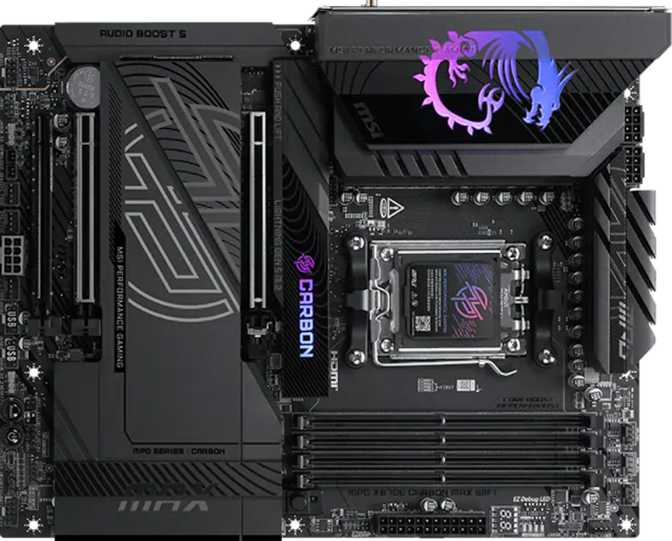
MSI MPG X870E Carbon Max Wi-Fi: Full Enthusiast Motherboard Review
MotherboardsFlagship AMD X870E Motherboard
AM5 Socket • ATX Form Factor • 3-Year Warranty
AMD's AM5 platform is the current home of Ryzen 7000 and 9000 series processors, and the X870E chipset sits at the very top of that ecosystem. The MSI MPG X870E Carbon Max Wi-Fi is built for builders who want everything — overclocking headroom, next-generation connectivity, maximal storage expansion, and a premium wireless stack — without compromise. It is not a budget board dressed up in carbon aesthetics. It is a full-featured flagship aimed squarely at enthusiasts who will push their system hard and expect the board to keep pace.
If you are building a high-performance workstation, a future-resistant gaming PC, or a content creation rig and you want a motherboard you will not outgrow in three years, this is the tier you are shopping in. The question is whether the Carbon Max Wi-Fi justifies its position at the top of the pile.
Key Specifications at a Glance
AMD AM5 • X870E Chipset
Flagship chipset tier • ATX • Ryzen 7000 & 9000 ready
DDR5 • Up to 256 GB
4 DIMM slots • Dual-channel • OC up to 9000 MHz
4 M.2 Slots • 4 SATA Ports
RAID 0, 1, 5 & 10 • Full NVMe PCIe support
9 USB-A • 2 USB4 • 2 Thunderbolt 4
Every rear port runs at 10 Gbps minimum
Wi-Fi 7 • Bluetooth 5.4
Dual 2.5G LAN • Backward-compatible to Wi-Fi 4
7.1 Surround • 120 dB SNR
S/PDIF optical out • 7 fan headers • RGB lighting
Design and Build Quality
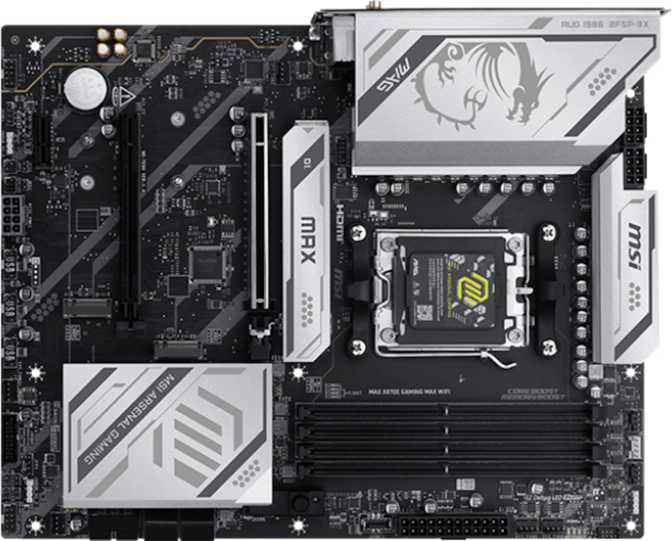
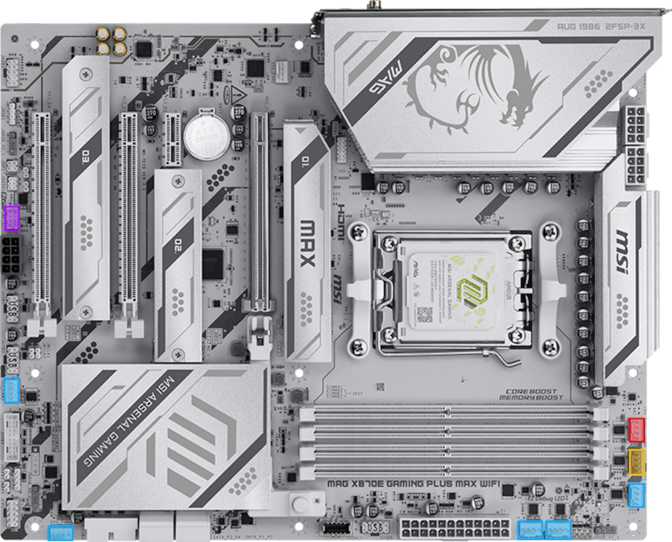
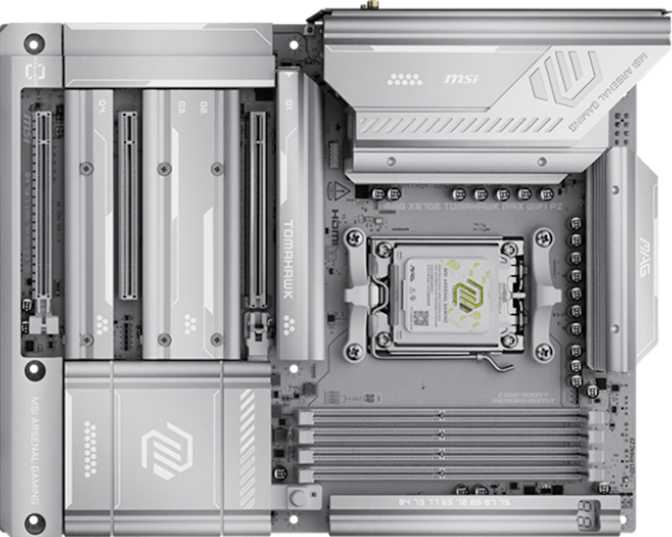
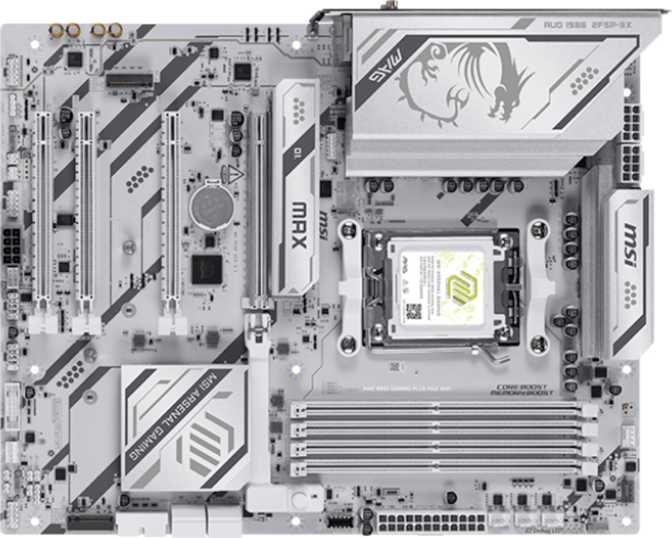
The "Carbon" name is not just branding. The board carries MSI's signature dark aesthetic — a matte black PCB with carbon-fiber-style patterning across the heatsink shrouds and armor panels. The visual weight is serious and deliberate, sitting well in windowed mid-tower and full-tower cases without demanding attention in the way that RGB-maximalist boards can.
Speaking of RGB: lighting is present, but it leans tasteful rather than theatrical. Addressable zones are distributed across the board to complement a build rather than overpower it, and MSI's Mystic Light software gives full per-zone control. Enthusiasts who want a blackout build can disable it entirely; those who want synchronized effects across components can integrate it without friction.
Physical Specifications
- Form Factor
- ATX (mid & full-tower)
- Board Width
- 304.8 mm
- Board Height
- 243.8 mm
- RGB Lighting
- Onboard addressable RGB
- Warranty
- 3 Years
Build Highlights
- Matte black PCB with carbon-fiber-pattern heatsink shrouds and armor panels
- Reinforced PCIe and memory slots resist flex during and after installation
- Substantial VRM heatsink coverage for sustained high-TDP processor operation
- M.2 thermal shields keep NVMe drives cooler under continuous write workloads
- Fits any standard ATX mid-tower or full-tower case without modification
Performance Potential: The X870E Chipset Explained
A chipset is the traffic controller between your processor, storage, USB ports, and expansion slots. The X870E designation indicates AMD's highest-tier chipset for the AM5 platform — the "E" standing for Extreme, which unlocks a wider bandwidth envelope and more direct PCIe lanes compared to standard X870 or the mid-range B850/B650 options below it.
The Carbon Max Wi-Fi can feed a modern GPU through a full PCIe 5.0 x16 connection — the fastest current standard for graphics cards — while simultaneously running multiple NVMe drives, USB devices, and a network connection without any of those components competing for bandwidth. Lower-tier boards make trade-offs here. This one largely does not.
CPU Socket & Compatibility
The AM5 socket accepts AMD's current Ryzen 7000 and 9000 series processors. AMD has committed to AM5 as a long-term platform, making a socket upgrade unlikely before this board's natural end of life. You are not buying into a dead end.
Overclocking Headroom
Overclocking is formally supported and well-provisioned. MSI's streamlined tools lower the barrier for beginners while exposing full manual BIOS controls for experienced tuners. The VRM hardware is sized appropriately for the highest TDP Ryzen processors AMD currently produces.
Memory: Speed, Capacity, and Future-Proofing
The board uses DDR5 — the current generation of system memory operating at significantly higher frequencies than DDR4, with improved power efficiency built in. DDR5 is not backward compatible with DDR4, so existing sticks from an older platform will not transfer into this board.
Four memory slots accommodate up to 256 GB of total RAM — workstation-class headroom. A home user running games, video editing software, and a busy browser will typically use 32 to 64 GB; the ceiling is there for when workloads grow.
With overclocking active, the board reaches up to 9000 MHz — at the outer edge of what current DDR5 technology can achieve. Getting there requires premium binned memory kits and careful manual tuning. For most builds, DDR5 kits at 6000 to 6400 MHz offer the best balance of speed, stability, and price on this platform.
For dual-channel operation, install RAM in matched pairs. AMD's standard recommendation is to populate the second and fourth slots first when using only two sticks.
Memory Quick Reference
- DDR Version
- DDR5 only
- DIMM Slots
- 4 slots
- Max Capacity
- 256 GB
- Channels
- Dual-channel
- Max Stock Speed
- 5600 MHz
- Max OC Speed
- 9000 MHz
- ECC Support
- Not supported
Storage: Four M.2 Slots and Full RAID Support
NVMe M.2 Storage
Four M.2 slots allow a system to fill up with fast NVMe solid-state storage without relying on add-in cards or adapters. M.2 drives slot directly onto the motherboard and communicate through PCIe lanes, making them significantly faster than traditional SATA-based storage. A typical enthusiast build might use one slot for the operating system and another for games — the remaining two slots leave room for a scratch drive, a secondary OS, or future capacity expansion without ever reopening the case.
SATA Storage
Four SATA 3 ports serve traditional 2.5-inch SSDs and 3.5-inch mechanical hard drives. SATA drives are slower than NVMe in sequential speeds but remain cost-effective for large-capacity storage — multi-terabyte media archives or large game libraries where raw speed matters less than sheer size. Builders with larger SATA arrays may need a PCIe SATA expansion card, though the board's expansion slot layout accommodates that scenario.
RAID Configurations Explained
| RAID Level | Drives Required | Survives Failure? | Best Use Case |
|---|---|---|---|
| RAID 0 | 2 or more | No | Maximum throughput, scratch storage, non-critical work |
| RAID 1 | 2 | Yes (1 drive) | Data safety, one usable drive equivalent capacity |
| RAID 5 | 3 or more | Yes (1 drive) | Balanced redundancy and usable capacity |
| RAID 10 | 4 or more | Yes (per pair) | Speed and redundancy combined; half capacity usable |
Connectivity: Where the Carbon Max Wi-Fi Genuinely Stands Out
This is where the board earns its premium position most convincingly.
USB: An Embarrassment of Fast Ports
The rear I/O panel packs an exceptionally strong USB lineup. Nine USB 3.2 Gen 2 Type-A ports — each capable of transferring data at up to 10 Gbps — handle the everyday device ecosystem: external drives, DACs, hubs, and peripherals. That count alone is unusual at this tier; most competing boards offer four to six. Two USB-C ports join them at the same speed tier, covering modern peripherals and devices that have moved to the reversible connector standard.
The genuinely premium inclusion is the pair of USB4 ports running at 40 Gbps alongside two Thunderbolt 4 ports on the rear panel. USB4 at 40 Gbps supports high-resolution external displays, external GPU enclosures, and ultra-fast NVMe enclosures through a single cable. Thunderbolt 4 adds Intel's certification layer, meaning compatibility with a wider range of Thunderbolt docks, displays, and accessories from Apple, Dell, CalDigit, and others. Having both on the same board — two of each — covers every current high-speed peripheral scenario regardless of the manufacturer's chosen branding.
Internally, the board expands further: headers for four additional USB 3.2 Gen 1 ports via front-panel connectors, four USB 2.0 ports via headers, and a Gen 2x2 internal header capable of 20 Gbps — useful for cases with high-speed front-panel USB-C ports.
Dual 2.5G LAN: Two Wired Network Ports
Two RJ45 Ethernet ports each run at 2.5 Gigabit — two and a half times the speed of standard gigabit networking. For home environments, 2.5G saturates any residential internet connection. Where it makes a real difference is local network transfers: moving large files between a NAS, a server, or another PC on the same network happens noticeably faster than on gigabit hardware. Both ports can also be bonded for up to 5 Gbps aggregate throughput on supported network switches — or used independently to separate internet traffic from a dedicated local storage network.
Wi-Fi 7 and Bluetooth 5.4
The wireless module supports every Wi-Fi generation from the older Wi-Fi 4 standard through to Wi-Fi 7 (802.11be). Wi-Fi 7 introduces multi-link operation, using multiple frequency bands simultaneously for improved throughput and lower latency than Wi-Fi 6E. The practical result is faster speeds, better performance in crowded wireless environments, and lower ping variability — useful for competitive gaming or large file transfers over wireless. Bluetooth 5.4 covers current wireless peripherals and maintains backward compatibility with older Bluetooth devices.
Expansion Slots
The primary PCIe slot runs at PCIe 5.0 x16 — the fastest connection currently available for graphics cards. Current-generation GPUs run without limitation on this slot, and the bandwidth headroom positions the board for next-generation GPU releases. Alongside the primary slot, a PCIe x8 and a PCIe x4 slot provide homes for capture cards, 10G network cards, PCIe SATA expanders, or additional NVMe cards.
| Slot | Standard | Count |
|---|---|---|
| Primary GPU | PCIe 5.0 x16 | 1 |
| Secondary | PCIe x8 | 1 |
| Tertiary | PCIe x4 | 1 |
Audio and Fan Control
The onboard audio section delivers a signal-to-noise ratio of 120 dB — at the top end of motherboard audio. At 120 dB, the background noise floor is quiet enough that all but the most critical audiophiles will find onboard audio completely satisfying without a separate DAC. Full 7.1 surround channel support covers multi-speaker home theater setups and surround headsets, and a digital optical S/PDIF output serves AV receivers or headphone amplifiers that accept digital input.
Seven fan headers give genuine flexibility in airflow design. A typical case uses two to four fans; seven headers mean complex high-fan-count cooling setups — separate radiator fans, case exhaust fans, chipset fans — can all connect directly to the board for unified software control. MSI's fan control software allows per-header temperature curves tied to independent sensors, enabling precise independent control of CPU cooler and case fans.
BIOS Features and Ease of Use
Clear CMOS Button
A dedicated Clear CMOS button simplifies BIOS recovery after a failed overclock or corrupted settings profile. Without it, recovery typically means opening the case and manually shorting pins or removing the CMOS battery. Its presence is a practical quality-of-life feature — especially valuable for users who plan to tune aggressively.
No Dual BIOS
The board does not include dual BIOS — the feature that maintains a backup copy of firmware in case a primary update fails. Dual BIOS is genuinely useful insurance and its absence is one of the few concessions this board makes compared to some competitors. MSI's BIOS recovery process works, but users pushing aggressive BIOS experimentation should keep a recovery USB drive prepared at all times.
Who This Board Is For — and Who Should Look Elsewhere
This Board Makes Sense If You:
- Are building around a high-end AMD Ryzen 7000 or 9000 series processor and want the platform to match the chip
- Plan to overclock CPU or memory and want a board with the power delivery and BIOS depth to support that
- Have many USB devices and do not want to manage a hub at your desk
- Need Thunderbolt 4 compatibility for professional peripherals or external displays
- Will use multiple NVMe drives and want M.2 slots to spare for future expansion
- Work with large files on a local network and benefit from dual 2.5G LAN
- Want Wi-Fi 7 without purchasing a separate add-in card
- Intend to keep this build for several years and want connectivity that will not feel outdated
Look Elsewhere If You:
- Are building on an Intel platform — AM5 is AMD-exclusive and these CPUs are not compatible
- Require dual BIOS as a hard requirement for aggressive firmware experimentation
- Are on a tighter budget — B850 or X870 non-E offers most of the same experience for less
- Need ECC memory support — the AM5 consumer platform simply does not support it
- Need more than four SATA ports without adding an expansion card
How It Compares to the Alternatives
Comparison against representative boards at adjacent price and feature tiers on the AMD AM5 platform.
| Feature | MSI MPG X870E Carbon Max Wi-Fi | Typical B850 Board | Typical X870 (non-E) Board |
|---|---|---|---|
| Chipset Tier | X870E (Flagship) | B850 (Mid-range) | X870 (High-end) |
| PCIe 5.0 x16 GPU Slot | Most boards | ||
| Thunderbolt 4 Ports | 2 | Rare | Occasional |
| USB4 40 Gbps Ports | 2 | Rare | Rare |
| Rear USB-A Count | 9 | 4–6 | 6–8 |
| Dual 2.5G LAN | Uncommon | Sometimes | |
| Wi-Fi Generation | Wi-Fi 7 | Wi-Fi 6E usually | Wi-Fi 6E or 7 |
| M.2 Slots | 4 | 3–4 | 4 |
| Fan Headers | 7 | 5–6 | 6–7 |
| Memory OC Ceiling | ~9000 MHz | ~7800 MHz | ~8600 MHz |
| Dual BIOS | Varies | Varies | |
| Warranty | 3 Years | 3 Years | 3 Years |
The B850 tier covers most of what a mainstream enthusiast needs and costs meaningfully less. The jump to X870E buys primarily connectivity density — Thunderbolt 4, the high USB-A port count, dual LAN, and the higher memory overclocking ceiling. If none of those extras apply to your workflow, B850 is rational. If even one of them matters, the X870E tier becomes defensible.
Honest Assessment
The Carbon Max Wi-Fi's strongest argument is its connectivity completeness. No current motherboard in this segment offers a more thorough rear I/O for high-speed peripheral users. Nine USB-A ports alone solve a real daily-life problem for users with full desks. Adding Thunderbolt 4 and USB4 at 40 Gbps on the same panel — two of each — means the board handles every current high-bandwidth peripheral scenario simultaneously. That combination is rare enough to be a genuine differentiator.
The memory overclocking ceiling is class-leading. Reaching 9000 MHz DDR5 is a niche pursuit, but for enthusiasts who benchmark, compete in overclocking, or want to extract every frame from a high-refresh display, the headroom exists in a way it does not on lower-tier boards.
The dual 2.5G LAN addresses a real need for anyone managing local networks or NAS access seriously. Two ports at 2.5G is more practically useful than one port at 10G for most home networking topologies, and the flexibility for link aggregation or segmented networks is meaningful. The audio section is competitive for onboard sound — 120 dB SNR is high enough that most listeners will never feel compelled to add an external DAC purely for quality reasons.
The lack of dual BIOS is the feature enthusiasts will genuinely notice during a failed flash recovery. MSI's decision here is likely a cost and board-complexity trade-off rather than an oversight, but it is a meaningful gap given the overclocking ambitions the rest of the board invites. Users who plan aggressive BIOS experimentation should keep a recovery USB drive prepared — the omission shifts the recovery burden from automatic to deliberate.
A secondary concern is the rear audio connector count. Two jacks cover the vast majority of configurations, but multi-speaker analog setups requiring five or more outputs will need an audio expansion card or an external solution. This is a common constraint at this form factor but worth knowing upfront before a dedicated home theater builder commits to the board.
Common Questions Answered
The MSI MPG X870E Carbon Max Wi-Fi
The MSI MPG X870E Carbon Max Wi-Fi is one of the most connectivity-complete AM5 motherboards available at any price. It does not ask you to choose between Thunderbolt 4 and USB4, between wireless and wired, or between storage density and expansion flexibility — it offers all of them simultaneously. That comprehensiveness is backed by a strong overclocking platform, capable onboard audio, and a USB port count that makes peripheral management genuinely easier every day.
The price reflects that completeness honestly. This is not a board you buy because it is the cheapest path to Ryzen 9000. It is a board you buy because your build demands what it offers — or because you are building once and want to build right. The only meaningful caveat is the absent dual BIOS: keep a recovery drive prepared if you plan to overclock aggressively, and that limitation becomes a manageable footnote rather than a dealbreaker.
Recommended For
Enthusiast PC builders, content creators, heavy peripheral users, and anyone building on AMD AM5 who wants the platform's ceiling rather than its floor.
Best Avoided By
Budget-constrained builders, Intel platform users, and anyone whose checklist includes dual BIOS as a hard requirement.