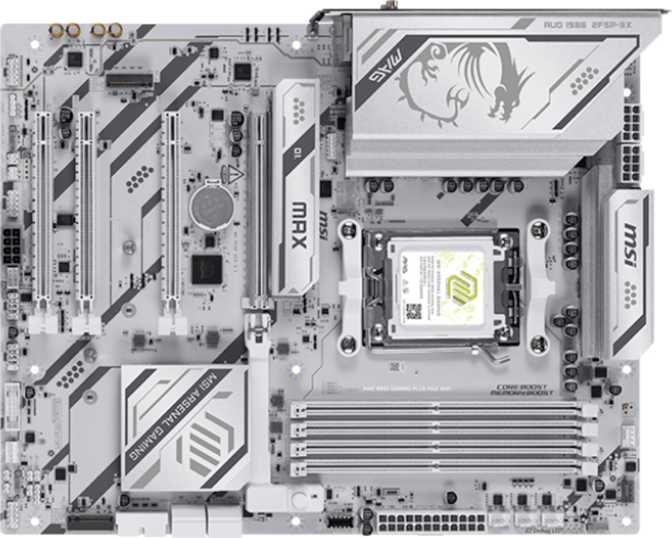
MSI MAG B850 Gaming Plus Max Wi-Fi Review: Built for AM5 Builders
MotherboardsAn AM5 Board That Refuses to Cut Corners
The MSI MAG B850 Gaming Plus Max Wi-Fi lands squarely in that sweet spot where enthusiast-level features meet a price point that doesn't demand a second mortgage. The B850 chipset occupies AMD's mid-range tier for the AM5 platform — positioned below the flagship X870E and above the entry-level A620 — and what makes this board worth examining closely is how consistently MSI has specified it across connectivity, memory, storage, and wireless without obvious compromises in any single area. A motherboard is the one component you cannot upgrade without rebuilding your entire system, so that kind of across-the-board competence matters far more than most buyers initially appreciate.
Overall Rating
At-a-Glance Specifications
Everything you need in one place before reading the full analysis
| Category | Specification | Detail |
|---|---|---|
| Platform | Socket / Chipset | AM5 — B850 |
| Form Factor | ATX (304.8 × 243.8 mm) | |
| Memory | Type / Slots | DDR5 — 4 slots, dual-channel |
| Maximum Capacity | 256 GB | |
| Native Speed | Up to 5600 MHz | |
| Overclocked Speed | Up to 8200 MHz | |
| Storage | M.2 Sockets | 3× PCIe 4.0 |
| SATA 3 Connectors | 4× | |
| RAID Support | RAID 0 and RAID 1 | |
| Expansion | Primary GPU Slot | 1× PCIe 5.0 x16 |
| Additional PCIe Slots | 2× PCIe x1, 1× PCIe x4 | |
| Fan Headers | 6 | |
| Rear USB | USB-C (10 Gbps each) | 2× |
| USB-A at 10 Gbps | 1× | |
| USB-A at 5 Gbps | 1× | |
| USB 2.0 Type-A | 4× | |
| Wireless | Wi-Fi Standard | Wi-Fi 7 (802.11be) — fully backward-compatible |
| Bluetooth | 5.4 | |
| Wired LAN | 1× RJ45 | |
| Audio | Surround + Digital | 7.1-channel, S/PDIF optical output |
| Warranty | MSI Standard | 3 Years |
Design and Build Quality
Physical experience, layout, and construction notes
Physical Presence and Layout
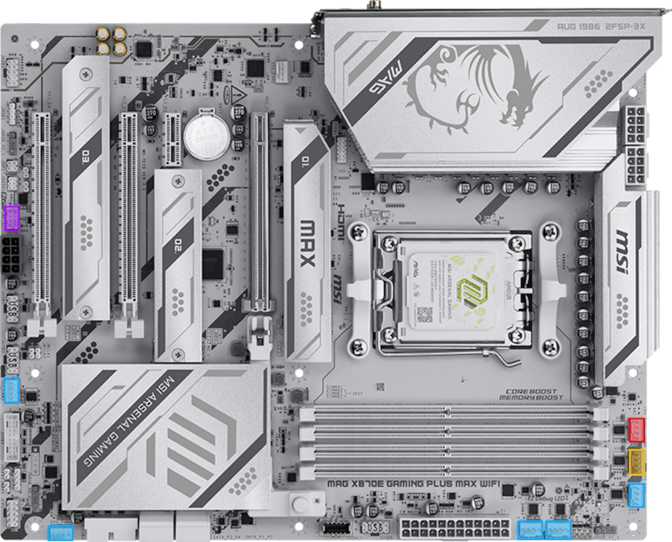
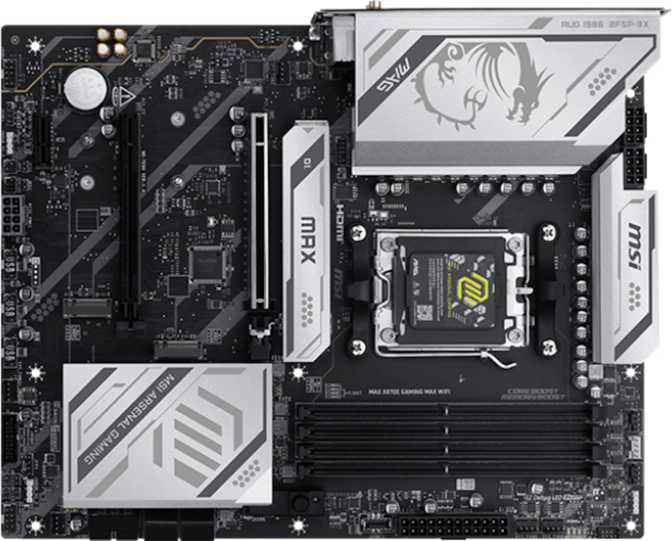
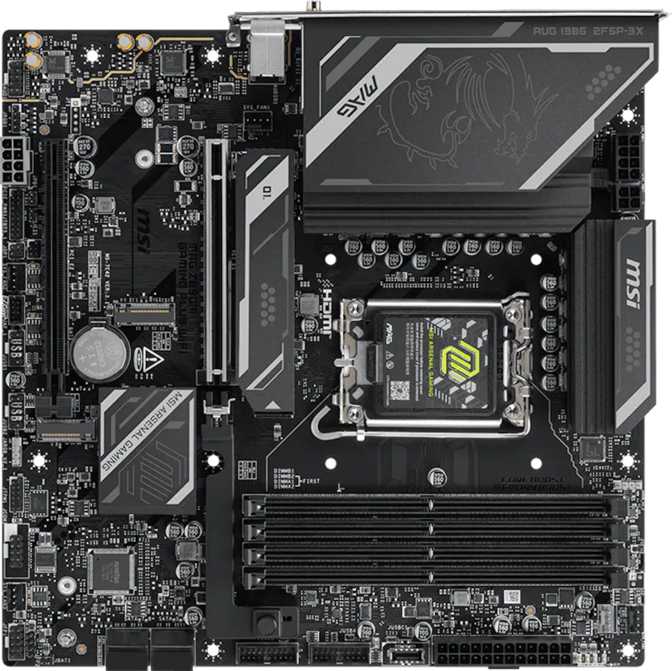
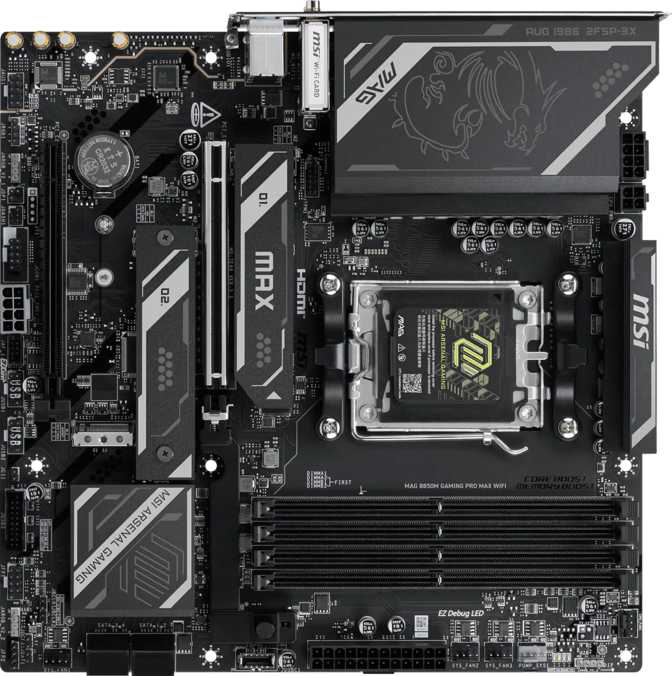
At full ATX dimensions — 304.8 mm wide by 243.8 mm tall — this board fits comfortably in any mid-tower or full-tower case. For builders using compact enclosures, checking ATX compatibility remains important, but for the vast majority of gaming and workstation builds, sizing is a complete non-issue.
MSI's RGB lighting follows the MAG (Mystic Armor Gaming) aesthetic — not the most theatrical implementation on the market, but controllable through MSI's Mystic Light software and addressable-header-compatible. That means you can extend the lighting scheme to fans, strips, and other components across the entire build if desired.
The dedicated Clear CMOS button on the rear I/O panel is one of those small details that earns appreciation at exactly the wrong moment — late at night, after a BIOS update goes sideways. Resetting the board without hunting for a jumper position or removing the CMOS battery is genuinely useful in practice, and it signals that MSI has thought about the real-world build and troubleshooting experience.
Key Design Notes
Rear Clear CMOS Button
One-press BIOS reset — no tools, no jumpers. Invaluable when overclocking or flashing firmware updates.
Addressable RGB Lighting
Controllable via MSI Mystic Light. Extend the lighting scheme to fans and strips through onboard addressable headers.
No Dual BIOS
There is no backup BIOS chip. A corrupted firmware flash has no automatic fallback — rare in practice, but worth knowing if you update firmware frequently.
Platform and Processor Compatibility
AM5 socket — AMD's current-generation architecture with a clear upgrade path
AM5: A Foundation Built to Last
The AM5 socket is AMD's current-generation platform, supporting Ryzen 7000 and 8000 series processors with forward compatibility for future AM5 releases. The B850 chipset sits in a strategically useful position: it enables PCIe 5.0 for the primary GPU slot, supports overclocking, and provides solid I/O expansion without requiring the full cost premium of the X870E flagship.
For builders pairing a Ryzen 7 or Ryzen 9 with room to grow later — or those starting with a Ryzen 5 today — B850 on AM5 is a forward-looking choice. The platform continues to receive new processor releases, making this a foundation that should serve well beyond the immediate build cycle.
This board carries no display output of its own. You need either a discrete GPU or a Ryzen processor with a "G" suffix (integrated Radeon graphics). Standard Ryzen processors without integrated graphics produce no display signal without a dedicated graphics card installed.
Where B850 Fits in AMD's Lineup
| Chipset | Tier | CPU OC |
|---|---|---|
| X870E | Flagship | |
| X870 | High-End | |
| B850 This Board | Mid-Range | |
| A620 | Entry |
Memory: DDR5 Configuration and Overclocking Headroom
Four DDR5 slots with a class-leading overclocking ceiling
Four Slots, Serious Ceiling
Four DDR5 slots in a dual-channel configuration mean you can install two matched sticks today — the optimal performance arrangement — leave two slots empty for expansion later, and the memory controller runs at full bandwidth from day one. You're not forced to overspend on memory to make the platform work properly.
The native JEDEC-compliant speed ceiling sits at 5600 MHz, a strong baseline for modern DDR5 that covers gaming, content creation, and multitasking without restriction. For users running at stock or with XMP/EXPO profiles applied, this ceiling is more than sufficient.
The overclocking ceiling of approximately 8200 MHz is the headline figure for memory enthusiasts — exceptionally high for a B850 board. Most mainstream DDR5 kits target 6000–6400 MHz for optimal daily use, so 8200 MHz support indicates MSI has invested in careful PCB trace routing and signal integrity rather than cutting corners on the memory subsystem. Reaching those speeds requires quality DDR5 kits and careful BIOS tuning, but the capability is genuinely there.
Maximum installed capacity is 256 GB across four 64 GB sticks — a figure that is entirely theoretical for gaming builds and relevant only in the most extreme creative or research workloads. ECC memory (error-correcting RAM used in servers and dedicated workstations) is not supported, which is standard and expected at this tier.
Native Max Speed
5600 MHz
Overclocked Ceiling
8200 MHz
Max Capacity
256 GB
Sweet Spot for Most Builders
Two matched DDR5 sticks at 6000–6400 MHz with EXPO/XMP enabled delivers the best balance of performance and stability for gaming and everyday creative work.
Storage: Three M.2 Slots and Legacy SATA
NVMe-first architecture with room for legacy drives
NVMe-First, With SATA Backup
Three M.2 sockets is the right number for a mid-range build — one for your primary OS and applications drive, one for games or secondary NVMe storage, and a third for overflow, a backup drive, or future capacity. All three operate at PCIe 4.0 speeds, fully supporting the fastest current-generation consumer NVMe drives with sequential reads in the 7,000 MB/s range.
For builders still running SATA-based storage — older HDDs, 2.5-inch SSDs, or SATA optical drives — four SATA 3 connectors provide ample hookup capacity. RAID 0 (striping for performance) and RAID 1 (mirroring for redundancy) are supported across SATA drives. RAID 5 and RAID 10 configurations are not available, which is fully standard for a consumer gaming platform.
There are no PCIe 5.0 M.2 slots — those remain on higher-tier X870E boards. The real-world gap between PCIe 4.0 and PCIe 5.0 NVMe for typical gaming and creative workloads is currently small; PCIe 5.0 NVMe drives also carry a significant price premium and generate substantially more heat, making PCIe 4.0 M.2 the practical choice for the majority of builders right now.
Storage Inventory
-
3 M.2 NVMe Slots
All at PCIe 4.0 — up to ~7,000 MB/s sequential read
-
4 SATA 3 Connectors
For HDDs, SATA SSDs, and optical drives
-
RAID 0 and RAID 1
Performance striping or mirrored redundancy across SATA drives
-
No PCIe 5.0 M.2
Next-gen NVMe bandwidth reserved for X870E tier boards
Expansion Slots: PCIe 5.0 GPU Ready
Slot configuration and what each means for your build
PCIe 5.0 x16
Primary GPU slot — doubles the bandwidth ceiling of PCIe 4.0. Current graphics cards don't saturate PCIe 4.0, but next-generation GPUs are expected to push against that limit.
2× PCIe x1 Slots
For capture cards, dedicated sound cards, additional network adapters, or other single-slot add-in peripherals.
1× PCIe x4 Slot
Accommodates M.2 expansion cards, additional storage controllers, or other peripherals needing more bandwidth than a single-lane slot provides.
Rear I/O and Internal Connectivity
Full USB breakdown, internal headers, and cooling control
Rear Panel USB Breakdown
| Port Type | Speed | Count |
|---|---|---|
| USB-C | 10 Gbps (Gen 2) | 2× |
| USB-A | 10 Gbps (Gen 2) | 1× |
| USB-A | 5 Gbps (Gen 1) | 1× |
| USB-A | USB 2.0 | 4× |
| Total Rear USB Ports | 8 | |
Internal Headers and Other I/O
- Front-panel USB-A (5 Gbps)4 ports
- Front-panel USB 2.04 ports
- Fan headers (PWM / DC)6 headers
- RJ45 Wired Ethernet1×
- DisplayPort Output1×
- TPM Module ConnectorYes
The six fan headers are sufficient for a typical mid-tower build with three to five case fans plus a CPU cooler, eliminating the need for a fan hub in most configurations.
Wireless: Wi-Fi 7 and Bluetooth 5.4
The standout specification — and a meaningful reason to choose this board over cheaper alternatives
Why Wi-Fi 7 Matters Here
Wi-Fi 7 (802.11be) is the current generation of the Wi-Fi standard, and its inclusion on a mid-range B850 board is genuinely significant. The upgrade is not cosmetic: Wi-Fi 7 introduces multi-link operation, wider channel support, and substantially improved congestion handling in dense network environments. For gaming specifically, the latency characteristics are the headline improvement — simultaneous multi-band transmission reduces the packet loss and timing inconsistency that makes wireless feel unreliable in competitive scenarios.
If your router is already Wi-Fi 6 or Wi-Fi 6E, the module is fully backward-compatible. You won't lose anything by having newer wireless hardware than your router — you simply benefit from the upgrade the moment your network infrastructure catches up.
Bluetooth 5.4 brings improved coexistence with the Wi-Fi radio (reducing interference between the two), more reliable multi-device connections, and support for modern wireless audio protocols. The board does not support the aptX codec — a minor limitation if your specific wireless headset relies on it, though most modern gaming headsets use their own proprietary low-latency protocols that bypass this entirely.
| Standard | Max Band | Supported |
|---|---|---|
| Wi-Fi 7 (802.11be) | 6 GHz | Yes |
| Wi-Fi 6E (802.11ax) | 6 GHz | Yes |
| Wi-Fi 6 (802.11ax) | 5 GHz | Yes |
| Wi-Fi 5 (802.11ac) | 5 GHz | Yes |
| Wi-Fi 4 (802.11n) | 2.4 GHz | Yes |
Bluetooth
5.4
Latest standard
aptX Audio
Not supported
Audio Capabilities
7.1 surround, S/PDIF digital output, and the honest reality of on-board audio
The integrated audio solution supports 7.1 surround output through two rear 3.5 mm jacks using dual-purpose configuration. An S/PDIF optical output on the rear I/O enables digital audio passthrough to a dedicated DAC, AV receiver, or soundbar — keeping the signal entirely outside the electrically noisy interior of the PC chassis.
For gamers using a USB headset or wireless dongle, on-board audio is largely irrelevant — those devices bypass the motherboard audio stack entirely and operate independently. For users connecting analog headphones or speakers to the 3.5 mm jacks directly, B850-tier on-board audio performs competently for casual listening and gaming but will not satisfy audiophile demands from high-impedance headphones or studio monitors.
If audio quality is central to your workflow, a dedicated USB DAC or PCIe sound card remains the right tool. The S/PDIF output at least provides a clean digital exit path for users who want to offload audio processing to external hardware.
Audio Feature Summary
- 7.1 surround channel support
- S/PDIF optical digital output
- 2 rear 3.5 mm audio jacks
- Not suited for audiophile or studio use
Overclocking: Accessible Without Being Reckless
For beginners and enthusiasts — what the B850 chipset actually enables
B850 supports processor overclocking — an advantage over the locked A620 chipset. MSI's BIOS includes automated one-click optimization profiles that let beginners extract meaningful performance gains without needing to understand memory sub-timings or CPU voltage curves. For experienced overclockers, full manual control over CPU voltage, power limits, and individual memory timings is available in the BIOS.
The board's support for memory speeds up to 8200 MHz signals that the power delivery design and PCB trace quality have genuine headroom beyond stock operation. Reaching the upper ranges requires carefully selected DDR5 kits and methodical BIOS tuning — it's not a switch you flip — but the ceiling is real and meaningfully higher than comparable B650 boards.
One-Click Optimization (Beginners)
MSI's BIOS profiles apply safe, tested performance presets. You get better performance without touching individual settings.
Full Manual Control (Enthusiasts)
CPU voltage, power limits, and memory timing granularity are fully exposed in BIOS for experienced users.
No Dual BIOS Safety Net
A corrupted BIOS flash has no automatic recovery fallback. BIOS corruption through overclocking is uncommon on modern platforms — but the risk exists without a backup chip.
Who This Board Is For — And Who Should Look Elsewhere
Real-world use cases, matched honestly to what the hardware delivers
This Board Fits You If...
- You are building a mid-range gaming PC with a Ryzen 7 or Ryzen 9 and want a platform that won't need replacing for several years.
- You work from home and game — the rear USB-C ports, Wi-Fi 7, and Bluetooth 5.4 support a fully wireless peripheral setup alongside a wired workload.
- You are upgrading from AMD's older AM4 platform and want a meaningful step forward in wireless capability, storage bandwidth, and memory performance.
- You want overclocking headroom without paying flagship-tier prices — the 8200 MHz memory ceiling leaves room to grow.
Look Elsewhere If...
- Your workflow depends on Thunderbolt 3 or 4 — for Apple peripherals, external GPU enclosures, or professional docking stations. No Thunderbolt is available here.
- You need USB4 bandwidth for high-throughput professional peripherals. That spec belongs to the X870E tier.
- You are a content creator running multiple PCIe 5.0 NVMe drives simultaneously and need the higher chipset lane counts of an X870E board.
- You require ECC memory for workstation or server-grade reliability. AM5 consumer chipsets, including B850, do not support error-correcting RAM.
How It Compares to the Alternatives
Positioned against the logical competition on each side of its price tier
| Feature | MSI MAG B850 Plus This Board | Typical B650 Budget / Mid | Typical X870E Flagship |
|---|---|---|---|
| GPU Slot | PCIe 5.0 x16 | PCIe 5.0 (varies) | PCIe 5.0 x16 |
| Wi-Fi | Wi-Fi 7 | Wi-Fi 6E (typically) | Wi-Fi 7 |
| M.2 Slots | 3 | 2–3 | 3–5 |
| Top Rear USB-C Speed | 10 Gbps (×2) | 5–10 Gbps (×1) | Up to 40 Gbps |
| Memory OC Ceiling | ~8200 MHz | ~6800 MHz | ~8400 MHz+ |
| Dual BIOS | Varies | ||
| Thunderbolt | Sometimes | ||
| Price Tier | Mid-Range | Budget–Mid | Premium |
Against the B650 below it, the MAG B850's wireless upgrade alone makes the price difference worth examining closely. Against the X870E above it, you're conceding Thunderbolt, USB4, and sometimes additional M.2 slots — features most gaming builders will never use. The money saved by choosing B850 over X870E is real budget that could fund a better GPU or more memory.
Buyer Questions Answered
The questions real buyers search for before committing to this board
Final Verdict
Overall Score
Highly Recommended for AM5 Mid-Range Builders
The MSI MAG B850 Gaming Plus Max Wi-Fi earns a strong recommendation for any Ryzen-based gaming or hybrid-use build targeting the next three to five years. Its Wi-Fi 7 module alone justifies a second look against competing boards at similar prices. The three M.2 slots, PCIe 5.0 primary GPU slot, and high memory overclocking ceiling round out a specification set that covers the genuine needs of most gaming and work-from-home builds without unnecessary premium overhead.
Where It Excels
- Wi-Fi 7 is a genuine differentiator at this price tier — not a token upgrade
- Three M.2 slots and PCIe 5.0 GPU slot deliver future-facing storage and GPU bandwidth
- Memory overclocking ceiling of 8200 MHz signals real PCB investment
- Two rear USB-C ports at 10 Gbps — above average for this tier
- Clear CMOS button and 3-year warranty reflect thoughtful product execution
Where It Falls Short
- No dual BIOS — firmware failures have no automatic recovery fallback
- No Thunderbolt or USB4 — high-bandwidth professional peripherals are excluded
- No PCIe 5.0 M.2 — next-gen NVMe speeds are capped at PCIe 4.0 ceiling
- aptX Bluetooth audio codec not supported
The Purchase Decision in Plain Terms
Choosing between this and a cheaper B650 board? The wireless upgrade alone makes the MAG B850 Gaming Plus Max Wi-Fi worth the difference for anyone who values wireless performance. Choosing between this and an X870E? Honestly assess whether Thunderbolt or USB4 plays any role in your workflow. If neither does, the budget saved by staying on B850 is real money that funds a better GPU, faster memory, or additional storage — a trade-off that most builds will feel immediately.