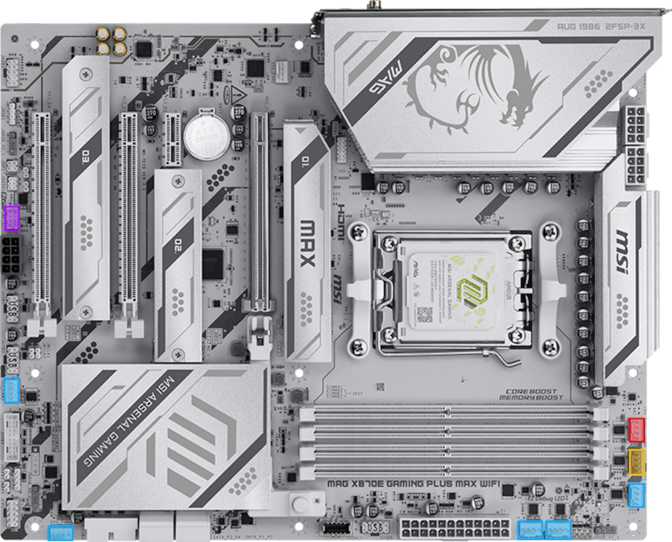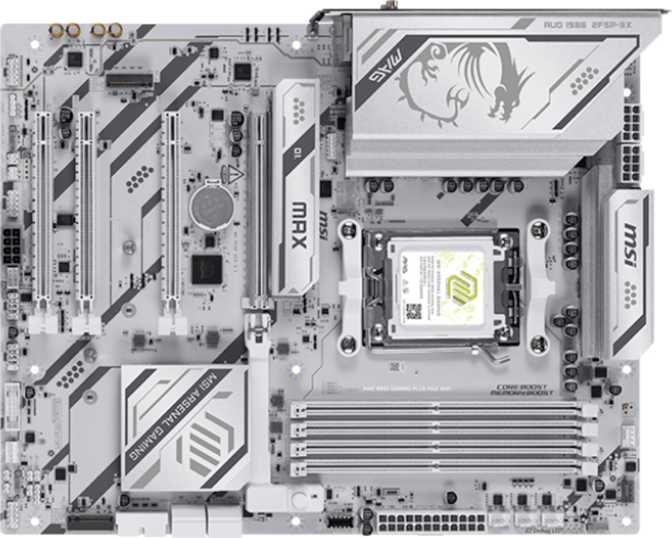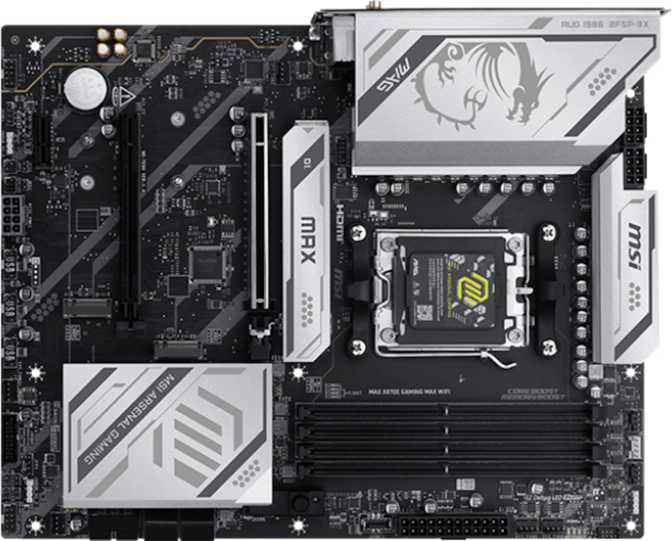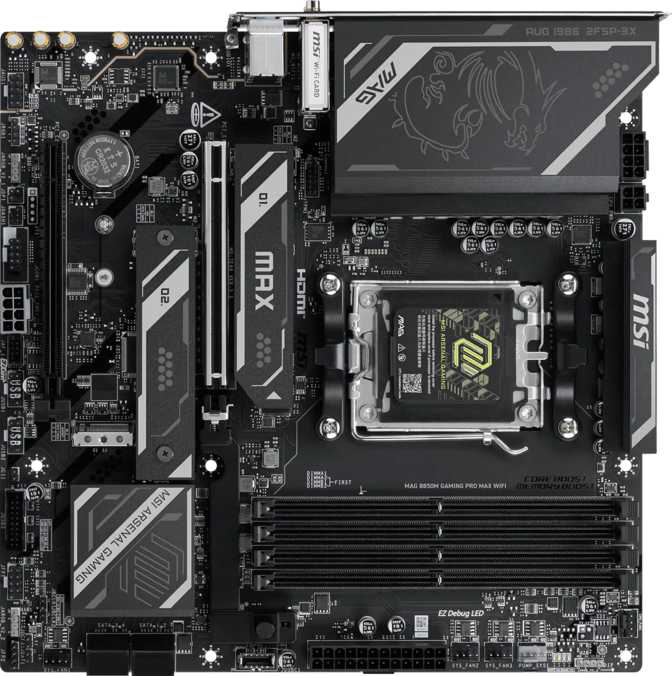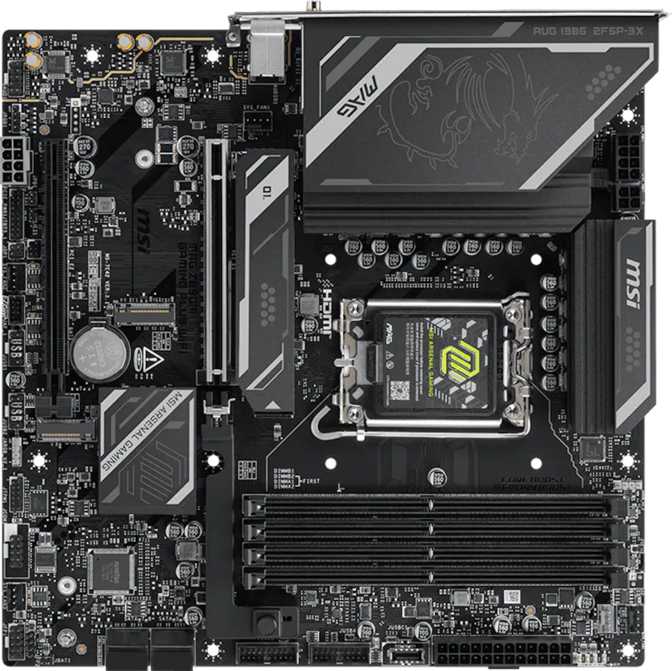
MSI MAG Z890M Gaming Plus Wi-Fi: Full Z890 Micro-ATX Review
MotherboardsMicro-ATX motherboards carry an undeserved reputation for compromise. Builders routinely assume that a smaller PCB means fewer M.2 slots, cut-down connectivity, and an afterthought PCIe arrangement. The MSI MAG Z890M Gaming Plus Wi-Fi challenges that assumption directly. Built on Intel's current Z890 chipset with LGA 1851 socket support, it delivers a feature set that would have been flagship-tier two hardware generations ago — in a square footprint that enables genuinely compact, high-performance builds without forcing painful trade-offs.
At a Glance
Key specifications and what they deliver in practice
Design and Build Quality
What the hardware actually feels like to work with
At 243.8 mm on each side, the MAG Z890M Gaming Plus Wi-Fi is a true square Micro-ATX board. MSI has used the available surface area efficiently — the component layout reflects deliberate engineering rather than arbitrary cuts imposed by the smaller form factor.
The board carries MSI's MAG aesthetic: a dark PCB with subtle RGB accents that are present without being aggressive. The lighting integrates with MSI's software ecosystem, so enthusiasts can coordinate a full system color scheme while those who prefer a blacked-out build can dial it back entirely. It is RGB without being held hostage to it.
Build quality is consistent with what MSI delivers at this tier. Reinforced PCIe and memory slots reduce flex and socket wear across installations and long-term component swaps — a practical detail that compounds in value over the years this board will serve a build. The physical Clear CMOS button is a welcome convenience: recovering from a failed firmware update or a bad overclock profile does not require locating a jumper with tweezers.
This board does not include a dual BIOS fallback partition. If a firmware update corrupts the BIOS, there is no automatic recovery path. Builders who push BIOS configurations aggressively should factor this in — it is the most significant omission on an otherwise well-specified board.
- Height
- 243.8 mm
- Width
- 243.8 mm
- Socket
- LGA 1851
- RGB Lighting
- Yes
- Clear CMOS
- Physical Button
Platform Performance: What Z890 and LGA 1851 Actually Unlock
Understanding the chipset choice and its real-world implications
The Z890 chipset paired with the LGA 1851 socket represents Intel's current flagship desktop platform. Selecting this board means full compatibility with Intel's latest processor generation, which brings architectural improvements in both single-threaded performance and power efficiency compared to preceding generations.
Full Overclocking Capability
Choosing Z890 over a lower-tier chipset like B860 or H870 delivers something concrete: unrestricted CPU and memory overclocking. On budget platforms, this capability is locked at the hardware level regardless of which BIOS settings appear accessible. If you are buying a performance-tier processor, only a Z-series board ensures that headroom is actually usable.
Benefits That Apply to Everyone
Even builders who never touch a voltage setting benefit from Z890's infrastructure. More PCIe lanes, higher M.2 bandwidth allocation, and more capable power delivery mean that standard workloads operate closer to their theoretical ceiling. The Z890 platform does not just serve overclockers — it raises the baseline performance floor for every build on it.
Memory: Speed and Capacity That Scales With Your Build
DDR5 configuration, speed tiers, and the practical case for four slots
What the Configuration Delivers
The board runs DDR5 exclusively — the current standard for performance platforms. Four physical slots support up to 256 GB in a dual-channel configuration. That ceiling comfortably covers every practical desktop scenario: demanding gaming, professional creative applications, and moderate virtualization workloads all fall well within range.
The Speed Story
At standard settings, the board supports memory running at up to 6400 MT/s — the native sweet spot for DDR5 and a significant step forward from what DDR4 offered at its best. For those who want to push further, overclocking support allows compatible high-speed kits to reach up to 8800 MT/s with the appropriate BIOS configuration.
The practical difference between baseline and high-speed DDR5 is most apparent in memory-sensitive workloads: video rendering timelines, large dataset processing, and CPU-limited gaming at high frame rates. For most users, a quality DDR5-6400 kit at standard speeds is perfectly matched to this platform.
The Case for Four Slots
Most builds start with two sticks. Four slots is a genuine financial advantage over time: begin with 32 GB or 64 GB today and double capacity later without replacing what you already purchased. A Micro-ITX board cannot offer this flexibility — it is a meaningful distinction for long-term builders watching their budget.
Storage: Three M.2 Slots and Room to Grow
NVMe speed, SATA bulk storage, and full RAID support on one compact board
M.2 NVMe — The Speed Tier
Three M.2 sockets cover the needs of virtually any storage configuration without adapters or add-in cards. A system drive, a games or project files drive, and a third for backups or overflow — the board handles all three natively. The primary slot is designed for current-generation PCIe 5.0 NVMe drives, which reach sequential read speeds above 12,000 MB/s. The remaining slots serve PCIe 4.0 drives, which remain the practical performance mainstream for most storage use cases.
SATA — Bulk Storage Stays Relevant
Four SATA 3 ports serve 2.5-inch SSDs, traditional hard drives, and optical drives via an adapter. In modern builds, SATA ports most commonly handle large-capacity drives for media libraries or cost-effective bulk storage where raw throughput matters less than price per gigabyte. Four ports is the right number at this form factor.
RAID Support
Four RAID configurations are supported across the storage interfaces — an uncommon feature at this tier that opens the door for workstation-adjacent builds and desktop setups where data redundancy matters.
| RAID Level | What It Does | Best For |
|---|---|---|
| RAID 0 | Stripes data across drives | Maximum read/write throughput |
| RAID 1 | Mirrors data across drives | Simple fault tolerance |
| RAID 5 | Distributed parity protection | Balanced capacity, speed & redundancy |
| RAID 10 | Combines mirroring and striping | Speed and redundancy together |
Expansion Slots: Focused and Future-Proofed
Two purposeful slots with no legacy clutter
Given the Micro-ATX form factor, slot count is naturally more selective than a full ATX board. What the MAG Z890M Gaming Plus Wi-Fi provides is well-chosen and deliberately forward-looking — there are no legacy PCIe 3.0 slots consuming space that would otherwise go unused in a modern build.
The single full-size slot runs at PCIe 5.0 speeds, doubling the available bandwidth compared to PCIe 4.0. Current discrete graphics cards do not saturate even PCIe 4.0 bandwidth in real-world usage — which means this slot is fully prepared for the next generation of GPUs without any motherboard upgrade required on your side.
The secondary slot runs at PCIe x4 electrical bandwidth — providing meaningful throughput for performance-sensitive expansion, not just device presence. Practical applications include capture cards, 10GbE network adapters, additional M.2 expansion cards, and USB controllers for builds with demanding peripheral needs.
Connectivity: Where This Board Genuinely Stands Out
The rear I/O and wireless package that exceeds the price bracket
Rear I/O Port Breakdown
Wi-Fi 7 and Bluetooth 5.4
Wi-Fi 7 (802.11be) is the current top-tier wireless standard, backward-compatible with every previous generation. The practical advantages over Wi-Fi 6E include reduced latency under congestion, higher theoretical peak throughput, and multi-link operation — the ability to connect across multiple frequency bands simultaneously for more stable, faster wireless performance. For high-bandwidth wireless tasks like 4K streaming, large file transfers, and latency-sensitive online gaming, this standard meaningfully outperforms its predecessors.
Bluetooth 5.4 handles modern wireless peripherals — controllers, headsets, keyboards, and mice — with solid connection stability at this revision. One relevant detail: the board does not support the aptX codec, so Bluetooth audio is limited to standard SBC and AAC formats. This matters primarily to users of high-end Bluetooth audio devices that rely on aptX specifically for low-latency or enhanced-quality wireless audio.
Internal Headers for Case Connectivity
| Header Type | Available Ports | Primary Use Case |
|---|---|---|
| USB 3.2 Gen 1 front-panel (Type-A) | 4 ports | Case front-panel USB-A connections |
| USB-C 3.2 Gen 2 front-panel | 1 port | Case front-panel USB-C |
| USB 2.0 internal | 4 ports | Low-bandwidth internal or front-panel devices |
| Fan / pump headers | 5 headers | CPU cooler, case intake, exhaust, and radiator fans |
| SATA 3 connectors | 4 connectors | Storage drives and optical drives via adapter |
Onboard Audio
7.1 surround sound via analog jacks — with one notable omission to know about
The onboard audio delivers 7.1 surround sound decoding through three rear-panel analog jacks covering front, rear, and center-subwoofer channel configurations. For headset users and speakers connected directly via analog output, the audio quality is competitive for a board at this price tier.
Users who route audio through an optical digital connection to an external DAC, AV receiver, or soundbar will need a separate USB DAC or dedicated audio card. This is a specific limitation that affects a narrow group of users — most analog headset and speaker users will never encounter it — but it is worth confirming before purchase if your audio chain depends on optical.
Who This Board Is Built For
Matching the right builder to the right platform before you spend
- Want a compact Intel build without the slot and port sacrifices of Micro-ITX, while keeping the smaller footprint
- Plan to run a current-generation LGA 1851 processor with full CPU and memory overclocking capability accessible
- Need Thunderbolt 4 for professional docks, high-speed external storage, or high-bandwidth audio/video peripherals
- Want Wi-Fi 7 for a wireless-primary desktop without adding a separate adapter card
- Are building a home workstation where multi-drive storage with RAID fault tolerance is part of the configuration
- Want long-term platform longevity — PCIe 5.0 means GPU and NVMe upgrades do not require a board replacement for years
- Need multiple GPU slots or several PCIe expansion cards active simultaneously — two slots is the physical ceiling
- Require S/PDIF optical audio output for a DAC, AV receiver, or soundbar — that connection type is absent
- Depend on dual BIOS for safety during aggressive or experimental firmware changes — there is no backup partition
- Are building on an AMD platform — this board is Intel LGA 1851 only and incompatible with all AMD processors
- Have a strict budget and do not need Z890 platform features — a B860 Micro-ATX board offers real cost savings for lighter workloads
Competitive Positioning
How the MAG Z890M stacks up against its most logical alternatives
| Feature | MSI MAG Z890M Gaming Plus Wi-Fi | Typical Z890 ATX Board | Typical B860 mATX Board |
|---|---|---|---|
| Form Factor | Micro-ATX | ATX | Micro-ATX |
| CPU Overclocking | Yes | Yes | No |
| Memory OC Ceiling | 8800 MT/s | 8800 MT/s | Limited / None |
| PCIe 5.0 x16 Slot | Yes | Yes | Varies |
| M.2 Slots | 3 | 4–5 typically | 2–3 |
| Thunderbolt 4 | Yes | Varies by model | Rarely included |
| Wi-Fi Standard | Wi-Fi 7 | Wi-Fi 6E to 7 | Wi-Fi 6 / 6E typically |
| Dual BIOS | No | Often yes | Varies |
| RAID Support | 0, 1, 5, 10 | 0, 1, 5, 10 | 0, 1 typically |
| PCIe Expansion Slots | 2 | 3–4 | 2 |
Against a full-size ATX Z890 board, the trade is straightforward: fewer physical slots and M.2 connectors in exchange for a smaller footprint, with an otherwise nearly identical feature set. Against a B860 Micro-ATX board, you gain overclocking, Thunderbolt 4, broader RAID coverage, and stronger wireless — at a correspondingly higher price. The MAG Z890M occupies a specific, well-justified position: maximum features in minimum space, with no fundamental platform compromises.
Honest Assessment: Strengths and Limitations
What this board genuinely gets right — and where it falls short
The connectivity package is the most compelling argument for choosing this board. Thunderbolt 4 and USB4 40Gbps together on a Micro-ATX board at this tier is not a given — many full-size boards at comparable prices skip Thunderbolt entirely. Evaluated as a complete rear I/O system, the MAG Z890M punches well above its category and physical size.
Wi-Fi 7 future-proofs the wireless side for multiple hardware generations. Three M.2 slots is the right number for a modern build — enough for practical multi-drive configurations without empty connectors inflating the board cost. PCIe 5.0 on the primary slot means GPU upgrades will not require a board replacement for several years to come.
The 3-year warranty and the physical Clear CMOS button reflect practical, builder-focused decisions that are easy to overlook until you genuinely need them. RAID 5 and RAID 10 support at this tier is unusual and provides real value for workstation-adjacent desktop builds.
The absent dual BIOS is the most significant omission. It is a safety net that experienced overclockers and enthusiasts genuinely rely on, and its absence demands more care during firmware updates. A small number of competing Z890 Micro-ATX boards include dual BIOS — this comparison is worth making directly if aggressive BIOS experimentation is part of your plan.
The lack of S/PDIF optical output is a narrower limitation but a real one for a specific group: users whose audio chain passes through an optical connection to an external DAC, AV receiver, or soundbar will need an additional component to accommodate this board.
Two PCIe slots total is a physical constraint inherent to Micro-ATX — it is not unique to this board. Multi-card or heavy-expansion configurations are simply not possible at this form factor, and accepting that constraint is part of the deliberate choice to build compact.
Common Buyer Questions Answered
What people are actually searching for before making this purchase
A Compact Z890 Build That Refuses to Compromise
The MSI MAG Z890M Gaming Plus Wi-Fi makes a clear and specific argument: that a Micro-ATX build on Intel's current flagship platform does not require meaningful feature compromises. Thunderbolt 4, USB4 40Gbps, Wi-Fi 7, PCIe 5.0, three M.2 slots, full overclocking support, and RAID 0/1/5/10 together form a package that punches well above its physical size.
The board is best matched to builders who have chosen Micro-ATX deliberately — not as a budget shortcut, but as a conscious decision to build compact without sacrificing capability. Content creators who need fast peripheral connections, gamers who want long platform longevity, and power users who need a capable small form factor workstation all find strong justification here.
The missing dual BIOS is the one feature absence that could give a careful buyer pause. A small number of competing Z890 Micro-ATX boards include it, and that comparison is worth making directly if firmware experimentation is part of your workflow. For the majority of builders who approach BIOS updates responsibly, that absence is easily accepted in light of everything else the board delivers.
- Platform
- Intel Z890
- Form Factor
- Micro-ATX
- Wireless
- Wi-Fi 7
- Top I/O
- Thunderbolt 4
- Warranty
- 3 Years