MSI MAG B850 Tomahawk Wi-Fi Review: A Mid-Range AM5 Board Done Right
MotherboardsEditor Rating
Finding the right foundation for an AMD Ryzen build has never been more competitive — or more confusing. The MSI MAG B850 Tomahawk Wi-Fi sits at an interesting crossroads: it carries the Tomahawk name, one of MSI's most trusted mid-range lineages, but it steps up to the B850 chipset, which marks a meaningful generational advancement over the B650 boards that preceded it. For builders who want modern connectivity, genuine overclocking headroom, and a platform that will not need replacing for years, this board asks to be taken seriously. Whether it earns that attention depends on the details — and those details are what this review unpacks.
Design and Build Quality
Physical Presence
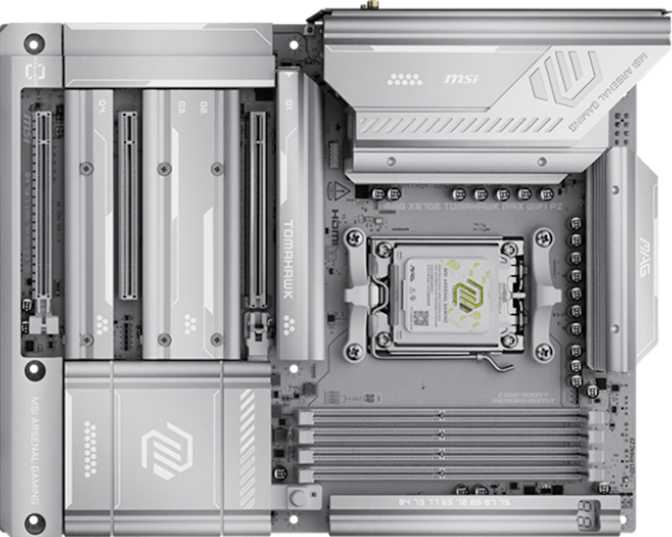
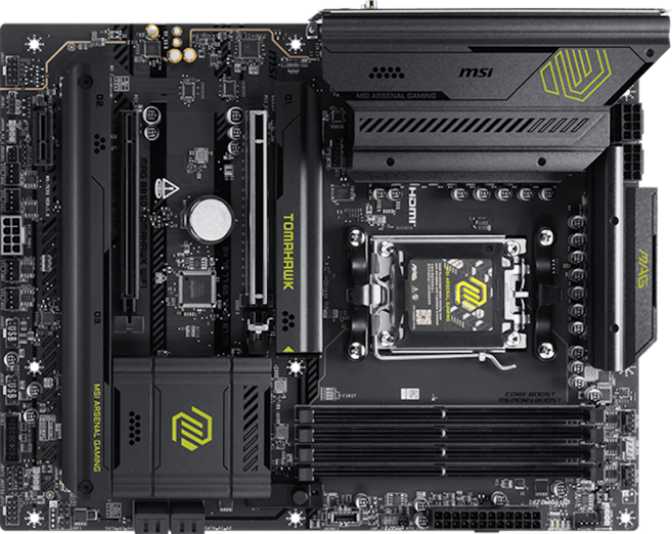
At standard ATX dimensions (304.8 × 243.8 mm), the MAG B850 Tomahawk Wi-Fi fits every mid-tower and full-tower case designed for mainstream desktop builds. This is not a compromise form factor — you get the full complement of slots, headers, and connectors that a compact board would have to sacrifice.
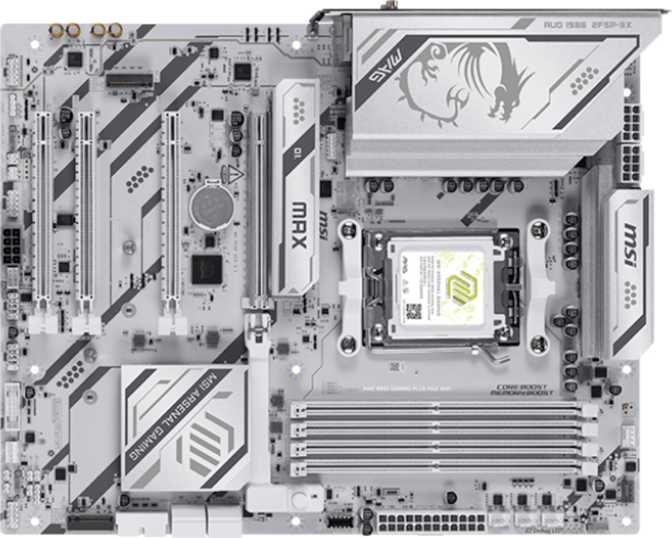
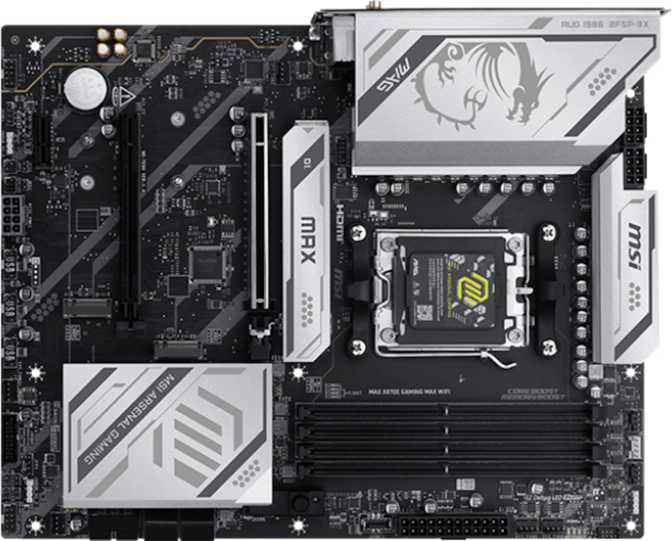
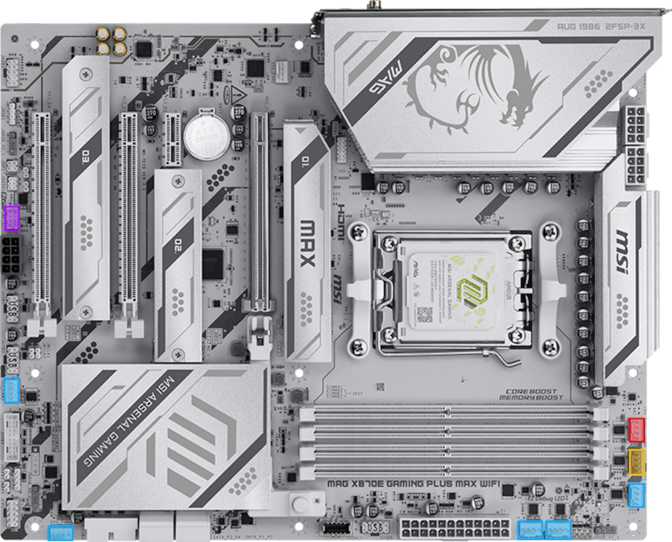
MSI's MAG line has historically struck a balance between function-first aesthetics and visual personality. RGB lighting is present but applied with restraint — it accents without overwhelming, and it is fully addressable for synchronization with other components through MSI's Mystic Light ecosystem. The heatsink coverage on the VRM area and the M.2 slots signals that MSI engineered this board with sustained loads in mind, not just peak benchmarks in a controlled environment.
A dedicated clear CMOS mechanism means resetting to defaults does not require opening the case or hunting for a jumper. When an overclock goes wrong or a BIOS update produces unexpected behavior, that saved time matters.
Platform and Compatibility
AM5 and the B850 Chipset
This board uses AMD's AM5 socket — the current-generation platform for Ryzen processors. AM5 supports DDR5 memory exclusively, and AMD has publicly committed to long socket life, meaning future processor generations are expected to remain compatible. Investing in AM5 today gives a build a longer upgrade runway than platforms that arrived late in their cycle.
The B850 chipset sits above the B650, offering expanded connectivity and better native support for high-speed storage and USB standards — without the premium pricing of the X870 or X870E flagships. For most builders not running extreme multi-GPU workloads, B850 delivers everything they actually need from a chipset.
Overclocking Headroom
The board carries MSI's easy overclock designation, meaning the BIOS is configured to make frequency adjustments accessible to users who are not firmware experts. Memory can be pushed well beyond rated speeds through XMP/EXPO profiles — AMD's memory tuning profiles load automatically and can deliver performance substantially beyond default operation.
CPU overclocking support is present, though the practical ceiling depends on the specific processor installed and the quality of the cooling solution paired with it. The B850 VRM configuration handles mainstream and upper-mid-range Ryzen CPUs without issue under sustained load.
Memory: Capacity, Speed, and Real-World Impact
Four Slots, Dual Channel, DDR5 Only
Four DIMM slots in dual-channel configuration means you can install memory in the most performance-efficient way — two or four sticks running in parallel. Dual-channel access delivers noticeably better performance in CPU-bound workloads: gaming, content creation, and anything that moves large data sets through the processor.
The 256 GB maximum supported capacity far exceeds what any gaming or prosumer workload requires today. Even professional video editors and 3D artists working with large project files rarely push past 64 GB — this headroom future-proofs the board against workloads that do not yet exist at the consumer level.
Native Speed vs. Tuned Ceiling
At stock settings, DDR5 memory already well outpaces DDR4's peak. Through overclocking profiles, this board can drive memory to frequencies that dedicated enthusiasts specifically target for competition-level performance.
The practical real-world difference between moderate DDR5 speeds and the maximum is meaningful in CPU-rendered workloads but less impactful in GPU-bound gaming at high resolutions.
Storage: Fast, Flexible, and Future-Aware
Three M.2 NVMe Slots
Three M.2 sockets provide the backbone of modern fast storage. M.2 drives connect directly to the motherboard, eliminating cable clutter while delivering transfer rates that leave traditional hard drives far behind. Three slots mean a primary OS drive, a secondary game or application drive, and a third for backups or creative project storage — all without a single data cable in the way.
The primary slot benefits from PCIe 5.0 bandwidth through the AM5 platform, meaning the fastest available consumer NVMe drives operate without any interface bottleneck. Users on PCIe 4.0 drives — the current mainstream standard — will find this headroom invisible today but valuable as storage technology continues advancing.
SATA Ports and RAID Support
Four SATA 3 connectors serve users with existing hard drives or SATA SSDs they want to carry into a new build. Many upgraders want to reuse large-capacity drives for media storage without extra spending — this board accommodates that directly.
| RAID Mode | Purpose | Supported |
|---|---|---|
| RAID 0 | Performance striping | |
| RAID 1 | Data mirroring / redundancy | |
| RAID 5 | Parity distribution | |
| RAID 10 | Mirror and stripe combined |
RAID 5 and RAID 10 omissions keep this firmly in the consumer rather than workstation category — as expected at this price tier.
Expansion Slots: PCIe 5.0 Ready
The primary PCIe slot runs at PCIe 5.0 x16 — the interface connecting your graphics card to the rest of the system. PCIe 5.0 doubles the theoretical bandwidth of PCIe 4.0, and while current graphics cards do not fully saturate even PCIe 4.0 in most scenarios, this future-proofs the board against upcoming GPU generations that will begin leveraging that additional headroom.
Beyond the primary slot, a PCIe x4 slot and a PCIe x1 slot accommodate expansion cards — capture cards, sound cards, networking adapters, USB expansion hubs, and similar peripherals. This is a standard and functional expansion layout for an ATX board at this tier. Multi-GPU configurations are not supported, but multi-GPU setups have essentially become irrelevant for gaming and have limited professional relevance outside specific rendering pipelines.
- PCIe 5.0 x16Primary GPU slot — current-gen ceiling
- PCIe x4Expansion cards (capture, audio, USB)
- PCIe x1Low-profile expansion cards
Connectivity: The Complete Port Breakdown
Rear I/O Panel
| Port Type | Count | Max Speed | Best Used For |
|---|---|---|---|
| USB-A (10 Gbps) | 2 | 10 Gbps each | External SSDs, fast peripheral hubs |
| USB-A (5 Gbps) | 2 | 5 Gbps each | Keyboards, mice, standard peripherals |
| USB-C (10 Gbps) | 1 | 10 Gbps | Mobile devices, compact SSDs |
| USB-C (20 Gbps) Standout | 1 | 20 Gbps | External NVMe enclosures, docking stations |
| USB-A (USB 2.0) | 4 | 480 Mbps | Wireless dongles, low-demand peripherals |
| HDMI 2.1 APU Only | 1 | Up to 48 Gbps | Display output — requires integrated graphics CPU |
| RJ45 Ethernet | 1 | Wired network | Direct, stable wired network connection |
Why the 20 Gbps USB-C Port Matters
The USB-C port running at 20 Gbps — achieved through the 3.2 Gen 2x2 specification — is fast enough to connect external NVMe enclosures at nearly their full performance ceiling. It also supports modern docking stations that can expand a desktop's connectivity across a monitor, keyboard, and multiple peripherals over a single cable. This is a genuinely useful port that budget boards frequently omit.
The HDMI 2.1 Context You Need
The HDMI 2.1 output on the rear only functions if the installed processor includes integrated graphics. Ryzen CPUs with integrated graphics carry a "G" designation (e.g., Ryzen 7 8700G). If building with a discrete GPU and a non-G processor — which covers the majority of gaming builds — this HDMI port is inactive. It remains a useful fallback for troubleshooting or APU-based builds.
Internal Headers and Connectors
Eight fan headers give builders with ambitious cooling setups genuine flexibility. A full custom loop — dual radiators, multiple case fans, a CPU water block — can be managed entirely from the motherboard without a separate fan controller. Front-panel USB headers include 5 Gbps Gen 1 and 10 Gbps USB-C, catering to cases with modern front-panel port layouts.
Wireless Connectivity: Wi-Fi 7 and Bluetooth 5.4
Wi-Fi 7: The Current Ceiling, Fully Integrated
Wi-Fi 7 (802.11be) is the leading wireless standard, offering theoretical multi-gigabit speeds, reduced latency, and better performance in congested wireless environments compared to its predecessors. The board supports every major Wi-Fi generation back to Wi-Fi 4, meaning it functions with any router — but pairing it with a Wi-Fi 6E or Wi-Fi 7 router unlocks the full hardware potential.
For desktop builds located near their router, Wi-Fi 7 is largely about reliability and peak throughput for large transfers. For systems positioned far from the router or in environments with many competing wireless devices, the spectrum management improvements that Wi-Fi 7 brings produce real, noticeable stability gains over older standards.
Bluetooth 5.4
Bluetooth 5.4 is the current standard for short-range wireless peripherals. Wireless keyboards, mice, headphones, controllers, and speakers all operate over Bluetooth, and version 5.4 delivers improvements in connection stability and power efficiency relative to earlier revisions. The module is fully integrated — no separate antenna setup required beyond attaching the included antennas.
| Standard | Protocol | Included |
|---|---|---|
| Wi-Fi 4 | 802.11n | |
| Wi-Fi 5 | 802.11ac | |
| Wi-Fi 6 | 802.11ax | |
| Wi-Fi 6E | 802.11ax (6 GHz) | |
| Wi-Fi 7 | 802.11be |
Audio: Clean Output You Will Not Need to Upgrade
A 120 dB signal-to-noise ratio on the audio output places this board in the upper tier of on-board audio performance. Signal-to-noise ratio measures how much clean signal is present relative to background electrical noise — a higher number means quieter, cleaner audio. At 120 dB, the output is transparent enough that most listeners using headphones up to the mid-range audiophile tier will not hear a meaningful difference compared to a dedicated sound card.
- 7.1 surround channel support for multi-speaker setups and virtual surround headsets
- S/PDIF optical output for lossless digital connection to AV receivers and external DACs
- Two rear analog audio connectors for headphones, microphones, and speakers
Who This Board Is For — and Who Should Look Elsewhere
Ideal Buyers
Look Elsewhere If...
Competitive Positioning
| Feature | MSI MAG B850 Tomahawk Wi-Fi | Typical B650 Board | Typical X870 Board |
|---|---|---|---|
| Chipset Generation | B850 (current) | B650 (previous gen) | X870 (current, premium) |
| PCIe GPU Slot | PCIe 5.0 x16 | PCIe 4.0 x16 (typical) | PCIe 5.0 x16 |
| M.2 Slots | 3 | 2–3 | 3–5 |
| Wi-Fi Standard | Wi-Fi 7 | Wi-Fi 6E (typical) | Wi-Fi 7 |
| Fastest Rear USB-C | 20 Gbps | 10 Gbps (typical) | 20–40 Gbps |
| Fan Headers | 8 | 5–6 (typical) | 8+ |
| Dual BIOS | Varies | Often yes | |
| Price Tier | Mid-Range | Budget to Mid | Premium |
The B850 Tomahawk competes directly against boards like the ASUS TUF Gaming B850-Plus and Gigabyte B850 Aorus Elite. Against B650 boards, it offers a clear connectivity upgrade — Wi-Fi 7 and PCIe 5.0 specifically — without crossing into X870 pricing. Against X870 boards, it gives up some VRM headroom and the dual BIOS safety net, which matters for extreme overclockers but is invisible to everyone else.
Strengths and Honest Weaknesses
- Wi-Fi 7 is not a checkbox feature here. It is the current ceiling for wireless performance, and having it integrated eliminates a peripheral purchase for wireless builders.
- The 20 Gbps USB-C rear port makes the build feel current rather than dated two years in — the kind of practical addition budget boards consistently omit.
- Eight fan headers give builders with ambitious cooling setups genuine flexibility without requiring a separate controller.
- PCIe 5.0 primary slot accommodates every graphics card on the market today and every card expected to follow.
- Memory overclocking support is serious. The platform can push DDR5 kits to frequencies that dedicated memory enthusiasts target — this is not a board that throttles in practice.
- Three-year warranty coverage is strong for a motherboard at this tier and reflects genuine confidence in the component selection.
- No dual BIOS is a meaningful omission for anyone who flashes firmware aggressively or pushes stability boundaries with aggressive overclocking — a single firmware failure has no safety net.
- ECC memory is not supported, which disqualifies this board for professionals requiring hardware-level data integrity assurance in their compute workloads.
- The HDMI 2.1 port is APU-dependent. Buyers who assume it works universally — regardless of the processor installed — will be caught out at first boot.
- Platform entry cost includes DDR5. Upgraders from DDR4 systems must factor in new memory as part of the build budget — the platform does not support DDR4 under any configuration.
Common Questions Before You Buy
Final Verdict
The MSI MAG B850 Tomahawk Wi-Fi is a well-considered mid-range motherboard that earns its place in the current AM5 landscape by offering genuinely current-generation connectivity without inflating its price into premium territory.
Wi-Fi 7, PCIe 5.0, a 20 Gbps USB-C rear port, eight fan headers, and three M.2 slots form a feature set that covers essentially every need a gaming or content creation build would place on a motherboard. The memory overclocking support is serious enough to satisfy enthusiasts, and the three-year warranty provides purchase confidence that cheaper alternatives cannot match.
For builders putting together a primary Ryzen gaming or productivity system who want a platform that will feel current for the full lifespan of their build, the MAG B850 Tomahawk Wi-Fi represents the kind of value proposition the Tomahawk line has built its reputation on. It does not ask you to compromise on the features that matter most, and it prices itself where a thoughtful buyer can justify the investment without hesitation.