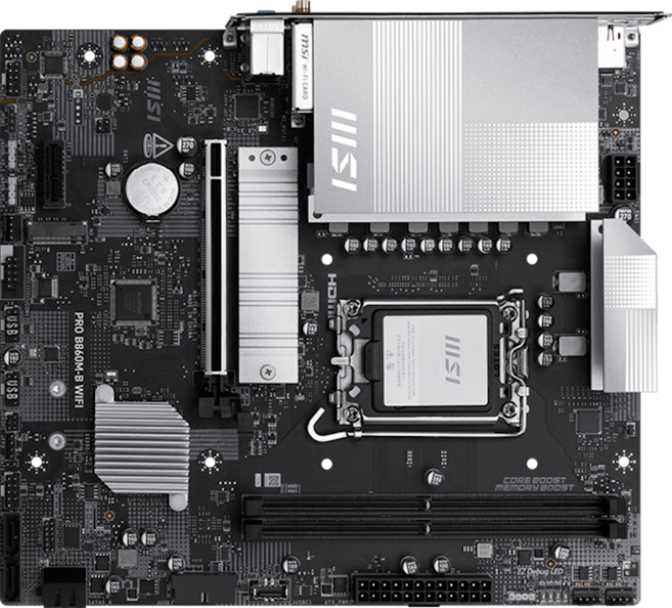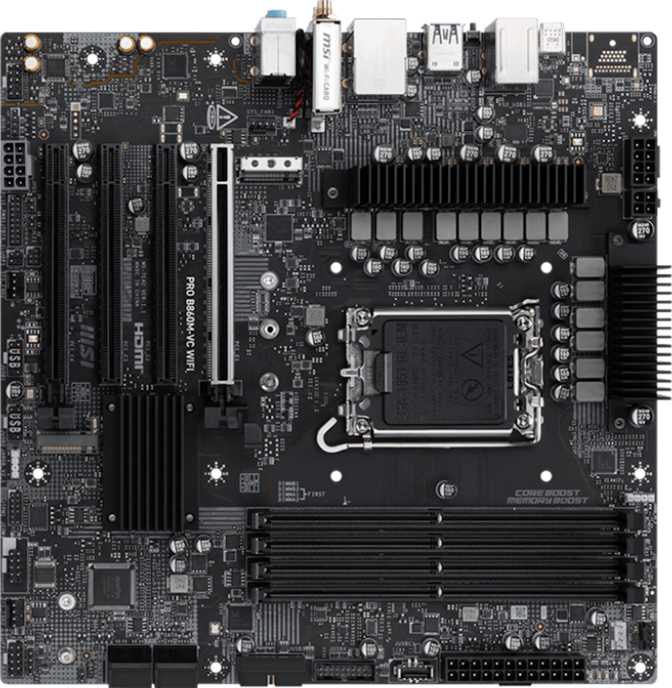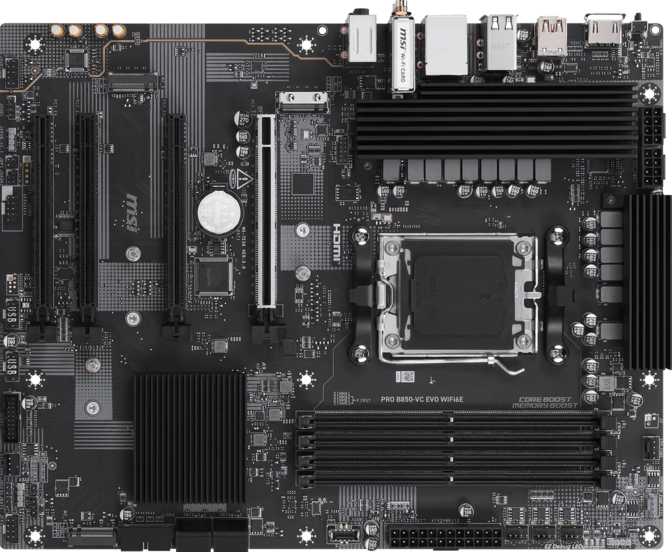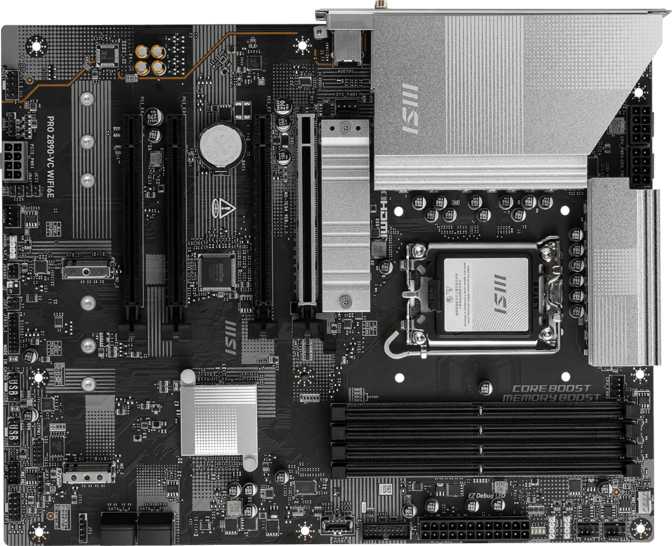
MSI Pro B860-VC Wi-Fi Review: An Honest Look at a Business-Class Board
MotherboardsA Board Built for Substance, Not Spectacle
Not every motherboard needs to look like it belongs in a gaming arena, and the MSI Pro B860-VC Wi-Fi makes that point clearly from the moment you take it out of the box. This is a full-size ATX board engineered around Intel's current LGA 1851 socket, paired with the B860 chipset, and aimed squarely at people who want a dependable foundation for work, content creation, or a quiet home office rig rather than a flashy showpiece.
If you're trying to decide whether this board deserves a spot in your next build, the short answer is that it earns its place through thoughtful connectivity, generous storage options, and a few smart reliability features — but it also makes some deliberate trade-offs you need to understand before you buy. Let's go through exactly what you're getting.
Design and Build Quality
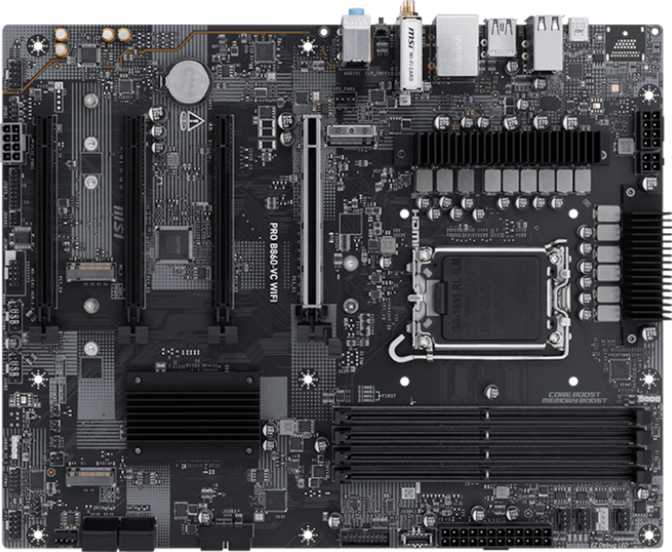
Measuring 304.8 mm wide by 243.8 mm tall, the Pro B860-VC Wi-Fi follows the standard full-size ATX footprint, so it drops cleanly into the vast majority of mid-tower and full-tower cases without any fitment surprises. There's no need to hunt for a specialty case or worry about clearance — if your case supports ATX, this board fits.
Visually, the board skips RGB lighting entirely. For a "Pro" series product, that's intentional rather than a missed feature. MSI positions this line for professionals, office builds, and content creators who'd rather have a clean, understated aesthetic than a light show behind a glass panel. If you're building a battlestation for late-night gaming sessions and RGB sync is part of the experience, you'll want to look elsewhere. If you just want a board that looks sharp and professional sitting under a desk or inside a workstation, this is exactly the kind of restraint you're hoping for.
Clear CMOS Button
Reset BIOS settings instantly without removing the battery or hunting for a jumper — useful when troubleshooting a failed boot or recovering from an aggressive overclock attempt.
Dual BIOS Failsafe
Two BIOS chips mean the board can recover from a backup if a firmware update fails or the primary BIOS becomes corrupted. It's the kind of feature you don't think about until the one time you desperately need it.
Platform and Performance: The LGA 1851 Socket and B860 Chipset
The LGA 1851 socket ties this board to Intel's current generation of desktop processors. That matters in two ways for anyone shopping right now: you're buying into the latest platform rather than an outgoing one, and you'll have access to current-generation CPU efficiency and feature improvements rather than inheriting an older architecture.
The B860 chipset sits in Intel's mid-range tier — above entry-level chipsets and below the flagship Z-series. In practical terms, that means you get a well-rounded feature set for everyday computing, content work, and even gaming, but you give up two things typically reserved for flagship boards: full CPU multiplier overclocking and the maximum possible number of high-speed PCIe lanes. If unlocking every last percentage point of CPU clock speed is your top priority, a Z-series board paired with an unlocked "K" processor is the more appropriate route. For everyone else — which is most people — B860 delivers the performance that matters without paying for headroom you'll never use.
Good to know: The "Easy Overclock" feature here is centered on memory tuning, not CPU multiplier unlocking. Full CPU ratio adjustment is generally reserved for Z-series boards, so this convenience lets you push DDR5 speeds beyond stock through simplified BIOS profiles rather than manual voltage and timing work.
There's no integrated graphics chip on the motherboard itself, which is normal — graphics output on any board depends on what your CPU provides. That detail matters quite a bit once you look at the rear I/O panel.
Memory Support: DDR5 Capacity and Speed
This board runs DDR5 memory exclusively, across four DIMM slots in a dual-channel configuration, with support for up to 256GB total. That ceiling is far beyond what typical users need today, but it gives serious headroom for anyone running virtual machines, large creative-software projects, or memory-hungry development environments where 32GB or 64GB starts to feel tight.
Out of the box, the board officially supports memory speeds up to 6400 MHz, and with the right high-performance DDR5 kit and the board's overclocking profiles, you can push that as high as 8800 MHz. For context, that's an unusually high ceiling for a mid-range chipset board — most B-series boards top out meaningfully lower. Faster memory translates into snappier multitasking, quicker load times in memory-sensitive applications, and — if you're relying on a CPU's integrated graphics rather than a discrete card — a real boost to graphics performance, since integrated graphics leans heavily on system memory bandwidth.
One notable absence: there's no support for ECC (error-correcting code) memory. ECC matters for mission-critical server environments and certain scientific or financial workloads where a single corrupted bit could cause real problems. For general office work, content creation, and even demanding multitasking, standard DDR5 is perfectly reliable, but if your workload specifically requires ECC validation, this isn't the board for that use case.
Storage and RAID: M.2, SATA, and Redundancy Options
Storage flexibility is one of this board's stronger suits. You get three M.2 sockets for NVMe solid-state drives, which is enough room for a fast boot drive plus two additional high-speed drives for games, projects, or scratch disks — all without touching your SATA allocation. Alongside that, four SATA III ports handle traditional SSDs, hard drives, or optical drives, giving you a combined total of up to seven storage devices without any expansion cards.
What makes this more interesting for power users is RAID support. The board handles RAID 0, RAID 1, RAID 5, and RAID 10, though notably not RAID 0+1. Here's what each of those actually does for you:
| RAID Level | What It Does | Drives Needed | Best For |
|---|---|---|---|
| RAID 0 | Splits data across drives for maximum speed | 2+ | Fast scratch storage where speed matters more than safety |
| RAID 1 | Mirrors data identically across drives | 2 | Protecting important files against a single drive failure |
| RAID 5 | Stripes data with parity for redundancy and efficient capacity use | 3+ | Balancing storage capacity and data protection |
| RAID 10 | Combines striping and mirroring | 4 | High performance with redundancy, for demanding setups |
For a home office or small studio that wants some protection against drive failure without investing in a dedicated NAS, this is genuinely useful flexibility. The missing RAID 0+1 mode is a minor omission — it serves a similar purpose to RAID 10 with a different underlying structure, and most users will never miss it.
Expansion Slots: PCIe 5.0, PCIe 4.0, and Room to Grow
The primary PCIe slot runs at PCIe 5.0 x16, putting it ahead of the curve in terms of available bandwidth for current and near-future graphics cards.
- 1x PCIe 5.0 x16 — primary slot, maximum bandwidth headroom for current and future graphics cards.
- 1x PCIe 4.0 x16 — secondary slot for a second card, whether that's compute work, a capture card, or a high-speed storage controller.
- 2x PCIe x1 — suited to lower-bandwidth add-ins like additional network cards, sound cards, or capture devices.
There's no legacy PCI slot here, which won't bother most builders today but is worth flagging if you're holding onto an old PCI card for a specific reason. For everyone running modern hardware, this slot layout covers the bases comfortably.
Connectivity: Wi-Fi 7, Bluetooth 5.4, and Wired Networking
Wireless connectivity is a genuine highlight. The board's Wi-Fi module supports everything from older Wi-Fi 4 networks up through the latest Wi-Fi 7 standard, meaning you get full backward compatibility with whatever router you currently own, plus a meaningful upgrade path if you invest in Wi-Fi 7 networking equipment down the line.
Wi-Fi 4 through Wi-Fi 7
Full backward compatibility plus a real upgrade path for faster, lower-latency wireless networking.
Bluetooth 5.4
Improved power efficiency and connection stability for wireless peripherals, though no aptX codec support.
Wired Ethernet
A single RJ45 port for a stable, low-latency wired connection when consistency matters more than convenience.
In practice, Wi-Fi 7 means lower latency, less interference in congested wireless environments like apartment buildings or offices, and substantially higher theoretical throughput than older standards. Bluetooth 5.4 handles wireless peripherals and audio devices, but this board does not support aptX, a codec favored by some audiophile headphone and speaker setups for higher-quality wireless audio streaming. Standard codecs still work fine for everyday Bluetooth headphones and speakers — if aptX is a specific requirement for your audio gear, confirm that codec compatibility before buying.
Rear I/O Panel: Ports, Thunderbolt 4, and a Display Gap to Know About
The rear panel is where this board's personality really comes through, both in what it offers and what it deliberately leaves out.
| Port Type | Count | Best Use Case |
|---|---|---|
| USB4 / Thunderbolt 4 (Type-C) | 1 | External GPU enclosures, high-speed storage, docking stations, video output |
| USB 3.2 Gen 2 Type-A (10 Gbps) | 2 | Fast external drives and high-throughput peripherals |
| USB 3.2 Gen 1 Type-A (5 Gbps) | 2 | Everyday peripherals and accessories |
| USB 2.0 Type-A | 4 | Keyboards, mice, and other low-bandwidth devices |
| RJ45 Ethernet | 1 | Wired internet connection |
| Audio jacks | 3 | Speakers, headset, and microphone |
The standout here is the combined USB4 (40 Gbps) and Thunderbolt 4 port. That single Type-C connector is capable of driving extremely fast external storage, connecting professional capture or audio interfaces, daisy-chaining compatible docks and displays, and even powering external graphics enclosures — features you typically don't see at this chipset tier.
Heads up: There is no dedicated HDMI or DisplayPort output on this board. If you're running a discrete graphics card, this is a non-issue. If you intended to rely on your CPU's built-in graphics for display output, you'll need to do so through the USB4/Thunderbolt 4 port using a USB-C to DisplayPort or HDMI cable or adapter, since Thunderbolt 4 carries DisplayPort signal over the same connector.
There's also no eSATA, no DVI, no VGA, and no PS/2 ports. That's a fully modern lineup with zero legacy baggage, which is appropriate for a current-generation board but worth knowing if you're migrating an older peripheral that still relies on a PS/2 connector.
Internal Headers and Front-Panel Expansion
Beyond the rear panel, the board offers substantial internal expansion through its header layout. Multiple USB 3.x headers support additional ports for case front panels or internal expansion brackets, alongside a dedicated USB-C header for modern cases that include front-panel Type-C connectivity. Additional headers cover extra USB 2.0 ports for accessories or fan controllers that don't need high bandwidth.
Six fan headers give you enough connections for a well-ventilated case with multiple intake and exhaust fans, or an all-in-one liquid cooler, without resorting to splitter cables that can complicate fan curve control. A built-in TPM (Trusted Platform Module) connector is also present, which is increasingly relevant given current operating system security requirements — useful if your Windows installation requires TPM 2.0 for full compatibility or you want to use drive encryption features like BitLocker.
Audio: What 7.1-Channel Support Actually Means Here
The board supports 7.1-channel surround sound, which on paper sounds like a strong home-theater feature. In practice, the rear panel includes only three physical audio jacks, and there's no S/PDIF digital output. Most home theater PC setups that take full advantage of 7.1 surround typically rely on five or six physical jacks, or a digital S/PDIF connection feeding an AV receiver. With three jacks and no digital out, getting true multi-speaker surround sound working will likely require either a USB-connected audio interface or a different approach to your speaker setup.
For everyday use — stereo speakers, a gaming headset, or a basic microphone setup — these three jacks handle things just fine. But if multi-channel surround audio is a priority for your build, this is a limitation to plan around rather than assume away.
Who the MSI Pro B860-VC Wi-Fi Is Built For
Great Fit For
- Home office and small business builders who want a dependable, professional-looking machine with TPM support and the peace of mind that dual BIOS provides.
- Content creators and prosumers who need fast, flexible storage through multiple M.2 slots and RAID options, plus the high-speed external connectivity that Thunderbolt 4 enables.
- Multitaskers and power users who'll actually benefit from up to 256GB of DDR5 memory across demanding workflows like video editing, virtualization, or running multiple resource-heavy applications.
- Anyone prioritizing future-ready wireless who wants Wi-Fi 7 support without paying flagship chipset prices.
Not the Right Fit For
- Hardcore overclockers chasing maximum CPU clock speeds — that calls for a Z-series board and an unlocked processor.
- Home theater builders who need genuine multi-channel surround sound through analog jacks or digital S/PDIF output.
- Budget builders without a discrete GPU who expected simple HDMI or DisplayPort output — you'll need an adapter for the USB4/Thunderbolt port instead.
- RGB enthusiasts building a visually themed gaming rig — this board's aesthetic is deliberately understated.
Where This Board Sits in the B860 Lineup
Intel's current desktop chipset lineup follows a familiar three-tier structure, and understanding where B860 sits helps frame what you're actually getting.
| Tier | Typical Strengths | Typical Trade-offs |
|---|---|---|
| Entry-level (H-series) | Lower cost, simplified feature set | Fewer ports, limited expansion, no overclocking |
| Mid-range (B-series, like this board) | Strong feature balance — solid I/O, good memory speed, RAID support, Wi-Fi 7 | No full CPU overclocking, somewhat fewer PCIe lanes than flagship boards |
| Flagship (Z-series) | Full CPU overclocking, maximum PCIe lane allocation, premium I/O | Higher cost, often unnecessary for non-overclocking users |
The Pro B860-VC Wi-Fi sits comfortably in that middle tier, and it makes a strong case for itself by punching above its weight in a few specific areas — namely Thunderbolt 4 connectivity, RAID flexibility, and memory overclocking headroom — that you'd more commonly expect on a pricier flagship board. The trade-off is the one you'd expect from any B-series chipset: no CPU overclocking and a display-output workaround if you're not using a discrete graphics card.
Strengths and Weaknesses: The Honest Take
What Works
The clearest strength here is connectivity depth relative to price tier. Getting a USB4/Thunderbolt 4 port, Wi-Fi 7, three M.2 slots, and four-level RAID support on a mid-range chipset board is a genuinely strong value proposition, and the kind of feature set that used to be reserved for premium boards. Dual BIOS adds real peace of mind for anyone who can't afford downtime from a failed firmware update, and the memory overclocking ceiling of 8800 MHz gives enthusiasts room to push their builds without needing a flagship chipset.
What to Watch For
The absence of any dedicated HDMI or DisplayPort output is the one most likely to catch buyers off guard, particularly anyone building a simple office machine around a CPU's integrated graphics rather than a discrete card — you'll need a USB-C adapter cable as a workaround. The thin audio jack count paired with no S/PDIF output limits this board's appeal for home theater setups despite its 7.1-channel labeling. And if unlocking your processor's clock speed is part of your plan, this isn't the platform for it.
Frequently Asked Questions
Recommended for Professionals, Creators, and Multitaskers
The MSI Pro B860-VC Wi-Fi earns a recommendation for exactly the audience it's built for: home office professionals, content creators, and prosumers who want strong connectivity, flexible storage, and dependable build quality without paying flagship prices for overclocking headroom they won't use. The combination of Thunderbolt 4, Wi-Fi 7, three M.2 slots, four-level RAID support, and dual BIOS reliability is a genuinely compelling package for the chipset tier it sits in.
Where it asks for compromise — the missing display outputs on the rear panel and the thin audio jack count — these are predictable trade-offs once you understand them, not surprises that should derail your purchase. If your build includes a discrete graphics card and you don't need elaborate surround sound, neither limitation will affect you in daily use. For anyone prioritizing CPU overclocking specifically, step up to a Z-series board instead — for everyone else, this is a well-balanced, professionally minded foundation worth building around.