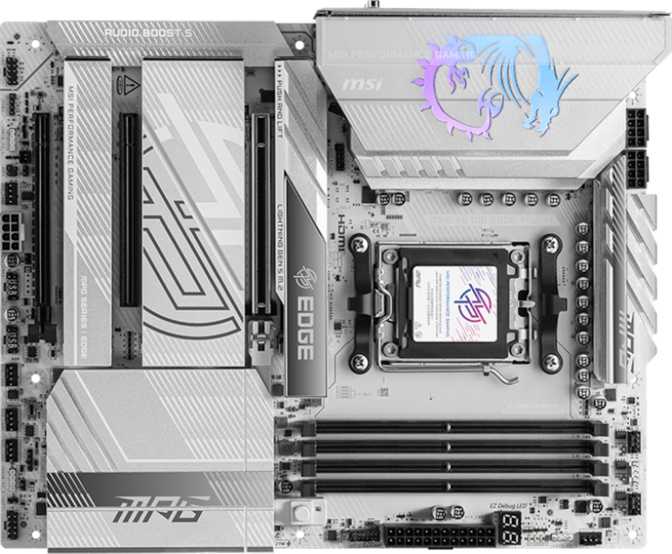
Socket
AM5
Chipset
X870
Form Factor
ATX
Wireless
Wi-Fi 7
Warranty
3 Years
First Impressions
Built Without Cutting Corners
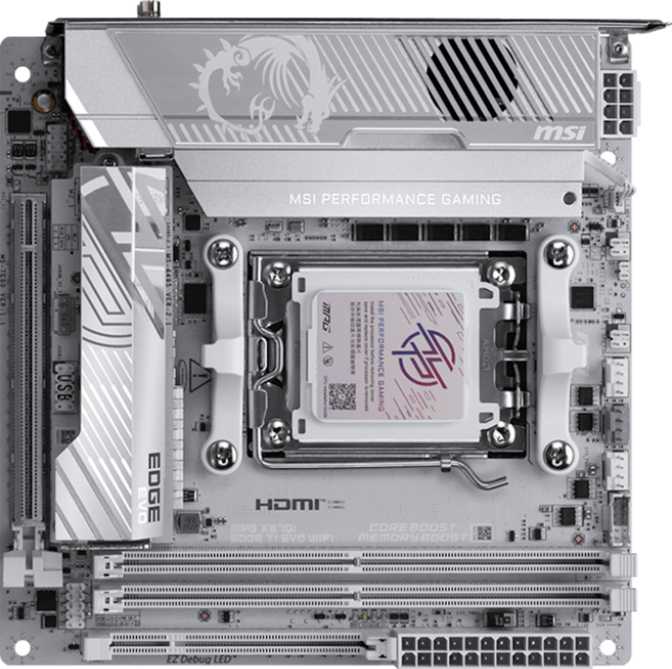
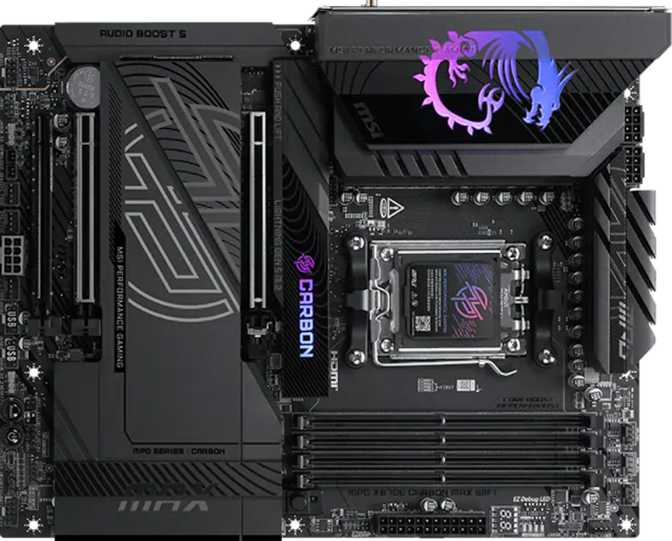
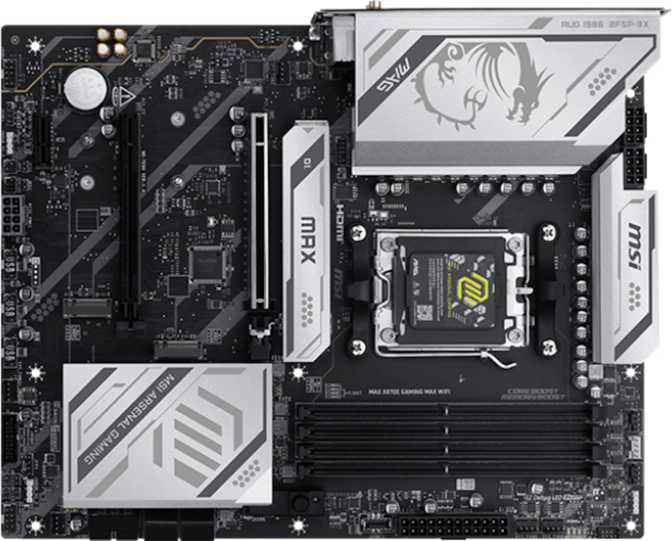
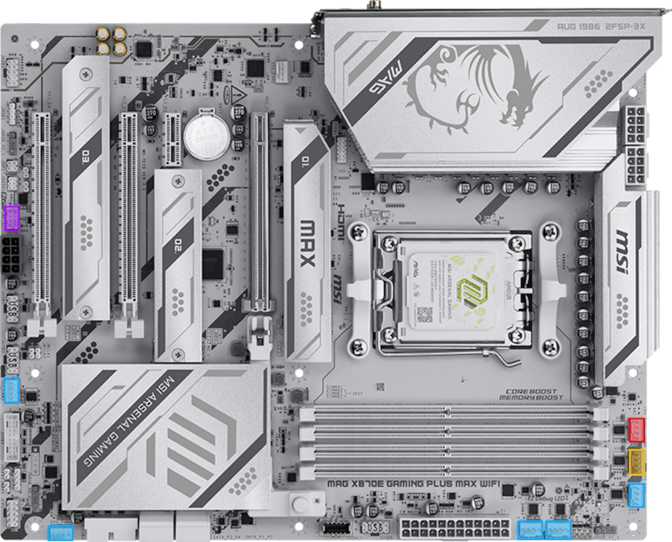
A motherboard rarely gets the spotlight a graphics card or processor does, yet it's the one component that determines almost everything else about how your build behaves, what you can plug in, how far you can push your CPU and memory, and whether your system still feels current three or four years from now. The MSI MPG X870E Edge TI WiFi is MSI's answer to builders who refuse to treat the motherboard as an afterthought. It sits on AMD's current high-end desktop chipset and pairs that foundation with a connectivity and storage layout that reads more like a workstation board than a typical gaming product.
Physically, this is a full-size ATX board, measuring roughly 304.8 mm wide by 243.8 mm tall, the standard dimensions you'd expect from a mid-tower or full-tower build. If you're planning a small-form-factor PC, this board simply won't fit; it needs the room a proper ATX case provides, with enough clearance for four memory slots, dual full-length expansion slots, and a dense cluster of internal headers. Buyers coming from a compact mATX or ITX system should budget for a case upgrade alongside this board.
Build quality details show up in small but meaningful ways. There's integrated RGB lighting for builders who want their rig to look as capable as it performs, and, more usefully, a built-in way to reset the BIOS without having to remove the CPU cooler or pull the battery, a detail that matters far more during a failed overclock at midnight than any lighting effect does. Backing it all is a three-year warranty, longer than what budget and mid-range boards typically offer, which is a quiet but telling signal of how MSI expects this board to be used: for long-term, demanding builds rather than disposable office PCs.
One notable omission for a board at this tier: there's no dual BIOS chip. Many flagship boards include a secondary BIOS that automatically takes over if the primary one becomes corrupted, usually after a bad firmware flash or an aggressive overclock gone wrong. The Edge TI WiFi relies on its single-BIOS reset button instead. It's not a dealbreaker, but it is a feature some enthusiasts specifically shop for, and its absence here is worth knowing before you buy.
The Platform Foundation: What AM5 and X870 Mean for You
This board uses AMD's AM5 socket paired with the X870 chipset, which places it firmly in AMD's current-generation desktop platform rather than the older AM4 ecosystem. In practical terms, that means this board is designed around modern AMD Ryzen desktop processors, not legacy chips, so if you're upgrading from an older AMD or Intel system, this is a fresh-platform purchase, not a drop-in replacement.
Choosing the X870 chipset over a lower-tier AM5 board isn't just a price decision, it's an investment in the platform's full feature set. X870-based boards sit toward the top of AMD's current chipset stack, which typically translates to more PCIe lanes, better-specified memory support, and a more complete set of high-speed I/O than entry-level chipsets offer. Everything documented in this review, the dual PCIe x16 slots, the four M.2 sockets, the Thunderbolt 4 connectivity, exists because the chipset has the bandwidth to support it. A cheaper AM5 board built on a lower-tier chipset simply couldn't offer the same breadth without cutting something out.
This is a single-socket consumer board, not a dual-CPU workstation platform, worth stating plainly for anyone coming from server or workstation hardware research, since it confirms this is built for a standard desktop tower, not a rack-mount or dual-processor build.
Memory Performance: DDR5 Headroom for Multitaskers and Gamers
The Edge TI WiFi runs on DDR5 memory exclusively, which is the only memory standard supported by current AM5 processors. DDR5 isn't just a faster version of the previous generation, it restructures how memory channels operate internally, generally delivering noticeably higher bandwidth at the same nominal clock speed compared to DDR4. For anyone editing video, running multiple virtual machines, or keeping dozens of browser tabs and applications open while gaming, that bandwidth translates into smoother day-to-day responsiveness, not just better benchmark numbers.
4
Memory Slots
256GB
Max Capacity
5600 MHz
Stock Max Speed
8400 MHz
OC Ceiling
With four memory slots, you have real flexibility in how you configure your system. Two matched sticks will get you full dual-channel bandwidth, which is what most builders should aim for, it's both the simplest and most cost-effective way to maximize performance. Filling all four slots gets you to a maximum supported capacity of 256GB, which is overkill for gaming but genuinely useful for anyone running large datasets, dense virtual machine environments, or memory-hungry creative software.
Out of the box, the board officially supports memory speeds up to 5600 MHz, which is already a strong baseline for AM5 systems. For enthusiasts willing to dig into overclocking, the board is rated for memory speeds as high as 8400 MHz, a substantial jump that primarily benefits gaming frame consistency and latency-sensitive workloads. It's worth setting expectations correctly here: that 8400 MHz figure represents the board's overclocking ceiling, not a speed every memory kit and CPU combination will reliably hit. Actual achievable speeds depend heavily on the memory kit you buy and the specific processor's own memory controller, so treat it as the platform's upper limit rather than a guaranteed result.
One notable absence: there's no support for ECC (error-correcting code) memory. ECC matters in workstation and server contexts where silent memory errors could corrupt critical data over long uptimes. For gaming, content creation, and most professional desktop work, this won't be missed, but if your work specifically requires ECC validation, this board, and the AM5 desktop platform broadly, isn't the right category of hardware for you.
Connectivity Built for the Next Few Years
Wireless: Wi-Fi 7 and Bluetooth 5.4
Wi-Fi 7 Ready
The integrated wireless module supports the full range of Wi-Fi generations down to the oldest 802.11n standard, but the headline feature is support for Wi-Fi 7, the newest wireless standard available. Wi-Fi 7 brings meaningfully higher theoretical throughput and lower latency than Wi-Fi 6 or 6E, along with a feature called multi-link operation that allows a device to use multiple wireless bands simultaneously for more consistent, congestion-resistant connections. In a household with several Wi-Fi 7-capable devices and a router to match, this translates into a noticeably more stable connection for online gaming and large file transfers. If your router only supports Wi-Fi 6 or earlier, the board will simply connect at that lower standard until you upgrade, full backward compatibility means you're never locked out, you're just not using the fastest tier available yet.
Bluetooth 5.4 with aptX
Bluetooth 5.4 handles wireless peripherals and audio, and the inclusion of aptX support is a genuine win for anyone using wireless headphones for gaming or music. aptX is a higher-quality, lower-latency audio codec compared to standard Bluetooth audio transmission, meaning less of the audio lag and compression artifacting that can make wireless headsets feel disconnected from on-screen action.
Wired and High-Speed Data: Thunderbolt 4 and USB4
This is where the Edge TI WiFi distinguishes itself from typical gaming boards. It includes two Thunderbolt 4 / USB4 ports capable of 40Gbps transfer speeds, fast enough to run high-resolution external displays, daisy-chain multiple peripherals off a single port, or connect external SSD enclosures that genuinely rival internal storage speeds. This is a feature set you more commonly see on creator-focused or premium boards, and it signals that MSI built this product with content creators and power users in mind, not just gamers.
A single wired Ethernet port rounds out the wired connectivity, giving you the option of a stable, low-latency cabled connection for competitive gaming or large local file transfers whenever you'd rather not rely on Wi-Fi.
Rear Panel Ports: Will You Run Out of USB?
Short answer: unlikely. The total USB count on this board is generous, and more importantly, it's well distributed across different speed tiers so you're not stuck choosing between fast peripherals.
| Port Category | What's Available | What It's Good For |
|---|---|---|
| High-speed USB-A (10Gbps class) | 5 ports | External SSDs, capture cards, fast flash drives |
| High-speed USB-C (10Gbps class) | 1 port | Modern peripherals and phones needing fast transfer |
| Thunderbolt 4 / USB4 (40Gbps) | 2 ports | External displays, high-end storage enclosures, docking |
| Standard USB 2.0 | 4 ports | Keyboards, mice, webcams, low-bandwidth devices |
| Wired networking | 1 Ethernet port | Stable, low-latency wired internet connection |
| Video output | 1 HDMI 2.1 port | Display output, see note below |
That's a meaningful spread for real-world use: fast ports for the peripherals that actually benefit from speed, and dedicated USB 2.0 ports left over for accessories that don't need bandwidth, so you're not wasting a premium port on a mouse.
A note on the HDMI port: this board has no integrated graphics chip of its own and no onboard CPU, which is expected, since a motherboard's video output only becomes active when paired with a processor that has its own built-in graphics. The HDMI 2.1 port here will only output a signal if you install a Ryzen processor that includes integrated graphics. If you're planning to use a separate graphics card from day one, this port becomes largely irrelevant to your daily use, though it's genuinely useful as a troubleshooting fallback, letting you boot and access BIOS even before your graphics card is installed, or if your GPU ever needs to come out for maintenance. There's no DisplayPort output on this board, so anyone relying on the motherboard's video output for multi-monitor work will need to plan around that single HDMI connection.
Expansion Slots: Room to Grow Your Build
The Edge TI WiFi includes two full-length PCIe x16 slots, plus a smaller x1 slot for low-bandwidth add-in cards. The primary slot runs at PCIe 5.0, the newest and fastest standard available, ensuring your graphics card, current or future, gets the full bandwidth it's designed to use. The secondary x16-length slot runs at PCIe 4.0, which is plenty for a second card such as a capture card, additional storage controller, or a secondary GPU used for compute or rendering tasks rather than competitive gaming.
- One PCIe 5.0 x16 slot for primary graphics card bandwidth
- One PCIe 4.0 x16 slot for a secondary card or controller
- One PCIe x1 slot for low-bandwidth add-in cards
There's no legacy PCI slot and no PCIe x4 or x8 slots, a deliberate simplification that modern boards increasingly make, since most contemporary expansion cards are designed around x16 or x1 form factors anyway. Unless you're holding onto genuinely old expansion hardware, you're unlikely to miss what's absent here.
Storage Architecture: Fast, Flexible, and Redundant
| Storage Type | Quantity / Support | What It Means for You |
|---|---|---|
| M.2 NVMe sockets | 4 | Multiple high-speed SSDs without needing an expansion card |
| SATA connectors | 4 | Room for traditional drives, extra SSDs, or optical drives |
| RAID 0 | Supported | Combines drives for maximum speed, no redundancy |
| RAID 1 | Supported | Mirrors data across drives for redundancy, halves usable capacity |
| RAID 10 | Supported | Combines speed and redundancy, requires four drives minimum |
Four M.2 sockets is a generous allocation that lets most builders run their operating system, a dedicated game library drive, and a creative-work scratch drive without ever touching a SATA cable. The four SATA ports remain available for bulk storage, archival drives, or an optical drive if you still use one, useful for anyone migrating an existing storage pool into a new build rather than starting from scratch.
On the RAID front, the board covers the three configurations most desktop users actually reach for: striping for speed, mirroring for safety, and the combined approach for both. What's missing is RAID 5, the parity-based configuration that's more common in network-attached storage setups where capacity efficiency alongside redundancy matters more than raw speed. If you specifically need a RAID 5 array, this isn't the board for that workflow, but for the vast majority of gaming and creative desktop builds, the available RAID options cover the realistic use cases.
Built-In Tools for Builders and Overclockers
A few details on this board exist specifically to make the building and tuning process less stressful. Eight onboard fan headers mean you can run a full complement of case fans, a liquid cooler's pump and radiator fans, and supplemental airflow without needing a separate fan hub, a genuinely practical convenience for anyone running a high-airflow case with six or more fans. A dedicated TPM connector lets you add hardware-based Trusted Platform Module security if your specific build requires it for full compliance with modern OS security requirements, beyond what software-based TPM solutions already provide.
The board is also built with overclocking accessibility in mind, pairing tuning-friendly design with the quick BIOS reset mechanism mentioned earlier. For builders who like to push CPU and memory frequencies past stock settings, having an easy recovery path when an overclock attempt fails to boot meaningfully lowers the anxiety of experimentation, you're far more likely to actually try that next memory speed step when you know recovering from a failed boot takes seconds, not a full BIOS chip removal.
Audio: More Capable Than It Needs to Be
The onboard audio solution is rated for a 120dB signal-to-noise ratio, a genuinely high figure for integrated motherboard audio. In practice, this translates to a cleaner audio signal with less background hiss audible during quiet moments, the kind of difference you notice most clearly with high-quality headphones or studio monitors rather than basic desktop speakers. With support for 7.1 channel surround output and a digital S/PDIF out for connecting to external receivers or soundbars, the board covers both casual stereo listening and more involved home theater or surround gaming setups without requiring a separate sound card.
Most users running wireless headsets or USB headphones won't directly benefit from these numbers day-to-day, but anyone running a wired surround sound or studio monitor setup off the motherboard directly will appreciate the headroom.
Real-World Usage: Who This Board Is Actually For
This board makes the most sense for a specific kind of builder, and it's worth being direct about who that is.
Consider This Board If You Are
- A gamer building a high-end AM5 system who wants a GPU slot with full current-generation PCIe bandwidth, fast wireless networking, and overclocking headroom
- A content creator who needs Thunderbolt 4 for external storage or display work, alongside multiple fast M.2 slots for active project files
- A builder who wants the platform to remain relevant for years, given the Wi-Fi 7 support and PCIe 5.0 readiness
- Someone who runs many case fans or a complex cooling setup and values ample fan headers without extra hardware
- An overclocking enthusiast who wants accessible BIOS recovery and a chipset with headroom for aggressive memory tuning
Better Served Elsewhere If You Are
- Building a budget or entry-level PC, this board's feature set and price tier are aimed well above basic desktop use
- Working in a small-form-factor case, since the full ATX dimensions won't fit mATX or ITX builds
- Running workstation workloads that specifically require ECC memory support
- Someone who wants dual BIOS as a safety net for firmware flashing, it's simply not included here
- Reliant on legacy connectivity like PS/2, VGA, or eSATA, none of which are present on this board
How It Stacks Up Against Other AM5 Boards
Within AMD's current chipset hierarchy, X870-based boards like this one sit above the more budget-oriented B650 tier and represent a refinement of the earlier X670E generation rather than a radical reinvention. Stepping down to a B650 board typically means fewer high-speed USB and Thunderbolt ports, fewer M.2 sockets, and reduced PCIe lane availability, a sensible trade-off if your build doesn't need this level of connectivity, but a real limitation if it does.
B650 Boards
Fewer high-speed USB and Thunderbolt ports, fewer M.2 sockets, and reduced PCIe lane availability. Sensible if your build doesn't need this level of connectivity.
Entry-Level X870 Boards
Generally less PCIe 5.0 bandwidth and a less comprehensive port selection than the Edge TI WiFi variant covered here.
X870E Edge TI WiFi
Dual Thunderbolt 4 / USB4 ports, a feature still inconsistently offered even among flagship-tier boards, targeting creators and power users who move large files between external drives regularly.
If your priority list is purely gaming performance with no need for Thunderbolt-speed external storage, you may find comparable PCIe 5.0 and Wi-Fi 7 boards at a lower price without that connectivity. But for builders who want both gaming-grade expansion and professional-grade external connectivity in one product, this combination is the board's clearest differentiator.
The Honest Take: Strengths and Weaknesses
Where It Excels
There's a lot to like here, starting with how comprehensively the board covers modern connectivity needs. Four M.2 slots, dual Thunderbolt 4 ports, Wi-Fi 7, and a PCIe 5.0 graphics slot together cover nearly every high-speed connectivity scenario a builder could realistically need over the next several years, and the eight fan headers reflect genuine attention to how complex modern cooling setups have become. The three-year warranty and accessible BIOS reset further reinforce that this is a board designed for serious, long-term use rather than a quick budget build.
Where It Falls Short
The weaknesses are real but narrow. The absence of dual BIOS stands out most, since it's a feature competitors at this price point sometimes include specifically for the peace of mind it offers overclockers. The lack of RAID 5 support will matter only to a small subset of buyers building NAS-style storage arrays, and the lack of ECC memory support rules this board out for workstation-grade reliability requirements, though neither is a realistic concern for the gaming and content creation audience this board is clearly built for. The single HDMI output with no DisplayPort, paired with the requirement of an integrated-graphics CPU to even use it, means most buyers running a discrete GPU will simply never touch that port at all.
None of these gaps undermine the board's core value proposition. They're the kind of trade-offs that show up when a manufacturer prioritizes certain high-end features, Thunderbolt 4, PCIe 5.0, Wi-Fi 7, within a competitive price bracket, rather than trying to include every possible feature at once.
Frequently Asked Questions
Final Verdict
The MSI MPG X870E Edge TI WiFi earns its place at the upper end of the AM5 motherboard market by backing up its premium positioning with genuinely useful, forward-looking features rather than spec-sheet padding. The combination of PCIe 5.0 graphics bandwidth, Wi-Fi 7, dual Thunderbolt 4 ports, and four M.2 slots makes it a strong foundation for a build that needs to stay relevant for years rather than months, and the overclocking-friendly design and generous fan header count show it was built by people who understand how enthusiasts actually use a motherboard, not just how it looks on paper.
Recommend this board to gamers building a high-end AM5 system, content creators who need fast external connectivity, and overclocking enthusiasts who want headroom without anxiety. Steer budget builders, small-form-factor users, and anyone needing ECC memory or dual BIOS redundancy toward a different option. For the audience it's built for, this is a confident, well-rounded purchase that doesn't ask you to compromise on connectivity to get there.