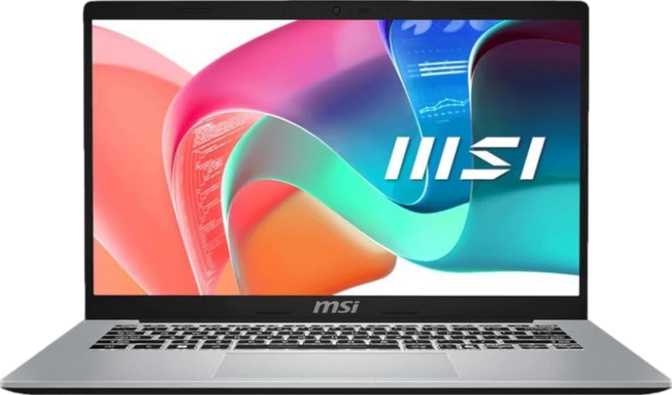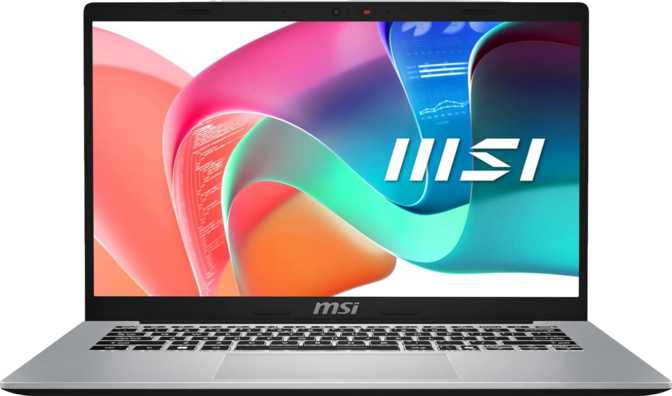
MSI Modern 14 F1M (2025) 14-Inch Laptop: Complete Review
LaptopsBefore any benchmark or specification enters the conversation, the MSI Modern 14 F1M establishes its identity clearly: this is a machine for people who work, not people who game, render, or chase specifications. The 14-inch form factor, the deliberate use of a low-power processor architecture, the sensible port selection — every design decision points toward the professional who moves between home and office, the student who needs something capable but not ostentatious, and the remote worker who wants a machine that starts fast, connects to whatever is on the desk, and gets out of the way.
That is not a small audience. And the question worth asking before you read another word: does the Modern 14 F1M actually serve that audience better than its competition? The answer is more nuanced than either its fans or critics might suggest.
Design and Portability
At 1.5 kilograms, the MSI Modern 14 F1M occupies a sweet spot in the 14-inch category. It is light enough to carry in a bag all day without your shoulder reminding you by late afternoon, but it has not been carved down to ultrabook thinness at the cost of port real estate or thermal engineering. This weight sits comfortably among the more portable productivity laptops in its tier — lighter than a hardcover textbook — while remaining noticeably heavier than premium, ARM-powered ultrathins that cost significantly more for those final 200 grams.
The chassis measures 323 mm wide and 217 mm deep, with a 19 mm profile — the footprint of a large trade paperback, thinner than most paperbacks you would actually read. MSI has chosen active cooling: a fan runs when the processor needs it, allowing the chip to sustain higher clock speeds under load rather than throttling back. This is a genuine real-world performance advantage over the passive-cooled, fanless designs found in some competing thin machines.
The backlit keyboard is present — lit keys matter in dim conference rooms, evening home offices, and overnight travel. This is not a ruggedized or weather-resistant device. There is no MIL-SPEC rating and no splashproofing. For office, home, and co-working environments, that is a non-issue. For fieldwork or outdoor use, it is not the right choice.
- Weight1.5 kg
- Profile Thickness19 mm
- Footprint323 × 217 mm
- Cooling SystemActive (Fan)
- Backlit KeyboardYes
- Ruggedized / WeatherproofNo
Display Performance
The 14-inch IPS panel delivers full HD resolution at a pixel density that keeps text clean and web content sharp at normal viewing distances. IPS technology brings wide horizontal and vertical viewing angles — colors do not shift dramatically when you tilt the screen or share it with someone beside you. Color reproduction is faithful enough for casual photo review, presentations, and content consumption, but this is not a calibrated wide-gamut panel. Photographers and designers working to print or broadcast specifications need calibrated display options elsewhere.
The 60 Hz refresh rate is the display's single most consequential limitation for a specific group of buyers. For documents, spreadsheets, video streaming, and general web use, 60 Hz is smooth and sufficient — this has been the standard for decades of productive computing. For competitive gaming, however, 60 Hz is a hard ceiling and this machine does not cross it.
The absence of an anti-reflection treatment on the panel surface is worth stating plainly. In bright offices near windows, or in any workspace with overhead lighting behind the user, the screen produces glare. This is a daily friction point for users whose environment does not offer controlled lighting — the kind of omission manufacturers make to meet price targets, and real-world usability pays the cost.
- Size14 Inches
- Resolution1920 × 1080 (FHD)
- Panel TypeIPS, LED-Backlit
- Pixel Density157 PPI
- Refresh Rate60 Hz
- Touch ScreenNo
- Anti-Glare CoatingNo
Processor Performance
The processor inside the Modern 14 F1M uses a hybrid architecture worth understanding before reading the benchmark numbers. Ten cores are divided into two distinct groups: two high-performance cores optimized for demanding, time-sensitive tasks, and eight efficiency-focused cores that handle routine operations at lower power draw. The performance cores support multithreading — each handles two tasks in parallel — giving the system twelve total processing threads. The entire assembly operates within a 15-watt thermal budget, with a peak clock speed reaching 5.4 GHz and 12 MB of shared cache helping the processor retrieve frequently used data quickly.
In real-world use, this architecture feels like a machine that is always ready. Opening applications is fast, switching between a video call alongside a busy browser and a spreadsheet does not produce hesitation, and demanding tasks — large exports, code compilation, complex calculations — resolve quickly rather than accumulating into frustrating waits. The efficiency cores keep the fan quiet and battery drain low during ordinary moments; the performance cores handle the demanding ones.
Benchmark Results in Context
Benchmark bars show approximate position relative to the broader laptop market. Scores reflect comparative context and may vary with configuration and test conditions.
Memory and Storage
Sixteen gigabytes of RAM is the configuration that makes a productivity laptop feel capable rather than compromised. Modern browsers routinely consume two to four gigabytes on their own; an 8 GB machine frequently exhausts memory by mid-afternoon and falls back to slow disk-based swap — the phenomenon behind the sluggishness users describe as a laptop getting worse over time. At 16 GB, memory is unlikely to be the performance bottleneck during any standard professional workday.
The 512 GB NVMe solid-state drive running on the PCIe Gen 4 interface means applications open in fractions of a second and the system wakes from sleep nearly instantly. PCIe Gen 4 offers roughly double the bandwidth ceiling of the previous generation, which matters most during large file operations — moving a video project, restoring from a backup, or running a virtual machine. Two accessible memory slots support up to 64 GB total, giving this machine an unusually accessible upgrade path for a laptop this portable.
- Installed16 GB DDR4
- Speed3,200 MHz
- Memory Slots2 × (Accessible)
- Maximum Capacity64 GB
- Max Rated Speed6,400 MHz
- Dual ChannelYes
- Capacity512 GB
- TypeNVMe SSD
- InterfacePCIe Gen 4
- Flash StorageYes
- Instant BootYes
- User-UpgradeableYes
Graphics Capability
The Intel Iris Xe Graphics G7 with 96 Execution Units and a peak clock of 1,300 MHz handles the full range of productivity and content consumption tasks without issue. OpenCL 3.0 and OpenGL 4.6 support confirms compatibility with professional applications that offload GPU processing for rendering previews and applying effects. The honest ceiling is equally clear: no discrete GPU means no ray tracing, no DLSS or XeSS upscaling, and no sustained 3D rendering throughput. This is integrated graphics that excels at everything its audience needs and steps back from everything it does not.
- 4K video streaming and playback
- Casual photo editing and retouching
- Multi-monitor desktop (up to 4 screens)
- GPU-accelerated tasks in office and creative apps
- Older and casual 2D games
- OpenCL 3.0 and OpenGL 4.6 workloads
- Modern 3D gaming at medium or high settings
- GPU-accelerated video encoding at professional speeds
- 3D rendering and CAD visualization workloads
- Ray tracing (not supported)
- DLSS or XeSS AI upscaling (not supported)
- Machine learning training workloads
Battery and Power Endurance
The battery holds just under 47 watt-hours of charge. Compared to the 60–70 Wh cells that many competing productivity laptops have standardized around, this is a smaller reservoir — worth acknowledging directly rather than burying. The saving grace is the 15-watt processor design: a chip engineered explicitly for efficiency draws significantly less power during everyday tasks than a 28-watt or 45-watt alternative, which partially compensates for the smaller battery in real-world runtime terms.
The relationship between the efficient processor and the moderate battery capacity means this machine performs better on light-to-medium workloads than on sustained heavy ones. Users who spend most of the day in video calls, cloud applications, and browser-based tools will see different runtime than those who spend it compiling code or processing media. The USB ports support charging while the machine is in sleep mode — practical for topping up from a USB power bank when a wall outlet is unavailable. For frequent flyers or full-day conference attendees, the battery capacity warrants direct comparison against competitors before committing.
- Capacity46.8 Wh
- CPU Power Draw15 W (Efficient)
- Sleep-and-Charge USBYes
- MagSafe AdapterNo
Connectivity and Ports
Ports are where the MSI Modern 14 F1M makes its most convincing case. Three USB-A ports alongside the USB-C connection let a mouse, keyboard, and peripheral coexist without unplugging anything. A full-size HDMI output connects to any conference room projector or external monitor with no adapter required. A full-size RJ45 Ethernet port provides wired network access — a practical detail that many ultrabooks have quietly dropped. An SD card reader and a 3.5 mm audio jack round out the physical connections. The machine also supports Apple AirPlay for wireless screen sharing, useful in mixed Apple and Windows environments.
| Port Type | Count | Speed / Standard | Best For |
|---|---|---|---|
| USB-C 3.2 Gen 2 | 1 | 10 Gbps | External displays, fast SSDs, docking stations |
| USB-A 3.2 Gen 1 | 3 | 5 Gbps | Mouse, keyboard, USB peripherals simultaneously |
| HDMI | 1 | Full-Size | Monitors, projectors — no adapter needed |
| RJ45 Ethernet | 1 | Gigabit | Wired office and home networks |
| SD Card Reader | 1 | Memory Card | Camera memory, portable storage |
| 3.5 mm Audio Jack | 1 | Analog | Wired headphones and headsets |
| Thunderbolt 4 | 0 | — | Not supported |
Key Features
Who Should Buy This Laptop?
- Office-focused professionals whose day consists of documents, spreadsheets, email, and video calls across varied desk setups.
- Students in business, data, law, or technical programs who need capability without paying for hardware they will not use.
- Remote and hybrid workers who move between home, co-working spaces, and offices and encounter varied monitor and network setups at each.
- Multi-monitor desk setups — four simultaneous display outputs is a genuine standout for a machine this portable.
- You game at any serious level — the 60 Hz display and integrated graphics are hard ceilings.
- You do professional video editing, 3D work, or rendering that requires dedicated GPU throughput.
- You rely on a Thunderbolt 4 ecosystem — docks, high-speed storage enclosures, or eGPUs that require the TB4 protocol.
- You need all-day battery life of 8+ hours consistently, or your most important daily tool is the on-camera presentation.
How It Compares to Competitors
Feature comparison against typical 14-inch productivity laptops in the mid-range and entry-level categories. Individual products may vary.
| Feature | MSI Modern 14 F1M | Typical Mid-Range 14″ | Entry-Level 14″ |
|---|---|---|---|
| Full-Size Ethernet Port | Included | Varies | Rarely included |
| USB-A Port Count | 3 Ports | Often 2 | Often 2 |
| Wi-Fi Generation | 6E (6 GHz) | 6 or 6E (mixed) | Mostly Wi-Fi 5/6 |
| RAM Slots / Max | 2 Slots / 64 GB | 1–2 Slots | Often Soldered |
| SSD Interface | PCIe Gen 4 | Gen 3 or 4 | Gen 3 |
| Webcam Resolution | 720p | 720p – 1080p | 720p |
| Thunderbolt 4 | No | Rarely | No |
| Anti-Glare Display | No | Sometimes | Rarely |
| Simultaneous Displays | Up to 4 | Typically 2 | Typically 2 |
| Typical Battery Size | 46.8 Wh | ~50–65 Wh | ~38–50 Wh |
Strengths and Weaknesses
The strongest case for the MSI Modern 14 F1M rests on port completeness, a processor architecture that genuinely balances responsiveness with efficiency, and an upgrade path that protects the investment over time. The honest weaknesses are stated plainly below — none of them is catastrophic, but together they define which buyers should look elsewhere.
- Exceptional port variety for the category
- Two accessible RAM slots supporting up to 64 GB
- Wi-Fi 6E with 6 GHz band access
- Full-size Ethernet port included
- PCIe Gen 4 NVMe storage — fast and replaceable
- Strong single-core performance for productivity apps
- Backlit keyboard as standard
- Up to four simultaneous external display outputs
- Lightweight at 1.5 kg with active cooling
- AirPlay wireless display support
- 720p webcam below current professional standard
- No anti-glare coating on the display panel
- No Thunderbolt 4 — excludes an important accessory ecosystem
- Battery capacity modest at 46.8 Wh vs competitors
- Single microphone only
- Fingerprint biometrics only — no facial recognition
- 60 Hz display limits gaming use entirely
Common Buyer Questions
Final Recommendation
The MSI Modern 14 F1M delivers on its core purpose without unnecessary compromise in the areas that matter most to its audience. The processor architecture balances everyday responsiveness with efficient power consumption. The port selection is genuinely better than most competitors at this tier. The memory and storage configuration is correct from day one, with two accessible upgrade slots that protect the investment over time.
It asks you to accept a webcam below current professional standard, a display without anti-glare coating, and a battery that requires some planning for long unplugged days. For the productivity-first professional who wants a well-connected machine to carry and dock comprehensively, those trade-offs are acceptable — and this laptop earns a confident recommendation.