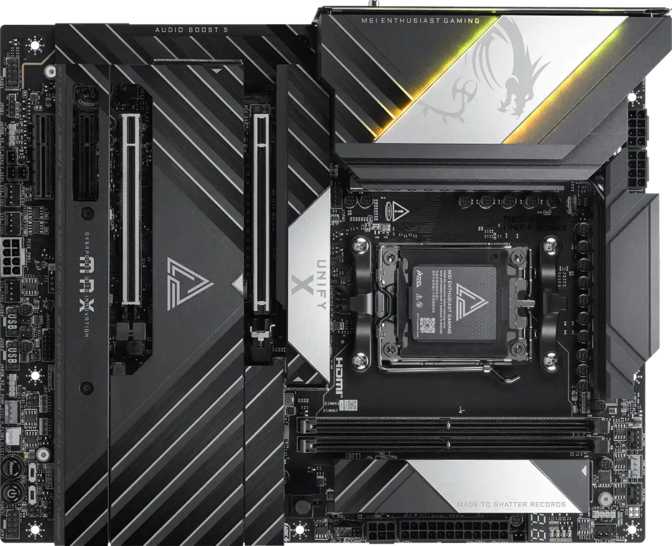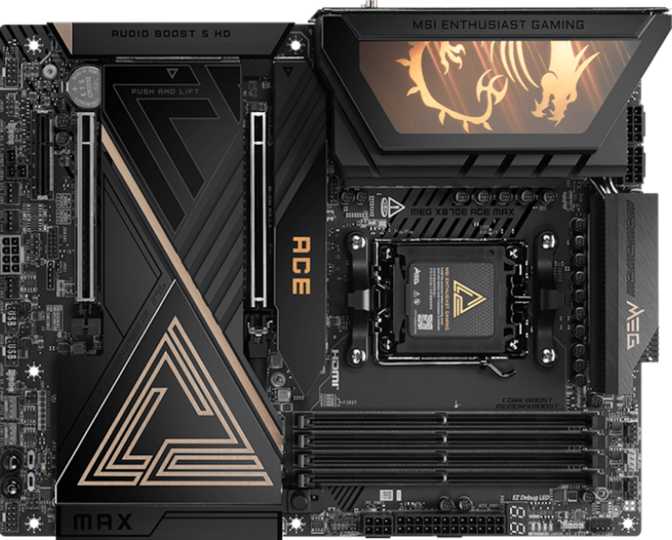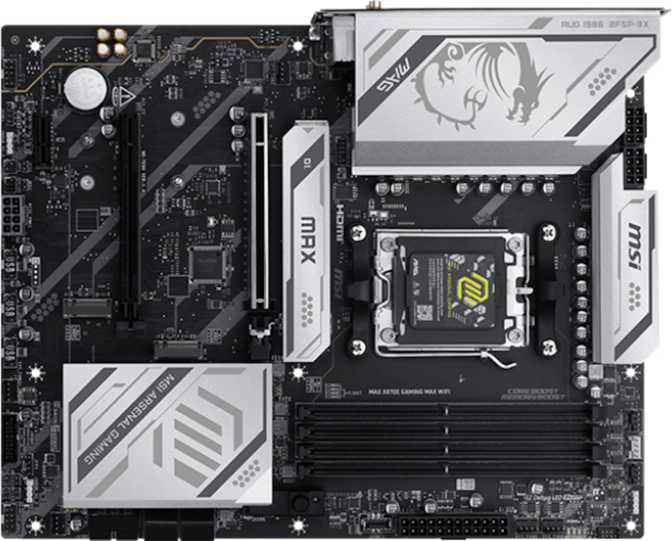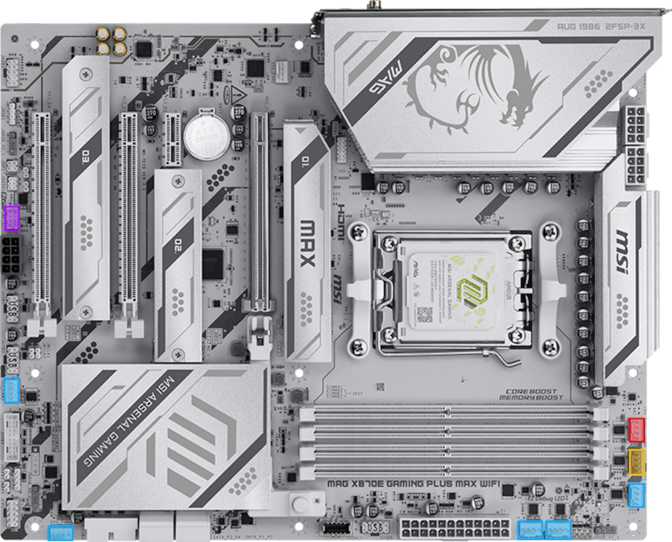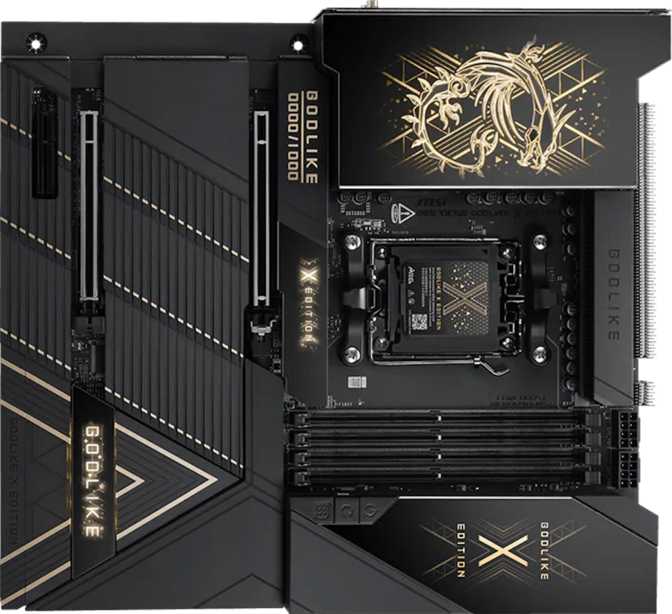
MSI MEG X870E Godlike X Edition: Full Review for Serious Builders
MotherboardsThere are motherboards built to do a job, and then there are motherboards built to define a category. The MSI MEG X870E Godlike X Edition belongs firmly in the second group. Built on AMD's flagship X870E chipset with an E-ATX footprint, this board is designed around a simple premise: no compromise, anywhere. That philosophy shows up in every corner of its specification sheet — from the connectivity stack to the memory ceiling to the audio subsystem — and it means this board will be deeply right for a specific type of builder and completely unnecessary for everyone else.
Understanding which camp you fall into before spending flagship money is exactly what this review is here for.
Flagship AM5 platform for power users, creative professionals, and enthusiast builders
At a Glance
Design and Build Quality
Form Factor and Physical Presence
The Godlike X Edition is an E-ATX board, measuring just over 304mm wide and 277mm tall. That's larger than a standard ATX board, and it's not a trivial difference — you need to verify your case supports E-ATX before purchasing, as many mid-tower enclosures cap out at standard ATX dimensions. If you're building at this price point, you're likely already considering a full-tower anyway, but confirming case compatibility before ordering is essential.
MSI's "Godlike" branding has always been the company's halo product line, and the X Edition designation implies a further step up within that lineup. The board carries addressable RGB lighting, which is expected at this tier — and unlike some implementations, MSI's lighting ecosystem allows deep per-zone customization rather than a single static effect. The physical layout reflects the kind of thoughtful engineering that comes from placing seven M.2 slots, dual network ports, a dense rear I/O panel, and multiple power stages onto a single board without the result feeling chaotic.
BIOS Accessibility
A dedicated clear CMOS mechanism means you can reset the BIOS without pulling the battery or short-circuiting pins — a genuine quality-of-life feature during overclocking sessions when an unstable memory profile has locked you out of POST. MSI's easy overclock support also means the board is set up for one-click memory and CPU tuning through the firmware, which lowers the barrier to entry for newcomers to overclocking.
The board does not include dual BIOS — an unusual omission at flagship pricing. A corrupted primary BIOS would require manual recovery rather than automatic failover. Enthusiasts who push settings aggressively should factor this into their risk tolerance.
Platform: AMD AM5 and the X870E Chipset
The AM5 socket means this board is built for AMD's current and future Ryzen processor generations. AMD has committed to AM5's longevity, which matters for long-term platform investment — a processor upgrade down the road doesn't require replacing the motherboard. The X870E chipset sits at the absolute top of AMD's chipset hierarchy, unlocking more PCIe lanes, more USB bandwidth from the chipset itself, and full support for overclocking across both memory and the CPU simultaneously.
X870E vs. Lower-Tier Chipsets: When It Actually Matters
For a buyer choosing between X870 and X870E, the honest answer is that most home users won't exhaust what a mid-tier X870 board offers. The X870E variant makes sense in three specific situations:
- You need all seven M.2 slots active simultaneously without bandwidth compromise
- You're running multiple high-bandwidth peripherals that compete for chipset lanes
- You're pushing memory to its absolute ceiling in a professional or competitive overclocking context
Memory: Speed Headroom That Goes Far Beyond Normal
DDR5 Architecture and Capacity Ceiling
The board runs DDR5 exclusively — DDR4 is not compatible. Four DIMM slots run in dual-channel mode, which is the standard configuration for consumer platforms. The practical capacity ceiling is 256GB using 64GB modules in each slot, a figure that belongs in workstation territory. For gaming or creative work, 32GB or 64GB total will cover nearly every real-world use case for years.
Memory Speed and Overclocking
Native certified speeds reflect AMD's JEDEC baseline for the AM5 platform. That number alone is unremarkable — what's significant is the overclocked ceiling at 9200MHz, which is among the highest officially supported memory overclocking figures on any consumer motherboard. Reaching those speeds requires matched high-binned DDR5 kits, careful tuning of secondary and tertiary timings, and often some CPU silicon lottery luck — but the board's architecture doesn't become the limiting factor.
Among the highest officially supported overclocking ceilings on any AM5 consumer motherboard. The board doesn't become your bottleneck — your kit and CPU silicon do.
Workstation-class ceiling using four 64GB DDR5 modules. For most gaming and creative builds, 32–64GB total is the practical sweet spot.
ECC memory is not supported. This makes the Godlike X Edition a consumer platform product rather than a workstation replacement. If ECC is a hard requirement for data integrity work or compute nodes, AMD's EPYC or Threadripper platforms are the correct path.
Storage: Seven M.2 Slots and Full RAID Flexibility
M.2 Configuration
Seven M.2 sockets is a count that stands out even among flagship boards. These slots allow simultaneous installation of multiple NVMe SSDs — useful for high-speed scratch drives in video editing, redundant storage configurations, or simply future-proofing a system that will accumulate drives over time. Alongside the M.2 slots, four SATA 3 connectors remain available for traditional 2.5" SSDs or HDDs.
RAID Support
The board supports RAID 0, 1, 5, and 10. RAID 5 support in particular is notable for a consumer motherboard — it offers the best balance of storage efficiency and fault tolerance, requiring three drives to protect against single-drive failure while preserving usable capacity. RAID 10 is available for those who want both redundancy and maximum read performance. These are features that typically live on dedicated NAS devices or server boards; having them native on a desktop platform gives a creative professional meaningful data protection without adding hardware.
Expansion Slots
The primary PCIe slot runs at PCIe 5.0 x16 — the latest and fastest interface standard for discrete graphics cards. Current-generation GPUs don't saturate PCIe 5.0 bandwidth yet, but this ensures the board won't throttle future GPU generations. A secondary x8 slot and an x4 slot round out the PCIe layout, enabling multi-device configurations like a PCIe capture card alongside the GPU, or a PCIe networking card for specialized applications.
Connectivity: The Rear I/O Panel Is Exceptional
USB Ports Explained
The rear I/O is where the Godlike X Edition separates itself most visibly from mid-range competition. The table below breaks down each connection standard and what it actually means for daily use.
| Port Type | Count | Speed | Best Used For |
|---|---|---|---|
| USB 3.2 Gen 2 (Type-A) | 8 | 10 Gbps | External SSDs, high-speed hubs, USB capture devices |
| USB 3.2 Gen 2 (Type-C) | 5 | 10 Gbps | Modern peripherals, monitors, laptop-style docks |
| USB 4 (40 Gbps) | 2 | 40 Gbps | External GPU enclosures, ultra-fast NVMe storage arrays |
| Thunderbolt 4 | 2 | 40 Gbps | TB4 docks, ProRes capture devices, Apple-ecosystem peripherals |
Networking
Two RJ45 ethernet ports, each delivering 2.5Gbps throughput, are standard on this board. Dual 2.5GbE is genuinely useful: one port handles the primary network connection while the second connects to a NAS, a second router segment, or a dedicated gaming network — without any additional PCIe card. At five times the speed of gigabit ethernet, 2.5Gbps handles 4K NAS streaming, large file transfers, and low-latency gaming without saturation.
Wireless Connectivity
The integrated wireless solution supports every major Wi-Fi generation up to and including Wi-Fi 7. Wi-Fi 7 brings multi-link operation — the ability to transmit simultaneously across the 2.4GHz, 5GHz, and 6GHz bands — for reduced latency and more consistent speeds in congested environments. Paired with Bluetooth 5.4, the board handles modern wireless peripherals, audio devices, and controllers without any add-in card.
Audio
The onboard audio solution delivers a 130dB signal-to-noise ratio — a figure that represents exceptional output clarity in the consumer audio segment. Most mid-range motherboards land in the 100–115dB range; 130dB means an audibly lower noise floor, which matters for studio monitor connections, audiophile headphone listening, and any workflow where background hiss is a problem.
The implementation supports 7.1 surround channel output, includes an S/PDIF optical output for connecting external DACs or AV receivers, and offers two audio jacks on the rear panel.
This is not a replacement for a dedicated external audio interface if you're recording at a professional level. But for playback, gaming audio, and headphone listening, it outperforms what most users encounter on any other consumer board.
Internal Expansion Headers
Beyond what's available on the rear panel, the board offers front-panel connectivity expansion through internal headers. Four USB 3.2 Gen 1 ports and four USB 2.0 ports can be routed to the case's front I/O, along with a dedicated USB-C Gen 2 header and a Gen 2x2 header for front-panel Type-C ports — giving modern cases full high-speed front-panel connectivity.
Three fan headers are present — a relatively low count for an E-ATX board at this tier. Builders with extensive cooling setups, including multiple radiator fans and case fans, will likely need a dedicated fan hub or fan controller to manage their cooling properly.
Who This Board Is For — And Who It Isn't
Makes Sense If You Are:
- A professional creative — video editor, 3D artist, or music producer — who runs multiple NVMe drives, needs maximum memory bandwidth, and wants onboard Thunderbolt 4 without an add-in card
- An enthusiast builder targeting the absolute upper limits of AMD AM5 performance, including competitive memory and CPU overclocking
- A power user with a dense connectivity footprint — multiple USB-C displays, external storage arrays, studio audio, and wireless peripherals all running simultaneously
- A builder who wants their current high-end platform to remain relevant and expandable for the next several years
Does Not Make Sense If You Are:
- A gamer who primarily runs a single GPU and a few drives — a mid-range X870 or B850 board covers that use case at a fraction of the cost with identical gaming performance
- Someone who doesn't need or want E-ATX dimensions — this board will not fit in many popular mid-tower cases
- A buyer who values dual BIOS recovery — the Godlike X Edition omits this feature, which is a meaningful absence at flagship pricing
- A workstation user with an ECC memory requirement — this is a consumer platform and ECC support is not present
Competitive Positioning
How the Godlike X Edition stacks up against logical alternatives in the flagship X870E segment.
| Feature | MSI MEG X870E Godlike X | ASUS ROG Crosshair X870E Hero | Gigabyte X870E Aorus Master |
|---|---|---|---|
| Chipset | X870E | X870E | X870E |
| M.2 Slots | 7 | 5 | 6 |
| Thunderbolt 4 | 2 ports | ||
| USB 4 (40 Gbps) | 2 ports | 1 port | 1 port |
| Rear USB-A Gen 2 | 8 | 6 | 4 |
| Dual LAN | 2.5GbE × 2 | 5GbE + 2.5GbE | 5GbE + 2.5GbE |
| Dual BIOS | |||
| Audio SNR | 130 dB | 113 dB | 120 dB |
| Form Factor | E-ATX | ATX | ATX |
The Godlike X Edition leads on M.2 count, Thunderbolt 4 availability, rear USB density, and audio quality. Competitors at this tier typically offer dual BIOS and ATX form factors that fit more cases. The ROG and Aorus alternatives also offer dual networking with a 5GbE port; for most home users, dual 2.5GbE is slightly more flexible, while 5GbE is faster on a single link to a compatible switch.
Honest Strengths and Weaknesses
Strengths
-
Seven M.2 slotsA real differentiator — it enables storage configurations that simply aren't possible on other consumer boards, not a number padded for marketing.
-
Native Thunderbolt 4 on AMDRare and genuinely valuable for anyone coming from a professional Apple or Intel-based workflow who needs full TB4 peripheral compatibility.
-
130dB audio stageAudibly superior to anything in the sub-flagship segment — relevant for audiophile headphones, studio monitors, and critical listening.
-
Wi-Fi 7 and dual 2.5GbEThe highest tier wireless paired with two independent high-speed wired connections — all without add-in cards taking up PCIe slots.
-
Near-9200MHz memory OC ceilingThe board doesn't become your bottleneck for competitive memory overclocking — the limits are your kit's quality and CPU silicon, not the platform.
Weaknesses
-
No dual BIOSEvery serious enthusiast who has bricked a board during an aggressive OC session understands why automatic backup BIOS matters. The omission is puzzling at this price point.
-
Only three fan headersTight for a full E-ATX build with liquid cooling. Budget for a fan hub or standalone controller to manage an extensive cooling setup properly.
-
E-ATX case requirementNarrows your case options considerably. Many popular and well-reviewed mid-tower enclosures simply will not accommodate this board.
-
Premium pricing for potentially idle featuresIf you're not using the Thunderbolt 4 ports, the extra M.2 slots above four, or memory OC headroom beyond 6000MHz, you're paying a flagship premium for capabilities that never get used.
Common Buyer Questions Answered
Final Verdict
The MSI MEG X870E Godlike X Edition is the right choice only when you actually need what it offers — but when you do need it, nothing else on the AM5 platform covers all of it in a single board. The combination of seven M.2 slots, native Thunderbolt 4, a 130dB audio stage, Wi-Fi 7, dual 2.5GbE, and a memory overclocking ceiling approaching 9200MHz makes this board a legitimate professional tool, not a status purchase.
If you're building a creative workstation, a competitive overclocking rig, or a densely connected content production system on AMD's current platform, this board eliminates every connectivity bottleneck and future-proofs aggressively. The three-year warranty supports that long-term investment.
If you're building primarily for gaming with a single GPU and moderate storage needs, this is the wrong board — not because it won't work, but because you'll spend flagship money on capabilities that sit permanently unused. A well-specced mid-tier X870 board delivers identical gaming performance at significantly less cost.
A flagship AM5 motherboard that earns its position at the top of the stack, provided you'll genuinely use what it offers.