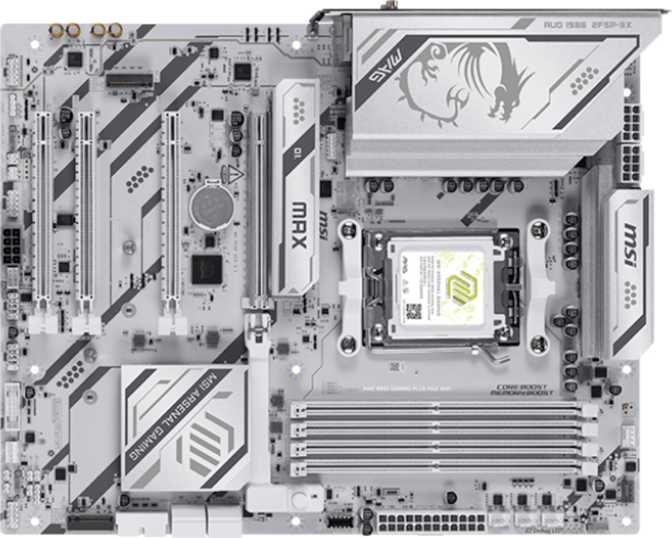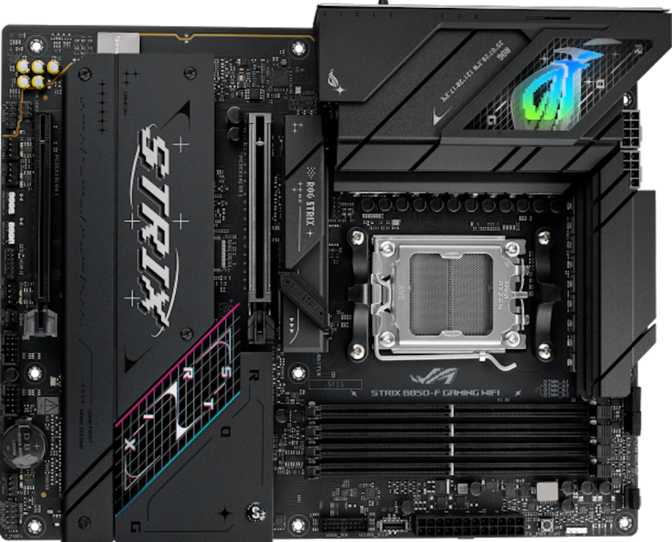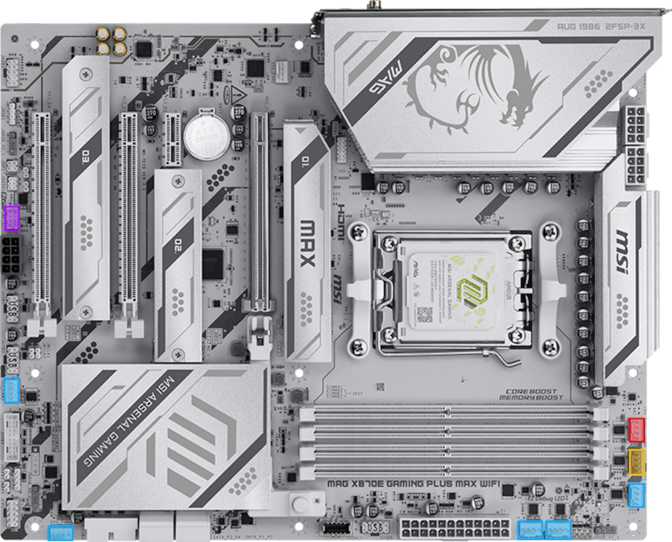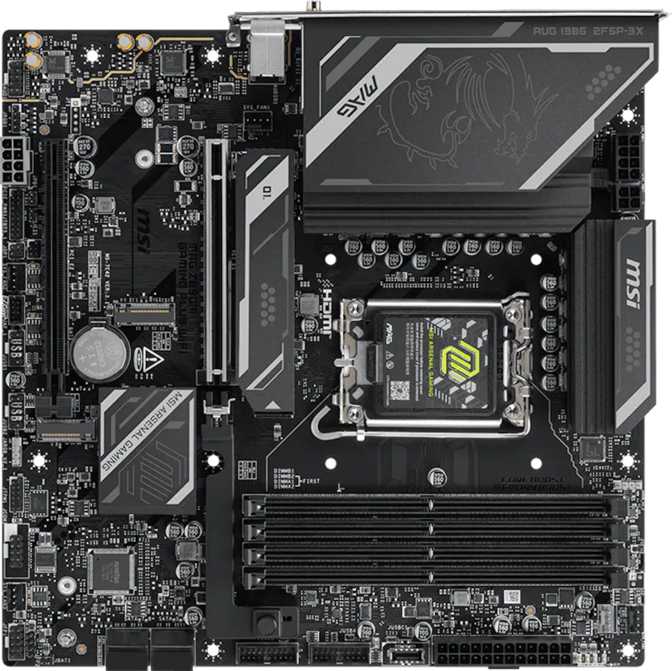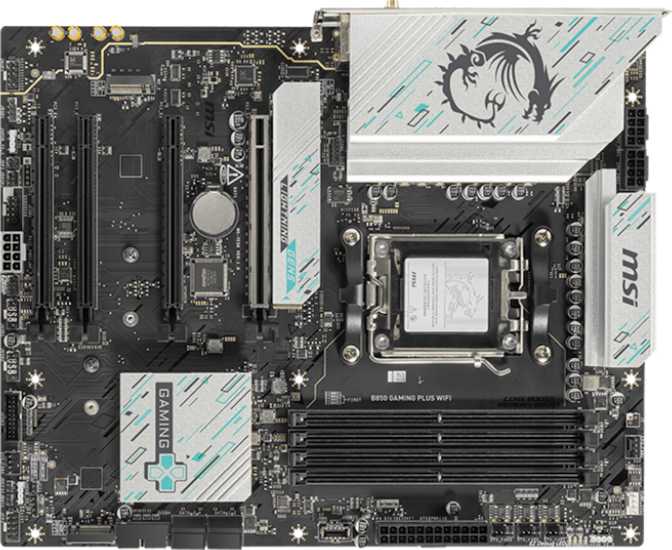
Setting the Scene: A Motherboard Built Around AMD's Current Platform
Choosing a motherboard is one of those decisions that quietly shapes everything else in your build — your CPU options, your memory ceiling, how many drives you can run, and whether you'll be fighting your hardware or working with it five years from now. The MSI B850 Gaming Plus WiFi sits squarely in the mid-range of AMD's current AM5 ecosystem, and it's aimed at a very specific kind of buyer: someone who wants a modern, future-ready foundation without paying premium-tier prices for features they'll never touch. Whether that description fits you is exactly what this review is here to settle.
Design, Build Quality, and First Impressions
Size, Layout, and Case Compatibility
This board uses the full ATX form factor, measuring roughly 244mm tall by 305mm wide — the same footprint as the vast majority of mid-tower and full-tower cases on the market. If you've bought an ATX case in the last decade, this board will bolt in without surprises. There's no oddball mounting pattern to research, no cutout to double-check. That predictability matters more than it sounds; plenty of buyers have been burned by motherboards that technically fit a case spec sheet but practically fight for cable routing space.
Reliability Features You Don't Notice Until You Need Them
MSI has built in a handful of protections that experienced builders will recognize as genuinely useful rather than marketing fluff:
Dual BIOS
The board carries two BIOS chips instead of one, so a failed firmware update or a power interruption mid-flash doesn't brick the motherboard. Given how often AM5 boards need BIOS updates to support newly released processors, this redundancy is a real safety net, not a checkbox feature.
Clear CMOS Button
A dedicated physical button resets BIOS settings instantly. If an overclock goes wrong and the system won't boot, you press a button instead of opening the case and pulling the battery.
One-Click Overclocking
Built-in overclocking presets, accessible through the BIOS or MSI's companion software, take the guesswork out of tuning voltages and multipliers for people who want more performance without learning the deep end of BIOS tuning.
Aesthetics
The board includes onboard RGB lighting, giving it visual presence inside a windowed case without requiring you to buy lighting separately. It's not the centerpiece feature here, but for a build where appearance matters alongside performance, it's a welcome inclusion rather than an afterthought.
The Platform Underneath: AM5 and the B850 Chipset
This is the part of the spec sheet that actually determines your long-term satisfaction, so it deserves a plain-language explanation.
The board uses AMD's AM5 socket, which is the current processor socket for Ryzen desktop chips. AMD has committed to keeping AM5 alive across multiple processor generations, which means a board you buy today has a realistic shot at accepting a CPU upgrade two or three years from now without a full platform swap — something AM4 owners benefited from for years and is a major reason to lean toward AM5 over an older platform.
Sitting on top of that socket is the B850 chipset, which functions as the board's traffic controller — managing how data flows between your CPU, memory, storage, and expansion slots. B850 sits in the upper-middle of AMD's current chipset lineup: above the budget-focused A-series boards, but below the flagship X870/X870E tier that's aimed at extreme overclockers and multi-GPU setups. In practical terms, that positioning means you get PCIe 5.0 support, solid overclocking headroom, and a sensible feature set — without paying for redundant high-end connectivity most builders never use.
This board only has a single CPU socket, which is standard for every consumer desktop motherboard — multi-socket boards are a server-class feature you won't find, or need, here. There's also no integrated graphics chip or CPU soldered onto the board itself; this is a standard motherboard that depends on the processor you install. If you pair it with a Ryzen chip that includes integrated graphics, you'll get video output through this board's DisplayPort without needing a graphics card. If you choose a CPU without integrated graphics, you'll need a discrete GPU for any video signal at all.
MSI backs this board with a three-year warranty, which is on the longer end for the motherboard category and signals a reasonable level of confidence in long-term component reliability.
Memory Performance: What You Actually Get
The board runs DDR5 memory exclusively across four DIMM slots, arranged in a dual-channel configuration — meaning you get full bandwidth when you install memory in matched pairs, which is how virtually every system is built today.
Capacity tops out at 256GB total, which is enormous headroom for a consumer board. Realistically, most gamers and everyday users will never approach that ceiling — 32GB to 64GB covers the overwhelming majority of use cases comfortably. Where the 256GB number actually matters is for content creators running memory-hungry applications, virtual machines, or heavy multitasking workflows where RAM becomes the bottleneck before the CPU does.
On speed, the board officially supports up to 5600 MHz at standard specifications, with overclocking headroom reaching 8200 MHz when paired with compatible high-speed memory kits and AMD's memory overclocking profiles. That gap between baseline and overclocked speed is significant — it tells you this board isn't just tolerating fast memory, it's built to take advantage of it.
Memory Speed Headroom
For gaming specifically, faster memory speeds on AM5 platforms translate into measurably better frame rates and more consistent frame pacing, since the Ryzen architecture's internal interconnect is sensitive to memory bandwidth.
Wireless and Wired Connectivity
Wi-Fi and Bluetooth
The "WiFi" in the product name isn't a token feature here — this board supports the full range of wireless standards up through Wi-Fi 7, while remaining backward compatible with Wi-Fi 6E, Wi-Fi 6, Wi-Fi 5, and even older Wi-Fi 4 networks. In practice, this means the board will perform at its best on a modern router but will still connect reliably to an older home network without compatibility headaches. Wi-Fi 7 itself brings meaningfully lower latency and higher throughput ceilings than previous generations, which matters most if you're streaming large files, gaming online with a wireless connection, or living in a household where the network gets heavy simultaneous use.
Bluetooth is handled by version 5.4, the current standard at the time of this board's design. It delivers more stable connections and lower power draw for peripherals like wireless keyboards, mice, and headsets compared to older Bluetooth revisions.
Wired Networking
A built-in RJ45 Ethernet port provides the wired connection most gamers and professionals will still prefer over Wi-Fi when minimizing latency matters — wired connections remain more consistent for competitive gaming and large file transfers regardless of how good wireless standards get.
Rear I/O: What's on the Back Panel
| Connection Type | Quantity | What It's Good For |
|---|---|---|
| USB 3.2 Gen 2 (Type-A) | 1 | High-speed external drives, fast file transfers |
| USB 3.2 Gen 1 (Type-A) | 1 | General peripherals, flash drives |
| USB 3.2 Gen 2 (Type-C) | 2 | Modern peripherals, fast external storage, phone charging |
| USB 2.0 | 4 | Keyboards, mice, low-bandwidth peripherals |
| DisplayPort | 1 | Video output (with a CPU that has integrated graphics) |
| RJ45 LAN | 1 | Wired internet connection |
Eight USB ports on the rear panel is a comfortable, practical number for a real-world desk setup — keyboard, mouse, webcam, headset, external drive, and a couple of spares without resorting to a USB hub.
Storage and Internal Expansion
M.2 and SATA
The board provides three M.2 sockets for NVMe solid-state drives — enough to run a fast boot drive, a secondary game library drive, and a dedicated storage drive without needing add-in cards. Alongside that, four SATA III connectors support traditional 2.5-inch SSDs and 3.5-inch hard drives, which remain the most cost-effective way to add bulk storage for game libraries, media, or backups.
For users who want drives working together rather than independently, the board supports the following RAID configurations:
RAID 0 — Supported
Stripes data across two drives for a meaningful speed boost, at the cost of having no redundancy — if one drive fails, you lose everything on the array.
RAID 1 — Supported
Mirrors data across two drives, sacrificing some usable capacity in exchange for real protection against a single drive failure.
Front Panel and Internal Headers
Beyond the rear panel, the board offers internal headers supporting up to four additional USB 3.2 ports and up to four additional USB 2.0 ports through your case's front panel connectors or USB expansion brackets — useful if your case has front-mounted USB ports you want active, or if you're adding a USB hub inside the case for VR headsets or other accessory-heavy setups.
Six fan headers round out the cooling story, giving you enough connections to run intake fans, exhaust fans, an AIO liquid cooler pump and radiator fan, and a couple of spares — without needing a separate fan controller for a typical mid-tower build.
A built-in TPM connector allows you to add a discrete Trusted Platform Module if your security needs call for one, supporting features like hardware-based encryption and meeting the TPM 2.0 requirement that Windows 11 enforces. Most AM5 platforms also include firmware-based TPM functionality built into the chipset, so this header is primarily for users with specific dedicated-module requirements.
Graphics Card and Expansion Slot Layout
The board includes two full-length PCIe x16 slots. The primary slot — where your graphics card belongs — runs at PCIe 5.0 speeds, giving it headroom for next-generation GPUs that will eventually saturate PCIe 4.0 bandwidth. Today's graphics cards don't fully need that bandwidth yet, so think of this as future-proofing rather than a feature you'll max out on day one.
The secondary x16-length slot runs at PCIe 4.0, and is typically routed through the chipset rather than directly to the CPU — well suited for a capture card, a sound card, or a secondary GPU used for compute tasks rather than primary gaming duty.
Two additional PCIe x1 slots provide further expansion for smaller add-in cards like Wi-Fi adapters, capture devices, or specialty I/O cards, without consuming a full-length slot.
Audio Quality
The board outputs 7.1-channel surround sound through its analog audio jacks, covering full home-theater-style speaker setups as well as standard stereo headsets and speakers without any compromise. A S/PDIF digital output is also included, letting you connect directly to an AV receiver or soundbar that accepts optical digital audio — useful if your audio setup lives outside the analog jack ecosystem entirely.
Both rear-panel and front-panel audio connectivity are supported, so the headphone and microphone jacks on the front of your case will work exactly as expected.
Who This Board Is For (and Who It Isn't)
- Building a new AM5 system and want a chipset tier that supports overclocking and PCIe 5.0 without paying flagship prices
- Someone who wants Wi-Fi 7 built in rather than adding a separate wireless card later
- Running multiple NVMe drives and want three M.2 sockets without expansion cards
- Setting up a multi-fan cooling configuration, given the six available fan headers
- Comfortable using DisplayPort as your primary video connection, or running a discrete GPU regardless
- Need HDMI output specifically and don't want to use an adapter
- Require ECC memory support for workstation-grade data integrity
- Want RAID 5 or RAID 10 for a NAS-style storage setup with both speed and redundancy
- Need aptX Bluetooth audio support for high-fidelity wireless headphones
How It Compares Within AMD's AM5 Lineup
AMD's chipset structure for AM5 boards generally splits into three tiers, and understanding where B850 sits helps frame this board's value honestly.
| Chipset Tier | General Positioning | Where B850 Fits |
|---|---|---|
| Entry-Level (A-Series) | Budget builds, limited overclocking, fewer PCIe lanes | B850 sits above this tier with PCIe 5.0 and full overclocking support |
| Mid-Range (B-Series)This Board | Balanced feature set, strong value, PCIe 5.0 support | This is where the B850 Gaming Plus WiFi lives |
| Flagship (X-Series) | Maximum PCIe lanes, multi-GPU support, extreme overclocking headroom | Reserved for enthusiasts who need every available lane and connector |
The practical takeaway: B850 gives you the performance-relevant features — PCIe 5.0, fast memory overclocking, solid reliability features like dual BIOS — without the premium pricing of the flagship tier, whose extra lanes and connectors go unused by the vast majority of builders. If your build includes one GPU, a couple of NVMe drives, and a reasonable peripheral count, you are the buyer this chipset tier was designed around.
Strengths and Weaknesses: The Honest Take
What Stands Out
The clearest strength here is how current the connectivity feels. Wi-Fi 7 support, Bluetooth 5.4, PCIe 5.0, and DDR5 memory with genuine overclocking headroom up to 8200 MHz are not token upgrades — they're the actual technologies that will matter over this board's working life, not just on launch day. Pairing that with three M.2 slots and six fan headers means the board accommodates a serious, well-cooled, storage-rich build without forcing compromises.
The reliability features also deserve credit beyond marketing language. Dual BIOS and a physical Clear CMOS button are the kind of inclusions that experienced builders specifically look for, because they directly reduce the chance of a bad BIOS update or failed overclock turning into a dead system.
Where It Falls Short
The honest weaknesses are narrow but real. The absence of an HDMI port is the most likely to catch buyers off guard, particularly anyone planning to run a CPU's integrated graphics into an HDMI-only display. The lack of ECC memory support and RAID 5/10 options will only matter to a narrow slice of workstation-minded buyers, but for that slice, it's a hard limitation rather than a minor inconvenience.
The missing aptX Bluetooth codec is a small but noticeable omission for anyone who already owns aptX headphones and expects to use them at full quality.
None of these weaknesses are deal-breakers for the board's intended audience — a mainstream gaming and productivity build — but they're worth knowing before you commit, rather than discovering them after the build is finished.
Frequently Asked Questions
Final Verdict
The MSI B850 Gaming Plus WiFi earns its place as a genuinely sensible mid-range pick for anyone building a new AM5 system. It gets the technologies that actually affect day-to-day performance and longevity right — DDR5 with real overclocking headroom, PCIe 5.0 for your graphics card, Wi-Fi 7 wireless, and the kind of BIOS-recovery safety nets that prevent a bad firmware flash from becoming an expensive paperweight. Storage flexibility is strong with three M.2 slots and four SATA ports, and six fan headers mean your cooling plans won't be the bottleneck.
The trade-offs are narrow and predictable rather than surprising: no HDMI output, no ECC memory, no RAID 5 or RAID 10, and no aptX Bluetooth. If none of those four limitations apply to your specific use case — and for the large majority of gamers and everyday builders, they won't — this board delivers a current, well-rounded AM5 foundation without the price premium of the flagship chipset tier. Recommended for builders who want a modern, reliable mid-range AM5 motherboard, and worth a second look only if you specifically need HDMI output, ECC memory, or advanced RAID configurations elsewhere in your shortlist.