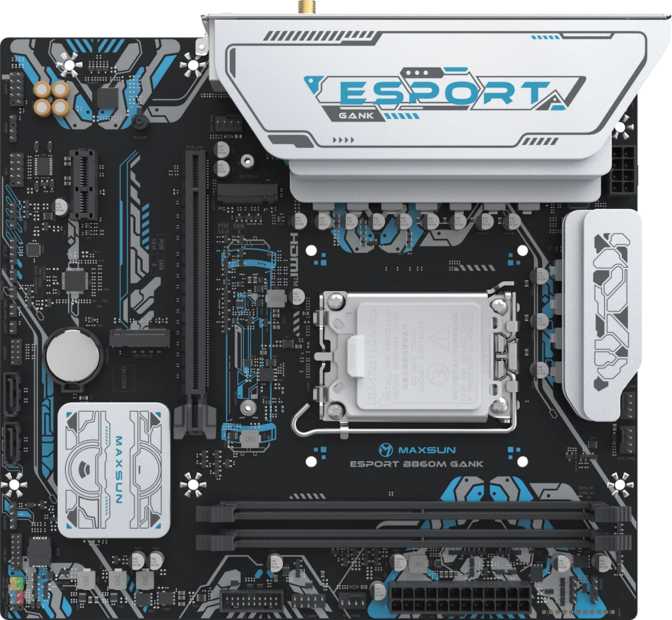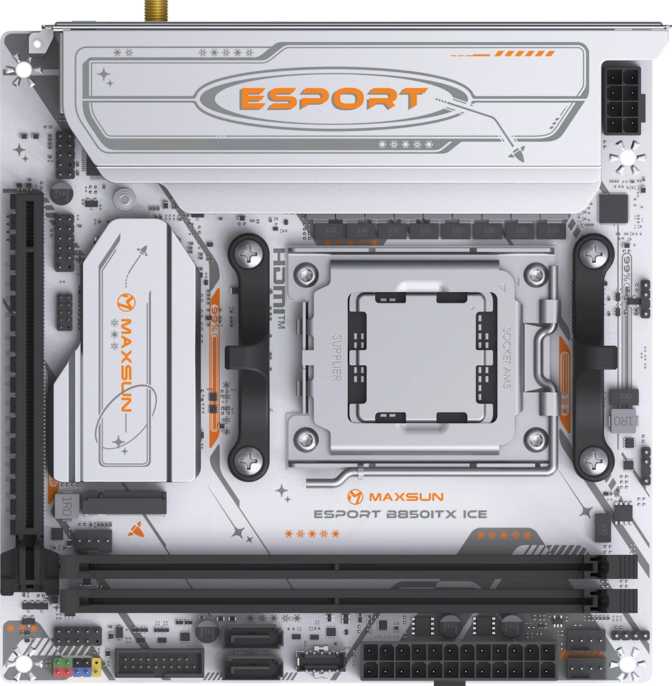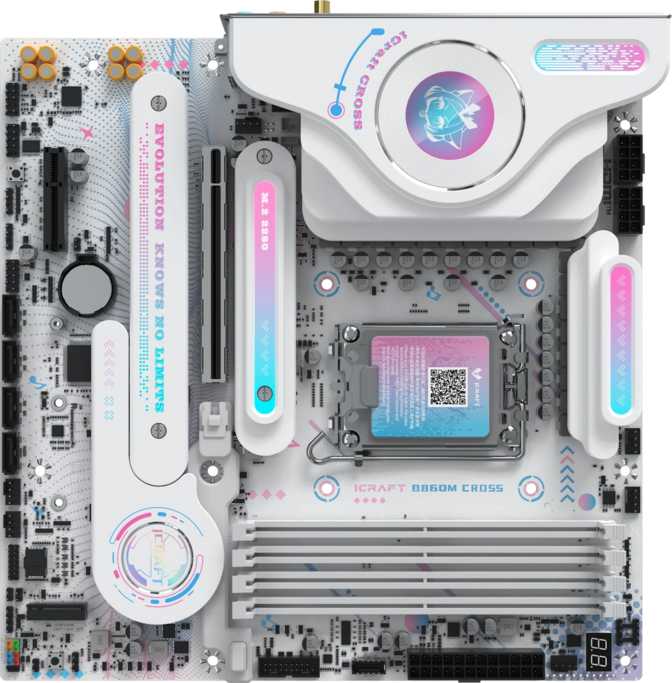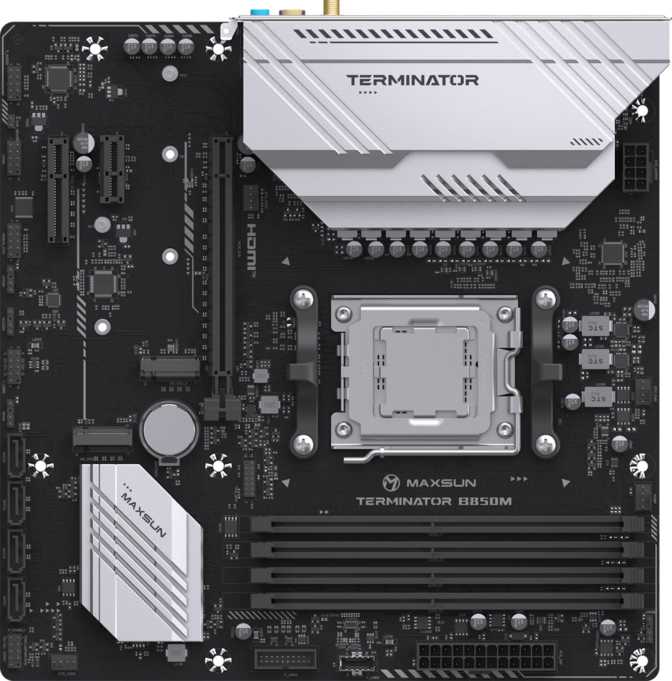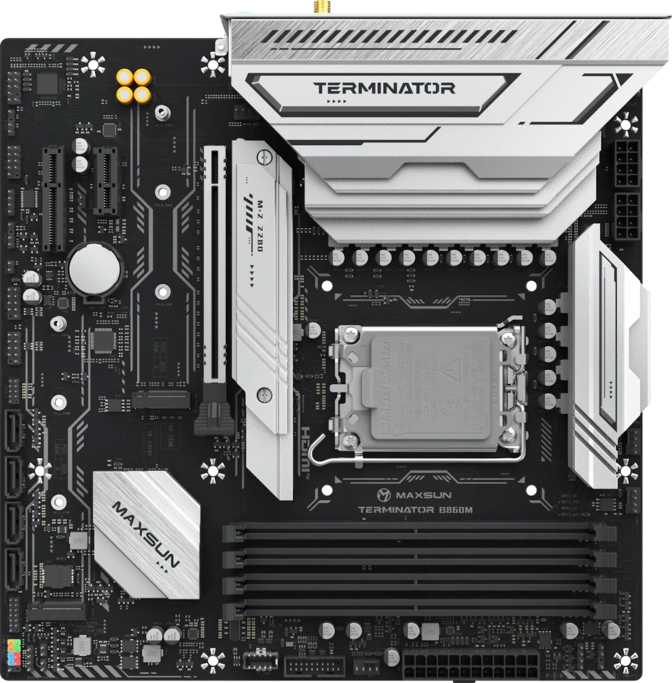
Maxsun eSport B860M Sniper WiFi Review: Thunderbolt 4 on a Budget
MotherboardsChipset
Intel B860
Form Factor
Micro-ATX
Max Memory
96 GB DDR5
Wireless
Wi-Fi 6 + BT 5.2
GPU Slot
PCIe 5.0 x16
Safety
Dual BIOS
The budget-to-mid-range motherboard market is crowded and predictable. Most boards at this price level deliver acceptable specs, forgettable connectivity, and just enough to stay competitive on a bullet-point list. The Maxsun eSport B860M Sniper WiFi takes a different approach — pairing a compact Micro-ATX chassis with connectivity features typically reserved for premium boards, including Thunderbolt 4 support and Wi-Fi 6, while staying anchored to a B860 chipset price point.
Maxsun carries less name recognition in Western markets than ASUS, MSI, or Gigabyte, but that obscurity does not reflect hardware quality — it reflects marketing spend. For builders willing to look past the badge, what matters is the specification-to-cost equation, and this board argues that equation persuasively.
Physical Profile: Compact by Choice, Not Compromise
At 245 mm × 225 mm, the B860M Sniper WiFi follows the Micro-ATX standard — a form factor that fits comfortably in mid-tower and compact cases alike, while still leaving room for proper expansion and airflow. This is not a Mini-ITX board squeezed for space; it is a deliberate balance between portability and practicality.
The "eSport" and "Sniper" branding signals the aesthetic direction clearly. Built-in RGB lighting integrates with synchronized setups common in gaming builds, and the visual design leans toward the dark, angular language of gaming hardware. For builders who value that aesthetic, the board participates cleanly. For those who do not, the performance underneath is unchanged.
The mATX form factor is a genuine practical advantage over full ATX for smaller spaces, without the connectivity compromises that Mini-ITX typically demands. Most mid-tower cases support it, as do the majority of compact gaming enclosures.
- Form FactorMicro-ATX
- Dimensions245 × 225 mm
- RGB LightingYes
- Dual BIOSYes
- Clear CMOSYes
- Warranty3 Years
The Platform Foundation: Intel B860 and LGA 1851
The LGA 1851 socket is Intel's current desktop platform, designed for Core Ultra 200-series processors built around a hybrid architecture of performance and efficiency cores. This socket is exclusive to that processor generation — older Intel CPUs are physically incompatible — making this board the correct pairing for a current-generation Intel build at a non-flagship price.
What the B860 Chipset Means in Practice
B860 sits in the middle of Intel's current chipset lineup — below the enthusiast-grade Z890 that enables full CPU frequency overclocking, but well above entry-level options that trim connectivity to reach the lowest price. For builders buying a standard Intel processor without an unlocked K suffix, B860 provides everything that matters and charges nothing for capabilities you cannot use.
CPU multiplier overclocking is a Z890-exclusive feature and is unavailable on this platform regardless of which processor is installed. What B860 fully supports is memory performance tuning through Intel's XMP profiles — a single BIOS toggle that unlocks the rated speed of your DDR5 kit. This board takes that capability further than most B860M competitors.
Intel Desktop Chipset Hierarchy
- H610Entry — limited I/O, no XMP support
- H770Mid-entry — more I/O, limited tuning
- B860This board — full XMP, premium I/O
- Z890Enthusiast — CPU OC, higher cost
B860 is the optimal tier for standard (non-K) Intel processors. Z890 is only worth the premium if you plan to push clock speeds on an unlocked chip.
Memory Performance: DDR5 With Serious Headroom
Two DDR5 DIMM slots support dual-channel operation — pairing two matched sticks allows them to work in parallel for improved memory bandwidth. Maximum capacity reaches 96 GB, well beyond any gaming workload. The more compelling figure is the memory speed ceiling, which separates this board from most of its direct competitors at the same price tier.
DIMM Slots
2
DDR5 Dual-Channel
Max Capacity
96 GB
DDR5 Maximum
XMP Native
6400
MHz
XMP Ceiling
8600
MHz Extended
Memory Speed in Context
DDR5 JEDEC Baseline — 4800 MHz
Standard XMP Support — This Board — 6400 MHz
Typical B860M Competitor Ceiling — Up to 7600 MHz
Extended XMP Ceiling — This Board — 8600 MHz
Activating XMP is a single toggle in the BIOS — no manual timing adjustments are required to reach the kit's rated speed.
Connectivity That Earns Attention
This is where the B860M Sniper WiFi most clearly departs from category convention. Several features on this board typically appear at significantly higher price points, and their inclusion here reframes what mid-range connectivity actually means.
Video Outputs
Most Intel Core Ultra 200-series desktop processors include integrated graphics, which allows the rear panel video outputs to drive a display directly — useful for initial setup, troubleshooting, or builds without a discrete GPU. The board provides both HDMI and DisplayPort outputs. The HDMI supports version 2.0, capable of driving 4K at 60 Hz or 1440p at 144 Hz. For systems with a dedicated graphics card, these ports serve as a capable fallback.
USB: Fewer Ports, Dramatically Higher Ceiling
Thunderbolt 4
One rear USB-C port certified to the Thunderbolt 4 standard delivers 40 Gbps bandwidth — enough to drive dual 4K displays from a single cable, connect high-speed NVMe storage enclosures, power external GPU setups, or feed a full docking station with power, display, and data simultaneously. Thunderbolt 4 on a B860M board at this price point is a rare and genuine differentiator.
USB4 40 Gbps
A second high-bandwidth USB-C connection at 40 Gbps in the USB4 standard. Standard USB-C accessories plug in and work at their native speeds; the full 40 Gbps bandwidth is available for compatible hardware. Having both this and a Thunderbolt 4 port on a mid-range board is uncommon and reflects deliberate prioritization of connection quality over raw port count.
4× USB 2.0 Type-A
Four Type-A ports handle everyday peripherals — keyboards, mice, headsets, and USB drives. The older standard's bandwidth limit does not affect input devices or occasional file transfers. For frequent large file transfers from USB storage, the USB-C ports are the better path. Plan around the limited count if several mid-speed USB-A accessories are part of your setup.
Gigabit Ethernet
One RJ45 port provides wired network connectivity at 1 Gbps — the standard for stable, low-latency gaming and media streaming on most home networks. Builders with multi-gigabit home infrastructure will hit this ceiling, but for the majority of real-world setups it remains the practical standard at this price tier.
Wireless: Wi-Fi 6 and Bluetooth 5.2
Wi-Fi 6 (802.11ax)
Higher throughput and improved performance in dense wireless environments compared to Wi-Fi 5. Wi-Fi 6's lower latency characteristics are relevant beyond raw download speed for online gaming, and the standard remains backward-compatible with older routers. Eliminating the need for a separate PCIe network card preserves the single x16 slot for a GPU in this mATX build.
Bluetooth 5.2
Improved audio quality for wireless headsets, more stable multi-device connections, and lower power consumption compared to earlier Bluetooth versions. Supports controllers, peripherals, and audio devices simultaneously. In a compact mATX build with limited expansion space, integrated Bluetooth 5.2 removes one more hardware decision from the equation.
Storage Options: Practical and Well-Considered
The storage configuration covers the needs of most modern builds without overbuilding. Two M.2 slots and three SATA connections provide a practical hierarchy from fast primary drives to supplementary bulk storage.
Two M.2 slots accommodate fast NVMe solid-state drives — the standard for primary storage in modern builds. Two slots provide room for a high-speed main drive alongside a large secondary drive, covering typical storage configurations without requiring traditional spinning hard drives.
Covers primary and secondary NVMe setups adequately.
Three SATA connections support 2.5-inch SSDs or 3.5-inch hard drives for supplementary bulk storage. Builders migrating an older drive from a previous system or adding budget-friendly archive storage will find three ports sufficient without excess.
Adequate for most secondary storage requirements.
RAID configuration — automatic drive mirroring or combined striping for redundancy or speed — is not supported on this board. For gaming and general desktop use this rarely matters. Professionals who require local storage redundancy will find this a firm constraint.
A hard limit for RAID-dependent workflows.
Expansion Slots: GPU-First Architecture
PCIe 5.0 x16 — The Primary GPU Slot
The single primary expansion slot runs at PCIe 5.0, delivering twice the bandwidth of the previous PCIe 4.0 generation. High-end current-generation GPUs can use this full bandwidth headroom, and upcoming graphics hardware is designed with PCIe 5.0 as its target standard. There is no artificial bandwidth ceiling between a modern GPU and this platform.
PCIe 5.0 is fully backward-compatible: any PCIe 4.0 or PCIe 3.0 graphics card installs and operates correctly at its native bandwidth. No adapter or special configuration is required for older hardware.
All Expansion at a Glance
- PCIe 5.0 x16 (Primary GPU)1
- PCIe x4 Slot1
- PCIe x1 Slot1
- Fan Headers3
Three fan headers cover a CPU cooler, a chassis fan, and one additional connection. Complex thermal layouts with multiple case fans and a radiator pump will need a fan hub. Plan this ahead of time if your build requires more than three independently controlled cooling points.
BIOS, Safety Features, and System Tuning
Dual BIOS
Two independent firmware chips sit on this board. If the primary BIOS becomes corrupted — through a power cut during an update, an unstable BIOS setting, or a failed firmware version — the backup chip automatically takes over. Recovery is immediate rather than requiring manual intervention or a support call.
For first-time builders, this makes experimentation feel safe. For experienced builders, it is operational insurance against a class of problems that can otherwise cost time and money. Most competing boards at this price tier do not include it.
Clear CMOS
A dedicated mechanism for resetting the BIOS to factory defaults. When an unstable memory configuration or an aggressive BIOS setting produces a non-booting system, clearing CMOS is the fastest recovery path — faster than opening a support ticket and more reliable than hoping the problem resolves on its own.
Its presence meaningfully reduces the risk of BIOS experimentation going irreversibly wrong, particularly during initial memory tuning or firmware update sessions.
Memory Tuning and XMP
B860 does not support CPU frequency overclocking — that is a Z890-exclusive feature. What it fully supports is memory performance tuning through Intel's XMP profiles. One-click XMP activation in the BIOS immediately applies the rated speed profile of your DDR5 kit, with no manual timing adjustment required.
Manual tuning is available for users who want deeper control, up to the 8600 MHz extended ceiling. For most gaming and productivity workloads, enabling XMP and stopping there is entirely sufficient.
Audio: Verify Before You Buy
No Analog Audio Connectors Listed in Specifications
Based on available specifications, no analog audio connectors are listed for this board — no 3.5mm headphone output, no microphone input on the rear panel, and no S/PDIF digital audio output. This is an atypical characteristic for a gaming-branded motherboard and represents either a genuine design decision or an incomplete specification record.
If it is a design decision, users would be directed toward USB audio interfaces, Bluetooth 5.2 audio, or audio over the Thunderbolt 4 connection. USB headsets, Bluetooth audio devices, and external USB audio interfaces are not affected by this question and would work normally regardless.
Action required before purchasing:
If your current setup connects speakers or a headset via 3.5mm directly to the motherboard, verify with the retailer or Maxsun directly whether rear panel 3.5mm audio jacks are physically present. This is the one specification point on this board that requires confirmation before committing to a purchase.
Is the Maxsun eSport B860M Sniper WiFi Right for You?
This Board Is For You If...
- You are building around a standard Intel Core Ultra 200-series CPU. Non-K processors get the full B860 feature set with no chipset-tier penalties. This is the intended platform pairing.
- You want a compact build without sacrificing premium connectivity. Micro-ATX with Thunderbolt 4, Wi-Fi 6, and PCIe 5.0 is an unusually capable combination in a smaller package.
- You are entering the DDR5 ecosystem for the first time. The generous XMP ceiling gives you room to grow into faster memory kits without swapping the board later.
- You want wireless connectivity built in. Preserving an mATX PCIe slot by relying on integrated Wi-Fi 6 and Bluetooth 5.2 is a real practical advantage in a space-limited build.
- You value system resilience. The dual BIOS is a meaningful safeguard for any primary system you cannot afford to have offline during troubleshooting.
Look Elsewhere If...
- You are buying a K-series or KS-series Intel processor to overclock it. B860 does not support CPU multiplier unlocking. A Z890 board is required and there is no workaround on this platform.
- Your workflow depends on local storage redundancy. RAID is not supported on this board. Professionals requiring drive mirroring need a different motherboard or an external NAS solution.
- You connect multiple high-speed USB-A devices simultaneously. The rear USB-A ports are USB 2.0. If you regularly use several bandwidth-sensitive USB-A peripherals, a hub or different board warrants consideration.
- Your current setup relies on 3.5mm analog audio from the motherboard. Verify the audio connector situation directly before committing to this board. See the Audio section above for full context.
How It Compares to Key Alternatives
The B860M market is competitive at every price point. This table maps where the Sniper WiFi leads, trails, and matches its closest category rivals.
| Feature | Maxsun B860M Sniper WiFi | Typical B860M Competition |
|---|---|---|
| Primary GPU Slot | PCIe 5.0 x16 | PCIe 5.0 x16 |
| M.2 NVMe Slots | 2 | 2 |
| Max XMP Speed | 8600 MHz | 6400–7600 MHz |
| Thunderbolt 4 | Yes | Rarely at this tier |
| USB4 40 Gbps | Yes | Rarely at this tier |
| Wi-Fi Standard | Wi-Fi 6 | Wi-Fi 5 or Wi-Fi 6 |
| Bluetooth | 5.2 | 5.0–5.2 (varies) |
| Dual BIOS | Yes | Occasionally included |
| Fan Headers | 3 | 4–6 typical |
| RAID Support | No | Occasionally supported |
| Warranty | 3 Years | 1–3 Years (varies) |
| Analog Audio Ports | Requires verification | Typically 3–6 jacks |
Honest Assessment: Strengths and Weaknesses
Where This Board Leads
The B860M Sniper WiFi builds its case on connectivity, and that case holds up. Thunderbolt 4 at a B860M price point is a legitimate differentiator — it unlocks access to high-speed docking stations, external NVMe enclosures, multi-display setups from a single cable, and external GPU enclosures that most boards at this tier simply cannot support.
Combine that with Wi-Fi 6 built in, an 8600 MHz DDR5 ceiling that outpaces most direct competitors, PCIe 5.0 x16 for primary GPU bandwidth, and a dual BIOS failsafe — and the feature density across these dimensions is difficult to match at this price point.
The dual BIOS deserves specific acknowledgment. It reflects a thoughtful product decision rather than a cost cut. The feature has real protective value, and its presence on a mid-range mATX board is not something competing products reliably offer. The three-year warranty provides the same manufacturer-backed coverage as the major established names.
Where It Falls Short
Three fan headers is below what complex thermal configurations prefer. Not a barrier to a working build, but a planning constraint for anyone running multiple case fans and a pump simultaneously. A fan hub compensates, but it adds cost and complication that more generous boards avoid.
The rear USB-A ports are USB 2.0. Modern mid-range boards increasingly offer USB 3.2 Gen 1 Type-A as a baseline, and the absence of even a single mid-speed USB-A port is a minor but real friction point for anyone who regularly transfers large files via USB storage.
The absence of RAID affects a small portion of buyers — but those who need it find the limitation absolute. Maxsun's lower brand profile in Western markets also means a thinner resale market than ASUS, MSI, or Gigabyte products, which matters if you buy with the intention of reselling later.
The audio specification remains the one point that requires resolution before purchasing rather than after. Everything else is a trade-off that can be weighed clearly; the audio situation introduces genuine uncertainty that only direct verification resolves.
Common Questions Before You Buy
Recommended
With Noted Caveats
Final Verdict
The Maxsun eSport B860M Sniper WiFi earns genuine consideration rather than a polite mention. Its Thunderbolt 4 inclusion at a B860M price point is the clearest indicator that this board was designed with something specific to offer rather than assembled from a minimum-viable spec list. Add dual BIOS, Wi-Fi 6, PCIe 5.0 x16, and an 8600 MHz DDR5 ceiling, and the feature density across these dimensions is difficult to match at this tier.
The trade-offs are real but modest — fan header count, no RAID, USB 2.0 on the rear Type-A ports. The audio output situation is the one point that introduces genuine uncertainty and requires direct verification before purchasing.
For a builder targeting an Intel Core Ultra 200-series processor in a compact form factor, who wants wireless built in, premium USB-C connectivity, and a system resilience feature like dual BIOS without paying Z890 prices — this is a strong recommendation. Clear the audio question first, plan your fan configuration in advance, and the B860M Sniper WiFi delivers well above what the price tier and brand name suggest.