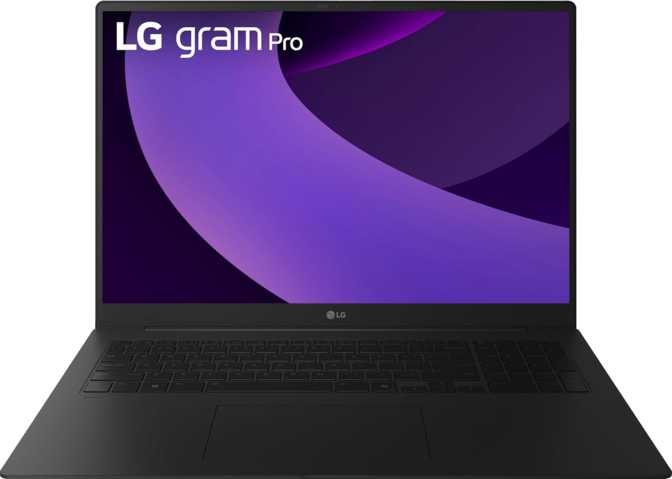
LG Gram Pro 17Z90TR Review – Big Screen, Featherlight Build
LaptopsWhy This 17-Inch Laptop Demands a Second Look
Seventeen-inch laptops have a reputation problem. They are powerful, yes — but they are also the machines people buy, regret lugging through an airport once, and then use exclusively at their desk. The LG Gram Pro 17Z90TR challenges that assumption directly. At under 1.5 kilograms, it is lighter than many 14-inch competitors, yet it arrives with a large, high-resolution display, a discrete-class GPU, and a battery LG claims outlasts a transatlantic flight. That is a genuinely unusual combination, and this review works through every major aspect of the machine so you can make a confident purchase decision.
Based on specification analysis and design evaluation
- Portability
- 5.0
- Display Quality
- 4.0
- CPU Performance
- 4.5
- Graphics (GPU)
- 4.0
- Battery Life
- 5.0
- Value for Money
- 3.5
Design & Build: When Thin and Light Is Not a Marketing Gimmick
Physical Dimensions
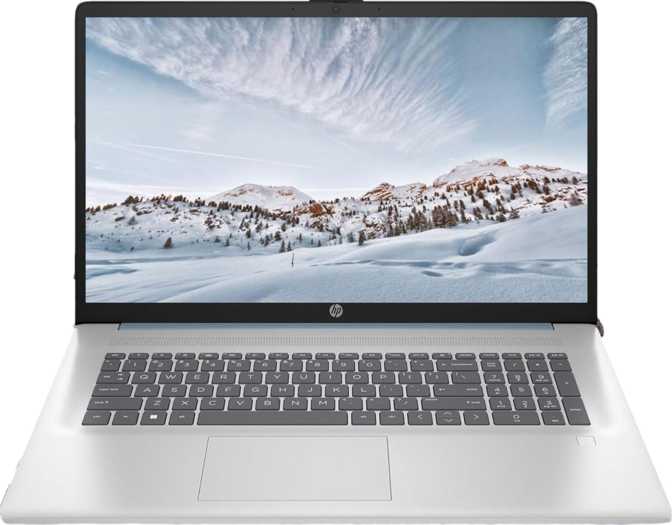
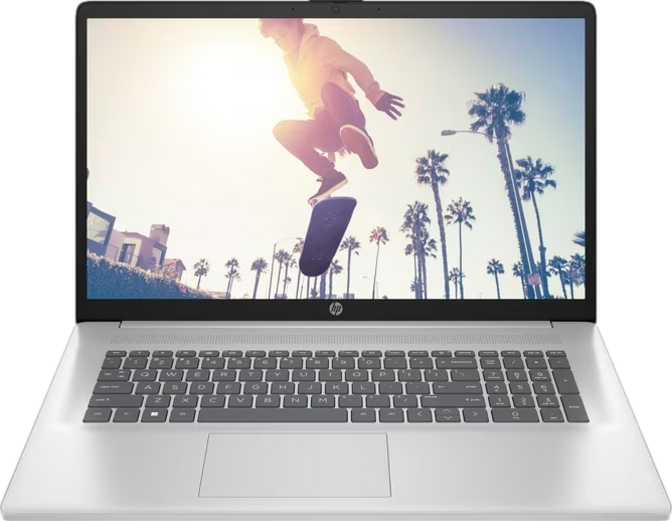
The 17Z90TR measures 378 × 264 × 14 mm and weighs 1,478 grams. To put that in perspective: a standard 500 ml water bottle weighs 500 grams — this laptop weighs the same as roughly three of them stacked together.
The 14 mm profile undercuts most 15-inch gaming or productivity laptops, which typically sit between 18 and 22 mm thick. Achieving this while fitting a 90 Wh battery inside requires serious engineering discipline in chassis design.
Materials & Construction
LG builds the Gram line using a magnesium-alloy chassis — a material choice that favors weight reduction over the cool-to-the-touch feel of aluminum. The trade-off is real: magnesium alloy feels slightly less premium under the fingertips, though it is meaningfully stiffer than polycarbonate plastic.
Keyboard & Input
The backlit keyboard is a full-size layout with a numpad — a meaningful advantage that cheaper large-format laptops often waste. The backlighting makes the machine usable in dark environments without strain.
There is no fingerprint scanner, which is a notable omission at this price tier. LG compensates with IR-based 3D facial recognition — a Windows Hello implementation using depth-sensing rather than a flat 2D camera, making it meaningfully more secure than a simple photo-unlock system and reliable even in dim lighting.
The Display: A Pixel-Dense Panel Built for Serious Work
Resolution, Sharpness, and the 16:10 Advantage
The 17-inch IPS panel runs at 2560 × 1600 pixels — a 16:10 aspect ratio that gives you noticeably more vertical screen space than a standard widescreen. At 177 pixels per inch, text is crisp and fine detail in photos, design files, and code renders clearly without squinting. This is a genuine working display, not an upscaled HD panel dressed up in a large chassis.
The 16:10 ratio is specifically valuable for document work, coding, and spreadsheets — you see more lines of text per scroll, which reduces cognitive fatigue over long sessions in ways that are hard to quantify but easy to feel after a week of use.
IPS Technology: Accuracy Over Flash
The display uses an IPS LCD panel with LED backlighting. IPS technology delivers wide viewing angles and accurate color reproduction — important for design, photography, or media work. It does not produce the infinite contrast or self-lit blacks of an OLED, but it avoids the burn-in risk and brightness fluctuation that come with OLED at this screen size. There is no touchscreen — a reasonable omission for a non-convertible productivity machine, though creative professionals who annotate with stylus input should note it.
Multi-Display Capability
The GPU architecture supports up to four simultaneous external displays. Combined with two Thunderbolt 4 ports and one HDMI output, you can run a sophisticated multi-monitor workstation setup — two external 4K monitors plus the built-in panel at minimum. For those building out a desk setup, this flexibility is genuinely useful.
Display Specifications
- Panel TypeIPS, LED-backlit
- Screen Size17 inches
- Resolution2560 × 1600 px
- Pixel Density177 ppi
- Aspect Ratio16:10
- Touch ScreenNo
- Max External Displays4
In bright offices or near windows, glare will be a consistent factor. This laptop performs best in controlled lighting environments.
Performance: A Hybrid CPU Architecture Built for Sustained Work
How the Processor Architecture Works
The processor inside the 17Z90TR uses a hybrid core design — six higher-power cores for demanding tasks and eight efficiency-oriented cores for background processes and lighter workloads. This architectural approach means the right type of core is assigned to each type of work, delivering strong peak performance without sacrificing efficiency when the machine is handling email or light tasks.
The processor reaches up to 5.1 GHz under burst conditions — fast enough that single-threaded applications like legacy software tools, scripting tasks, and web browsing feel immediate. All 16 threads are available simultaneously, which matters for video encoding, compilation, and parallel data processing.
The 24 MB of L3 cache is generous by laptop standards. Cache reduces how often the processor must reach out to slower system memory, keeping performance consistent under varied workloads rather than spiking and dipping. Built on a 5-nanometer fabrication process, the chip also produces less heat per unit of performance — part of how LG keeps this machine cool within a 14 mm frame.
Thermal Design and Fan Behavior
The processor carries a 50-watt thermal envelope — high enough to support demanding workloads without immediate throttling, but not so aggressive that the cooling system must work at screaming fan speeds. During light work the machine runs quietly. Under rendering, compilation, or extended export tasks, expect audible fan activity — an expected and acceptable trade-off for a 14 mm chassis at this power level.
CPU Specifications
- Core Configuration6 perf + 8 eff
- Threads16
- Boost Clock5.1 GHz
- L3 Cache24 MB
- Process Node5 nm
- Thermal Envelope50 W
PassMark Benchmark Scores
A multi-core score of 30,756 places this CPU comfortably in the upper tier of productivity laptop processors, outpacing most dual- and quad-core machines by a significant margin.
Graphics: The Intel Arc 140T and What It Actually Means for You
A Discrete-Level Integrated GPU
The Arc 140T is Intel's integrated graphics solution, but calling it "just integrated graphics" significantly undersells it. With 2,560 shader units, 8 GB of dedicated GDDR7 video memory, and a peak GPU clock of 2,520 MHz, it operates in a completely different performance bracket than the basic integrated graphics found in standard ultrabooks.
The 8 GB of GDDR7 video memory — on a 128-bit bus delivering up to 224 GB/s of memory bandwidth — means the GPU has its own dedicated pool of fast memory, not shared allocations from system RAM. This matters for GPU-accelerated creative software, light 3D rendering, and AI-assisted workloads.
Raw Graphics Capability
The GPU delivers approximately 12.9 trillion floating-point operations per second. Entry-level dedicated graphics cards in gaming laptops from a few years ago operated in the 4–8 TFLOPS range. The Arc 140T significantly exceeds that baseline, making it genuinely capable for tasks that once required a discrete GPU.
It supports ray tracing and DLSS — ray tracing enables physically accurate lighting simulation useful in architectural visualization and design software, while DLSS uses AI upscaling to deliver higher visual quality at lower rendering cost. DirectX 12 Ultimate and OpenGL 4.6 support ensure broad compatibility across professional and creative software ecosystems.
The Arc 140T is not a replacement for a dedicated mobile gaming GPU. At full settings in demanding AAA titles, it will struggle. For esports, older games, and lighter gaming it is competent. For 3D modeling, video editing, and AI image generation at moderate resolutions, it is a meaningful step up from standard ultrabook graphics.
GPU Specifications
- GPU NameArc 140T
- ArchitectureBlackwell
- VRAM8 GB GDDR7
- Memory Bus128-bit
- Bandwidth224 GB/s
- Boost Clock2,520 MHz
- Shader Units2,560
- Performance12.9 TFLOPS
Feature Support
- Ray Tracing
- DLSS (AI Upscaling)
- DirectX 12 Ultimate
- OpenGL 4.6
- Intel Resizable BAR
- Up to 4 External Displays
Memory & Storage: No Compromise Here
32 GB RAM and Headroom to Spare
The 17Z90TR ships with 32 GB of LPDDR5X memory — the current high-speed standard for premium laptops — running at 8,400 MHz effective speed. For the vast majority of professional workloads, this is sufficient headroom for dozens of browser tabs, multiple creative applications running simultaneously, virtual machines, and large datasets.
The platform supports up to 128 GB of RAM, suggesting the underlying architecture is built for serious expansion. Prospective buyers who need maximum memory should verify before purchase whether the physical configuration allows user upgrades, as LG has varied on this across Gram models.
2 TB NVMe — No Waiting
The 2 TB NVMe SSD on a PCIe 4.0 interface delivers speeds well beyond mechanical hard drives or older SSD generations. Large project files, video footage, and software installations load quickly. 2 TB is enough storage for most professionals without requiring external drives for primary work.
Battery Life: The Number That Defines This Machine's Purpose
Capacity and What It Realistically Delivers
The 90 Wh battery is among the largest cells LG could legally ship on a commercial flight — the limit is typically 100 Wh. LG rates the machine at 25 hours of battery life, a figure that requires context to evaluate honestly.
Battery life claims from manufacturers are always measured under light-use conditions: low brightness, minimal background activity, and simple tasks like document editing or web browsing. Real-world mixed use — video calls, multiple applications, medium brightness — will return something closer to 10–14 hours for most users. That is still exceptional for a 17-inch laptop and competitive with machines half the size.
For full-day unplugged work — a flight, a conference day, or a long writing session away from outlets — this machine genuinely delivers. You are unlikely to need a charger bag unless your day involves sustained GPU-heavy work.
Sleep-and-Charge
Sleep-and-charge USB functionality allows the machine to charge external devices — phones, earbuds, accessories — even when the laptop lid is closed or the machine is switched off. A small but practical feature for frequent travelers who need a single device to keep everything topped up.
- Manufacturer Claim25 hours
- Real-World Mixed Use10–14 hours
- Flight LegalYes (under 100 Wh)
- Sleep-and-ChargeYes
Connectivity: Ports That Match the Machine's Premium Positioning
Port Layout
| Port Type | Count | Notes |
|---|---|---|
| Thunderbolt 4 / USB 4 40 Gbps | 2 | Supports displays, external GPUs, fast storage, and one-cable docking |
| USB-A 3.2 Gen 1 | 2 | Standard peripherals — mice, keyboards, drives (5 Gbps max) |
| HDMI | 1 | Direct monitor or TV connection |
| 3.5 mm Audio Jack | 1 | Headphones and wired headsets |
The Thunderbolt 4 ports are the headline here. They provide 40 Gbps data transfer, support external GPU enclosures, drive multiple 4K monitors from a single cable, and enable the fastest external SSD speeds currently available. Two of these ports give significant flexibility for docking stations — a single Thunderbolt dock can expand this machine into a full desktop setup with one cable.
What Is Missing
- No SD card reader — photographers and videographers will need a USB adapter
- No Ethernet port — wired networking requires a USB-C adapter
- USB-A ports max out at 5 Gbps — adequate for peripherals, slower for external hard drives
Wireless Connectivity
- Wi-Fi StandardWi-Fi 7 (802.11be)
- Backward CompatibilityWi-Fi 4, 5, 6, 6E
- Bluetooth5.4
- AirPlaySupported
Wi-Fi 7 delivers significantly faster speeds and lower latency than Wi-Fi 6E on compatible routers. AirPlay support is unusual for a Windows laptop and is useful in mixed-device households or offices using Apple TVs and displays.
Audio & Communication
Speakers and Audio Output
Dual stereo speakers provide adequate audio for video calls and casual media consumption. No Dolby Atmos support is included, which limits the spatial audio experience. For content creation, production monitoring, or serious music listening, external speakers or headphones are the better choice.
The 3.5 mm headphone jack ensures wired audio is always available without dongles — a small detail that matters daily. There is no S/PDIF digital output for those with high-end audio setups.
Webcam & Microphones
The dual microphone array provides stereo voice capture for video calls and recordings. Combined with the IR depth-sensing camera for 3D facial recognition, this machine is a capable video-calling tool — the Windows Hello authentication works reliably in dim lighting without issue.
The webcam and depth-sensing hardware are positioned for front-facing professional use — remote work, hybrid meetings, and recorded presentations. No gyroscope, GPS, or accelerometer confirms this is firmly a productivity laptop rather than a mobile device hybrid.
Who Should Buy This Laptop
Ideal For
-
Road Warriors and Frequent Travelers
The weight-to-screen-size ratio is the strongest argument here. Anyone who works on 13-inch machines but wants more screen space will find the Gram Pro 17 liberating without the backache of a traditional large laptop.
-
Remote and Hybrid Professionals
32 GB of RAM, a fast processor, strong battery life, and capable wireless connectivity make this an excellent daily driver for knowledge workers who move between home and office.
-
Creative Professionals — Light to Moderate Production
Video editors working with 1080p or moderate 4K timelines, graphic designers, photographers processing RAW files, and UX designers running prototyping software will find the GPU performance a meaningful step above standard ultrabooks.
-
Software Developers and Power Users
The 16-thread processor, 32 GB of RAM, and 2 TB of fast storage handle large codebases, local development environments, and virtual machines without breaking a sweat.
Look Elsewhere If You Are
-
A Dedicated Gamer
The Arc 140T handles light gaming, but if gaming is a primary requirement, a dedicated gaming laptop with a proper discrete GPU is the better choice. The performance gap in demanding titles is substantial.
-
A Heavy Video Production Professional
High-resolution 4K or 8K multi-layer timelines with complex effects benefit from more powerful discrete graphics and specialized hardware. This machine can do the work — it just will not be the fastest tool for it.
-
Someone Who Needs Ethernet or an SD Card Daily
If these are daily requirements rather than occasional ones, the adapter situation becomes tiresome over time. Choose a machine that natively provides what you use every day.
-
A Budget-Conscious Buyer
The Gram Pro 17 sits at the premium end of the market. Its specification and engineering justify the price, but buyers seeking value alternatives will find more capable-for-the-money options at lower price points.
How It Compares to the Competition
The LG Gram Pro 17 occupies a rare position: a large-screen experience without the weight penalty that has historically defined the category. Its closest conceptual competitors are the Dell XPS 17 and ASUS ProArt Studiobook 16 — both excellent machines, but heavier, thicker, and in some configurations pricier. For users who specifically need 17-inch screen real estate with everyday portability, the Gram Pro is one of very few machines that delivers both without meaningful compromise in either direction.
| Feature | LG Gram Pro 17Z90TR | Typical 17" Productivity | Premium 14" Ultrabook |
|---|---|---|---|
| Weight | ~1.48 kg | 2.0–2.5 kg | 1.2–1.4 kg |
| Screen Size | 17 inches | 17 inches | 14 inches |
| Display Resolution | 2560 × 1600 | 1920 × 1080 | 2560 × 1600 |
| GPU Tier | Arc 140T (8 GB GDDR7) | Basic integrated | Basic integrated |
| Battery Capacity | 90 Wh | 60–72 Wh | 65–75 Wh |
| RAM (Base Config) | 32 GB | 16 GB | 16–32 GB |
| Thunderbolt 4 Ports | 2 | 0–1 | 1–2 |
Honest Strengths & Weaknesses
What Works Well
- Sub-1.5 kg weight for a full 17-inch chassis — the core engineering achievement of this machine
- 90 Wh battery providing genuine all-day endurance across mixed professional workloads
- Arc 140T with 8 GB GDDR7 — far above standard ultrabook graphics in memory and compute power
- 32 GB of high-speed LPDDR5X RAM included from the base configuration
- Dual Thunderbolt 4 ports enabling single-cable docking and full workstation setups
- 2 TB NVMe PCIe 4.0 storage — ample for primary professional use without external drives
- Wi-Fi 7 for the fastest wireless experience currently available
- Sharp 2560 × 1600 IPS display with a productive 16:10 aspect ratio
Where It Falls Short
- No anti-reflection coating — a genuine frustration in variable or bright ambient lighting
- No fingerprint scanner at a price tier where one is expected as standard
- No SD card reader or Ethernet port — adapters become a daily inconvenience for some
- USB-A ports capped at 5 Gbps — adequate for peripherals, slower for external storage
- IPS LCD, not OLED — lower contrast and less vibrant blacks for media consumption
- Fan noise becomes audible under sustained CPU or GPU load — not a silent machine during heavy tasks
- Premium pricing that places it beyond reach for budget-conscious buyers
Answers to Common Pre-Purchase Questions
A Rare Machine That Delivers on Its Core Promise
The LG Gram Pro 17Z90TR makes a specific, compelling argument: that a 17-inch laptop does not have to be a burden to carry. It delivers a sharp, spacious display, strong multi-core CPU performance, a GPU that genuinely outperforms standard ultrabook graphics, a two-day battery capacity, and premium connectivity — all in a package that weighs less than many machines half its size.
It is not flawless. The display could benefit from anti-glare treatment, the port selection has minor gaps, and the GPU, while impressive for its class, is not a substitute for dedicated gaming or extreme rendering hardware. The IPS panel lacks the contrast of OLED, and the premium price bracket means it is not competing against midrange alternatives.
But for the target buyer — a professional who wants a large, capable screen for serious work and genuinely needs to carry it daily — the Gram Pro 17 is one of the strongest arguments in its category. If your work demands screen space and your lifestyle demands portability, this machine makes both possible without forcing a choice between them. That is a harder engineering problem to solve than it looks, and LG has solved it well.