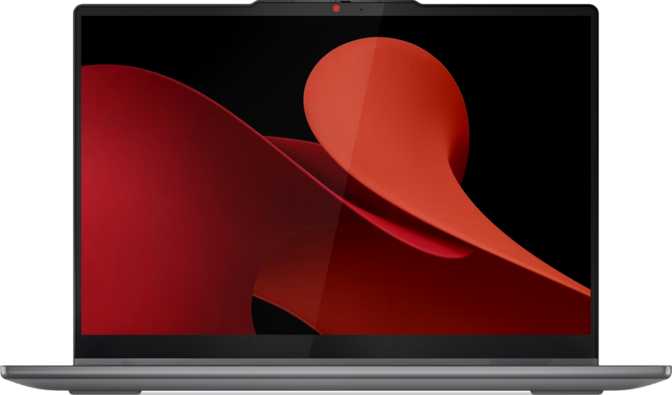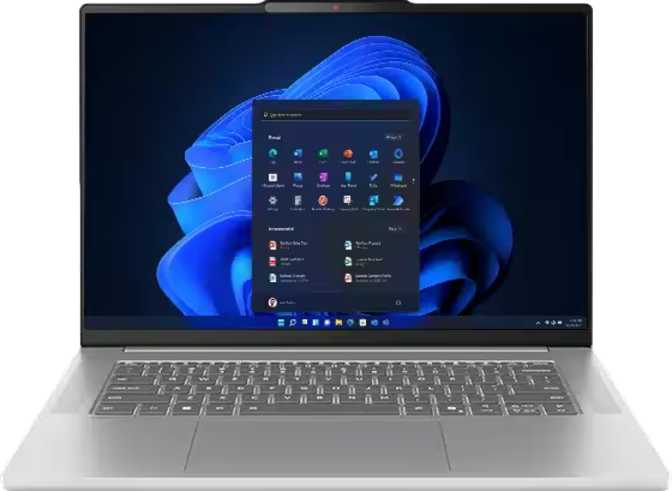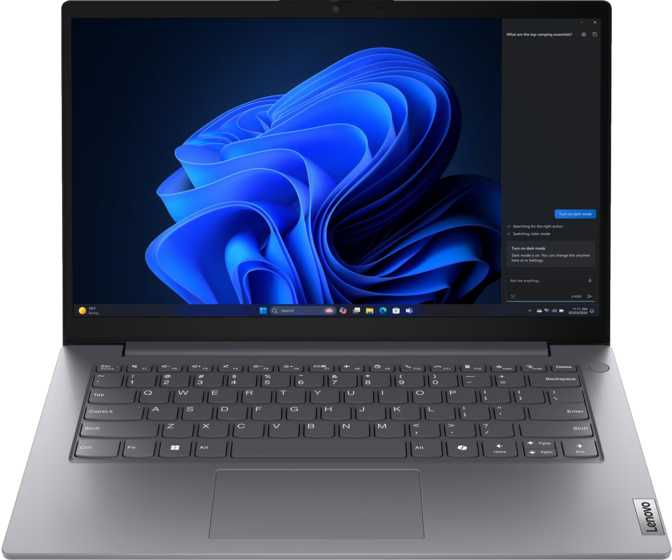
Lenovo V14 Gen 5 i Review: Outstanding Memory, Real-World Trade-Offs
LaptopsQuick Overview
A desk-bound productivity machine that refuses to compromise on memory and storage — and makes deliberate trade-offs on display brightness, backlit keys, and battery endurance in return.
Lenovo V14 Gen 5 i
14-inch Intel Productivity Laptop
Overall editorial score
Design and Build Quality
Portability That Actually Delivers
At 1.37 kilograms, the V14 Gen 5 i sits well below the typical 14-inch laptop weight range of 1.5 to 1.8 kilograms. That difference is tangible across every commute, campus day, and airport transit. At 17mm thick, the machine is slim without feeling flimsy. Its 324 × 215mm footprint fits on a crowded café table, an economy tray table, or a desk shared with other equipment without demanding excessive space.
The chassis packages its internals cleanly, with a total volume just under 1,200 cubic centimeters. This is not a razor-thin ultrabook, but it sits precisely in the practical middle ground between sleek and sturdy.
Durability: Office-Optimized, Not Field-Ready
The V14 Gen 5 i is built for controlled indoor environments. There is no weather-sealing, no reinforced chassis, and no ruggedized construction — expected at this price tier, but worth stating plainly. Standard care applies: keep it away from liquids and physical shocks. The build quality is functional and professional, designed for daily desk and bag use rather than demanding conditions.
The one-year manufacturer warranty is baseline for this category. Users who want longer coverage should factor the cost of an extended plan into the purchase decision from the start.
Physical Specifications
| Attribute | Value |
|---|---|
| Weight | 1,370 g |
| Width | 324 mm |
| Depth | 215 mm |
| Thickness | 17 mm |
| Volume | 1,184 cm³ |
| Keyboard Backlit | No |
| Weather Sealed | No |
| Warranty | 1 Year |
Display: Functional, Best Kept Indoors
Sharpness and Readability
The 14-inch Full HD panel delivers 1920×1080 resolution at around 157 pixels per inch. At normal viewing distances — roughly 50 to 60 centimeters from the screen — text is sharp and images are clean. Document work, web browsing, and video calls all render clearly.
The anti-reflection coating is a practical strength here. It diffuses overhead lighting and eliminates much of the mirror-like glare that makes working near windows uncomfortable. In a typical office or classroom, this coating genuinely earns its place.
The Brightness Problem
What the anti-reflection coating cannot fix is the panel's brightness ceiling, which sits at approximately 250 nits. That is adequate in a dim office, meeting room, or controlled home workspace. In any sun-lit environment — near a bright window, outdoors, or in a high-ambient room — the screen will wash out and become genuinely difficult to read.
Refresh Rate and Multi-Display
The 60Hz refresh rate is entirely appropriate for a productivity machine — smooth for documents, spreadsheets, video calls, and media consumption. The graphics processor supports up to four simultaneous displays. Using the HDMI output and USB-C port together, a dual-monitor workstation is fully achievable.
The HDMI 1.4 port tops out at 4K at 30 frames per second. For 1080p or 1440p external monitors, this is completely invisible in practice. For a 4K monitor at full 60Hz fluidity, it becomes a limitation.
Display Specifications
| Spec | Value |
|---|---|
| Screen Size | 14 inches |
| Resolution | 1920 × 1080 (Full HD) |
| Pixel Density | 157 ppi |
| Brightness | 250 nits |
| Refresh Rate | 60 Hz |
| Anti-Reflection | Yes |
| Touch Screen | No |
| Max External Displays | 4 total |
| HDMI Version | 1.4 |
Brightness in Context
Performance: The Specification That Changes Everything
32 GB
DDR5-5200 RAM
Dual-channel, fully loaded
1 TB
PCIe 5 NVMe SSD
Top-tier consumer speed
4.9 GHz
Peak Boost Clock
10 cores, 16 threads
23,805
PassMark Multi-Core
Well above office average
Memory: The Real Headline
Thirty-two gigabytes of DDR5 RAM running at 5200 MHz is this machine's most compelling number — and it is exceptional at this price tier. Most productivity laptops here ship with 8 or 16 gigabytes, reaching their ceiling when several dozen browser tabs are open alongside a video call, a spreadsheet, and a PDF. This machine does not hit that wall.
For practical context: 32GB handles multiple virtual machines, demanding data analysis in Excel or Python, photo editing in Lightroom, and every application you realistically run simultaneously — without degradation. The RAM operates across two channels simultaneously, doubling the memory bandwidth available to the processor. This matters for workloads that move large data sets quickly: image processing, analysis tasks, and anything involving large files.
The maximum supported memory is 32GB across two slots. This machine ships at its ceiling. There is no RAM upgrade path beyond what is already installed.
Storage: Fast and Spacious
A full terabyte of NVMe flash storage using the PCIe 5 interface puts this machine at the upper tier of consumer drive performance. Boot times are fast. Applications launch near-instantly. Transferring large project archives, photo libraries, or video files happens at real speed.
CPU: A Hybrid Architecture Explained
The processor uses two distinct core types — six higher-performance cores at 2.4 GHz base and four efficiency cores at 1.8 GHz base — for 16 processing threads total. Intensive tasks go to the performance cores; lighter background operations run on the efficiency cores, preserving battery life without sacrificing responsiveness.
When a demanding task arrives, the processor boosts aggressively to 4.9 GHz in short bursts. The 45W thermal design gives the chip enough power budget to sustain demanding workloads without immediately throttling. Single-core responsiveness at a PassMark score of 3,569 means applications open quickly and interfaces respond without hesitation.
Full Technical Specification Reference
| Component | Specification | What It Means for You |
|---|---|---|
| RAM | 32 GB DDR5-5200 | Heavy multitasking, VMs, analytics — no ceiling for typical work |
| Storage | 1 TB PCIe 5 NVMe SSD | Fast launches, instant transfers, plenty of space for years |
| CPU Cores / Threads | 10 cores (6+4), 16 threads | Genuine multi-task and burst performance in one package |
| CPU Base / Boost | 2.4 / 1.8 GHz → 4.9 GHz | Efficient idle; aggressive boost when the task demands it |
| PassMark Multi / Single | 23,805 / 3,569 | Above-average productivity tier; capable of demanding workloads |
| L2 / L3 Cache | 9.5 MB / 24 MB | Large cache reduces data fetch delays for complex tasks |
| TDP | 45 W | Power budget for sustained loads; fan will be audible under load |
| Memory Slots | 2 (both occupied) | No upgrade path; 32 GB is the maximum |
| PCIe Version | 5 | Supports current and near-future storage generations |
Graphics: Integrated, and Honest About Its Limits
The V14 Gen 5 i uses Intel UHD Graphics 770 — the graphics processor built directly into the main chip, with 64 execution units reaching peak clock speeds of 1,500 MHz. This GPU draws on the system's shared RAM rather than dedicated video memory.
For the target audience, this is entirely appropriate. Spreadsheets, documents, presentations, web browsing, 4K video streaming, and video calls all run without issue. Light photo editing in consumer-grade tools is manageable.
Graphics Can Handle
- 4K video streaming and playback
- Video calls and conferencing
- Web browsing and documents
- Light photo editing
- Multiple external displays
Not suitable for:
Modern gaming, video production with complex timelines, 3D rendering, and motion graphics. Ray tracing and AI-upscaling (DLSS/XeSS) are not supported. If your work depends on a dedicated GPU, this machine is not the right choice — regardless of how impressive the memory and storage specifications appear.
Connectivity: Practical, With a Notable Ceiling
Port Layout
The port selection reflects a deliberate business focus. Everyday connectivity is covered well; high-bandwidth docking and future-proofing are not.
- 2 × USB-A (5 Gbps) — mice, keyboards, USB drives, phone charging
- 1 × USB-C (5 Gbps) — newer devices, charging, secondary display
- 1 × HDMI 1.4 — external monitor up to 4K@30Hz or 1080p/1440p@60Hz
- 1 × Gigabit Ethernet (RJ45) — wired network for stable office and remote connections
- 1 × 3.5mm audio jack — headphones, headsets, or speakers
There is no Thunderbolt connectivity, no USB4, no SD card slot, and no high-speed USB-C docking support. A Thunderbolt dock connecting multiple monitors, fast external storage, and peripherals through one cable is not possible on this machine.
Wireless Connectivity
| Feature | Detail |
|---|---|
| Wi-Fi Standard | Wi-Fi 6 (802.11ax) |
| Backwards Compatible | Wi-Fi 5, Wi-Fi 4 |
| Bluetooth | 5.2 |
Full Port Summary
| Port | Count |
|---|---|
| USB-A 3.2 Gen 1 | 2 |
| USB-C 3.2 Gen 1 | 1 |
| HDMI | 1 (v1.4) |
| RJ45 Ethernet | 1 |
| 3.5mm Audio | 1 |
| Thunderbolt | None |
| SD Card Slot | None |
Battery Life: Realistic About What It Can Do
The 47 Wh battery sits on the smaller end of the spectrum for a 14-inch productivity laptop. Premium ultrabooks commonly pack 60 to 80 Wh cells; this machine's battery is sized for price and weight efficiency rather than all-day endurance.
For mixed productivity use — documents, email, web browsing, and occasional video calls — expect roughly five to seven hours between charges. Sustained CPU-heavy tasks will reduce that window meaningfully. The battery will not last a transcontinental flight without the charger.
This makes the V14 Gen 5 i a desk-centric machine in practice. For office workers and students where power outlets are accessible throughout the day, the battery limitation rarely becomes a real constraint. For the frequently traveling professional who needs eight or more hours unplugged, this is a genuine operational limitation.
The USB port supports sleep-and-charge functionality — useful for keeping your phone topped up even when the laptop is powered down or sleeping.
Battery Capacity Comparison
Estimated real-world endurance: 5–7 hours (mixed productivity). Sustained heavy workloads will reduce this range.
Keyboard, Security, Audio, and Camera
Keyboard
Standard layout with functional key spacing and comfortable travel for extended typing. No backlight — in dim environments you rely entirely on touch-typing or ambient light. For practiced typists, manageable. For occasional key-glancers, a persistent daily frustration.
Security and Login
No fingerprint reader and no facial recognition camera. Windows Hello biometric authentication is unavailable. PIN and password are the only login methods. In a market where even budget laptops increasingly include a fingerprint sensor, this absence creates noticeable friction for frequent logins.
Audio
Stereo speakers deliver adequate clarity for video calls and background listening. No Dolby Atmos processing. The 3.5mm headphone jack is retained — a practical inclusion as some manufacturers eliminate it. For serious listening, an external speaker or headphones are recommended.
Camera and Microphones
A front-facing camera and dual-microphone array cover standard video conferencing needs. The two-microphone setup provides better directional pickup than single-mic designs, reducing ambient noise during calls. Adequate for remote work — not positioned for content creation or streaming.
Who Should Buy This — and Who Should Not
A Strong Match For
- Office professionals and students handling documents, spreadsheets, email, web research, and video calls as their primary workload
- Anyone frustrated by a machine that slows under heavy multitasking — 32GB RAM directly solves this
- Developers and analysts running lightweight local environments: IDEs, databases, Python or R scripts, local servers
- Users who work primarily at a desk with reliable power access and well-lit surroundings
- Anyone prioritizing lightweight portability — the 1.37kg chassis makes daily transport genuinely easier than most alternatives
Will Disappoint
- Video editors, motion graphics artists, and 3D modelers who depend on a dedicated GPU
- Gamers — even casual players hoping to run recent titles at acceptable settings
- Professionals who work outdoors, near bright windows, or in variable lighting — the display will be hard to see
- Night workers, frequent fliers in dim cabins, or anyone who regularly works in low-light without backlit keys
- Road warriors who need eight or more hours of battery life between charges
- Photographers who routinely transfer files from camera SD cards
Competitive Positioning
At the 14-inch productivity tier, the V14 Gen 5 i competes against machines from Acer, HP, ASUS, and Dell covering broadly similar ground. The table below shows where this machine wins, holds its own, and concedes ground to typical rivals.
| Feature | Lenovo V14 Gen 5 i | Typical Competitor at This Tier |
|---|---|---|
| RAM | 32 GB DDR5 | 8–16 GB DDR4 or DDR5 |
| Storage | 1 TB PCIe 5 | 256–512 GB NVMe |
| Display Brightness | ~250 nits | 250–300 nits |
| Keyboard Backlight | Often included | |
| Wired Ethernet | Not always present | |
| Wi-Fi Standard | Wi-Fi 6 | Wi-Fi 5 or Wi-Fi 6 |
| Weight | 1.37 kg | 1.5–1.8 kg |
| Thunderbolt / USB4 | Rarely at this price | |
| Biometric Login | Often fingerprint sensor | |
| Battery Capacity | 47 Wh | ~54–65 Wh |
The V14 Gen 5 i wins decisively on RAM and storage for its price. It concedes ground on keyboard backlight, battery size, and biometric login — features most rivals include even at comparable or slightly lower price points.
Questions Real Buyers Are Asking
Final Verdict
The Lenovo V14 Gen 5 i delivers something rare at its price point: a productivity laptop that refuses to shortchange you on the specifications that actually determine how a machine performs and ages. Thirty-two gigabytes of DDR5 RAM, a terabyte of fast PCIe 5 NVMe storage, a capable multi-threaded processor, Wi-Fi 6, wired Ethernet, and a genuinely portable chassis — this combination is difficult to match at comparable pricing.
The compromises are real. The dim display limits where you can work comfortably. The missing keyboard backlight limits when. The 47 Wh battery limits how long. The USB connectivity, while covering most daily needs, offers no path toward Thunderbolt docking or high-bandwidth future expansion.
None of these are flaws — they are deliberate trade-offs, and they reflect conscious choices about where value is concentrated. What matters is whether those trade-offs align with how you actually work.
Buy This If You...
Work primarily at a desk in well-lit conditions, push your machine hard with heavy multitasking, value long-term capability over short-term conveniences, and want a machine that will not slow with age the way 8 or 16GB alternatives will.
Look Elsewhere If You...
Need comfortable outdoor or variable-light usability, depend on a dedicated GPU for creative or gaming workloads, require genuine all-day battery endurance away from power outlets, or rely on biometric login throughout the workday.
Overall Rating
Recommended — With Clear Conditions