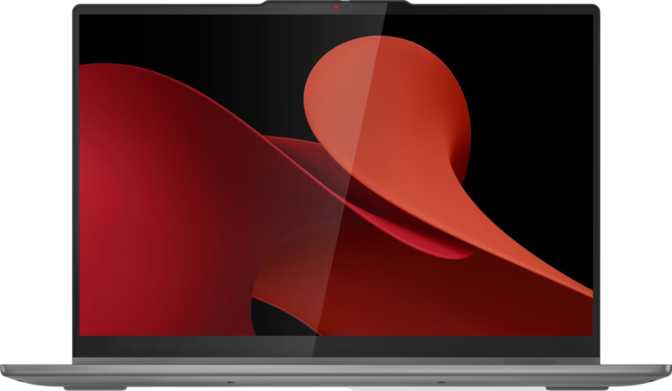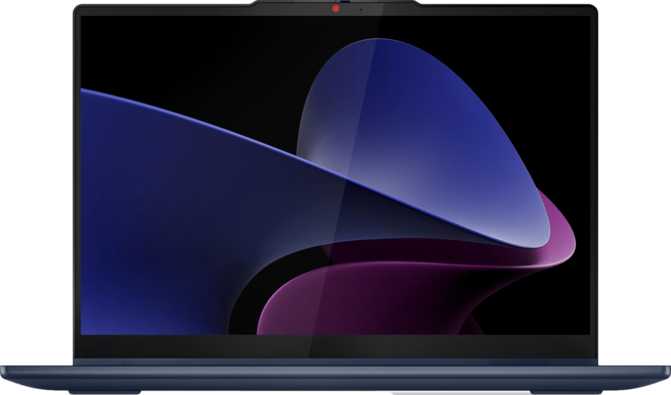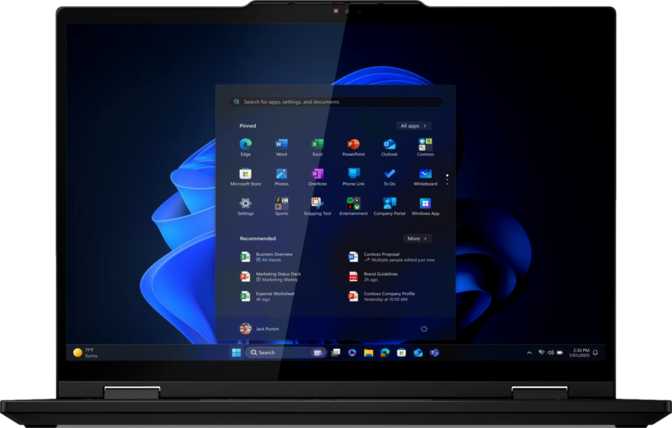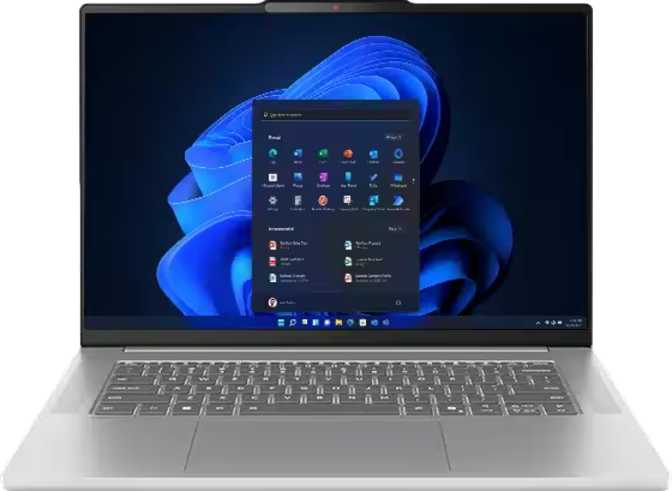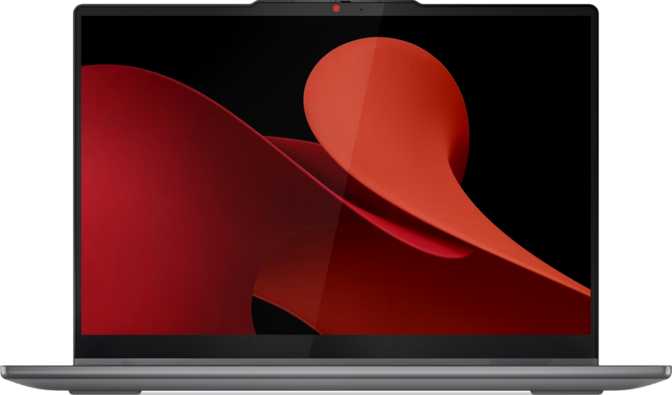
Lenovo IdeaPad 5 2-in-1 Gen 9 14" Full Review: OLED Tested
LaptopsIdeal for productivity users & students
Review Scorecard
A Flexible Productivity Machine That Earns Its Keep
Most 2-in-1 laptops ask you to compromise. You trade display quality for versatility, processing power for a slim hinge, or real everyday usability for the novelty of flipping a screen around. The Lenovo IdeaPad 5 2-in-1 Gen 9 14″ makes a credible case that you don’t have to choose — pairing a genuinely beautiful OLED panel with capable internals and an included stylus, all at a weight that won’t punish your commute.
Whether that case holds up under scrutiny is exactly what this review examines. The hardware choices here cohere toward a clear purpose, and for the audience this machine is designed for, they deliver. There are specific limitations that matter depending on how you work, where you work, and what you already own. Every one of those trade-offs is laid out clearly in the sections below.
Unlike many 2-in-1 competitors that charge separately for stylus input, the IdeaPad 5 2-in-1 Gen 9 ships with a pressure-sensitive stylus ready to use from day one.
Key Specifications at a Glance
- Display
- 14″ OLED • 1920×1200 • Touch • 60Hz
- Processor
- 8-core AMD • up to 5.1 GHz • 4 nm
- Memory
- 16 GB DDR5 • 6400 MHz
- Storage
- 1 TB NVMe SSD • PCIe 4.0
- Graphics
- AMD Radeon 780M Integrated
- Battery
- 57 Wh • Sleep-and-charge
- Weight
- 1.5 kg • 17 mm thin
- Warranty
- 2-year coverage included
Design and Build Quality
Slim, light, and sensibly proportioned for daily carry.
Physical Dimensions & Portability
At 1.5 kg and just 17 mm thick, the IdeaPad 5 2-in-1 Gen 9 sits comfortably in the lighter half of the 14-inch 2-in-1 category. To put that weight in perspective: it’s roughly equivalent to a standard hardcover novel. Tossed into a bag alongside a charger and a notebook, you’ll feel it — but you won’t resent it.
The 313 mm width and 227 mm depth make it compact enough for economy airline tray tables, small desks, and coffee shop counters. At 17 mm, it slides cleanly into most sleeves and briefcases without forcing the issue.
Materials, Hinge & Input Experience
This is a productivity-class machine, which sets appropriate expectations. The chassis prioritizes practicality over premium tactile flair — it won’t feel as dense as a ThinkPad or a MacBook Air, but it doesn’t feel cheap either. The hinge holds its angle reliably during touch input, which is critical for a 2-in-1 used in tablet or tent mode.
The backlit keyboard makes working in dimly lit settings genuinely comfortable. The fingerprint scanner handles biometric login quickly in all four usage modes, making it far more practical than typing a PIN on a touchscreen.
The IdeaPad 5 2-in-1 Gen 9 carries no splash protection. A knock-over near the keyboard is a real risk. If you work in unpredictable or demanding environments, a ruggedized business machine is a better fit.
The OLED Display: The Headline Feature That Delivers
This panel is what separates the IdeaPad 5 2-in-1 Gen 9 from the crowd.
What OLED Actually Means for Daily Use
OLED displays differ fundamentally from the LCD panels found in most laptops at this price tier. Each pixel generates its own light and can switch off completely — meaning blacks are genuinely black, not dark grey. Contrast between light and dark elements on screen is essentially infinite. For document work, web browsing, and video consumption, the difference over a comparable LCD is immediately visible without any calibration.
Resolution and Sharpness
The panel resolves at 1920 × 1200 pixels — slightly taller than the common 16:9 Full HD standard. That extra vertical real estate translates directly into more visible content per screen: spreadsheets show more rows, documents show more of a page, and web pages require less scrolling. For productivity users, the 16:10 aspect ratio is a genuine day-to-day improvement.
At roughly 161 pixels per inch on a 14-inch panel, text and icons render with clean, crisp edges. Most users can comfortably work at native resolution without scaling adjustments.
Brightness and Outdoor Limitations
The 400-nit typical brightness is adequate for indoor use and most indoor-adjacent settings. It falls short of the 500–600 nit range increasingly common in outdoor-capable displays. Direct sunlight will wash out the image noticeably, and the absence of an anti-reflection coating makes reflections from overhead lights and windows more pronounced.
This is a deliberate trade-off. Matte anti-reflection coatings typically reduce OLED’s vibrancy and depth. Lenovo chose to preserve image quality indoors at the cost of outdoor usability — a reasonable decision for a productivity-focused machine, but a real limitation worth naming.
Display Specifications
| Technology | OLED / AMOLED |
|---|---|
| Screen Size | 14 inches |
| Resolution | 1920 × 1200 px (16:10) |
| Pixel Density | 161 ppi |
| Brightness | 400 nits (typical) |
| Refresh Rate | 60 Hz |
| Touch Input | Yes (all 4 modes) |
| Anti-Reflection | Not included |
| Max Ext. Displays | Up to 4 simultaneously |
60Hz: Is It Enough?
For document work, video calls, and streaming, 60Hz is completely smooth. This display is not optimized for gaming or animation work that benefits from higher refresh rates. Users upgrading from a standard office laptop will not notice the difference — users coming from a high-refresh gaming machine will.
Performance Analysis
Real-world capability grounded in benchmark data.
Processor Overview
The IdeaPad 5 2-in-1 Gen 9 is powered by an AMD processor built on a 4-nanometer fabrication process — the cutting-edge node shared with top-tier chips across the industry. Smaller fabrication nodes generally mean better performance per watt: more speed, less heat, and longer battery endurance from the same physical battery capacity.
Eight cores operating across sixteen processing threads with a peak boost speed exceeding 5 GHz means this chip handles everything a productivity user demands simultaneously: dozens of browser tabs, cloud sync running in background, video calls, light photo editing, and complex spreadsheets — all at once, without perceptible slowdown.
Benchmark Results in Context
Scores shown relative to upper-tier productivity laptops in this category.
Memory & Storage
Sixteen gigabytes of DDR5 memory running at 6,400 MHz is a meaningful step up from the DDR4 systems that still dominate the mid-range laptop market. DDR5 delivers higher bandwidth — the rate at which data moves between memory and processor — which benefits multitasking, large file handling, and any application that processes significant data sets. Dual-channel configuration doubles effective throughput compared to single-channel alternatives.
The one-terabyte NVMe SSD on PCIe 4.0 is the current mainstream standard for fast solid-state storage. Boot times are measured in seconds, application launches are near-instant, and large file transfers complete in moments rather than minutes. One terabyte accommodates an operating system, a full software suite, a substantial media library, and years of documents without pressure.
Integrated Graphics: AMD Radeon 780M
The Radeon 780M is AMD’s most capable integrated graphics processor in its generation — a significant step beyond the basic integrated graphics in competing Intel-powered alternatives. With 768 shader processors and a boost clock exceeding 2.7 GHz, it handles tasks that would overwhelm lesser integrated solutions.
- Light creative work: Lightroom, moderate Photoshop, basic video editing are manageable.
- Casual gaming: Older titles and less demanding current games run at playable settings.
- 4K video playback: Decodes effortlessly — the OLED makes this especially enjoyable.
- Multi-display output: Drives up to four monitors simultaneously for desk setups.
Connectivity: Capable, With One Meaningful Gap
A well-equipped port selection with one specification that ages the machine.
Port Reference
| Port Type | Qty | Speed / Standard | Typical Use |
|---|---|---|---|
| USB-C (Gen 2) | 2 | 10 Gbps each | Displays, charging, fast data |
| USB-A (Gen 1) | 2 | 5 Gbps each | Legacy peripherals, drives, mice |
| HDMI | 1 | HDMI 1.4 | External monitors (limited) |
| 3.5mm Audio | 1 | Stereo / Headset | Headphones, wired headsets |
| Memory Card Slot | 1 | — | Expandable storage |
| Ethernet (RJ45) | 0 | Not available | Adapter or dock required |
| Thunderbolt 4 | 0 | Not available | eGPU or TB docks not supported |
HDMI 1.4 caps external output at 4K@30Hz or 1080p@120Hz. If you own a 4K monitor and want smooth 60Hz over HDMI, this cable won’t deliver it. The workaround: use a USB-C to DisplayPort cable or a modern USB-C hub — the USB-C ports carry higher-bandwidth video signals. It’s solvable, but knowing about it in advance avoids a frustrating surprise.
Wi-Fi 6E
Wi-Fi 6E support is current-generation. On a 6 GHz capable router, this machine achieves lower latency and higher throughput than Wi-Fi 6 or Wi-Fi 5 devices on the same network. In dense wireless environments — offices, apartment buildings, cafés — the congestion reduction of the 6 GHz band is a tangible benefit. Full backward compatibility ensures it works on any existing network.
Bluetooth 5.3
Bluetooth 5.3 connects to wireless peripherals, headphones, and speakers at modern range and stability. No pairing issues or reliability concerns implied by the specification.
Audio & Camera
- Stereo speakers included
- Dual microphone array
- Front-facing webcam
- 3.5mm headset jack
- No 3D facial recognition
Battery Life: The Honest Picture
A mid-sized cell doing its best work against a power-hungry OLED panel.
The 57 Wh battery is a mid-sized cell for a 14-inch machine. The OLED display, while visually superior, draws more power than an equivalent LCD panel — particularly when displaying bright, high-contrast content. The 4-nanometer processor is efficient for its performance tier, which partially offsets the display’s draw, but real-world endurance is still usage-dependent more than with comparable LCD machines.
Sleep-and-charge functionality is supported on the USB ports, meaning a connected phone continues charging even when the laptop is asleep. Both USB-C ports accept charging input, giving flexibility in how and where you power up.
One practical tip for extending runtime: OLED panels consume substantially less power displaying dark content than bright, white-heavy content. Using a dark mode system theme and dark-themed applications extends endurance meaningfully on a day-to-day basis.
Expected Endurance by Usage
Who Should Buy This — and Who Should Not
Understanding your fit saves money and frustration.
This Machine Is Right For You If…
-
Remote or hybrid workers
Handles video calls, documents, spreadsheets, and light creative tasks from home and on the move. -
Students
The included stylus turns it into a digital notebook without extra cost. The OLED panel makes research and reading genuinely pleasant. -
Content consumers
Streaming, photography review, and media alongside work — the OLED display is among the best screens in this class. -
Presenters and educators
Rotating the display for audiences, annotating diagrams on-screen, and tent-mode presentations are all native to this form factor. -
Multi-monitor desk workers
Fast USB-C ports and support for up to four displays make this a capable portable daily driver for a docking setup.
Look Elsewhere If…
-
Dedicated gamers
The Radeon 780M handles casual and older titles, but demanding current games at high settings are firmly out of reach. -
Professional video editors & 3D artists
The fixed 16 GB memory ceiling and integrated-only graphics will bottleneck serious production pipelines. -
Frequent outdoor workers
The 400-nit brightness and reflective display surface make sustained outdoor use in sunlight uncomfortable and impractical. -
Ethernet-dependent users
Network admins and those on wired-only office policies will always need a dongle or dock — there is no built-in RJ45 port. -
Buyers who need upgradeable RAM
The memory is fixed at 16 GB. If workloads are expected to grow, this constraint is permanent for the life of the machine.
How It Compares to the Alternatives
Understanding where this machine stands helps sharpen the purchase decision.
| Feature | IdeaPad 5 2-in-1 Gen 9 | Intel-Based 2-in-1 | MacBook Air |
|---|---|---|---|
| Display | 14″ OLED, 1920×1200 | 14″ IPS LCD, 1920×1080 | 13–15″ Liquid Retina LCD |
| Stylus Included | Yes | Rarely | No |
| GPU Tier | Radeon 780M (strong) | Intel Iris Xe (weaker) | Apple Silicon GPU |
| Touch Screen | Yes | Sometimes | No |
| 2-in-1 Form Factor | Yes (4 modes) | Some models | No |
| USB-C Charging | Yes (2 ports) | Varies | Yes (MagSafe + USB-C) |
| Thunderbolt | No | Often | Yes |
| Wired Ethernet | Via adapter | Via adapter | Via adapter |
| Platform | Windows | Windows | macOS |
Comparison reflects typical configurations in the same price tier. Specific models vary.
Strengths and Honest Weaknesses
The full picture, without the marketing gloss.
What This Machine Gets Right
The IdeaPad 5 2-in-1 Gen 9’s greatest strength is coherence. The hardware choices work together toward a clear purpose rather than a grab-bag of headline specs. The OLED display is exceptional and sets the product apart from the majority of Windows laptops at this price tier. Contrast, color depth, and per-pixel precision are on a different level from even good IPS LCD panels.
The AMD processor delivers measured, real-world performance that handles productivity workloads without strain. The benchmarks confirm what the spec sheet implies: this is a genuinely fast machine for its class, not a paper tiger.
The included stylus, backlit keyboard, fingerprint reader, and 2-in-1 hinge are all executed well enough that none feel like afterthoughts. Wi-Fi 6E and DDR5 memory ensure this machine stays relevant as networking infrastructure and software demands evolve over the ownership period.
The 2-year warranty is also above average for this segment, which matters for a machine you’ll carry daily.
Where It Falls Short
The weaknesses are real and specific. The HDMI 1.4 port is a genuine inconvenience for 4K monitor owners. Workarounds via USB-C exist, but require knowing about this limitation in advance and carrying an adapter. On a modern machine, a more capable HDMI output would have been straightforward to include.
The 400-nit brightness and reflective display surface create outdoor use limitations that OLED’s other strengths cannot compensate for. This is a deliberate design trade-off, but it genuinely restricts where this laptop can be comfortably used.
The fixed 16 GB memory ceiling is the most consequential long-term limitation. Buyers planning extended ownership in fields where memory demands grow — development environments, virtual machines, expanding media libraries — have no upgrade path. The decision made at purchase is permanent.
The absence of Thunderbolt connectivity limits high-bandwidth docking. The 60Hz refresh rate is fine for productivity but will disappoint anyone accustomed to a high-refresh display. None of these are disqualifying for the intended audience, but they are worth naming without softening.
Questions Real Buyers Ask
Direct answers to the searches that lead people to this review.
The Right Machine for the Right Person — and That Audience Is Broader Than You Might Expect
The Lenovo IdeaPad 5 2-in-1 Gen 9 14″ earns a strong recommendation for its primary audience. The OLED display alone would justify serious consideration if this were a conventional laptop. In a 2-in-1 that includes a stylus, a capable AMD processor, generous fast storage, DDR5 memory, and Wi-Fi 6E connectivity, the display becomes the centerpiece of a genuinely compelling package. Few Windows laptops at this price offer OLED alongside the flexibility of a fully convertible form factor.
The limitations — HDMI 1.4, non-upgradeable memory, 60Hz refresh rate, outdoor visibility constraints — are real but well-understood trade-offs. They describe what this machine optimizes against, not failures of execution. For a remote professional, a graduate student, a creative generalist, or a presenter who wants beautiful visuals and stylus flexibility in a bag-friendly form factor, this is a smart, well-rounded choice.