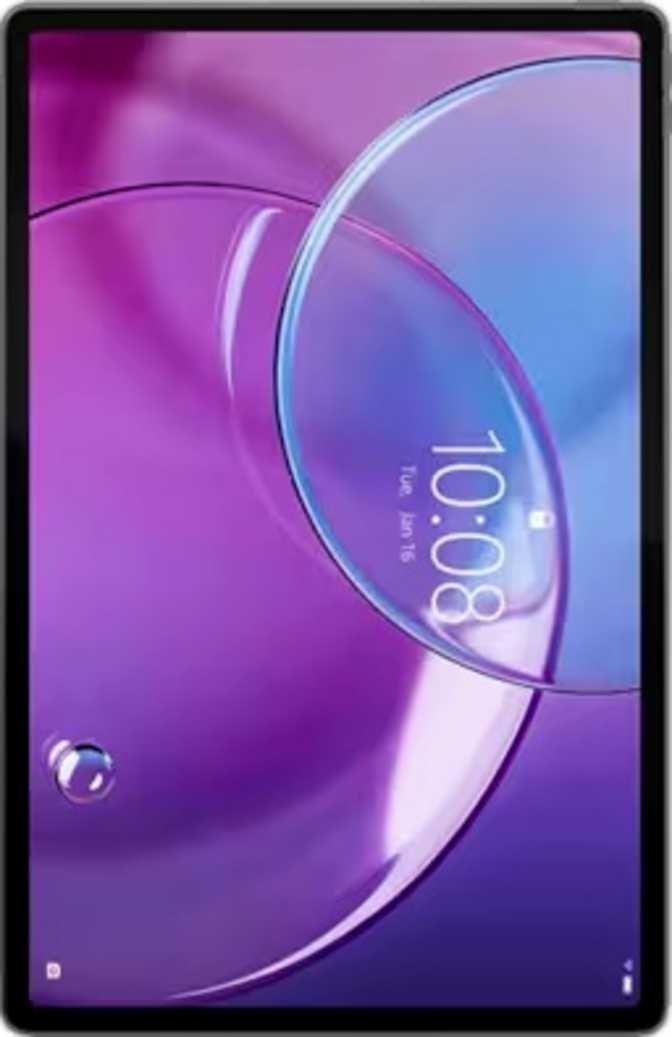
Lenovo IdeaTab Pro Gen 2 Full Review: 13-Inch Android Powerhouse
TabletsMost Android tablets at this size cut corners somewhere — on the display, on the processor, or both. The Lenovo IdeaTab Pro Gen 2 takes a different approach: match a near-flagship processor with a screen genuinely large and sharp enough to justify it as a primary computing surface. Whether that investment pays off depends entirely on what you need from a tablet and what you can live without.
This 13-inch tablet targets productivity and media consumption with a chipset that belongs in the upper echelon of Android tablets and a display sharper than almost anything else in this form factor. The trade-offs are real — no bundled accessories, no fast charging, no cellular connectivity — but the core proposition is genuine.
At a Glance
Design and Build: Thin, Light, and Deliberately Minimal
At just 6.2mm thick, the IdeaTab Pro Gen 2 is genuinely slim for a 13-inch device. Holding it feels less like carrying a large tablet and more like holding a slightly oversized hardcover book. The 598-gram weight is reasonable for the footprint, though extended one-handed use will fatigue most people — this is a two-handed or lap device, not something you will casually hold up for an hour.
The physical dimensions — roughly 297mm wide by 192mm tall — give it a landscape-first feel that suits media playback and document work naturally. Lenovo has gone with a clean, uncluttered exterior, and the overall impression is of a device designed for desk and lap use rather than on-the-go portability.
Physical Highlights
- 6.2mm profile — exceptionally slim for a 13-inch screen
- 598g weight — manageable for a device of this screen size
- Fingerprint scanner for fast, reliable biometric unlock
- Landscape-first form factor built for productivity and media
Build Limitations
- No water or dust resistance — keep away from liquids
- No stylus included — must be purchased and verified separately
- No bundled keyboard — factor into your accessory budget
- Two-handed use required for comfortable extended sessions
The Display: Where This Tablet Earns Its Price
The screen is the centerpiece of the IdeaTab Pro Gen 2, and it delivers in ways that matter for everyday use. Three things stand out above all others: the level of sharpness, the smoothness of motion, and the quality of video playback. Each one is best-in-class for an Android tablet at this size.
Resolution & Sharpness
A pixel density of 318 pixels per inch on a 13-inch screen places this panel well above what most Android tablets offer at this size, where 200ppi is typical. Text is crisp at reading distance, fine photographic detail renders cleanly, and PDFs or spreadsheets with small type remain legible without zooming in.
3,504 × 2,190 px total resolution
144Hz Refresh Rate
The panel refreshes 144 times per second — more than double the standard 60Hz found on most tablets. In practical terms, scrolling feels fluid rather than choppy, animations look polished, and gaming motion clarity is significantly improved. Once you use a high-refresh display regularly, returning to 60Hz feels like a noticeable downgrade.
2.4× smoother than a standard 60Hz screen
IPS Panel & Dolby Vision
IPS LCD technology delivers consistent colour accuracy and even brightness across the entire panel — no colour shift from viewing at an angle. Unlike OLED, it resists burn-in under static elements such as keyboard layouts. Dolby Vision support processes compatible streaming content for improved highlight, shadow, and colour gradient detail.
Anti-reflection coating reduces glare in bright rooms
Performance: Snapdragon 8s Gen 4 in a Tablet Context
The Qualcomm Snapdragon 8s Gen 4 positions this tablet in the upper tier of Android computing. The “8s” designation places it just below Qualcomm's absolute flagship silicon — a deliberate trade-off that delivers near-flagship performance at a more accessible price point.
How the Processor Works
Eight processing cores are arranged in layers of speed and efficiency: a primary performance core running above 3.2GHz, high-performance cores at 3.0GHz, secondary performance cores near 2.8GHz, and efficiency cores at just over 2GHz handling background tasks. This architecture — known as big.LITTLE — means the chip scales its power draw to match the task at hand. Light browsing uses minimal energy, while demanding workloads activate the full performance stack. Built on a 4-nanometer manufacturing process, the chip runs cooler than previous-generation designs, sustaining peak performance during extended workloads without throttling.
Benchmark Performance
Reflects peak responsiveness for tasks running on a single thread — app launches, UI animations, and real-time interactions. This score means individual actions feel immediate with no perceivable lag.
Measures parallel processing power — video rendering, large file handling, and running multiple demanding apps simultaneously. This score places the tablet ahead of older flagship Android tablets and within range of some current iPad Air configurations.
Memory and Storage
Twelve gigabytes of DDR5 RAM is generous by tablet standards. In practice, this means keeping a dozen-plus browser tabs open while switching between a video call, a document editor, a spreadsheet, and a messaging app — without the system reloading any of them from scratch. Memory bandwidth of 76.8 GB/s feeds data to the processor at high speed, which benefits high-resolution photo editing, video processing, and graphically demanding applications. The 512GB internal storage handles large app libraries and offline media without constant management, and a microSD card slot allows further expansion — an increasingly rare feature on premium tablets.
Graphics
The Adreno 825 GPU supports DirectX 12 and equivalent modern graphics APIs, meaning demanding Android games that use advanced rendering techniques run as intended. The GPU is capable of filling the 144Hz display in demanding titles, making the pairing of screen and processor coherent — the display and the hardware are matched in capability rather than mismatched.
Software: Android 16 and the Feature Set
Running Android 16 places the IdeaTab Pro Gen 2 at the current leading edge of the Android ecosystem. Android 16 includes improvements to tablet-specific layouts, multitasking flows, and large-screen optimisations that make split-screen workflows more practical than earlier Android releases offered on 13-inch hardware.
Multitasking Features
- Split-screen with two apps running side by side
- Picture-in-picture video during other tasks
- Play games while they continue downloading
- Full-page scrolling screenshots
- Live Text for copying text directly from photos
Privacy Controls
- Per-app camera and microphone access controls
- App tracking blocking enabled
- Granular location privacy options
- Clipboard access warnings when apps read copied data
- Child lock and multi-user system support
Notable Limitations
- OS updates routed through Lenovo, not directly from Google — patches may arrive later than on stock Android devices
- Wi-Fi only — no cellular module is available on this model
- No 3D facial recognition — fingerprint is the sole biometric option
Connectivity: Wi-Fi 7 Leads the Way
Wireless Networking
Wi-Fi 7 (802.11be) support is the headline connectivity feature. Wi-Fi 7 is the current generation of wireless networking, offering higher theoretical speeds and lower latency than Wi-Fi 6 or 6E. You need a Wi-Fi 7 router to see the maximum benefit, but the tablet remains fully backward compatible with older network standards, so it works on any existing home or office setup without issues.
The specified wireless throughput exceeds what most home internet connections can deliver, meaning the tablet will never be the bottleneck in streaming, downloading, or cloud syncing scenarios.
Bluetooth, USB, and Ports
Bluetooth 6 is the newest generation, offering improvements to connection stability and latency for wireless audio and accessories. No aptX HD or LDAC codec support is listed, so buyers pairing high-resolution wireless headphones should confirm codec compatibility with their specific equipment before purchasing.
The USB-C port runs at USB 3.2 speeds — fast enough to transfer a 10GB file to a connected laptop in seconds rather than minutes. There is no HDMI output, but USB-C video output to an external monitor is supported via the port.
Sensors and Navigation
GPS and Galileo satellite navigation are both supported — unusual for a Wi-Fi-only tablet. This means accurate location data without any cellular connection, which is practical for offline map navigation while travelling. NFC is absent, so contactless payments and NFC accessory pairing are not available.
Battery Life: Plenty of Capacity, Slow to Refill
Day-to-Day Endurance
The 10,200mAh battery is substantial for a tablet. Mixed daily use — video playback, productivity work, and browsing — should comfortably reach and likely exceed ten hours of screen-on time before requiring a charge. Heavy use with the 144Hz display at full brightness and the processor under continuous load will reduce that figure, but light-to-moderate daily patterns make overnight charging a once-per-day habit rather than a twice-per-day inconvenience.
For users who plug in every night, this is a non-issue. Start each day with a full charge, and the battery handles everything a typical working day and evening can throw at it without a mid-day top-up.
The Charging Problem
There is no fast charging support. A 10,200mAh battery at standard speeds takes several hours to fully refill — potentially close to three hours or more for a complete top-up from empty. Wireless charging is also absent, so a cable is always required.
If your lifestyle involves short charging windows between heavy sessions, this limitation becomes a daily friction point. It is the most meaningful weakness in an otherwise strong specification set.
Camera: Functional, Not the Feature
Tablet cameras are rarely the reason anyone buys a tablet, and the IdeaTab Pro Gen 2 follows that convention without apology. The rear camera delivers 13 megapixels with touch autofocus, continuous autofocus during video recording, and a surprisingly capable set of manual controls — including manual ISO, white balance, focus, and exposure settings — making it genuinely useful for document scanning, whiteboard capture, and reference photography.
The 8MP front camera handles video calls adequately at the scale this screen demands. Facing the display during a conference call is a natural use case, and the front camera delivers reliable performance for that purpose.
What It Does Well
- Document and whiteboard scanning
- Video calls and online conferencing
- Manual controls for photography enthusiasts
- Continuous autofocus tracking during video recording
Where It Falls Short
- No optical image stabilisation
- No slow-motion video or panorama mode
- No built-in HDR photo mode
- Not a substitute for a dedicated smartphone camera
Who This Tablet Is For — and Who Should Look Elsewhere
The Right Buyer
- Students and professionals
Who want a large screen for reading, annotating PDFs, running productivity apps, and video calls — and are prepared to invest in a keyboard separately.
- Media consumers
Who stream significant amounts of content and want a sharp, smooth, large display with Dolby Vision — for films, TV series, and long-form video.
- Android power users
Who want current-generation processing power and enough RAM to multitask genuinely across multiple demanding apps without the system compromising.
- Mobile gamers
Who want a tablet capable of running demanding titles at high visual settings, with a 144Hz display matched to the hardware's actual capability.
The Wrong Buyer
- Stylus users and digital artists
No stylus is included and tilt sensitivity support is absent. Verify Lenovo's official accessory compatibility list for this model before assuming it works for drawing or annotation.
- Mobile professionals
Who need connectivity without a phone nearby. No cellular option means the device is always dependent on a Wi-Fi network or a phone acting as a hotspot.
- Fast-charge-dependent users
If your routine involves short charging windows between extended sessions, the absence of fast charging will become a noticeable daily inconvenience.
- Outdoor or rugged use cases
No water or dust resistance rating means this device must stay in controlled environments. It is not suited to outdoor work in unpredictable conditions.
How It Compares to the Competition
Against other Android tablets, the IdeaTab Pro Gen 2's strongest advantages are its display sharpness, refresh rate, RAM, storage, and Wi-Fi generation. Against the iPad Air 13″, the comparison becomes a question of ecosystem preference — the Android tablet wins on refresh rate and connectivity generation, while the iPad offers fast charging and a more mature tablet software ecosystem.
| Feature | IdeaTab Pro Gen 2 | Android Competitor (12–13″) | iPad Air 13″ |
|---|---|---|---|
| Screen Size | 13″ | 12–13″ | 13″ |
| Display Type | IPS • 144Hz | IPS • 60–90Hz | Liquid Retina • 60Hz |
| Sharpness | 318 ppi | ~200–230 ppi | ~264 ppi |
| Processor Tier | Near-flagship Android | Mid-range | Apple M-series |
| RAM | 12 GB | 6–8 GB typical | 8 GB |
| Base Storage | 512 GB | 128–256 GB typical | 128–256 GB typical |
| Wi-Fi Generation | Wi-Fi 7 | Wi-Fi 6 | Wi-Fi 6E |
| Fast Charging | No | Often yes | Yes (with adapter) |
| Stylus Included | No | No | No |
| Operating System | Android 16 | Android (varies) | iPadOS |
Honest Assessment: Strengths and Weaknesses
What It Gets Right
The display is the device's most compelling feature. A combination of 318ppi sharpness, 144Hz smoothness, and Dolby Vision colour calibration is not a combination you find at this price point in a 13-inch Android form factor. Anyone who spends significant time consuming visual content — reading, streaming, working with documents — will notice the difference every single day.
The processor backs the display with performance capable of handling demanding workloads without hesitation. The 12GB of RAM means multitasking does not degrade into an app-reload cycle. These two elements together — the display and the compute power — form a coherent core that justifies the tablet's premium-adjacent positioning.
The storage configuration reflects practical thinking. Starting at 512GB with the option to expand via microSD means running out of space is rarely a concern, and Wi-Fi 7 with Bluetooth 6 ensure the device remains connected at the current leading standard for years ahead.
Where It Falls Short
The charging situation is the most significant weakness. A tablet this capable deserves faster charging. Plugging in and waiting several hours for a complete refill feels at odds with the otherwise premium-adjacent specification set. This will not bother overnight chargers, but it is a genuine friction for anyone with less predictable usage patterns.
The absence of a bundled stylus is a meaningful gap for a 13-inch device with a 318ppi display. The hardware is a natural surface for digital writing and annotation, but Lenovo asks you to fund that use case separately — and confirm compatibility before assuming any stylus will work.
Wi-Fi-only connectivity is a deliberate choice rather than a cost cut, but it means buyers with mobile work patterns need to maintain a separate hotspot. The absence of NFC also removes the option for contactless payments, which some users will miss depending on their daily workflow.
Common Buyer Questions
Final Verdict
The Lenovo IdeaTab Pro Gen 2 is the product of a team that prioritised the screen and processor above everything else — and for buyers whose priorities align, it pays off convincingly. The display is genuinely excellent for a 13-inch Android tablet: sharp enough for close-up reading, smooth enough for fluid scrolling and gaming, and colour-calibrated enough for professional and entertainment use alike. The Snapdragon 8s Gen 4 provides processing headroom that most users will never fully exhaust, and Android 16 turns the large screen into a productive working surface.
The compromises are real but manageable: slow charging is an overnight-discipline rather than a catastrophe; no stylus and no keyboard bundled means budgeting for accessories; and Wi-Fi-only operation suits most home and office use but requires a workaround for mobile professionals.
Buy This If You Want
The sharpest, smoothest 13-inch Android display in this class, backed by performance that will not bottleneck your workflows, and you are happy to charge overnight.
Look Elsewhere If You Need
Fast charging, cellular connectivity, or a stylus workflow that works out of the box. Those needs are better served by other tablets in this category.