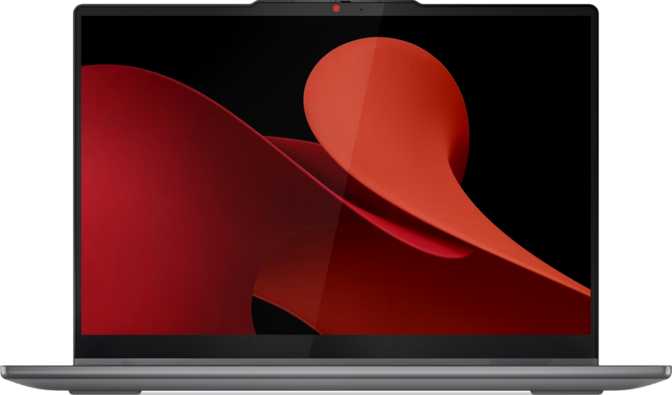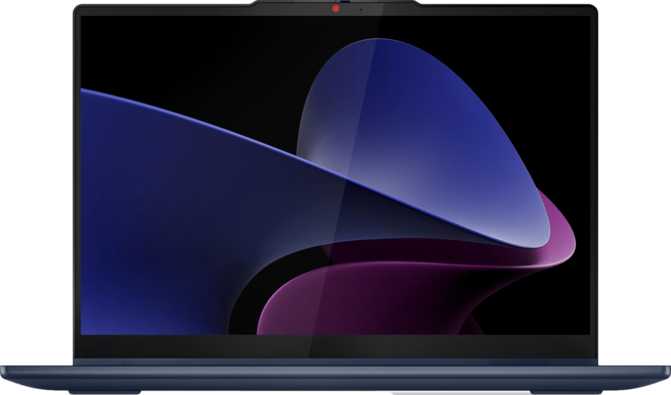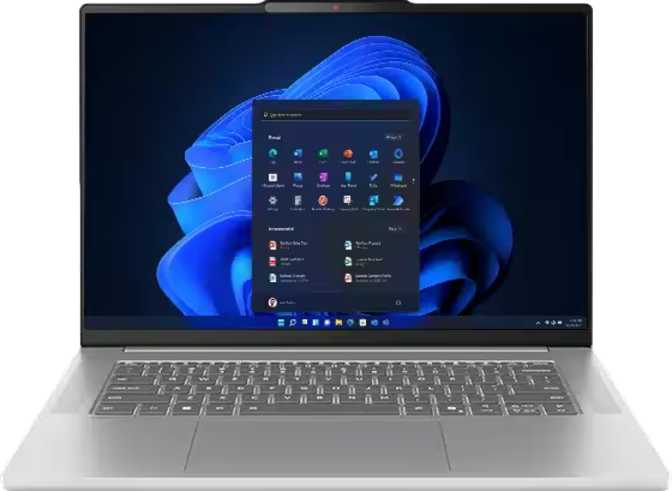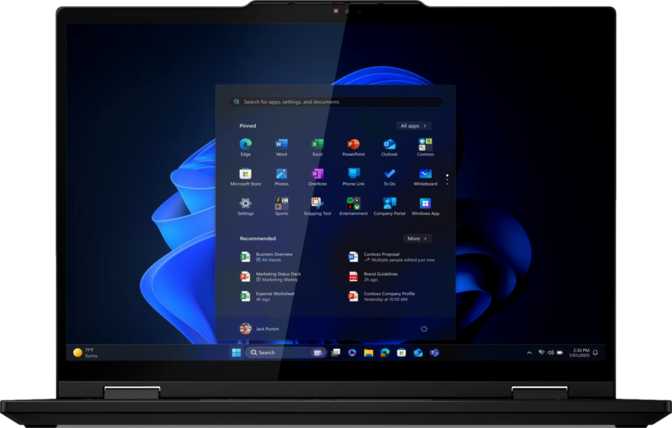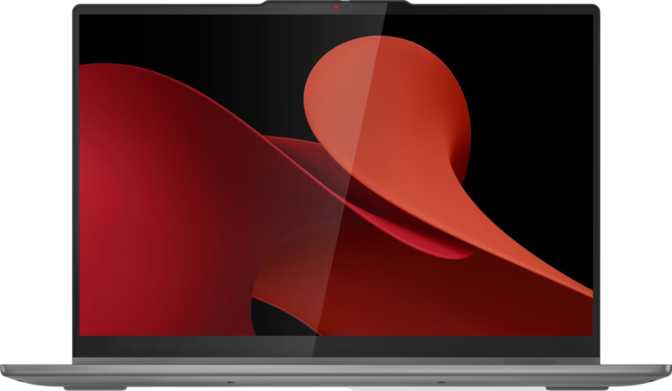
Lenovo IdeaPad 5 2-in-1 Gen 9 16-Inch: An Honest Full Review
LaptopsAt a Glance
Core specifications — full analysis in each section below.
Display
16" IPS Touch 1920×1200
Processor
8-Core, 5.1 GHz Turbo, 45 W
Memory
16 GB DDR5 Dual-Channel
Storage
1 TB NVMe PCIe Gen 4
Graphics
AMD Radeon 780M iGPU
Battery
57 Wh · Weight: 2.0 kg
Quick Verdict: A productivity-first 16-inch 2-in-1 powered by AMD’s most capable integrated GPU, a generous 16:10 touchscreen, and an included stylus. Fast DDR5 memory and a PCIe 4 NVMe SSD eliminate internal bottlenecks. The fixed 16 GB RAM ceiling and glossy panel without anti-reflection coating are genuine trade-offs to weigh carefully before buying.
Design and Build: Sleek, Sensible, and Surprisingly Thin
At exactly 2 kilograms, the IdeaPad 5 2-in-1 Gen 9 16-inch occupies a middle ground between a featherweight ultrabook and a full desktop-replacement slab. That’s roughly the weight of a large hardcover book — noticeable in a backpack, but not punishing for daily commuters. You are not buying this for weight-saving; you are buying it for screen size.
The chassis measures 356 mm wide, 255 mm deep, and just 18 mm thick. That 18 mm profile is genuinely impressive for a 16-inch convertible — it means the machine lies flat and unobtrusive on a desk, and does not feel brick-like when folded into tent mode for a presentation or media session.
This is not a rugged device, and it offers no weather or splash protection. The IdeaPad 5 lineup sits firmly in the consumer-productivity tier — designed for office desks, coffee shops, and living rooms, not construction sites or outdoor fieldwork. The hinge rotates a full 360 degrees, enabling laptop, stand, tent, and tablet configurations, aimed squarely at professionals and students rather than field workers.
The backlit keyboard is a thoughtful inclusion for dimly lit environments — flights, conference rooms, late-night sessions. The 1-year warranty is standard for the consumer segment; power users who depend on this machine for work may want to consider extended protection options at point of purchase.
Physical Specifications
- Width
- 356 mm
- Depth
- 255 mm
- Thickness
- 18 mm
- Weight
- 2.0 kg
- Form Factor
- 360° Convertible
- Keyboard
- Backlit
- Rugged / IP Rated
- No
- Warranty
- 1 Year
The Display: Big Screen, Real Productivity Gains
A 16-Inch IPS Panel That Earns Its Keep at a Desk
The 1920×1200 resolution features 1200 vertical pixels rather than the 1080 you find on most competitors. That extra 120 pixels of vertical height is not a marketing footnote — it translates to more lines of code visible without scrolling, taller document pages before you hit the edge, and a 16:10 aspect ratio that feels more natural for reading and writing than widescreen cinema formats.
At 141 pixels per inch, text and interface elements render crisply at native resolution without demanding heavy OS-level scaling. Icons, fonts, and web content appear clean and readable in daily use.
Brightness, Reflections, and Outdoor Usability
The 300-nit brightness rating is adequate for indoor use in typical office and home environments. Direct sunlight is a real challenge — compounded by the absence of an anti-reflection coating. Glossy displays look vivid and punchy indoors but become mirrors the moment you are near a window. Frequent outdoor workers should angle the screen deliberately or choose a different machine.
The 60 Hz refresh rate prompts zero complaints from the target audience. Productivity users simply do not benefit from higher refresh rates in daily workflows, and the lower display power draw contributes to battery life. Gamers seeking fluid frame rates should look elsewhere; everyone else will not notice.
Touch and Stylus: The 2-in-1 Payoff
The display is touch-enabled with a full-size active stylus included in the box. Students annotating PDFs in lectures, professionals marking up documents in meetings, and creative users drafting rough concepts will find the touch layer genuinely useful. The stylus being included rather than sold separately is a meaningful value consideration.
Display Limitation
No anti-reflection coating on the glossy IPS panel. Bright ambient environments and direct sunlight cause noticeable glare. This is a genuine daily constraint for outdoor or bright-office workers.
Multi-Display Support
The integrated GPU supports up to 4 external displays simultaneously, making this machine fully capable as a multi-screen desk workstation when docked.
Performance: What the Processor Actually Delivers
Architecture and Raw Speed
Built on a 4-nanometer manufacturing process, the processor’s eight physical cores with full multi-threading support handle sixteen parallel threads — directly relevant to how the laptop feels during multitasking-heavy sessions. The base clock of 3.8 GHz bursts to 5.1 GHz under demanding workloads, then throttles back to preserve battery. The 45 W thermal design envelope means it sustains meaningful performance rather than just momentary peaks.
The 16 MB L3 cache reduces how often the processor must reach into main memory for repeated data, contributing to the snappiness you feel in everyday tasks like switching applications and loading complex web pages.
CPU Quick Facts
- Cores / Threads
- 8 / 16
- Base Clock
- 3.8 GHz
- Boost Clock
- 5.1 GHz
- Process Node
- 4 nm
- TDP
- 45 W
- L3 Cache
- 16 MB
- PCIe Version
- Gen 4
- Architecture
- 64-bit, SMT
Benchmark Context: Where This Machine Sits
Machines scoring in this performance tier handle simultaneous video conferencing, large browser sessions with dozens of tabs, background cloud syncing, and active document editing without becoming sluggish. Constraint begins only with sustained 4K video rendering, large dataset machine learning, or complex 3D CAD work.
Geekbench 6 — Multi-Core
11,009Sustained multi-tasking throughput across all cores
Geekbench 6 — Single-Core
2,331Day-to-day responsiveness for single-threaded tasks
PassMark — Overall Score
28,497Comprehensive score across a broad range of tasks
PassMark — Single-Thread
3,738Per-core speed for app launch and UI responsiveness
Memory and Storage: No Bottlenecks Here
The 16 GB of DDR5 memory at 6,400 MHz in a dual-channel configuration is genuinely fast by laptop standards. The dual-channel aspect matters more than the headline speed number: data flows to the processor across two parallel lanes simultaneously, which is particularly important for the integrated Radeon 780M graphics that shares this memory pool.
The 1 TB NVMe SSD over PCIe Gen 4 delivers storage speeds that make loading large files, launching applications, and booting the OS feel near-instantaneous. The practical gap between this and a budget laptop with a slower SATA drive is tangible in daily use.
RAM Ceiling — No Upgrade Path
The maximum supported RAM is fixed at 16 GB. There is no future upgrade path. Buyers anticipating heavier workloads — video editing, virtual machines, large dataset processing — should factor this hard ceiling into their decision before purchasing.
Memory & Storage
- RAM
- 16 GB DDR5
- RAM Speed
- 6,400 MHz
- Configuration
- Dual-Channel
- RAM Ceiling
- 16 GB (fixed)
- Storage
- 1 TB NVMe
- Interface
- PCIe Gen 4
Integrated Graphics: The Radeon 780M Explained
The AMD Radeon 780M is the most capable integrated GPU available in laptop-class processors. It should not be confused with a discrete graphics card — it uses no dedicated video memory and instead draws from shared system RAM. Within those constraints, it performs at a level that would have required a separate GPU chip just two generations ago.
With 768 shader processors, 48 texture units, and 32 render output units running up to 2,700 MHz in boost mode, the 780M handles tasks that integrated graphics traditionally struggled with: light photo editing, GPU-accelerated video exports, casual gaming at moderate settings, and hardware-decoded high-resolution video playback.
The GPU supports DirectX 12 and OpenCL 2.1, meaning it works with modern GPU-accelerated creative applications and software rendering pipelines without falling back to software processing. It does not support ray tracing in a gaming context, and there is no DLSS or XeSS upscaling available — these remain discrete GPU features.
Shared Memory Architecture
Because the 780M draws from the system memory pool, the dual-channel DDR5 configuration is particularly important. More bandwidth available to the GPU translates directly to better graphics performance in demanding applications and games.
Radeon 780M Specifications
- Shader Units
- 768
- Texture Units
- 48
- ROPs
- 32
- Compute Units
- 12
- Base Clock
- 800 MHz
- Boost Clock
- 2,700 MHz
- DirectX
- 12
- OpenGL
- 4.6
- OpenCL
- 2.1
What the 780M Can and Cannot Do
- Light photo editing in Lightroom or Photoshop
- GPU-accelerated 1080p video exports
- Indie and older PC titles at medium settings
- 4K hardware video decode and smooth playback
- Modern AAA gaming at high or ultra settings
- 4K video rendering with complex timelines
- 3D CAD or engineering visualization work
Port Selection: Functional, But Know What’s Missing
The connectivity layout covers the bases for most daily productivity workflows. However, a few notable absences will matter to certain buyer profiles — particularly those invested in Thunderbolt ecosystems or wired networking.
What You Get
| Port / Feature | Qty | Speed / Standard |
|---|---|---|
| USB-C (USB 3.2 Gen 2) | ×2 | 10 Gbps each |
| USB-A (USB 3.2 Gen 1) | ×2 | 5 Gbps each |
| HDMI Output | ×1 | HDMI 1.4 |
| microSD Card Reader | ×1 | — |
| 3.5 mm Audio Jack | ×1 | Headset / Headphone |
| Wi-Fi | Wi-Fi 6 (802.11ax) | |
| Bluetooth | Bluetooth 5.3 |
What’s Missing
| Missing Port | Practical Impact |
|---|---|
| Thunderbolt (any gen) | No eGPU, no Thunderbolt docking |
| USB 4 (40 Gbps) | No maximum-bandwidth peripherals |
| Wired Ethernet (RJ-45) | Adapter required for wired networking |
| DisplayPort (native) | External display via USB-C adapter only |
| HDMI 2.0 / 2.1 | 4K external limited to 30 Hz over HDMI |
Wi-Fi 6 in Practice
Wi-Fi 6 delivers faster speeds and better performance in crowded multi-device environments. If your router supports it, you will see real-world benefit. On older routers, the connection gracefully falls back to Wi-Fi 5 or Wi-Fi 4 with no action needed.
Battery Life: The Realistic Picture
The 57 Wh battery is mid-sized for a 16-inch laptop — neither the generous reserve you find in MacBook-class machines nor the thin trickle of a budget notebook. What it delivers in practice depends heavily on usage pattern, and the 45 W processor TDP is the main variable.
Under light loads — document editing, video calls, web browsing — the processor drops into efficient power states that extend runtime meaningfully. Expect somewhere in the range of 7 to 9 hours of mixed light-use productivity, though that ceiling shrinks noticeably when pushing the processor with video exports or graphics-intensive tasks.
Under sustained heavy loads — video rendering, large file exports, extended gaming sessions — battery life shortens significantly. A 16-inch chassis with a 45 W processor at full throttle is an energy-intensive combination, and the 57 Wh cell keeps pace with moderate usage but will have heavy users reaching for the charger by afternoon.
Sleep-and-charge USB functionality is present, meaning connected devices continue charging from the laptop’s battery even when the machine is in sleep mode — useful for keeping a phone topped up during travel. Charging is handled through one of the USB-C ports, offering the convenience of any compatible USB-C power delivery charger from either side.
Battery Summary
- Capacity
- 57 Wh
- Light Use Est.
- ~7–9 hrs
- Heavy Use Est.
- ~3–5 hrs
- Charging Port
- USB-C PD
- Sleep & Charge
- Yes
- MagSafe
- No
Features That Complete the Package
Security
A fingerprint scanner handles biometric login, integrating with Windows Hello for fast, password-free authentication. This is a genuine quality-of-life improvement that speeds up the dozens of daily lock and unlock cycles in a working day. The machine does not offer 3D facial recognition — Windows Hello authentication is fingerprint-only here.
Audio and Camera
Dual microphones provide stereo voice capture — meaningfully better than a single microphone for voice clarity in calls and dictation. The front-facing camera supports video conferencing. Stereo speakers handle media playback and, at 16 inches, the physical speaker separation provides decent audio imaging. Dolby Atmos processing is absent, so audio stays in standard stereo territory.
The 3.5 mm jack supports standard headphones and wired headsets with microphone, preserving compatibility with wired audio gear that remains common in professional settings.
Complete Feature Checklist
- Touchscreen — Full 360° convertible hinge
- Active Stylus — Included in the box
- Fingerprint Scanner — Windows Hello biometric login
- Backlit Keyboard — For low-light environments
- Dual Microphones — Stereo voice capture
- Front-Facing Camera — Video conferencing ready
- Stereo Speakers — Decent separation at 16 inches
- 3.5 mm Jack — Headphone and headset support
- Sleep-and-Charge USB — Charges devices during sleep
- 3D Facial Recognition — Not available
- Dolby Atmos — Standard stereo only
- Optical Disc Drive — Not included
Who Should Buy the IdeaPad 5 2-in-1 Gen 9 16-Inch
This Machine Is For…
-
Students and academics
A single device for classes, the library, and home. Touchscreen and stylus enable handwritten notes and PDF annotation, while the 16-inch display makes long reading and research sessions comfortable.
-
Business professionals who present regularly
Tent and tablet modes make the 2-in-1 genuinely useful in client-facing situations. Fingerprint login speeds up lock screens in busy meeting transitions.
-
Home and hybrid workers
A large display for daily document and communication work, with genuine portability when needed. Handles both without requiring a desktop as a supplement.
-
Light creative users
Photographers organizing and editing in Lightroom, video creators doing basic cuts on smaller timelines, or illustrators sketching concepts with the included stylus.
This Machine Is NOT For…
-
Dedicated gamers
Integrated-only graphics will limit modern AAA gaming to lower settings. A discrete GPU laptop in a similar price range delivers a drastically different gaming experience.
-
Heavy video production professionals
Regularly encoding 4K or higher footage, or running complex compositing pipelines, will push both the GPU ceiling and the fixed 16 GB RAM limit.
-
Thunderbolt workflow users
Docking stations, external GPU enclosures, and high-bandwidth NAS setups all require Thunderbolt ports that this machine simply does not provide.
-
Outdoor field workers
No rugged build, no weather or splash sealing. Designed for controlled environments: offices, classrooms, and living rooms only.
How It Compares to the Obvious Alternatives
The IdeaPad 5 2-in-1 Gen 9 16-inch competes in a busy segment. Here is how it stacks up against the most common alternatives a buyer in this budget tier would consider.
| Feature | IdeaPad 5 2-in-1 Gen 9 16″ This Product |
Typical 15.6″ AMD Productivity | Typical 13–14″ 2-in-1 Ultrabook |
|---|---|---|---|
| Screen Size & Ratio | 16″ (16:10) | 15.6″ (16:9) | 13–14″ (16:10) |
| Form Factor | 360° Convertible | Clamshell only | 360° Convertible |
| Stylus | Included in box | Rarely included | Sometimes (often extra cost) |
| Touchscreen | |||
| RAM Ceiling | 16 GB (fixed) | Often upgradeable to 32 GB | 16–32 GB |
| Weight | 2.0 kg | 1.8–2.2 kg | 1.2–1.5 kg |
| Integrated GPU Tier | Radeon 780M (best-in-class) | Radeon 760M–780M (varies) | Iris Xe / Radeon 760M (weaker) |
| Wired Ethernet | Sometimes | Rarely |
Honest Strengths and Weaknesses
Strengths
-
16-Inch 16:10 IPS Touchscreen
The extra vertical screen real estate versus a standard 16:9 competitor is tangible across every productivity task — not a spec-sheet detail, a daily experience.
-
Best-in-Class Integrated GPU
The Radeon 780M handles light creative tasks, casual gaming, and GPU-accelerated workflows that would have required a discrete chip in previous generations.
-
Stylus Included — No Extra Purchase Required
Competitors treat the stylus as an optional accessory. Lenovo includes it in the box, delivering real pen-input capability at no additional cost.
-
Fast DDR5 Dual-Channel Memory
No memory bottleneck for the target workload. The dual-channel configuration directly benefits the integrated GPU that shares this memory pool.
-
1 TB PCIe Gen 4 NVMe Storage
Near-instant boot, fast file access, and no capacity anxiety for students or hybrid workers managing large project libraries.
-
Wi-Fi 6 and Bluetooth 5.3
Current-generation wireless on both fronts — faster speeds, better performance in dense environments, and stable peripheral connections.
Weaknesses
-
RAM Ceiling Fixed at 16 GB
No upgrade path exists. Buyers with evolving workloads will eventually outgrow the machine rather than simply expanding the memory to extend its useful life.
-
Glossy Panel Without Anti-Reflection Coating
Looks vivid indoors but becomes a mirror in bright environments. A real daily frustration for anyone working near windows or in well-lit offices.
-
HDMI 1.4 Limits External Display Quality
External 4K monitors are capped at 30 Hz over the built-in HDMI port. High-refresh-rate 4K setups require USB-C adapters with DisplayPort signal.
-
No Thunderbolt Ports of Any Generation
eGPU enclosures, high-bandwidth docking stations, and Thunderbolt NAS systems are simply incompatible with this machine’s port selection.
-
No Wired Ethernet Jack
A USB adapter is required for any wired network connection. Minor for most users, a genuine friction point in corporate networking environments.
-
57 Wh Battery Under Heavy Load
The 45 W TDP processor under sustained workloads significantly shortens runtime. Heavy users will reach for the charger well before the end of a full work day.
Answers to Questions Real Buyers Ask
Final Verdict
Lenovo IdeaPad 5 2-in-1 Gen 9 16″
The Lenovo IdeaPad 5 2-in-1 Gen 9 16-inch is not trying to be all things to all users — and it is better for it. This is a productivity laptop that happens to convert, not a tablet that happens to have a keyboard. The 16-inch 16:10 IPS touchscreen, AMD Radeon 780M performance, fast DDR5 memory, and included stylus form a coherent package aimed squarely at students, hybrid professionals, and content consumers who want screen area, flexibility, and capable performance in one machine.
The limitations are clear and consistent: not a machine for dedicated gamers, heavy video production, or users with established Thunderbolt workflows. The glossy panel and modest battery life are trade-offs that buyers should evaluate honestly against their working environment before committing.
For the buyer who fits the profile — and who has been tolerating a smaller or less versatile screen — the IdeaPad 5 2-in-1 Gen 9 16-inch earns a confident recommendation within its lane. Understand exactly which lane that is before buying, and this machine will serve you genuinely well.