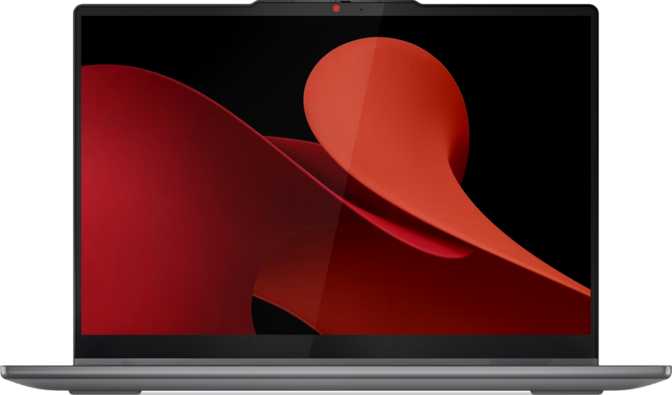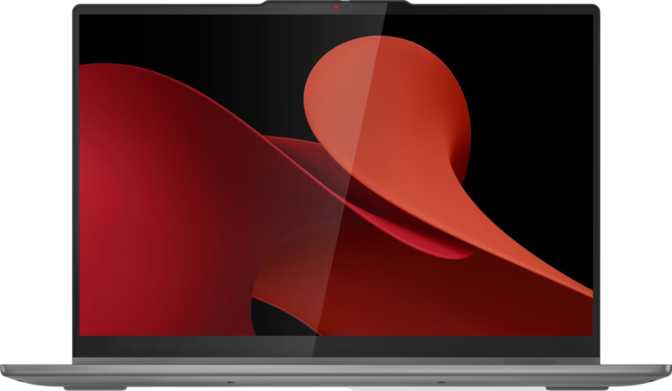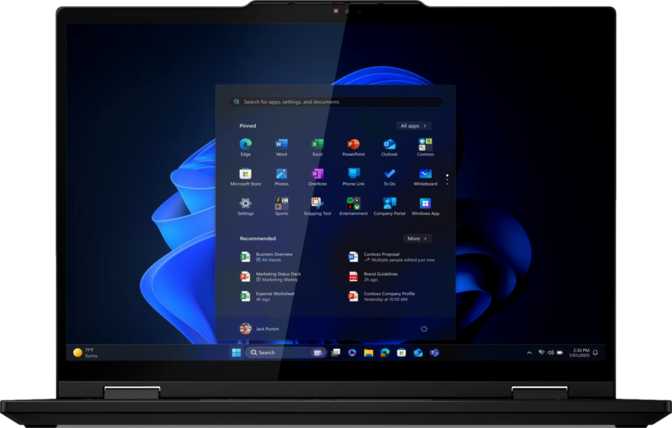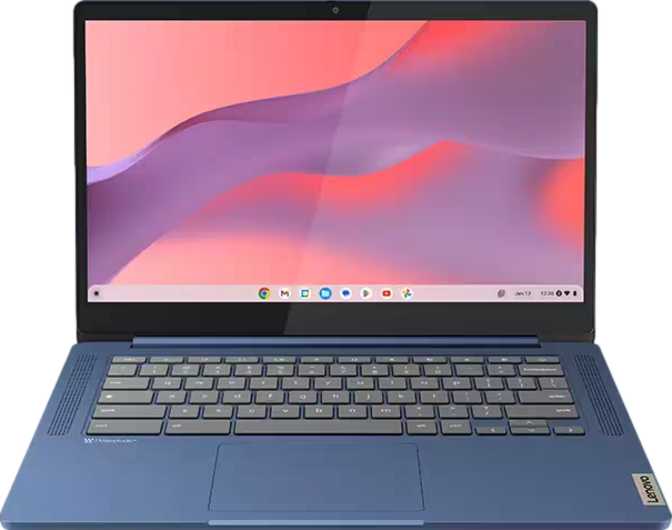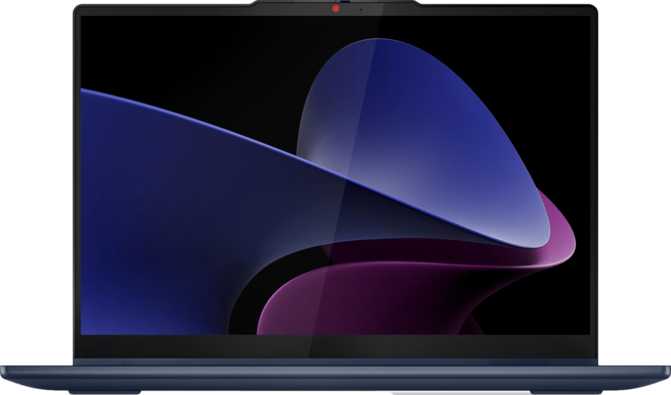
Lenovo IdeaPad 5i 2-in-1 Gen 9 Review: OLED Screen, Real Trade-offs
LaptopsThe convertible laptop category is overcrowded with machines that promise flexibility but deliver compromise. Most 2-in-1s either sacrifice screen quality for portability, or add premium weight in exchange for durability. The Lenovo IdeaPad 5i 2-in-1 Gen 9 does something different: it puts an OLED display — the kind normally reserved for flagship devices — at the center of an otherwise grounded, practical machine aimed squarely at everyday professionals and students. That choice defines everything good and everything to question about this laptop. The answer to whether it earns its place on your desk depends entirely on how you work.
Display
14″ OLED
1920 × 1200
CPU
10-Core Hybrid
Boost to 4.9 GHz
RAM
16 GB DDR5
5200 MHz
Storage
1 TB NVMe
PCIe Gen 4
Weight
1.5 kg
17 mm Thin
Warranty
2 Years
Included
Design and Build
Slim, light, and purposefully unpretentious
Weight
1.5 kg
Thickness
17 mm
Footprint
313 × 227 mm
Hinge
360°
At 1.5 kilograms, the IdeaPad 5i 2-in-1 Gen 9 sits comfortably in the travel-friendly tier of convertible laptops. That is roughly the weight of a hardcover novel — light enough to carry in a backpack without thinking about it, but not so light that you question the build materials. The 17mm profile closes into a package that fits easily into most slim bags, and the 313 × 227mm footprint feels right on a desk and manageable on the move.
The 16:10 aspect ratio screen — taller than the 16:9 standard common in the budget tier — gives the chassis a slightly squarer, more balanced look. This is an aesthetic side effect of a display choice that also improves daily usability in a way that matters more than the visual impression.
Build Reality Check
This is not a rugged device. There is no weather sealing, no rubberized edge protection, and no military-standard certification. It is built for controlled environments — offices, classrooms, cafes, and home desks. If your work takes you into rough outdoor conditions or your bag regularly takes a beating, this context matters before purchasing.
The backlit keyboard makes low-light typing comfortable — a genuinely useful feature in dark conference rooms, late-night sessions, and airplane cabins. The layout follows Lenovo's IdeaPad house style: straightforward, predictable, and appropriately sized for a 14-inch chassis.
The 360-degree hinge enables four distinct usage modes — traditional laptop, tent mode for presentations and video, stand mode, and full tablet. The included stylus makes tablet mode functional for note-taking, annotation, and sketching without requiring a separate accessory purchase. The hinge holds stable at intermediate angles, so touchscreen tapping in laptop position does not send the display rocking.
The OLED Display
The reason to choose this laptop over an IPS alternative
Panel Type
OLED
Resolution
1920 × 1200
Pixel Density
161 ppi
Touch + Stylus
Included
Brightness
400 nits
Refresh Rate
60 Hz
Aspect Ratio
16:10
Anti-Reflection
None
What OLED Means in Practice
OLED panels work fundamentally differently from the IPS or TN screens found on most laptops at this price range. Each pixel generates its own light and can switch completely off — producing blacks that are genuinely black, not dark grey. The contrast this creates is something no LCD technology can match: photos look like photographs, not like photographs on a laptop screen. For productivity use, this translates into noticeably reduced eye fatigue over long sessions and a richer visual experience working in documents, spreadsheets, and browsers every single day.
Resolution and the 16:10 Advantage
At 161 pixels per inch on a 14-inch panel, text is crisp and icons are clean without requiring aggressive display scaling. More importantly, the 16:10 aspect ratio gives you roughly 10% more vertical space compared to the 16:9 format common on most competing laptops — more rows visible in a spreadsheet, more lines in a document, more of a webpage before you scroll. Over an eight-hour day, that extra breathing room is genuinely felt.
Brightness and the Outdoor Limitation
The 400-nit brightness figure performs better in practice than the number suggests on an OLED panel, because the surrounding deep blacks dramatically increase perceived contrast. Indoors — even in a well-lit office — this display performs well. The story changes the moment you step outside.
Outdoor Use Warning
There is no anti-reflection coating on this panel. In direct sunlight, glare accumulates quickly and 400 nits is not sufficient to overcome it. If you regularly work outside or beside large sun-facing windows, this is a genuine daily friction point — not an edge case.
Refresh Rate
The 60 Hz refresh rate is the standard for productivity and content consumption. Text scrolls smoothly, video plays without judder, and everyday navigation feels responsive. Coming from a 90 Hz or 120 Hz display there is a brief adjustment period. Most office workers and students will not notice. Gamers will — but this machine is not aimed at them.
Touch Input and the Included Stylus
Touch input is accurate and responsive, and is most useful when the device is in tablet or tent mode. The stylus — included in the box — extends that usefulness into handwriting, note-taking, sketching, and document annotation without an additional purchase. For students capturing handwritten notes, designers roughing out concepts, or professionals signing documents digitally, the stylus makes the 2-in-1 form factor feel purposeful rather than marketed.
Performance
A capable processor built for real work
PassMark Multi-Core
23,805
Productive mid-range — well above budget chips, competitive with mainstream Core i5/i7
PassMark Single-Core
3,569
Strong single-thread responsiveness for everyday app launches and UI tasks
CPU Cores
10 (6P + 4E)
Threads
16
CPU Architecture: Why Two Types of Cores
The processor uses Intel's hybrid core architecture — a design that mixes six higher-performance cores for demanding, latency-sensitive tasks (opening applications, rendering, compiling) with four efficiency cores for lighter background work (browser tabs, cloud sync, system processes). This division means the chip allocates power intelligently, burning energy aggressively only when the task demands it and idling efficiently otherwise. A peak boost speed approaching 5 GHz handles the kind of short-burst single-threaded work that most everyday software actually depends on.
What the Benchmark Score Means in Daily Use
A multi-core PassMark score of approximately 23,800 places this processor solidly in the productive midrange — significantly faster than budget Celeron and Pentium chips, competitive with mainstream configurations, and meaningfully faster than the ultra-low-power processors found in thinner ultrabooks. In practical terms: simultaneous browser tabs, office documents, video calls, email, and background cloud services run without friction.
Light-to-moderate photo editing in Lightroom or Photoshop is within its comfort zone. Software compilation, batch video transcoding, and heavy multi-track audio production will work but will take longer than a dedicated workstation. The active cooling system keeps sustained performance consistent — the fan will spin up under load, but performance will not silently throttle.
Memory and Storage
Sixteen gigabytes of fifth-generation DDR5 memory at its maximum rated speed of 5200 MHz is the current sweet spot for productivity. DDR5 offers faster throughput and better efficiency than its predecessor, which shows in memory-intensive scenarios like large browser sessions, virtual machines, and working with big files in creative applications.
Memory is Fixed at 16 GB
There is no upgrade path. For most users this is sufficient. For anyone planning virtual machines, large data sets, or an expanding workload over time, it is a ceiling to consider now rather than discover later.
The one-terabyte NVMe SSD uses the current fast PCIe Generation 4 standard, meaning application launches, large file transfers, and system boot times are fast and remain fast. A terabyte provides meaningful headroom for media collections, project archives, and growing software libraries.
Integrated Graphics
The integrated Intel UHD graphics handles 4K video playback, photo viewing, light creative editing, multiple displays, and standard UI rendering without issue. It can drive up to four simultaneous displays via a combination of the built-in screen, HDMI output, and USB-C ports — a capability that makes it viable for multi-monitor office setups that is often overlooked at this tier. It does not support ray tracing, AI-accelerated upscaling, or meaningful 3D gaming. It is not intended to.
Ports and Connectivity
Functional for most users, with notable gaps for power users
What You Get
-
2× USB-C (USB 3.2 Gen 2)Fast data transfer; supports USB-C monitors and power delivery charging
-
2× USB-A (USB 3.2 Gen 1)For legacy peripherals, USB drives, and accessories that don’t use USB-C
-
HDMI Output (v1.4)External display connection; 4K at 30 Hz via HDMI, or 60 Hz via USB-C
-
Wi-Fi 6 (802.11ax)Current-generation wireless; faster and more reliable in congested environments
-
Bluetooth 5.2For wireless peripherals, headphones, and speakers
-
3.5 mm Headphone JackRetained here — meaningful for wired headset and headphone users
-
MicroSD Card SlotUseful for photographers, videographers, and compact media transfers
What Is Missing
-
No Ethernet / RJ45Wireless-only networking; a USB-C to Ethernet adapter is the workaround for wired connections
-
No Thunderbolt 4Premium docks, eGPUs, and ultra-fast external storage arrays require Thunderbolt 4
-
No USB 4 (40 Gbps)The USB-C ports are fast at mainstream standards but not at the top of the speed hierarchy
-
No Wi-Fi 6EWi-Fi 6 is current-generation and capable; the newer 6 GHz spectrum band is not supported
HDMI Version Note
The HDMI output is version 1.4, which limits 4K external display output to 30 frames per second. For smooth 4K on an external monitor — particularly for video editing, media playback, or high-refresh productivity — use one of the USB-C ports with a USB-C to DisplayPort cable or a USB-C compatible monitor for 60 Hz output.
Battery Life
Honest expectations for daily use
Capacity
57 Wh
Est. Range
7–9 hrs
Charging
USB-C
Sleep & Charge
Yes
The 57 Wh battery is a solid capacity for a 14-inch convertible — competitive with machines in this size class, not a headline number but not a compromise either. Under moderate workloads — typing, browsing, video calls, and email — expect somewhere in the seven-to-nine-hour range at typical brightness and mixed content.
OLED screens add a nuance that LCD comparisons miss: at typical brightness levels, an OLED panel can be more efficient than IPS on dark-themed applications (black pixels draw no power), but consumes more energy at high brightness with light-colored content. Battery life varies with screen brightness and what is on screen in a way it simply does not on LCD machines. Dimming the display two or three notches extends usable time meaningfully.
USB-C charging is a practical advantage — the same compact charger works whether you are at a desk, in an airport, or borrowing a power brick from a colleague. The sleep-and-charge feature lets you top up a phone via the USB port even when the laptop lid is closed and the machine is off — a small but consistently useful daily convenience.
Security and Audio
Biometrics, webcam, and built-in sound
Security and Biometrics
A fingerprint scanner handles login authentication quickly — press once and you are in, without typing a password each time the screen locks. It works dependably in normal lighting conditions and provides a smooth daily login experience.
The front-facing camera is a standard webcam without infrared sensing, which means Windows Hello face unlock is not available on this model. Authentication is fingerprint or password only. For anyone who prefers the look-to-unlock experience familiar from some other devices, that capability is absent here.
- Fingerprint scanner — fast, reliable daily login
- Dual microphones — cleaner audio capture for video calls
- No IR camera — Windows Hello face unlock not supported
Audio
Stereo speakers and a 3.5mm headphone jack cover the two audio scenarios that matter most for a productivity laptop. The built-in speakers handle video calls, meeting audio, and casual media consumption adequately. The headphone jack preserves compatibility with wired headphones and headsets — a feature increasingly removed from slim ultrabooks that is meaningfully retained here.
There is no Dolby Atmos certification on this configuration — notable given how common it has become at this price tier. Speaker quality remains the most subjective specification in any laptop review; an in-person listen before committing is the only reliable assessment if audio output is a purchasing priority for you.
Who This Laptop Is For
And who should consider looking at alternatives
This Is a Strong Fit For
-
Students
Note-taking with the stylus, research, document writing, and presentations. The OLED screen makes long reading sessions more comfortable than LCD alternatives in this class.
-
Office Professionals and Remote Workers
Browser tabs, email, collaboration tools, document editors, and video calls — a fast SSD, 16 GB DDR5, and a screen that makes extended sessions more pleasant is a strong daily foundation.
-
Casual Creative Users
Photographers who want a color-rich screen for culling and light editing; note-takers and diagrammers who will use the stylus on a regular basis.
-
Travelers and Commuters
1.5 kg and 17 mm thin make for an easy daily carry with meaningful capability — and a screen worth pulling out on a train or flight.
Consider Alternatives If You Are
-
A Gamer
Integrated graphics can handle casual 2D titles at reduced settings. Modern 3D gaming at acceptable frame rates is not realistic on this hardware.
-
A Heavy Video Editor or Motion Graphics Artist
Rendering long timelines and complex effects sequences will work but slowly. A dedicated GPU makes a categorical difference for this workload — and this machine does not have one.
-
A Thunderbolt 4 User
Premium docks, eGPU enclosures, and ultra-fast external storage require Thunderbolt 4, which this machine does not offer.
-
An Outdoor or Field Worker
No anti-reflection coating and no weather sealing make this a poor fit for bright outdoor environments or rough field conditions.
-
Anyone Anticipating More Than 16 GB
The fixed RAM ceiling with no expansion path may become a constraint for virtual machines, memory-intensive analysis, or ambitious multitasking over time.
How It Compares
Positioned against logical alternatives in the same tier
| Feature | IdeaPad 5i 2-in-1 Gen 9 | Typical OLED Competitor | Typical IPS 2-in-1 |
|---|---|---|---|
| Display | OLED1920 × 1200, 60 Hz | OLED, varies by model | IPS, 1920 × 1200 or 1080 |
| Aspect Ratio | 16:10More vertical space | Often 16:9 | Varies, often 16:9 |
| Stylus Included | Yes | Sometimes | Rarely |
| RAM | 16 GB DDR5 (fixed) | 16–32 GB, sometimes upgradeable | 8–16 GB DDR4/DDR5 |
| GPU | Integrated only | Integrated or discrete | Integrated typically |
| Thunderbolt 4 | No | Often yes (at higher price) | Often no |
| Wi-Fi Standard | Wi-Fi 6 | Wi-Fi 6 or 6E | Wi-Fi 5 or 6 |
| Warranty | 2 YearsStandard | Typically 1 year | Typically 1 year |
Strengths and Weaknesses
The honest picture before you decide
Where It Excels
The single strongest argument for this laptop is the display. An OLED panel at this price tier is rare enough that it functions as a genuine upgrade over most alternatives — not a paper specification difference, but a moment-to-moment improvement in the experience of looking at the screen for hours every day. The 16:10 aspect ratio compounds this advantage for anyone spending significant time in documents, spreadsheets, or browsers.
The included stylus and 360-degree hinge make the 2-in-1 format feel earned rather than marketed. The fast PCIe Gen 4 NVMe SSD means the machine handles large files and application launches with authority. DDR5 memory runs at its full rated speed — meaningful for memory-intensive creative and analytical work. The two-year warranty is a genuine differentiator at this price tier, reducing long-term ownership risk without an additional purchase.
- OLED display — rare and impactful at this price
- 16:10 ratio — ~10% more vertical screen real estate
- Stylus included in the box
- 1 TB PCIe Gen 4 NVMe — fast and generous
- DDR5 at full rated speed (5200 MHz)
- Wi-Fi 6 — current-generation wireless
- 2-year warranty — double the industry standard
- 1.5 kg and 17 mm — genuinely travel-ready
Where It Falls Short
The connectivity picture is where honest disappointment appears. HDMI 1.4 is aging, and buyers planning a 4K external monitor setup should route video through USB-C instead. The absence of Ethernet requires accepting a wireless-only networking stance. The memory ceiling at 16 GB with no expansion path is a long-term constraint worth weighing now.
The display’s lack of anti-reflection coating is a genuine daily friction point for anyone working near windows or outdoors. It is not a fatal flaw indoors, but it is a frustration that appears regularly in real usage. At 400 nits, the brightness is on the conservative side for an OLED panel — some competitors in this size class reach higher peak brightness. The fan will also be audible during sustained demanding tasks.
- HDMI 1.4 — 4K at 30 Hz only via HDMI port
- No Thunderbolt 4 — limits premium dock options
- Fixed 16 GB RAM — no upgrade path
- No anti-reflection coating — outdoor glare is real
- 400 nits — modest brightness for an OLED panel
- Active fan — audible under sustained load
- No Ethernet — wireless networking only
- No Windows Hello face recognition
Common Buyer Questions
Answers to what real buyers search for before purchasing
Final Verdict
Our recommendation on the Lenovo IdeaPad 5i 2-in-1 Gen 9 14″
The Lenovo IdeaPad 5i 2-in-1 Gen 9 makes one bold hardware choice and builds a competent, sensible laptop around it. That choice — the OLED display — is the right one for productivity. It is what makes this laptop better than its specifications on paper suggest, and it is what justifies recommending it over cheaper IPS alternatives for anyone who spends significant hours at the screen.
The 2-in-1 format, included stylus, fast SSD, DDR5 memory, Wi-Fi 6, and two-year warranty round out a package that delivers genuine value where it is visible and felt every day. The compromises — HDMI 1.4, no Thunderbolt 4, fixed memory, no anti-reflection coating, no Ethernet — are real but manageable. None is unusual at this tier; most are shared by competing machines.
For the student who annotates lecture notes, the remote worker who joins six video calls a day, or the creative professional who wants an honest OLED display without paying flagship prices — this is a genuinely well-considered machine. The screen earns it.
Buy It If
- You spend most of your day in documents, browsers, and video calls
- You want a screen that makes those hours noticeably more pleasant than an IPS laptop would
- You appreciate the ability to use the laptop as a tablet for notes or annotation
- You work primarily indoors in controlled, well-lit environments
Reconsider If
- You need Thunderbolt 4 for a premium dock or eGPU setup
- You want a 90 Hz or 120 Hz high-refresh-rate display
- You need or anticipate needing more than 16 GB of RAM
- You regularly work outdoors or in direct sunlight