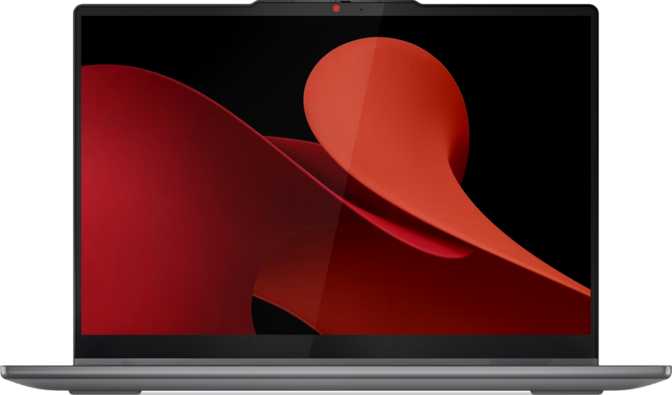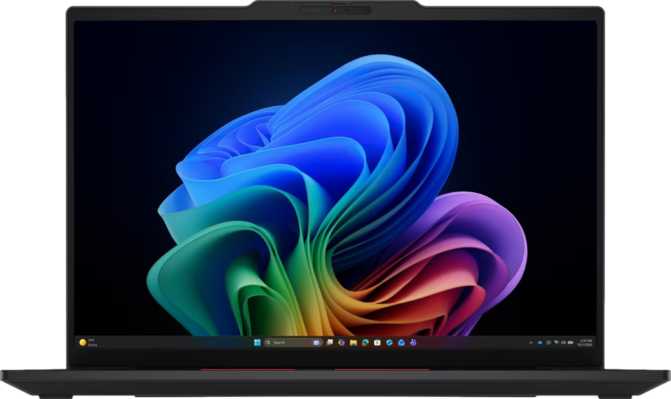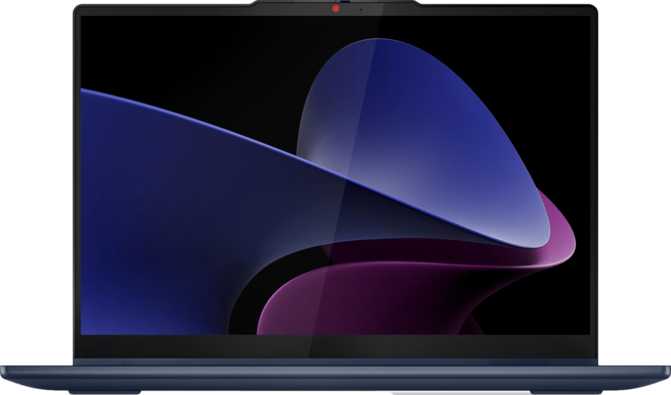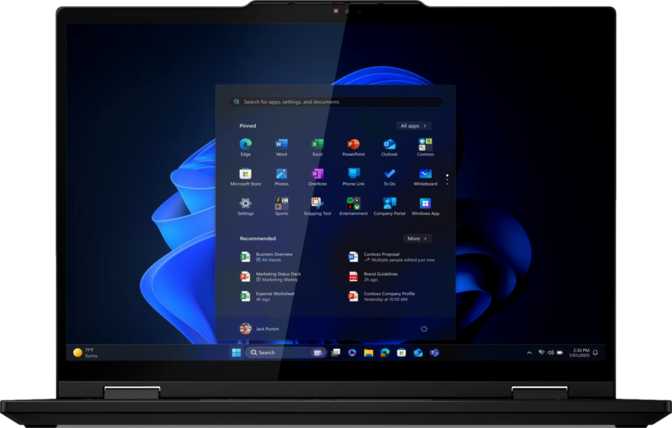
Lenovo ThinkPad T14s 2-in-1 Gen 1 Review: A Power User's Convertible
LaptopsKey Specifications at a Glance
Six numbers that define this business convertible
Design and Build Quality
Form Factor and Physical Experience
At just 12 millimeters thick, the T14s 2-in-1 Gen 1 is genuinely slim for a convertible that houses active cooling — and active cooling matters when running demanding workloads. Many competing 2-in-1 designs sacrifice cooling performance for aesthetics by going fanless, which forces the processor to throttle aggressively under sustained load. The T14s avoids that trap.
The footprint measures 313mm wide by 222mm deep — standard territory for a 14-inch laptop, comfortable in any laptop bag. At 1,400 grams, it sits in the middle of the spectrum for convertibles of this screen size: manageable in tablet mode for short sessions, not weightless over a long travel day.
Build Heritage and Daily Reliability
ThinkPad construction brings an expectation that professionals rely on in high-stakes environments. The 360-degree hinge — the most critical engineering element in any convertible — has historically been one of the more reliable in the category. This machine carries no rugged or weather-sealed rating, placing it firmly in the office, home, and travel category rather than field deployment.
The backlit keyboard preserves the classic ThinkPad typing experience alongside the red TrackPoint pointing device — a hallmark of the lineup and a genuine differentiator for users who spend hours daily in text-heavy tasks.
Physical Specifications
- Width
- 313 mm
- Depth
- 222 mm
- Thickness
- 12 mm
- Weight
- 1,400 g (3.1 lbs)
- Cooling
- Active Fan
- Keyboard
- Backlit
- Weather Sealed
- Not Rated
- Warranty
- 3 Years
Three-Year Warranty: Consumer laptops typically ship with one year. This enterprise-grade coverage significantly reduces total cost of ownership for IT departments managing fleets of machines.
Display: The 16:10 Advantage
More vertical real estate, touch input, and an anti-reflection coating built for long workdays.
Why Aspect Ratio Matters More Than Resolution
The 14-inch IPS panel runs at 1920×1200 pixels — not the 1920×1080 found on the majority of business laptops. That extra 120 pixels of vertical real estate results from the 16:10 aspect ratio, and it matters in daily use more than the numbers suggest. Editing documents, reviewing code, or reading long email threads all benefit from taller content: fewer scrolls, less context switching, and measurably less fatigue over a full workday.
Pixel density lands at 161 pixels per inch. At a standard working distance, text is crisp and icons are clean. It is not the ultra-sharp density of a QHD or 2.8K panel, but entirely comfortable for sustained work. Users transitioning from a high-DPI MacBook will notice the difference; most professionals will not.
Brightness, Glare Control, and IPS Viewing Angles
The panel reaches 400 nits — the threshold below which working near a bright window becomes genuinely uncomfortable. An anti-reflection coating further diffuses glare, extending usability in window-adjacent seats and illuminated conference rooms. IPS technology keeps color accuracy consistent at wide viewing angles, a genuine advantage when colleagues view the screen sideways in presentation mode.
60Hz Refresh Rate: Sufficient for office work, browsing, and video calls, but lacking the fluid motion of 90Hz or 120Hz panels. A deliberate trade-off for battery efficiency and cost — worth knowing before committing if you have grown accustomed to a high-refresh display.
Display Specifications
| Specification | Detail |
|---|---|
| Screen Size | 14″ |
| Resolution | 1920×1200 |
| Aspect Ratio | 16:10 |
| Pixel Density | 161 PPI |
| Panel Type | IPS LCD LED |
| Brightness | 400 nits |
| Refresh Rate | 60 Hz |
| Touch Input | |
| Anti-Reflection | |
| Multi-Display | 4 Screens |
Performance: Built for Serious Work
A hybrid processor, exceptional memory, and fast storage deliver upper-tier results inside a 15-watt chassis.
PassMark Scores in Context
A multi-threaded PassMark score of 18,442 places this machine solidly in the upper tier of thin-and-light business laptops. Entry-level business configurations typically score in the 10,000–14,000 range; the T14s 2-in-1 Gen 1 clears that ceiling comfortably. The single-core score of 3,767 confirms strong individual-task execution — which governs how fast older, non-parallelized software actually runs.
Hybrid CPU Architecture Explained
The processor uses a hybrid core design: two performance cores handle demanding, latency-sensitive tasks at peak clock speed, while eight efficiency cores manage background processes and lighter concurrent workloads. This enables the processor to reach 5.3 GHz on demand while sustaining a 15-watt thermal envelope inside a 12mm chassis — a genuinely rare balance.
Fabricated on a 3-nanometer process node — among the most advanced in commercial use — the chip delivers strong performance per watt. The 14-thread configuration enables true simultaneous multitasking: virtual machines, developer tools, video calls, and document tasks all stay within comfortable headroom.
Memory: Exceptional Ceiling, Fixed Floor
64 gigabytes of DDR5 at 7,467 MHz provides headroom for the most demanding professional workloads: containerized development environments, large dataset processing in Python or R, and running multiple virtual machines simultaneously.
Critical: The RAM is soldered with no upgrade slots. The configuration you buy is permanent. The 64GB ceiling is also the maximum — choose deliberately before purchasing.
Storage and Integrated Graphics
One terabyte of PCIe Gen 4 NVMe storage delivers near-instant application loading and fast large-file operations — materially faster than the SATA SSDs found in budget configurations of competing machines.
The integrated GPU peaks at 2,100 MHz with DirectX 12 Ultimate and OpenCL 3 support, enabling GPU-accelerated computing tasks, media encoding, and driving up to four external displays simultaneously.
The 2-in-1 Experience
Stylus included, four use modes, and enterprise-grade biometric security in a single device.
Stylus: Included in the Box
The stylus ships with the machine — not as a separate purchase. This is a genuine cost advantage over competing convertibles, where equivalent pen accessories cost between $50 and $130 at point of sale.
Meeting note-takers, people who annotate PDFs and contracts, engineers who sketch system diagrams, and anyone who prefers handwriting in casual contexts will find this transforms the machine from a touch-capable laptop into a genuine pen-first productivity tool.
Security and Authentication
- Fingerprint Scanner
Fast, passwordless access that works even with the screen closed. - 3D Facial Recognition
Infrared Windows Hello camera that cannot be defeated by a photograph — depth-sensing, not simple 2D image matching. - 5MP Front Camera
Significantly sharper than the 720p webcams standard on older business laptops — a meaningful upgrade for distributed work environments.
Connectivity
Wi-Fi 7, two Thunderbolt 4 ports, and HDMI 2.1 — alongside two significant caveats.
Port Layout
| Port Type | Count | Speed / Note |
|---|---|---|
| Thunderbolt 4 (USB-C) | 2 | 40 Gbps each — docks, displays, storage, charging |
| USB-A 3.2 Gen 1 | 2 | 5 Gbps each — standard peripherals |
| HDMI | 1 | HDMI 2.1 — supports 4K and 8K output |
| 3.5mm Audio | 1 | Headphones and wired headsets |
| Ethernet (RJ45) | Not included — adapter or dock required | |
| SD Card Reader | Not included — external reader required |
No Built-In Ethernet: In enterprise deployments where wired connectivity is a policy requirement, a USB adapter or Thunderbolt dock becomes a necessity rather than an optional accessory. Factor this into deployment planning and budgets.
Wireless Stack
Multi-Monitor Capability
The GPU supports up to four simultaneous displays. With two Thunderbolt 4 ports carrying DisplayPort signal, one HDMI 2.1 output, and the built-in screen, a quad-monitor workstation is achievable through a single dock — a configuration normally reserved for desktop setups.
Battery Life and Power Management
Capacity and Real-World Expectation
The 58-watt-hour battery is a mid-range figure for a 14-inch business laptop. It is larger than the cells found in many ultra-thin designs, where physical constraints force compromises below 50Wh, but smaller than the 72–86Wh cells found in larger ThinkPad models targeted at road warriors.
The 15-watt TDP of the processor works in the battery's favor. Power-efficient chips built on 3nm processes draw meaningfully less energy per unit of work than older designs, which extends runtime from the same physical cell capacity. Typical productivity workloads — document editing, video calls, light browser use — are where the efficiency advantage is most pronounced.
Sleep-and-charge support means USB-connected devices continue drawing power even in sleep or hibernation mode. Charging is handled via the Thunderbolt 4 port, so any sufficiently powerful USB-C charger can top up the battery when a dedicated power brick is unavailable.
Heavy Compute Users: Running the processor at near-full performance — compiling large codebases, exporting video, or running local AI inference — drains the 58Wh cell materially faster than a light documentation session. Keep a charging cable accessible for extended work away from an outlet.
Who Should Buy This Machine?
A candid assessment of the exact buyer this device is built for — and the buyer it will disappoint.
This Machine Is Built For
- Software Developers and Engineers
Running IDEs, local servers, Docker containers, and heavy browser sessions simultaneously. 64GB RAM and strong multi-threaded performance handle large codebases without wait times. - Business Analysts and Data Professionals
Working with large datasets in Python, R, Excel, or Tableau. The memory and processing power handles complex operations without the stall that plagues lower-specification machines. - Executive and Client-Facing Professionals
Who present regularly and will benefit from tent mode, the sharp 5MP camera, and the anti-reflection display for screen sharing in mixed-lighting environments. - IT Administrators Managing Enterprise Fleets
Who value the three-year warranty, ThinkPad's driver and management ecosystem, and the multi-factor biometric authentication stack. - Annotators, Note-Takers, and Occasional Sketchers
For whom the included stylus adds meaningful workflow value at no additional purchase cost.
This Machine Is NOT Right For
- Gamers
No discrete GPU, no ray tracing, no DLSS. Casual gaming in older titles is possible, but this is fundamentally a productivity machine. - Ultra-Light Weight Seekers
At 1,400 grams it is competitive for a convertible, but sub-kilogram ultrabooks exist for those where weight is the primary constraint above all else. - Photographers and Videographers
Who frequently transfer files from camera cards. There is no SD card slot — every transfer session requires an adapter or external reader. - Budget-Conscious Buyers
This machine's specification level places it in the upper tier of business laptops. Buyers who do not need 64GB RAM or a convertible form factor will find better value elsewhere. - Wired-First Network Environments
Where hardwired connectivity is a policy requirement. No native Ethernet means an adapter or dock becomes a necessity, not an option.
How It Compares to the Competition
The T14s 2-in-1 Gen 1 against three of its most direct rivals in the premium business convertible category.
| Feature | ThinkPad T14s 2-in-1 Gen 1Reviewed | HP EliteBook x360 1040 | Dell Latitude 7350 2-in-1 | Microsoft Surface Pro |
|---|---|---|---|---|
| Max RAM | 64GB DDR5 | 32–64GB | 32–64GB | 64GB |
| Display Aspect | 16:10 | 16:10 | 16:10 | 3:2 |
| Stylus Included | Yes | Sold separately | Optional | Sold separately |
| Standard Warranty | 3 Years | 3 Years | 3 Years | 1 Year |
| Native Ethernet | No | Varies | Some configs | No |
| Wi-Fi Generation | Wi-Fi 7 | Wi-Fi 6E / 7 | Wi-Fi 6E / 7 | Wi-Fi 7 |
| Thunderbolt 4 | 2 ports | 2 ports | 2 ports | 2 ports |
Competitor specifications represent typical configurations and may vary by model and region. Verify current specifications directly with each manufacturer.
Honest Strengths and Genuine Weaknesses
What this machine genuinely excels at, and what it asks you to accept or work around.
Where It Excels
- 64GB DDR5 memory ceiling — exceptional for a thin-and-light convertible. Removes a capacity ceiling that most competing machines hit within three years of heavy professional use.
- Stylus included — no separate purchase required. Competing convertibles charge $50–$130 for equivalent pen accessories at point of sale.
- Wi-Fi 7 standard — the most current wireless specification. This machine will remain current on enterprise wireless infrastructure for years without requiring an external adapter.
- 16:10 IPS display — the productivity-optimized aspect ratio genuinely reduces scrolling and cognitive load in text-heavy workflows across a full workday.
- Three-year warranty — meaningfully reduces total cost of ownership relative to consumer laptops that typically ship with one year of coverage.
- PassMark 18,442 multi-thread — places this well above entry and mid-range thin-and-light configurations in raw processing throughput.
Where It Falls Short
- RAM is soldered — no upgrade path exists. The configuration purchased is permanent. Buyers selecting lower-memory variants must acknowledge that the ceiling cannot be raised later.
- No built-in Ethernet port — wired network access requires an adapter or dock. In enterprise environments where cabled networking is a policy requirement, this adds ongoing friction.
- No SD card slot — photographers and videographers face a permanent accessory dependency for every media transfer session.
- 60Hz refresh rate — adequate for productivity but lacking the fluid motion of 90Hz or 120Hz screens. A real limitation for users already accustomed to high-refresh displays.
- 161 PPI pixel density — comfortable for most users but noticeably less sharp than QHD alternatives at this size. Buyers transitioning from high-DPI MacBooks will feel the difference.
- Motion sensors not listed in spec data — buyers dependent on automatic screen rotation in tablet mode should confirm this functionality with Lenovo directly before purchasing.
Common Questions Before You Buy
Answers to the questions real buyers search for before committing to this machine.
Final Verdict
The Lenovo ThinkPad T14s 2-in-1 Gen 1 is not trying to be the lightest machine in the category or the cheapest route into convertible computing. It is designed for professionals who need genuine performance, meaningful memory headroom, and the flexibility of a stylus-equipped touch display — without sacrificing enterprise-grade reliability or connectivity.
The combination of a 16:10 IPS touch display, Wi-Fi 7, Thunderbolt 4 docking, a bundled stylus, three-year warranty, and 64GB of DDR5 memory makes a compelling case for knowledge workers, developers, and analysts who buy a machine to last the better part of a decade. The PassMark performance scores confirm it handles serious workloads — this is not a machine where the marketing outpaces the hardware.
The compromises are real: no Ethernet, no memory upgrade path, no SD card slot, and a 60Hz display that trails the best panels in the category. For the buyer who needs raw power, versatile connectivity, stylus capability, and enterprise warranty support in a convertible form factor — and can live with those trade-offs — the T14s 2-in-1 Gen 1 delivers on its core promise cleanly and confidently.
Best For: Developers, analysts, and enterprise professionals who need a high-memory convertible with long-term warranty backing.
Skip If: You need built-in Ethernet, a high-refresh display, or a machine whose RAM can be upgraded post-purchase.