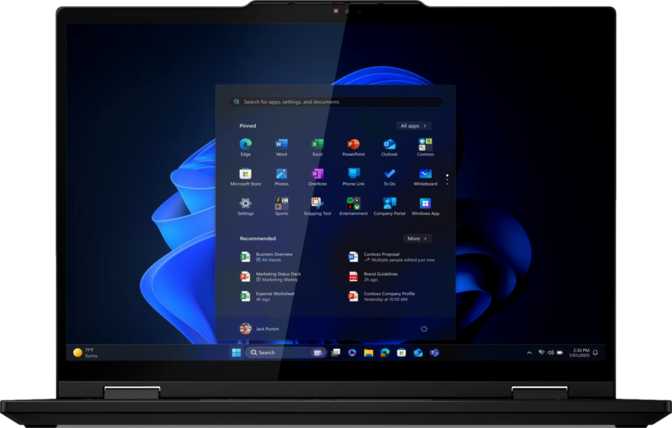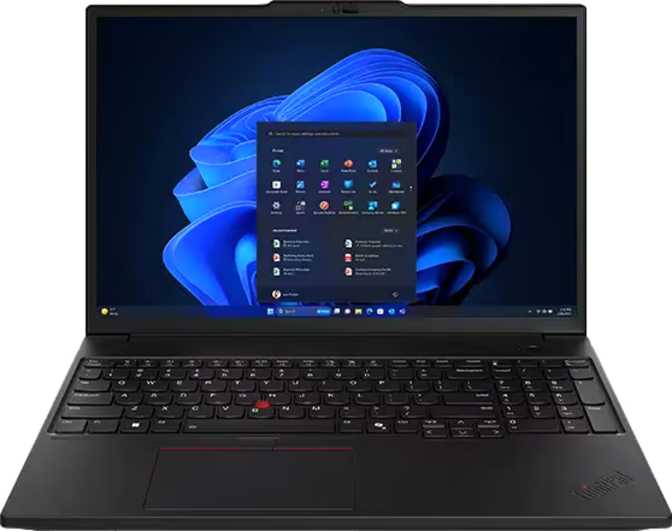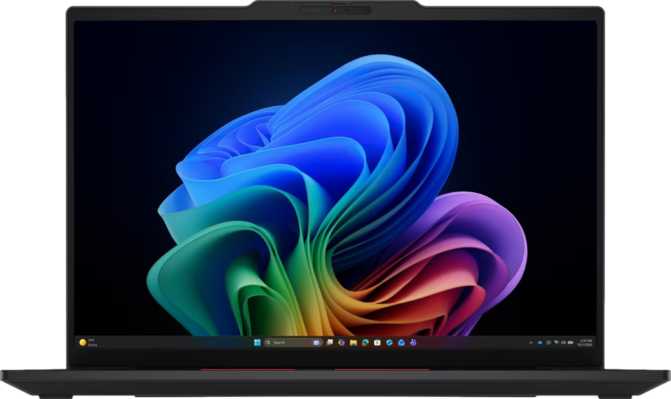
Lenovo ThinkPad T14s Gen 7 Intel – Full Review & Real-World Performance
LaptopsQuick Verdict
A disciplined, lightweight business laptop that earns its ThinkPad badge through daily usability. The sub-1.1kg chassis, triple Thunderbolt 4 ports, and 3nm processor make a compelling case for professionals who travel. The fixed 32GB RAM ceiling and absent Ethernet port are real trade-offs worth knowing before you buy.
There are laptops designed to impress at the point of sale, and there are laptops designed to perform over years of daily professional use. The Lenovo ThinkPad T14s Gen 7 Intel belongs firmly in the second category. At just over a kilogram, thin enough to slide into most sleeves without thought, and powered by a processor architecture that reshaped mobile performance expectations, this machine positions itself as the quiet workhorse choice for professionals who need reliability and speed without hauling a brick through airport security.
What makes the T14s Gen 7 worth serious consideration — and scrutinizing honestly — is that it sits in a competitive segment where nearly every manufacturer has a strong contender. The question is whether the ThinkPad legacy still translates into a tangible edge in everyday use, or whether the badge now costs more than it delivers.
Design and Build: Disciplined Restraint
Physical Presence and Portability
At 1,065 grams, the T14s Gen 7 crosses the threshold most professionals privately use to judge whether a laptop is genuinely portable. That weight sits comfortably below the average for 14-inch business laptops, which typically land between 1.3 and 1.6 kilograms. A full day's carry — laptop, charger, a few peripherals — remains genuinely light rather than just theoretically acceptable.
Construction Philosophy
This is not a ruggedized machine. There is no MIL-SPEC drop certification, no weather sealing, and no rubber bumpers designed to survive warehouse floors. The T14s Gen 7 is built for professionals who treat their equipment with reasonable care — not field engineers or those working in industrial environments.
What it does deliver is characteristic ThinkPad build precision: tight tolerances, a chassis that does not flex noticeably under normal pressure, and a keyboard deck that stays solid even when typing firmly.
- Not weather-sealed or splash-resistant
- No rugged build rating
- Backlit keyboard included as standard
Display: Productivity-Tuned, Not Compromise-Tuned
Panel Specifications
- Screen Size
- 14 inches, IPS LED-backlit
- Resolution
- 1920 × 1200 px (16:10)
- Pixel Density
- 161 ppi
- Brightness
- 500 nits typical
- Refresh Rate
- 60 Hz
Why 16:10 Matters
The 1920 × 1200 resolution uses a 16:10 aspect ratio rather than the common 16:9. That additional vertical space genuinely changes daily work:
- Documents show more lines of text before scrolling
- Spreadsheets reveal more rows simultaneously
- Web pages require fewer page-downs
- Small on paper, meaningful over an 8-hour workday
Brightness and Usability
500 nits handles brightly lit offices and conference rooms without effort. The anti-reflection coating extends usability to shaded outdoor environments.
The IPS panel type ensures consistent color accuracy and stable contrast when viewing from angles — useful for presentations and side-by-side work.
Touch and Refresh Rate
The capacitive multi-touch display adds navigation, annotation, and occasional stylus-work flexibility without affecting display quality. The 60Hz refresh rate is appropriate for productivity and document work — those accustomed to 120Hz displays for smooth scrolling will notice the difference, but no professional selecting the T14s Gen 7 for business use is buying it for animation rendering.
Multi-Display Support
The system can drive up to four external displays simultaneously — a meaningful differentiator over laptops that top out at two external outputs. For professionals building elaborate docked workstations, this capability eliminates a common bottleneck entirely.
Performance: The 3nm Advantage in Practice
Processor Architecture
The processor inside the T14s Gen 7 is built on a 3-nanometer manufacturing process — the same generation used in the most recent wave of high-efficiency mobile chips. Smaller transistors translate directly into better performance per watt, meaning this processor sustains high workloads longer before thermal throttling forces a slowdown.
The chip uses a hybrid core architecture — performance-focused cores running at higher clock speeds alongside efficiency-focused cores optimized for lighter tasks. Sixteen processing threads spread work across all cores efficiently.
| Parameter | Detail |
|---|---|
| Architecture | Hybrid big.LITTLE, 16 threads |
| Peak Burst Speed | Up to 4.8 GHz |
| Manufacturing Node | 3 nm |
| Thermal Design Power | 25 W |
| L3 Cache | 18 MB |
| Max CPU Temperature | 100 °C |
Benchmark Context
PassMark scores — higher is better
The multi-core score means this processor handles simultaneous browser tabs, video conferencing, local document editing, and background tasks without perceptible slowdown.
Memory
The 32GB of DDR5 memory at 8,533 MHz represents the current generation of laptop memory, offering substantially higher bandwidth than DDR4 found in previous-generation machines.
Storage
The 512GB NVMe SSD uses PCIe 4.0 — roughly twice the throughput of PCIe 3.0 drives. Application launches, large file transfers, and OS boot times are all meaningfully faster in practice.
Users with large local media libraries or extensive project archives should plan for external storage or cloud integration from day one.
Graphics
Integrated graphics running at a peak of 2,500 MHz support DirectX 12 Ultimate and OpenGL 4.6, covering professional visualization software and CAD tools at moderate complexity.
Connectivity: Built for the Modern Professional
Port Layout
Wireless
The current top-of-generation wireless standard. On Wi-Fi 7 access points, throughput and latency improvements over Wi-Fi 6 are tangible for large file transfers. Fully backward compatible with older networks.
Handles peripherals, audio, and accessories with minimal latency and improved connection stability compared to earlier Bluetooth versions.
Battery Life: What 58 Wh Realistically Delivers
A considered engineering balance given the 25W processor TDP and efficient 3nm chip architecture in a 10mm chassis.
Real-World Battery Expectations
The efficiency of the 3nm processor architecture means light workloads draw relatively little power. A full workday of mixed office tasks — with Wi-Fi active and the display at moderate brightness — is achievable. Heavier sustained workloads shorten runtime meaningfully.
- Full workday for document editing, browsing, and email
- Charges via any Thunderbolt 4 / USB-C PD port — no proprietary brick
- Sleep-and-charge keeps ports active with the lid closed
- Sustained CPU-intensive workloads will shorten battery life noticeably
A compact USB-C PD charger travels in your bag instead of a proprietary power brick — a small but real quality-of-life improvement for frequent travelers.
Security, Webcam, and Audio
Multi-Layer Authentication
The T14s Gen 7 approaches authentication with multiple layers. The fingerprint reader enables fast, reliable biometric unlock. The 3D facial recognition camera uses depth-sensing technology — not just a webcam image — which makes it resistant to spoofing attempts that can fool simpler IR-based systems.
5MP Webcam
The 5-megapixel front camera represents a meaningful step above the 1080p cameras that were standard until recently. For video conferencing, 5MP captures noticeably sharper detail, handles moderate low-light better, and gives remote participants a clearer view.
This is a practical upgrade that shows its value in daily video calls, not a marketing number.
Audio
Two built-in microphones handle voice calls and conferencing adequately at normal conversational distance. Dolby Atmos processing improves stereo imaging and frequency balance on both the stereo speakers and connected headphones.
Who This Laptop Is For — and Who It Is Not
Understanding fit before you buy is the most honest thing a review can offer.
The Right Buyer
-
Business Professionals and Knowledge WorkersNeed a full workday of reliable, fast performance in a machine they can carry without noticing.
-
Consultants and Frequent TravelersThe sub-1.1kg weight and Thunderbolt single-cable docking are a meaningful workflow benefit for those who set up at multiple desks.
-
Developers and Data AnalystsRunning typical software development environments and business intelligence tools where the processor and 32GB DDR5 eliminate common bottlenecks.
-
Enterprise IT EnvironmentsWhere the ThinkPad platform's driver stability, manageability, and security feature set are purchasing criteria alongside raw performance.
The Wrong Buyer
-
GPU-Intensive Workflows3D rendering, machine learning model training, serious video color grading, or gaming beyond light titles require dedicated graphics that this machine does not offer.
-
Daily Wired Ethernet UsersNo built-in RJ45 port means adding an adapter or dock — cost and friction that some enterprise users would rather avoid.
-
Heavy Virtualization UsersThose running multiple VMs simultaneously or specialized workloads requiring more than 32GB of RAM will hit the platform ceiling quickly.
-
Rugged Environment WorkersAnyone needing physical durability against drops, spills, or outdoor environmental exposure should look at a different product family entirely.
Competitive Positioning
How the T14s Gen 7 Intel stacks up against typical 14-inch business laptop alternatives.
| Feature Area | ThinkPad T14s Gen 7 Intel | Typical Competitor in Class |
|---|---|---|
| Weight | ~1.06 kg | 1.2–1.5 kg (most 14" business laptops) |
| Display Aspect Ratio | 16:10 (extra vertical space) | 16:9 (more common) |
| Touch Display | Included as standard | Often optional or absent |
| Thunderbolt Ports | 3× Thunderbolt 4 | 1–2 in most configurations |
| Wi-Fi Generation | Wi-Fi 7 | Wi-Fi 6E or Wi-Fi 7 |
| Facial Recognition | 3D depth-sensor | Basic IR or absent |
| Max External Displays | 4 displays | Typically 2–3 |
| Ethernet Port | None (adapter required) | Some competitors include natively |
| Display Refresh Rate | 60 Hz | Some offer 90–120 Hz |
Honest Strengths and Weaknesses
Genuine Strengths
The T14s Gen 7 Intel has earned its strengths through specification choices that align well with what professional users actually need, rather than through headline-grabbing numbers.
- Weight that is genuinely rare at this performance tierSub-1.1kg in this performance class is a meaningful achievement, not a marginal advantage.
- Triple Thunderbolt 4 — a connectivity advantageDocked-workstation users gain more bandwidth and display flexibility than most competitors offer.
- Display that matches the use case500 nits brightness, 16:10 aspect ratio, anti-reflection coating, and touch capability cover most professional needs without compromise.
- 3nm processor efficiencyBetter sustained performance and longer battery life from the same wattage compared to previous-generation chips.
- Security stack that meets enterprise requirements3D facial recognition and fingerprint scanner together cover personal convenience and compliance needs.
Real Weaknesses
These are not hidden compromises — they are deliberate trade-offs made in service of thinness and weight, and they are worth evaluating honestly against your requirements.
- 32GB memory ceiling with no upgrade pathSoldered RAM means 32GB is permanent. Users whose needs may grow should factor this in now.
- Only one USB-A portLean for users with multiple legacy accessories — a USB-A hub is an additional purchase.
- No built-in EthernetAn adapter or Thunderbolt dock is required for wired network connectivity — added cost and a component to manage.
- 60Hz display in a market shifting toward higher refreshVisible for anyone moving from a 90Hz or 120Hz display environment.
- One-year standard warranty is leanShorter than what some enterprise competitors offer as standard. Extended coverage should be budgeted for.
Frequently Asked Questions
Answers to the questions real buyers search for before purchasing.
Final Verdict
Lenovo ThinkPad T14s Gen 7 Intel
The Lenovo ThinkPad T14s Gen 7 Intel is a mature, thoughtfully engineered professional laptop that makes its case through daily usability rather than benchmark theater. The weight is genuinely impressive for the performance tier. The display aspect ratio, brightness, and touch capability make it more versatile than most competitors at this size. The triple Thunderbolt 4 configuration is a connectivity advantage that docked-workstation users will appreciate immediately.
It is not a machine for every professional. If you need discrete graphics, a built-in Ethernet port, more than 32GB of RAM, or a high-refresh display, the T14s Gen 7 Intel will disappoint. These are not hidden compromises — they are deliberate trade-offs made in service of thinness and weight, and they are worth evaluating honestly against your specific requirements.
Who should buy this:
For the professional who travels frequently, values a genuinely lightweight daily carry, needs solid sustained CPU performance, and works primarily within standard productivity and development applications — the T14s Gen 7 Intel delivers on the ThinkPad promise without qualification. It is a laptop built to serve the person using it, not to impress the person standing next to them.