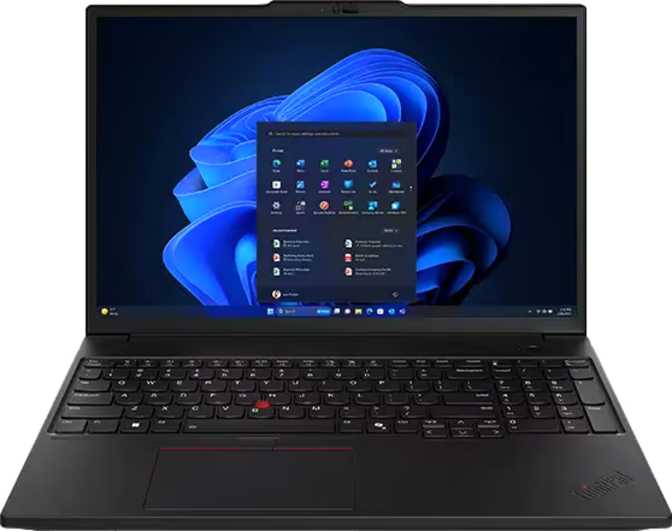
Lenovo ThinkPad P16s Gen 4: Workstation Performance in a Slim Shell
LaptopsThe ThinkPad P16s Gen 4 occupies a specific and uncompromising position in the laptop market: built for professionals who need workstation-class memory and storage in a machine that still fits in a standard laptop bag. This is not a device for casual users or a gaming rig dressed in corporate clothing — it is a precision tool for engineers running simulations, analysts processing large datasets, developers juggling multiple virtual machines, and content creators working with high-resolution assets. Understanding that identity upfront is the most important thing you can do before spending money on it.
Design and Build Quality
A Professional Profile That Means Business
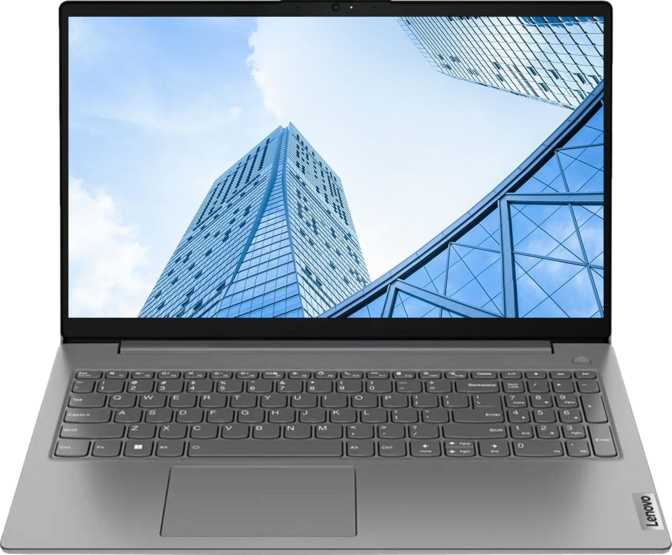
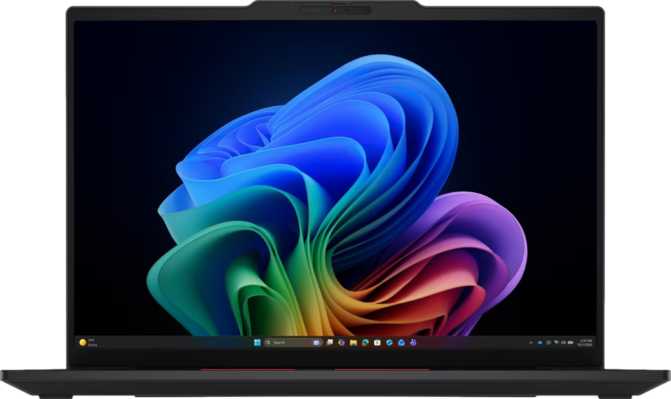
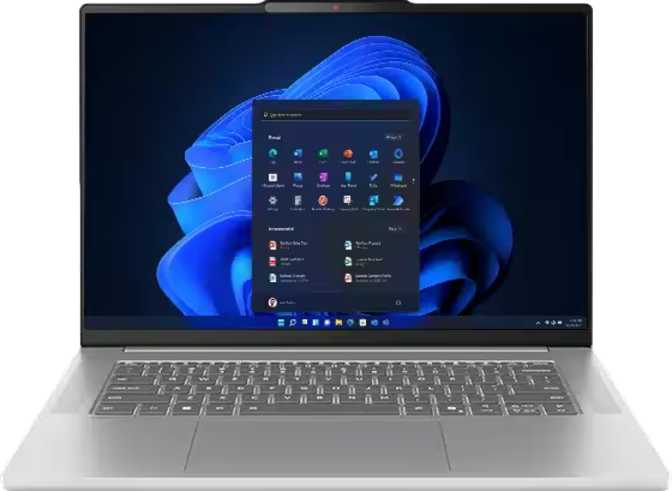
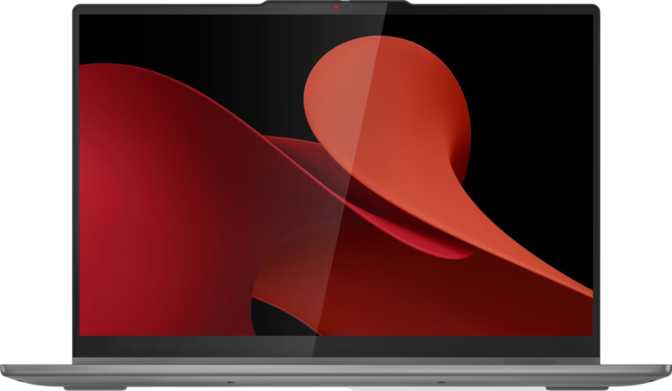
The P16s Gen 4 follows the ThinkPad design language that enterprise buyers have trusted for decades — understated, functional, and built to disappear into a work environment rather than call attention to itself. The chassis measures 361 mm wide and 248 mm deep, a standard 16-inch footprint, but the more impressive figure is the 12 mm thickness. For a machine carrying the internal hardware this one does, that slimness is a genuine achievement — and it never feels like a compromise was made to get there. There is no flex in the lid or keyboard deck under normal use.
At 1,820 grams — just over four pounds — the P16s Gen 4 is competitive for its class. It is not the lightest 16-inch laptop available, but it is meaningfully lighter than traditional mobile workstations, many of which push past 2.5 kilograms. For professionals who commute or travel to client sites regularly, that weight difference is felt by the end of a long day.
What You Do Not Get
One trade-off worth naming clearly: this machine is not weather-sealed or ruggedized. It will not survive a coffee spill with any greater resilience than a standard premium laptop. If your work environment demands MIL-SPEC durability, the ruggedized ThinkPad lines are worth exploring instead. The P16s Gen 4 assumes a controlled professional environment — an office, a home studio, or a meeting room.
- Width361 mm
- Depth248 mm
- Thickness12 mm
- Weight1,820 g (4.0 lb)
- Backlit Keyboard
- Weather Sealed
- Rugged Build
- Warranty3 Years
Display: Sharp, Bright, and Practical
Screen Real Estate and Clarity
The 16-inch IPS panel uses a 1920 × 1200 resolution — note the extra 120 vertical pixels compared to a standard 1080p screen. That 16:10 aspect ratio is something productivity-focused users will appreciate immediately: web pages, code editors, spreadsheets, and document editors all feel less cramped vertically. You scroll less, you see more context at once, and extended sessions feel less fatiguing.
At 141 pixels per inch, sharpness is perfectly acceptable at a typical desk distance. Text is crisp and interface elements are clean. This is not a retina-class display — but at any normal working distance, it presents content accurately and comfortably.
Brightness, Glare, and Multi-Monitor Support
Five hundred nits of peak brightness is genuinely useful. At that output level, the screen holds up well in brightly lit offices, and with the anti-reflection coating, glare from overhead lighting or windows is significantly reduced rather than simply diffused. Working near a window does not become a battle — a meaningful daily advantage over displays that typically land between 250 and 350 nits.
The 60 Hz refresh rate is entirely sufficient for all productivity tasks — writing, coding, spreadsheets, and video calls. Where it becomes relevant is for anyone expecting smooth high-frame-rate feedback in creative or gaming contexts. In those specific scenarios, it feels dated against competing 120 Hz panels now common even at mid-range prices.
Performance: A Processor Built for Sustained Work
Core Architecture and Speed
The processor inside the P16s Gen 4 uses a hybrid architecture — pairing two types of cores on a single chip. Six performance-focused cores handle demanding, time-sensitive tasks at a base of 2.9 GHz, while eight efficiency-oriented cores at 2.7 GHz manage lighter background workloads. Together, these 14 physical cores and 16 threads handle simultaneous demanding tasks with a smoothness that single-architecture chips struggle to replicate.
Under peak load, the processor reaches 5.4 GHz through its boost mechanism — a significant jump from base speed reflecting how modern chips dynamically chase performance when thermal and power headroom allow. The chip is fabricated at the 3-nanometer node, the leading edge of current semiconductor manufacturing, delivering more computational capability per watt and generating less heat per unit of work than predecessors built on larger fabrication processes.
Benchmark Results
Scores shown relative to upper-tier reference points. Mainstream productivity laptops typically score 8,000–13,000 in Geekbench 6 multi-core.
Memory and Storage: Where This Machine Truly Separates Itself
96 GB of RAM — What That Actually Means
Ninety-six gigabytes of RAM is an amount that most laptop buyers will never need — and most laptop platforms cannot even support. The P16s Gen 4 is one of the very few thin-and-light-adjacent machines that achieves this figure, and for the right user, it is the sole reason to choose this laptop over every competitor.
Consider what this enables: multiple virtual machines running simultaneously without any one feeling starved of resources. A dataset that would crash or stall a 16 GB or 32 GB machine opens cleanly. Dozens of browser tabs, multiple applications, a local development environment, and a database instance all coexist without performance degradation from memory pressure.
2 TB of Fast Storage
Two terabytes of NVMe storage on a PCIe 5 interface represents the current pinnacle of consumer laptop storage performance. PCIe 5 SSDs deliver sequential speeds that PCIe 4 drives cannot approach — transfers that once required waiting are effectively instantaneous for typical file sizes.
Large project files, virtual machine images, and media libraries all load and save faster. For professionals who work with multi-gigabyte assets regularly, the difference between PCIe 4 and PCIe 5 storage is measurable in real workflows — not just benchmark charts. And at two terabytes, most professionals will rarely feel capacity pressure from local storage.
Graphics: Intel Arc 140T and Its Role Here
The integrated Arc 140T GPU brings 1,024 shader processors and a peak clock speed of 2,350 MHz under load. It supports DirectX 12 Ultimate — the current standard for modern graphics APIs — and OpenGL 4.6 for professional software compatibility.
For productivity work including moderate creative tasks like photo editing, light video editing, 3D model viewing, and GPU-accelerated processing in tools like Adobe Lightroom or DaVinci Resolve at lower resolutions, the Arc 140T is genuinely capable — a step well above the basic integrated graphics found in standard business laptops.
Where expectations must be managed: this GPU does not support ray tracing or DLSS. It is not a gaming GPU. Anyone requiring GPU-accelerated rendering for 3D animation, machine learning inference at scale, or real-time ray tracing will find the Arc 140T falls short. The P16s Gen 4 is a CPU-performance-led machine; the GPU accelerates general workloads and handles display output but is not the primary differentiator. For GPU-intensive work, a machine with a discrete NVIDIA or AMD GPU is the right tool.
- Shading Units1,024
- Peak GPU Clock2,350 MHz
- GPU Execution Units128
- DirectX Version12 Ultimate
- OpenGL Version4.6
- OpenCL Version3.0
- External DisplaysUp to 4
- Ray Tracing
- DLSS Support
Connectivity: Ports That Match the Machine's Ambition
The port selection is well-considered for a professional machine — four high-bandwidth USB4 and Thunderbolt ports alongside wired Ethernet and HDMI 2.1 exceeds what most competitors offer at this size and weight.
Battery Life and Power Management
The 75 Wh battery is a reasonable capacity for a 45-watt TDP machine, but expectations should be calibrated honestly. A processor operating at this performance level draws significant power under load, and battery longevity is not this machine's strongest suit.
For light-to-moderate work — document editing, video calls, web browsing — a full charge will likely carry a professional through a solid half-day of unplugged use. Under sustained computational loads, that figure drops meaningfully. The active cooling system, which is necessary for sustained performance, also draws additional power.
For professionals who primarily work at a desk with power access and occasionally take the machine to meetings or short travel legs, the battery is adequate. For those spending full days away from a power outlet under demanding workloads, access to charging during the day becomes part of the workflow. This trade-off is a characteristic of the entire category — workstation-class performance and all-day unplugged endurance remain genuinely difficult to achieve in the same machine.
Security and Productivity Features
The P16s Gen 4 equips professionals with enterprise-grade security alongside a well-rounded set of daily-use features that raise the bar above typical business laptops.
Who This Laptop Is For — and Who Should Look Elsewhere
Ideal Users
- Data Scientists and Analysts
Working with large datasets in-memory, where RAM capacity is the primary constraint on what jobs can be run locally without cloud infrastructure. - Software Engineers and Developers
Running multiple containers, virtual machines, or local development stacks simultaneously and needing sustained CPU throughput for compilation and build tasks. - Power Users Needing Workstation RAM Portably
Specifically because no desktop workstation is practical for their workflow — this machine solves the portability-vs-memory trade-off. - Enterprise IT and Engineering Professionals
Requiring multi-display support, Thunderbolt docking, wired Ethernet, and enterprise-grade biometric security in a single portable machine. - Light-to-Moderate Creative Professionals
Working primarily with photo editing, light video work, and design tools — and prioritizing CPU and memory capacity over dedicated GPU performance.
Look Elsewhere If You Are...
- 3D Artists and GPU Rendering Professionals
The Arc 140T cannot compete with a dedicated NVIDIA RTX GPU for rendering, simulation, or machine learning training workloads at scale. - Gamers
No DLSS, no ray tracing, a 60 Hz display, and a GPU not designed for gaming. This machine was built with an entirely different use case in mind. - All-Day Unplugged Workers
The trade-off for this level of performance is power consumption. If unplugged endurance is your priority, a low-power ultrabook is a better fit. - Field Workers in Harsh Environments
No weather sealing, no rugged chassis. This machine needs the same level of care as any other premium slim laptop. - Budget-Conscious Buyers
The 96 GB RAM and 2 TB PCIe 5 configuration is premium-tier. Buyers who do not need this level of resource should apply their budget elsewhere.
How It Compares to the Closest Alternatives
The P16s Gen 4 occupies a gap between the traditional business ultrabook and the full mobile workstation — lighter and thinner than traditional workstations, with a higher RAM ceiling and better connectivity than ultrabooks.
| Criteria | ThinkPad P16s Gen 4 | Typical 16" Business Ultrabook | Traditional Mobile Workstation |
|---|---|---|---|
| RAM Capacity | Up to 96 GB DDR5 | Up to 32 GB (typically) | Up to 128 GB |
| Weight | ~1.8 kg | ~1.4–1.6 kg | ~2.3–3.0 kg |
| Thickness | 12 mm | 14–18 mm | 20–28 mm |
| Display Refresh | 60 Hz | 60–120 Hz | 60–120 Hz |
| GPU Type | Integrated Arc 140T | Integrated or low-power dGPU | Dedicated NVIDIA RTX |
| High-Bandwidth Ports | 4 (TB4 + USB4) | 1–2 | 1–2 |
| Battery Endurance | Moderate | Long | Short to Moderate |
| Ethernet Port | Yes | Rarely included | Yes |
| Warranty | 3 Years | 1–2 Years | 3 Years |
Honest Assessment
Where It Excels
The memory story alone sets this machine apart from nearly every competitor at its size and weight. Ninety-six gigabytes of high-speed DDR5 RAM in a 1.8-kilogram chassis is a genuinely rare combination, and for users whose work depends on it, there are very few alternatives that do not require accepting a much heavier, bulkier machine.
The processor delivers sustained performance that matches machines costing significantly more, with benchmark results placing it among the top tier of current mobile processors. The PCIe 5 NVMe storage is genuinely fast and generously sized. The port selection — four high-bandwidth USB4 and Thunderbolt ports alongside Ethernet and HDMI 2.1 — is better than most competitors at this price range offer.
The 500-nit display with anti-reflection coating performs well in real-world office and travel environments. The 5 MP webcam and 3D facial recognition both exceed what is typically offered at this category. The three-year warranty signals genuine confidence in build quality that is rare outside the enterprise market.
Where It Falls Short
The 60 Hz display is the most consistent point of friction for users coming from machines with 120 Hz or higher refresh rates. It is functional and entirely adequate for productivity work, but it feels slightly dated given how common higher refresh rates have become even on mid-range laptops.
The GPU, while capable of general acceleration, places a ceiling on what kinds of creative and computational GPU work are practical. Anyone who discovers a need for GPU-intensive tasks after purchase will find themselves at that ceiling sooner than expected — it is not an easy machine to upgrade after the fact.
Battery life requires honest acknowledgment: this machine is best used with power access nearby. It is portable in the sense that it travels easily; it is not enduring in the sense that it runs all day untethered under demanding workloads.
The absence of weather sealing is a minor note for most professional users but a genuine limitation for anyone whose work environment involves realistic moisture or spill exposure.
Questions Real Buyers Ask
Answers to the searches professionals run before committing to the ThinkPad P16s Gen 4.
Final Verdict
The Lenovo ThinkPad P16s Gen 4 is a very specific answer to a very specific problem: you need workstation-level memory capacity, you need it in a machine you can actually carry, and you are unwilling to compromise on sustained processing performance to get there.
For that user — the data scientist, the power developer, the engineer running memory-hungry software — this machine does something very few competitors can do, and it does it in a package that will not strain your back or embarrass you in a client meeting.
If your work does not require the RAM ceiling or the sustained CPU throughput, the P16s Gen 4 is more machine than your money needs to buy. Spend less on a lighter ultrabook with a better display and longer battery life. But if you have been choosing between performance and portability because no single machine delivered both, the ThinkPad P16s Gen 4 is one of the most compelling resolutions to that trade-off available today.