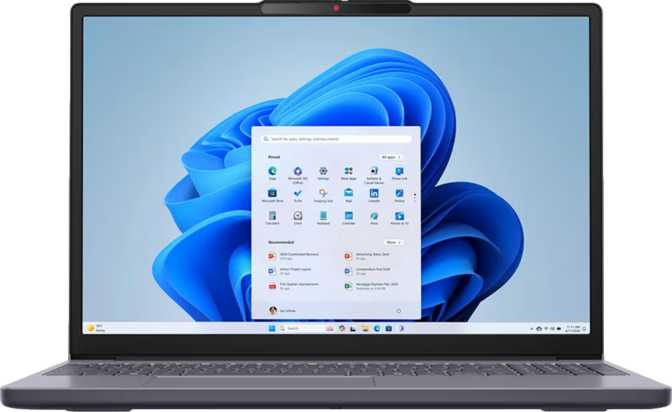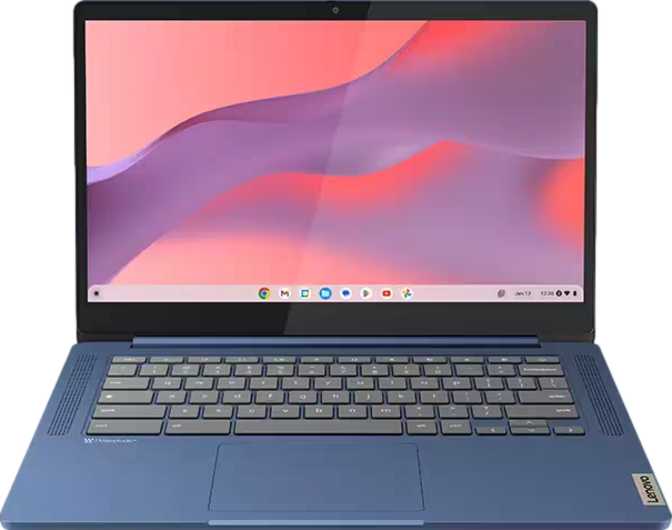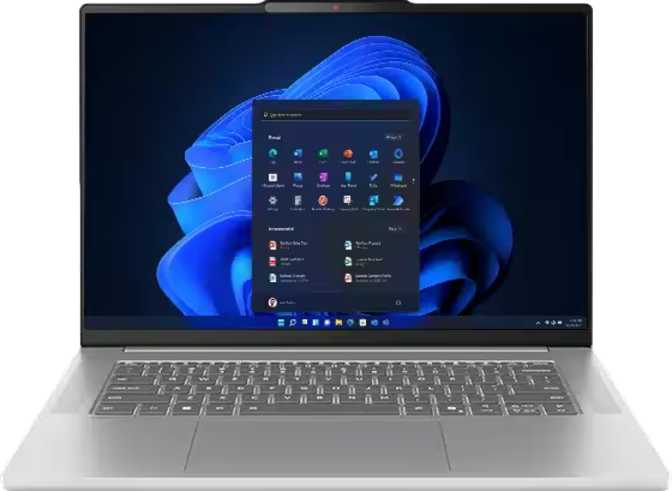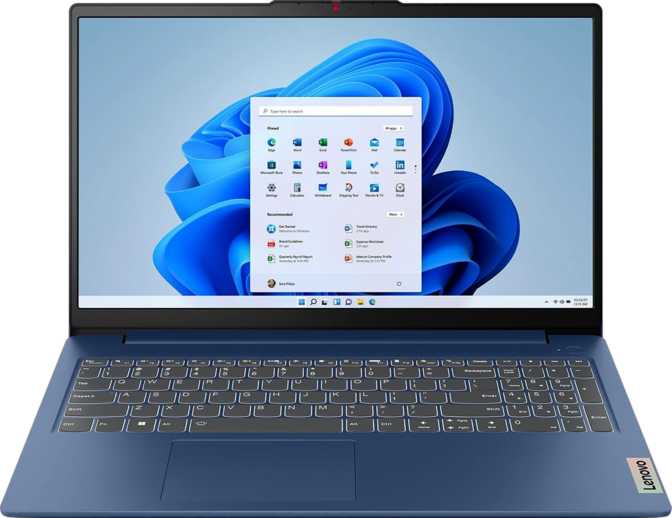
Lenovo IdeaPad Slim 3 Gen 8 15.6" – Full Review & Real-World Test
LaptopsA well-specced everyday laptop that prioritizes internal performance and long-term value — built for students, remote workers, and home users who want a capable full-size machine without paying premium-tier prices.
Editor's Score
4.1 / 5
Excellent Value for Everyday Use
Design and Build: Slim in Name, Sensible in Practice
At roughly 1.6 kilograms, the IdeaPad Slim 3 Gen 8 sits in a comfortable zone for a 15.6-inch laptop. It is light enough to slide into a backpack without your shoulder noticing, yet substantial enough that it does not feel like a toy. The chassis measures 359mm wide and 235mm deep, with a profile of just 17mm — thin enough to slip between folders in a bag without a fight.
The build material keeps costs in check; this is not a magnesium-alloy ultrabook, and Lenovo makes no claims otherwise. What you get is a consistent, travel-practical form factor that prioritizes portability and everyday durability over boardroom aesthetics. The lid does not flex dramatically, and the keyboard deck holds steady under normal typing load.
The two-year warranty is a genuine differentiator at this price tier. Most budget laptops ship with a single year of coverage; Lenovo's included second year adds real peace of mind for students or first-time laptop buyers.
| Weight | 1,620 g (3.57 lbs) |
| Width | 359 mm |
| Depth | 235 mm |
| Thickness | 17 mm |
| Volume | 1,434 cm³ |
| Warranty | 2 Years |
No Backlit Keyboard
Low-light typing — on planes, in dimmed rooms, or late at night — requires memorization or a lamp. This is a deliberate cost-cutting decision that affects daily comfort for many users.
No Weather Sealing
This machine should stay away from rain, spilled drinks, and dusty environments. It is built to be carried, not to take abuse.
Display: Solid Everyday Screen With One Key Caveat
The 15.6-inch panel delivers a Full HD image — 1920×1080 pixels — which translates to a pixel density of about 141 pixels per inch. At normal viewing distance, the image appears sharp and text reads cleanly without visible pixelation. This is the right resolution for this screen size: going higher would demand significantly more GPU power with no practical gain for productivity tasks.
The anti-reflection coating is a standout practical feature. Working near windows or under office lighting, glossy screens become mirrors. The matte-style coating on the IdeaPad Slim 3 reduces that distraction noticeably, making this a more comfortable screen for daytime work environments than many laptops at this price.
The panel runs at 60Hz, which is standard for productivity-focused machines. Smooth scrolling is comfortable, and everyday video playback looks natural. There is no touch screen, and the display does not fold past the standard laptop position. This is a clamshell workstation, not a convertible.
| Size | 15.6 inches |
| Resolution | 1920 × 1080 (Full HD) |
| Pixel Density | 141 ppi |
| Brightness | 250 nits (typical) |
| Refresh Rate | 60 Hz |
| Anti-Reflection | Yes |
| Touch Screen | No |
Brightness Reality Check
Performance: More Power Than the Price Suggests
The Processor — Understanding What You're Getting
The processor inside the Slim 3 Gen 8 uses a hybrid architecture: six higher-performance cores handling demanding tasks and four energy-efficient cores taking care of lighter background work. This design allows the system to intelligently balance speed and power consumption throughout the day.
The chip can accelerate individual tasks up to speeds approaching 5GHz under sustained load, which is competitive with mainstream laptop processors in the tier above this price range. It supports 16 simultaneous processing threads, meaning it handles multitasking — multiple browser tabs, a spreadsheet, music streaming, and a video call simultaneously — without breaking a sweat.
| Architecture | Hybrid (big.LITTLE) |
| Performance Cores | 6 × 2.4 GHz |
| Efficiency Cores | 4 × 1.8 GHz |
| Total Threads | 16 |
| Boost Speed | Up to 4.9 GHz |
| Process Node | 10 nm |
| TDP | 45 W |
| Cache (L2 + L3) | 9.5 MB + 24 MB |
Higher scores indicate better performance in each category.
Multi-Core Score 23,805
Handles heavy multitasking, light creative work, and complex workflows with ease.
Single-Core Score 3,569
Solid responsiveness for applications that rely on one core at a time.
Memory — Generous But Fixed
Sixteen gigabytes of RAM is the right call for a general-purpose laptop. It is enough to run a modern operating system comfortably, keep two dozen browser tabs open, run productivity applications, and handle moderate multitasking without slowdowns. The RAM runs on DDR5 technology — a newer, faster memory standard than most budget laptops ship with — resulting in snappier application launches and more fluid multitasking responsiveness.
Memory Is Soldered — Cannot Be Upgraded
There are no accessible upgrade slots. The 16GB you receive is the permanent maximum. If you anticipate needing more RAM in five or more years — for virtual machines, video editing, or data-intensive work — this ceiling matters and cannot be changed without replacing the entire unit.
| Capacity | 16 GB |
| Standard | DDR5 |
| Speed | 4800 MHz |
| Max Supported | 5200 MHz |
| Channels | Dual Channel |
| Upgradeable | No (Soldered) |
Storage — Fast and Spacious
One terabyte of NVMe storage using PCIe Gen 4 is an excellent allocation. NVMe drives using PCIe 4 represent the current performance standard for everyday laptops — significantly faster than the older SATA-based SSDs still found in some competing machines. A terabyte provides real breathing room: comfortably fitting the operating system, all major productivity applications, a music library, a photo collection, and still leaving meaningful space for years of document storage.
Graphics — For Work, Not Gaming
The integrated Intel UHD Graphics 770 handles display output, video playback, light image editing, and everything a productivity user does daily. Its 64 execution units can accelerate up to four simultaneous external displays, making it capable for multi-monitor desk setups.
Not a Gaming GPU
This chip cannot run modern 3D games at playable frame rates, handle GPU-accelerated video rendering quickly, or support ray tracing or DLSS. Neither feature is present. For students, remote workers, writers, analysts, and developers, this is irrelevant — for anyone expecting to game, it is a hard boundary.
| GPU | UHD Graphics 770 |
| Execution Units | 64 |
| Base Clock | 300 MHz |
| Boost Clock | 1,500 MHz |
| DirectX | DirectX 12 |
| OpenGL | 4.6 |
| Ray Tracing | No |
| Ext. Displays | Up to 4 |
Ports and Connectivity: Practical With One Frustrating Gap
What's Here
- 2× USB-A + 1× USB-C (USB 3.2 Gen 1)
Fast enough for external drives, flash storage, and peripherals without bottlenecking transfers.
- HDMI 1.4 Output
Connects to external monitors and projectors. Caps at 4K/30Hz — ideal for 1080p and 1440p screens.
- VGA Output
Increasingly rare and genuinely useful in classrooms and conference rooms with older projectors.
- Memory Card Slot
Practical bonus for photographers or anyone who regularly transfers files from cameras or devices.
- Wi-Fi 6 (802.11ax)
Fast, reliable wireless on modern routers with full backward compatibility to older standards.
- Bluetooth 5.2
Handles wireless keyboards, mice, and headphones without issues.
What's Missing
- No Ethernet Port
Wired internet requires a USB adapter — an extra purchase for users who depend on stable, high-speed wired connections.
- No Thunderbolt (Any Version)
Users who rely on Thunderbolt docking stations or high-bandwidth external displays will find this a hard wall.
- HDMI 1.4 Ceiling
Caps 4K output at 30Hz. Users planning a 4K/60Hz external display will need to look elsewhere or use the USB-C port.
| USB-A 3.2 Gen 1 | × 2 |
| USB-C 3.2 Gen 1 | × 1 |
| HDMI | × 1 (v1.4) |
| VGA | × 1 |
| 3.5mm Audio | × 1 |
| Card Reader | Yes |
| Ethernet (RJ45) | None |
| Thunderbolt | None |
Battery Life: Realistic Expectations
The battery capacity falls in the range typical for everyday mainstream laptops at this size — sufficient for a full working day of light to moderate use under favorable conditions, but not in the class of extended-endurance machines. In practical terms: expect roughly 6–8 hours of mixed productivity work with screen brightness at moderate levels and Wi-Fi active. Pushing the processor hard will reduce that figure significantly.
The laptop supports charging through its USB-C port and includes sleep-and-charge capability, meaning connected USB devices can continue charging even when the laptop is asleep. This is a quietly useful convenience for keeping a phone charged overnight. The battery is not removable or user-replaceable without disassembly.
Web Browsing + Documents 7–8 hrs
Video Streaming 6–7 hrs
Video Calls (Zoom/Teams) 5–6 hrs
Heavy CPU Load (Rendering) 2–3 hrs
Estimates based on 47Wh battery capacity at moderate screen brightness. Actual results vary by workload and settings.
Real-World Usage: Who Should Buy This Laptop
- Students — Writing papers, attending lectures via video, and managing coursework across multiple applications.
- Remote Workers — Email, video conferencing, spreadsheets, and cloud-based tools are all well within reach.
- Home Users — Browsing, streaming, light photo organization, and family document management.
- Educators and Office Workers — The VGA port earns its place in classrooms and conference rooms with older projectors.
- First-Time Laptop Buyers — Strong internal components, a two-year warranty, and room to grow without immediately outgrowing the machine.
- Gamers — The integrated graphics cannot sustain modern gaming. This is not a compromise; it is a hard boundary.
- 4K Video Editors — Rendering timelines will be slow, and the RAM ceiling cannot be raised later.
- Frequent Outdoor Workers — The 250-nit display becomes difficult to read in direct sunlight.
- Night-Shift Workers / Frequent Travelers — No keyboard backlight is a daily inconvenience in low-light environments.
- Thunderbolt Dock Users — The connectivity tier does not support this use case at all.
Competitive Positioning: How It Stacks Up
At its price point, the IdeaPad Slim 3 Gen 8 competes against a defined set of alternatives. Machines that step up from this tier — convertibles, higher-brightness panels, backlit keyboards — typically add a 20–40% price premium. Whether those additions justify the cost depends entirely on your workflow.
| Feature | Lenovo IdeaPad Slim 3 Gen 8 | Typical Budget Rival A | Typical Budget Rival B |
|---|---|---|---|
| RAM | 16GB DDR5 (Soldered) | 8GB DDR4 | 16GB DDR4 |
| Storage | 1TB NVMe PCIe 4 | 256–512GB PCIe 3 | 512GB PCIe 3 |
| Display Coating | Anti-Reflection (Matte) | Glossy | Matte |
| Wi-Fi | Wi-Fi 6 | Wi-Fi 5 | Wi-Fi 6 |
| Keyboard Backlight | No | Sometimes | Sometimes |
| Ethernet | Adapter Required | No | Sometimes |
| Warranty | 2 Years | 1 Year | 1 Year |
Honest Strengths and Weaknesses
Where It Excels
The IdeaPad Slim 3 Gen 8's strongest argument is its internal specification relative to its asking price. Sixteen gigabytes of fast DDR5 memory and a full terabyte of NVMe storage are configurations that cost meaningfully more on competing platforms. The processor delivers performance that holds up across demanding multitasking scenarios without the throttling behavior common in ultra-thin machines at this price.
The anti-reflection display coating and Wi-Fi 6 support are two smaller decisions Lenovo got right — the kind of practical choices that make daily use noticeably better. For a student or remote worker who will use this machine for four to five years, the internal components age well, and the two-year warranty provides genuine coverage during the period of highest use.
Where It Falls Short
The weaknesses, stated plainly, are the display brightness and the missing keyboard backlight. At 250 nits, the screen is adequate indoors but not versatile. The backlight absence will irritate anyone who regularly types in lower-light conditions. Neither weakness disqualifies the machine for its target audience, but both should be weighed honestly before purchasing.
The fixed, non-upgradeable memory is the most significant long-term concern. If you hold onto laptops for six or more years, or if your workload might grow to require 32GB, this machine cannot adapt. The port selection — no Thunderbolt, no Ethernet, HDMI 1.4 — reflects budget constraints that power users will eventually bump against.
Answers to Common Pre-Purchase Questions
Final Verdict
4.1 / 5
Recommended for everyday use
The Lenovo IdeaPad Slim 3 Gen 8 15.6" is a well-considered machine for a specific audience, and it deserves credit for getting the most important specifications right at its price point.
If you are a student, a remote professional, or a home user who needs a reliable daily laptop for productivity, communication, and everyday computing — and you want that machine to remain relevant for several years — this delivers real value. The processor performance, memory allocation, storage speed and capacity, Wi-Fi 6 connectivity, and two-year warranty collectively represent a stronger internal package than most competitors at this price.
If you type frequently in the dark, work often in bright outdoor environments, need Thunderbolt connectivity, or plan to game on it — look elsewhere. For its intended use case, this earns a confident recommendation: a practical, well-specced everyday laptop that prioritizes internal performance and longevity over premium aesthetics and niche feature flexibility.
Performance
4.2 / 5
Display
3.5 / 5
Connectivity
3.8 / 5
Value for Money
4.5 / 5