Leadtek WinFast RTX 5060 Hurricane: An Honest Full Review
Graphics CardsQuick Verdict
Design and Build: Compact Enough to Fit Almost Anywhere
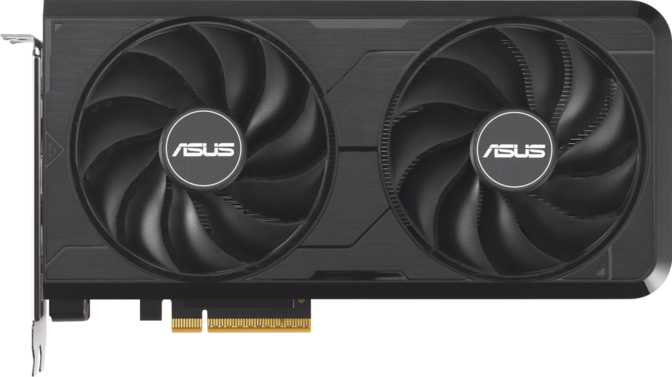
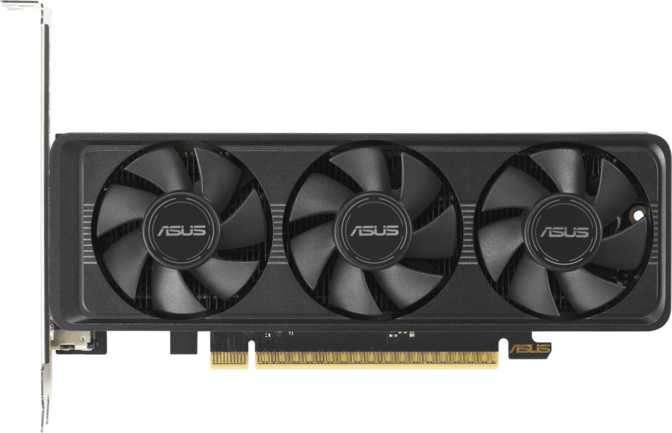
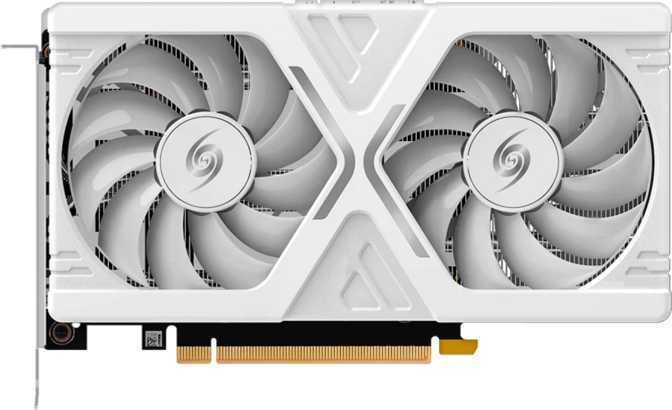
At just over 209mm long and 120.5mm tall, the WinFast RTX 5060 Hurricane is a legitimately compact graphics card. That length is shorter than a standard sheet of paper — and this matters more than people realize.
Smaller cases, mini-ITX builds, and older mid-towers with tight GPU clearances are all fair game here. If you've been holding back on upgrading because your case is cramped, this card is unlikely to be the obstacle.
Leadtek has kept the aesthetic clean and understated — there is no RGB lighting whatsoever. For builders who prefer a blacked-out interior or simply don't want to manage another lighting ecosystem, this is genuinely refreshing. The Hurricane cooling solution has a manageable job given the card's conservative power requirements, and Leadtek's engineering philosophy leans toward function over flourish throughout.
- Length
- 209 mm
- Height
- 120.5 mm
- Cooling
- Air (Hurricane)
- RGB Lighting
- None
- Warranty
- 3 Years
The Blackwell Architecture: Why the Foundation Matters
Understanding what Blackwell means — and what it does not — is the key to evaluating this card accurately.
Industry-leading node enabling exceptional efficiency and transistor density
Massive compute density powering AI, ray tracing, and rasterization simultaneously
High-frequency design tuned for low-latency gaming response and smooth frame pacing
The Blackwell architecture is built on a 5-nanometer fabrication process, allowing NVIDIA to pack approximately 21.9 billion transistors into the die. That transistor density enables more efficient compute, better power management, and more capable AI acceleration hardware — all within the same physical size and power envelope. The practical upshot for the mainstream buyer: this is a current-generation architecture, not a rebadged or refreshed older design.
The 3,840 shader units handle everything from standard game rendering to ray-traced lighting and AI-accelerated tasks. The balance between shaders, 120 texture mapping units, and 48 render output units is tuned for 1080p and 1440p — the resolutions most buyers in this segment actually use.
The card's boost frequency of just under 2,500 MHz reflects a defining Blackwell characteristic: running processing units at higher frequencies rather than simply adding more of them. For gaming, where responsiveness and frame pacing matter as much as raw throughput, this approach translates well into real-world feel.
Memory: The Specification That Tells the Most Important Story
Eight gigabytes of VRAM is the headline figure and will generate debate. Here is what the full picture actually looks like.
The 8GB Verdict
Eight gigabytes is enough for the vast majority of games at 1080p and most titles at 1440p, particularly below ultra-high texture settings. Where it becomes a genuine constraint is in specific scenarios:
- Very high-resolution texture packs
- Open-world games aggressively preloading assets at max settings
- Certain professional creative workloads with large asset sets
The memory type transforms what 8GB means in practice. GDDR7 delivers effective speeds of 28 Gbps per pin — resulting in a total memory bandwidth of 448 GB/s on a 128-bit bus.
- Keeps 3,840 shaders continuously fed with data
- Reduces GPU stall cycles versus GDDR6X at the same bus width
- ECC support for error-correcting memory integrity
Features That Change How You Actually Use the Card
Beyond raw specifications, these are the capabilities that shape the daily experience of owning this card.
DLSS: Redefining Effective Performance
The card's floating-point throughput of approximately 19 TFLOPS significantly understates effective gaming performance when DLSS is active — and it increasingly always is.
DLSS allows games to render at a lower internal resolution while reconstructing a higher-quality image using a trained neural network on dedicated AI hardware within the GPU. The practical outcome: 1440p-equivalent image quality at 1080p performance cost, or substantially higher frame rates in supported titles.
Ray Tracing: Real, But Use Selectively
Ray tracing on Blackwell-generation hardware is meaningfully better than the same tier offered two generations ago. It simulates actual light behavior — accurate shadows, physical reflections, and environmental light bouncing — with genuine visual impact in supported titles.
At maximum ray-tracing settings in demanding titles, this card will work hard. With DLSS engaged alongside ray tracing, the experience becomes far more manageable. The combination of these two technologies is where the RTX 5060 Hurricane makes its strongest case.
Display Output Capability
Four simultaneous displays are supported through one HDMI 2.1 port and three DisplayPort outputs. HDMI 2.1 supports 4K at 144Hz and 8K at 60Hz, making it compatible with current premium monitors and televisions.
| Port | Count | Version |
|---|---|---|
| HDMI | 1 | 2.1 |
| DisplayPort | 3 | Latest |
| USB-C | 0 | N/A |
| DVI | 0 | N/A |
No USB-C display output. Users with USB-C monitors will need a DisplayPort adapter.
API and Software Support
- DirectX 12 Ultimate
Full support for ray tracing, mesh shaders, variable-rate shading, and sampler feedback — covers all current and near-future game features - OpenGL 4.6 / OpenCL 3.0
Legacy and compute workload coverage for creative and professional applications - Intel Resizable BAR
Allows the CPU to access the full GPU memory simultaneously — measurable performance gains in supported games on Intel platforms - PCIe 5.0
Latest interface for future-proof bandwidth; gaming difference vs PCIe 4.0 is negligible, but relevant for GPU-accelerated professional workloads
Power and Thermals: 145W in Context
At 145 watts, the RTX 5060 Hurricane operates well within the capacity of a modern mid-range power supply. A 550W PSU is sufficient for most complete systems built around this card; a 650W unit gives comfortable headroom. This figure is low enough that no extreme PSU upgrade cycle is required, which meaningfully reduces total cost of ownership.
The thermal envelope is conservative enough that Leadtek's air cooling solution can manage it without aggressive fan curves in most environments. In practice, expect the card to remain quiet during moderate workloads, spinning fans up audibly only under sustained full load — typical behavior for a well-designed card at this power level.
Who Should Buy the RTX 5060 Hurricane
This card fits a specific buyer profile well — and is genuinely wrong for others. Know which side you're on before buying.
- Game primarily at 1080p with high frame rates, or at 1440p with a balance of quality and performance
- Are building or upgrading a compact system where card length is a constraint
- Value a clean, no-RGB aesthetic for a dark interior build
- Want current-generation Blackwell architecture without flagship pricing
- Run an Intel-based system and want Resizable BAR performance optimization
- Use your PC for light creative work — video editing at non-4K resolutions, moderate 3D rendering — alongside gaming
- Game at 4K with maximum settings across demanding open-world titles — the VRAM ceiling becomes a real constraint here
- Require USB-C display connectivity without an adapter in your workflow
- Are building a purely AMD-platform system expecting confirmed AMD SAM support — only Intel Resizable BAR is specified
- Work professionally with large-dataset compute tasks where more VRAM is non-negotiable
- Plan to hold this GPU for five or more years and game at 1440p maximum settings throughout — the VRAM margin is thin for that scenario
Competitive Positioning
How the WinFast RTX 5060 Hurricane stands relative to typical alternatives in the same price bracket.
| Consideration | RTX 5060 Hurricane | Typical Competing Option |
|---|---|---|
| Architecture Generation | Current (Blackwell) | Varies — some current, some prior-gen |
| Memory Type | GDDR7 | Often GDDR6 or GDDR6X |
| Memory Amount | 8 GB | 8 GB – 12 GB depending on model |
| Memory Bandwidth | 448 GB/s | Typically 240 – 384 GB/s |
| Power Consumption | 145 W | 115 W – 165 W range |
| Card Length | ~209 mm | 180 mm – 290 mm (widely varies) |
| RGB Lighting | None | Most include RGB |
| Upscaling Tech | DLSS (NVIDIA) | AMD FSR or Intel XeSS |
| Simultaneous Displays | 4 | Typically 3 – 4 |
Honest Assessment: Strengths and Weaknesses
The RTX 5060 Hurricane makes its case through the coherence of its engineering rather than any single headline specification. Blackwell architecture brings genuine generational improvements in efficiency and AI compute. GDDR7 memory gives the 128-bit bus bandwidth that papers over much of the width deficit versus wider-bus competitors. The 145W TDP keeps system requirements accessible. The compact 209mm footprint opens the card to builds where larger alternatives simply cannot fit.
The 8GB VRAM is the card's most legitimate vulnerability — not as a current performance flaw, but as a question about where gaming VRAM requirements will land over the next two to three years. Buyers who upgrade frequently will not feel this constraint. Buyers who hold GPUs for four or five years should weigh it carefully.
The absence of RGB is a design choice, not a flaw — but buyers expecting a lit interior should know upfront. The missing USB-C port is a minor but genuine omission for certain monitor setups. Neither is a performance compromise; both are form-factor decisions Leadtek made in service of the card's compact, utilitarian character.
- Current-gen Blackwell architecture, not a refresh
- Exceptional 448 GB/s bandwidth via GDDR7
- Compact 209mm build — fits restrictive cases
- 145W keeps PSU requirements accessible
- Mature DLSS for real-world performance uplift
- 3-year warranty — above average for this tier
- 4 simultaneous display support
- 8GB VRAM longevity concern for 5-year holders
- No USB-C display output
- No RGB — polarizing for windowed showcase builds
- AMD SAM compatibility not confirmed in spec data
Common Questions Before Buying
Final Verdict
The Leadtek WinFast GeForce RTX 5060 Hurricane is a well-engineered card that delivers current-generation architecture at a mainstream price point. Its strengths are real and additive: Blackwell efficiency, exceptional memory bandwidth through GDDR7, a low power requirement, and a compact build that fits where larger cards cannot. DLSS transforms what the raw performance numbers suggest — effective gaming performance is meaningfully higher than a spec-sheet comparison would indicate.
The 8GB VRAM is the honest limitation to plan around. For a buyer who games at 1080p to 1440p, replaces hardware every three years or less, and values NVIDIA's software ecosystem — particularly DLSS — this card earns a clear recommendation. For a buyer planning a five-year hold or targeting 4K, a step up in the product stack warrants consideration.
Within its intended use case, the RTX 5060 Hurricane is a focused, capable, and unpretentious card. It does what it sets out to do without excess — and in the mainstream GPU market, that clarity of purpose is harder to find than it should be.
Best for 1080p – 1440p gaming
on compact Intel-based builds