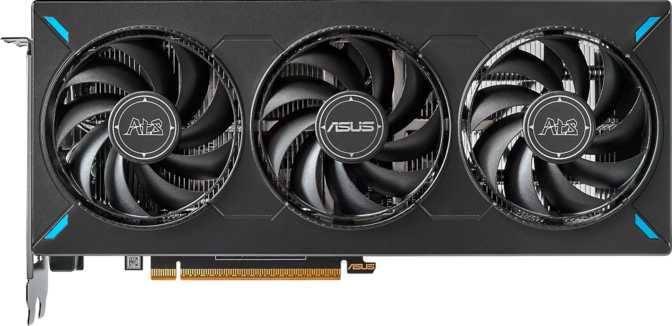
Asus ATS GeForce RTX 5060 OC Edition: A Full Performance Review
Graphics CardsQuick Verdict at a Glance
Editorial Score
The mainstream graphics card market is brutal. Buyers at this price tier are making real sacrifices — they want something that punches above its weight, doesn't leave them regretting the purchase in two years, and doesn't demand a PSU upgrade or a larger PC case. The Asus ATS GeForce RTX 5060 OC Edition is positioned squarely in that space, bringing NVIDIA's latest Blackwell architecture down to a tier that most PC gamers actually occupy. The question worth asking isn't whether it's the fastest card available — it isn't — but whether it's the right card for the money and the use case. That answer requires a closer look at what's under the hood and how those specifications translate to real experience.
Design and Build Quality
Physical Footprint
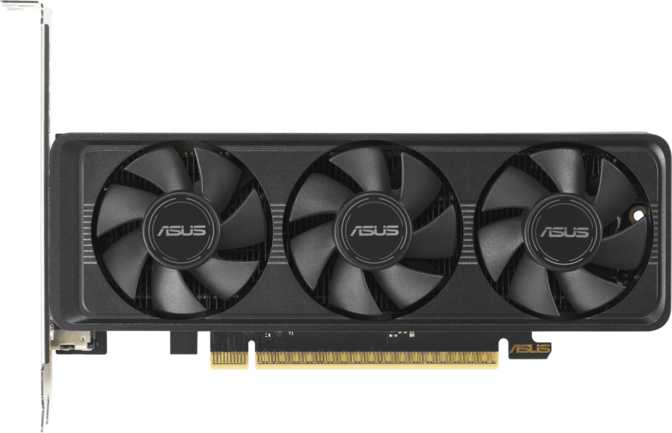
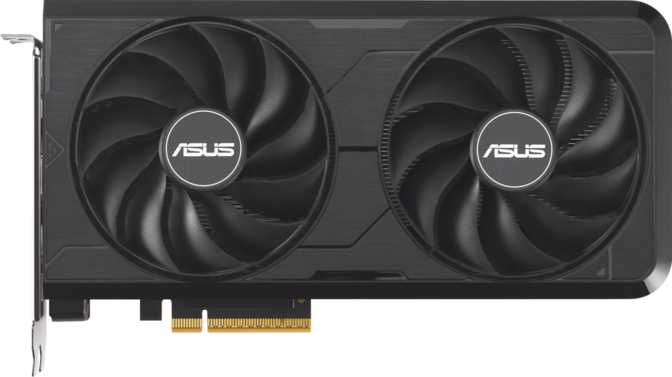
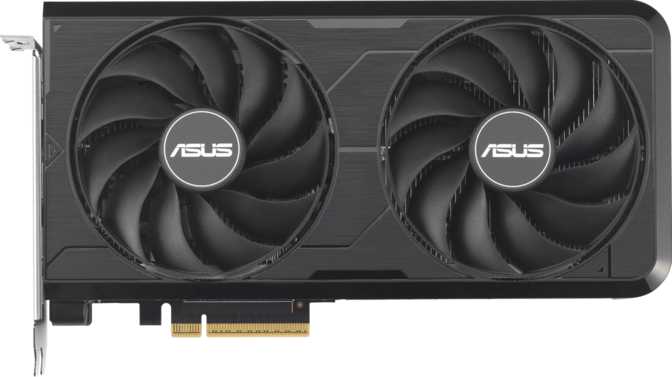
At 269mm long and 120mm tall, the Asus ATS RTX 5060 OC Edition sits comfortably in the mid-size category for modern graphics cards. It fits the vast majority of mid-tower and full-tower cases without requiring special planning, and even some compact builds should have no trouble accommodating it.
This is a meaningful practical advantage over higher-tier cards from the same generation, which frequently push past 300mm or even 340mm, creating real compatibility headaches. If you're upgrading an older system or planning a tighter build, this card's dimensions are a welcome reality check.
Cooling and Aesthetics
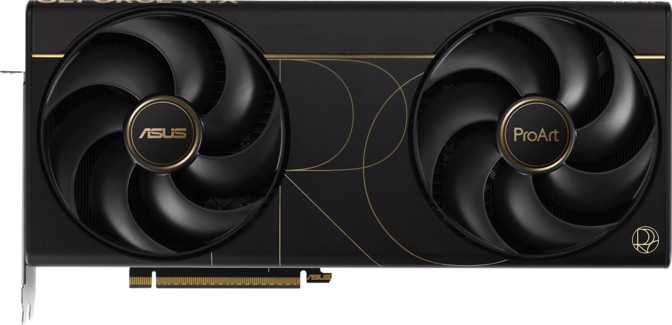
The card uses an air-cooling solution — conventional fans and heatsink — rather than a liquid-assisted hybrid setup. For a card rated at 145W of thermal output, this is entirely appropriate. The Asus ATS cooler handles this thermal envelope efficiently without fan noise becoming intrusive during sustained gaming sessions.
RGB lighting is present, manageable through software, and can be disabled entirely for those who prefer a clean look. Its inclusion doesn't meaningfully affect performance either way — it's a cosmetic addition aimed at buyers who care about in-case aesthetics.
Architecture and Core Performance
The Blackwell Foundation
The RTX 5060 OC Edition is built on NVIDIA's Blackwell GPU architecture, manufactured on a 5-nanometer process. A 5nm process node means the transistors making up the GPU's compute fabric are packed with exceptional density — which is what allows NVIDIA to place approximately 21.9 billion transistors into a die that still runs at only 145W. More transistors in a given power envelope generally means better performance-per-watt, which is exactly what you want in a mid-range card where efficiency matters as much as raw throughput.
Compute Throughput
The card delivers approximately 19.7 trillion floating-point operations per second (TFLOPS) at single-precision — the figure that matters most for gaming workloads. The 3,840 shader processors operate at a base clock of 2,280 MHz, with the Asus OC Edition's boost frequency pushed to 2,565 MHz. That boost clock is what the GPU sustains when running a real workload, and 2,565 MHz is an aggressive figure that benefits from Asus's factory overclock applied on top of NVIDIA's reference specification.
Texture and Pixel Throughput
The card's 120 texture mapping units sustain approximately 308 GTexels per second — a measure of how fast the GPU applies texture detail to geometry. Paired with 48 render output units capable of pushing over 123 billion pixels per second, the pipeline is well-balanced for the resolution targets where it will most commonly be used. There's no obvious bottleneck between the shading, texture, and output stages — a sign of a well-proportioned architecture rather than a compromised cut-down design.
- Boost Clock
- 2,565 MHz
- Compute Performance
- 19.7 TFLOPS
- Shader Units
- 3,840
- Texture Rate
- 307.8 GTexels/s
- Pixel Rate
- 123.1 GPixels/s
- Process Node
- 5nm
- Transistors
- 21.9 Billion
Memory: The Real Story of GDDR7 on a 128-Bit Bus
This is the section generating the most debate among enthusiasts, and it deserves honest treatment.
What 8GB GDDR7 Actually Means
The card carries 8 gigabytes of video memory. In isolation, that number generates concern among enthusiasts who have watched VRAM requirements creep upward in recent titles. That concern is legitimate at 4K, where texture assets and frame buffers can push hard against this limit in demanding titles. At 1080p and 1440p — the resolutions this card is actually built for — 8GB remains workable for the majority of current games, including most graphically intensive AAA releases.
What changes the calculus here is the memory technology itself. GDDR7 is a significant generational leap over GDDR6X. The RTX 5060 OC Edition uses it to achieve an effective memory throughput of 448 GB/s across its 128-bit interface. Many previous-generation cards at this tier achieved roughly half that bandwidth. GDDR7 essentially doubles the usable throughput without widening the bus — which is where the cost and die size savings come from.
The practical implication is that the narrow bus is less of a liability than it appears on paper. High bandwidth compresses the operational penalty of the 128-bit interface significantly, meaning texture streaming and frame buffer reads are faster than raw bus width alone would suggest.
ECC Memory Support
ECC (Error Correcting Code) memory support is unusual for a gaming-focused card and signals versatility toward workstation-adjacent tasks — content creation pipelines, local AI inference, or any workload where memory integrity matters. Most buyers will never use this, but its presence doesn't cost anything and is a genuine differentiator for professionals who occasionally need it.
- VRAM
- 8GB GDDR7
- Bandwidth
- 448 GB/s
- Bus Width
- 128-bit
- Effective Speed
- 28,000 MHz
- ECC Support
- Yes
Key Features Explained
Ray Tracing
Ray tracing support is hardware-accelerated via dedicated RT cores in the Blackwell architecture — not software-emulated. At 1080p, ray tracing is a viable option in most supported titles. At 1440p without upscaling assist, some titles will push the card harder, and reducing shadow or reflection quality settings may be necessary to maintain fluid frame rates.
DLSS 4 — The Feature That Changes Everything
DLSS 4 uses machine learning to render frames at a lower resolution and reconstruct high-quality output, dramatically improving frame rates with minimal perceptible quality loss. Frame generation multiplies output using AI-generated intermediate frames — a title running at 60 fps natively can feel like 120 fps with Frame Generation enabled. This card supports the full current feature set, including transformer-based reconstruction.
Intel Resizable BAR
Resizable BAR allows the CPU to access the full video memory pool rather than being limited to 256MB chunks at a time. In compatible titles on supporting platforms, this reduces CPU-side data transfer bottlenecks and provides a real performance improvement — often 2–8% depending on the game engine. It activates automatically in the driver on qualifying hardware.
Multi-Display and Connectivity
Four simultaneous displays are supported — one HDMI 2.1b and three DisplayPort outputs. HDMI 2.1b is the most capable consumer display standard currently available, supporting 4K at 144Hz. One notable omission: there is no USB-C output, which will affect buyers using USB-C monitors or VR headsets with DisplayPort Alt Mode.
PCIe 5.0 Interface
PCIe 5.0 is backwards compatible with PCIe 4.0 and 3.0 motherboards — the card works in older systems without impacting gaming performance. On a PCIe 5.0 platform, the card is fully future-proofed. In practice, no current game workload saturates the PCIe 4.0 bandwidth limit anyway, so backwards compatibility is seamless and lossless.
API and Software Support
Full DirectX 12 Ultimate and OpenGL 4.6 support ensures compatibility with every modern game engine and API. OpenCL 3.0 support means the card handles GPU-accelerated compute tasks in creative and scientific software — video transcoding, ML inference, and image processing — beyond gaming.
Power and System Requirements
At 145W, the RTX 5060 OC Edition is one of the more efficient cards in the current generation relative to its performance output. A quality 550W power supply unit is sufficient for most system builds paired with this card. Mid-range CPUs and 16GB of system RAM are appropriate companions — you don't need a flagship processor to avoid bottlenecking this GPU at the resolutions it targets.
This power envelope means the card runs relatively cool and quiet during typical gaming sessions. It's not a card that demands a well-ventilated enthusiast chassis or elaborate cable management. The air-cooling solution is well-matched to the thermal output, and sustained gaming workloads are handled without fan noise becoming intrusive.
Who This Card Is For — and Who It Isn't
- 1080p gamers who want maximum settings
Handles 1080p at high to ultra across virtually every current title, including demanding open-world games and recent AAA releases, without needing to dial settings back.
- 1440p gamers comfortable with DLSS
Performs confidently at 2560×1440 in most titles. DLSS 4 Quality mode extends performance headroom meaningfully and is visually near-indistinguishable from native output.
- Budget-conscious builders
Blackwell architecture, GDDR7 memory, ray tracing, DLSS 4, and PCIe 5.0 — all available without forcing painful compromises on other system components.
- Home content creators with modest needs
Workable for video editing in DaVinci Resolve or Premiere at 1080p and 1440p timelines, with ECC memory support as a quiet bonus for light compute workloads.
- 4K gaming purists
The 8GB VRAM and 128-bit memory bus create real constraints in demanding titles at native 4K ultra settings. DLSS helps, but native 4K without upscaling is not this card's territory.
- Large-scale 3D rendering and AI workloads
8GB is a hard limit for large model inference or high-resolution 3D renders. This is not the right tool for those workloads regardless of its other merits.
- USB-C display users
There is no USB-C output on this card. If your primary monitor or VR headset connects over USB-C, you'll need to plan around this or choose a different card entirely.
Competitive Positioning
The RTX 5060 OC Edition's core competitive advantage over previous-generation alternatives in a similar price range is the combination of GDDR7 bandwidth and DLSS 4. Competing cards may offer more raw VRAM in gigabytes, but the RTX 5060's memory is substantially faster — a distinction that matters more in real workloads than raw capacity figures at 1080p and 1440p. DLSS 4's reconstruction quality also represents a generational leap over FSR 3, which is a meaningful software ecosystem advantage for buyers who prioritize image quality under upscaling.
| Feature | RTX 5060 OC Edition | RTX 4060 Ti | RX 7600 XT |
|---|---|---|---|
| Architecture | Blackwell (Current) | Ada (Previous) | RDNA 3 (Previous) |
| VRAM | 8GB GDDR7 | 8–16GB GDDR6 | 16GB GDDR6 |
| Memory Bandwidth | ~448 GB/s | ~288 GB/s | ~288 GB/s |
| AI Upscaling | DLSS 4 | DLSS 3 | FSR 3 |
| Ray Tracing | Hardware (Blackwell) | Hardware (Ada) | Hardware (RDNA 3) |
| TDP | 145W | 160W | 190W |
| PCIe Version | 5.0 | 4.0 | 4.0 |
Specifications for competing products are representative of their mainstream market tier and may vary by individual model and manufacturer.
Honest Strengths and Weaknesses
The RTX 5060 OC Edition has a genuinely compelling technical foundation. The move to GDDR7 gives it memory bandwidth that previous cards at this tier could not approach, which matters practically in texture-heavy games and fast-paced competitive titles. The factory overclock from Asus adds real headroom over reference speeds, and the 145W power draw makes it one of the more responsible cards to run long-term — both on your electricity bill and on your power supply.
The DLSS 4 ecosystem is a legitimate argument. NVIDIA's upscaling technology has matured to the point where Quality mode is genuinely difficult to distinguish from native rendering in most scenarios. This card supports the full current feature set, including transformer-based reconstruction. For buyers who integrate DLSS into their workflow, it extends what this card can do well beyond what raw rasterization performance implies.
The VRAM situation demands candor. Eight gigabytes sits right at the boundary of where modern games are pushing. Today's most demanding titles — particularly open-world games with high-resolution texture packs — can brush against that ceiling at 1440p on ultra settings. The situation is manageable with settings tuning and DLSS, but buyers who expect this card to max out every future title without any compromise may find themselves frustrated as the software landscape evolves.
The 128-bit bus is also a genuine constraint for 4K workloads regardless of GDDR7's bandwidth improvements — the architecture is simply not designed for that resolution tier. The absence of a USB-C display output is a limitation in a market where USB-C monitors are increasingly common, particularly among creators and productivity users. It's a small omission but one that can create real inconvenience depending on your specific display setup.
Answers to Common Buyer Questions
The Right Card, for the Right Buyer
A well-defined card for a clearly defined audience
The Asus ATS GeForce RTX 5060 OC Edition is a well-executed card for a clearly defined audience. If you game primarily at 1080p and want every setting maxed out, or you game at 1440p with comfort using DLSS as part of your setup, this card delivers current-generation performance and features at a power draw and physical size that suits a wide range of systems and budgets.
The GDDR7 memory technology is a genuine differentiator over what was available at this price point in previous generations — the bandwidth improvement is real and translates to smoother performance in the scenarios where memory throughput creates bottlenecks. DLSS 4 extends the card's effective ceiling beyond what its raw rasterization numbers suggest.
One clear caveat: If your ambitions are 4K gaming or you expect to push every slider to maximum in every future title without upscaling, you will outgrow this card faster than its otherwise strong feature set would imply. Stepping up to a higher-tier card is the correct decision for that use case.