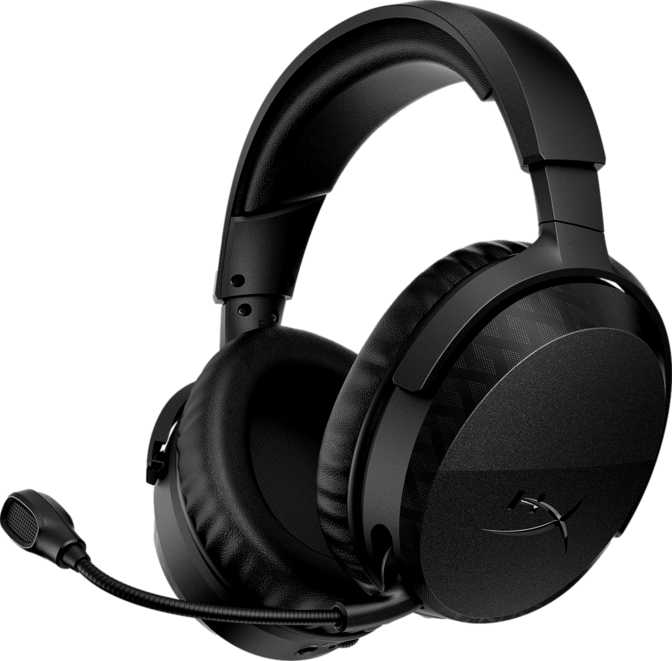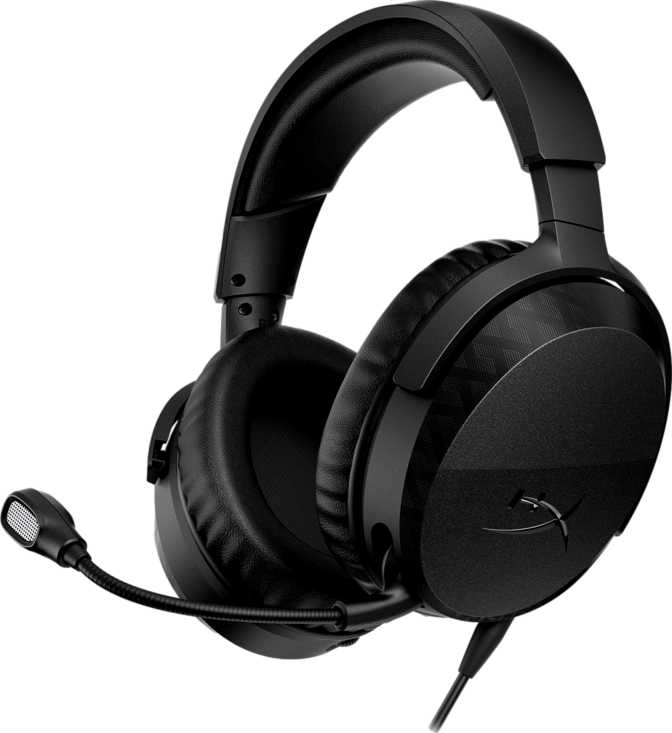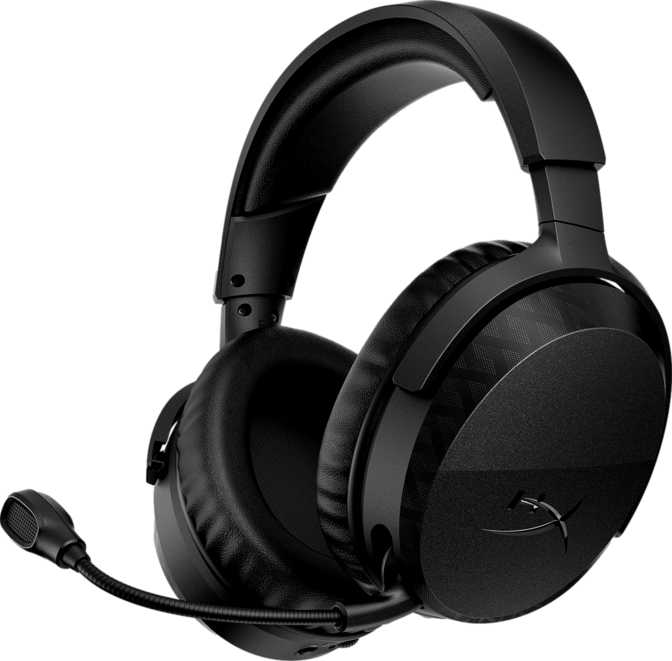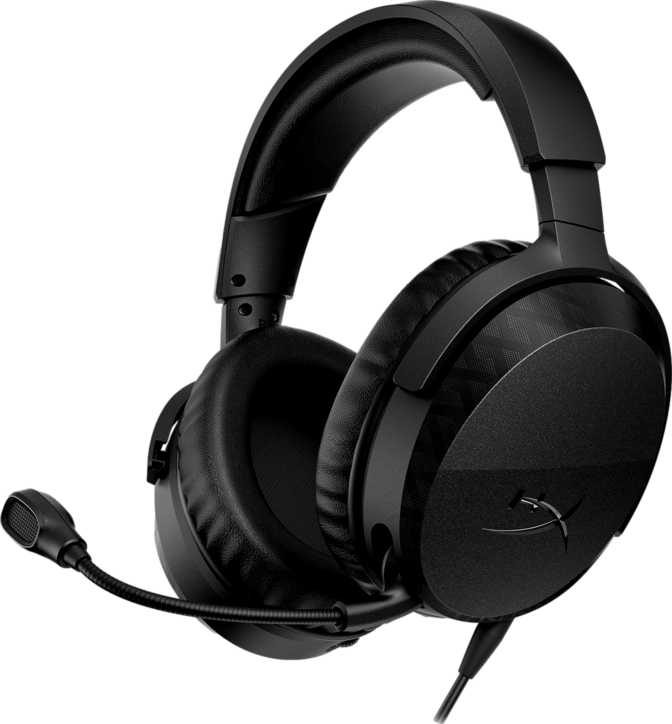
HyperX Cloud Stinger 3 – Wired Gaming Headset Full Review
PC and Gaming HeadsetsHyperX Cloud Stinger 3 — Key Specs at a Glance
Six numbers that define your day-to-day experience
Budget gaming headsets have a reputation problem. Most of them ask you to accept tinny audio, flimsy construction, and a microphone that sounds like you're calling from a parking garage — all in exchange for a low sticker price. The HyperX Cloud Stinger 3 enters that conversation with a straightforward pitch: a wired, multi-platform headset that covers the basics without pretending to be something it isn't. Whether it succeeds depends entirely on what you actually need from a gaming headset — and that answer varies more than most buyers realize.
Build Quality and Physical Design
Construction, the cable trade-off, and daily-use controls
Construction & Materials
The Stinger 3 uses a closed-back, over-ear design — the correct configuration for a gaming headset that prioritizes noise isolation and immersive audio. The closed housing traps sound inside the cups rather than bleeding it into your room, which is useful whether you're gaming late at night or in a shared space.
At 273 grams, it sits firmly in the lightweight category. Many mid-range gaming headsets exceed 300 grams, and anything approaching 350 grams creates noticeable fatigue during extended sessions. The headset also folds flat for compact storage — a practical detail not all budget options bother to include.
The Cable Trade-Off
The cable is fixed and cannot be detached or replaced — the clearest cost-saving decision on this headset. With a detachable cable, wear or breakage costs you a few dollars to fix. With a fixed cable, cable damage means headset damage. That trade-off is worth understanding before you commit.
The cable does use a tangle-resistant design, addressing the most common daily frustration with wired headsets. The 3.5mm analog connection works with every major gaming platform, controller, and PC audio port — no USB adapter, no dongle, no proprietary connector required.
On-Device Controls
Volume and mute are handled by controls placed directly on the earcup rather than a separate in-line remote on the cable. This keeps the cable itself clean and uncluttered — you're not fumbling down a cord to find a small slider — though it does require reaching up to the ear rather than gripping something mid-cable.
Neither on-cup nor in-line controls are objectively better. For desktop PC gamers, on-cup placement is typically the more natural choice. For couch console players, preference can vary by habit.
Sound Performance
What the 50mm drivers actually deliver in real-world gaming use
Driver Configuration
The Stinger 3 uses two 50mm dynamic drivers — one per ear. Driver diameter is a rough proxy for low-frequency capability; larger drivers move more air and can reproduce bass more naturally. At 50mm, these sit on the larger end for a wired gaming headset at this tier, which suggests hardware positioned for full-bodied audio rather than the compressed, mid-heavy sound cheaper drivers often default to. Driver size alone doesn't determine sound quality — tuning and housing acoustics matter just as much — but it indicates HyperX has given themselves useful headroom in the low end.
Frequency Coverage
The headset covers the full span of human hearing — from the deepest bass a human ear can detect to the upper ceiling of audible high-frequency content. In practice, this means the Stinger 3 is specced to reproduce everything in a game's audio mix: deep environmental rumbles and explosion impact on one end, and the high-pitched directional cues of footsteps and ambient detail on the other. Budget headsets in this class typically apply a slight bass and treble boost for an exciting first impression, which can actually enhance the perceived drama of game audio.
Passive Noise Isolation
Without active noise cancellation, the Stinger 3 relies on the physical seal of its closed-back earcups to block ambient sound. This passive approach handles consistent background noise well — fans, air conditioning, low-level room activity — though it won't significantly cut sudden or sharp sounds like nearby voices. For most gaming environments that's entirely sufficient, and passive isolation requires no battery power or processing overhead, unlike ANC systems that add cost and complexity.
Stereo Only — No Surround
The Stinger 3 is a pure stereo headset. There is no simulated surround processing and no spatial audio support built into the hardware. Software-based virtual surround — common in pricier headsets — can enhance directional awareness but often introduces audio artifacts and a hollow character to the soundstage. Well-tuned stereo can sound more natural and accurate. That said, competitive players who depend heavily on positional audio processing for gameplay advantage should look elsewhere — this headset will not provide it natively.
Microphone Performance
Voice clarity for online play, squad communication, and casual streaming
Design and Placement
The microphone is fixed — the boom arm stays on the headset whether you're actively using it or not. For players who regularly switch between listening-only contexts and voice chat, this is worth considering. A removable mic allows the headset to pass as regular headphones in casual settings; a fixed boom is a persistent visual indicator that this is gaming hardware. It's not a flaw, but it does limit multi-context versatility for buyers who want both roles from one device.
Noise Cancellation
The microphone includes noise-canceling processing designed to reduce pickup of background sounds — keyboard noise, fan hum, ambient room activity — keeping your voice more isolated in the signal. For Discord voice chat and in-game party communication, it delivers results meaningfully above what basic budget capsules typically produce. For streaming where your voice is a primary output judged by an audience, a dedicated USB condenser microphone would be the eventual upgrade path — but the Stinger 3's mic is a capable starting point.
Sensitivity and Mute
The microphone's sensitivity is optimized for normal conversational speech at close, direct range to the boom. It won't effectively capture whispered audio from a distance, but correctly positioned it picks up natural voice levels without requiring you to shout. The dedicated mute control on the earcup lets you cut the microphone instantly — essential for coughing, speaking to someone nearby, or stepping away from the action without disconnecting from voice chat.
Mic Specs Decoded
- Configuration
- Single fixed boom-arm capsule; cannot be detached or removed
- Noise Processing
- Active noise-canceling — filters keyboard and background noise from the voice signal
- Sensitivity
- -41 dBV/Pa — optimized for close, direct speech at the boom position
- Mute Control
- Dedicated on-device button — instant signal cut, no software required
Platform Compatibility
Where the Cloud Stinger 3 works — and where it doesn't
| Platform / Connection | Works | Notes |
|---|---|---|
| PC (3.5mm port) | Combo jack or splitter for separate ports | |
| PlayStation 4 / 5 | Plug directly into DualSense / DualShock controller | |
| Xbox Series X/S / One | Plug into Xbox controller 3.5mm jack | |
| Nintendo Switch | Handheld mode and docked via controller | |
| Mobile (3.5mm jack) | Audio works; mic support varies by app | |
| Bluetooth Devices | No wireless capability in any form | |
| USB-Only Connections | No USB-A or USB-C audio output |
The 3.5mm Advantage
The analog 3.5mm jack is not glamorous, but it is the most universally compatible connection a headset can have. This one headset moves between a PC, a PlayStation controller, an Xbox controller, and a Nintendo Switch without a single adapter. For multi-platform households, that's a genuine daily convenience.
On console, the cable runs to your controller rather than the console itself, which keeps the effective cable run short and manageable even from a couch — though it remains a physical tether regardless of how you position it.
Real-World Usage: Right Fit and Wrong Fit
Matching the Cloud Stinger 3 to the right buyer before the purchase
Strong Match — Buy If You:
- Game primarily at a desk where cable management is simple
- Play console with controller in hand — the cable run to the controller is manageable
- Need one headset that works across every major platform with zero adapters
- Prioritize sustained comfort — 273g rarely becomes a burden over long sessions
- Want noise-canceling voice chat capability without paying for a premium tier
- Need a secondary setup headset, travel kit, or dependable backup unit
Not the Right Fit — Skip If You:
- Game from a couch or distance where a cable to the controller becomes genuinely inconvenient
- Require virtual surround sound for competitive positional audio awareness
- Want to use the headset as casual headphones without a visible gaming boom arm
- Prioritize long-term repairability — the fixed cable limits the headset's serviceable lifespan
How the Cloud Stinger 3 Sits in the Market
The wired gaming headset market at this price tier is crowded with options from SteelSeries, Razer, Corsair, Turtle Beach, and Logitech. The Stinger 3 competes on three primary dimensions: universal multi-platform compatibility via a standard 3.5mm connection, the HyperX brand reputation built by the Cloud series across many iterations, and a deliberately uncomplicated feature set.
Where competitors might add RGB lighting, virtual surround processing, or companion software to justify similar or slightly higher price points, the Stinger 3 declines all of it. No RGB. No surround processing. No software installation required. The result is a headset that works the moment you plug it in on any supported platform — no additional setup, no compatibility troubleshooting, no configuration required.
The trade-off is direct: buyers who want those extras — even at a modest price premium — should look at alternatives in the same competitive field. The Cloud Stinger 3 is built for people who know exactly what they need and have no interest in paying for features they won't use.
Strengths and Weaknesses, Honestly Assessed
What It Gets Right
- Universal compatibility — one headset, every major platform, zero adapters
- Comfortable weight — 273g rarely becomes a burden even over extended sessions
- Noise-canceling microphone — voice chat quality above what basic budget capsules deliver
- Passive isolation — closed-back design reduces ambient noise without requiring power
- Foldable design — compact for storage and light travel without a case
- Zero setup required — no software, no drivers, no pairing process; plug in and play
Where It Falls Short
- Fixed cable — the single biggest long-term risk; cable damage ends the headset's life
- Wired only — no wireless or Bluetooth; a physical tether is always present
- Fixed microphone boom — cannot be removed when you want a less gaming-specific look
- No surround audio — stereo only; not suitable for positional-audio-dependent play styles
- Standard driver magnets — not the neodymium configuration common in higher-tier drivers
Common Buyer Questions Answered
What real buyers search for before committing to a purchase
Clear, Direct, and Worth the Money
The HyperX Cloud Stinger 3 is a wired gaming headset that does exactly what it sets out to do: deliver reliable, comfortable, multi-platform audio and voice chat without complications. Its lightweight build, universal 3.5mm compatibility, and noise-canceling microphone are genuine assets — not marketing language dressed up to obscure a shallow feature set.
The weaknesses are real and deserve to be stated plainly. The non-detachable cable is the single biggest long-term reliability concern — any internal wire break renders an otherwise functional headset unusable. The absence of wireless, the fixed microphone boom, and the stereo-only audio experience are legitimate limitations that will matter to certain buyers. Know which camp you're in before committing.
For someone building their first gaming setup, looking for a dependable backup that works across every console they own, or simply wanting something that functions the moment it's plugged in — the Cloud Stinger 3 delivers that without unnecessary friction. The HyperX Cloud lineage has built its reputation on accessible, durable audio hardware, and the Stinger 3 continues that tradition honestly at the entry level.
Buy it knowing what it is.
It won't disappoint you on its own terms — and at this price point, that's a meaningful promise.