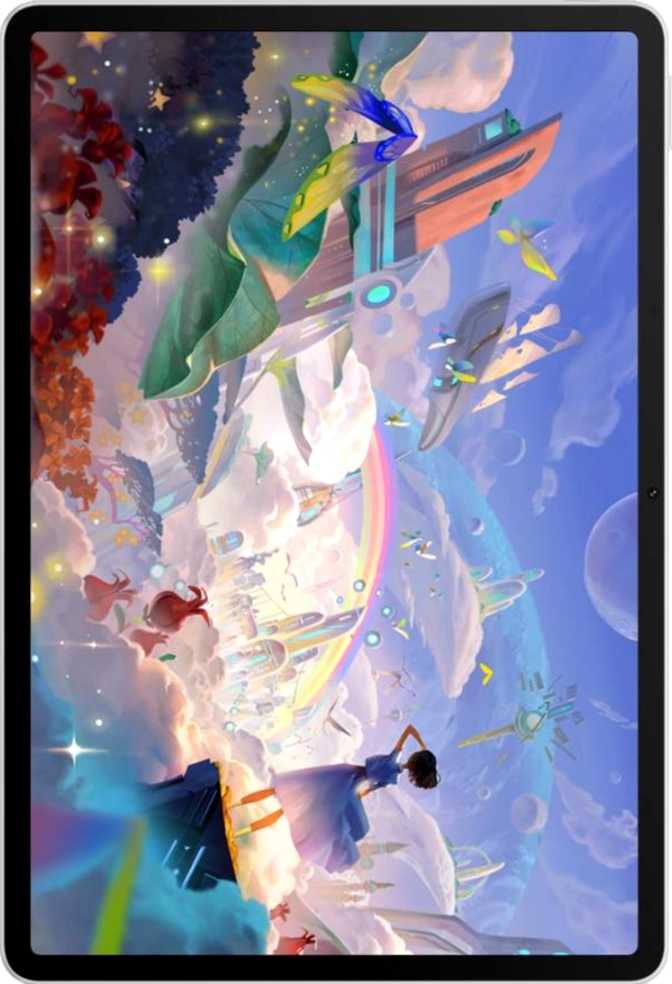
Huawei MatePad 11.5 S Full Review: Strong Hardware, Real Caveats
TabletsThe mid-range tablet market has always been a battleground of compromises — you give up something to get something. The Huawei MatePad 11.5 S stakes its position clearly: a spacious, smooth screen paired with a generous battery and a bundled stylus, aimed squarely at students, note-takers, and content watchers who want more real estate without paying flagship prices. But this tablet also arrives with a processor that belongs to an earlier generation, a software ecosystem unlike anything else on the market, and a connectivity spec sheet that raises legitimate questions. Whether those trade-offs work in your favor depends entirely on what you actually need a tablet for.
Build and Physical Presence
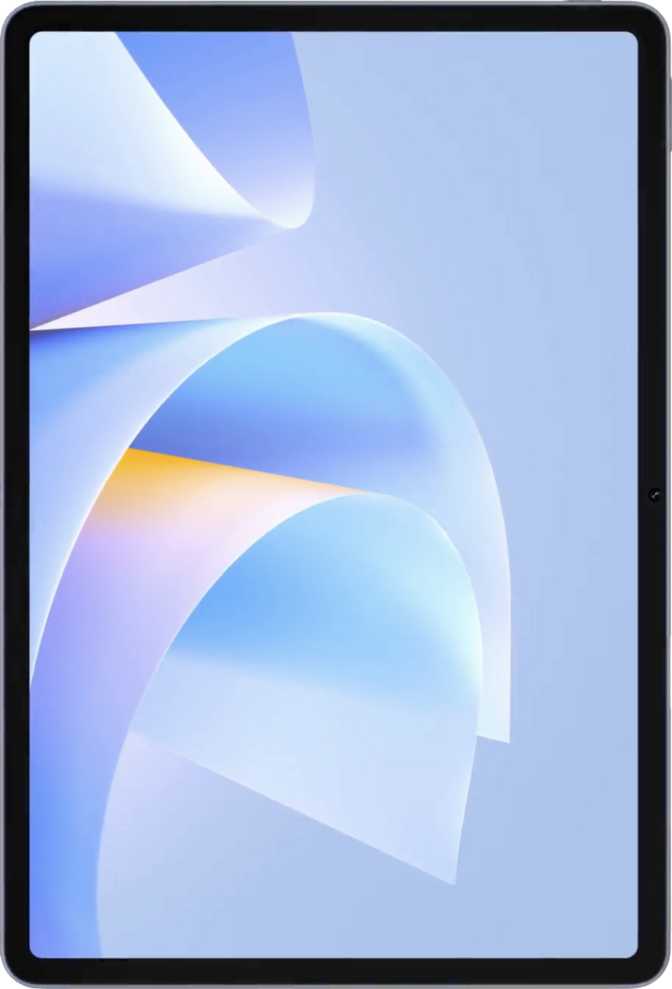
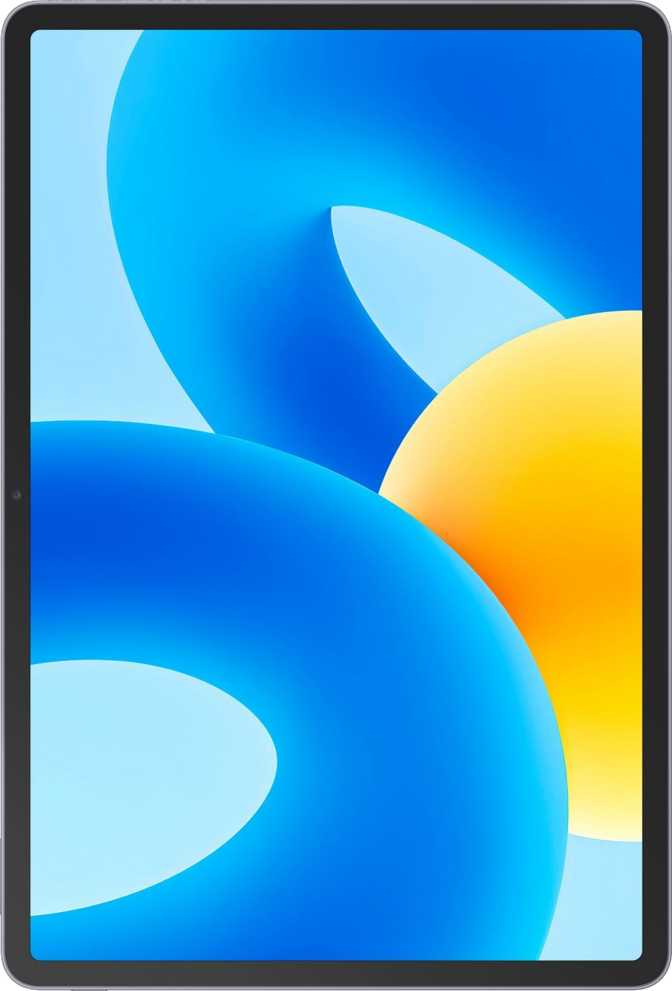
499 g • 6.9 mm thin • 260.9 × 176.8 mm • No water resistance
Slim, Light, and Surprisingly Refined
At 6.9 mm thin and weighing just under 500 grams, the MatePad 11.5 S carries itself well. That weight is lighter than most hardcover textbooks and comfortable to hold one-handed for short stretches, though extended single-hand use at this screen size will fatigue most people regardless of the device. The 6.9 mm thickness is genuinely impressive for a device packing a 10,100 mAh battery — Huawei has consistently prioritized slim profiles in this line, and the result is a tablet that feels premium in the hand even before you look at the screen.
What You Should Know About Durability
There’s no branded damage-resistant glass here — no Gorilla Glass or equivalent. That’s notable at this price tier, where competitors increasingly include it as standard. The display surface will be more susceptible to surface scratches than expected, so a screen protector is worth considering from day one.
- Height176.8 mm
- Width260.9 mm
- Thickness6.9 mm
- Weight499 g
- Water ResistanceNone
- Damage-Resistant GlassNot included
- KeyboardNot included
- StylusIncluded
The Display: The Strongest Argument for This Tablet
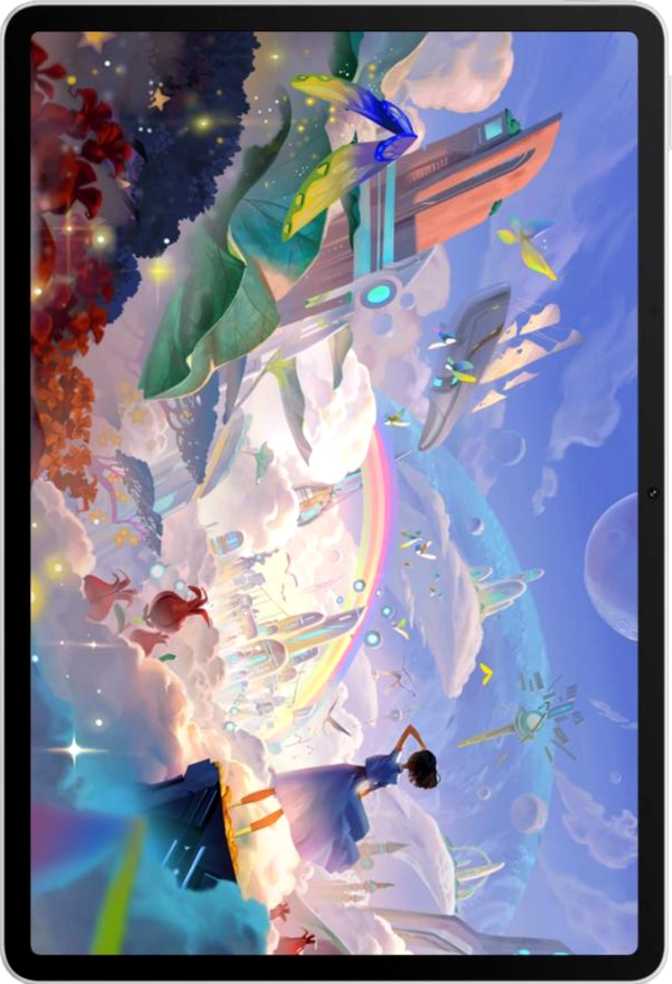
11.5" IPS LCD • 2456 × 1600 px • 256 ppi • 120Hz • Anti-Reflection Coating
Sharp, Wide-Angle IPS Panel
An IPS LCD panel at this size delivers wide viewing angles and consistent color accuracy across the entire screen, which matters significantly when reading documents, annotating PDFs, or watching content with others. The resolution works out to 256 pixels per inch — at typical tablet viewing distances, individual pixels are invisible to the naked eye, and text is sharp and comfortable for extended reading sessions.
What 120Hz Actually Means for You
The display refreshes at 120 frames per second — double the 60Hz found on many competing tablets in this class. Scrolling through web pages, social feeds, and documents feels visibly smoother and more fluid. For stylus input in particular, a higher refresh rate reduces the perceived lag between pen tip and ink on screen, which is meaningful since a stylus ships in the box.
Display Feature Breakdown
- Anti-Reflection Coating
Meaningfully reduces glare near windows and in mixed lighting — an underrated practical feature that improves everyday usability. - Full Multi-Touch Screen
Complete touch support across all apps and gestures. - No HDR10 Support
Streaming content renders in standard dynamic range. Dark scenes and bright highlights won’t have the depth of HDR-capable panels — a notable gap for video-first users. - No Damage-Resistant Glass
The display surface scratches more easily than Gorilla Glass equivalents. A screen protector is strongly advised from day one.
Performance: Capable, but Contextual
HiSilicon Kirin 980 • 7 nm • 12 GB RAM • 256 GB Storage • Mali-G57 GPU
Understanding the Processor Inside
The MatePad 11.5 S runs on Huawei’s HiSilicon Kirin 980, built on a 7-nanometer manufacturing process. The chip uses a tiered core architecture — two high-performance cores at 2.6 GHz, two mid-range cores at 1.92 GHz, and four efficiency cores at 1.8 GHz — which routes demanding tasks to the fast cores while background processes run on the efficient ones, preserving battery life. For the target user — writing notes, browsing the web, streaming video, working in office apps — this processor feels adequate day to day. For graphics-intensive gaming or video editing, the performance ceiling becomes apparent.
Memory and Storage: The Numbers That Matter
Twelve gigabytes of RAM is genuinely generous at this price tier. You can run a browser with multiple tabs, a video player, a note-taking app, and a cloud document simultaneously — and return to each without waiting for a reload. The 256 GB of internal storage is equally practical for years of typical use without constant management.
- ChipsetKirin 980
- Process Node7 nm
- CPU Config2+2+4 Cores
- GPUMali-G57
- RAM12 GB
- Storage256 GB
- Expandable StorageNone
The Stylus: An Included Tool with Specific Strengths
Pressure sensitivity included • Tilt sensitivity absent • No keyboard in box
The fact that a stylus ships in the box — rather than being sold as a separate accessory at significant additional cost — is a genuine differentiator. Most tablets treat the stylus as a premium upsell.
The stylus supports pressure sensitivity: lighter pressure produces thinner strokes while pressing harder creates bolder lines — essential for natural-feeling handwriting and sketching. For note-taking, annotation, and general handwriting, this delivers a natural, confident experience.
The one absent feature is tilt sensitivity, which detects the angle at which you hold the pen and adjusts stroke shading accordingly. This primarily matters for artists doing shaded illustration work. For note-taking and annotation, its absence is functionally irrelevant. No keyboard ships with the device — a Bluetooth keyboard is a compatible and readily available alternative.
- Stylus included in the box
- Pressure sensitivity supported
- Tilt sensitivity not supported
- Detachable keyboard not included
- Backlit keyboard not included
- Bluetooth keyboards are compatible
Battery Life: A Genuine Strength
10,100 mAh • 40W fast charging • No wireless charging • Battery health monitoring
Built to last a full workday and well beyond at typical usage
From critically low to usable charge in under an hour
Track degradation over time; charge-limit to 80% for long-term lifespan
At typical usage — a mix of document work, browsing, video playback, and stylus use — most users will find they reach the end of a long day with charge still remaining. Heavy streaming or gaming drains it faster, but even under sustained use this is not a device that needs to live near a charger. When you do need to top up, 40-watt fast charging means the time from critically low to usable is measured in minutes, not hours.
Cameras: Functional, Not a Feature
13 MP rear • 8 MP front • 1080p / 30fps video • Manual controls
Tablet cameras rarely compete with smartphones, and the MatePad 11.5 S doesn’t try to change that. The 13-megapixel rear camera captures documents, whiteboards, and scenes clearly enough for practical purposes — scanning physical notes, photographing receipts, or capturing a whiteboard after a meeting. Video records at 1080p and 30 frames per second, clean and usable for video calls and documentation.
The camera includes a wider manual control set than many competitors: manual ISO, white balance, exposure, and focus, plus continuous autofocus during video recording. The 8-megapixel front camera handles video calls well. There is no front-facing flash, so low-light calls depend on ambient lighting.
- Rear Camera13 MP
- Front Camera8 MP
- Video Recording1080p / 30fps
- HDR mode & touch autofocus
- Manual ISO, white balance, exposure & focus
- Continuous autofocus during video
- No optical image stabilization
- No flash (front or rear)
Audio and Connectivity
Audio
The stereo speaker setup produces a wider, more immersive soundstage than single-speaker tablets — dialogue stays centered and separated from ambient sounds in video content, which matters over extended viewing sessions. The dual-microphone array provides clean audio capture for video calls.
Wireless Connectivity
- Wi-Fi 6 (802.11ax) — Faster throughput, reduced congestion on busy networks, and improved battery efficiency during network-heavy tasks
- Bluetooth 5 — Reliable, low-latency connections to keyboards, headphones, and accessories within standard ranges
- Wi-Fi only — no cellular — No SIM card slot, no 5G. Outside Wi-Fi range, tethering to a smartphone hotspot is required
- USB-C with USB 2.0 speeds — Despite the modern connector type, file transfer rates are significantly slower than USB 3.x-equipped tablets
- No NFC, GPS, gyroscope, or compass — Navigation apps, AR applications, and proximity-based features won’t function as expected
Software Ecosystem: The Critical Context
This is the most important factor to understand before purchasing.
The MatePad 11.5 S runs HarmonyOS, Huawei’s proprietary operating system. It does not include Google Play Services or the Google Play Store — which changes the entire ownership experience.
What HarmonyOS Means in Practice
Mainstream apps — Gmail, Google Maps, YouTube, Netflix, WhatsApp, Instagram — are not directly installable through Google’s ecosystem. Huawei’s AppGallery serves as the alternative marketplace, and while it has grown meaningfully, its library does not match the depth of Google Play. Many popular apps that buyers take for granted are either unavailable, require sideloading from third-party sources, or exist in limited versions.
For buyers who primarily use a browser-based workflow, Huawei’s productivity suite, or apps available in AppGallery, the experience can be perfectly functional. But it is a fundamental departure from what most tablet buyers expect, and it deserves to be the first thing any prospective buyer researches in depth relative to their specific app needs.
- Split-screen multitasking
- Dark mode & widget support
- Multi-user system & child lock
- Camera / microphone privacy controls
- Voice commands
- No Google Play Store
- No Google Play Services
- No direct OS vendor updates
Who This Tablet Is For — and Who It Isn’t
- Students and note-takers who want a large, smooth screen with a bundled stylus for handwriting, annotation, and PDF markup
- Video and content watchers who want a big, sharp, fluid display for streaming on home Wi-Fi and can work within the app ecosystem constraints
- Light productivity users who need a device for writing, reading, and communication via AppGallery apps or the web browser
- Huawei ecosystem users already comfortable with HarmonyOS and Huawei’s device lineup
- Google app-dependent users who rely on Maps, Gmail, YouTube, Meet, or Drive as non-negotiable daily tools
- On-the-go users who need internet connectivity on commutes, while traveling, or anywhere without Wi-Fi access
- Performance-intensive users running graphics-heavy games, video editing applications, or demanding professional tools
- Navigation and field users who rely on GPS, AR applications, or gyroscope-dependent features
- Heavy file transfer users who regularly move large files and need the speed of USB 3.x or faster
How It Compares to the Alternatives
| Feature | Huawei MatePad 11.5 S | Typical Android Competitor | Entry iPad |
|---|---|---|---|
| Screen Size | 11.5" | 10–11" | 10.9" |
| Refresh Rate | 120Hz | 60–90Hz | 60Hz |
| RAM | 12 GB | 4–8 GB | 3–4 GB |
| Storage | 256 GB | 64–128 GB | 64–256 GB |
| Stylus Included | Rarely | Sold separately | |
| App Ecosystem | HarmonyOS / AppGallery | Google Play | App Store |
| Cellular Option | Usually available | ||
| GPS | Usually included | ||
| HDR Display | Varies by model | Base model | |
| USB Data Speed | USB 2.0 | USB 2.0–3.1 | USB 3.x (some) |
Competitor data reflects typical category specifications and may vary by specific model.
Honest Assessment: Strengths and Weaknesses
- Display is the standout feature — large, sharp, and smooth in a way that makes daily use feel comfortable rather than compromised.
- 12 GB of RAM punches above its weight — delivering multitasking headroom that most competing tablets underdeliver on at this price tier.
- Stylus included in the box — eliminates what is often a significant hidden cost at comparable price points.
- Battery is genuinely excellent — large capacity combined with 40W fast charging means power anxiety is essentially a non-issue for typical use.
- Slim build for the battery inside — 6.9 mm is genuinely impressive for a device with 10,100 mAh on board.
- Processor is a generation behind — adequate for today, but performance headroom will diminish faster than with a current-generation chip.
- USB 2.0 data speeds feel anachronistic — large file transfers take significantly longer than with USB 3.x-equipped tablets.
- No GPS, gyroscope, NFC, or compass — strips away features that have become standard expectations at this price tier.
- No damage-resistant glass — a real-world concern for a large glass panel that will spend time in bags and on desks.
- HarmonyOS ecosystem limitations — the single most significant factor for most buyers; Google apps are absent without workarounds.
Frequently Asked Questions
Final Verdict
The Huawei MatePad 11.5 S is a hardware package that punches above its weight in the areas that define the daily display experience: screen size, refresh rate, RAM, and battery endurance. The included stylus eliminates a significant hidden cost, and the slim build makes the device genuinely pleasant to use physically.
The purchase verdict comes down to a single question before all others: can you work within HarmonyOS and AppGallery? If the answer is yes — or even mostly yes — this tablet offers a compelling combination of features for students, note-takers, and casual productivity users who want a large, smooth screen. The Kirin 980 processor handles today’s tasks without drama, even if it won’t future-proof this device as long as a newer chip would.
If the answer is no — if Google apps are non-negotiable, if you need GPS and cellular connectivity, or if app ecosystem depth matters to your workflow — there are more complete alternatives worth considering, even if they compromise on screen size, RAM, or require a separate stylus purchase.
Recommended For
- Students and note-takers
- Home streaming and content consumption
- Browser-based and AppGallery productivity workflows
- Existing Huawei HarmonyOS ecosystem users
Skip If You Need
- Google apps or the full Android ecosystem
- Cellular or reliable on-the-go connectivity
- GPS, NFC, or gyroscope functionality
- Fast USB data transfer speeds