Huawei MatePad Air 2025 Review: Brilliant Display, Real Trade-Offs
TabletsVery Good
Outstanding hardware, meaningful ecosystem trade-offs
What Kind of Tablet Is the Huawei MatePad Air (2025)?
The tablet market has a crowded middle — devices that promise premium experiences but quietly compromise where it hurts most. The Huawei MatePad Air (2025) takes a different angle: an ultra-slim, large-format slate built around a high-refresh display and serious onboard hardware, aimed squarely at productivity users, content consumers, and creative workers who want desktop-scale screen real estate without carrying a laptop.
What makes this tablet interesting is also what makes it polarizing. Huawei has engineered a genuinely impressive piece of hardware — thinner than most phones were a few years ago, packing a display that embarrasses many competitors at this size — but the software ecosystem comes with real constraints that no amount of screen quality can paper over. This review unpacks both sides with complete honesty, so you can decide whether this tablet fits your world.
Design and Build: Engineering That Commands Attention
5.9mm
Thickness
555g
Weight
12"
Screen Size
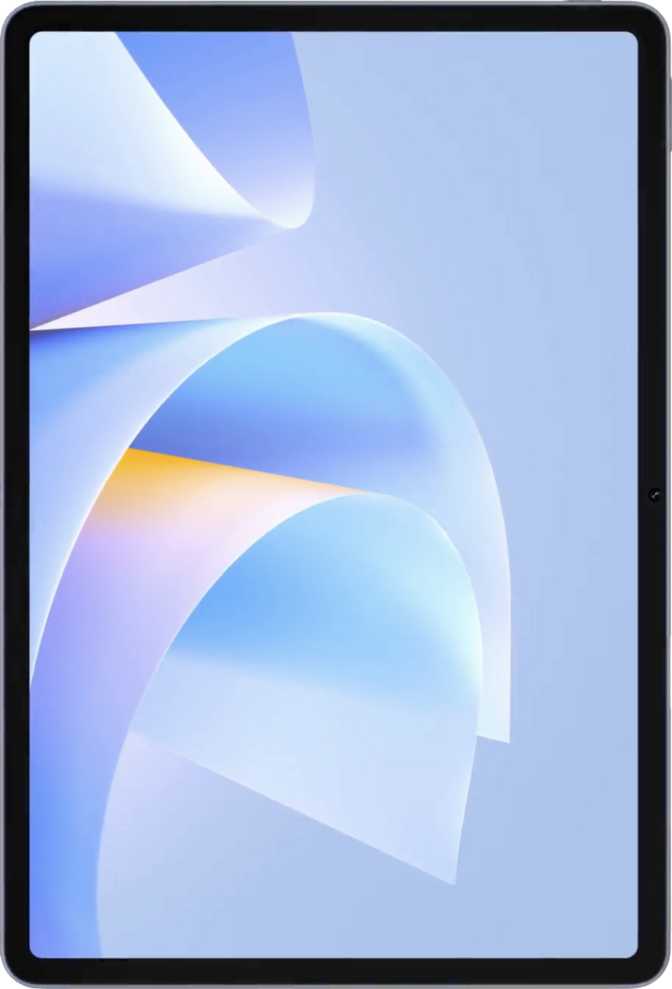
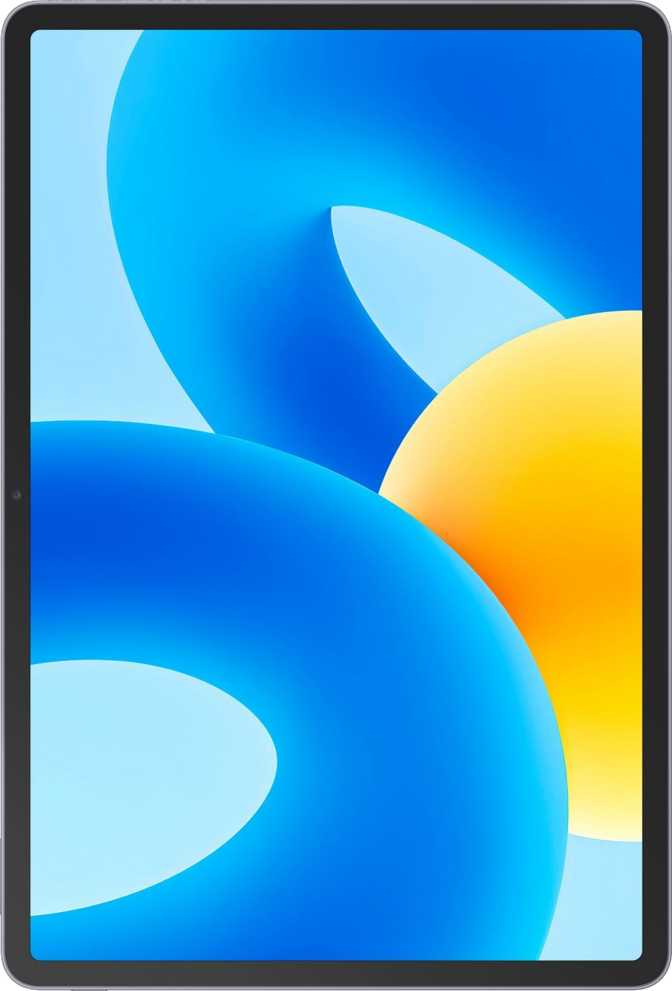
At 5.9mm thin, the MatePad Air (2025) is among the slimmest tablets available at any screen size. To put that in physical terms: it is roughly the thickness of four stacked credit cards. Holding it feels less like holding a consumer gadget and more like holding a sheet of engineered aluminum. The flat-edge industrial form factor feels intentional rather than trend-following, and the slim profile does not introduce the flex or creaking that occasionally plagues ultra-thin designs.
The footprint — 270mm wide by 183mm tall — places it firmly in large-tablet territory. At 555 grams it is not a one-handed device for extended sessions, but within the 12-inch class this weight is well-managed. Competing 12-inch tablets routinely tip past 600 grams; the MatePad Air carries comfortably in a bag and sits naturally on a lap or desk.
Display: The Undeniable Highlight
Size, Resolution, and Sharpness
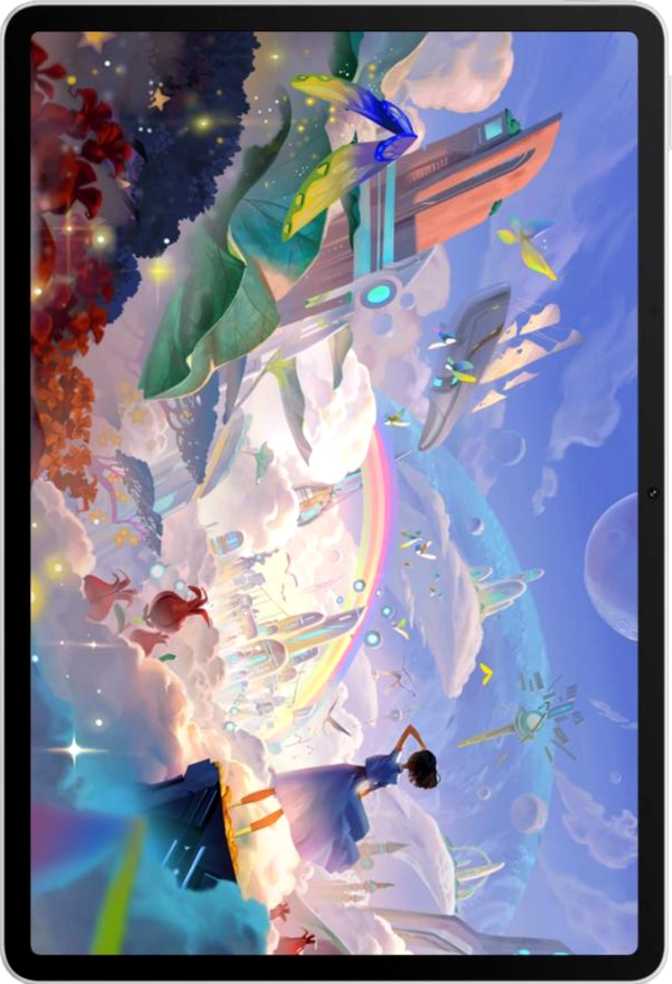
The 12-inch IPS LCD panel is the most compelling reason to consider this tablet. The resolution translates to roughly 279 pixels per inch — a density level at which individual pixels are invisible at normal viewing distances. Text renders with print-like crispness, and detailed illustrations or spreadsheet grids appear with no visible aliasing. Many competing tablets in this price range ship with panels in the 220–240 ppi range; the jump to 279 ppi is genuinely perceptible when displaying fine text or complex UI elements side by side.
279ppi
Pixel Density
144Hz
Refresh Rate
2800×1840
Resolution
12"
Panel Size
144Hz Refresh Rate: Smoothness as a Feature
The panel refreshes at up to 144 times per second. On a display this large, that figure matters more than it might on a phone. Scrolling through long documents, dragging files across a split-screen interface, or navigating multi-layered apps all feel physically immediate rather than slightly laggy. Once you have used a 144Hz panel for productivity, returning to 60Hz feels like wading through syrup. This refresh rate also benefits anyone using the tablet for casual gaming or animation work — motion rendering is visibly smoother, particularly in side-scroll or fast-panning content.
IPS LCD: An Honest Assessment
The panel technology is IPS LCD, not OLED. IPS delivers consistent, accurate colors and excellent viewing angles — you will not see color shift when tilting the tablet — but it cannot match OLED's pure black levels or per-pixel contrast. In a bright office or outdoors, IPS panels often hold up better than OLED due to higher sustained brightness. In a darkened room watching video, OLED's deeper blacks would win.
Performance: What the Hardware Actually Delivers
The MatePad Air (2025) is built on a Kirin-family chipset manufactured at a 5-nanometer process node — the same fabrication tier used in flagship smartphones. The chip uses an eight-thread big.LITTLE configuration: one high-performance core clocking above 3GHz, three mid-tier cores, and four efficiency cores that handle lighter tasks while preserving battery. A boost state pushes the top core to 3.3GHz for brief demanding bursts. In practical terms, the 5nm process means the chip runs cooler and more efficiently than older designs — the tablet will not get uncomfortably warm during sustained use.
Process Node
5nm
Flagship-tier efficiency and lower heat than older chip designs
RAM
12GB
Holds many apps in memory simultaneously without reload delays
Storage
512GB
Generous built-in capacity with no external card expansion
Security
TrustZone
Hardware-level enclave for enterprise-grade data isolation
Twelve gigabytes of RAM at high speed means the MatePad Air can hold a substantial number of applications in memory simultaneously. Switching between a document editor, a browser with many open tabs, an email client, and a video call app should not trigger the reload delays that plague under-resourced tablets. The 512GB of internal storage is genuinely generous — at this capacity, very few users will feel constrained, even with large offline media libraries and multiple heavyweight applications installed.
The integrated GPU supports modern graphics APIs used in demanding applications and current-generation mobile games. At 44GB/s memory bandwidth, data moves between processor and graphics efficiently enough to avoid the bottlenecks that cause stuttering in complex visual workloads. For casual gaming, illustration apps, and GPU-accelerated productivity tools, performance will be fluid throughout the device's useful life.
Software and Ecosystem: The Most Important Conversation
HarmonyOS is a mature, capable operating system with a thoughtful interface, strong multi-window multitasking, and a growing native app library. The split-screen support, widget system, multi-user accounts, and customizable notifications are all present and polished. Voice commands, device position tracking, and sharing intents work within the Huawei ecosystem.
Huawei's AppGallery carries many apps — particularly for users in China and increasingly in other markets — but the gap between AppGallery and Google Play remains significant for Western users. This is not a criticism of HarmonyOS quality. It is a description of ecosystem reality. For buyers embedded in the Huawei ecosystem, residing in markets where AppGallery is well-stocked, or willing to use web apps as alternatives, this is manageable. For buyers who depend on specific Google or Western apps, this limitation is disqualifying regardless of how strong the hardware is.
HarmonyOS Does Offer
- Multi-window split-screen multitasking
- Multi-user account support with child lock
- Dark mode and fully customizable widgets
- Camera and microphone hardware privacy controls
- Battery health tracking and smart charging tools
What Is Not Available
- Google Play Store and all Google services
- YouTube, Gmail, Google Maps, Google Drive
- Netflix, Spotify, WhatsApp via official channels
- Direct OS updates via standard Android model
- Most Western mainstream social and banking apps
Battery Life: Endurance Built for Full Days
The 10,100mAh battery is well-sized for a 12-inch tablet. Paired with a power-efficient 5nm processor, a full charge should comfortably carry a typical workday — roughly eight to twelve hours of mixed use including document editing, video calls, browsing, and media playback. Heavy continuous video streaming or sustained gaming will reduce that range; light reading and document work will extend it. Most users will charge once every one to two days rather than daily.
10,100mAh
Large-format battery capacity
Fast Charging
Significantly shortens time from low battery to ready
Health Monitor
Tracks long-term battery condition for smart charge habits
Fast charging meaningfully shortens recovery time, and the absence of wireless charging is not unusual for large-format tablets even at premium prices. The built-in battery health monitoring tool helps manage charge cycles intelligently, which extends long-term capacity retention — the kind of practical, long-ownership feature that matters more the longer you keep the device.
Connectivity: Modern Where It Counts, Missing Where It Matters
The MatePad Air (2025) supports Wi-Fi 7 — the latest generation of wireless networking — alongside backward compatibility with older router generations. On a Wi-Fi 7 router, this translates to multi-gigabit potential throughput and dramatically lower latency. In practical terms, file transfers, video calls, and cloud sync happen faster and more reliably than on most competing tablets still shipping with Wi-Fi 6. Bluetooth 5.2 handles wireless headphones, keyboards, mice, and stylus accessories with solid reliability.
| Feature | Status | What It Means for You |
|---|---|---|
| Wi-Fi 7 (802.11be) | Included | Future-proof networking; fastest wireless speeds available today |
| Bluetooth 5.2 | Included | Connects wireless headphones, keyboards, mice, and accessories |
| USB-C at USB 3.2 speeds | Included | Rapid wired file transfer, far faster than competing tablets on USB 2.0 |
| Stereo Speakers | Included | Wide audio staging across the 12-inch chassis |
| Cellular / 5G | Not included | Wi-Fi only — no mobile data connectivity of any kind |
| GPS | Not included | Satellite location-based apps will not function accurately |
| NFC | Not included | No contactless payments or NFC-based file transfer |
| Fingerprint Scanner | Not included | Biometric unlock relies on 2D face recognition only |
| 3.5mm Headphone Jack | Not included | Wired audio requires a USB-C adapter or wireless headphones |
| High-res Wireless Audio (LDAC/aptX) | Not included | Wireless audio limited to AAC or SBC codecs |
The USB-C port supports USB 3.2 transfer speeds, enabling rapid wired file movement between the tablet and a computer or external drive — meaningfully faster than the USB 2.0 speeds found on many competing tablets at similar prices. The absence of GPS, NFC, and cellular makes this a home-and-office device rather than a true on-the-go companion.
Camera System: Functional, Not the Focus
The camera on a 12-inch tablet is rarely the reason anyone buys one, and the MatePad Air (2025) positions its camera honestly: as a capable video-calling and document-scanning tool, not a photography instrument. That framing is accurate and the camera performs well within those expectations.
Front Camera
- 8MP, f/2.2 aperture — well-suited for clear video calls and document capture
- 4K video at 30fps — usable as a room or document camera in professional setups
- Continuous autofocus while recording video
- Manual ISO, white balance, and exposure controls for precise capture
- No optical image stabilization, no dedicated night mode hardware
Rear Camera
- Video light (LED flash) for recording in low ambient light
- Manual exposure and focus controls for document and whiteboard capture
- Built-in HDR mode for balanced document scanning in bright conditions
- No optical zoom, no back-illuminated sensor — low-light performance is limited
Who Should Buy the Huawei MatePad Air (2025)?
This Tablet Is Right For
- Huawei ecosystem usersWho already own Huawei phones, laptops, or accessories and want seamless cross-device integration
- AppGallery-compatible market usersParticularly in China, the Middle East, and parts of Europe and Asia where app availability aligns with usage needs
- Productivity-focused buyersWho primarily use web-based tools, office suites, and applications accessible through a browser
- Media consumption usersWho want a large, sharp, smooth-scrolling panel for reading, video, and browsing with locally stored or platform-specific content
- Design and creative workersWho use Huawei-native creative apps and want a 12-inch canvas at 144Hz precision
This Tablet Is Not Right For
- Google ecosystem-dependent usersWho rely on Google Maps, YouTube, Gmail, Drive, or any Google-first service as a daily driver
- App-first power users in Western marketsWhere AppGallery lacks key streaming services, banking apps, and mainstream social platforms
- Travelers and commuters who need GPS navigationThe absence of GPS and cellular makes this a home-and-office device, not an on-the-go companion
- Premium wireless audio enthusiastsWho require high-resolution codec support like LDAC, aptX HD, or aptX Adaptive for their headphones
- Buyers needing fingerprint biometricsBiometric unlock relies on 2D face recognition, which is less reliable in dim environments
How It Compares to the Alternatives
Head-to-head against logical alternatives in the same size class
| Feature | Huawei MatePad Air 2025 | Typical 12" Android Competitor | Typical iPad (12") |
|---|---|---|---|
| Display Size | 12 inches | 11–12 inches | 11–13 inches |
| Refresh Rate | 144Hz | 90Hz–120Hz typical | 60Hz–120Hz (varies) |
| Pixel Density | 279 ppi | 220–265 ppi typical | 264 ppi typical |
| Display Type | IPS LCD | IPS LCD or OLED | IPS LCD or OLED |
| Internal Storage | 512GB | 128–256GB typical | 128–256GB typical |
| RAM | 12GB | 6–12GB | 8–16GB |
| Wi-Fi Generation | Wi-Fi 7 | Wi-Fi 6 typical | Wi-Fi 6 or 6E |
| USB Transfer | USB 3.2 | USB 2.0–3.2 | USB 3 (varies) |
| App Ecosystem | AppGallery | Google Play | App Store |
| Cellular Option | Wi-Fi only | Available on some models | Available on some models |
Strengths and Weaknesses: The Unfiltered View
Where It Excels
The 144Hz panel at this resolution and size is difficult to find on any tablet at any price. Most competitors still ship 120Hz at lower pixel densities. The combination of a 5nm chip, 12GB of RAM, and 512GB of storage creates a device that will not feel underpowered for its entire useful life.
Wi-Fi 7 future-proofs the networking side. The sub-6mm chassis is an engineering achievement that stands without qualification. The USB 3.2 port offers transfer speeds many competing tablets cannot match, and the large battery paired with the efficient processor creates endurance most users will appreciate through a long workday.
The hardware security architecture, battery health monitoring system, and multi-user support with child lock controls all point to a device designed for responsible long-term use — not just an impressive spec sheet on a shelf.
Where It Falls Short
The app ecosystem gap is real and for many buyers is the deciding factor, full stop. The absence of GPS removes a capability that has become foundational to how many people use a tablet outside the home. The lack of HDR certification means the excellent display cannot realize the full potential of modern streaming content.
The missing fingerprint scanner means biometric security relies on 2D face unlock, which is less reliable in dim environments. No dust or water resistance means this tablet requires more careful handling than competing devices with IP ratings. The 3.5mm audio jack is gone, frustrating buyers with existing wired audio setups.
High-resolution wireless audio codec support — LDAC, aptX HD — is absent, which limits the audio quality ceiling for users with premium wireless headphones. These are structural decisions, not manufacturing flaws, but they narrow the audience meaningfully.
Questions Buyers Ask Before Purchasing
Should You Buy the Huawei MatePad Air (2025)?
Very Good — For the Right Buyer
The Huawei MatePad Air (2025) is the best hardware argument Huawei has made in the tablet space in years. The 144Hz panel at this resolution and size is difficult to find on any tablet at any price. The processor and memory configuration is built to last. The industrial design is among the thinnest and most refined at 12 inches.
But hardware alone does not make a tablet useful. The software ecosystem defines what you can actually do with it every day, and for a significant portion of potential buyers — particularly those in Western markets who rely on Google services, streaming platforms, or mainstream social and productivity apps — HarmonyOS creates a barrier that no spec sheet can remove.
Buy this tablet if...
You are in a market where AppGallery serves your needs, you are already embedded in the Huawei ecosystem, or your productivity workflow lives primarily in a browser. The hardware will exceed your expectations at this size class.
Look elsewhere if...
Google Play access is non-negotiable, GPS navigation is a regular use case, or you depend on apps whose AppGallery availability you have not independently confirmed. A Google-certified Android tablet or an iPad will serve you more completely — even if the raw display and performance specs do not quite match up.