HP Smart Tank 580 All-in-One Review: Honest Verdict for Home Printers
PrintersMost household inkjet printers are designed to look affordable at the point of purchase. The real cost arrives later, packaged in proprietary cartridges priced far beyond what the ink inside could ever justify. HP's Smart Tank lineup was built as a direct answer to that model. The HP Smart Tank 580 All-in-One uses a refillable ink tank system — not disposable cartridges — which fundamentally changes the long-term economics of owning a printer. Before you decide whether that value proposition applies to your situation, though, there are genuine trade-offs to understand, some of which are not prominently advertised.
Design and Physical Build
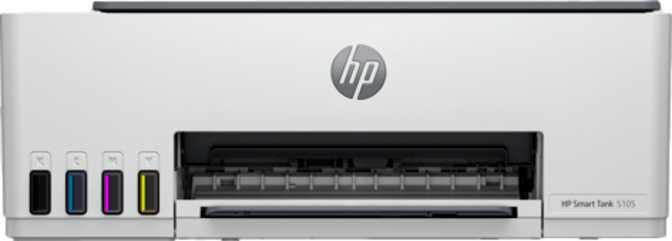
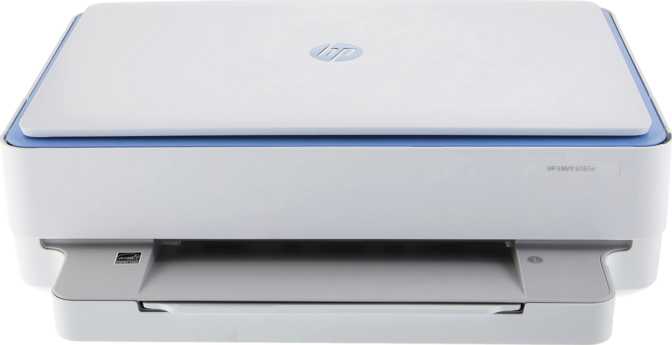
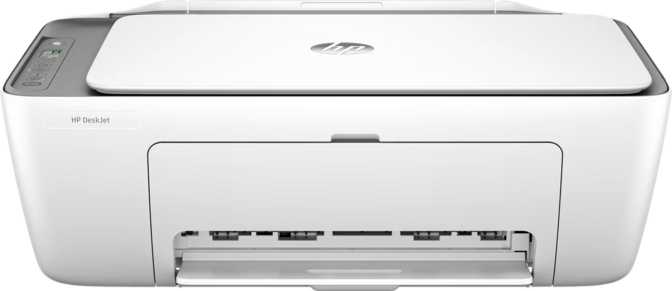
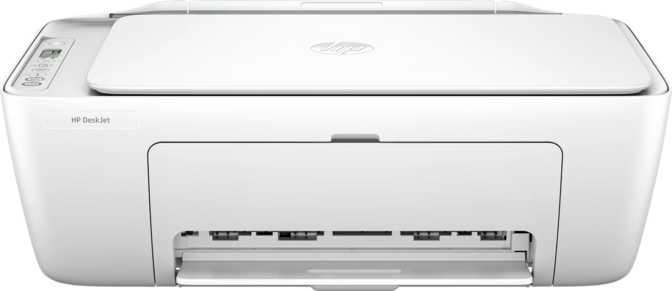
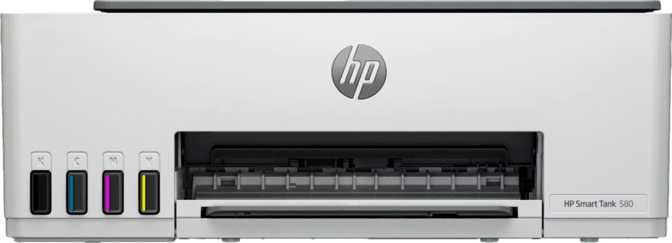
The HP Smart Tank 580 has the proportions of a large hardcover dictionary — roughly 43 cm wide, 36 cm deep, and 26 cm tall. That footprint is manageable on most home desks, but it won't squeeze into a tight shelf or a crowded corner workspace. At just over 5 kg, it moves without effort and doesn't require permanent placement.
The exterior is hard matte plastic throughout. It's practical — fingerprints stay manageable and the surface wipes clean — but it reads as utilitarian rather than premium. The overall construction communicates exactly what it is: a home-and-light-office workhorse rather than a showpiece.
The front-loading paper tray holds a hundred sheets, which is enough for a household to go several days between reloads during normal use. The output area, however, fills after roughly 30 printed pages. Longer print jobs need monitoring, or pages start cascading off the tray before you've returned to collect them.
The control panel is where the design shows its cost tier most clearly. Navigation happens through a small display — barely wider than a thumbnail — paired with physical buttons. There is no touchscreen. For quick status checks and routine tasks, it functions adequately. Compared to competitors at similar price points that have moved to larger, touch-capable displays, it feels dated. Users who rely primarily on the HP Smart app for wireless printing will rarely notice; those who prefer direct hardware control will find it limiting.
The Ink Tank System: What It Actually Means for Your Wallet
The "Smart Tank" designation signals HP's refillable ink tank architecture, which replaces the traditional cartridge entirely. Instead of sealed, single-use cartridges, the printer draws from user-accessible ink reservoirs that can be topped up with bottled ink.
The practical consequence of this is that the per-page cost drops significantly compared to cartridge printers once you've moved past the initial setup. Households that have historically burned through cartridges — school projects, home office documents, photo printing — will find the ongoing cost of ownership noticeably lower over a multi-year horizon.
There's an important caveat: the economics only work in your favour if you print regularly. The printer is rated for a recommended monthly volume of around 800 pages, which positions it for households that print frequently. If your monthly output is ten or twenty pages, the ink tank system's cost advantage won't offset the higher upfront price compared to a basic cartridge printer. This machine earns its keep through volume.
Ideal Monthly Volume
Rated for up to 800 pages per month — designed for households and light offices that print consistently, not occasionally.
Low Volume Warning
At under 20–30 pages per month, the higher upfront cost of the ink tank system rarely justifies the saving. A basic cartridge model may serve better.
Print Performance: Speed, Quality, and Where the Gaps Are
Text and Document Output
For everyday document printing, the 580 performs at a pace that matches practical home and office needs. Black text prints emerge at approximately 12 pages per minute — brisk enough that you're not watching progress bars, and competitive with other ink tank printers in this category. The first page of a black job takes about 14 seconds to appear, which is standard for inkjet technology as the system initialises. If you're coming from a laser printer, the warm-up pause is noticeable; if you've used inkjets before, it's expected.
Text clarity at standard reading sizes is clean and sharp. Technical documents, fine-print forms, and standard correspondence all reproduce without visible degradation.
Color Printing and Photos
Color output tells a different story on speed. The print rate slows dramatically for color jobs — a five-page color document takes roughly a minute, and a 20-page presentation stretches toward four minutes. The first color page takes over 20 seconds to appear as the printer stages multiple ink passes. For occasional color work, this is a minor inconvenience. For anyone printing color documents as a regular part of their workflow, it becomes a meaningful friction point.
Where the 580 genuinely distinguishes itself is photo print quality. The print resolution reaches well into photo-grade territory — the level at which skin tones in portraits look smooth rather than dithered, and fine details in macro shots remain distinct. Borderless printing support means photos and greeting cards emerge without the white margins that make home prints look unfinished. For a printer at this price tier, the photo output quality is one of its strongest selling points.
| Print Mode | Speed | First Page Out | Best Use |
|---|---|---|---|
| Black Text | ~12 pages/min | ~14 seconds | Documents, reports, forms |
| Color | ~5 pages/min | ~21 seconds | Occasional color docs |
| Borderless Photos | Slower (multi-pass) | ~21+ seconds | Home photo printing |
The printer's onboard memory is modest, which means extremely large or complex files — high-resolution multi-page photo jobs, intricate vector graphics — may process more slowly as data spools through from the connected device.
Copying and Scanning: Capable Core, Real Limitations
Copying
The copy function handles everyday tasks reliably. Place a document on the flatbed, press copy, and the output is consistent. The quality is suitable for standard document duplication — meeting notes, reference pages, school materials.
There is no adjustable copy density. If the original document is faded, yellowed, or particularly dark, you cannot compensate — the output will mirror exactly what the scanner reads. More significantly, there is no Automatic Document Feeder. Every page must be placed individually on the flatbed glass by hand. For single-page copying, this is no inconvenience. For copying a five-page contract or a ten-page report, it means five or ten manual placements — a genuine workflow bottleneck for anyone processing multi-page documents regularly.
Scanning
The flatbed scanner captures in full 24-bit color depth, which produces accurate, rich digital reproductions of photographs, printed artwork, and documents. For digitising old prints, archiving physical paperwork, or capturing reference images, the scan quality stands up well.
The gaps in scanning capability are harder to overlook than in printing, because they affect the workflows people most commonly use scanners for.
No Native Scan-to-PDF
PDF conversion must happen via the HP Smart app or computer software — an extra step most users expect to be automatic.
No Built-in OCR
Scanned documents arrive as images, not searchable or editable text. Third-party software is required for text recognition.
No Duplex Scanning
Double-sided originals require two separate manual scans — one side at a time — adding effort to every two-sided document.
For light home scanning, none of this is disqualifying. For document-heavy workflows, these are genuine capability gaps that competing models at a modest price premium have closed.
Connectivity: Built for Wireless Households
The HP Smart Tank 580 is primarily designed for wireless operation. It connects to home networks over standard Wi-Fi and also supports Wi-Fi Direct — a mode that lets phones and tablets print directly to the printer without going through a router. This is useful for guests, for situations where your router is temporarily unavailable, or for quick mobile print jobs where network setup is unnecessary.
What's Supported
-
AirPrint — native print from any iPhone, iPad, or Mac without installing apps
-
Mopria — certified for Android and Chrome OS wireless printing
-
Wi-Fi Direct — print without a router from any nearby device
-
HP Smart App — full print, scan, and printer management from smartphones
-
Alexa — voice command support for hands-free basic tasks
-
USB Port — single wired connection to one computer
What's Missing
-
No Ethernet Port — wired network connection is not possible; a limitation in unreliable Wi-Fi environments
-
No Bluetooth — short-range wireless pairing is not available
-
No NFC — tap-to-print functionality is absent
-
No Google Assistant — voice integration is Alexa-only
-
Wi-Fi 4 (802.11n) — stable but not the latest standard; may show slower transfers on congested networks
Real-World Use: Who This Printer Is Built For
Strong Fit
- Households with school-age children printing homework, projects, and photos regularly
- Home office professionals printing moderate volumes alongside occasional color work
- Photographers and creatives who want borderless photo prints without a dedicated photo printer
- Anyone who has historically spent significant money on inkjet cartridges
- Apple households that live in the AirPrint ecosystem
Look Elsewhere
- Business or office environments regularly handling multi-page documents — no ADF or duplex printing
- Users who need Ethernet for reliable wired network connection
- Anyone who needs integrated scan-to-PDF or OCR for document workflows
- Very light printer users printing fewer than 20–30 pages per month
- Shared office environments needing advanced control panels or network management
Competitive Positioning
How the HP Smart Tank 580 fits against Epson EcoTank and Canon MegaTank alternatives in the same category.
| Feature | HP Smart Tank 580 | Epson EcoTank Tier | Canon MegaTank Tier |
|---|---|---|---|
| Ink System | Refillable Tank | Refillable Tank | Refillable Tank |
| Auto Duplex Printing | No | Select models | Select models |
| Auto Document Feeder | No | Select models | Select models |
| Touchscreen Control | No | Select higher models | Rarely |
| Ethernet | No | Select higher models | Rarely |
| AirPrint | Yes | Yes | Yes |
| Wi-Fi Direct | Yes | Yes | Yes |
| Borderless Photo Print | Yes | Yes | Yes |
| Native Scan to PDF | No | Select models | Select models |
| Voice Assistant | Alexa | Varies | Rarely |
The HP 580's primary competitive advantages are its strong wireless ecosystem (AirPrint, Mopria, Wi-Fi Direct, Alexa), borderless photo printing, and the HP Smart app's breadth of mobile features. Its primary competitive disadvantages — no duplex printing, no ADF — are features that competing models at similar or slightly higher price points often include.
Honest Assessment: What Works and What Doesn't
The HP Smart Tank 580 gets a lot right for its intended audience. The wireless setup is genuinely easy — the HP Smart app walks first-time users through network configuration without requiring IT knowledge, and the AirPrint and Mopria support means it works out of the box with essentially any device. The photo print quality punches above the price point, and borderless output produces results that look deliberate and professional rather than home-printed.
The ink tank system itself is the headline value, and it delivers. Households that previously tracked how many cartridges they bought annually will find the economics of ownership more predictable and significantly cheaper over a multi-year horizon.
But the limitations are real and worth naming plainly. The color print speed is slow enough to test patience on anything beyond short jobs. The absence of automatic duplex printing means every double-sided document requires manual page flipping and reloading. No ADF limits scanning and copying usability for anything multi-page. The tiny, non-touch display feels like an afterthought in a market where even budget competitors have moved to more capable interfaces. And the lack of scan-to-PDF from the hardware creates a friction point for document workflows that could have been solved with a firmware feature.
What It Does Well
- Lower long-term running costs through refillable tank system
- Photo-grade borderless print quality at this price tier
- Excellent wireless platform coverage (AirPrint, Mopria, Wi-Fi Direct)
- HP Smart app is well-designed and easy for non-technical users
- Alexa voice assistant integration
- Brisk black print speed for everyday documents
Where It Falls Short
- Color print speed is noticeably slow for frequent color users
- No automatic duplex — double-sided printing is fully manual
- No ADF makes multi-page copying and scanning tedious
- Tiny, button-only display feels outdated at this price tier
- No scan-to-PDF or OCR from the hardware itself
- No Ethernet — wired network connectivity is impossible
Questions Buyers Ask Before Purchasing
Common concerns answered directly — no specification hunting required.
HP Smart Tank 580 All-in-One
The HP Smart Tank 580 All-in-One is the right printer for households that print regularly and want to stop absorbing the ongoing cost of cartridge replacements. The refillable ink system, strong photo print quality, and excellent wireless compatibility make it a compelling, practical choice for that specific user.
Buy It If
Your household prints often enough for ink costs to sting, you live in a wireless-first environment, and you want photo-quality output without a dedicated photo printer. The economics of ownership reward regular use, and the feature set genuinely serves the modern connected home.
Skip It If
Your workflow involves multi-page documents, double-sided printing, or document scanning at volume. There are better-equipped options at a modest price premium that will serve those needs without the manual workarounds the 580 requires.