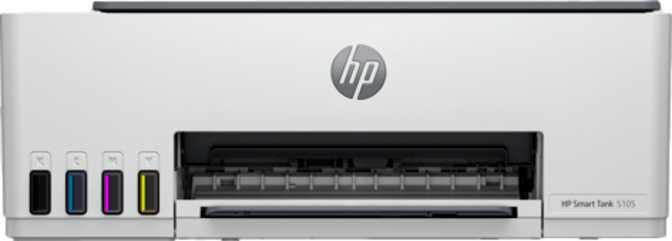
HP Smart Tank 5108 Full Review: Low-Cost Printing, Real Trade-Offs
PrintersAll-in-One
Print · Copy · Scan
Print Speed
12 ppm B&W · 5 ppm Color
Auto Duplex
Automatic two-sided
Wireless
AirPrint · Mopria · Direct
Ink System
Refillable tanks
Monthly Volume
Up to 800 pages rec.
The Economics of Everyday Printing — and Where the Smart Tank 5108 Fits In
Most households buy a cheap inkjet printer and then spend four times its purchase price on replacement cartridges within the first year. The HP Smart Tank 5108 takes a fundamentally different approach: instead of cartridges, it uses refillable ink reservoirs that you top up with high-yield bottles, dramatically lowering the ongoing cost of every page you print. This isn't a minor feature — it's the entire reason this printer exists, and it changes the calculus for anyone who prints more than a handful of pages per month.
The Smart Tank 5108 is a wireless all-in-one covering print, copy, and scan. It's aimed squarely at home offices, students, and small households that need reliable color output without the long-term financial sting that traditional inkjet ownership usually brings. Whether it delivers on that promise is exactly what this review examines.
Key Insight
Ink tank printers cost more upfront but return that premium within months for anyone printing regularly. The Smart Tank 5108 is built around this long-game value proposition.
Design and Footprint: Practical, Not Pretty
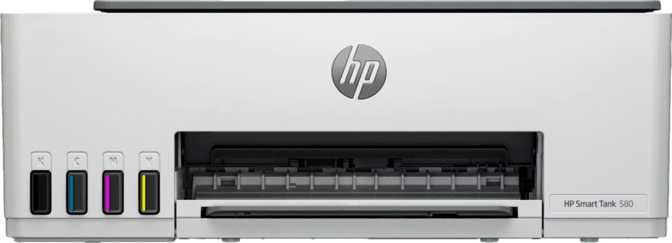
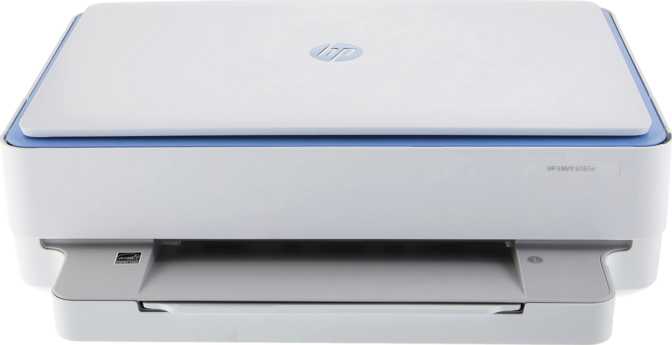
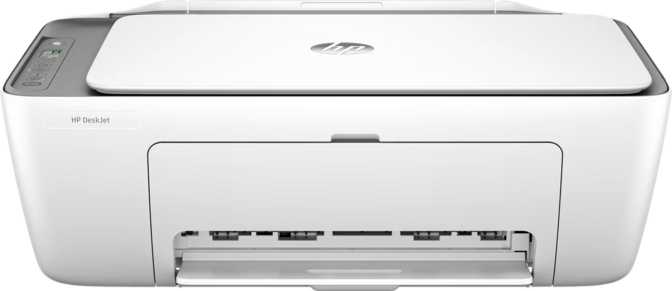
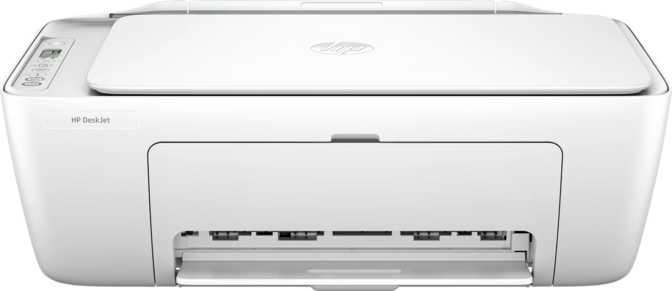
The Smart Tank 5108 is a compact-ish all-in-one — roughly the size of a large shoebox lying on its side. At about 17 inches wide and just over 14 inches deep, it occupies a sensible amount of desk space without being oppressive. The height barely clears six inches, which means it fits neatly on a shelf or under a wall cabinet. Weighing just over eleven pounds, it's light enough to relocate without effort but sits solidly enough to stay planted during operation.
HP has kept the visual design entirely functional. This isn't a printer that will draw compliments in a designer home office, but neither is it an eyesore. The build quality is practical plastic — the kind that suggests durability over premium aesthetics. For most people printing at a desk in a home or small office setting, this is entirely adequate.
The paper tray at the front holds roughly a fifth of a standard five-hundred-sheet ream. The output tray beneath the scanner lid catches finished pages, but its capacity is on the modest side — around thirty pages before it starts to stack untidily. For longer print jobs, plan to stay nearby and collect output in batches.
| Width | 434 mm (approx. 17 in) |
| Depth | 361 mm (approx. 14 in) |
| Height | 157 mm (approx. 6 in) |
| Weight | 5.03 kg (approx. 11 lb) |
| Paper Tray | 100 sheets input |
| Output Tray | 30 sheets |
What "Smart Tank" Actually Means for Your Wallet
This is the section that matters most before you buy.
Traditional inkjet printers use replaceable cartridges that are notoriously expensive relative to the amount of ink they contain. The HP Smart Tank lineup abandons that model entirely. The ink tanks on the 5108 are visible, built-in reservoirs that you fill from ink bottles — and those bottles deliver substantially more ink per dollar than any cartridge equivalent.
For anyone who prints regularly — weekly school projects, consistent document output, or occasional photo printing — this architecture means the cost per page drops dramatically compared to cartridge-based printers. The printer costs more upfront than an entry-level inkjet, but the running costs reverse that gap within months for moderate users.
Important caveat: Inkjet technology is prone to clogged print heads when a printer sits idle for weeks or months. Ink tank printers are best suited to households with regular, reasonably frequent use. A printer receiving a few dozen pages per week is in its element here — one that sits untouched for six months at a stretch is less so.
Cartridge vs. Ink Tank
Cartridge Inkjet
Ongoing cost per page
High — cartridges deplete quickly
Ink Tank (Smart Tank 5108)
Ongoing cost per page
Significantly lower per page
Print Performance: Speeds, Duplex, and What to Expect
Black Text Printing
For standard black-and-white document printing — emails, reports, homework, invoices — the Smart Tank 5108 moves at a pace that most users will find entirely acceptable. It can output roughly a dozen pages per minute, which means a ten-page document lands in your hand in under a minute after the printer warms up. The first page takes about fourteen seconds to emerge from a cold start; after that, the rhythm is consistent.
For context: this is a competitive speed for an ink tank printer, comparable to mid-range inkjet all-in-ones in this category. Laser printers at a similar price point can edge it out for sustained black document printing, but the cost-per-page advantage and color capability of the Smart Tank often offset that for mixed-use households.
Color Output
Color printing slows down considerably — to roughly five pages per minute. That's a significant drop from the black output rate, and it's a known characteristic of ink tank inkjet technology at this tier. For occasional color output (presentations, charts, a photo here and there), the pace is entirely fine.
For anyone who regularly needs large batches of color pages produced quickly, this is a real limitation worth acknowledging before purchasing.
Automatic Two-Sided Printing
One genuinely welcome capability is automatic duplex printing — the printer can flip pages and print both sides without any manual intervention. This is both a time-saver and a paper-saver.
For anyone printing draft documents, study notes, or internal reports, the ability to halve paper consumption without any effort is a quietly valuable feature that many printers at this price tier still omit.
Copying: Capable but Manual
The Smart Tank 5108 handles copying through its flatbed scanner, which means you place originals one at a time on the glass. It cannot pull pages from a stack automatically — there is no automatic document feeder on this model — so copying a ten-page contract means ten individual trips to lift the scanner lid, position the page, and trigger a new scan.
For single-page copying (an ID, a receipt, a signed form), this workflow is perfectly fine. For anyone who regularly needs to copy multi-page documents, it will feel slow. The quality of the copy itself is capable for everyday use.
Scanning: High Resolution, Manual Workflow
Resolution and Color Fidelity
The flatbed scanner delivers a genuinely respectable optical resolution for a printer at this price point. It captures fine detail well enough for archiving photos, scanning documents with small print, and preserving printed materials where clarity matters. The color depth means it can capture over sixteen million distinct colors, yielding accurate, nuanced reproduction when scanning photographs or color graphics.
In practice: scanning a family photograph at high resolution will yield a file that can be printed at quality output or archived digitally without visible degradation. The maximum scan area covers standard A4 and letter-size originals.
What the Scanner Cannot Do
- Cannot scan both sides of a page in a single pass — manual page flip required
- No automatic document feeder — all scanning is single-sheet and hands-on
- No built-in OCR — scanned PDFs are image-based, not text-searchable or editable
Connectivity: Wireless-First, USB as Backup
The Smart Tank 5108 is designed primarily for wireless use, and it covers the most important bases well.
- Wi-Fi Standard wireless connectivity handles print data smoothly on any typical home or small office network.
- AirPrint Apple users print directly from iPhone, iPad, or Mac without installing any drivers or apps.
- Mopria Android and Windows users benefit from driverless printing from compatible mobile devices.
- Direct Wi-Fi Direct allows a device to connect straight to the printer without going through a home router.
- App The HP Smart app handles printing, scan management, and printer setup from a mobile device.
Several connectivity options are absent and worth knowing before purchasing.
-
No Ethernet
Network printing relies entirely on Wi-Fi. No option for a wired, stable cable connection to a router.
-
No Bluetooth or NFC
No short-range wireless alternatives. Pairing must go through Wi-Fi or a USB cable.
-
No Memory Card / USB Drive Printing
A single USB port allows a direct cable connection to a computer only — not USB drive printing.
-
No Voice Assistant Support
No integration with Alexa or Google Assistant. Smart home printing workflows are not available.
Control Panel: Small, Functional, Nothing More
The control interface on the Smart Tank 5108 is minimal. A display barely over an inch diagonally provides status readouts and basic navigation. It is not a touchscreen — physical buttons handle all input. For common tasks like starting a copy or checking that the printer is connected, the interface works.
For more involved configuration, the HP Smart app on a phone or the printer's web interface via a computer provides a significantly better experience. Anyone who wants a color touchscreen for managing print queues and scanning workflows should budget for a considerably more expensive device.
Volume & Endurance
HP recommends using the Smart Tank 5108 at a volume of around eight hundred pages per month — roughly twenty-five to thirty pages every single day. This covers most active home offices, small businesses, and households with multiple users comfortably.
Treat the recommended figure as your target operating zone, not a floor to push against.
Real-World Usage: Who This Printer Is For — and Who It Isn't
Strong Fit For
-
Home Office Workers
Daily document, contract, and invoice printing where reducing ongoing ink costs is a priority without sacrificing color capability.
-
Families with School-Age Children
Regular homework printing, project materials, and occasional photo output are a weekly reality — and the ink tank system absorbs that volume economically.
-
Small Businesses & Freelancers
Moderate print volumes with reliable wireless printing across phones, tablets, and computers without complicated setup.
-
Regular Single-Page Scanners
Those who scan documents regularly and are satisfied with a manual, single-page workflow — the scan quality justifies the process.
-
Apple Device Households
AirPrint integration makes wireless printing completely frictionless from any Apple device on the same network.
Look Elsewhere If You Need
-
Frequent Multi-Page Copying or Scanning
Without an automatic document feeder, any multi-page scanning or copying task is a slow, manual job. This is a fixed hardware limitation.
-
Borderless Photo Printing
All output has white margins. Dedicated photo printers or competing all-in-ones with borderless support handle this requirement better.
-
Wired Network Environments
No Ethernet means relying entirely on Wi-Fi — not suitable for professional IT environments where wired reliability is non-negotiable.
-
High-Volume Color Printing
At five pages per minute for color, large batches of color output will create a genuine friction point in daily workflows.
-
Text-Searchable Document Archives
Without built-in OCR, scanned documents are image files. Legal professionals or researchers indexing archives will need additional software or a different device.
Competitive Positioning: How the 5108 Stands Against Its Rivals
The Smart Tank 5108 competes directly with Epson's EcoTank lineup and Canon's PIXMA MegaTank series — all operating on the same ink tank premise of low per-page costs over time.
| Feature | HP Smart Tank 5108 | Epson EcoTank Series | Canon PIXMA MegaTank |
|---|---|---|---|
| Ink System | Refillable tank | Refillable tank | Refillable tank |
| Auto Document Feeder | No | Varies by model | Varies by model |
| Auto Duplex Printing | Yes | Varies by model | Varies by model |
| AirPrint Support | Yes | Yes | Yes |
| Ethernet Connectivity | No | Varies by model | Varies by model |
| Borderless Photo Printing | No | Yes (most models) | Yes (most models) |
Where the Smart Tank 5108 competes effectively: the HP Smart app ecosystem is polished and consistently maintained, AirPrint and Wi-Fi Direct work reliably across device types, and the scanner resolution is competitive within this category.
What This Printer Gets Right — and Where It Falls Short
Genuine Strengths
Automatic duplex printing at this price point is a real everyday convenience that compounds over time — less paper consumed, fewer pages to collate, no manual flipping. The wireless ecosystem covers the essential bases cleanly: AirPrint works without drivers, Wi-Fi Direct solves the no-network edge case, and the HP Smart app is one of the more capable printer companion apps available.
The scanner resolution is above average for the category and produces high-quality results for document archiving and photo digitization.
The cost structure is the printer's strongest argument. The ink tank system fundamentally changes the economics of home printing, and for anyone who has watched cartridge costs pile up over the years, the long-term math here is considerably more favorable.
Real Weaknesses
The absence of an automatic document feeder is a friction point that will surface regularly for anyone handling multi-page paperwork. The lack of duplex scanning compounds this: copying or scanning a double-sided document requires flipping every page manually.
The small, non-touch display makes in-printer configuration slightly laborious without the companion app. Without Ethernet, users in environments where wired networking is the norm have no fallback option.
The color print speed is slow enough that anyone printing color in volume will notice — not a dealbreaker for occasional use, but a constraint to plan around. These aren't obscure edge cases; they are likely to surface for a meaningful portion of buyers.
Questions Real Buyers Search For
Final Verdict
The HP Smart Tank 5108 is a well-considered all-in-one for the household or small office that prints regularly and wants to move away from the cartridge cost cycle. Its ink tank system, automatic two-sided printing, and capable wireless ecosystem make it a genuinely sensible choice for the right buyer.
Buy It If
You print a regular mix of documents and occasional color output, scan individual pages rather than stacks, and use a phone or laptop to manage printing wirelessly. For that person, the Smart Tank 5108 delivers recurring, compounding value — the savings accumulate over months and years in a way that a cartridge printer simply cannot match.
Skip It If
You need to scan or copy multi-page documents regularly, want borderless photo prints, or require a wired network connection. Those aren't gaps that software updates can address — they are hardware realities of this specific model. Check comparable EcoTank or MegaTank models to find the same low-cost-per-page architecture with those specific features.