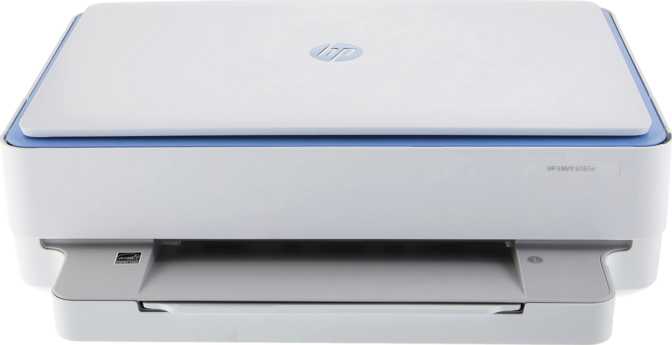
HP Envy 6065e All-in-One: Full Review for Home Users
PrintersA focused, no-frills all-in-one designed for households that print, copy, and scan regularly without needing enterprise-grade complexity. The Envy 6065e punches above its price on color quality and mobile convenience — but has deliberate trade-offs worth knowing before you buy.
Editor's Rating
4.5 / 5
Excellent for home use
Design, Build, and the Physical Experience
A Footprint Built for Real Desks
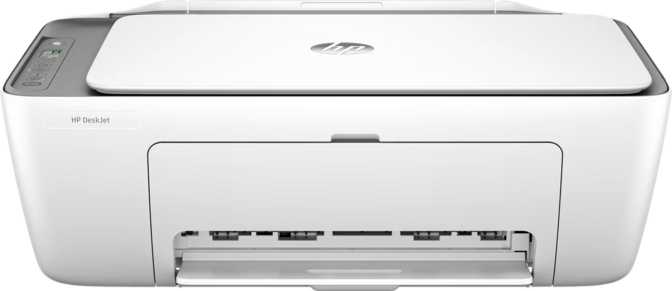
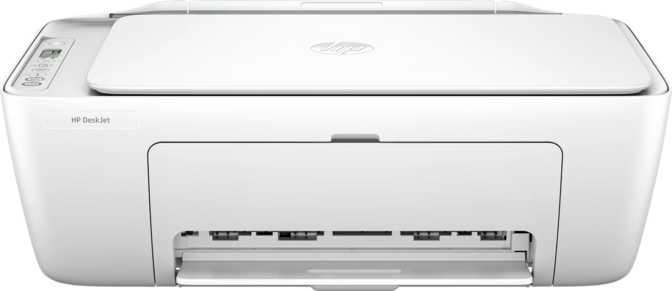
The Envy 6065e is compact where it counts. Its depth — front to back — measures just over 13 centimeters, which means it sits flush against a wall without jutting into your workspace. The 51-centimeter width is roughly equivalent to a mid-sized laptop fully open. In practical terms, this printer fits comfortably on a standard office shelf, a corner desk, or a side table without requiring dedicated furniture.
Weight comes in just over five kilograms — manageable with one hand but with enough heft to feel like it won't slide when you're loading paper or pressing the scanner lid down. The chassis is molded plastic throughout, as expected at this price point. It won't satisfy anyone looking for premium materials, but it doesn't feel brittle or disposable either.
The Control Panel: Simple by Design
There is no touchscreen on the Envy 6065e. Physical buttons handle the core functions directly from the front panel, which keeps the interface simple and the hardware cost down. The trade-off is that you won't get a graphical menu, document previews on the device, or guided setup wizards from the printer itself. For users who interact with this machine primarily through the HP Smart app on their phone, this is no limitation at all. For users who prefer keeping their phone out of the workflow, the panel will feel intentionally sparse.
Physical Specifications at a Glance
| Width | 511 mm (~51 cm) |
| Depth | 132 mm (~13 cm) |
| Height | 432 mm (~43 cm) |
| Weight | 5.22 kg (~11.5 lbs) |
| Input Tray | 100 sheets |
| Output Tray | 25 sheets |
| Noise Level | 56 dB (conversational) |
| Warranty | 1 year standard |
Output Tray Heads-Up
The 25-sheet output capacity is the one physical limitation worth knowing upfront. Print jobs longer than 25 pages require you to retrieve pages mid-run or accept minor overflow.
Paper Handling
The input tray holds 100 sheets — a fifth of a standard ream — which means you won't be reloading constantly. The automatic document feeder above the flatbed matches this with 100-sheet capacity, enabling hands-free multi-page scanning and copying sessions.
Operating Noise
At 56 decibels, this printer is about as loud as a normal conversation. It's audible in a quiet room but won't interrupt a call or disturb someone working nearby. For a home office printer, that's the right balance.
Print Performance: Where This Printer Earns Its Price
Color Quality That Exceeds Expectations
The Envy 6065e is an inkjet, not a laser printer. That distinction shapes everything about its output character. Laser printers produce exceptionally crisp black text at speed but are constrained in color gamut. Inkjets trade some of that text crispness for dramatically richer color reproduction.
This printer's color output reaches a resolution that places it firmly in photo-printing territory. Printed photographs, illustrated presentations, greeting cards, and color-heavy documents come out with visible depth, accurate gradients, and no banding on quality photo paper. For a machine that lives in a home rather than a studio, that output quality is more than most users will push it to deliver.
Black-and-white documents are sharp and readable for everything from school assignments to professional correspondence. A standard 20-page document completes in approximately two minutes — fast enough that you're not standing by the machine waiting.
Print Specs Decoded
Black Print Speed
~20 pages in 2 minutes
Color Resolution
4800 x 1200 dpi max color
Monthly Volume Sweet Spot
~13 pages/day average
Printer Memory
Adequate for home job queuing
Scanning and Copying: Capable, With Two Specific Gaps
What Works Well
The scanner operates two ways: directly on the flatbed glass for bound books, fragile items, or anything that can't be fed, and through the automatic document feeder for multi-page batches. This covers the full range of home scanning needs, from digitizing a passport to running 30 pages of meeting notes through the feeder in one session.
Scanned documents save as PDFs natively, which is the format most recipients expect and most storage systems index. The HP Smart app builds on this with a scan-to-phone workflow that lets you assemble multi-page PDFs directly from your mobile device and share them without touching a computer.
Scanning Capabilities
- Flatbed glass for books, fragile documents, and odd-sized items
- 100-sheet ADF for hands-free multi-page scanning sessions
- Native scan-to-PDF output
- Mobile scan-to-PDF via HP Smart app with direct sharing
- No duplex (two-sided) ADF scanning — two-sided originals require two passes
- No built-in OCR — scans are image-based PDFs, not searchable text
Connectivity: Wireless-First, Practically Implemented
Wi-Fi and Bluetooth Coverage
The Envy 6065e connects to your home network over Wi-Fi and also supports Bluetooth for direct device-to-printer connections. The Wi-Fi implementation runs on the 802.11n standard — an older but thoroughly proven specification that operates on the 2.4 GHz band. For a printer, which transmits relatively small data packets compared to a streaming device, this is entirely adequate. Print jobs land without perceptible delay on any modern home network.
The Bluetooth connection serves a specific and useful purpose: it allows direct printing from a device that isn't on your home Wi-Fi network — a guest's phone, a laptop on a cellular hotspot, or a device whose Wi-Fi credentials haven't been updated. It's not a feature you'll use daily, but when you need it, it's invaluable.
AirPrint and Mopria: Both Ecosystems Covered
iPhone and iPad users print natively through Apple's AirPrint standard with no app, driver, or configuration required. Android users access the same frictionless experience through Mopria, supported by most modern Android devices. Both ecosystems are handled without compromise — some printers in this category support only one platform natively.
The HP Smart app extends beyond what either standard provides: ink level monitoring, scan-to-phone workflows, guided troubleshooting, and printer management from anywhere with an internet connection. It's one of the better-designed manufacturer apps in the inkjet category.
Connectivity at a Glance
| Wi-Fi | Wi-Fi 4 (802.11n, 2.4 GHz) |
| Bluetooth | Version 4.2 |
| AirPrint | Supported |
| Mopria | Supported |
| Mobile App | HP Smart (iOS + Android) |
| USB Port | 1x USB-A |
| Ethernet | Not available |
| Wi-Fi Direct | Not supported |
| NFC | Not supported |
| USB-C | No USB-C ports |
| Voice Assistants | Not compatible |
No Ethernet: Know Your Environment
No Ethernet port means there's no wired network fallback. In most contemporary homes this is irrelevant. In environments with poor wireless coverage — a thick-walled older building, a basement office, a printer located far from the router — the absence of a wired option is worth considering. The USB port provides a direct computer-to-printer connection as a reliable alternative.
Energy Efficiency: A Running Cost Advantage
The HP Envy 6065e carries a top-tier energy efficiency certification, meaning it meets or exceeds the most demanding power-draw standards set for consumer electronics in this category. For a device that spends most of its life in standby mode, this translates to tangibly lower electricity costs over the course of a year compared to non-certified alternatives. It's the kind of specification that's easy to overlook at purchase time but compounds meaningfully over months of use — and it's a responsible environmental choice for a device category not historically associated with efficiency.
Real-World Usage: Who This Printer Fits and Who It Doesn't
The Envy 6065e Works Best For...
-
Families and students
School assignments, homework sheets, permission forms, and educational materials — the core of household printing.
-
Remote workers and home-based freelancers
Contracts, correspondence, reference documents, and occasional scanning of legal or financial paperwork.
-
Creative households
Photos, greeting cards, event invitations, and custom paper projects where color quality actually matters.
-
Light document archiving
Scanning receipts, tax forms, and household records into PDF for home filing — no OCR needed for this use case.
Consider Alternatives If You Need...
-
High-volume printing above 400 pages/month
Running costs climb and the machine's longevity shortens when pushed past its comfort zone. Not built for this.
-
Fast output for long documents
Regularly printing 30-to-50-page reports on deadline? A laser printer will serve that workflow significantly better.
-
Searchable, editable scanned documents
No OCR means scans are image-based. Third-party software is required for text-searchable or editable output.
-
Heavy two-sided document scanning
Single-sided ADF scanning adds a manual step for every two-sided original. High volumes make this genuinely tedious.
How the Envy 6065e Stacks Up Against Its Alternatives
The mid-tier home all-in-one space has genuine competition. Understanding where the Envy 6065e sits helps frame whether it's the right choice or whether a close alternative serves your needs better.
| Feature | HP Envy 6065e | Budget Inkjet AIO | Mid-Range Inkjet AIO | Home Ink Tank AIO |
|---|---|---|---|---|
| Print Resolution | Photo-quality | Standard | High | High |
| Duplex Printing | Often No | Often Yes | ||
| Duplex Scanning | Sometimes Yes | Sometimes Yes | ||
| Auto Document Feeder | Rarely | Often Yes | Sometimes | |
| AirPrint + Mopria | Both | Often AirPrint only | Both | Both |
| Mobile App | Sometimes | |||
| Ethernet | Rarely | Sometimes | Rarely | |
| Built-in OCR | Rarely | Rarely | ||
| Energy Certification | Top-tier | Standard | Standard | Standard |
| Monthly Volume Ceiling | Moderate | Low to Moderate | Moderate to High | High |
| Per-Page Running Cost | Standard inkjet | High | Standard to low | Very low |
The Ink Tank Consideration
The most meaningful comparison for high-usage households is against ink tank models. These printers use large refillable reservoirs rather than cartridges, dramatically reducing per-page costs for frequent printers. They typically cost more upfront but pay that premium back in ink savings within a year of regular use. If your printing consistently approaches the upper end of the Envy 6065e's monthly range, an ink tank model is worth pricing out. If your printing is genuinely sporadic and light, the Envy 6065e's lower entry cost makes more financial sense.
The Honest Assessment
What This Printer Gets Right
The print quality is the Envy 6065e's most convincing argument. The color output at maximum resolution is genuinely impressive for a consumer inkjet — photos look intentional rather than home-printed, and color documents carry a visual weight that budget machines can't match. Borderless printing works consistently, and the ink delivers accurate color rather than oversaturated approximations.
Automatic duplex printing makes a real daily difference. Not every printer at this price point includes it, and every time you print a two-sided document without thinking about it, the Envy 6065e earns a small share of its purchase price back.
The ADF is a meaningful differentiator. Flatbed-only scanning is genuinely inconvenient for multi-page documents; having a feeder that handles 100 sheets without supervision changes the experience of copying and scanning from a chore into a background task.
Wireless connectivity for both iOS and Android is handled thoughtfully. The combination of AirPrint, Mopria, Bluetooth, and the HP Smart app means that in most households, this printer is printing from a phone within minutes of unboxing, without involving a laptop or installing drivers.
Where It Falls Short
The absence of duplex scanning is the most functional gap in day-to-day use. It's the one missing feature that shows up regularly rather than occasionally, and its absence is felt every time a two-sided original hits the feeder.
No OCR is a real limitation for document digitization. Scanned PDFs from this machine are images of documents, not documents. That's fine for archival and sharing purposes; it's limiting for any workflow that treats scanned text as editable or searchable.
The 25-sheet output tray requires more active management than competing machines. For longer print jobs, it means staying nearby or accepting the minor disorder of overflow. It's the printer's most persistent small irritant.
The Wi-Fi implementation doesn't support the 5 GHz band available on newer wireless standards. In homes with congested 2.4 GHz networks — common in apartment buildings — this occasionally introduces print queue delays. The USB connection is the reliable fallback in those situations.
Answers to Questions Buyers Actually Ask
Final Verdict
The HP Envy 6065e All-in-One is a well-executed home printer that knows what it is. It delivers photo-quality color printing, automatic two-sided output, ADF-assisted scanning, and frictionless mobile printing in a compact, energy-efficient package priced for home budgets. Those strengths are genuine and they show up in everyday use.
Its weaknesses — single-sided ADF scanning, no OCR, a modest output tray, and wireless-only network connectivity — are real constraints, not minor quibbles. Each one matters for specific workflows, and buyers whose needs map to those constraints should look at alternatives that address them.