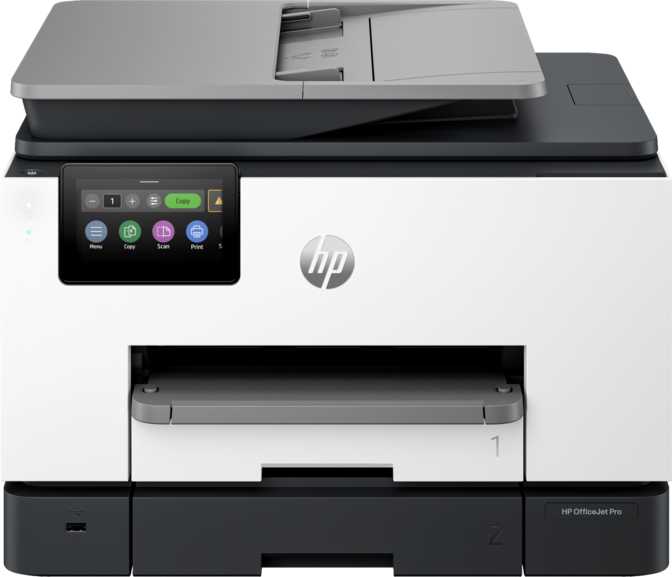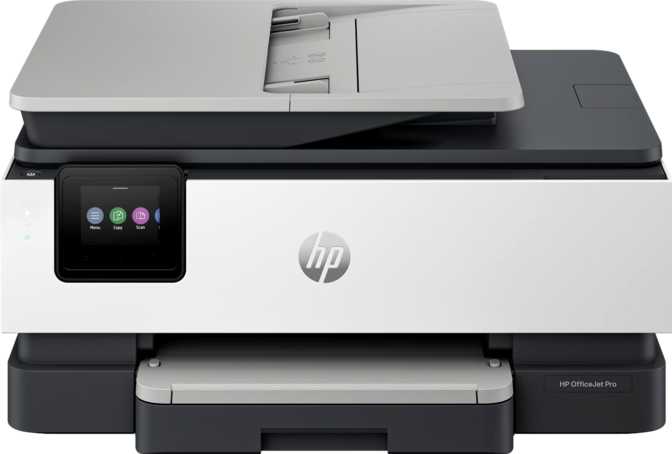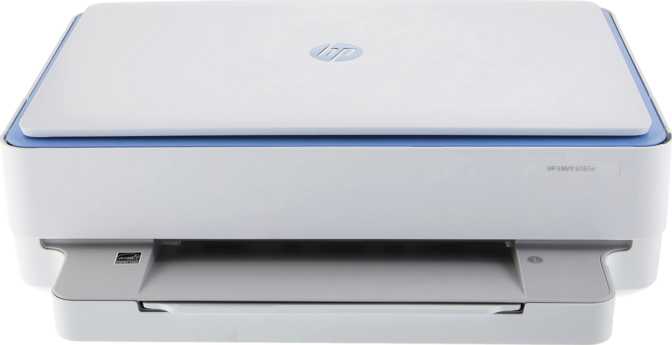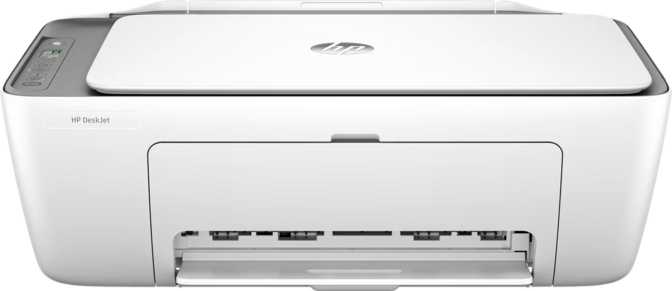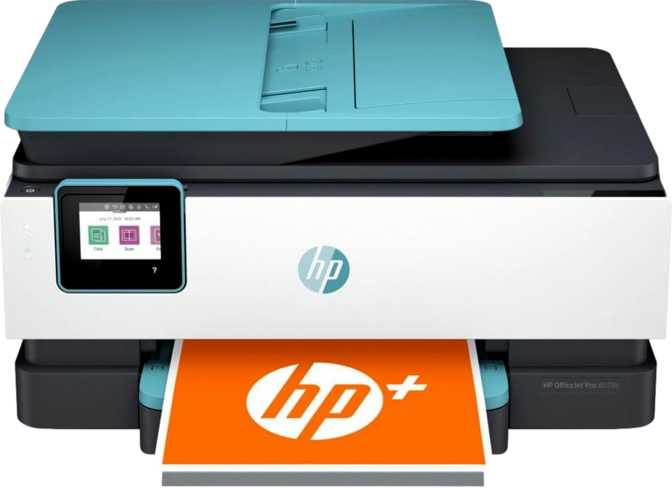
HP OfficeJet Pro 8028e All-in-One – Full Review for Home Office Buyers
PrintersThe HP OfficeJet Pro 8028e is a capable inkjet all-in-one for home offices and light business use — strong on wireless flexibility and color print quality, but missing automatic duplex printing that many competitors include at this price.
Editor's Rating
4.5 / 5
Home Office All-in-One
The Right Printer for Most Home Offices — With a Few Caveats
Small home offices and light business environments are flooded with all-in-one inkjet options, and most of them make identical promises. The HP OfficeJet Pro 8028e cuts through that noise with a sensible feature set, genuine wireless flexibility, and color print quality that sits well above the entry-level tier. But "Pro" in a product name is a marketing decision, not a specification — and this printer has limitations that matter, depending on what you actually need it to do.
Print, Copy & Scan
Three core functions covering everyday office tasks. No fax capability on this model.
Universal Wireless
AirPrint, Mopria, Wi-Fi Direct, and Ethernet — every device in your office connects without friction.
Energy Efficient
Top-rated energy efficiency — meaningful savings for a device that stays plugged in around the clock.
Design and Physical Footprint
The 8028e is not a compact device. At just over half a meter wide and nearly half a meter tall, it demands a dedicated spot on a desk or credenza — not a shelf corner or a tight cabinet. The depth is manageable at around 23 centimeters, but the height is driven upward by the integrated automatic document feeder that sits on top of the flatbed scanner — a worthwhile trade-off once you understand what that feeder gives you.
The unit weighs close to 9.4 kilograms, so this is a one-time placement decision. Once it's positioned and connected, you're unlikely to move it. Build quality is typical HP plastic — nothing premium, but nothing that feels fragile either.
Width
511 mm
~20 inches
Height
460 mm
~18 inches
Depth
232 mm
~9 inches
Weight
9.4 kg
~20.7 lbs
Print Performance: What the Resolution Actually Means
The 8028e produces output at a maximum resolution that places it firmly in the high-quality inkjet tier. For everyday business printing — contracts, reports, invoices, presentations — this is significantly more than sufficient. Text comes out crisp and dense at standard settings, and color graphics render with enough fidelity to look professional in client-facing documents.
Where this resolution genuinely earns its keep is in borderless printing. When you're printing photos or marketing material that runs edge-to-edge on the page, the higher dot density prevents the banding and pixelation that cheaper inkjets show at their limits. The 8028e handles borderless output cleanly.
- Richer, more saturated color output than laser at this price
- Borderless print quality without edge degradation
- No warm-up delay — prints start immediately
- Quieter operation than laser equivalents
- Ink can dry out during extended periods of non-use
- Higher cost-per-page for black-and-white vs laser
- Periodic maintenance cycles needed after long idle periods
Monthly Volume Capacity
HP rates this printer for up to 800 pages per month — a figure that reflects the recommended comfortable operating range, not an absolute ceiling. For most home offices and small teams printing contracts, correspondence, and the occasional report, 800 pages per month is generous headroom.
Paper Handling: Practical Strengths and One Notable Gap
Input & Output Capacity
The single input tray holds 260 sheets — enough for a ream of paper minus the packaging. For a home office printing daily, that's roughly a week of normal volume before a refill.
260
Sheet Input
60
Sheet Output
Automatic Document Feeder
The included ADF is one of the 8028e's most practical features for office work. Loading a multi-page document and copying or scanning the whole stack automatically saves meaningful time on routine tasks.
- Handles stacks of standard-weight office paper competently
- Works for both copying and scanning multi-page documents
- No multi-feed detection — verify critical scans manually
The 8028e does not support automatic duplex printing. To print on both sides of a sheet, you print the first side, physically remove and flip the paper, then run it through again. For offices where duplex output is a daily workflow, the manual process becomes a genuine friction point.
Similarly, the ADF only feeds single-sided: scanning a double-sided document requires running the pages through twice. This is a meaningful limitation for heavy document scanning workflows and is the most important factor to consider before purchasing.
Scanning Capabilities
The 8028e combines a flatbed scanner with the ADF-fed scanning path. The flatbed is the right tool for scanning books, thicker items, photos, or anything that doesn't feed cleanly through the automatic feeder. The ADF handles stacks of standard pages efficiently.
Flatbed Scanner
- Ideal for books, photos, and irregular or thicker items
- Handles anything that won't feed through the ADF cleanly
- Standard glass platen provides full-contact scan accuracy
ADF Scanning
- Automatic stack feeding for multi-page documents
- Single-sided only — no automatic duplex scanning
- No auto scan mode for unattended batch scanning
No Built-in OCR — What This Means for You
There is no built-in Optical Character Recognition on the 8028e. Scanning a printed invoice produces an image file of that invoice — not a document where the numbers and words are selectable or searchable. If converting printed documents into editable text is central to your workflow, you'll need a third-party software solution to handle that conversion step separately.
Connectivity: More Options Than Most Users Will Use
The 8028e is well-connected by the standards of its category. Between wireless and wired options, virtually every device in a modern home office can reach this printer without installing drivers or configuring complicated network settings.
-
Wi-Fi (802.11n)
Connects to your existing router — every network device can print wirelessly
-
Wi-Fi Direct
Device-to-printer connection without a router — ideal for guests or temporary setups
-
AirPrint
iPhone and iPad print natively — no app or driver installation required
-
Mopria
Android equivalent of AirPrint — most modern Android phones detect and print natively
-
Ethernet Port
Wired network connection for managed offices or unstable Wi-Fi environments
-
USB Port (x1)
Direct computer connection via cable
-
No Bluetooth or NFC
Tap-to-print not available — all wireless printing goes through Wi-Fi
-
No Memory Card Slot or USB-C
Cannot print directly from a camera card or external drive — a connected device is always required
Smartphone App
HP provides a dedicated mobile application for the 8028e. The app extends the touchscreen's limited real estate to your phone, handling print job submission, scan management, ink level monitoring, and printer status. For users managing the printer from another room — or checking whether a job completed while away from the desk — the app adds genuine convenience.
Who This Printer Is Built For
- Home office professionals printing contracts, correspondence, and reports under 800 pages monthly
- Small teams needing a shared network printer accessible by everyone wirelessly
- Apple-first environments where AirPrint compatibility means zero-friction printing from iPhones and iPads
- Mixed-device offices with Android phones, Windows laptops, and Apple devices
- Users who prioritize color output quality over raw printing speed or volume capacity
- High-volume environments printing well above 800 pages monthly — the device isn't rated for sustained heavy load
- Offices where automatic duplex is non-negotiable — the manual flip process won't work as a daily default
- Document digitization workflows that depend on OCR to produce searchable archives
- Fax-dependent businesses — there is no fax capability on this model
- Standalone photo printing from memory cards or USB drives — a connected device is always required
How It Positions Against the Alternatives
At this tier of the all-in-one inkjet market, buyers typically compare between similarly priced models from HP, Brother, Epson, and Canon. Here's how the 8028e's feature set holds up against what the category typically offers at comparable price points.
| Feature | HP OfficeJet Pro 8028e | Typical Competing Options |
|---|---|---|
| Automatic Duplex Printing | No | Often included at similar or lower price points |
| Automatic Document Feeder | Yes | Sometimes absent on cheaper models |
| Borderless Printing | Yes | Not universal at this tier |
| Ethernet + Wi-Fi | Both Available | Often Wi-Fi only at entry level |
| AirPrint + Mopria | Both | Usually standard across the category |
| Fax | No | Some competitors include it |
| Built-in OCR | No | Rare at this tier — typically software-side |
| Monthly Recommended Volume | 800 pages | Comparable range across similar models |
| Energy Efficiency | Top-Rated | Varies — HP tends to perform well here |
Key Takeaway: The absence of automatic duplex printing is the sharpest differentiator. Several printers at comparable and even lower price points include auto-duplex as standard. If that feature is on your requirements list, the comparison set immediately narrows. The 8028e compensates with solid wireless coverage and strong color output — but it does not offset the duplex absence for users who need it daily.
Honest Assessment
Where It Genuinely Excels
The print quality for an inkjet at this price point is genuinely good. Business documents look professional, color graphics are handled accurately, and borderless prints come out clean without obvious edge degradation.
The wireless coverage is thorough — AirPrint, Mopria, Wi-Fi Direct, and Ethernet together cover almost any connection scenario a small office encounters. Setup is straightforward, and the smartphone app reduces the learning curve for less technical users.
The energy efficiency certification is substantive rather than decorative — this printer consumes minimally when idle, which matters more than it sounds for a device that lives plugged in year-round.
Where It Falls Short
No automatic duplex is the most impactful limitation for office use — it's a feature that saves paper and time on every multi-page document, and its absence is felt in daily workflows. The 60-sheet output tray fills up faster than most users expect.
The ADF's lack of multi-feed detection requires manual verification on critical jobs. The warranty covers only one year, which is standard but leaves users without manufacturer coverage past that window.
The single input tray means switching between paper sizes requires manual unloading and reloading. Offices that regularly swap between letter, legal, and envelopes will find this more disruptive than users who print only on standard paper.
Common Questions Before You Buy
Final Assessment
Our Verdict
The HP OfficeJet Pro 8028e All-in-One is a capable, well-connected inkjet printer for home offices and light-duty small business use that prioritizes color output quality and wireless flexibility over high-volume endurance or advanced document handling.
It does its core job well. Prints are sharp and professional. The wireless setup covers every common device type. The ADF makes multi-page copying and scanning practical rather than tedious. Energy efficiency is a genuine operational advantage, not just a label.
But the missing automatic duplex is a material gap for an office-oriented device, and buyers should treat it as a disqualifier if two-sided printing is a frequent need rather than an occasional one. The output tray capacity and the absence of OCR also set practical ceilings on what this printer handles without extra steps.
Buy It If
You print predominantly single-sided documents and color materials at home-office volumes, want strong wireless coverage for mixed Apple and Android environments, and don't need fax or automatic duplexing.
Skip It If
Auto-duplex, high monthly volume, built-in OCR, or fax capability are requirements — not nice-to-haves — for your workflow. Those limitations will surface in the first week.
Overall Score
4.5 out of 5
Recommended for home office use with single-sided workflows