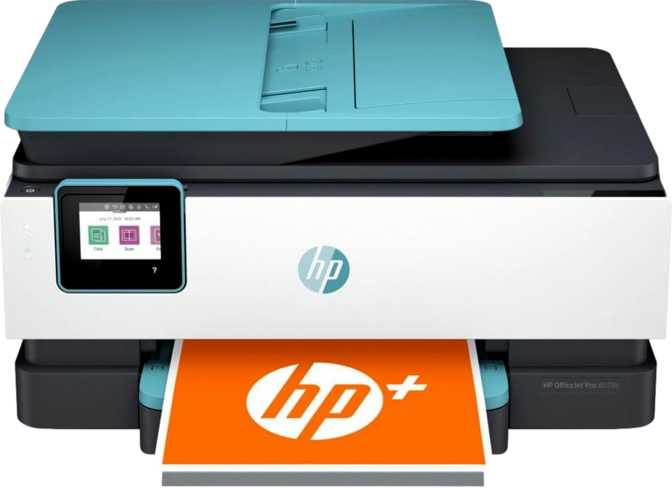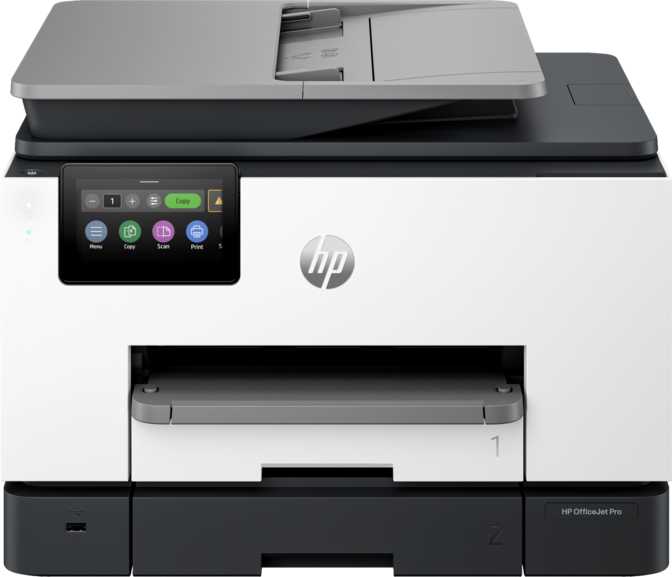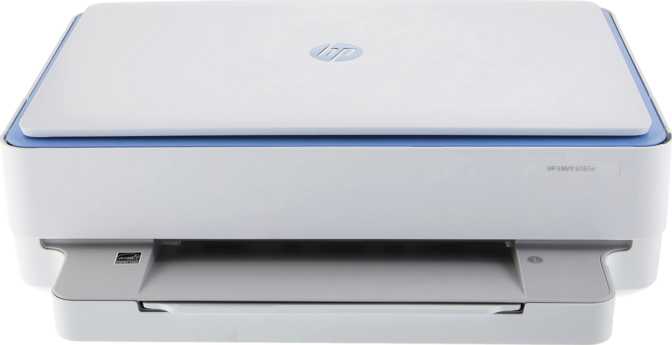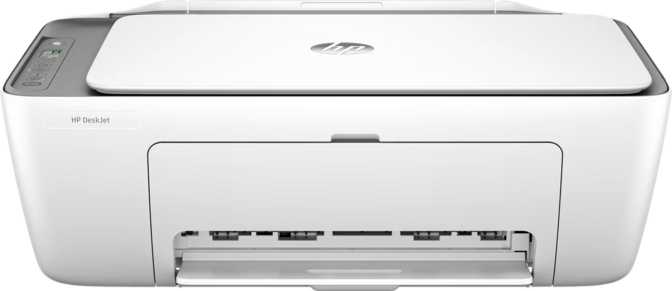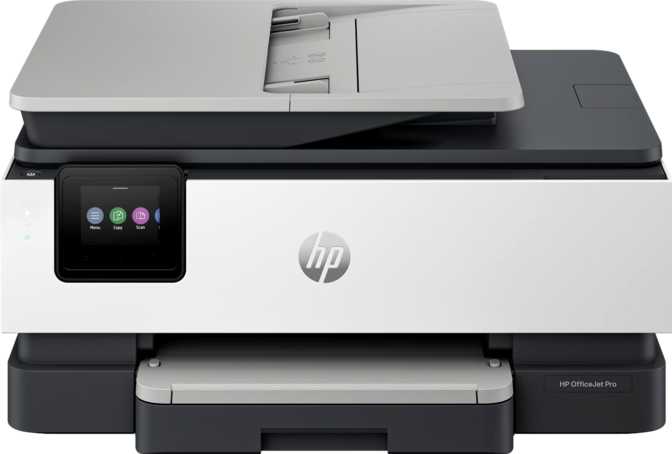
HP OfficeJet Pro 8122e All-in-One: An Honest, In-Depth Review
PrintersIf you've spent any time shopping for a printer, you already know the category is full of compromises. Some machines print fast but scan poorly. Others scan beautifully but choke on anything beyond a few pages a week. The HP OfficeJet Pro 8122e All-in-One is positioned squarely as a do-it-all machine for households and small offices that need print, copy, and scan in a single footprint, without the bulk or expense of a dedicated business-floor machine. The real question isn't whether it can do all three jobs. It's whether it does them well enough, consistently enough, to earn a permanent spot on your desk. After breaking down every relevant spec and what it actually means in daily use, here's the full picture.
Design, Build Quality, and Desk Footprint
At roughly 8 kilograms, the 8122e sits in that comfortable middle ground of "substantial enough to feel stable, light enough to move without help." You can reposition it on a desk or shelf solo, which matters more than people expect — printers that need two people to relocate tend to never get cleaned behind, never get repositioned for better cable access, and generally become permanent furniture whether you like the spot or not.
Physically, it measures about 460 mm wide, 233 mm deep, and 337 mm tall — in everyday terms, that's roughly the footprint of a large dictionary lying flat on its side. You'll want to budget a bit of extra clearance at the front and top, since the input tray, output tray, and scanner lid all need room to swing open during normal operation. This isn't a printer you tuck into a tight shelf with the lid wedged against a wall.
The control panel uses a 2.7-inch touchscreen — small by smartphone standards, but functional for what it needs to do: starting copy jobs, adjusting scan settings, and navigating wireless setup without reaching for a phone or laptop. Don't expect a large visual interface for previewing documents; this is a utilitarian screen for quick decisions, not a media display.
One detail worth flagging for paper handling: the machine has two separate input trays. The most likely reason for this design — common across machines in this class — is that it lets you keep your everyday plain paper loaded in one tray while reserving the second for specialty stock like photo paper or letterhead, so you're not constantly swapping paper depending on what you're printing. The main feeder holds up to 260 sheets, a generous buffer that should comfortably cover a typical household or small office for one to two weeks before a refill, depending on volume. The output tray catches up to 60 printed pages before you'll need to clear it — plenty for normal use, though for a long unattended job it's worth checking back before the stack gets unwieldy.
Print Performance: Speed, Resolution, and Everyday Output Quality
Print Speed in Practice
The 8122e is rated for around 20 pages per minute in black and white and roughly 10 pages per minute in color. Translate that into real life: a 10-page black-and-white report takes about 30 seconds to clear the tray, while a 10-page color document — say, a deck of flyers or a colorful worksheet — takes closer to a minute. These figures represent best-case conditions on simple documents; dense graphics, photos, or duplex jobs will run slower in practice, which is true of virtually every inkjet on the market and not a flaw unique to this machine.
First-page-out times back this up: roughly 15 seconds to the first black-and-white copy and 18 seconds to the first color copy. That's a meaningful number if your use case is "print one boarding pass" rather than "print a 40-page packet" — for single-page, on-demand printing, this is fast enough that you won't be standing there tapping your foot.
Resolution and Output Quality
Color printing tops out at 4800 x 1200 dpi, a resolution figure that's less about raw sharpness for text (which looks crisp on essentially any modern printer at normal reading distance) and more about photo and graphics detail. At this resolution, gradients, skin tones in photos, and fine color transitions render smoothly rather than banding or showing visible dot patterns — useful if you occasionally print family photos or marketing materials, less relevant if your output is purely text-based memos and forms.
Borderless printing is supported, meaning photo prints can run edge-to-edge without the white margin you'd get from a standard document printer. This only matters when you're using compatible photo paper sizes, but it's a nice option to have rather than be locked out of.
Print Volume: Recommended vs. Maximum
This is where buyers often get confused, so it's worth being precise. HP rates a recommended monthly print volume of 800 pages — think of this as the comfortable cruising zone where the machine is happiest and least likely to show premature wear. Separately, there's a maximum duty cycle of 20,000 pages per month — the absolute ceiling the hardware can survive occasionally hitting, not a target to sustain month after month.
The recommended 800-page volume sits well inside the printer's maximum capability, leaving comfortable headroom for occasional busier months.
The honest takeaway: if your real-world printing is closer to 800 pages a month or under, this machine is comfortably in its element. If you're consistently pushing toward the 20,000 ceiling, you're running it like a much more expensive workgroup machine, and you should expect more frequent maintenance and a shorter realistic lifespan than someone printing within the recommended range.
Copy Performance: What to Expect at the Copier
Copying piggybacks on the same print engine, so speed and quality echo what you'd expect from the print specs above. The adjustable copy density control is a small but genuinely useful feature — it lets you lighten or darken copies on the fly, which matters more than people realize when you're copying a faded receipt, a pencil-marked form, or a document with a colored background that would otherwise come out either washed out or muddy at a fixed setting.
Scanning: Capabilities and Where It Falls Short
The 8122e includes both a flatbed scanner and an automatic document feeder (ADF), which is the right combination for genuine versatility. The flatbed handles anything the feeder can't — books, ID cards, fragile or oddly-sized originals, anything you wouldn't risk feeding through rollers. The ADF, with its 260-sheet-shared tray, handles multi-page stacks without you babysitting each sheet.
Optical scan resolution sits at 1200 x 1200 dpi, with 24-bit color depth and 256 levels of grayscale. In plain terms: color scans capture enough tonal range for accurate document and photo digitization, and grayscale scans — your everyday black-and-white paperwork — render with smooth shading rather than harsh, blocky contrast. This is solid, accurate scanning for documents, receipts, and photos alike.
Now the limitations, stated plainly because they matter for how you'll actually use this machine day to day:
- No automatic duplex scanning. The ADF scans one side per pass. For double-sided originals, you'll scan one side, then manually flip the stack and scan again — workable, but an extra step that automatic-duplex competitors skip entirely.
- No built-in OCR (Optical Character Recognition). Scans save as image-based PDFs. You can store and share them, but the text inside isn't selectable or searchable unless you run the file through separate OCR software afterward.
- No page preview screen. You scan first, then check the result on your computer or phone — there's no on-device preview to confirm cropping or alignment before committing.
- No auto scan mode. You'll be selecting settings (resolution, file type, color vs. grayscale) manually rather than relying on the machine to auto-detect content type and adjust.
None of these are dealbreakers for casual or moderate scanning, but if your daily routine leans heavily on digitizing double-sided contracts into searchable PDFs, you should know upfront that this machine will add a few manual steps to that process.
Connectivity: Wired, Wireless, and Mobile Printing Options
The 8122e covers the connectivity basics that matter for a modern home or small office:
| Connection Type | Supported | What It Means for You |
|---|---|---|
| Wi-Fi (802.11ac / 802.11n) | Connects to your existing home or office network without cables; fast enough for printing, since print jobs aren't bandwidth-intensive. | |
| Ethernet | A wired fallback for households with spotty Wi-Fi, or offices that prefer hardwired reliability. | |
| Bluetooth | Direct pairing with nearby devices for quick print jobs without joining the network. | |
| Wi-Fi Direct | Lets a phone or laptop print directly to the printer even without a shared router. | |
| AirPrint | Native, driver-free printing from iPhones and iPads. | |
| Mopria | The Android equivalent of AirPrint — driver-free printing from most Android devices. | |
| NFC | No tap-to-print pairing via near-field communication. | |
| External Memory / USB Ports | No card slot or USB-A port for printing directly from a flash drive. | |
| Alexa / Google Assistant | No voice-command printing through either ecosystem. |
For the overwhelming majority of households, this covers everything you'd actually use: wireless printing from phones and laptops, a wired option if your network is unreliable, and no dependency on a single ecosystem. The gaps are narrow ones — direct USB-stick printing and voice-assistant integration — that matter mainly to a small slice of buyers who specifically rely on those workflows.
Smart Features: Touchscreen, App Control, and Daily Convenience
Beyond the touchscreen panel, the 8122e pairs with a dedicated smartphone app, which is increasingly the real control center for printers like this. Expect the app to handle ink level monitoring, remote print job submission, and basic troubleshooting — the kind of convenience that means you don't need to walk over to the machine just to start a scan or check if you're low on a particular color.
The printer carries 512MB of onboard memory, used as a buffer while processing print jobs. For typical home and office documents — text, spreadsheets, standard photos — this is more than sufficient and you're unlikely to ever notice it. It would only become a constraint on unusually complex, high-resolution multi-layer print jobs, which falls well outside what this machine is marketed or priced for.
Power Consumption and Energy Efficiency
The 8122e carries a top-tier energy efficiency rating, and the numbers back it up. Standby power draw is just over 1 watt — low enough that leaving it plugged in and idle between print jobs has a negligible effect on your electricity bill. For comparison, that's a fraction of what many small electronics draw at idle, so there's little practical reason to unplug it between uses purely for energy-saving purposes. If sustainability or running cost is part of your buying criteria, this is a genuine point in the 8122e's favor, not a marketing footnote.
Real-World Usage: Who Should Buy the HP OfficeJet Pro 8122e
This Printer Makes Sense If
- You run a household or home office with modest, steady print volume — school assignments, tax documents, occasional photos, and routine paperwork.
- You want one machine that genuinely handles printing, copying, and scanning well, rather than three half-functional features bolted together.
- You print mostly from phones and laptops over Wi-Fi, with Ethernet as a useful backup.
- You scan mostly single-sided documents, photos, or items that need a flatbed.
- Low running cost and energy efficiency matter to your buying decision.
Look Elsewhere If
- You regularly scan double-sided contracts and need it done automatically — the manual-flip workflow here will get old fast.
- Your workflow depends on searchable, editable scanned text straight out of the box.
- You print well beyond 800 pages a month on a sustained basis.
- You need fax capability, voice-assistant printing, or direct USB-stick printing.
How the HP OfficeJet Pro 8122e Compares to Other All-in-One Printers
To put this machine's positioning in context, it helps to compare it against the broader categories of all-in-one printers it competes with, rather than any single named rival:
| Category | Typical Strengths | Typical Trade-offs | How the 8122e Compares |
|---|---|---|---|
| Basic Compact Inkjet AIOs (no ADF) | Lower upfront cost, smaller footprint | No document feeder — manual single-sheet scanning/copying only | The 8122e's ADF and 260-sheet feeder put it well ahead for any multi-page document work. |
| Laser AIOs in a Similar Price Range | Faster black-and-white output, lower cost-per-page on text, often sturdier duty cycles | Weaker, more limited photo and color quality; bulkier; higher upfront cost | The 8122e trades some text-printing speed for genuinely strong color and photo output. |
| Higher-Volume Office Inkjets/AIOs | Automatic duplex scanning, OCR built in, higher duty cycles | Higher price, larger footprint, often overkill for home use | The 8122e sacrifices these higher-tier scanning conveniences for a smaller footprint and lower cost. |
The pattern here is consistent: the 8122e is built for moderate-volume, mixed-content households and small offices that value color and photo quality alongside basic document handling — not high-volume text shops, and not heavy double-sided document-scanning operations.
Strengths and Weaknesses: An Honest Assessment
Where It Excels
The 8122e's biggest strength is balance. It's rare to find a machine in this range that handles color print quality, photo borderless printing, flatbed scanning, and ADF-based multi-page copying all competently in one box, without one function clearly being an afterthought. The connectivity suite is similarly well-rounded — Wi-Fi, Ethernet, Bluetooth, AirPrint, and Mopria cover essentially every common way people actually want to print from modern devices, and the near-1-watt standby draw means you genuinely don't have to think about energy cost.
Where It Falls Short
The weaknesses cluster predictably around the scanning workflow. The absence of automatic duplex scanning and built-in OCR are the two limitations most likely to actually bother a buyer in practice, especially anyone digitizing double-sided paperwork regularly. The missing multi-feed detection on the ADF is a smaller but real annoyance for unsorted stacks of loose paper. None of these are unusual omissions for a printer in this category and price range, but they're the honest reasons this machine sits in the "very good for most people" tier rather than the "does everything automatically" tier.
Frequently Asked Questions About the HP OfficeJet Pro 8122e
Final Verdict: Is the HP OfficeJet Pro 8122e Worth Buying?
The HP OfficeJet Pro 8122e earns its place as a genuinely well-rounded all-in-one for households and small offices with moderate, mixed-content printing needs. Color and photo output quality are strong, the document feeder and flatbed combination covers nearly every scanning scenario you'll realistically encounter, connectivity options leave almost no common use case unsupported, and the running cost is low enough to stop thinking about entirely.
Where it asks for compromise is in the scanning workflow's finer conveniences — no automatic duplex scanning, no built-in OCR, no multi-feed detection — and in volume, where it's clearly tuned for a comfortable 800-pages-a-month rhythm rather than heavy sustained output.
Buy It If
You want one capable, efficient machine for everyday home or small-office printing, copying, and scanning, and you're comfortable handling double-sided scans manually.
Skip It If
Your workflow specifically depends on automatic double-sided scanning, built-in searchable-text OCR, or print volumes well beyond moderate household use.