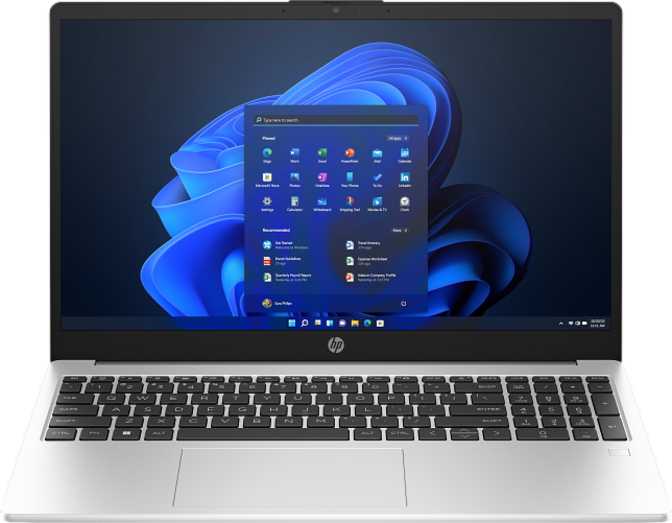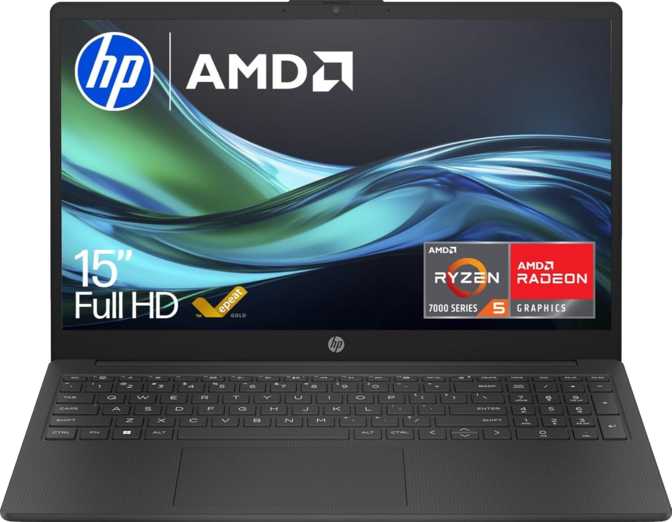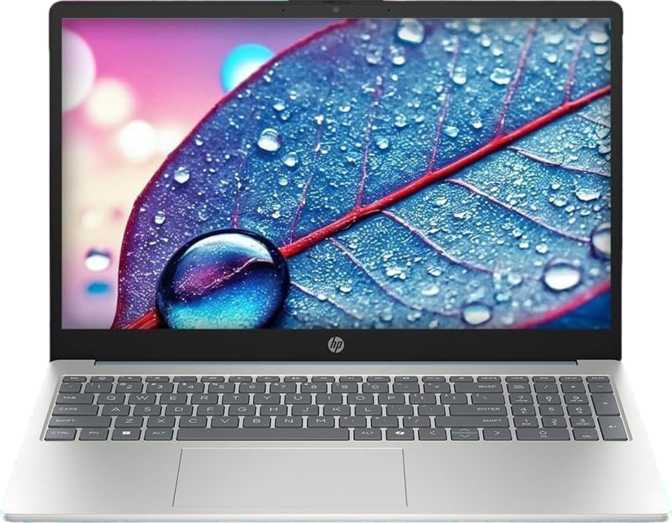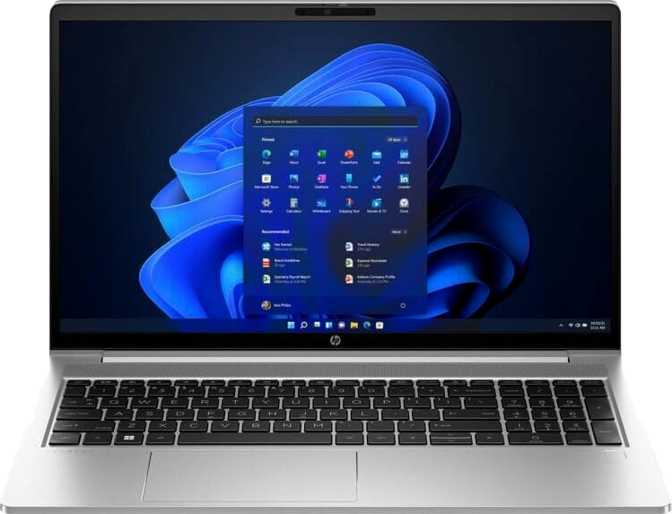
The ProBook line has always occupied a specific place in HP's lineup — not the ultra-thin executive showpiece, not the budget entry-level compromise, but the no-nonsense productivity machine designed to survive the demands of daily professional use. The 450 G10 continues that tradition with a 15.6-inch form factor, a configuration that pushes memory and storage well beyond what most business laptops offer at this size, and a processor architecture built to handle sustained workloads without throttling under pressure.
What makes this particular configuration stand out is not any single specification in isolation, but the way the whole package is assembled: massive onboard storage, a full 64 gigabytes of memory, modern wireless connectivity, and a multi-display output capability that makes it a genuine desktop replacement candidate. Whether those strengths outweigh some clear limitations depends entirely on how you work.
Specifications at a Glance
Our Ratings
Excellent choice for memory-intensive professional work
Design and Build Quality: Function Over Form
The ProBook 450 G10 is a business laptop that looks exactly like one. HP has not tried to make it sleek, minimal, or stylish in the consumer sense. The chassis is sturdy and straightforward, built to live in a bag and on a desk rather than in a coffee shop photo shoot.
At just under 19mm thick, it is acceptably slim for a 15.6-inch machine — thinner than many older business laptops of this size class. The footprint measures 359mm wide by 233mm deep, fitting comfortably on any standard desk or conference table without crowding.
Physical Dimensions
- Width
- 359 mm
- Depth
- 233 mm
- Thickness
- 19 mm
- Weight
- 3,175 g (3.1 kg)
Build Features
- Backlit keyboard for low-light environments
- No splash resistance or weather sealing
- Not rated for rugged field environments
- Active cooling — fan becomes audible under sustained load
The Display: Solid for Office Work, Limited Beyond It
Clarity and Resolution
The 15.6-inch IPS panel runs at 1920 × 1080 — Full HD — which translates to a pixel density of approximately 141 pixels per inch. At normal viewing distances text is sharp and images are clean. IPS technology delivers wide, consistent viewing angles, so color does not shift when you tilt the screen slightly or share your display with a colleague sitting at an angle.
Brightness and Outdoor Usability
The screen produces a typical brightness of 250 nits — honest, functional office brightness that is adequate in a controlled indoor environment but noticeably challenged near a sunlit window or outdoors. The anti-reflection coating helps reduce glare from overhead lighting and eases eye strain during long sessions, but it cannot compensate for a panel that does not produce enough light to compete with bright ambient conditions. For anyone who frequently works near windows or outside, this is a considered trade-off, not an afterthought.
Refresh Rate
The panel refreshes at 60 times per second — the standard for office-focused displays. There is no motion smoothness advantage for video editing or fast-moving content, but for its intended productivity context, 60Hz is entirely appropriate and conserves more power than higher refresh rate panels would.
Multi-Display Support
One of the most practically significant capabilities: this machine can drive up to four displays simultaneously, including its own screen. Combined with HDMI 2.1 output and dual USB-C ports capable of video output, it can anchor a full multi-monitor desk setup — a meaningful advantage for financial analysts, developers, or anyone who regularly works with more than two screens.
Display Specifications
- Size
- 15.6"
- Resolution
- 1920 × 1080
- Pixel Density
- 141 ppi
- Panel Type
- IPS LED-backlit
- Brightness
- 250 nits
- Refresh Rate
- 60Hz
- Touch Screen
- No
- Anti-Glare
- Yes
- Max Displays
- Up to 4
Performance: Sustained Power for Professional Tasks
The Processor Architecture
The processor uses a hybrid core design — two faster, more powerful cores handle the heavy lifting for demanding single-threaded tasks, while eight efficiency-oriented cores manage lighter, parallel workloads in the background. This architecture, combined with 12 processing threads and the ability to boost to 5GHz under load, makes the chip genuinely responsive for both focused tasks and heavy multitasking. Built on a 10-nanometer process with a 15-watt thermal envelope, it stays quiet during light use and only spins up its cooling under real sustained pressure.
What the Benchmarks Actually Mean
The benchmark scores position this processor firmly in the competent business laptop tier — handling everyday professional workloads with ease, managing moderate multitasking without complaint, and keeping up with large spreadsheets, code compilation, video conferencing, and light content creation without meaningful strain. What it is not is a machine for sustained video rendering, 3D modeling, or any workload that demands discrete graphics.
Memory: Configured at the Maximum
The 64 gigabytes of DDR4 memory running at 3,200MHz represents the ceiling for this platform — meaning it arrives fully configured with no upgrade path remaining. That is both a strength and a ceiling. The headroom available — enough to run multiple virtual machines alongside the host OS, or process very large datasets entirely in memory — is significantly beyond what most business laptops at this price point provide. The key trade-off: if your workflows ever exceed 64GB, only a different machine will solve it.
Storage: Four Terabytes of Fast, Professional-Grade Space
The internal SSD provides four terabytes of storage — a figure that genuinely sets this configuration apart from the field. Most business laptops ship with 512GB or 1TB as their standard configuration. The drive uses the NVMe interface over PCIe 4.0, placing data transfer speeds at the upper tier of what current laptop storage can achieve.
For anyone who works with large video files, extensive photo libraries, database backups, CAD project archives, or simply prefers to keep years of work locally without managing external drives, this capacity removes a genuine pain point. Four terabytes is enough to stop managing space and simply use the machine.
Graphics: Capable for Business, Honest About Its Limits
The integrated Intel Iris Xe Graphics — running 96 execution units with a boost clock approaching 1,300MHz — represents a meaningful step up from older integrated graphics. Its 768 shader processors deliver enough capability to handle 4K video playback, light photo editing, presentation design, and smooth general-purpose rendering without issue. It supports DirectX 12, OpenCL 3.0, and OpenGL 4.6, ensuring compatibility with modern software pipelines and professional visualization tools.
Graphics Specifications
- GPU
- Intel Iris Xe 96EU
- Execution Units
- 96
- Shading Units
- 768
- Boost Clock
- 1,300 MHz
- DirectX
- 12
- OpenCL / OpenGL
- 3.0 / 4.6
- Ray Tracing
- Not supported
What It Can and Cannot Handle
- 4K video playback and streaming
- Light photo editing and graphic design
- Multi-monitor output across up to 4 displays
- Heavy 3D modeling or GPU rendering
- Modern gaming beyond casual titles
- Real-time ray tracing or DLSS/XeSS upscaling
Connectivity: Well-Equipped for Modern Professional Environments
Wired Ports
The port selection balances modern standards with legacy compatibility. Two USB-C ports running at USB 3.2 Gen 2 speeds deliver up to 10Gbps — fast enough for modern external SSDs, docking stations, and multi-function hubs. Two USB-A ports handle standard peripherals. The HDMI 2.1 output supports 4K at high frame rates, far exceeding what most business displays require. A dedicated Gigabit Ethernet port provides wired network access for corporate environments where Wi-Fi is restricted.
Notable absences: no SD card slot, no Thunderbolt 4.
Wireless Connectivity
Wi-Fi 6E opens access to the 6GHz band — less congested in dense environments like open-plan offices, apartment buildings, and conference centers — and delivers higher throughput than Wi-Fi 6 on the 5GHz band alone. In environments where dozens of devices compete for wireless bandwidth, Wi-Fi 6E makes a tangible difference in connection stability. Bluetooth 5.3 ensures broad compatibility with wireless peripherals and audio with lower power consumption than older Bluetooth versions. AirPlay support allows wireless display mirroring to compatible receivers in mixed-ecosystem offices.
| Standard | Details |
|---|---|
| Wi-Fi 6E | 802.11ax — 2.4 / 5 / 6 GHz bands |
| Wi-Fi 6 / 5 / 4 | Fully backward compatible |
| Bluetooth | Version 5.3 |
| AirPlay | Supported |
Battery Life: Honest About the Trade-Off
The battery provides approximately six hours of real-world use on a charge. Six hours covers a standard half-day of untethered work — enough for a morning of meetings and a working lunch before needing to find a power outlet. The 42 watt-hour capacity is on the smaller side relative to what larger-format business laptops often carry, a trade-off that comes from housing a full-performance processor and 64GB of RAM in a chassis with limited room for a larger cell.
For a laptop that will spend most of its life on a desk or near a power outlet, six hours is acceptable. For anyone who regularly works in environments without convenient power access — long flights, full-day field visits, or campuses without easy outlet access — this is a real constraint to plan around, not a minor inconvenience.
The sleep-and-charge USB ports allow the machine to charge connected devices even when the laptop itself is sleeping or shut down — a convenient practical detail for keeping a phone or wireless earbuds topped up without waking the machine.
- Capacity
- 42 Wh
- Sleep & Charge
- Yes
- MagSafe
- No
Audio, Camera, and Input
Audio
Stereo speakers and a 3.5mm headphone jack cover the basics for voice calls and video conferencing. There is no Dolby Atmos certification — audio is functional rather than impressive. For media consumption or any creative work, external speakers or a good pair of headphones via the 3.5mm jack will deliver a noticeably more satisfying experience.
Camera & Microphone
The front-facing camera covers video conferencing adequately. A single microphone handles quiet environments but lacks the noise-cancelling capability of a dual or quad-mic array. In noisier settings — shared offices, open spaces — a dedicated headset or external USB microphone will deliver noticeably better call quality.
Security Login
No fingerprint scanner. No facial recognition. The machine relies on a traditional PIN or password to unlock — a step backward compared to competing business laptops that now include at least one biometric option as standard.
Who This Laptop Is For — and Who Should Look Elsewhere
Best Suited For
-
Software DevelopersRunning local environments, Docker containers, or multiple virtual machines where 64GB of RAM removes the most common performance ceiling entirely.
-
Data Analysts and ScientistsWorking with large datasets in Python, R, or Excel, where memory capacity directly determines what can be processed locally without cloud workarounds.
-
IT Professionals and System AdministratorsManaging multiple virtualized environments simultaneously without performance degradation or memory contention.
-
Financial and Power Spreadsheet UsersRoutinely working with files large enough to challenge machines with standard memory configurations.
-
Workers with Extensive Local Storage NeedsLarge project archives, design assets, or media libraries — for anyone who wants to eliminate dependency on external drives for frequently accessed files.
Look Elsewhere If You Are...
-
A Frequent Traveler or Daily CommuterAt over 3.1 kilograms, daily carry causes real physical fatigue over weeks and months. This machine belongs on a desk — not in a commuter's bag.
-
An Outdoor or Bright-Environment WorkerThe 250-nit screen will frustrate anyone working near sunlit windows or outside, where ambient light overwhelms the panel's output.
-
A Creative Professional with GPU-Intensive WorkflowsVideo rendering, 3D modeling, and professional color grading require discrete graphics that this configuration simply does not provide.
-
Security-Conscious Users Requiring Biometric LoginNo fingerprint reader, no facial recognition — a meaningful gap for environments with strict biometric authentication requirements.
-
Battery-Dependent UsersAnyone who regularly needs four or more hours away from a power outlet will find the battery coverage falls short of what this machine's size and weight implies.
Competitive Positioning: Where It Stands in the Market
Against comparable 15.6-inch business laptops, the ProBook 450 G10 wins clearly on memory and storage, holds its own on wireless capability and multi-display output, but concedes meaningful ground on display brightness, battery endurance, weight, and biometric authentication.
| Feature | HP ProBook 450 G10 | Typical 15.6" Business Rival |
|---|---|---|
| RAM | 64GB — maxed configuration | 16–32GB standard |
| Internal Storage | 4TB NVMe PCIe 4.0 | 512GB–1TB standard |
| Display Brightness | 250 nits | 300–400 nits typical |
| Battery Life | ~6 hours | 8–12 hours in competitors |
| Wireless | Wi-Fi 6E | Wi-Fi 6 or 6E — varies |
| Weight | ~3.1 kg | 1.7–2.1 kg for thin-and-light rivals |
| Biometric Login | None | Fingerprint standard on most rivals |
| Multi-Monitor Support | Up to 4 displays | 2–3 displays typical |
Strengths and Honest Weaknesses
Where It Excels
-
64GB RAM eliminates the most common professional bottleneck. Running out of memory forces workarounds and interrupts workflow. This machine removes that problem entirely at its price tier.
-
Four terabytes of fast local storage is genuinely liberating. No more managing space, no external drive dependency for frequently accessed files — just storage that gets out of the way.
-
Wi-Fi 6E provides a tangible advantage in congested wireless environments, not just a spec-sheet talking point for future-proofing.
-
Up to four simultaneous display outputs make this a credible desktop replacement for multi-monitor professional setups.
-
The processor performs exactly where it should — responsive in light use, capable under sustained workloads, and quiet enough during everyday tasks not to be distracting.
Where It Falls Short
-
250-nit display is the most significant daily friction point. Adequate indoors under controlled lighting, genuinely challenging near sunlit windows or in bright ambient conditions.
-
Six-hour battery life is modest for a machine this size and weight. You carry significant mass but need to stay near a power outlet more often than comparable rivals demand.
-
Over 3.1 kilograms is a real physical toll for anyone who carries this machine regularly. This weight should be accepted knowingly, not minimized as a neutral characteristic.
-
No biometric authentication — a meaningful omission compared to competing business laptops that now offer fingerprint readers as a standard inclusion.
-
64GB RAM is a ceiling, not a starting point. The platform arrives maxed out from the factory — if future workflows exceed this, only a completely different machine will solve it.
Answers to Common Buyer Questions
Final Verdict: A Specialist's Machine That Earns Its Place
The HP ProBook 450 G10 in this configuration is not trying to be the best laptop for everyone. It is trying to be the best laptop for professionals who need serious memory and storage without paying enterprise workstation prices — and in that specific goal, it succeeds.
The combination of a maxed-out 64GB memory configuration and a four-terabyte NVMe drive is rare at this price tier and genuinely useful for developers, analysts, IT practitioners, and power users who have spent time managing the consequences of under-specified machines.
The trade-offs are real and must be accepted knowingly: a display that struggles in bright light, a battery that will not last a full workday away from an outlet, a weight that rules out comfortable daily carry, and no biometric authentication. None of these are fatal for the right user — but none of them should be waved away either.
Buy This If
- You need maximum memory and local storage — VMs, large datasets, data science, deep archives
- You work primarily at a desk or near a power outlet and rarely carry the machine long distances
- You operate in controlled indoor lighting and screen brightness is not a daily concern
- You want a credible desktop replacement with multi-monitor output at a reasonable cost
Look Elsewhere If
- You travel frequently or carry your laptop as part of a daily commute
- You work regularly in bright environments, near windows, or outdoors
- All-day battery endurance away from power outlets is essential to your workflow
- Biometric login is required by your security policy or strongly preferred in your daily routine