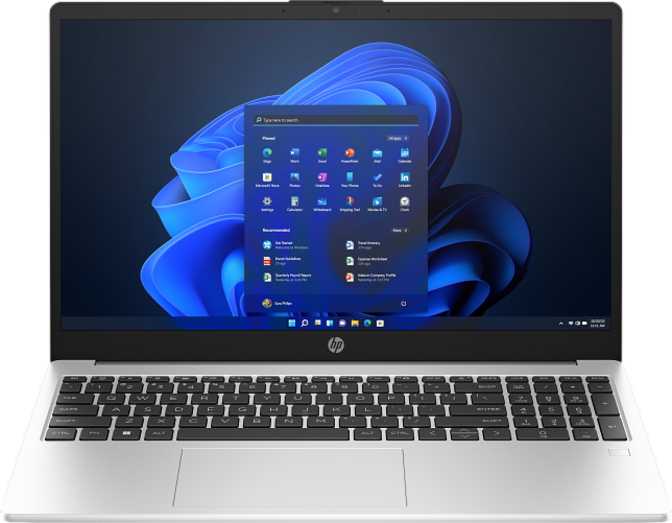
HP 250 G10 (2025) 15.6" Review: Powerful Specs, Honest Trade-Offs
LaptopsA productivity laptop that overdelivers on internal specs — 64GB of RAM and a 2TB NVMe drive at a mid-range price — while making predictable trade-offs in display brightness, keyboard lighting, and port versatility.
Editor's Score
Design and Build: Functional Over Fashionable
Physical Presence
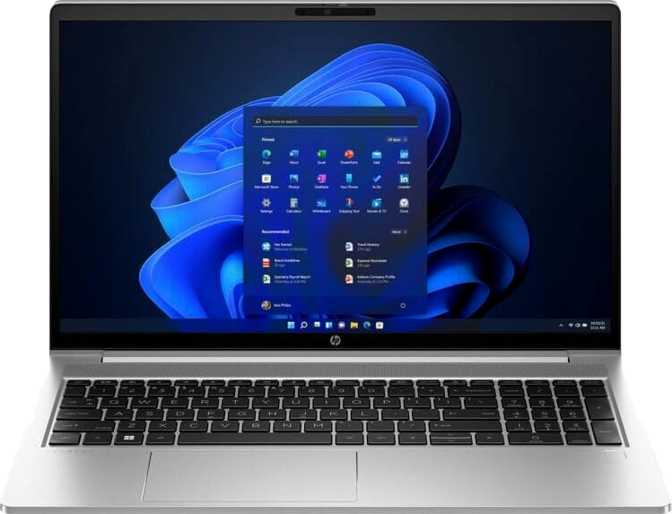
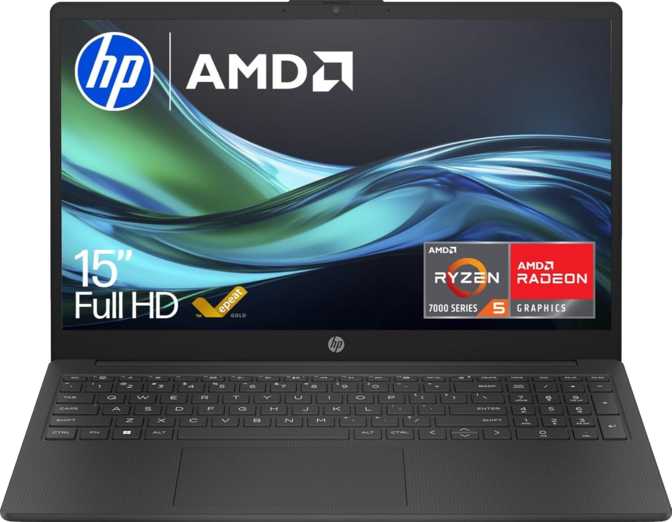
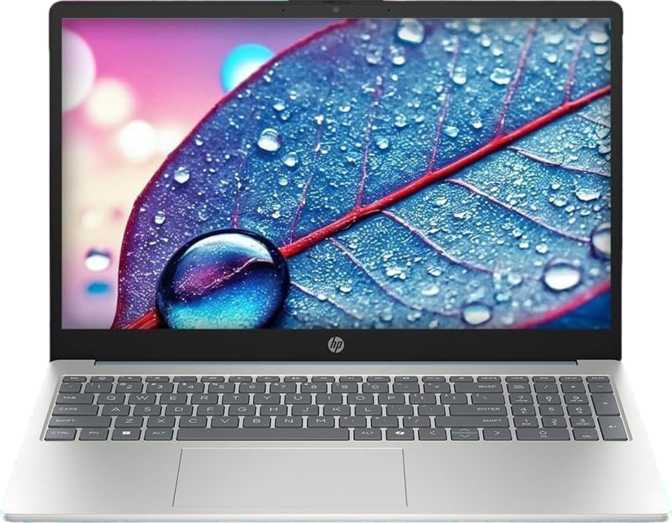
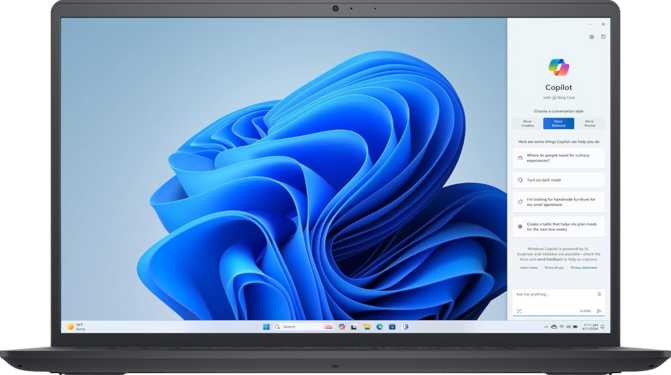
The HP 250 G10 is a straightforward, no-frills machine in terms of aesthetics. At roughly 1.5 kilograms with a footprint slightly wider than an A4 sheet of paper, it sits comfortably in the range of laptops people carry daily without strain. The 18mm profile keeps it slim enough for a standard backpack sleeve, though it would not be mistaken for an ultrabook.
The chassis follows HP's familiar business-productivity template: matte plastic surfaces, understated lines, no glossy accents. For office and classroom environments, that restraint is a genuine advantage — the machine projects a professional neutrality that fits most settings without drawing attention.
Key Physical Specifications
- Width359 mm
- Depth235 mm
- Thickness18 mm
- Weight1,496 g (~1.5 kg)
- TypeProductivity
What the Build Lacks
There are clear corners cut to reach this price tier. The HP 250 G10 is not weather-sealed, so liquid spills are a genuine risk. It does not carry any rugged certification, meaning it should not be treated as a field machine that can absorb knocks. These limitations are entirely expected for a productivity laptop at this level.
Display: Adequate for Office Work, Limited Everywhere Else
Screen Quality at a Glance
The 15.6-inch screen runs at full HD resolution — 1920 × 1080 — which on a display this size produces a pixel density that keeps text and images looking clean and sharp. At typical working distances, you will not notice individual pixels, and the anti-reflection coating on the panel meaningfully reduces glare from overhead lighting and windows. That coating is more practical for daily productivity than many buyers realize until they use a glossy-panel machine in a bright room.
The 60Hz refresh rate is exactly right for office applications, document editing, video calls, and web browsing. Nothing is lost here compared to higher-refresh screens, which primarily benefit fast-motion content and gaming.
External Display Support
The GPU supports up to four simultaneous external monitors — far beyond what most users in this category will ever need. For someone running a dual or triple monitor office setup, the underlying graphics hardware has headroom to spare. The HDMI port follows the 1.4 standard, adequate for a single 1080p or 1440p external display, but it does impose a ceiling: 4K output at 60Hz through HDMI 1.4 is not achievable. Users who need a 4K external monitor at full refresh would need to rely on the USB-C port with a capable adapter.
Display Specifications
- Screen Size15.6 inches
- Resolution1920 × 1080 (Full HD)
- Pixel Density141 ppi
- Brightness250 nits
- Refresh Rate60 Hz
- Anti-ReflectionYes
- Touch ScreenNo
- Max External Displays4
- HDMI VersionHDMI 1.4
Performance: More Capable Than the Badge Suggests
CPU Architecture and Real-World Speed
The processor inside the HP 250 G10 uses a hybrid core design that pairs two high-performance cores with eight efficiency-oriented cores, totaling ten cores across twelve processing threads. The performance cores handle demanding single-application tasks — where response speed matters most — while the efficiency cluster manages background processes and lighter concurrent tasks.
The turbo speed reaches up to 5GHz on the performance cores, which means responsiveness on tasks like compiling documents, loading complex spreadsheets, or running multiple browser tabs with heavy web apps is genuinely snappy. The processor is built on a 10-nanometer manufacturing process, striking a balance between power efficiency and computational density appropriate for a 15-watt thermal budget.
The hybrid architecture manages workload distribution automatically — heavy tasks route to the performance cores, lighter background activity goes to the efficiency cluster. The result is a processor that stays responsive under concurrent demand without burning through battery on light tasks.
CPU at a Glance
- Core Configuration2P + 8E (10 cores, 12 threads)
- Max Turbo SpeedUp to 5 GHz
- Process Node10 nm
- Thermal Design Power15W
- ArchitectureHybrid (big.LITTLE)
- L2 Cache9.5 MB
- L3 Cache12 MB
Benchmark Results in Context
Geekbench 6 Multi-Core
7,122
Handles heavy concurrent workloads — multiple apps, background sync, browser tabs — with clear headroom.
Geekbench 6 Single-Core
2,458
Strong per-application responsiveness — individual apps launch and respond quickly under typical conditions.
PassMark Multi-Thread
14,252
Solidly upper-tier for mainstream productivity — measurably faster than typical mid-range office machines.
PassMark Single-Thread
3,436
Competitive single-thread speed for daily task responsiveness — well above the practical floor for smooth use.
Integrated Graphics: Intel Iris Xe
The Intel Iris Xe integrated graphics with 96 execution units is the strongest integrated GPU option in Intel's mainstream laptop lineup. At its peak boost speed — the figure it targets under sustained GPU load — this graphics hardware handles light photo editing, casual creative work, and video playback with ease.
It does not support hardware ray tracing or AI-accelerated upscaling features, which means it is not suited for modern gaming at playable settings. For productivity, however, integrated graphics of this caliber is capable well beyond what most users in this category will demand. The GPU also supports DirectX 12 and OpenCL 3, ensuring compatibility with current software APIs for any tools that leverage GPU acceleration for non-gaming tasks.
GPU Specifications
- GPU ModelIntel Iris Xe 96EU
- Execution Units96
- Base Clock400 MHz
- Boost Clock1,300 MHz
- Shading Units768
- DirectX SupportDirectX 12
- OpenCLVersion 3
- Ray TracingNot supported
Memory & Storage: Where This Machine Genuinely Overdelivers
64GB RAM — A Rare Find at This Price
This is the specification that genuinely distinguishes this configuration. 64 gigabytes of RAM is, by any measure, an extraordinary amount for a laptop positioned at this tier. Most mid-range productivity laptops ship with 8GB to 16GB. Power users and software developers often consider 32GB a premium target.
What this means in practice: you can run a full suite of office applications, a browser with dozens of tabs, a virtual machine, a local database instance, and background services — simultaneously, without any of them competing for memory.
For developers, data analysts, researchers, or anyone who works with large datasets or multiple parallel environments, this is not a luxury; it is functional necessity. Note that 64GB represents the maximum this platform supports, so there is no headroom for future RAM upgrades — but given the ceiling is already at 64GB, that is rarely a concern.
2TB NVMe via PCIe 4 — Zero Compromise
The storage situation is equally generous. A 2-terabyte NVMe solid-state drive on the PCIe 4 interface delivers file access and application load speeds that eliminate storage as a performance bottleneck entirely. PCIe 4 NVMe drives are among the fastest storage technologies available in laptops, with transfer speeds that dwarf traditional SATA SSDs and make older spinning hard drives seem primitive by comparison.
For practical use: large project files, extensive photo libraries, software development environments, virtual machine images, and years of accumulated documents will fit comfortably. Application launches and file operations will feel near-instant.
Context for beginners: Most laptops at this price offer 8–16GB of RAM and 256–512GB of storage. The HP 250 G10's configuration in this review is typically found in machines priced significantly higher. If memory headroom is a priority, this stands apart from its category.
Connectivity: Functional but Shows Its Compromises
Port Layout
The HP 250 G10 provides three physical USB ports: one USB-C and two USB-A, all running at USB 3.2 Gen 1 speeds. For typical peripherals — external drives, mice, keyboards, USB hubs — this is sufficient, though having only three ports will feel tight for users who regularly run several wired devices simultaneously.
The USB-C port does not reach the faster Gen 2 speeds, which means ultra-fast external SSD transfer at maximum rated speeds will see a ceiling. For most users transferring documents and occasional media files, this distinction is irrelevant. For frequent large-file transfers to external NVMe enclosures, it is a real limitation.
There is no Thunderbolt 3 or 4 port on this machine. Thunderbolt's ecosystem — high-bandwidth docking stations, external GPU enclosures, daisy-chained displays — is unavailable here.
Full Port & Wireless Inventory
- USB-C 3.2 Gen 1 — × 1
- USB-A 3.2 Gen 1 — × 2
- HDMI 1.4 — × 1
- 3.5mm Audio Jack — × 1
- Wi-Fi 6 (802.11ax) with Wi-Fi 5/4 fallback
- Bluetooth 5.3
- No wired Ethernet (RJ45)
- No SD card slot
- No Thunderbolt 3 or 4
- No DisplayPort output
Battery and Power Efficiency
Battery capacity and rated battery life figures are not among the confirmed specifications for this review. What the hardware profile strongly suggests is worth noting: the processor operates at a 15-watt thermal design power, which is among the more efficient targets in Intel's current lineup. Chips designed around this thermal envelope are specifically tuned for extended battery operation in thin-and-light and mid-weight chassis.
The hybrid core architecture further supports efficiency — the efficiency cores handle lighter workloads without engaging the more power-hungry performance cores unnecessarily. Based on the platform characteristics, typical productivity workloads — document editing, email, video calls, web browsing — should yield reasonable all-day performance. Prospective buyers should seek confirmed battery life testing from hands-on reviews if endurance is a primary concern before purchasing.
Efficiency Indicators
Lower TDP = better battery potential vs. high-performance alternatives
Background tasks routed to low-power cores automatically
Who Should Buy the HP 250 G10 — and Who Should Not
Strong Match For
- Developers and technical users
64GB memory ceiling is a rare find at this price — ideal for compiling code, running local environments, or managing large repositories.
- Researchers and data analysts
Works with large datasets in Python, R, or complex Excel models that demand available memory headroom without slowdowns.
- Heavy multitaskers
Office professionals frustrated by slowdowns on less-equipped machines will notice the difference immediately.
- Budget-conscious spec-hunters
Buyers who prioritize internal capability over premium chassis materials, biometric security, or display brightness.
- IT departments
Equipping staff who need capable, standardized machines at a controlled cost — reliable and consistent.
Poor Match For
- Frequent outdoor or bright-environment workers
The display brightness will be a constant source of frustration wherever natural light competes with the screen.
- Evening and low-light users
No backlit keyboard is felt daily. Cheaper competitors have long since resolved this.
- Photographers and videographers
No SD card slot means adapters are required for every direct camera workflow.
- Wired network environment users
No ethernet port means a USB adapter is a mandatory accessory — adding cost and friction.
- Gamers
The integrated graphics cannot sustain modern titles at playable frame rates — this is not a gaming machine.
- Security-sensitive environments
No fingerprint reader or facial recognition — password entry is the only authentication option, which may conflict with organizational security policies.
Competitive Positioning
The HP 250 G10's clearest advantage over similarly priced competitors is its internal specification generosity — the RAM and storage configuration would typically be found in machines priced meaningfully higher. Its compromises align with lower-cost decisions that most value-tier machines also make, meaning the HP 250 G10 is not uniquely weak here; it simply shares the trade-offs of its category while outperforming it where it counts most.
| Feature | HP 250 G10 (2025) | Typical Competitor (Same Price) | Premium Business Class |
|---|---|---|---|
| RAM | 64 GB | 8–16 GB standard; 32 GB in premium configs | 16–32 GB typical |
| Storage | 2 TB NVMe PCIe 4 | 256 GB–512 GB common; 1 TB in higher configs | 512 GB–1 TB NVMe |
| Display Brightness | 250 nits | 250–300 nits typical | 400–500+ nits |
| Backlit Keyboard | No | Often included above entry level | Yes, standard |
| Biometric Login | None | Fingerprint common | Fingerprint + IR camera |
| Ethernet Port | None | Often included | Yes, standard |
| Wi-Fi | Wi-Fi 6 | Wi-Fi 5 common; Wi-Fi 6 in newer models | Wi-Fi 6 / 6E |
| USB-C Speed | Gen 1 (5 Gbps) | Gen 1–2 depending on tier | Gen 2 + Thunderbolt |
| Thunderbolt | None | Rare at this tier | Thunderbolt 4 standard |
Honest Assessment: Strengths and Weaknesses
Where It Excels
The HP 250 G10 makes a compelling case in a narrow but important area. Configurations loaded with 64GB of RAM and a 2TB PCIe 4 NVMe drive represent a level of internal capability that is genuinely unusual at this price point. For a buyer whose primary concern is whether the machine will keep up with demanding multitasking and memory-intensive applications, the answer here is a clear yes — more clearly than most competing options at this tier.
The performance foundation is equally solid. The hybrid processor architecture handles concurrent workloads gracefully, and the integrated Iris Xe graphics cover all productivity use cases with ease. The Wi-Fi 6 implementation is a forward-looking inclusion that benefits anyone working in environments where wireless congestion is a reality.
At 1.5kg, it stays portable enough for daily commutes without becoming an endurance test, and the matte anti-glare screen surface, while dim, at least avoids the frustrating reflections common on glossy-panel competitors.
Where It Falls Short
Where the HP 250 G10 falls short, it does so honestly and predictably. The 250-nit display is the single most limiting aspect of this machine for any user who does not control their lighting environment. It is not a catastrophic flaw indoors, but it is a consistent source of friction in bright conditions. The absence of a backlit keyboard is a daily annoyance that cheaper competitors have long since resolved.
The port selection tells the story of a machine that has made peace with wireless-first assumptions. No ethernet, no SD card slot, and only USB 3.2 Gen 1 speeds across the board are acceptable for many users and limiting for others.
The lack of biometric login — no fingerprint reader, no facial recognition camera — is notable for a machine positioned as a productivity tool. PIN entry and password authentication are the only options, which may conflict with organizational security policies that mandate stronger authentication.
Common Buyer Questions Answered
Final Verdict
Our definitive purchase recommendation
Recommended
for spec-focused buyers
The HP 250 G10 (2025) in this 64GB / 2TB configuration is a machine with a clear personality: internally generous, externally modest.
If the primary requirement is a productivity laptop that will not run out of memory or storage for demanding multi-application workflows — and if display brightness, keyboard backlighting, and biometric login are acceptable sacrifices — this machine delivers exceptional value for its tier.
It earns a confident recommendation for developers, researchers, data analysts, and power users who have previously felt constrained by underpowered office laptops and do not want to pay premium-tier prices to get serious internal specifications. For the general office worker handling typical day-to-day tasks, the internal overkill is wasted value, and a machine with a brighter display and a backlit keyboard might serve daily satisfaction better.