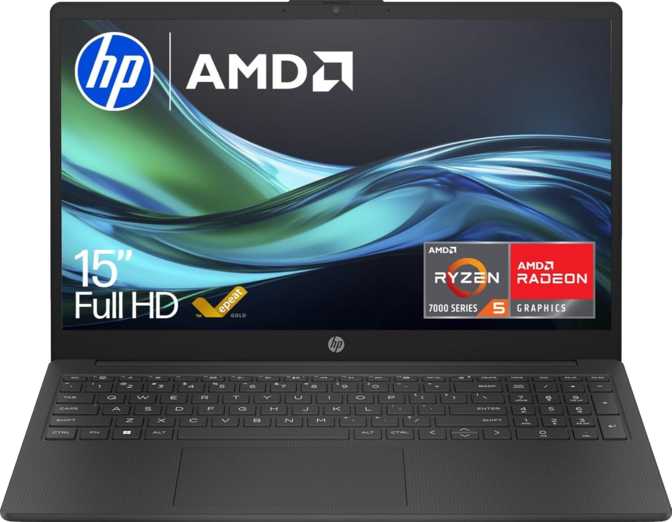
HP 15-fc0004sa 15.6" – Full Review for Everyday Laptop Buyers
LaptopsA productivity-focused 15.6-inch laptop that pairs a generous memory allocation with fast NVMe storage — making it more capable day-to-day than its price tag implies. The trade-offs are real but predictable.
Overall Score
Design and Build Quality
Physical experience, materials, and everyday portability
Physical Presence
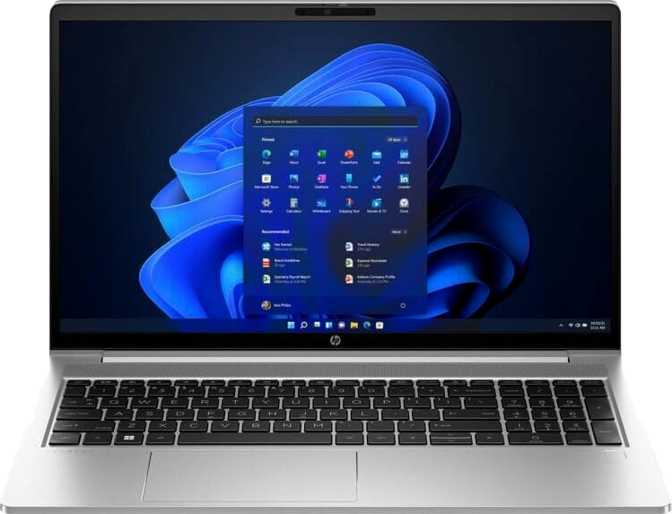
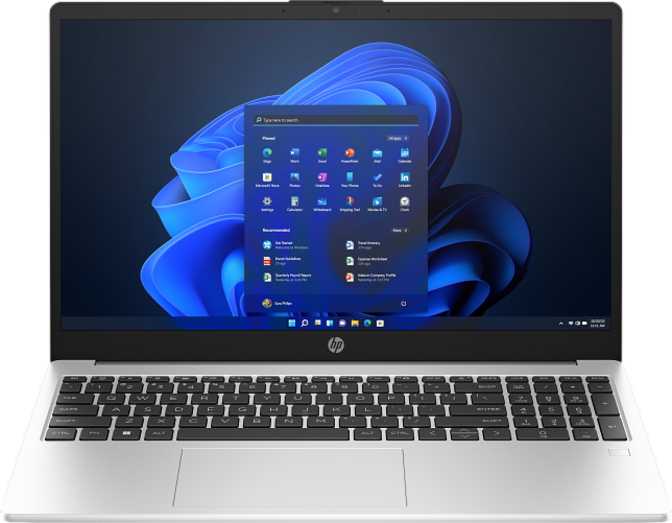
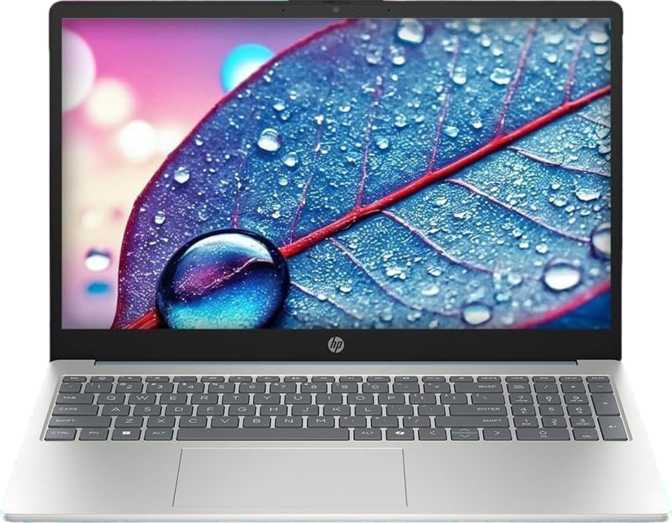
At just under 1.6 kilograms, the HP 15-fc0004sa sits on the lighter end of what you would expect from a 15.6-inch machine. It is easy to carry between rooms or in a bag without noticing the weight — but substantial enough to feel stable on a desk or lap.
The dimensions tell a familiar story: wide enough for a full-size keyboard with numpad, and just 18mm thick — slim enough to slide into most laptop sleeves without drama.
Materials and Finish
This is a functional plastic chassis — appropriate for the price tier and entirely adequate for home and office desk use. The build handles daily handling competently: hinges that do not wobble, a lid with acceptable rigidity, and a base that stays planted.
There is no weather sealing or ruggedised construction. This is a stable-environment machine and should not be mistaken for anything else.
Missing: Backlit Keyboard
There is no keyboard backlight on this model. For anyone working in low-light conditions — early mornings, late nights, or dim meeting rooms — this is a genuine daily inconvenience, not a minor omission. Factor this in before purchasing.
The Display
15.6-inch Full HD panel — what the numbers mean in practice
Screen Quality in Daily Use
The Full HD resolution — 1920 by 1080 pixels — at 15.6 inches lands at roughly 141 pixels per inch. Text is sharp and clearly readable, images look clean, and the experience is noticeably crisper than older HD-only machines that still populate this price segment.
The 60Hz refresh rate is the standard for productivity and general use. Scrolling through documents and watching video content feels smooth and natural. This is not a display designed for gaming or high-frame-rate content, and the refresh rate reflects that honestly.
The anti-reflection coating is a practical inclusion that often goes underappreciated. Working near a window or under fluorescent office lights, a reflective panel becomes genuinely distracting. The coating here cuts through ambient glare and makes the screen readable from more angles without repositioning yourself. For a machine built for everyday office and home use, this is more useful than it sounds.
Display Specs at a Glance
- Full HD
1920 x 1080 px - 141 PPI
Sharp at 15.6 inches - Anti-Glare Coating
Reduces reflections - 60Hz Refresh
Standard productivity rate - No Touch Screen
Clamshell only
Performance Analysis
Processor, memory, and storage — reading the numbers honestly
Processor
A quad-core, eight-thread AMD chip built on a 6-nanometre process, reaching 4.3GHz under burst load. Its 15-watt thermal envelope keeps the machine cool and quiet during typical use.
Designed for sustained efficiency, not maximum throughput.
Memory
Sixteen gigabytes of DDR4 RAM across two channels is genuinely comfortable for productivity work — enough to run a browser, a video call, an office suite, and a music service simultaneously without memory pressure slowing things down.
A step up from the 8GB common at this price.
Storage
The 512GB NVMe solid-state drive is where this machine earns real praise. NVMe speed means the laptop wakes from sleep almost instantly, applications open without perceptible lag, and file operations feel immediate.
Significantly faster than SATA-based alternatives.
Benchmark Results in Context
PassMark CPU Score
A PassMark score above 9,000 places this processor in reliable mid-range territory — comfortably above budget single-core chips of previous generations, and well-suited to everyday multitasking.
Geekbench 6 Score
The single-core result of 1,170 reflects how snappy individual tasks feel — launching apps, loading pages, switching windows. The multi-core result shows how the processor handles simultaneous demands.
Graphics: Integrated and Honest About It
AMD Radeon 610M — what it can and cannot do
The Radeon 610M is an integrated graphics solution — sharing system memory rather than drawing on dedicated VRAM. Its clock speeds are designed for driving displays smoothly at standard resolutions, handling high-quality video playback, and managing the visual workload of typical office and web tasks.
The GPU boosts to 1,900MHz under visual load — a reasonable ceiling for the integrated tier. It supports DirectX 12 and OpenGL 4.6, which covers compatibility for productivity applications and basic software tools without issue.
Ray tracing and AI-based upscaling are absent, as expected on integrated graphics. This is not a gaming GPU. Casual and older titles at modest settings are within its scope; anything demanding real-time rendering or intensive graphics work is not. For the target user, the integrated solution is entirely adequate.
GPU Capabilities
- Video playback up to 4K
- Multi-display output (up to 4)
- DirectX 12 compatible
- OpenCL 2.0 / OpenGL 4.6
- No dedicated VRAM
- No ray tracing support
- Not suited for modern gaming
Connectivity: Where Trade-offs Become Visible
Ports, wireless, and what you will need to carry
- 2x USB-A Ports
Standard connectors for mice, keyboards, USB drives, and most hubs
- 1x USB-C Port
USB 3.2 Gen 1 speeds — adequate for accessories and data transfer; also supports charging
- HDMI Output
Connect to an external monitor or TV directly without an adapter
- 3.5mm Audio Jack
Full compatibility with wired headphones and headsets — no adapter needed
- Wi-Fi 5 (802.11ac)
Handles streaming, video calls, and cloud syncing without issue on standard home networks
- No Ethernet Port
Wired network connections require a USB adapter — carry one if your workspace relies on a cable
- No SD Card Slot
No memory card reader of any kind — storage expansion requires USB accessories
- No Thunderbolt
No high-speed Thunderbolt connectivity — USB-C operates at standard Gen 1 speeds only
- No DisplayPort
Single HDMI is the only video output; dual-monitor desk setups require a USB-C hub
- No Wi-Fi 6 / 6E
Wi-Fi 5 is fast enough for most households but does not support next-gen router speeds
Battery Life: Size Tells Part of the Story
Real-world endurance expectations and power management
41 Wh
Battery capacity
Compact for a 15.6-inch machine — many comparable laptops carry cells 15–25% larger
The 41-watt-hour battery is a compact cell for a 15.6-inch machine. The efficient 15-watt processor helps offset this — the chip sips power during light tasks rather than drawing constantly at full load.
For typical productivity use — document editing, web browsing, occasional video calls — expect endurance that comfortably covers a working morning before needing a top-up or access to a socket.
This is not a machine for unplugged all-day sessions. The USB-C port supports charging, which provides some flexibility in how and where power is delivered — a useful quality-of-life option.
For a home office worker who stays near a socket, the battery limitation is entirely manageable. For frequent travellers or anyone needing untethered all-day use, this constraint should factor into the decision.
Audio, Camera, and Everyday Features
What the built-in tools are actually like to use
Audio
Stereo speakers cover the basics — video calls and casual background music in a quiet room. At higher volumes, the output loses depth, which is typical of the thin-chassis budget tier.
The 3.5mm audio jack covers wired headphones and headsets without any adapter required. There is no Dolby Atmos processing.
Microphone
A single built-in microphone handles video calls and voice dictation adequately. Compared to dual or quad microphone arrays found in conference-focused machines, a single element captures more ambient noise.
Users who spend significant time on calls may prefer a dedicated USB or headset microphone for cleaner audio.
Webcam and Security
A front-facing camera is included for video conferencing — functional for everyday calls, though the quality is characteristic of the budget webcam tier common at this price point.
There is no fingerprint scanner or facial recognition system. Logging in requires a PIN or password — a minor but noticeable friction point for users accustomed to biometric login on other devices.
Who This Laptop Is For — and Who It Is Not
Matching the right buyer to the right machine
- Home Office Workers
Browser, email, office suite — tasks this machine handles without slowdown, on a budget
- Students
Coursework, research, document writing, and video lectures — reliable everyday performance with adequate local storage
- Secondary Household Machine
General browsing, streaming, and light admin shared across a family
- First Laptop Buyers
Capable and uncomplicated without paying a premium for features not yet needed
- Creative Professionals
Video editors and photographers will find integrated graphics and fixed memory too limiting for serious media production
- Software Developers
Light dev work is manageable; virtual machines, large compiles, and local servers push beyond this processor's comfort zone
- Gamers
Integrated graphics are categorically unsuited for modern gaming — no settings adjustment changes that
- Frequent Travellers
The battery capacity does not support all-day unplugged use away from a power source
- Wired Network Users
No built-in Ethernet means carrying an adapter every day — a persistent inconvenience
How It Compares to Logical Alternatives
Where the HP 15-fc0004sa wins, loses, and trades blows
| Feature | HP 15-fc0004sa This Model |
Entry AMD 8GB RAM |
Entry Intel 16GB RAM |
|---|---|---|---|
| RAM | 16GB DDR4 | 8GB DDR4 | 16GB DDR4/5 |
| Storage | 512GB NVMe | 256GB or SATA SSD | 512GB NVMe |
| Display Coating | Anti-Glare | Often glossy | Sometimes glossy |
| Backlit Keyboard | Sometimes | Often yes | |
| Ethernet Port | Sometimes | Sometimes | |
| Biometric Login | On some models | Often yes | |
| Battery Capacity | 41 Wh | 38–43 Wh | 40–47 Wh |
The HP's standout advantage at its price point is the combination of 16GB RAM and NVMe storage together — many competing machines cut one or both to hit similar price points. Where it loses ground is on refinements: backlit keyboard, biometric login, and built-in Ethernet appear on some comparably priced competitors, though those machines sometimes sacrifice RAM or storage quality in return.
Honest Assessment
Strengths and weaknesses in plain terms — no spin
What This Laptop Gets Right
The HP 15-fc0004sa makes a compelling case for itself in one specific way: it avoids the most common mistake budget laptops make. Instead of skimping on the components that affect everyday experience most directly — RAM and storage — it delivers both at a level that genuinely serves the target user.
Having double the RAM of entry-level competitors, paired with genuinely fast NVMe storage, means the machine feels more capable in real use than its price suggests. It boots quickly, opens applications without lag, and handles multitasking without the stuttering that plagues 8GB machines under load.
The anti-glare display is a practical win that pays dividends daily — it makes working in varied lighting conditions noticeably less frustrating than glossy-panel alternatives. The weight is comfortable for carrying, and the slim profile fits naturally into everyday carry without requiring a special bag.
Where It Falls Short
The missing backlit keyboard is the kind of omission that becomes a daily habit in the worst way — you do not miss it until you need it, and then you miss it every single time. The absent fingerprint reader adds small but real friction to every login session.
The Ethernet-less design means keeping an adapter in your bag permanently if your working environment relies on wired connections. None of these gaps are dealbreakers individually, but buyers who value those features should weigh them explicitly before committing.
The battery situation deserves straightforward acknowledgement: this is not a machine that confidently handles a full day away from power. The processor performs exactly where its design intends — competently for everyday productivity, less so when workloads pile up. It does not feel like extra performance is waiting in reserve when things get demanding.
Questions Real Buyers Ask Before Purchasing
Answers to the searches that lead here
Final Verdict
HP 15-fc0004sa 15.6"
The HP 15-fc0004sa is a focused, competent machine for everyday productivity — and it gets the most important things right for its audience. The combination of 16GB RAM and fast NVMe storage gives it a performance floor that undercuts many rivals at the same price. The anti-glare display is genuinely useful for desk work, and the weight and dimensions make it easy to live with daily.
The honest caveat is that this machine requires some lifestyle compatibility to work well. You need to be near power regularly. You need to be comfortable without a backlit keyboard. You need to either not require wired networking or be willing to carry an adapter. And you need clear eyes about the fact that performance headroom beyond everyday tasks is limited.
Buy this if...
You want a reliable home or student laptop with a real multitasking headroom and a fast SSD, without paying for features you do not need.
Skip this if...
You need a backlit keyboard, all-day battery, biometric login, or built-in Ethernet — or if your workloads extend into creative, development, or gaming territory.