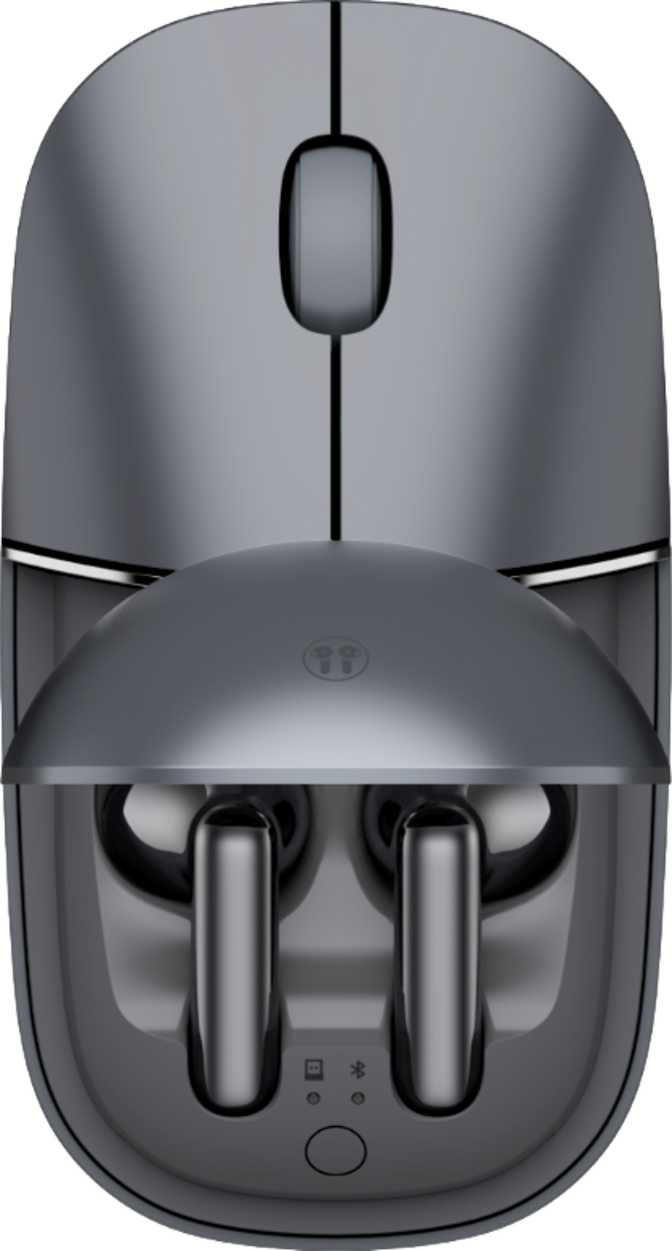
Honor Select Yuewo Wireless Ear Mouse Pro: Full Productivity Review
MiceMost wireless mice ask something of you every few weeks: find the cable, remember to charge it, keep it near the dock. The Honor Select Yuewo Wireless Ear Mouse Pro asks that of you roughly four times a year. That battery figure — so far outside the norm that it initially reads like a misprint — turns out to be the most honest thing about this device. It is a mouse built on a specific philosophy: give an office user the essentials, execute them exceptionally well, and get out of the way.
That philosophy produces a product with a sharply defined audience. Understanding whether you fall inside or outside that audience is the entire point of this review.
At a Glance: What Defines This Mouse
Four specifications that shape the entire ownership experience.
~4.5 Mo
Per Charge
At a standard 8-hour workday
3 Modes
Connection Options
2.4 GHz, Bluetooth 5, USB wired
78 g
Total Weight
Light enough for all-day use
Both Hands
Ambidextrous
Left- and right-hand friendly
Design and Build: Clean, Considered, and Equally Handed
Physical form, weight, and aesthetics that define the daily experience.
Shape and Fit
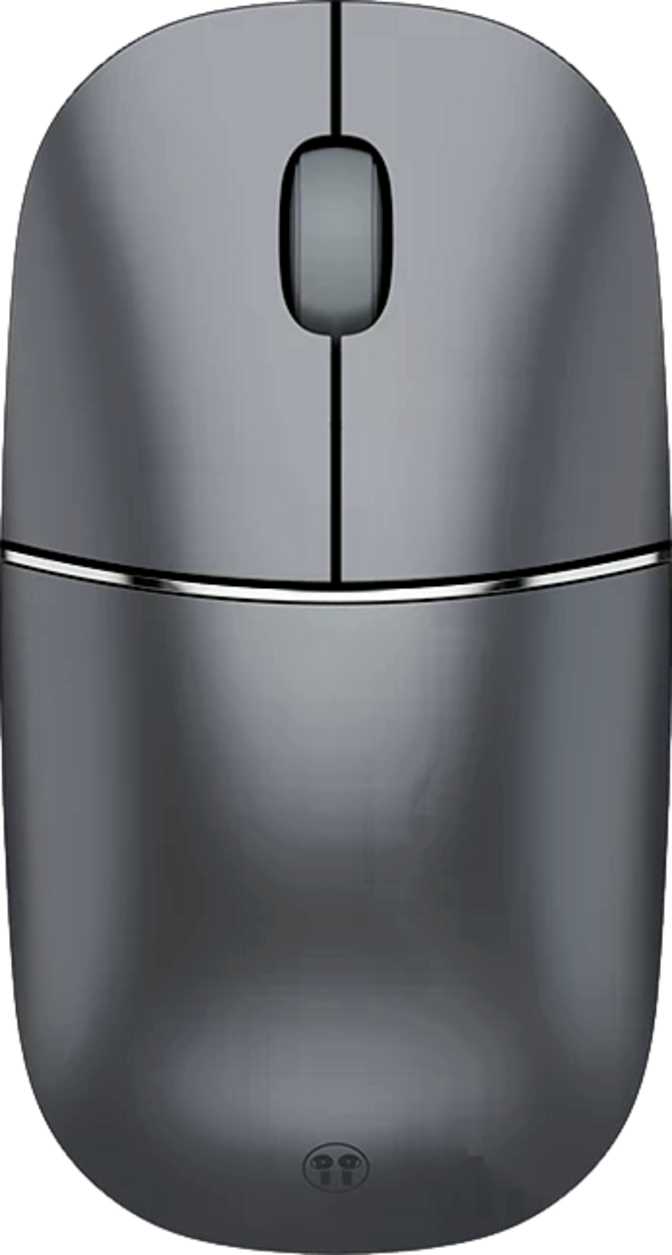
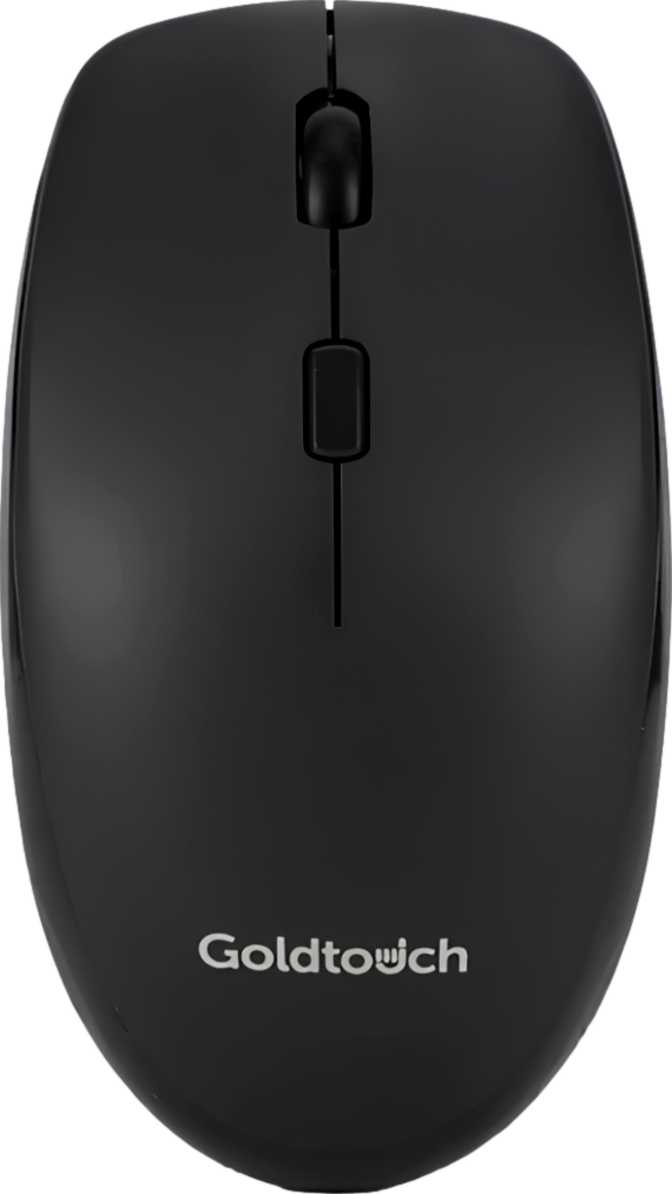
The Yuewo uses a symmetrical, ambidextrous shape — equally comfortable in either hand. At 60 mm wide and 112 mm long, it suits small to medium hands most naturally. The 34 mm profile keeps the mouse relatively flat, favouring fingertip and claw grippers. Palm-grip users who prefer a high-arched shell may find the profile a touch low for extended sessions.
Weight and Daily Fatigue
At 78 grams, the Yuewo lands comfortably in the range suited to all-day desk use — substantial enough to feel controlled and precise, light enough that long sessions don't load the wrist. There are no optional weight cartridges. The 78 grams is what you get, and for most users it is the right call.
Aesthetic and Finish
No RGB. No glowing logos. No pulsing idle effects. The Yuewo presents as a visually quiet, professional device — exactly the right peripheral for a corporate desk, a boardroom table, or a video call background. The 1.2-metre cable, used for both wired operation and charging, tucks cleanly away when not needed.
Triple Connectivity: Built for the Multi-Device Worker
Three distinct modes. All on one mouse, without extra hardware or compromise.
2.4 GHz Wireless
The most stable, lowest-latency wireless option. The USB dongle plugs into any port and the connection is effectively invisible — no perceptible lag, strong resistance to interference from other wireless devices in the environment.
Best for your primary machine
Bluetooth 5
No dongle required. The Bluetooth 5 standard pairs stably with laptops, tablets, iPads, and Android devices. Better range and fewer dropouts than older Bluetooth versions. Works wherever a spare USB port is scarce real estate.
Best for secondary devices and tablets
USB Wired
The included 1.2-metre cable enables full wired operation — useful where enterprise IT restricts Bluetooth, or when you simply want a guaranteed connection. Plugging in also charges the battery without interrupting your work.
Best for restricted networks and charging
Moving between a work laptop on the 2.4 GHz dongle and a personal machine on Bluetooth describes a workflow many desk workers actually live in. The Yuewo handles this transition by design — without extra hardware, without compromise.
Performance: Calibrated for the Office, Honestly
What the tracking and reporting specifications mean for real productivity work — and where they stop.
Tracking and Sensitivity
The Yuewo operates at a single, fixed sensitivity level. There is no button to switch cursor speed, no DPI switching, and no software slider to tune it. On a standard 1080p or 1440p monitor, cursor movement feels responsive and natural: brisk enough to cross the screen without excessive wrist travel, without being twitchy or imprecise.
On a 4K display or a very wide multi-monitor arrangement, the fixed sensitivity can feel conservative — you may find yourself making longer sweeps than preferred.
Users working in image-editing or illustration tools cannot reduce sensitivity for fine precision work. The inability to change the DPI level is this mouse's single most meaningful performance trade-off, and worth considering carefully against your specific monitor and workflow before purchasing.
Polling Rate in Context
The mouse reports its position to the computer at a rate matched precisely to its intended use case. For gaming, very high reporting rates matter decisively. For productivity work — scrolling through a document, clicking between spreadsheet cells, navigating a browser — the rate used here is entirely adequate and no office user will perceive any difference in cursor smoothness.
The polling rate here is appropriate, and no more than that — which is exactly right for a productivity-first device that has no pretensions toward gaming performance.
Display Match
1080p & 1440p
Polling Rate
Office-Grade
DPI Setting
Fixed — Not Adjustable
Software
None Required
Battery Life: The Specification That Changes Everything
One figure puts this mouse in a category of its own among productivity wireless mice.
What 720 Hours Actually Means
Most wireless productivity mice require a charge every two to four weeks under standard conditions. The Yuewo's rated capacity works out to roughly 18 weeks of continuous use at a standard eight-hour workday — approximately four and a half months between charges.
A heavy user running ten-hour days would still go well over two months. That is not a marginal improvement over competitors — it is a structural difference. You stop thinking about the battery. You stop keeping the cable nearby as an emergency fallback. The mouse becomes, in practice, as maintenance-free as a wired peripheral.
Built-In, Not Swappable
The battery is internal and rechargeable via the included cable. It cannot be replaced with disposable cells. For most users this is the right call — the battery life is long enough that the inability to hot-swap cells simply never becomes relevant in daily use.
How It Compares to the Field
Budget Wireless Mice
Typically 2–4 weeks of use per charge
Standard Multi-Device Mice
Typically 1–3 months of use per charge
Honor Select Yuewo Wireless Ear Mouse Pro
Up to 4.5+ months at standard daily office use
Who This Mouse Is For — and Who Should Look Elsewhere
The Yuewo is sharply defined. Knowing which side of this line you fall on is the entire purchase decision.
The Right User Profile
-
Office professionals in document-heavy workflows
Writers, analysts, administrators, project managers — where reliability and low-maintenance operation matter most.
-
Multi-device workers
People who switch daily between a laptop and a desktop, or use a tablet alongside their main machine, without carrying multiple mice.
-
Left-handed users
The symmetrical ambidextrous design treats both hands equally — a genuine rarity in a market dominated by right-hand ergonomics.
-
Frequent travellers
The battery life makes this a genuine travel companion — it will outlast even a long international trip without needing a charger.
-
Minimalist users
Those who find DPI buttons, RGB controls, and software dashboards more friction than value will feel immediately at home here.
Consider Something Else If You Are...
-
A gamer of any kind
Fixed sensitivity and an office-class polling rate put competitive and casual gaming firmly outside this mouse's scope.
-
A graphic designer or illustrator
The inability to reduce sensitivity below the fixed level is a hard constraint for fine precision detail work in creative applications.
-
A power user with macro-dependent workflows
If programmable shortcuts or application-switching assigned to mouse buttons are part of your daily workflow, this mouse cannot provide that.
-
A 4K display user
Those navigating a very high-resolution canvas may find the fixed sensitivity level conservative for traversing the full display efficiently.
Competitive Positioning: Where the Yuewo Sits in the Market
Understanding the market tier this mouse occupies — and what it trades against alternatives.
The productivity wireless mouse market splits between basic single-connection devices and premium multi-device mice offering Bluetooth pairing and deep software ecosystems. The Yuewo occupies the multi-device camp on connectivity, but steps back from the premium tier's defining characteristic: deep customisation with software, adjustable DPI, and programmable inputs. For users who don't want customisation — a larger group than the tech press acknowledges — the trade-off works strongly in the Yuewo's favour.
| Feature | Yuewo Wireless Ear Mouse Pro | Budget Single-Mode Mice | Premium Multi-Device Mice |
|---|---|---|---|
| Wireless Modes | Three — 2.4 GHz, Bluetooth 5, USB | One or two | Two to three |
| Battery Duration | Exceptional — months per charge | Moderate — a few weeks | Good — one to three months |
| Sensitivity Options | Fixed, single level only | Fixed or two levels | Wide range, on-the-fly |
| Programmable Buttons | None | None | Yes, via software |
| Left-Hand Support | Full ambidextrous design | Varies | Varies — often right-biased |
| Software Required | None | None | Typically required |
| RGB Lighting | No | No | Varies |
Honest Assessment: Strengths and Weaknesses
No product is perfect. Here is what the Yuewo gets right and where it falls short.
Where It Excels
The battery life is genuinely exceptional and distinguishes this mouse from nearly everything in its category. Operating for months on a single charge is not merely a specification — it is a practical change in how the device integrates into daily life. The cable goes in a drawer. The battery stops being something you manage.
Triple connectivity with Bluetooth 5 covers every realistic multi-device scenario: the dongle for the primary machine, Bluetooth for the secondary, wired as a backup and charger in one. No extra hardware, no compromise.
The ambidextrous shape gives this mouse a broader natural audience than most. Left-handed users, frequently treated as afterthoughts by the ergonomic mouse market, get the full experience here without compromise.
The clean, no-nonsense aesthetic means it fits professional environments without drawing a second glance — boardroom, open-plan office, or hot-desk environment alike.
Where It Falls Short
The fixed sensitivity level is the single most significant constraint this mouse carries. Calibrated well for standard displays and standard office work, it cannot be adjusted up or down. Users whose needs shift across different tools, monitor sizes, or applications encounter a ceiling that simply cannot be moved.
The side buttons' inability to be remapped is a secondary frustration: the physical inputs are present, which creates an expectation of flexibility the mouse does not deliver. Having six clickable inputs and the ability to customise none of them feels like potential left on the table.
The one-year warranty is standard across the category but modest for what is intended to be a primary daily-use peripheral. Users who rely heavily on a single mouse may want to factor this into their long-term expectations.
Questions Real Buyers Ask Before Purchasing
Answers to what people search for before committing to a purchase.
A Confident Recommendation — For the Right User
The Honor Select Yuewo Wireless Ear Mouse Pro is one of the clearest examples of a product that knows exactly what it is and delivers on that identity with conviction.
Performance at a Glance
The Bottom Line
The purchase decision comes down to a single honest question: does a fixed sensitivity level work for your setup and your workflow? For the majority of office workers on standard monitors using a mouse to navigate documents, email, and browsers — the answer is yes, and this mouse rewards that answer with months of maintenance-free use and triple-mode connectivity that handles multi-device work without friction.
For users who need DPI flexibility, programmable shortcuts, or gaming-grade tracking, this is the wrong tool and no other virtue compensates for that mismatch. For everyone else — the office professional, the multi-device switcher, the left-handed user, the traveller who wants a wireless mouse that outlasts the trip — the Yuewo earns a clear, confident recommendation.
Recommended For
Office professionals, multi-device workers, left-handed users, frequent travellers, and anyone who values a low-maintenance, software-free wireless mouse with exceptional battery life.
Not Recommended For
Gamers, graphic designers, power users with macro-dependent workflows, and those on 4K displays who need variable cursor sensitivity.