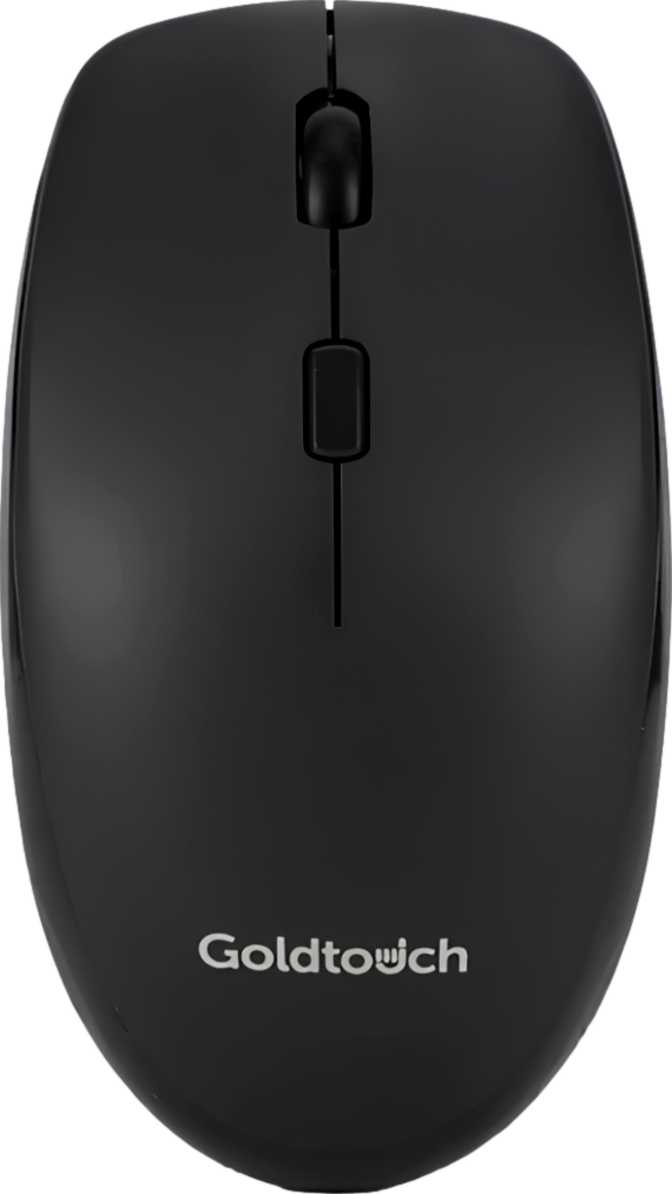
Goldtouch Wireless Office Mouse: Full Review for Office Professionals
Mice800
Hours Battery Life
Dual
Wireless Modes
1000 DPI
Fixed Sensor
Right
Handed Design
Most people shopping for a wireless office mouse are asking a simple question: will it work reliably all day without getting in my way? The Goldtouch Wireless Office Mouse is built around exactly that premise. It offers no flashy extras, no RGB lighting, no programmable buttons — just a clean, dual-connection wireless mouse engineered to stay out of your hands' way and out of your mind. For the right user, that restraint is its greatest strength. For others, it will feel immediately limiting.
Understanding which side of that line you fall on is precisely what this review is here to help you figure out.
Design and Build: Ergonomic Intent, Right-Handed Focus
Shape and Physical Comfort
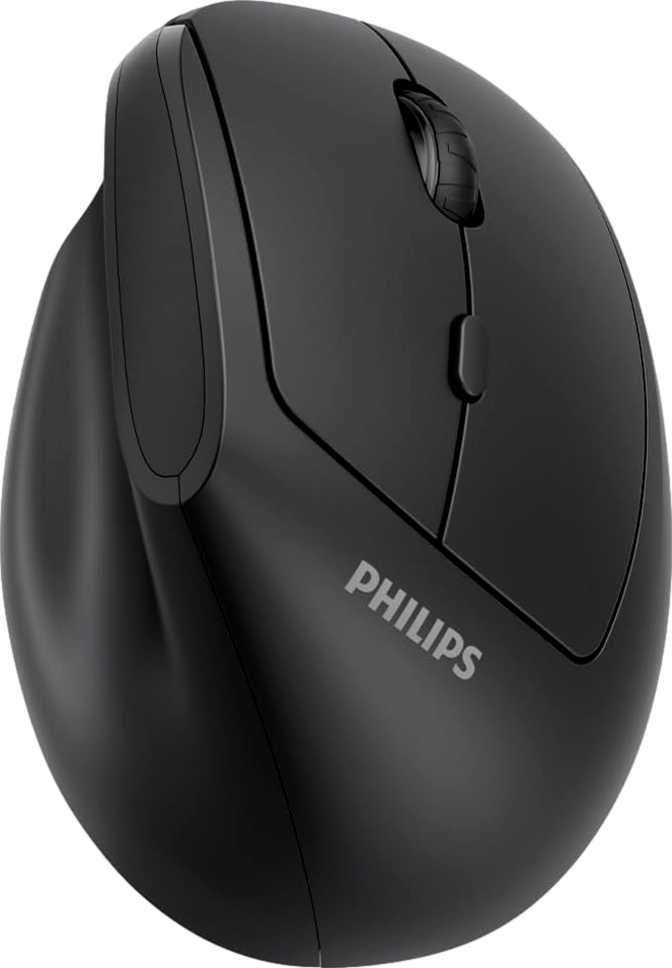
The Goldtouch Wireless Office Mouse is built exclusively for right-handed users. Its sculpted form supports the natural resting position of the right hand during extended desktop work — the kind of hours-long sessions that cause wrist fatigue for people using flat, ambidextrous mice.
At roughly 114mm from front to back and nearly 80mm wide, this is a full-size mouse — not a compact travel model. It fits comfortably under a medium to large right hand with fingers draping naturally over the buttons and the palm resting fully on the body. People with smaller hands may find the reach to the left click slightly awkward.
The thickness of just over 52mm gives it a moderate arch — not as aggressively humped as dedicated vertical mice, but noticeably taller in profile than a flat productivity mouse. That arch encourages a more relaxed, less pronated hand position during long workdays.
Weight and Feel
At 109 grams, the Goldtouch sits in the mid-weight range for an office mouse. For slow, deliberate cursor movement across one or two monitors, this weight provides a planted, stable feel that many productivity users prefer. It will not skitter accidentally when you rest your hand on it.
There are no adjustable weights, no rubberized grip panels marketed as premium extras. The design philosophy here is straightforward: what you hold is what you get, and it is built to feel consistent over months of use.
No RGB, No Visual Noise
The absence of any lighting is a deliberate choice. In shared offices, meeting rooms, and clean desk environments, a glowing peripheral is unwanted. The Goldtouch fits in silently, with nothing to distract you or your colleagues.
Connectivity: Two Ways to Go Wireless, Zero Cables Required
Dual Wireless: 2.4GHz and Bluetooth 5
This is one of the mouse's strongest practical features. It supports both a USB 2.4GHz receiver and Bluetooth 5 — and switching between them covers nearly every work scenario imaginable.
2.4GHz Dongle Connection
The more reliable of the two for day-to-day desktop use. Delivers a stable, low-latency wireless link that behaves essentially like a wired mouse in terms of responsiveness. If your computer has an available USB-A port and you want a set-it-and-forget-it experience, this is the preferred mode.
Bluetooth 5 Connection
No dongle means no occupied USB port — critical for thin laptops with limited ports or for connecting to tablets and modern MacBooks. Bluetooth 5 specifically brings improved connection stability and reduced power consumption compared to older Bluetooth versions.
Who Benefits Most from Dual Connectivity
The pairing of both wireless methods is particularly valuable for people who work across more than one device. Each connection mode can be paired to a separate host machine, letting you toggle between a desktop workstation and a laptop during the day without needing to unplug and re-pair constantly.
Battery Life: The Headline Specification
What 800 Hours Actually Means for You
The battery endurance on this mouse is genuinely exceptional for a wireless office peripheral. At a realistic working pace of around eight hours of active mouse use per day, the rated life translates to roughly four to five months before you need to replace the batteries. Many users will find they swap batteries twice a year, at most.
This is made possible by a non-rechargeable, replaceable battery design. The mouse runs on standard disposable batteries rather than a built-in rechargeable cell. You never have to plug it in overnight, and when the battery dies, you replace it in seconds. For environmentally conscious users, rechargeable AA batteries work perfectly here — combining the convenience of disposables with the sustainability of rechargeables.
Replaceable Battery vs. Rechargeable: A Direct Comparison
| Aspect | Goldtouch (Replaceable) | Typical Rechargeable Mouse |
|---|---|---|
| Duration Before Action Needed | ~4–5 months per battery set | ~1–2 weeks per charge cycle |
| What You Do When Power Runs Out | Swap battery in seconds | Plug in USB-C and wait |
| Use While Recharging | Not applicable — instant swap | Tethered or out of service |
| Long-Term Battery Health | Works with rechargeable AAs | Internal cell degrades over years |
Performance: Calibrated for Office Work, Not Gaming
Cursor Precision and Sensitivity
The Goldtouch uses a fixed 1000 DPI optical sensor. DPI — dots per inch — describes how far the cursor moves on screen relative to how far you physically move the mouse. At 1000 DPI on a standard 1080p monitor, cursor movement feels natural and proportional for most office tasks: navigating documents, clicking through menus, browsing the web.
There is no DPI adjustment available — the sensitivity is what it is. For the vast majority of office users, this is a complete non-issue. For anyone working across multiple monitors at high resolutions, or who occasionally needs finer precision for image editing, the fixed sensitivity may feel slightly coarse or slightly fast depending on display setup. This can usually be compensated through the operating system's pointer speed settings.
Polling Rate and Responsiveness
The mouse communicates with your computer 125 times per second. In practical terms, there is no perceptible input lag during office use — clicking, scrolling, and dragging all feel immediate. This rate would be insufficient for competitive gaming, where 1000Hz polling is standard, but for spreadsheets, email, and document work, it is entirely invisible.
Movement Tracking
The sensor handles physical movement at speeds well beyond any natural office pace, and its acceleration handling confirms reliability for normal working habits without overreaching into performance territory this product does not need. In everyday use, you will never push this mouse anywhere near its sensor's limits.
Real-World Usage Scenarios
- You spend your day in email, documents, spreadsheets, or video calls and need reliable, uncomplicated wireless input
- You switch between a laptop and a desktop and want a single mouse that connects to both via different wireless methods
- You want reliable wireless performance without managing charging cables or worrying about mid-day battery death
- You are right-handed and experience mild wrist discomfort from flat, ambidextrous mice
- You prefer a clean, distraction-free desk with no lighting effects or visual clutter
- You are left-handed — there is no ambidextrous or left-hand version of this mouse
- You do graphic design or illustration that demands adjustable sensitivity for fine detail work
- You work across ultrawide or 4K multi-monitor setups with high DPI preferences that cannot be met at a fixed setting
- You rely heavily on side buttons for back/forward browser navigation and have strong muscle memory around them
- You strongly prefer USB-C rechargeable mice and dislike managing disposable or swappable batteries
Competitive Positioning: Where Does It Stand?
The Goldtouch's strongest differentiators at its price tier are dual wireless connectivity and exceptional battery longevity. Here is how it compares to the two most logical alternatives a buyer at this level would consider.
| Feature | Goldtouch Wireless | Budget Wireless Mouse | Mid-Range Wireless Mouse |
|---|---|---|---|
| Connectivity | 2.4GHz + Bluetooth 5 | 2.4GHz only | 2.4GHz + Bluetooth |
| Battery Duration | ~800 hours | ~12 months (comparable) | 70–200 hrs rechargeable |
| DPI Adjustability | Fixed 1000 DPI | Adjustable 800–1600 | Adjustable 400–4000+ |
| Side Buttons | None | Often 2 | Often 2–5 |
| Ergonomic Shaping | Right-hand contoured | Mostly flat/ambidextrous | Varies by model |
| Target Use | Productivity/Office | General use | General/Power user |
Where the Goldtouch concedes ground is in sensor flexibility and button customization — areas where spending more on a mid-range model pays off if those features matter to your daily workflow.
Honest Assessment: Strengths and Weaknesses
Where It Delivers
The Goldtouch Wireless Office Mouse is an honest product in the truest sense — it does not try to be something it is not. The dual wireless connectivity is genuinely thoughtful for its target audience, and the battery longevity is class-leading in a way that meaningfully reduces friction in daily use.
The ergonomic shaping addresses a real problem for right-handed desk workers, and the clean, professional aesthetic suits the office environments this mouse will primarily inhabit. These are not marketing claims — they are design choices with practical, everyday payoff.
Where It Falls Short
Locking DPI to a single fixed value is a choice that suits the average user but narrows the audience unnecessarily — even a two-step toggle would have served more people at marginal additional cost. The absence of any side buttons will be a genuine limitation for users who have built muscle memory around browser navigation shortcuts.
The right-handed-only design, while ergonomically defensible, excludes a meaningful portion of buyers with no left-handed alternative available. The non-rechargeable battery is a genuine philosophical divide — a strength for some, a dealbreaker for others. Know which camp you fall into before purchasing.
Frequently Asked Questions
Final Verdict
The Goldtouch Wireless Office Mouse is purpose-built for exactly one kind of user: a right-handed office professional who wants reliable, cable-free input across one or two devices, will not think about batteries for months at a time, and has no use for gaming-oriented features or extensive customization.
If that description fits your workday, this mouse delivers on its promises without compromise. The dual wireless modes are practically useful, the battery longevity is genuinely impressive, and the ergonomic shaping makes extended desk sessions more comfortable than a flat alternative would allow.