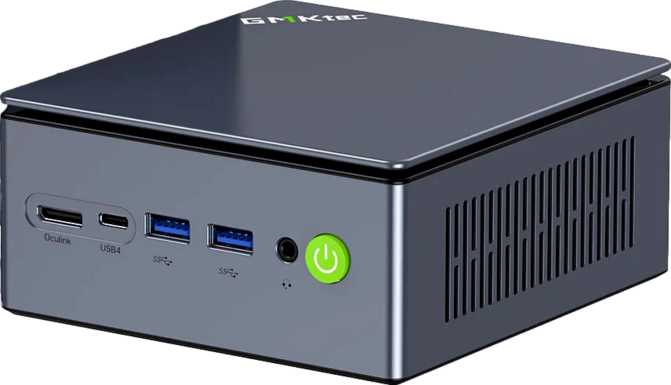
GMKtec NucBox M7 Ultra Review: A Compact Desktop That Overdelivers
Mini PCsThe mini PC category has quietly matured into something serious. What started as glorified media players bolted behind monitors has evolved into a class of machines capable of handling professional workloads—all without the bulk, noise, and power draw of a traditional tower. The GMKtec NucBox M7 Ultra sits near the top of this evolution: a device smaller than most laptop power bricks that ships with a RAM and storage configuration most mid-range desktops do not offer.
This review cuts through the marketing to tell you exactly what the M7 Ultra is, what it does exceptionally well, where it falls short, and who should—and should not—put their money into it.
Key Specifications at a Glance
Overall Rating
out of 5.0
Editorial assessment
Design and Physical Experience: Disappearing Act Done Right
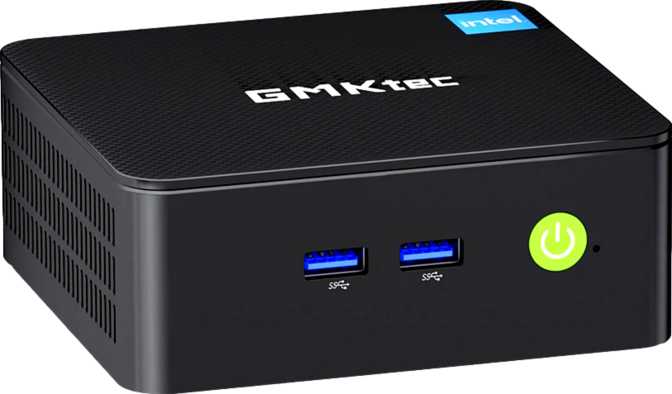
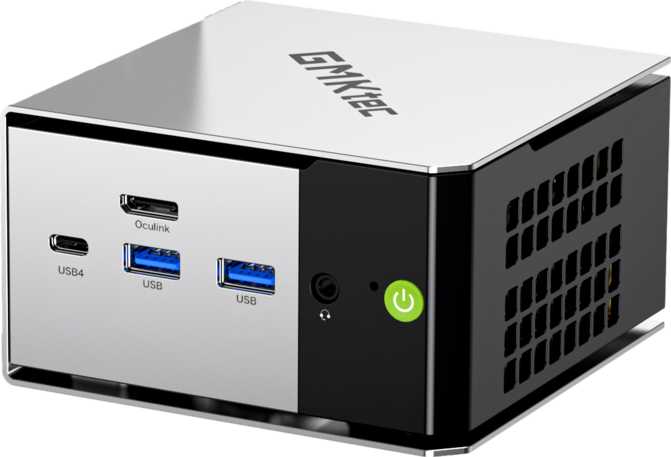
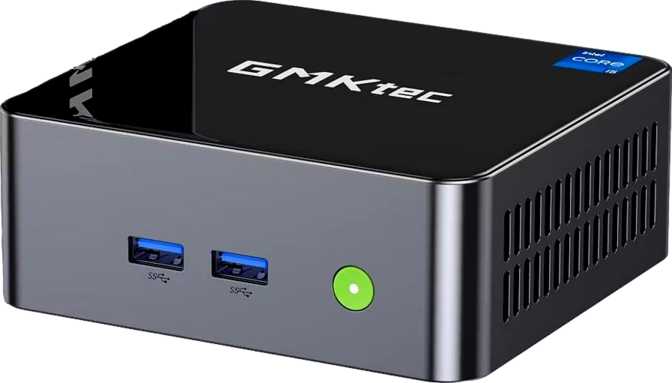
Place the NucBox M7 Ultra on your desk and it immediately earns one compliment: it stays out of the way. At 125 mm wide and 132 mm deep—roughly the surface area of a large smartphone lying flat—it occupies less real estate than a coffee mug and a notebook sitting side by side. At just 58 mm tall, it slips behind a monitor on a VESA arm, tucks into a drawer between sessions, or sits quietly on an AV shelf without visual clutter.
Width
125 mm
smartphone-width footprint
Depth
132 mm
compact desk profile
Height
58 mm
VESA-mount friendly
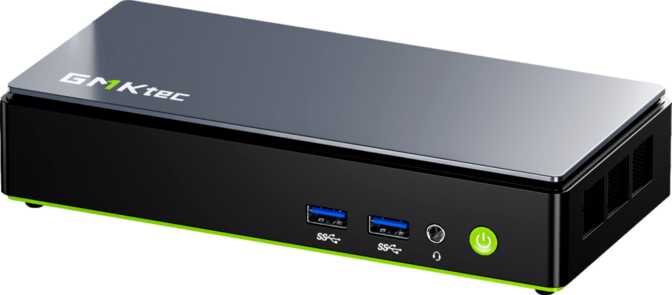
GMKtec's design here favors function over flash. The chassis is compact and purposeful without being austere. Ventilation is clearly considered in the layout, which matters for a machine expected to sustain demanding workloads in a small thermal envelope. The port placement reflects real workflow thinking rather than arbitrary arrangement.
This is not a machine you buy for visual drama. If you want a conversation piece on your desk, look elsewhere. If you want something that disappears into the background while your monitor, peripherals, and work take center stage, the M7 Ultra was built for exactly that.
The M7 Ultra has no SD card or CFexpress slot. Photographers and video creators who habitually ingest footage from camera cards will need a USB adapter as a permanent part of their setup—a minor friction point worth knowing before purchase day.
Memory and Storage: Built for Demanding Work
GMKtec did not cut corners internally—the configuration reflects a genuine commitment to internal performance, not just headline numbers.
System Memory
Thirty-two gigabytes of DDR5 memory is the threshold where memory ceases to be a constraint for virtually any professional non-gaming workload. Running Windows with a full browser session, a virtual machine, a creative suite, and background processes simultaneously—32 GB absorbs all of it without the performance degradation that happens when a system runs out of headroom and starts offloading to the drive.
At 5,600 MHz, this is current-generation memory running near its practical performance ceiling. The DDR5 generational leap matters most in bandwidth-sensitive applications—AI-adjacent workloads, video encoding pipelines, large financial models. For everyday use like email, documents, and browsing, the difference is imperceptible. For the professional workloads this machine targets, the headroom is meaningful.
NVMe Storage
The included terabyte NVMe drive connects directly to the processor, bypassing the slower pathways used by older storage types. Applications load faster, file operations complete faster, and the system responds without the hesitation you get from budget or aging storage. This is fast storage that you feel in daily use—not just in benchmarks.
One terabyte covers a full OS installation, a complete professional application suite, and substantial working file storage without needing external drives on day one. For most users, that is enough headroom to work through months of real projects before storage management becomes an active concern.
What is NVMe? It stands for Non-Volatile Memory Express. Think of it as a dedicated express lane connecting storage directly to the CPU, versus the slower shared road that older SATA drives use. The result: faster boots, faster app launches, faster everything.
Connectivity: The Real Reason to Pay Attention
The port selection on the NucBox M7 Ultra is the single most compelling argument for it. Most compact PCs make compromises here. The M7 Ultra does not—and the gap with typical rivals at this tier is substantial.
Complete Port Breakdown
| Port | Count | Speed / Standard | Best Used For |
|---|---|---|---|
| Thunderbolt 4 | 2 | 40 Gbps | Docks, eGPU, 4K displays, NVMe enclosures, single-cable setups |
| USB 4 (40 Gbps) | 2 | 40 Gbps | High-speed storage enclosures, peripheral hubs, docks |
| USB 3.2 Gen 2 (USB-A) | 2 | 10 Gbps | External SSDs, fast USB hubs, webcams |
| USB 2.0 (USB-A) | 2 | 480 Mbps | Keyboards, mice, dongles, low-speed charging |
| HDMI 2.1 | 1 | 4K / 8K | Primary monitor, TV, or projector |
| DisplayPort | 1 | Video Out | Second dedicated monitor |
| RJ45 Ethernet | 1 | Wired | Stable network for calls, transfers, remote work |
| 3.5 mm Audio Jack | 1 | Audio | Headphones or desktop speakers |
Thunderbolt 4: What Two Ports Actually Means
A single Thunderbolt 4 connection carries data, video signal, and device power simultaneously over one cable. That means a Thunderbolt dock—one cable plugged into the M7 Ultra—can simultaneously charge a connected device, extend to two external displays, connect a high-speed storage array, and attach additional USB peripherals. All from one port to one cable.
Most mini PCs in this class include one Thunderbolt port if any at all. The M7 Ultra includes two. For professionals who move between home and office docking stations, that means a single cable swap handles the entire transition. No replugging peripherals one by one.
Display Outputs: Up to Four Monitors Simultaneously
Four independent display outputs is genuinely unusual on a machine this size. Financial analysts, traders, video editors, and developers who depend on wide peripheral vision across their workflow can achieve full multi-monitor setups without an external GPU or a multi-port dock.
Wireless and Networking
The current top tier of consumer Wi-Fi adds access to the 6 GHz band alongside the older 2.4 GHz and 5 GHz bands. In environments with many competing devices—smart home gear, phones, tablets—6E delivers more consistent throughput and lower interference. In quieter networks, the real-world difference from Wi-Fi 6 is smaller, but the headroom is there when you need it.
Handles wireless peripherals—keyboards, mice, headphones, and speakers—with improved connection stability and lower latency compared to older Bluetooth versions. Modern wireless audio codecs are supported for a cleaner listening experience when wired audio is not preferred.
A single RJ45 port handles wired network connections. For sustained file transfers, video calls, or remote desktop sessions, wired is always the better choice for stability and speed. Its presence here means wireless is a complement, not a necessity—a distinction that matters in professional environments.
Who the M7 Ultra Is Built For—and Who It Isn't
No product is for everyone. Honest fit assessment matters as much as knowing the specs.
Ideal For
-
Remote and hybrid workers who want a clean, cable-managed desk without a tower PC's bulk or background fan noise.
-
Multi-monitor professionals—financial analysts, editors, developers—who need four display outputs natively without investing in an external GPU.
-
Developers and IT professionals who need a capable local machine for code, virtual machines, containerized environments, and remote sessions.
-
Home theater PC users who want a capable, quiet media player with HDMI 2.1 for high-resolution content playback.
-
Space-constrained business deployments—meeting rooms, branch offices, digital signage—where footprint and connectivity matter equally.
Not the Right Fit For
-
Demanding 3D gamers expecting playable settings on modern titles—without discrete graphics, the M7 Ultra is not a gaming solution regardless of other specs.
-
Heavy RAW video production professionals who need maximum sustained CPU and GPU throughput and are willing to accept a larger, louder system for it.
-
Buyers who need extended warranty coverage—the one-year standard period is brief by premium standards and a genuine risk on a primary work machine.
-
SD or CFexpress card users who regularly ingest footage from cameras—the absent card slot means a USB adapter becomes a permanent desk fixture.
How the M7 Ultra Compares
The compact desktop space is crowded with entries from Intel, ASUS, Minisforum, and Beelink. Here is where the M7 Ultra genuinely leads—and where it trails.
| Feature | GMKtec NucBox M7 Ultra | Typical Rival at This Tier |
|---|---|---|
| System Memory | 32 GB DDR5 @ 5,600 MHz | 16–32 GB, often DDR4 or slower DDR5 |
| Thunderbolt Ports | 2× Thunderbolt 4 | 0–1 (often absent entirely) |
| USB 4 Support | 2× (40 Gbps) | Rare; 1 port if present |
| Wi-Fi Standard | Wi-Fi 6E (6 GHz band) | Wi-Fi 6 or 6E (varies by model) |
| Display Outputs | 4 simultaneous screens | Typically 2–3 |
| Internal Storage | 1 TB NVMe | 512 GB–1 TB (varies widely) |
| Warranty Period | 1 Year | 1–2 years (some rivals offer 2 yr) |
The M7 Ultra’s strongest relative advantage is its connectivity depth—the dual Thunderbolt 4 configuration and USB 4 support are features typically found only on machines priced a tier higher. Its most notable gap versus established rivals is warranty coverage.
Honest Assessment
Where It Earns Its Price
The NucBox M7 Ultra makes its case most strongly in connectivity depth and memory configuration. Two Thunderbolt 4 ports on a machine that fits behind a monitor is not a spec sheet trick—it represents real hardware investment that typically costs more elsewhere, and it translates directly into a more capable desk setup for the right buyer.
The high-speed DDR5 memory, full-terabyte fast-lane storage, and four-display output capability are substantive advantages over the majority of the competition at this form factor. These are not marketing decorations—they are choices that reflect a brand trying to win on genuine specs rather than perceived value.
The form factor is exactly what it promises: small, unobtrusive, and fit for both a clean desk and an AV rack. The 3.5 mm audio jack, the RJ45 port, and the full range of Wi-Fi standards mean you are rarely reaching for adapters—a detail that matters more than buyers expect.
Where Caution Is Warranted
The honest weaknesses center on trust rather than specs. GMKtec is a younger brand operating in a space where Intel and ASUS have decades of reliability track record behind them. A one-year warranty on a machine being asked to carry professional workloads feels short—and it will feel shorter still in month fourteen if something fails.
The absence of a media card slot is a genuine omission for the creative professionals this machine otherwise targets so well. In a system positioned toward multi-display editorial and production use, having to carry a USB card reader as a permanent fixture is an inelegant workaround.
There is also the matter of thermal management. Maintaining sustained performance in under one liter of chassis volume is a physics challenge every mini PC faces. For multi-hour, heavy-CPU workloads in poorly ventilated spaces, thermal behavior is a legitimate consideration—one that the published specification data does not resolve.
Questions Real Buyers Are Asking
Answers to the things most frequently searched before a purchase decision.
Final Verdict
Our editorial recommendation
Recommended for the right buyer
The GMKtec NucBox M7 Ultra earns a clear recommendation for its intended audience—with clear-eyed caveats. For the professional who runs multiple monitors, works with demanding local applications, needs flexible connectivity, and wants all of it in a machine that disappears into a clean desk setup, this is one of the most capable options available at this form factor. The dual Thunderbolt 4 ports alone would justify serious consideration. Combined with 32 GB of current-generation memory, a full terabyte of fast storage, and four-display capability, the M7 Ultra is an unusually complete package in a box smaller than most lunch containers.
For the right buyer—the multi-monitor home office user, the developer, the lighter-touch media professional, the IT buyer deploying space-constrained workstations—this is worth serious consideration. For the gamer, the heavy GPU-bound video producer, or the buyer for whom a one-year warranty feels like insufficient cover: look further. The M7 Ultra is a strong product in the areas that matter most to its natural audience, and it should be evaluated precisely on those terms.
Connectivity
Best in class at tier
Memory
32 GB DDR5 well-configured
Warranty
Only 1 year—plan ahead