GMKtec NucBox K13 Review: A Mini PC That Delivers More Than Expected
Mini PCsThe mini PC category is crowded with machines that promise desktop replacement performance in palm-sized packages — and most disappoint the moment you push past basic office tasks. The GMKtec NucBox K13 is a different kind of contender. Built around a modern laptop-class processor with next-generation integrated graphics, it sits at a genuinely interesting intersection: compact enough to mount behind a monitor, yet capable enough to handle workloads that once required a full tower.
Whether you are building a silent home office workstation, a living room media hub, or a lightweight creative machine, the K13 makes a serious case for itself — but it also has real limitations depending on your use case. This review covers all of it.
Strong connectivity and modern Arc graphics — fixed memory ceiling to weigh carefully
- Dimensions
- 182 × 88 × 33.2 mm
- CPU Cores
- 8 Cores / 8 Threads
- Max Turbo
- Up to 4.8 GHz
- GPU
- Arc 140V (Xe2, 3 nm)
- Memory
- 16 GB DDR5 (fixed)
- Storage
- 1 TB SATA SSD
- Displays
- 3 (HDMI 2.1 + 2× DP)
- Wireless
- Wi-Fi 6E + BT 5.2
- Warranty
- 1 Year
Design and Build: Deliberately Understated
Physical experience, chassis quality, and real-world footprint
Footprint and Physical Profile
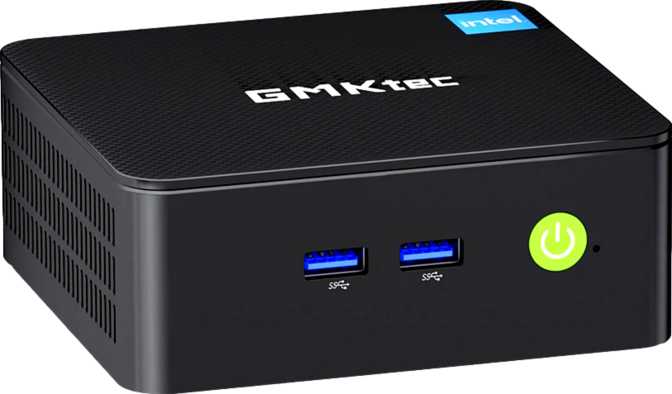
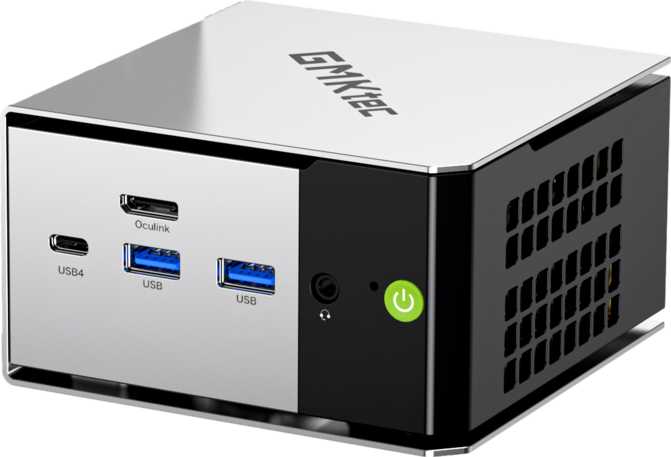
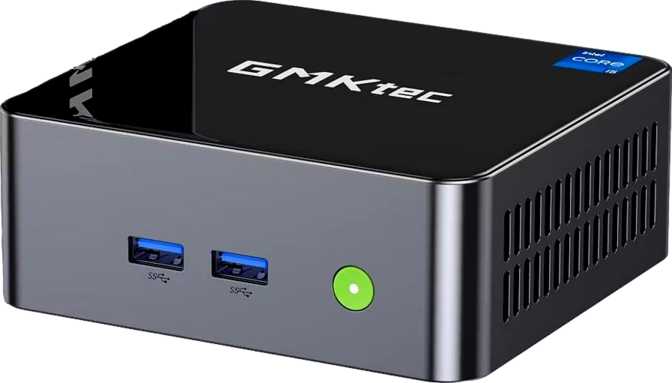
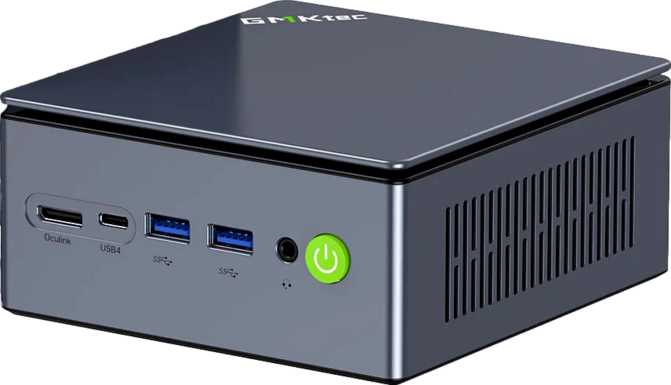
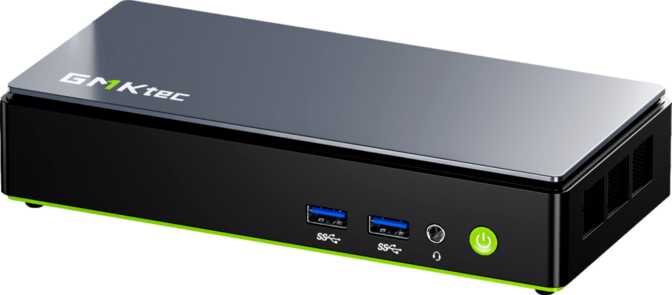
The NucBox K13 is a small, flat slab of a machine — closer to a thick hardback book than a traditional PC tower. Its footprint is roughly that of a standard sheet of paper folded in half, and at just over three centimeters tall it sits nearly flush on a desk surface. The total enclosed volume is just over half a liter — less than a typical water bottle — which means it slides neatly behind a monitor with a VESA mount kit, tucks under a TV console, or occupies an idle corner of a busy desk without complaint.
GMKtec classifies this as a Micro-ATX form factor product. In context, that refers to product category rather than literal motherboard standard — the internal layout is engineered tightly around the compact chassis, not conforming to traditional ATX dimensions.
Physical Experience
The chassis feels solidly constructed without being showy. There are no RGB light strips, no aggressive vent grilles, and no gamer-oriented styling competing for attention — the aesthetic is professional and neutral, which suits the workstation role the K13 targets. Ventilation slots are integrated into the chassis design to support the active cooling system the processor requires at full load.
Physical Dimensions at a Glance
- VESA-mountable behind monitors
- Silent or near-silent at idle and light load
- Professional, neutral aesthetic
- Active cooling for sustained performance
What's Inside: The Processor That Defines This Machine
Architecture breakdown and benchmark results in real-world context
A Modern Architecture Doing Real Work
The K13's processor is a laptop-class chip — the kind designed for thin-and-light notebooks where energy efficiency is as important as raw output. Placed inside a compact desktop chassis with better sustained thermal management and a stable power supply, laptop chips frequently outperform their specification projections. The K13 benefits directly from this dynamic.
The chip features eight cores arranged in two groups using Intel's hybrid big.LITTLE architecture. Demanding single-threaded work — complex calculations, heavy browser tabs, application launches — goes to the faster performance cores. Background processes like sync operations, update installers, and antivirus scans run on the efficiency cores without stealing headroom from your active workload.
Clock Speeds and Thermal Design
The processor reaches burst speeds approaching 5 GHz and operates within a 17-watt thermal ceiling. That combination explains why the K13 stays quiet under typical workloads — this is a processor that generates relatively little heat while delivering capable performance. It is a deliberate engineering trade-off that prioritizes silence and efficiency over peak sustained throughput.
Benchmark Results
Bars are scaled within the performance mini PC tier for visual context only and do not represent absolute maximums.
Graphics: Integrated, But Not in the Way You're Used To
Intel Arc 140V — a generational step above conventional integrated graphics
Intel Arc Graphics 140V — Rethinking "Integrated"
Most budget mini PCs ship with graphics designed for basic display output and light acceleration. The Arc 140V is a generation ahead in every relevant way. Built on a 3-nanometer manufacturing process with Intel's Xe2 architecture, it is a purpose-built graphics engine with dedicated AI acceleration and hardware media encoding — not an afterthought stitched into the CPU die as an afterthought.
The GPU reaches clock speeds approaching 2 GHz and runs on a PCIe 5.0 interface, providing substantially more bandwidth headroom than the PCIe 3.0 and 4.0 connections found in most competing mini PCs. It supports DirectX 12 Ultimate — the standard that enables ray tracing, mesh shading, and variable rate shading in compatible titles and applications. Combined with OpenCL 3 and OpenGL 4.6 support, every current graphics and compute API is covered without compromise.
What This Means for Real Tasks
For video editors working in 4K, the Arc 140V's hardware-accelerated AV1 encode and decode pipelines produce noticeably faster timeline scrubbing and export times. Applications like DaVinci Resolve and Premiere Pro can leverage this hardware directly, reducing the burden on CPU-only processing pipelines.
In gaming, the Arc 140V handles casual titles, esports games, and older or less demanding modern games at 1080p without difficulty. Current AAA titles at high settings are beyond its output — that expectation belongs to a system with a discrete GPU. Where the K13 opens a practical door is eGPU expansion: both Thunderbolt 4 ports support external GPU enclosures as a future upgrade path if graphics demands grow.
Arc 140V Key Capabilities
-
DirectX 12 UltimateFull ray tracing, mesh shading, and variable rate shading — current-generation API compatibility with no compromises.
-
3-Nanometer Process NodeThe most advanced manufacturing process in this mini PC class — delivers more performance per watt than competing integrated solutions.
-
Hardware AV1 Encode/DecodeAccelerates 4K video editing exports, YouTube-optimized output, and high-quality video calls directly in silicon.
-
Three Simultaneous DisplaysNative triple-monitor support — one HDMI 2.1 and two DisplayPort outputs — without adapters or docking hardware.
-
PCIe 5.0 InterfaceGeneration-leading bus interface delivers the bandwidth headroom that GPU workloads and high-speed peripherals demand.
-
eGPU Expansion PathThunderbolt 4 connectivity means an external GPU enclosure can be added later if graphics demands outgrow the integrated solution.
Memory: Fast, Fixed, and Sufficient for Most
DDR5 performance, dual-channel advantages, and the 16 GB ceiling explained
DDR5 at Its Upper Limit
The K13 ships with 16 gigabytes of DDR5 memory in a dual-channel configuration — and both details matter. DDR5 is measurably faster than the DDR4 found in older-generation systems, with the K13's memory operating at up to 8,533 MHz. That figure exceeds what most desktop DDR5 kits achieve without manual overclocking, the result of tight integration between this processor generation and its on-chip memory controller.
Dual-channel operation is especially important for integrated graphics. Integrated GPUs share memory bandwidth with the CPU, and running in dual-channel mode approximately doubles available bandwidth compared to a single-channel configuration. In practice, this translates to measurably smoother graphics performance in media playback, display output, and gaming scenarios.
The Fixed Memory Ceiling
The 16 GB maximum is a hard architectural limit. There are no available upgrade slots, and the memory is integrated with the processor die rather than seated in replaceable DIMM modules. This is a permanent configuration with no workaround.
16 GB is comfortably enough for:
- Web browsing with many concurrent tabs
- Office productivity and document editing
- Video calls and communication tools
- Light creative work and photo editing
- Most software development environments
16 GB may become limiting for:
- Running multiple virtual machines simultaneously
- Large dataset analysis and data science workflows
- Heavy multi-application creative workstations
- Future workloads as software RAM demands increase
Storage: A Terabyte Ready to Go
Generous capacity, SATA performance characteristics, and expansion options
The K13 arrives pre-configured with one terabyte of SSD storage — generous for the majority of users. An operating system, a full suite of productivity and creative applications, a handful of installed games, and a substantial library of local media or project files all fit comfortably without space management ever becoming an active concern.
The drive uses flash storage via a SATA interface. SATA SSDs deliver strong everyday performance — OS boot times, application launches, and document saves all feel fast and responsive. The performance ceiling becomes relevant when moving very large files: copying multi-gigabyte video archives or large backup sets takes noticeably longer compared to the NVMe drives found in some competing mini PCs at similar price points. For most day-to-day workloads, this difference is rarely perceptible.
Users who regularly handle large files have a practical alternative: the K13's USB 4 and Thunderbolt 4 ports support high-speed external NVMe enclosures at full bandwidth. Fast external storage is a cost-effective expansion option that sidesteps the SATA limitation entirely when needed.
Connectivity: Where the K13 Genuinely Shines
USB 4, Thunderbolt 4, HDMI 2.1, and Wi-Fi 6E — a port lineup that punches well above its class
USB Port Breakdown
| Port Type | Count | Speed | Real-World Use |
|---|---|---|---|
| USB 4 / Thunderbolt 4 (USB-C) | 2 | 40 Gbps | Thunderbolt docks, eGPUs, external NVMe, 4K display output via DisplayPort |
| USB 3.2 Gen 2 (USB-A) | 2 | 10 Gbps | Fast peripherals, modern flash drives, and external SSDs |
| USB 2.0 (USB-A) | 1 | 480 Mbps | Keyboards, mice, low-speed dongles, and adapters |
Display Output
Three simultaneous displays are supported natively — a clear advantage over most competing mini PCs, which typically cap at two. The configuration is:
-
HDMI 2.1 — the current-generation standard, supporting 4K at high refresh rates and 8K in compatible configurations. Most competing mini PCs at this price tier ship with the older HDMI 2.0 standard.
-
DisplayPort × 2 — delivered through the USB 4 / Thunderbolt 4 ports, supporting high-resolution monitors without dedicated DisplayPort sockets.
Wireless, Wired, and Audio
-
Wi-Fi 6E (802.11ax)Adds the 6 GHz band — less congested than 2.4 GHz and 5 GHz in dense environments, delivering more consistent throughput and lower latency in offices and apartment buildings.
-
Gigabit Ethernet (RJ45)Wired networking for maximum stability and minimum latency — the preferred option for any stationary workstation or media server.
-
Bluetooth 5.2Reliable wireless peripheral connectivity for headphones, keyboards, mice, and speakers at current-generation specification.
-
3.5 mm Audio JackCombined headphone and headset socket. No S/PDIF optical output — audiophiles using optical DACs will need a USB audio adapter.
Who Should Buy the GMKtec NucBox K13
This Machine Is For
-
Home and Remote Office WorkersCommunication tools, cloud apps, productivity suites, and multi-tab browsing all run without reservation. Quiet operation suits shared workspaces.
-
Multi-Monitor Productivity UsersNative triple-display support and Thunderbolt 4 docking make this one of the most monitor-flexible mini PCs available in its class.
-
Media Center BuildersHDMI 2.1, Arc graphics with AV1 hardware decoding, and a sub-liter chassis combine into a capable, compact living room PC.
-
Developers with Moderate WorkloadsModern instruction set support, strong single-core performance, and fast DDR5 make this a capable daily driver for most development work.
-
First-Time Mini PC BuyersModern enough not to feel dated quickly, with a connectivity suite broad enough to grow a full desk setup without missing a port.
This Machine Is Not For
-
3D Rendering and Heavy Creative ProfessionalsUsers working in intensive 4K+ video timelines or 3D rendering will reach this chip's performance ceiling before their project is done.
-
Serious GamersCurrent AAA titles at high settings are beyond the Arc 140V's output. This is a capable light gaming machine — not a discrete GPU replacement.
-
Users Who Need More Than 16 GB RAM16 GB is the permanent ceiling. If your workflow demands more memory now or in the near future, this platform cannot grow with you.
-
Heavy Virtual Machine UsersRunning multiple VMs simultaneously will strain both available thread count and the fixed 16 GB memory allocation.
-
Optical Audio UsersNo S/PDIF port is present. Routing audio to an optical DAC requires a separate USB audio interface.
How the K13 Compares to Its Closest Competitors
Where the NucBox K13 leads, where it concedes, and why it matters for your decision
| Feature | GMKtec NucBox K13 | Typical Budget Mini PC | Mid-Range Mini PC |
|---|---|---|---|
| Graphics Architecture | Arc Xe2 (3 nm) | Intel UHD (older gen) | Varies by chip |
| USB 4 / Thunderbolt 4 | 2 Ports | Rarely included | Sometimes 1 |
| Display Outputs | 3 (HDMI 2.1 + 2× DP) | 2 (HDMI 2.0 + DP) | 2 to 3 |
| Wi-Fi Generation | Wi-Fi 6E | Wi-Fi 5 or 6 | Wi-Fi 6 or 6E |
| Memory Type | DDR5 (8,533 MHz) | DDR4 | DDR5 (typically slower) |
| Memory Expandability | Fixed 16 GB | Often upgradeable | Varies by model |
| Storage Interface | SATA SSD | NVMe or SATA | Typically NVMe |
| Warranty Period | 1 Year | 1 to 2 Years | 1 to 2 Years |
Competitor data represents typical specifications within comparable price tiers. Individual models will vary.
Strengths and Limitations: An Honest Assessment
What the K13 earns its price on, and where to calibrate your expectations
Where the K13 Earns Its Price
The connectivity lineup is genuinely uncommon at this price tier. Two Thunderbolt 4 ports, HDMI 2.1, native triple-display support, and Wi-Fi 6E represent a specification level that typically costs significantly more in the mini PC market. For users whose performance needs fit within the machine's envelope, this connectivity richness makes the K13 a future-proof purchase — the peripheral ecosystem can grow without replacing the computer.
The Arc 140V graphics represent a real performance step above what most competing mini PCs deliver in integrated graphics. Video playback quality, 4K content handling, hardware-accelerated AV1 processing, and the Thunderbolt-based eGPU upgrade path all benefit from this architecture. DirectX 12 Ultimate support means the K13 is fully compatible with modern graphics APIs without compromise.
Thermal management and acoustic behavior are well-controlled by the low-TDP processor. Under everyday workloads, the K13 operates quietly — an underrated quality in home offices and shared workspaces where sustained fan noise becomes a distraction.
Where to Set Your Expectations
The fixed 16 GB memory ceiling is the single most significant long-term consideration. It is not a problem today for most buyers — but it eliminates the upgrade path that traditional desktop users rely on to extend useful life. If your workload is already memory-intensive or is likely to grow, this deserves serious weight before committing to the K13.
The SATA SSD delivers generous capacity and adequate everyday performance, but users who regularly move large files will notice the throughput difference compared to NVMe drives in some competing systems. The drive appears replaceable, providing some flexibility, but the machine ships in a configuration that prioritizes capacity over peak transfer speed.
The one-year warranty is shorter than what several competitors offer at similar price points. For a machine intended as a long-term workstation investment, this is a modest but real confidence gap worth acknowledging before purchase.
The processor's thread count is modest — one thread per physical core with no hyperthreading. In heavily parallelized professional software, this ceiling becomes evident before a desktop-class processor would reach its limit.
Common Buyer Questions Answered
Real questions from buyers — answered directly, without filler
Final Verdict
GMKtec NucBox K13 — Our Recommendation
The GMKtec NucBox K13 is one of the more complete mini PC offerings available at its market tier. Its combination of modern Arc graphics, dual Thunderbolt 4 ports, HDMI 2.1, Wi-Fi 6E, and native three-display support is a connectivity package that punches clearly above its class. Paired with fast DDR5 memory and a processor built on Intel's most current efficiency-focused architecture, the K13 delivers genuine daily-use performance in a chassis you can hold in one hand.
The trade-offs are real but manageable for the right buyer: a fixed 16 GB memory ceiling with no upgrade path, SATA storage rather than NVMe, and a performance ceiling that professionals with heavy compute demands will encounter. The one-year warranty deserves acknowledgment as a confidence gap at this price point.
For home office workers, media enthusiasts, developers with moderate workloads, and multi-monitor productivity users, the K13 hits a very favorable balance of capability, connectivity, and physical simplicity. It is a considered, well-specified mini PC that most buyers will find satisfying well into the future — and one of the few in its tier that genuinely delivers more than its size suggests.